
The Cages: Pro Style Batting Practice (Wii) - Game Konami - Free user manual and instructions
Find the device manual for free The Cages: Pro Style Batting Practice (Wii) Konami in PDF.


| Product type | Video game |
| Platform | Nintendo Wii |
| Publisher | Konami Digital Entertainment |
| Genre | Sports (baseball, batting practice) |
| Number of players | 1 to 4 players |
| Game modes | Training, Free Hit, Panel Match, Multiplayer Match, Home Run Match, Distance Match, Panels, Calorie Counter |
| Wii MotionPlus compatibility | Yes (recommended for more realistic hits) |
| Required controller | Wii Remote (and optionally Wii MotionPlus) |
| Media type | Wii optical disc |
| Manual page count | 23 pages |
| Manual languages | French, English, Spanish |
| Save | Automatic on the Wii console (10 memory blocks required) |
| Player registration | Up to 8 players |
| Main features | Learning hitting techniques, Wii MotionPlus calibration, difficulty adjustment, various pitch types (fastball, curveball, slider, etc.) |
| Safety | Warnings regarding epilepsy, repetitive motion, eye strain, and nausea; use the Wii Remote wrist strap; take breaks (10-15 minutes per hour) |
| Maintenance and cleaning | Do not insert incompatible discs, do not stick labels on the disc, clean with a soft cloth |
| Warranty | 90 days from purchase, covers defects in materials and workmanship |
| General information | Requires a Wii console; system menu update possible; copying prohibited; Nintendo trademark |
Frequently Asked Questions - The Cages: Pro Style Batting Practice (Wii) Konami
User questions about The Cages: Pro Style Batting Practice (Wii) Konami
0 question about this device. Answer the ones you know or ask your own.
Ask a new question about this device
Download the instructions for your Game in PDF format for free! Find your manual The Cages: Pro Style Batting Practice (Wii) - Konami and take your electronic device back in hand. On this page are published all the documents necessary for the use of your device. The Cages: Pro Style Batting Practice (Wii) by Konami.
USER MANUAL The Cages: Pro Style Batting Practice (Wii) Konami
PLEASE CAREFULLY READ THE Wii™ OPERATIONS MANUAL COMPLETELY BEFORE USING YOUR Wii HARDWARE SYSTEM, GAME DISC OR ACCESSORY. THIS MANUAL CONTAINS IMPORTANT HEALTH AND SAFETY INFORMATION.
IMPORTANT SAFETY INFORMATION: READ THE FOLLOWING WARNINGS BEFORE YOU OR YOUR CHILD PLAY VIDEO GAMES.
WARNING - Seizures
- Some people (about 1 in 4000) may have seizures or blackouts triggered by light flashes or patterns, and this may occur while they are watching TV or playing video games, even if they have never had a seizure before.
- Anyone who has had a seizure, loss of awareness, or other symptom linked to an epileptic condition should consult a doctor before playing a video game.
- Parents should watch their children play video games. Stop playing and consult a doctor if you or your child has any of the following symptoms:
Convulsions Eye or muscle twitching Altered vision Loss of awareness Involuntary movements Disorien
To reduce the likelihood of a seizure when playing video games:
1. Sit or stand as far from the screen as possible.
2. Play video games on the smallest available television screen.
3. Do not play if you are tired or need sleep.
4. Play in a well-lit room.
5. Take a 10 to 15 minute break every hour.
WARNING - Repetitive Motion Injuries and Eyestrain
Playing video games can make your muscles, joints, skin or eyes hurt. Follow these instructions to avoid problems such as tendinitis, carpal tunnel syndrome, skin irritation or eyestrain:
- Avoid excessive play. Parents should monitor their children for appropriate play.
Take a 10 to 15 minute break every hour, even if you don't think you need it. - If your hands, wrists, arms or eyes become tired or sore while playing, or if you feel symptoms such as tingling, numbness, burning or stiffness, stop and rest for several hours before playing again.
- If you continue to have any of the above symptoms or other discomfort during or after play, stop playing and see a doctor.
CAUTION - Motion Sickness
Playing video games can cause motion sickness in some players. If you or your child feel dizzy or nauseous when playing video games, stop playing and rest. Do not drive or engage in other demanding activity until you feel better.
IMPORTANT LEGAL INFORMATION 3ed for use with
any unauthorized device. Use of any such device will invalidate your Nintendo product warranty. Copying of any Nintendo game is illegal and is strictly prohibited by domestic and international intellectual property laws. "Back-up" or "archival" copies are not authorized and are not necessary to protect your software. Violators will be prosecuted.

The Official Seal is your assurance that this product is licensed or manufactured by Nintendo. Always look for this seal when buying video game systems, accessories, games and related products.

Powered by AllLive
Trademarks are property of their respective owners. Wili is a trademark of Nintendo, © 2006 Nintendo.
Licensed by Nintendo
Nintendo

CAUTION: Wrist STRAP USE
Please use the wrist strap to help prevent injury to other people or damage to surrounding objects or the Wii Remote in case you accidentally let go of the Wii Remote during game play.
Also remember the following:
- Make sure all players put on the wrist strap properly when it is their turn.
- Do not let go of the Wii Remote during game play.
- Dry your hands if they become moist.
- Allow adequate room around you during game play and make sure that all areas you might move into are clear of other people and objects.
- Stay at least three feet from the television.
- Use the Wii Remote Jacket.
SYSTEM MENU UPDATE
Please note that when first loading the Game Disc into the Wii console, the Wii will check if you have the latest system menu, and if necessary a Wii system update screen will appear. Press OK to proceed.
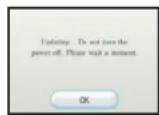
When the system menu is updated, unauthorized hardware and/or software modifications may be detected and unauthorized content may be removed causing the immediate or delayed interoperability of your console. Failure to accept the update may render this game, and future games, unplayable. Please note that Nintendo cannot guarantee that unauthorized software or accessories will continue to function with the Wii console after this or future updates of the Wii system menu.

TABLE OF CONTENTS
STARTING THE GAME / CONTROLS

- Set up your Wili console according to the instructions in its Instruction Manual.
- Press the Power Button and the power LED will light up.
- Place the The Cages: Pro Style Batting Practice disc in the Disc slot with the label side facing up.
- Follow on-screen instructions and refer to this manual for more information about playing The Cages: Pro Style Batting Practice.
To avoid damage to discs or the disc drive:
- Insert only Wii compatible discs into the disc slot.
- Never use oddly shaped discs, such as star-shaped or heart-shaped discs.
- Do not apply labels, stickers, or other foreign objects to discs.
Saving Data
When a save date is created, edited data automatically saves to your Wii™ console. For more information on saving and loading, see page 5.

Wii RemoteTM
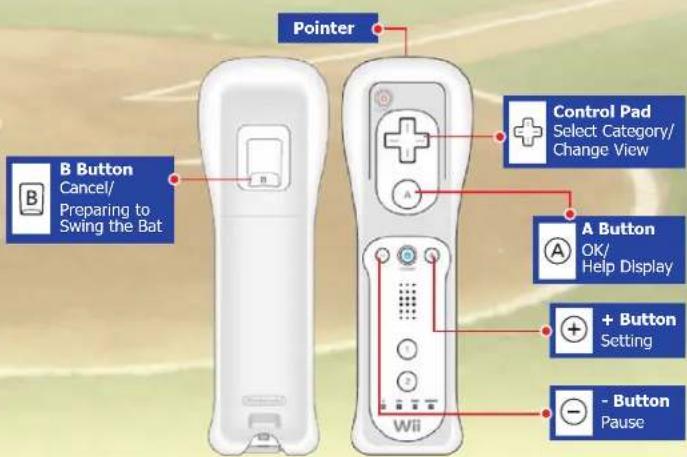


HOW TO BAT / MODE SELECTION
MODE SELECTION/ PLAYER REGISTRATION

HOWTOBAT
Before starting, make sure that there are no objects or people around you.
1. CALIBRATION (Wii MotionPlus ONLY)
Hold the Wii Remote™ horizontally so that it is perpendicular to the screen and press the Button.
- Wii MotionPlus only. Calibration is not required when using only the Wii Remote™.
2. TAKE YOUR STANCE
When you press the 8 Button, the pitch count will begin, so take a batting stance with the Wii Remote. Continue to hold down the 8 Button. When the pitch count reaches zero, the ball will be thrown.
3. SWING
Keep holding the Button and swing the bat in time to hit the ball. Be careful not to let go of the Wii RemoteTM.
SUPPORTS Wii MotionPlus!
Although this game can be played with only the Wii Remote™, using Wii MotionPlus will allow you to have an even more realistic batting experience. With Wii MotionPlus, every movement of your arm will be passed directly to your on-screen bat, so we recommend it to anyone who wants the ultimate batting experience.
It is also possible to use the replay function to help correct problems with your swing.
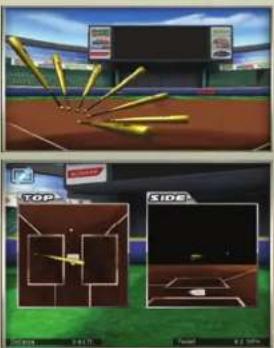
MODE SELECTION
★ TRAINING
In this mode, you start by learning how to swing your bat and then develop your batting skills through a variety of trials.
★ FREE BATTING
Set the pitching to any type you want to hit.
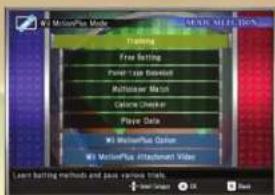
PANEL-TYPEBASEBALL
In this mode, two people take turns playing in a batting competition.
MULTIPLAYER MATCH
1 to 4 players can compete in this mode. Compete to see who can get the most home runs or hit the most panels.
CALORIE CHECKER
See how many calories you've burned.
★ PLAYER DATA
View player data details, create or delete records.
★ Wii MotionPlus OPTION
Select whether or not you want to use Wii MotionPlus.
★ Wii MotionPlus Instructional Video
See how to attach the Wii MotionPlus.
PLAYER REGISTRATION
At the beginning of the game you must go through Player Registration. Enter your name, height, weight, and batting stance.
To add a new player, select PLAYER DATA on the Mode Selection screen.
Up to 8 players can be registered. Try registering everyone in your family and competing against each other.
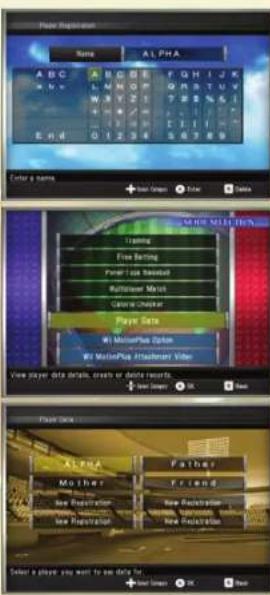



PLAYER REGISTRATION / TRAINING
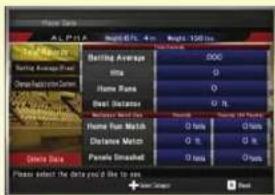
On the Player Data screen you can see detailed information for each player.
SAVING PLAYER DATA
Game data is automatically saved to the Wii console.
Saving game data requires 1 block of free memory on the Wii console.
For instructions on deleting save data from the Wii system memory, please see the
Wll Settings and Data Management section of the Wil Operations Manual.
Do not turn off the Wi RemoteTM or press the reset button while data is being saved.
This game's save data cannot be copied to an SD card.
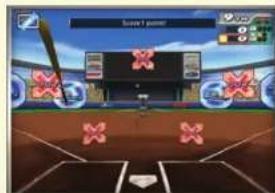
Once the lessons are over, you will be faced with a variety of trials, such as trying for a comeback victory or trying to hit a particular location. Each trial's win conditions are different, so you will need to work on many different techniques to clear them all.
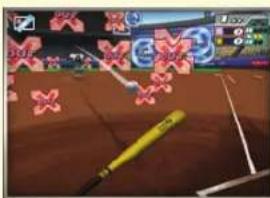
In some trials, panels will appear on the field. Depending on which panel you hit, a number of different things can occur.
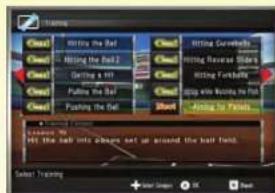
TRAINING
In this mode you can practice your batting technique as you clear one trial after another.
After you select a player, the Trial Selection screen will appear.
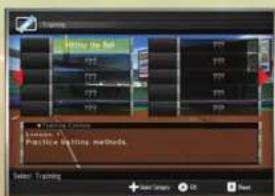
When you first start, you will take some batting lessons. You will learn things like how to hit the ball, how to bunt, and how to hit to the left or right.
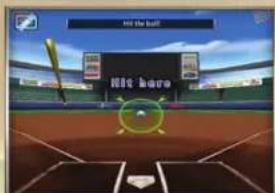
FREE BATTING
You can practice your batting by changing the speed and type of pitch used by the pitching machine.
First, select a pitcher. There are 8 types of pitcher data available. You can also save any changes that you make to their settings.
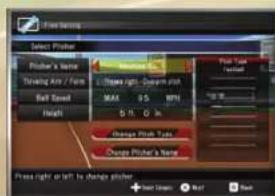
If you meet the targets displayed on the screen during Free Batting, you will be able to make more detailed adjustments to the pitcher settings.
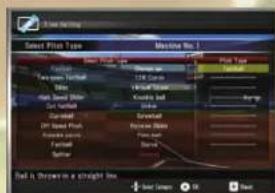


PANEL-TYPE BASEBALL/MULTIPLAYER MATCH
MULTIPLAYER MATCH /
CALORIE CHECKER / PLAYER DATA

PANEL-TYPEBASEBALL
In this two-player mode, you take turns batting while Hit and Out panels appear on the field.
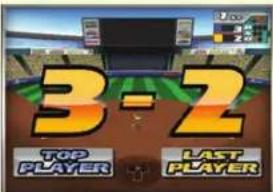
You can set a game length of up to 9 innings, and the players will switch after 3 outs. The player with the most points after the last inning is over will be the winner. The game will also end if anyone gets 99 points.
MULTIPLAYERMATCH
This mode allows 1 to 4 players to compete. Each player tries to hit several pitches and then the next player goes. The final results will be displayed once everyone has gotten a chance to hit 15 pitches.
★ HOME RUN MATCH
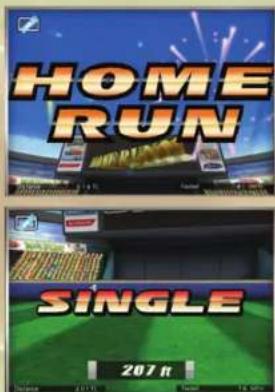
See who can hit the most home runs out of 15 pitches.
DISTANCE MATCH
See who can get the farthest combined hitting distance out of 15 pitches.
PANELSMATCH
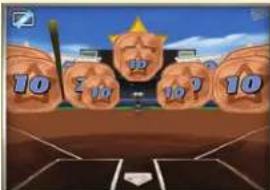
See who can get the most points out of 15 pitches by hitting panels.
Once a player hits a panel, it will disappear.
All players use the same Wii Remote™ to play.
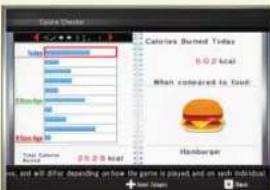
CALORIECHECKER
The number of calories you burn each day will be calculated based on the length of time you spent playing that day. You can check up to 10 days' records.
These are estimated values, and will differ depending on how the game is played, and on each individual.
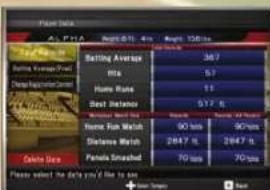
PLAYERDATA
Check detailed player information or register a new player.
You can check detailed statistics such as batting average and number of home runs. To delete stored data, select DELETE DATA. Deleted data cannot be recovered.



Wii MotionPlus OPTION /
CHANGING THE BATTING LEVEL
PITCH TYPES

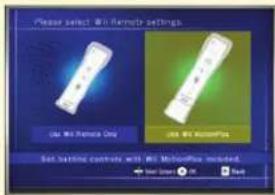
Wii MotionPlus OPTION
Change whether or not to use Wii MotionPlus. While Wii MotionPlus makes more realistic batting possible, it also requires a more advanced technique. Before attaching Wii MotionPlus, please watch the movie on the Mode Selection screen illustrating the correct way to attach it.
CHANGING THE BATTING LEVEL
Adjust the batting level to be used with Wii MotionPlus. If you select EASY, the bat's angle will be automatically adjusted to match the height of the ball. This can be a useful setting if you find yourself having trouble hitting the ball.
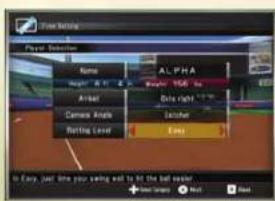
This setting cannot be changed in Training Mode.
PITCH TYPES
| Fastball | Ball is thrown in a straight line. |
| Two-seam fastball | Ball curves slightly in the direction of the throwing arm. |
| Slider | Ball curves sideways in the opposite direction of the throwing arm. |
| High Speed Slider | A high-speed slider. |
| Cut fastball | Ball curves a bit just in front of the batter. |
| Curveball | Ball curves in the opposite direction of the throwing arm and drops. |
| Off Speed Pitch | Ball travels slowly and curves wide. |
| Knuckle curve Ball has | more vertical drop than a normal curveball. |
| Forkball | Ball drops just in front of the batter. |
| Splitter | Ball travels fast with less drop than a forkball. |
| Change up | Ball drops at a gentle speed. |
| 12-6 Curve | Ball forms an arc and drops right after being pitched. |
| Vertical Slider | Slider that curves vertically (downward). |
| Knuckle ball | Ball travels slowly into an irregular pitch. |
| Sinker | Ball curves while sinking in the direction of the throwing arm. |
| Screwball | Ball curves in the direction of the throwing arm with more drop than a sinker. |
| Reverse Slider | Ball curves in the direction of the throwing arm. |
| Palm ball | Ball drops in an irregular fashion right after being pitched. |
| Slurve | Cross between a slider and a curveball. |
WARRANTY
Konami Digital Entertainment, Inc. warrants to the original purchaser of this Konami software product that the medium on which this computer program is recorded is free from defects in materials and workmanship for a period of ninety (90) days from the date of purchase. This Konami product is sold "as is," without express or implied warranty of any kind, and Konami is not liable for any losses or damages of any kind resulting from use of this program. Konami agrees for a period of ninety (90) days to either repair or replace, at its option, free of charge, any Konami product, postage paid, with proof of date of purchase, at its Factory Service Center. This warranty is not applicable to normal wear and tear. This warranty shall not be applicable and shall be void if the defect in the Konami software product has arisen through abuse, unreasonable use, mistreatment, or neglect.
THIS WARRANTY IS IN LIEU OF ALL OTHER WARRANTYES AND NO OTHER REPRESENTATIONS OR CLAIMS OF ANY NATURE SHALL BE BINDING ON OR OBLIGATE KONAMI. ANY IMPLIED WARRANTYES APPLICABLE TO THIS SOFTWARE PRODUCT, INCLUDING WARRANTYES OF MERCHANTABILITY AND FITNESS FOR A PARTICULAR PURPOSE, ARE LIMITED TO THE NINETY (90) DAY PERIOD DESCRIBED ABOVE. IN NO EVENT WILL KONAMI BE LIABLE FOR ANY SPECIAL INCIDENTTAL OR CONSEQUENTIAL DAMAGES RESULTING FROM POSSESSION, USE OR MALFUNCTION OF THIS KONAMI PRODUCT.
Some states do not allow limitations as to how long an implied warranty lasts and/or exclusions or limitations of incidental or consequential damages so the above limitations and/or exclusions of liability may not apply to you. This warranty gives you specific rights, and you may also have other rights which vary from state to state.
If you experience technical problems with your game, please head to www.konami.com/support for assistance, here you will have access to many support materials, as well as our Knowledge Base which is available 24 hours a day, 7 days a week. All products must be deemed defective by a Konami Customer Service representative and an RMA number assigned prior to returning the product. All products received not matching this criteria will be returned if a Konami Customer Service Representative cannot reach you within three days upon receipt of the unauthorized return.
Konami Digital Entertainment, Inc.
Attention: Customer Service-RMA #XXXX
2381 Rosecrans Ave, Suite 200
Register now at www.konami.com to receive exclusive product news, special offers and more!
EEO www.konami.com/thecages
VEUILLEZ LIRE LE MANUEL D'INSTRUCTION DE LA Wii™ EN ENTIER AVANT D'UTILISER LE SYSTEME VII, UN DISQUE OU UN ACCESSOIRE. CE MANUEL CONTIENT DES INFORMATIONS IMPORTANTES POUR VOITE SECURITÉ.
INFORMATIONS IMPORTANTES POUR VOIR SE CÉCURITÉ : VÉUILLEZ LIRE LES NOTES SUIVANTES AVANT DE JOUER OU DE FAIRE JOUER VOIR ENFANT À DES JEUX VIDEO.
AVERTISSEMENT - Risque d'epilepsie
DÉMARRER LE JEU/COMMANDES

Attention: Customer Service-RMA #XXXX
2381 Rosecrans Ave, Suite 200
USA
www.konami.com/thecages
POR FAVOR LEA CUIDADOSAMENTE EL MANUAL ELECTRONICO COMPLETO DE Wii™ ANTES DE UTILIZAR SU SISTEMA Wii, DISCO DE JUEGO O ACCESORIO. Este MANUAL CONTIENE INFORMACION IMPORTANTE DE SALUD Y SEGURIDAD.
Attention: Customer Service-RMA #XXXX
2381 Rosecrans Ave, Suite 200
www.konami.com/thecages
Take to The Streets in Your Very Own Supermini!

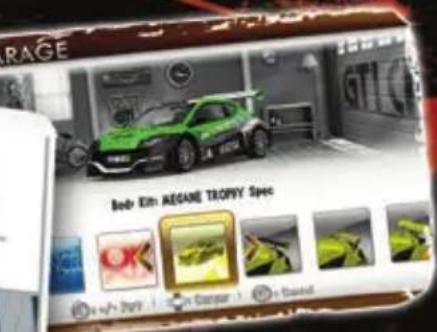
Choose from 16 Classic Customizable Cars
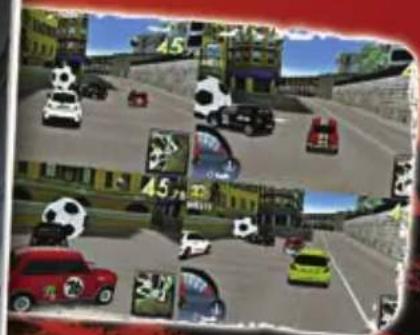
Compete online with up to 4 players simultaneously

Get Behind The Wheel in an All Out Brawl of Party Games

Mild Violence
Online Interactions Not Rated by the ESRB
Visit
konami.com/gticclub for details!
Wii
KONAMI
www.konami.com
2010 Konami Digital Entertainment KONAMI is a registered trademark of KONAMICORPORATION. Product under license. The Scorpion, all associated logos and distinctive designs are trademarks of Fiat Group Automobiles Spa. The body designs of the Abarth cars are protected as Fiat Group Automobiles property under design, trademark and trade dress regulations. The MINI trademarks are used under license from BMW AG. Fiat is registered trademark licensed by Fiat Group Automobiles Spa Alfa Romeo is registered trademark licensed by Fiat Group Automobiles Spa Morris is the trademark of Nanjing Automobile (Group) Corporation, Licensed by British Motor Heritage Limited. Licensing Agent: LMI Mini is the trademark of BMW AG, Licensed by British Motor Heritage Limited. Licensing Agent: LMI www.bmh-lidc.com Manufactured under license from NISSAN MOTOR CO., LTD. Peugeot trademarks and logo and body design are the intellectual property of Automobiles Peugeot and are used under license by KDE RENAULT Official License Products are vehicle models and trademarks protected by intellectual property laws. Used with permission from RENAULT. Trademarks, design patents and copyrights are used with the permission of the owner Volkswagen AG All rights reserved.
KONAMI
www.konami.com
Konami Digital Entertainment, Inc. 2381 Rosecrans Avenue, Suite 200, El Segundo, CA 90245
© 2010 Konami Digital Entertainment KONAMI is a registered trademark of KONAMI CORPORATION.
Wii and the Wii logo are trademarks of Nintendo. © 2006 Nintendo.