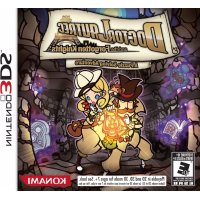
Doctor Lautrec and the Forgotten Knights (Nintendo 3DS) - Game Konami - Free user manual and instructions
Find the device manual for free Doctor Lautrec and the Forgotten Knights (Nintendo 3DS) Konami in PDF.


| Product type | Video game |
| Brand | Konami |
| Model | Doctor Lautrec and the Forgotten Knights |
| Platform | Nintendo 3DS |
| Genre | Adventure / Puzzle / Exploration |
| Available languages | French, English, Spanish (depending on version) |
| Number of players | 1 |
| Format | Nintendo 3DS cartridge |
| PEGI classification | 7 (3D warning for children under 7) |
| Main features | Solving puzzles, exploring labyrinths, taming guardian spirits (Treasure Animatus) |
| Warnings | 3D use not recommended for children under 7, risk of epilepsy, eye fatigue, repetitive movements |
| Included accessories | None (game only) |
| Dimensions | Standard 3DS cartridge size (approx. 35 x 33 x 4 mm) |
| Weight | Approximately 2 g |
| Power source | Powered via the Nintendo 3DS console |
| Maintenance and cleaning | Clean with a soft, dry cloth; avoid liquids |
| Safety | Do not expose to moisture, do not disassemble, avoid shocks |
| Spare parts and repairability | Not applicable (sealed product) |
| General information | Licensed by Nintendo. 75-page manual available in PDF. |
Frequently Asked Questions - Doctor Lautrec and the Forgotten Knights (Nintendo 3DS) Konami
User questions about Doctor Lautrec and the Forgotten Knights (Nintendo 3DS) Konami
0 question about this device. Answer the ones you know or ask your own.
Ask a new question about this device
Download the instructions for your Game in PDF format for free! Find your manual Doctor Lautrec and the Forgotten Knights (Nintendo 3DS) - Konami and take your electronic device back in hand. On this page are published all the documents necessary for the use of your device. Doctor Lautrec and the Forgotten Knights (Nintendo 3DS) by Konami.
USER MANUAL Doctor Lautrec and the Forgotten Knights (Nintendo 3DS) Konami
PLEASE CAREFULLY READ THE NINTENDO 3DS^TM OPERATIONS MANUAL BEFORE USING YOUR SYSTEM, GAME CARD OR ACCESSORY. THIS MANUAL CONTAINS IMPORTANT HEALTH AND SAFETY INFORMATION.
IMPORTANT SAFETY INFORMATION: READ THE FOLLOWING WARNINGS BEFORE YOU OR YOUR CHILD PLAY VIDEO GAMES.
WARNING - 3D FEATURE ONLY FOR CHILDREN 7 AND OVER
Viewing of 3D images by children 6 and under may cause vision damage. Use the Parental Control feature to restrict the display of 3D images for children 6 and under. See the Parental Controls section in the Nintendo 3DS Operations Manual for more information.
WARNING - SEIZURES
Some people (about 1 in 4000) may have seizures or blackouts triggered by light flashes or patterns, and this may occur while they are watching TV or playing video games, even if they have never had a seizure before.
Anyone who has had a seizure, loss of awareness, or other symptom linked to an epileptic condition should consult a doctor before playing a video game.
Parents should watch their children play video games. Stop playing and consult a doctor if you or your child has any of the following symptoms:
Convulsions Altered visio
Eye or muscle twitching Involuntary movements
Loss of awareness Disorientation
To reduce the likelihood of a seizure when playing video games:
Sit or stand as far from the screen as possible
Play video games on the smallest available television screen.
Do not play if you are tired or need sleep.
- Play in a well-lit room.
- Take a 10 to 15 minute break every hour.
WARNING - EYESTRAIN AND MOTION SICKNESS
Playing video games can result in eyestrain after a sustained period of time, and perhaps sooner if using the 3D feature. Playing video games can also result in motion sickness in some players. Follow these instructions to help avoid eyestrain, dizziness, or nausea:
Avoid excessive play. It is recommended that parents monitor their children for appropriate play.
Take a 10 to 15 minute break every hour, or every half hour when using the 3D feature, even if you don't think you need it. Each person is different, so take more frequent and longer breaks if you feel discomfort.
If your eyes become tired or sore while playing, or if you feel dizzy or nauseated, stop and rest for several hours before playing again. If you continue to have any of the above symptoms, stop playing and see a doctor.
WARNING - REPETITIVE MOTION INJURIES
Playing video games can make your muscles, joints, or skin hurt. Follow these instructions to avoid problems such as tendinitis, carpal tunnel syndrome or skin irritation:
Avoid excessive play. Parents should monitor their children for appropriate play.
Take a 10 to 15 minute break every hour, even if you don't think you need it.
When using the stylus, you do not need to grip it tightly or press it hard against the screen. Doing so may cause fatigue or discomfort.
If your hands, wrists, or arms become tired or sore while playing, or if you feel symptoms such as tingling, numbness, burning or stiffness, stop and rest for several hours before playing again.
If you continue to have any of the above symptoms or other discomfort during or after play, stop playing and see a doctor.
WARNING-BATTERY LEAKAGE
The Nintendo 3DS contains a rechargeable lithium ion battery pack. Leakage of ingredients contained within the battery pack, or the combustion products of the ingredients, can cause personal injury as well as damage to your Nintendo 3DS. If battery leakage occurs, avoid contact with skin. If contact occurs, immediately wash thoroughly with soap and water. If liquid leaking from a battery pack comes into contact with your eyes, immediately flush thoroughly with water and see a doctor.
To avoid battery leakage:
Do not expose battery to excessive physical shock, vibration, or liquids.
Do not disassemble, attempt to repair, or deform the battery.
Do not dispose of battery pack in a fire.
Do not touch the terminals of the battery or cause a short between the terminals with a metal object.
Do not peel or damage the battery label.
WARNING - RADIO FREQUENCY INTERFERENCE
The Nintendo 3DS can emit radio waves that can affect the operation of nearby electronics, including cardiac pacemakers.
Do not operate the Nintendo 3DS within 9 inches of a pacemaker while using the wireless feature.
If you have a pacemaker or other implanted medical device, do not use the wireless feature of the Nintendo 3DS without first consulting your doctor or the manufacturer of your medical device.
Observe and follow all regulations and rules regarding use of wireless devices in locations such as hospitals, airports, and on board aircraft. Operation in those locations may interfere with or cause malfunctions of equipment, with resulting injuries to persons or damage to property.

The Official Seal is your assurance that this product is licensed or manufactured by Nintendo. Always look for this seal when buying video game systems, accessories, games and related products.
IMPORTANT LEGAL INFORMATION
This Nintendo game is not designed for use with any unauthorized device. Use of any such device will invalidate your Nintendo product warranty. Copying of any Nintendo game is illegal and is strictly prohibited by domestic and international intellectual property laws. "Back-up" or "archival" copies are not authorized and are not necessary to protect your software. Violators will be prosecuted10.
CAUTION-STYLUSUSE
To avoid fatigue and discomfort when using the stylus, do not grip it tightly or press it had against the screen. Keep your fingers, hand, wrist and arm relaxed. Long, steady, gentle strokes work just as well as many short, hard strokes.

LICENSED BY NINTENDO. Trademarks are property of their respective owners. Nintend O 3DS is a trademark of Nintend.
THIS GAME CARD WILL WORK ONLY WITH THE NINTENDO 3DS VIDEO GAME SYSTEM.
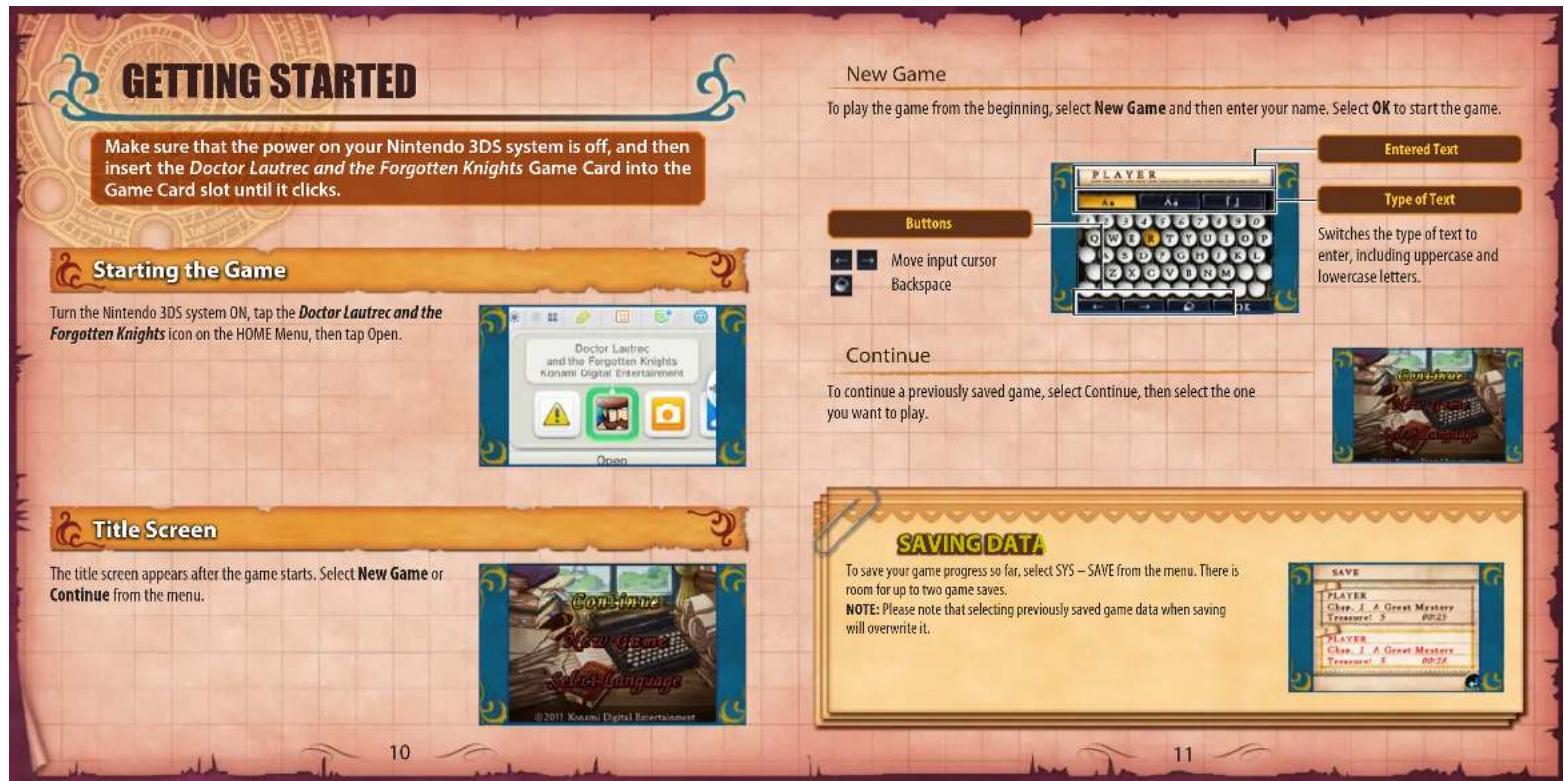
CONTENTS
Story 2 Town View 22
Characters 3 Labyrinth Mode 24
Introduction 6 Labyrinth View 24
Controls 8 Puzzles 28
Getting Started. 10 Taming Guardian Spirits 34
How To Play 12 Menu 38
City Mode 16 Frangais 49
Le Repaire 16 Espanol 97
Map of Paris 20 Notes 141

STORY

"The Paris underground is an abyss." Victor Hugo
In the closing years of the 19th century, Paris, France, has come alive with the construction of the Eiffel Tower underway and the coming Exposition Universelle. But below its bright streets, daring adventurers brave dark, twisting labyrinths in search of living treasure known as Treasure Animatus.
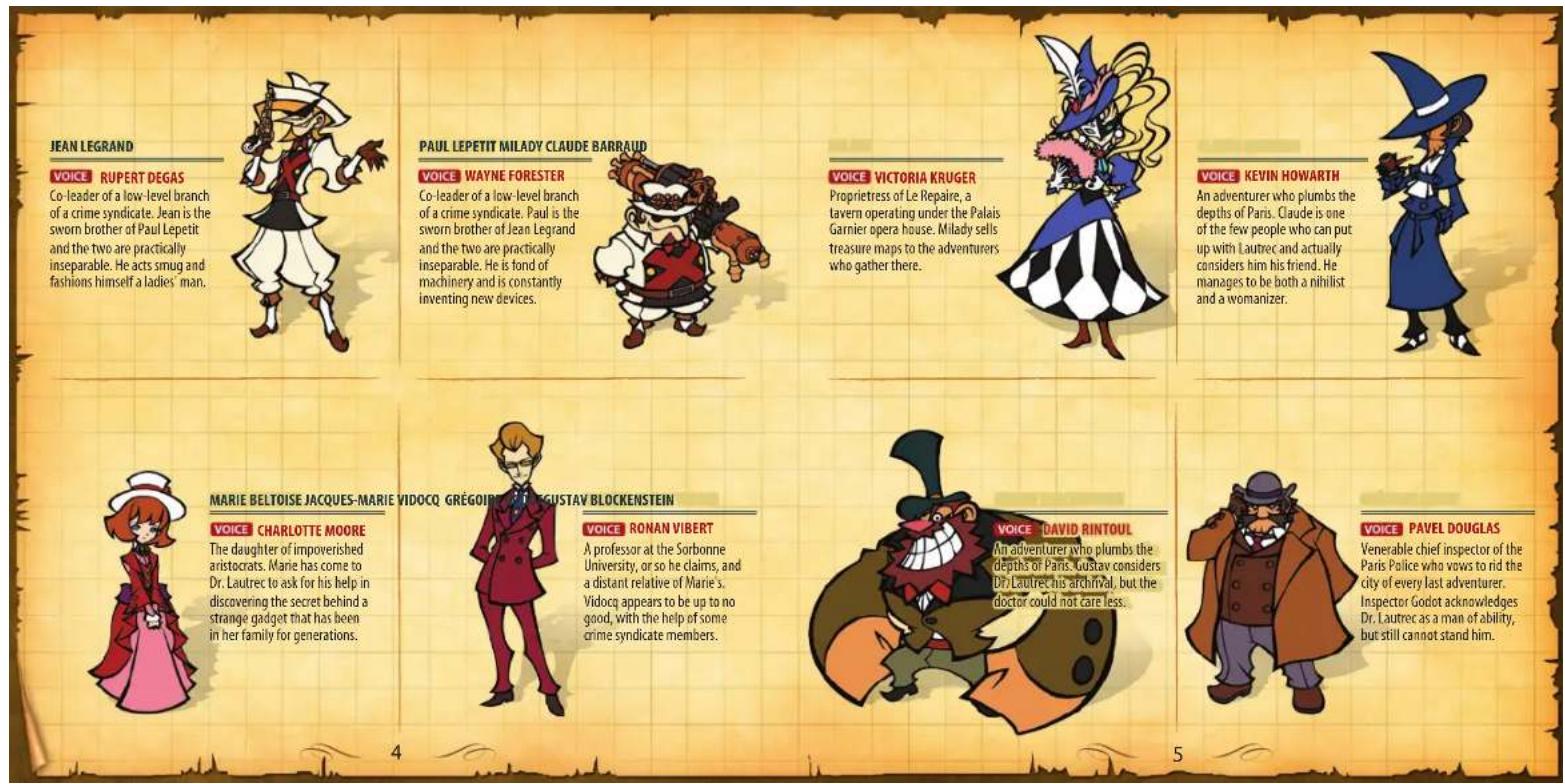
They gather at Le Repaire, a lively tavern beneath the Paris Opéra, where they obtain secret maps that take them on exciting adventures. Most eventually perish in this bold pursuit, but a select few with courage tempered by wisdom attain wealth and glory. Doctor Jean-Pierre Lautrec, an archaeologist at the Musee d'Histoire naturelle, is among the most distinguished of adventurers, though he feels the term "adventurer" is beneath him.
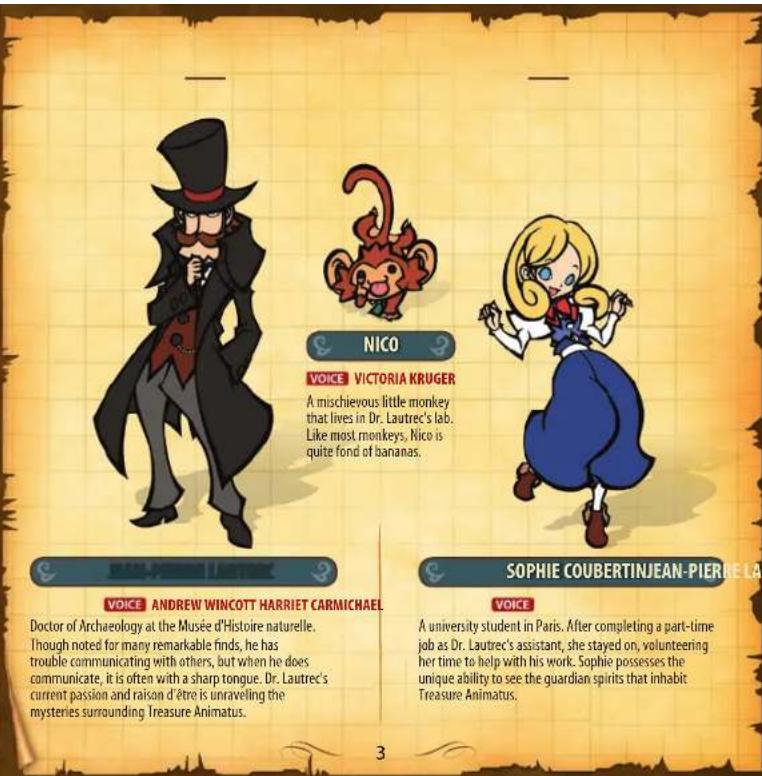
With his trusty assistant Sophie by his side, he has braved countless adventures in his quest to collect Treasure Animatus. The good Dr. Lautrec's greatest adventure to date begins with a visit from a young lady named Marie. She comes bearing a Laterna Magica—an image projector that may very well show the way to the vast hidden fortune of Louis XIV, a member of the French Bourbon dynasty, which had met its demise some 50 years ago.
INTRODUCTION
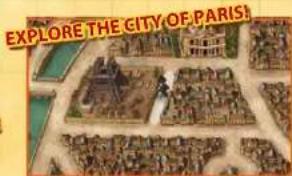
Discover secret labyrinths hidden below Paris by solving map-based riddles.
Join Dr. Lautrec on his search for Treasure Animatus (living treasure). An epic story unfolds as you decipher treasure maps, explore all manner of locations and complete quests.
What is Treasure Animatus?
"Animatus" is Latin for "animated," or, by extension, "living," hence the term "Treasure Animatus," or "living treasure." It is a special type of treasure inhabited by a guardian spirit.
A substantial amount of Treasure Animates lies, hidden away beneath Paris, but you must "tame" the guardian spirit within before you can claim it.
Brave many challenges to find Treasure Animatus
Once you unravel a map's mystery, you enter a labyrinth to find living treasure. You must make your way to its deepest depths while dealing with a variety of tricks, traps and puzzles.
Find the Treasure Animatus and then use your own living treasure to tame the guardian spirit within it.
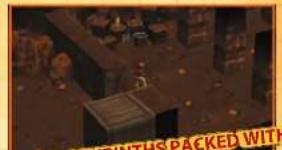
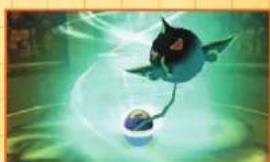
BRAVE LABYRINTHS PACKED WITH TRICKS AND TRAPS!
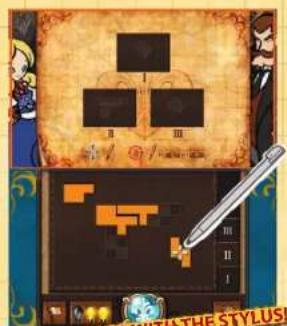
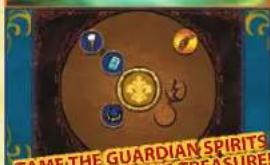
SOLVE PUZZLES WITH PROGRESS
In this manual booklet,

indicates the 3D Screen and

indicates the Touch Screen.
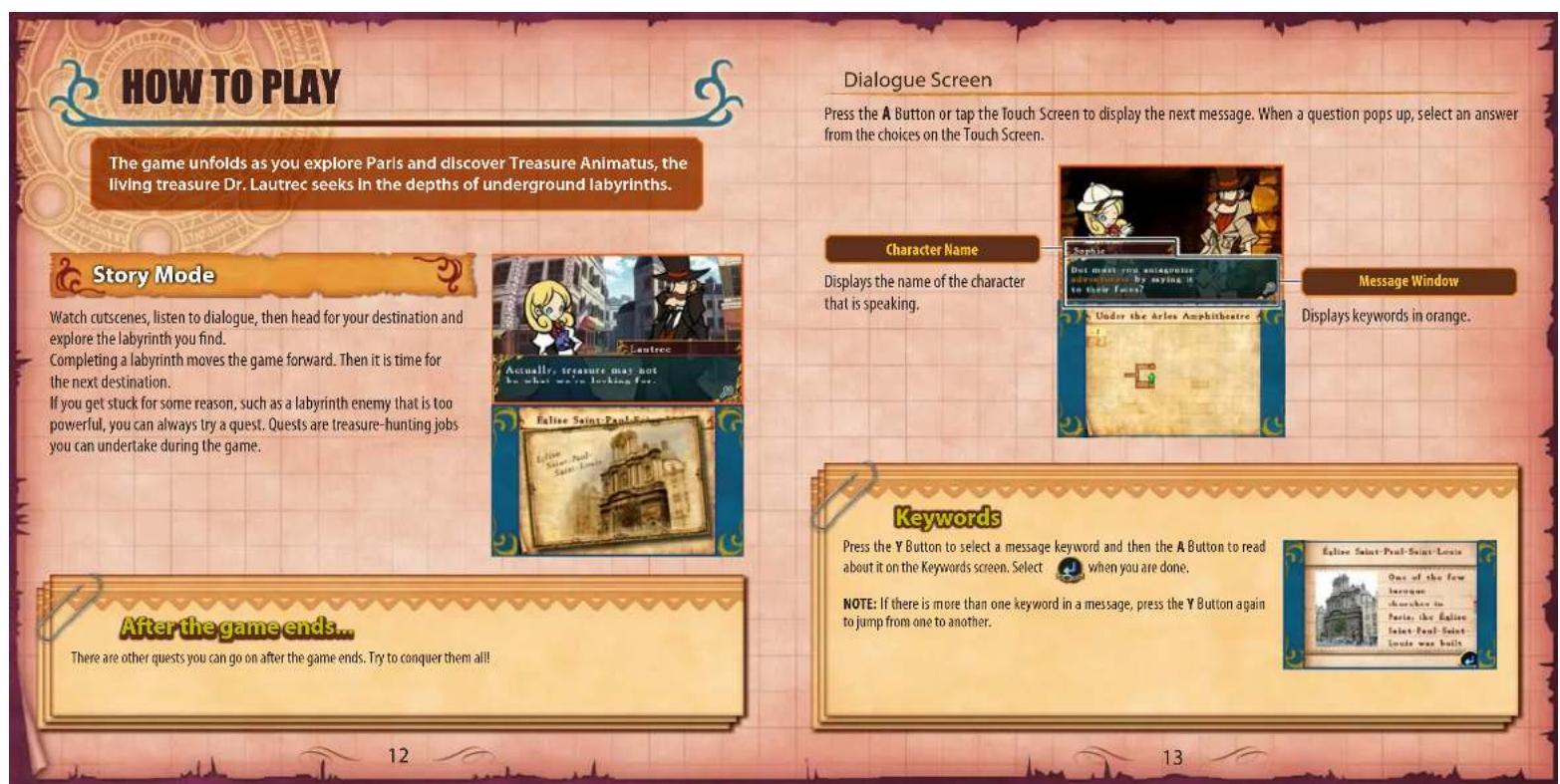

Quests
You move Dr. Lautrec through Paris in City Mode. Once you find a labyrinth, you explore it in Labyrinth Mode. You proceed through quests by repeating these steps.
CITY MODE
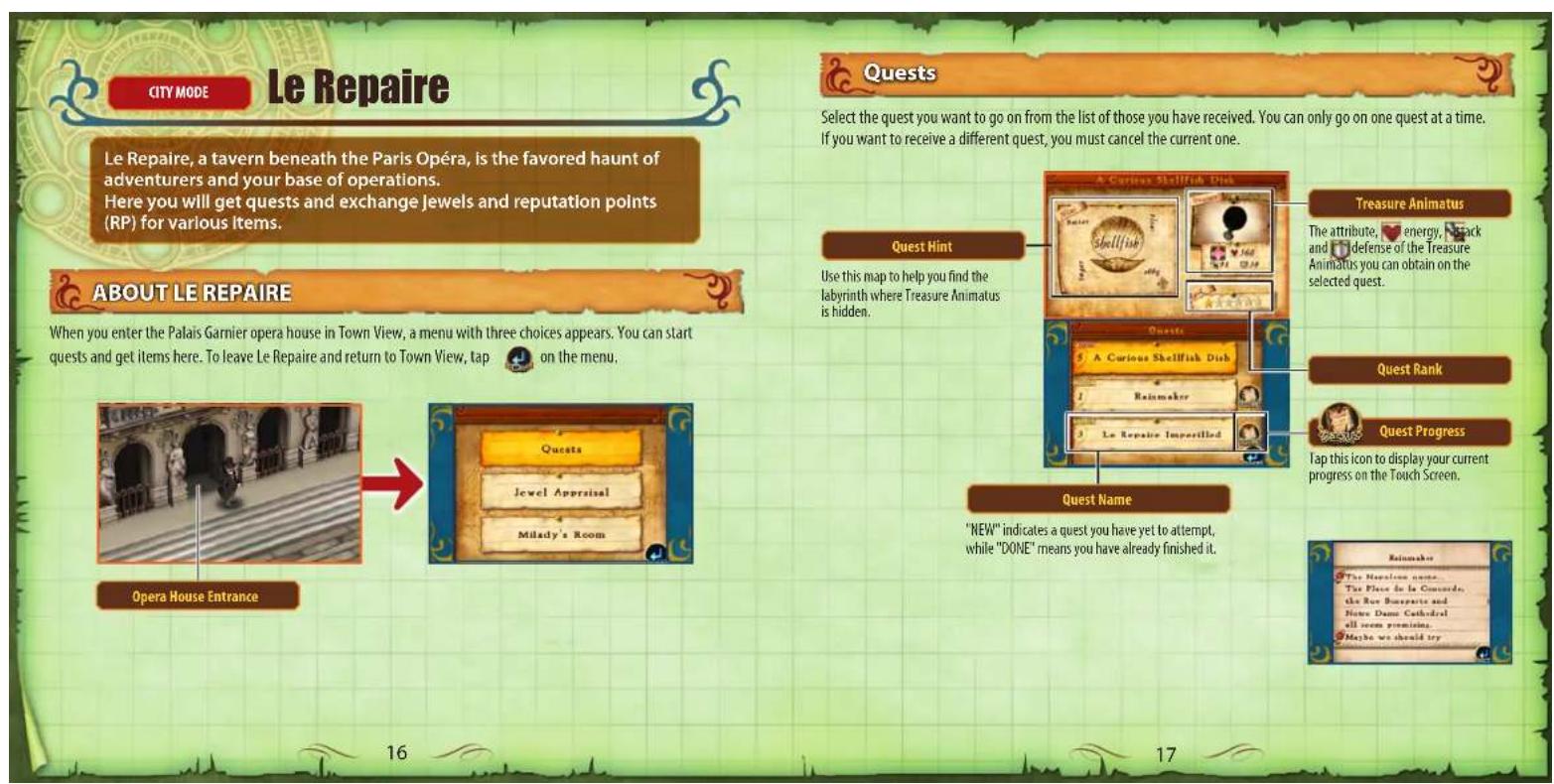
Le Repaire
This tavern serves as your base of operations. You also receive your guests here. Before going on a quest, pay close attention to the information about the enemy you will face, and select the three pieces of Treasure Animatus that you think will be the most effective.
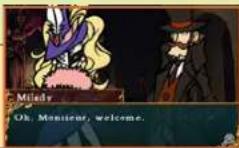
NOTE: You can change the Treasure Animatus you have equipped in LAB—TREAS on the menu.

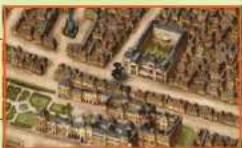
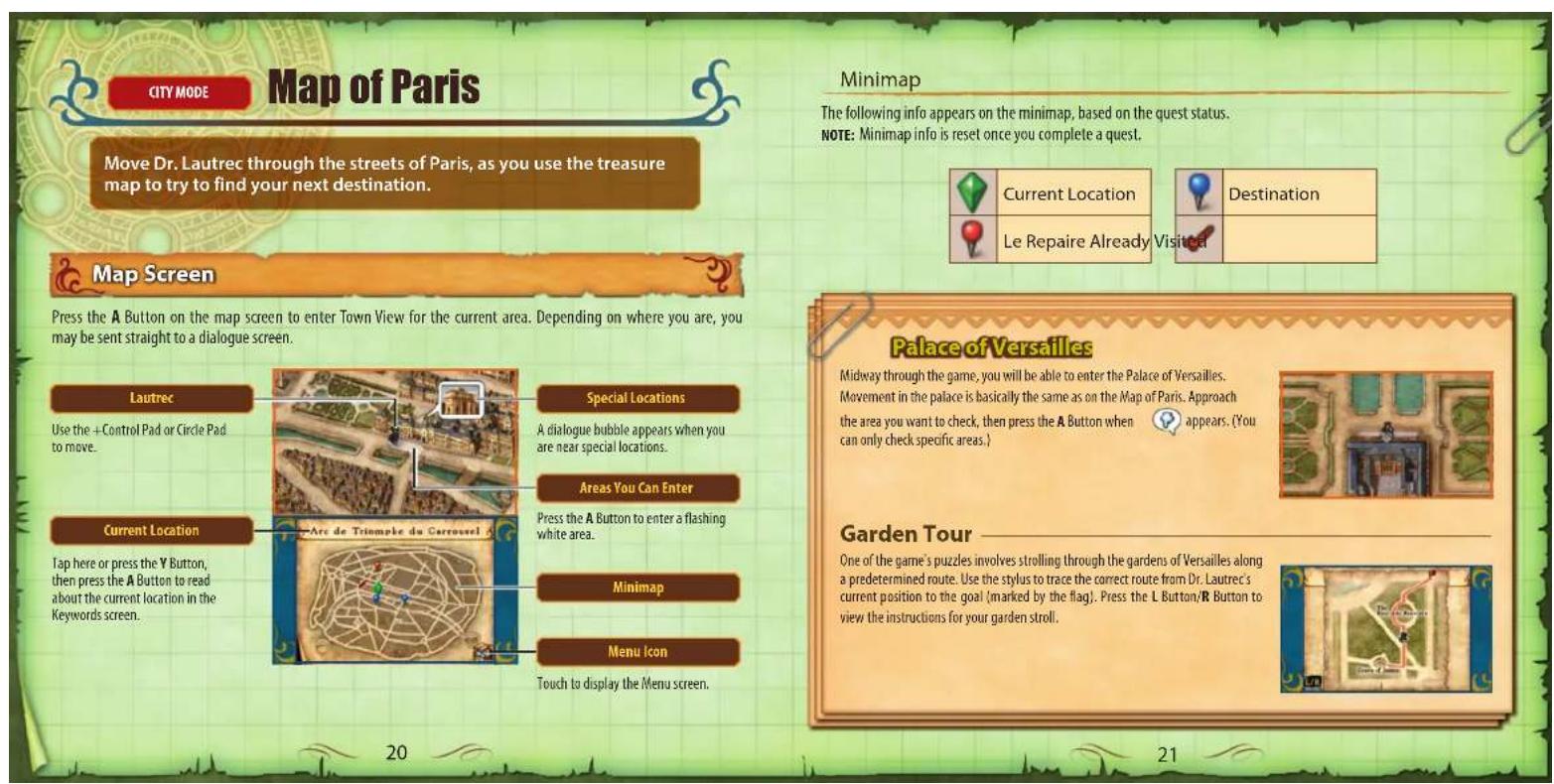
Map of Paris
Move Dr, Autrec through a zoomed-out view of Paris, as you make your way to the destination indicated on your treasure map.

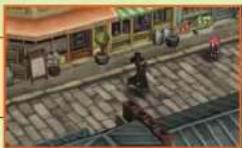
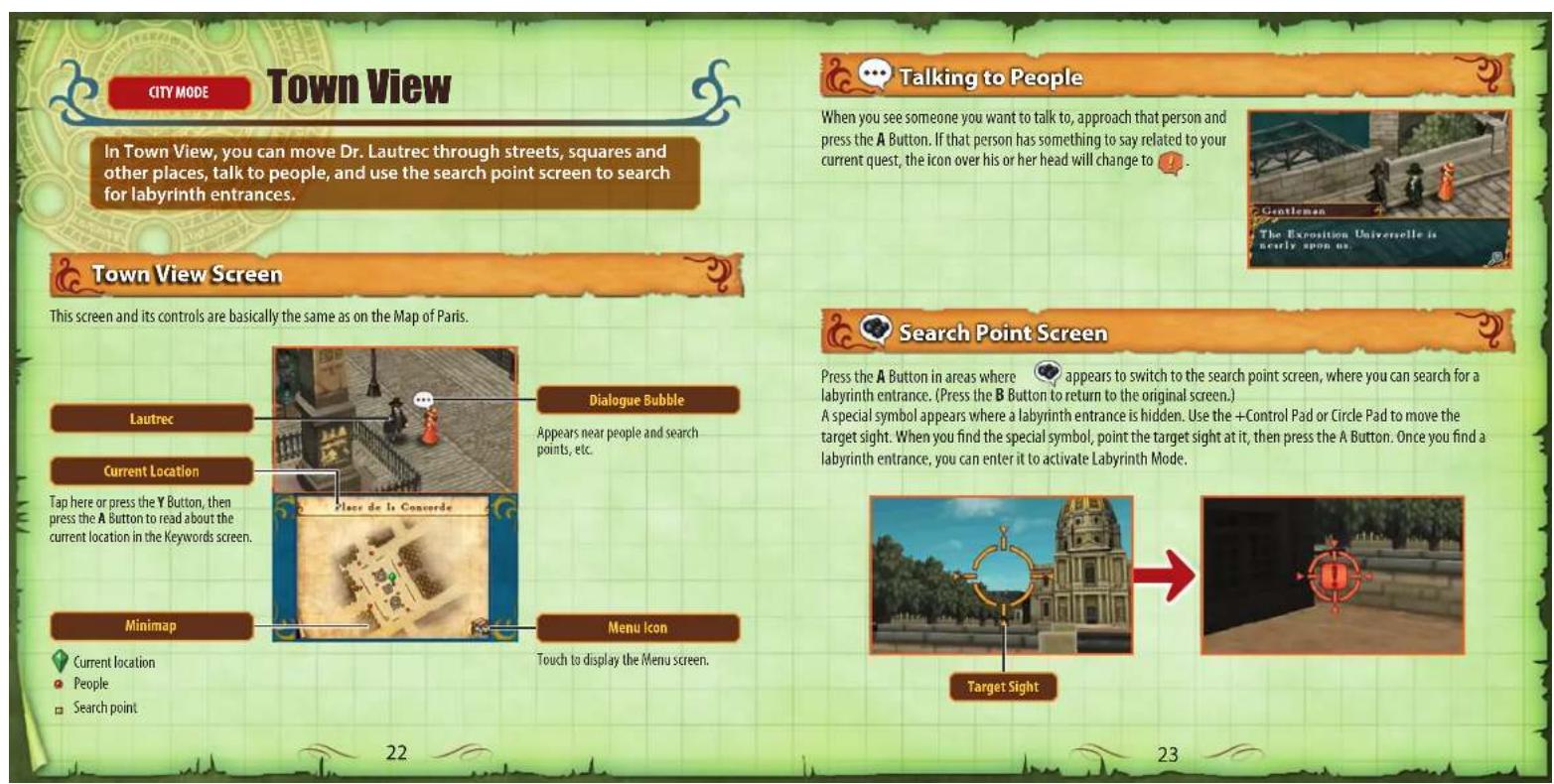
Town View
Talk to people and look around for labyrinths where treasure is hidden.
LABRINTH MODE
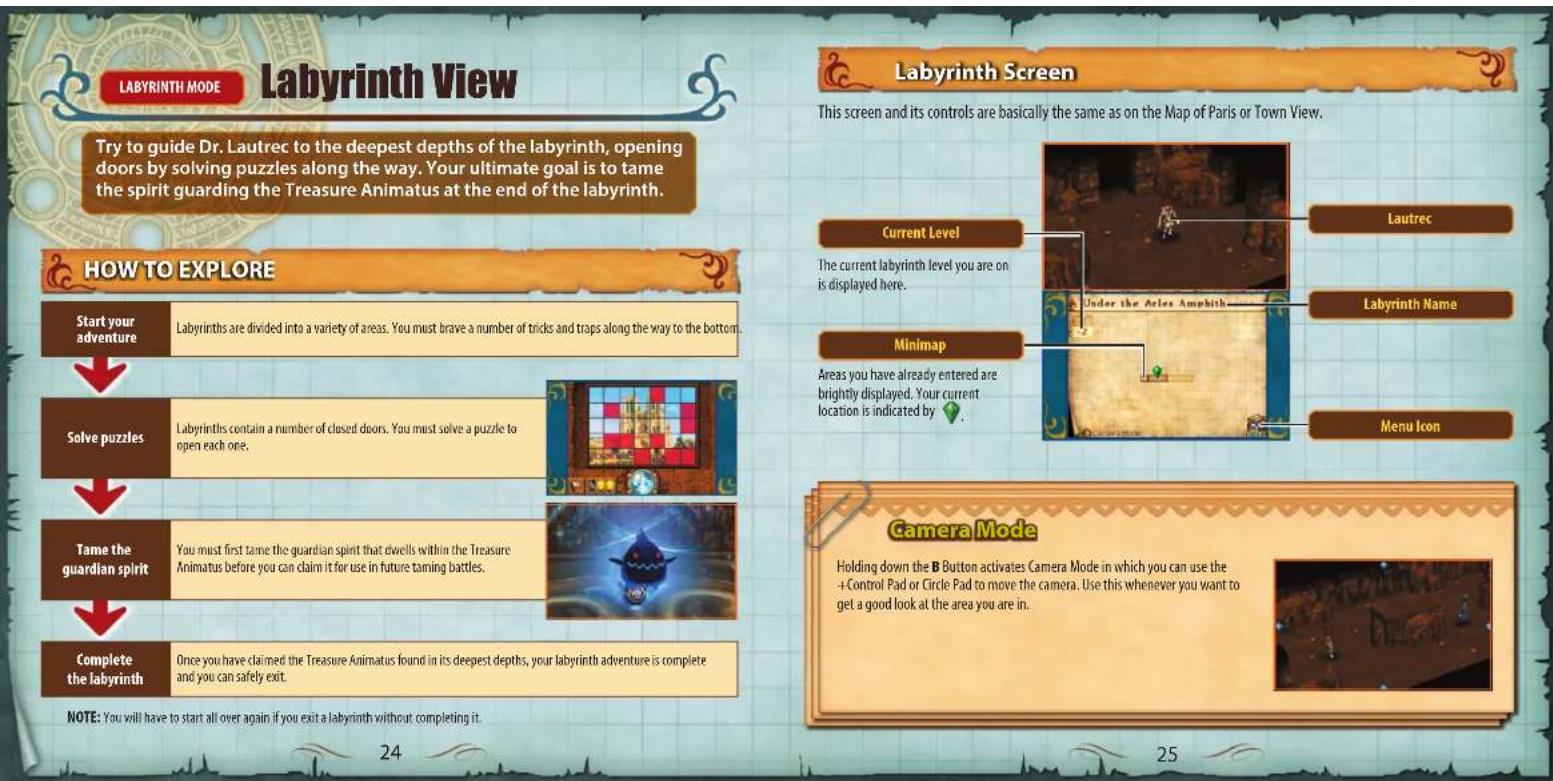
Labyrinth View
Brave a variety of tricks and traps to reach the labyrinth's deepest depths.
Puzzles
Within the game's labyrinth, you will encounter doors that you can only open by solving puzzles.
Taming
Guardian Spirits
To claim the Treasury Animatus you find in labyrinths, you must first tame the guardian spirits that dwell within.
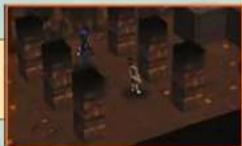
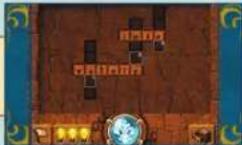
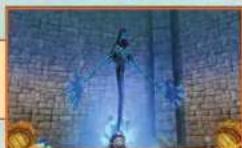

You complete a labyrinth by claiming the Treasure Animus found in its deepest depths. From that point on, the guardian spirit within will be your ally in taming battles against the spirits of other living treasure you find. Advancing through the game requires that you collect ever more powerful Treasure Animus. You should return to Le Repaire after each quest to receive reputation points (RP). You can exchange these points for items at Milady's Room.

Labyrinth Controls
The following controls are available in the labyrinths.
MOVE
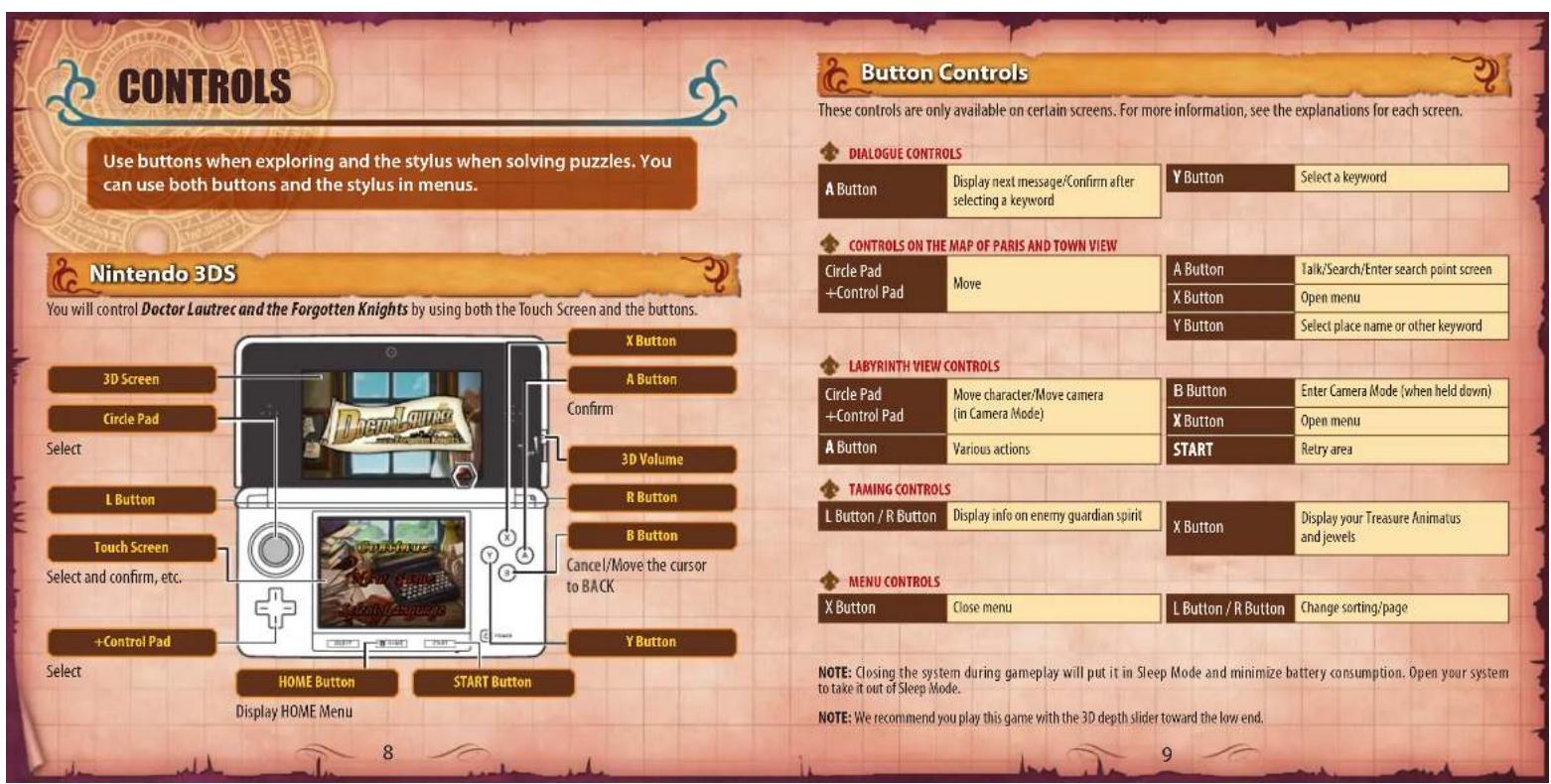
Use the ^+ Control Pad or Circle Pad to move Dr. Lautrec.
You can make him walk slowly by moving the Circle Pad a small amount, and run by moving it a lot.
NOTE: Movement controls are the same as on the Map of Paris or Town View, except that with the Map of Paris, it is not possible to walk slowly.
SEARCH
Search treasure chests, doors and other objects in labyrinths by approaching them and pressing the A Button.
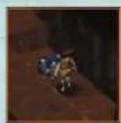
PUSH BLOCKS
You can push blocks by holding down the A Button and pressing the +Control Pad or Circle Pad in the direction you want to move them. (You cannot pull them.)
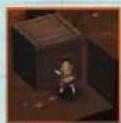
Retrying an Area
Pressing START allows you to retry the current area you are in. This is handy if you have moved blocks incorrectly or you need to start over for some other reason.
YOU WILL FACE MANY TRICK AND TRAPS
All manner of tricks and traps await Dr. Lautrec in the labyrinths he explores. As the game progresses, you will encounter even more than the ones described here.
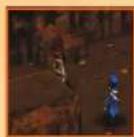
POLICE OFFICERS
The police that guard the labyrinth's chase Lautrec whenever they spot him. If caught, he will be sent back to the beginning of the room he was just in, so be very careful!
Police officers move in a fixed pattern. While in an area they patrol, move Dr. Lautrec carefully, so that he does not enter their field of vision.
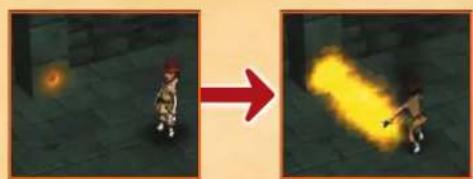
FIRE
Labyrinths include areas where fire shoots out at a certain interval. If it hits Dr. Lautrec, he will cry out and be sent flying. This also makes it easier for any police officers in the area to spot him, so try to avoid getting hit.
LABYRINTH MODE
Puzzles
Labyrinth doors are shut tight by a variety of puzzles. Solve them to open doors and proceed through the labyrinth.
NOTE: There are also some puzzles to be solved outside labyrinths.

How to Solve Puzzles
Solve puzzles by using the stylus to touch and slide on the Touch Screen. Tap the answer button if you think you have the right answer. You can only finish a puzzle by getting the answer correct. If you are wrong or you tap the give up button, you will be returned to Labyrinth View, and you will have to start the puzzle from the beginning. NOTE: Each time you get a puzzle wrong or tap the give up button, reputation points (RP) are deducted from the total you receive for completing a quest.
Hints
While solving a puzzle, you can get a hint by tapping the hint button. You can get hints up to three times for each puzzle, but be careful! You will suffer a reputation point (RP) deduction based on the number of times you tapped the hint button in a labyrinth.
Crossword Puzzles Slide words from the drawers and place them on the crossword puzzle so that they all fit.
Puzzle Words
Puzzle Word
The word automatically rotates to the appropriate direction as you move it onto the grid.
Give Up Button
Tap this button if you are having trouble solving the puzzle and would like to try again later.
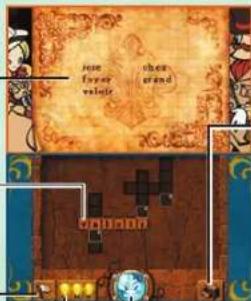
Answer Button
Hint Button
Tapping this button returns the words placed so far back into the drawers and then places one word in its correct position on the puzzle.
DrawerButton
Tapping this button opens the drawer, so you can slide pieces out. If there is more than one drawer, tap the Roman numeral buttons to switch between them.
Roman Numeral Buttons
NOTE: You can put a word back into its drawer by sliding it onto the drawer button.
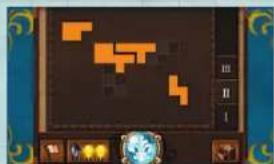
Slide the shape blocks from the drawer so that they fit on the Block Puzzles Spot the Differences out any gaps between them.
Grids to Solve
Shape Block
Rotate a shape block by holding down the L Button or R Button while sliding it with the stylus.
Give Up Button
Tap this button if you are having trouble solving the puzzle and would like to try again later.
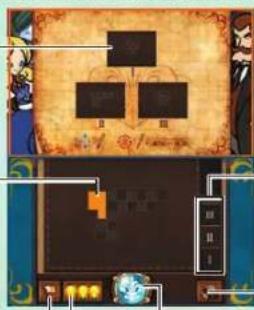
Answer Button A
Roman Numeral Buttons
If there is more than one grid to solve, you can switch between them by tapping the Roman numeral buttons.
Drawer Button
Tapping this button opens the drawer. Use it just as you do with crossword puzzles.
Hint Button
Tapping this button returns the shape blocks placed so far back into the drawer and then places one shape block in its correct position on the puzzle.

There are a number of differences between the top and bottom pictures. Tap all the picture squares on the Touch Screen that you think contain differences.
Number of Differences
Picture on the 3D Screen
Give Up Button
Tap this button if you are having trouble solving the puzzle and would like to try again later.
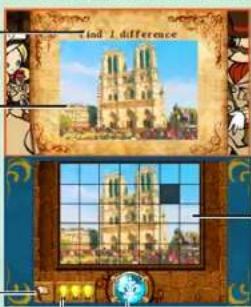
Picture on the Touch Screen
Select squares you think contain differences by tapping them. (They will turn grey.) Tap them again if you change your mind.
Hint Button
Tapping this button displays a number of squares with no differences in red. Try to spot the differences in the remaining squares.
Hold down the L Button or R Button while tapping panels to
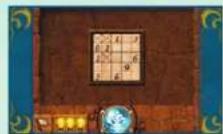
Numbers Puzzle Lg 1n Puzzles panel Indicates how many of the panels around it (including that panel itself) you can smash.
NOTE: Smashing the wrong panel triggers an explosion that smashes any correct panels around it. But each time you trigger an explosion, one of the hint bulbs goes out. Smash the wrong panel four times and you fail the puzzle.
Hint Bulbs
One bulb goes out each time you trigger an explosion.
Give Up Button
Tap this button if you are having trouble solving the puzzle and would like to try again later.
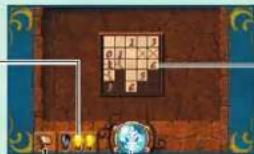
Answer Button
Panel
Smashed panel Locked panel Exploded panel
Locking Panels
Tapping a panel without holding down any buttons puts an × in it, indicating that it is locked and cannot be smashed. Lock panels that you know should not be smashed. To unlock a panel, tag it once more.

The 3D Screen displays a logic-based diagram. Figure out the logic behind it, then, on the Touch Screen, select the answer piece that goes where the question mark is and slide it to the central hole.
Logic-base Diagram
Answer Pieces for the Question Mark
Give Up Button
Tap this button if you are having trouble solving the puzzle and would like to try again later.
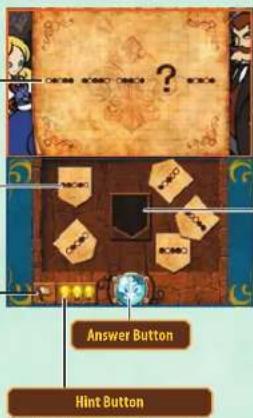
Tapping this button identifies one of the incorrect pieces.
Central Hole
Slide the correct answer piece here.
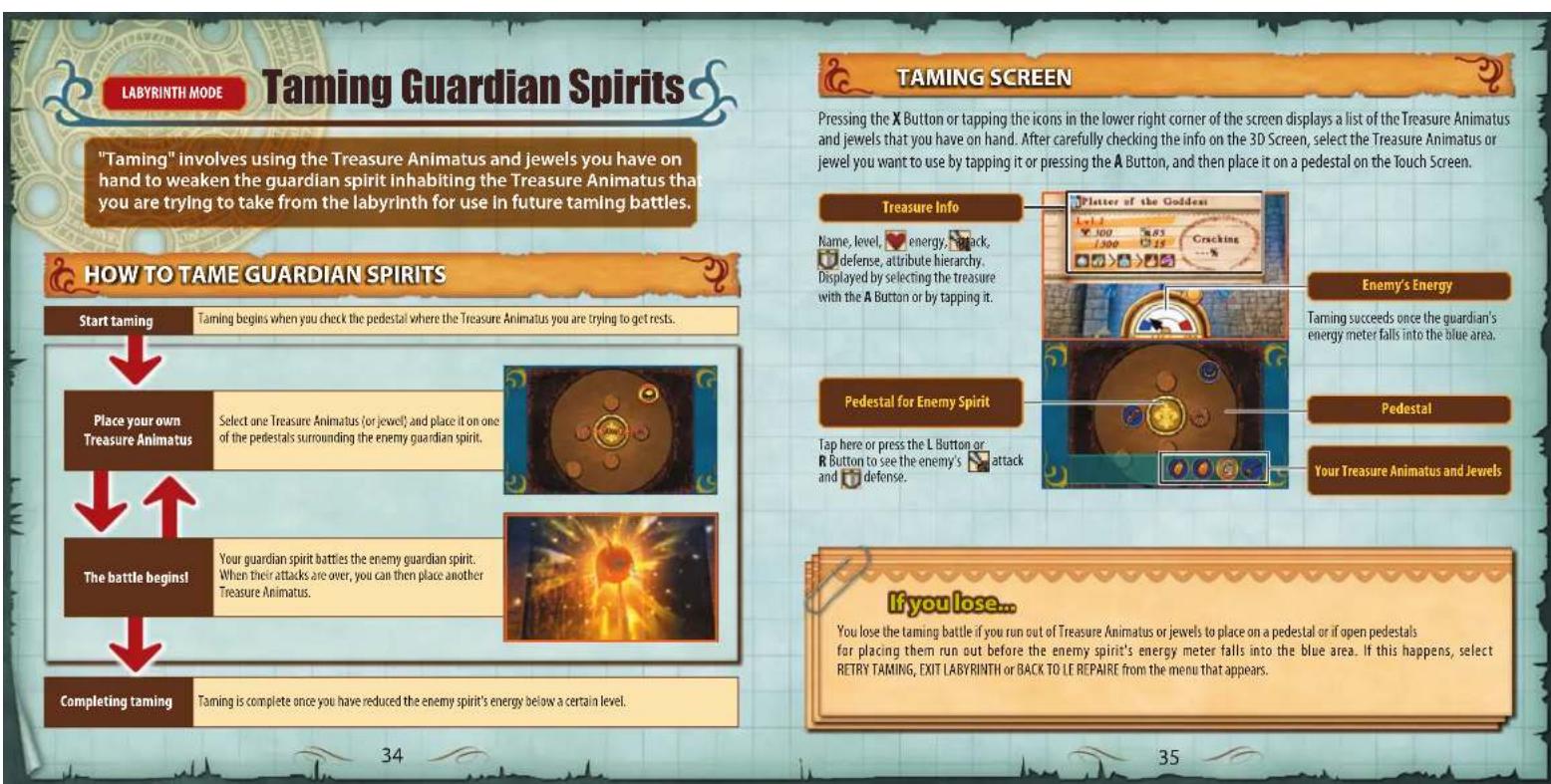

Placing Treasure Animatus

The taming battle begins once you slide a piece of Treasure Animatus to a pedestal. The basic formula during battles is "Attack power of your spirit - Enemy's defense = Damage," but there are a number of factors that affect the damage you deal, as shown below.
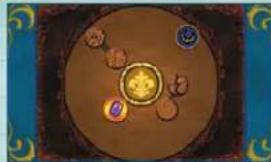
Attributes of Treasure Animus and jewels.......Damage is affected by the attribute hierarchy.
Pedestal cracking. The more cracking on a pedestal, the more damage will vary.
What is on the neighboring pedestals.. Damage is affected by the attributes of whatever is on the
Placement location Damage is affected by placement location (outer or inner pedestal).
NOTE: The effect of cracking takes precedence over other factors.
Attributes
There are six attributes (jewels all have the jewel attribute), and their hierarchy is as shown on the right. Note that the arboreal attribute is outside the hierarchy
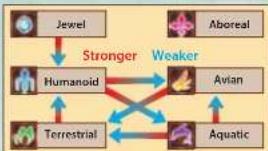
Synergy Effects
Placing certain pieces of I treasure Animatus next to each other invokes synergy effects that impact the battle in many ways.
The Treasure Animatus in question start glowing when the conditions for invoking a synergy effect have been met.
COMPLETING TAMING
Once the enemy spirit's energy is reduced to 20% or less, it has been tamed and you get the Treasure Animatus it inhabits. You may also get jewels if there are any.
Note that reducing a guardian's energy to zero extinguishes it. Such treasure is no longer considered Treasure Animatus and cannot be used to tame guardians.
After completing a labyrinth, the Treasure Animatus you have on hand will gain experience based on the number of jewels you have obtained.
RESTORING AND REVIVING SPIRITS
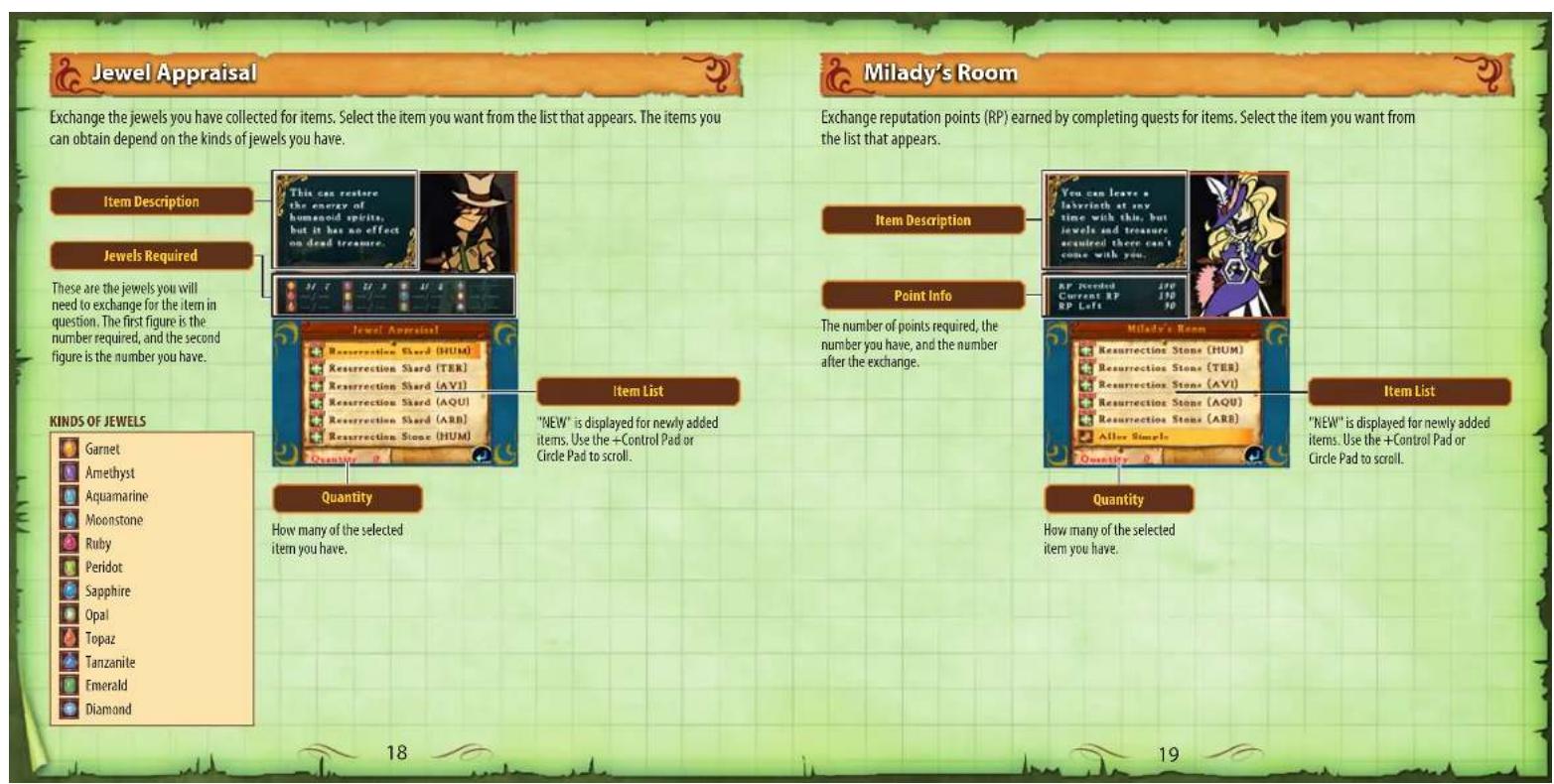
Jewels and the guardian spirits in Treasure Animatus have energy that they lose whenever they suffer damage. However, energy can be restored by using resurrection shards.
A spirit is extinguished if its energy is reduced to zero. However, an extinguished spirit in Treasure Animatus can be revived by using a resurrection stone. You can obtain resurrection shards and stones in many ways, including visiting Milady's Room or by trading in jewels on the Jewel Appraisal screen.

NOTE: Once taming is complete, the energy of your Treasure Animus and jewels will recover slightly. And once you complete a labyrinth and return to the surface, their energy will be completely recovered, although extinguished spirits will not be revived.
NOTE: Jewels cannot be revived once their energy falls to zero.
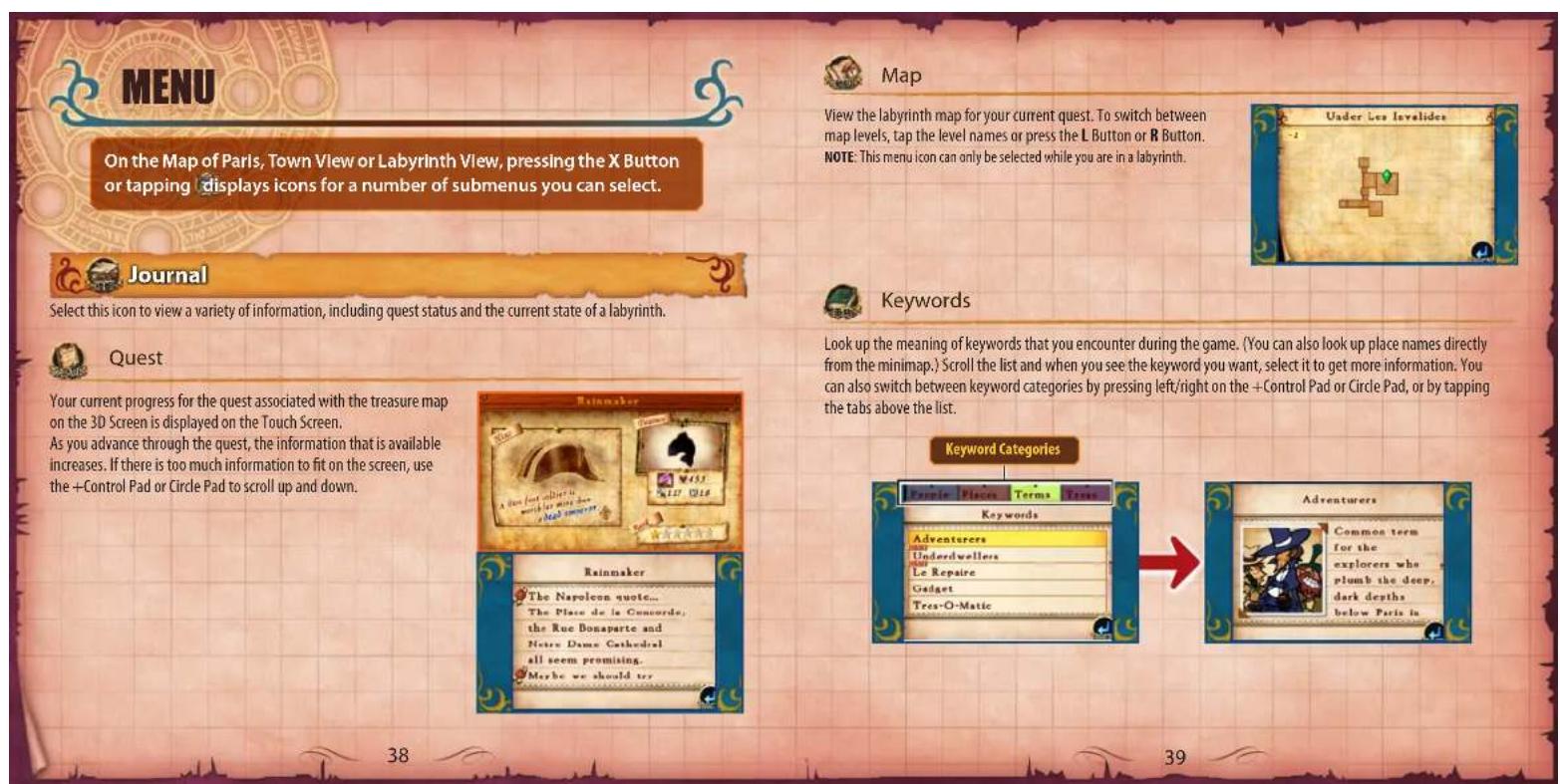

Synergy Effects
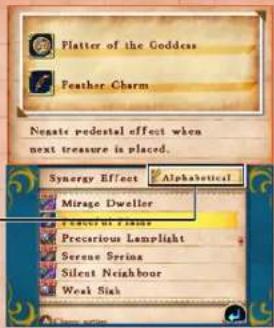
You can view information for the synergy effects that you have invoked and for other Treasure Animatus combinations that invoke synergy effects.
Select the synergy effect you want to view from the list. Pressing the A Button allows you to view other combinations of Treasure Animatus for invoking the same synergy effect.
Sorting
You can sort the list in different ways by touching this button or pressing the L Button/R Button.

Laboratory
Check the Treasure Animatus and other items you have obtained and select the items you want to take with you. NOTE: You cannot select the LAB icon in labyrinths.

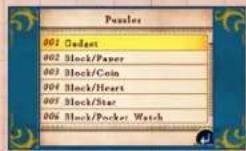
Puzzles
You can do puzzles that you have already solved all over again. Scroll through the list and select the puzzle you want to do.

Treasure
View a list of your Treasure Animatus. The pieces you have with you are indicated by a star ( ) . Choose a Treasure Animatus from the list and touch it to equip. You can carry up to three at a time.
Current Level and Experience Required for Next Level
Status
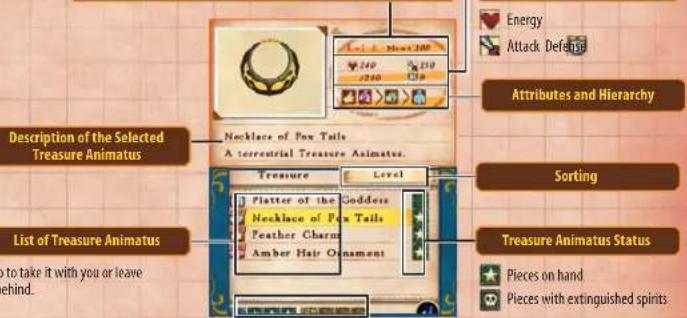
Number of Items and Treasure Animatus You Have with You
The stars ( ) indicate the number you have with you.

Jewels
View the jewels you have obtained and their quantities. This screen operates in the same manner as the Treasure screen.
Jewel List
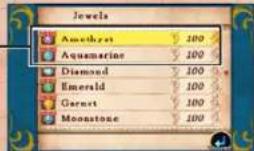
AboutJewels
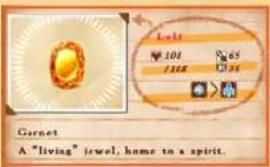
The jewels you get in a labyrinth can be used along with Treasure Animatus for the taming battle therein.
However, unlike Treasure Animatis, once you leave the labyrinth where you obtained the jewels, you cannot use them again. You can, however, exchange them for items on the Jewel Appraisal screen.

Items
View a list of all your items. This screen operates in the same manner as the Treasure and Jewel screens. View a list of your items. The items you have with you are indicated by a star ( ). Choose an item from the list and touch it to equip. You can carry up to three at a time. Some can also be used on the spot by selecting USE.
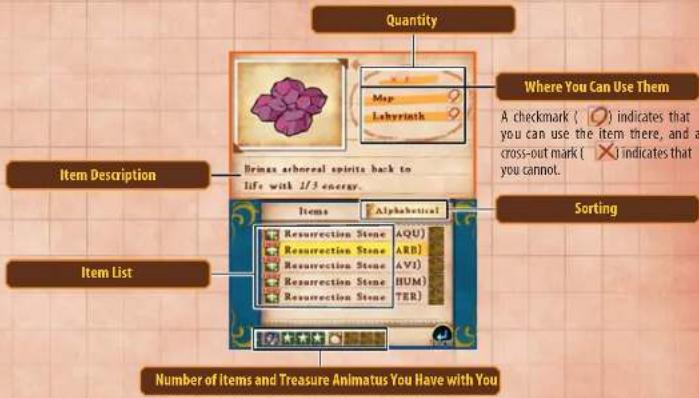

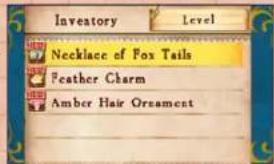
Inventory
View the Treasure Animatus, jewels, and items you have with you. You can resort the list with the L Button/R Button.
Some items can be used on the spot by tapping them and selecting USE.

SYSTEM
Save and load games.

Saving
Save your game progress so you can play again later from where you left off. There are two save slots available.
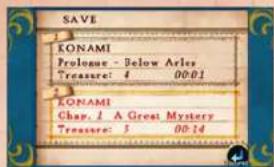

Loading
Load a game to play from where you last saved it. Select the saved game you want to load. When you load a game, any unsaved progress in the game you are currently playing will be lost. The tavern "Le Repaire" and the Phantom of the Opera's cave, set to appear beneath the Palais Garnier, are purely fictitious locations.
NOTE: The above also extends to Dr. Lautrec's laboratory and reception room, fictitious locations within the Musee d'Histoire naturelle.

WARRANTY

Konami Digital Entertainment, Inc. warrants to the original purchaser of this Konami software product that the medium on which this computer program is recorded is free from defects in materials and workmanship for a period of ninety (90) days from the date of purchase. This Konami product is sold "as is," without express or implied warranty of any kind, and Konami is not liable for any losses or damages of any kind resulting from use of this program. Konami agrees for a period of ninety (90) days to either repair or replace, at its option, free of charge, any Konami product, postage paid, with proof of date of purchase, at its Factory Service Center. This warranty is not applicable to normal wear and tear. This warranty shall not be applicable and shall be void if the defect in the Konami software product has arisen through abuse, unreasonable use, mistreatment, or neglect.
THIS WARRANTY IS IN LIEU OF ALL OTHER WARRANTYES AND NO OTHER REPRESENTATIONS OR CLAIMS OF ANY NATURE SHALL BE BINDING ON OR OBLIGATE KONAMI ANY IMplied WARRANTYES APPLICABLE TO THIS SOFTWARE PRODUCT, INCLUDING WARRANTYES OF MERCHANTABILITY AND FITNESS FOR A PARTICULAR PURPOSE, ARE LIMITED TO THE Ninety (90) DAY PERIOD DESCRIBED ABOVE. IN NO EVENT WILL KONAMI BE LIABLE FOR ANY SPECIAL INCIDENTAL OR CONSEQUENTIAL DAMAGES RESULTING FROM POSSESSION, USE OR MALFUNCTION OF THIS KONAMI PRODUCT.
Some states do not allow limitations as to how long an implied warranty lasts and/or exclusions or limitations of incidental or consequential damages so the above limitations and/or exclusions of liability may not apply to you. This warranty gives you specific rights, and you may also have other rights which vary from state to state.
If you experience technical problems with your game, please head to www.konami.com/support for assistance, here you will have access to many support materials, as well as our Knowledge Base which is available 24 hours a day, 7 days a week. All products must be deemed defective by a Konami Customer Service representative and an RMA number assigned prior to returning the product. All products received not matching this criteria will be returned if a Konami Customer Service Representative cannot reach you within three days upon receipt of the unauthorized return.
Konami Digital Entertainment, Inc.
Attention: Customer Service-RMA #XXXXX
2381 Rosecrans Ave., Suite 200
El Segundo, CA 90245
USA
Register now at www.konami.com to receive exclusive product news, special offers and more!
www.konami.com/doctoralautrec
2011 Konami Digital Entertainment
VEUILLEZ LIRE ATTENTIVEMENT LE MODE D'EMPLOI DE LA CONSOLE NINTENDO 3DS TM AVANT D'UTILISER VOITRE CONSOLE,UNE CARTE DE JEU OU UN ACCESSOIÈRE. CE MODE D'EMPLOI CONTIENT DES INFORMATIONS IMPORTANTES SUR LA SANTÉ ET LA SECURITE.
INFORMATIONS IMPORTANTES SU LA SECURITE : LIZEZ LES AVERTISSEMENTS SUIVIVANTS AVANT QUE VOUS OU,VOTRE ENFANT JE JOUIEZ À UN JEU VIDO.