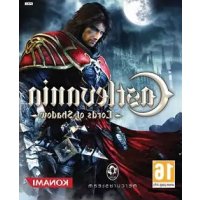
Castlevania: Lords of Shadow (Xbox 360) - Game Konami - Free user manual and instructions
Find the device manual for free Castlevania: Lords of Shadow (Xbox 360) Konami in PDF.


User questions about Castlevania: Lords of Shadow (Xbox 360) Konami
0 question about this device. Answer the ones you know or ask your own.
Ask a new question about this device
Download the instructions for your Game in PDF format for free! Find your manual Castlevania: Lords of Shadow (Xbox 360) - Konami and take your electronic device back in hand. On this page are published all the documents necessary for the use of your device. Castlevania: Lords of Shadow (Xbox 360) by Konami.
USER MANUAL Castlevania: Lords of Shadow (Xbox 360) Konami
WARNING Before playing this game, read the Xbox 360° console and accessory manuals for important safety and health information. Keep all manuals for future reference. For replacement console and accessory manuals, go to www.xbox.com/support.
Important Health Warning About Playing Video Games
Photosensitive seizures
A very small percentage of people may experience a seizure when exposed to certain visual images, including flashing lights or patterns that may appear in video games. Even people who have no history of seizures or epilepsy may have an undiagnosed condition that can cause these "photosensitive epileptic seizures" while watching video games.
These seizures may have a variety of symptoms, including lightheadedness, altered vision, eye or face twitching, jerking or shaking of arms or legs, disorientation, confusion, or momentary loss of awareness. Seizures may also cause loss of consciousness or convulsions that can lead to injury from falling down or striking nearby objects.
Immediately stop playing and consult a doctor if you experience any of these symptoms. Parents should watch for or ask their children about the above symptoms—children and teenagers are more likely than adults to experience these seizures. The risk of photosensitive epileptic seizures may be reduced by taking the following precautions: Sit farther from the screen; use a smaller screen; play in a well-lit room; do not play when you are drowsy or fatigued.
If you or any of your relatives have a history of seizures or epilepsy, consult a doctor before playing.
ESRB Game Ratings
The Entertainment Software Rating Board (ESRB) ratings are designed to provide consumers, especially parents, with concise, impartial guidance about the age-appropriateness and content of computer and video games. This information can help consumers make informed purchase decisions about which games they deem suitable for their children and families.
ESRB ratings have two equal parts:
- Rating Symbols suggest age appropriateness for the game. These symbols appear on the front of virtually every game box available for retail sale or rental in the United States and Canada.
- Content Descriptors indicate elements in a game that may have triggered a particular rating and/or may be of interest or concern. The descriptors appear on the back of the box next to the rating symbol.

flowchart
graph LR
    A["ON FRONT"] --> B["VIDEO GAME"]
    B --> C["ON BACK"]
    style A fill:#f9f,stroke:#333
    style B fill:#ccf,stroke:#333
    style C fill:#cfc,stroke:#333
For more information, visit www.ESRB.org.
TABLE OF CONTENTS
TABLE OF CONTENTS
Xbox LIVE 1
Introduction 2
Start Your Game 3
Game Screen 4
Game Controls 6
Exploring the World 7
The Travel Book 12
Pause Menu 15
Notes 18
Warranty 19
Français 21
Español
48
Xbox LIVE
Xbox LIVE ^® is your connection to more games, more entertainment, more fun. Go to www.xbox.com/live to learn more.
Connecting
Before you can use Xbox LIVE, connect your Xbox 360 console to a high-speed Internet connection and sign up to become an Xbox LIVE member. For more information about connecting, and to determine whether Xbox LIVE is available in your region, go to www.xbox.com/live/countries.
Family Settings
These easy and flexible tools enable parents and caregivers to decide which games young game players can access based on the content rating. Parents can restrict access to mature-rated content. Approve who and how your family interacts with others online with the Xbox LIVE service, and set time limits on how long they can play. For more information, go to www.xbox.com/familysettings.
INTRODUCTION START YOUR GAME
Left as a founding at the gates of the Brotherhood of Light convent, they named him Gabriel and raised him as their own. Over the years he developed an unprecedented mastery of the fighting arts. Prone to dark moods, he was deeply affected by the death of his one true love. Marie
He has now embarked on a journey at the request of the Elders of the Brotherhood to discover why the World is in chaos, and within him lays a burning desire for revenge on those who took his beloved.
START YOUR GAME
Once the game has loaded you will be taken to the 'Book' screen. Press the ▶ button.
After the Book has opened, the story begins to unfold.
AUTOSAVE
natural_image
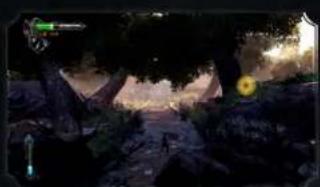
Game scene showing a character in a forested environment with glowing trees and a yellow circular emblem (no readable text or symbols)The game saves data automatically and at certain checkpoints throughout the adventure you see the 'Autosave icon'. Do not turn off the power while this icon is on-screen.
THE TUTORIAL
The first part of Chapter One will guide you through the basics of the game: controls, movement, combat (including dodging and blocking), use of the health fonts, gaining experience points, unlocking new combos and special moves, reading scrolls, unlocking advanced moves and much more. Here you will learn all the basic skills you will need for Gabriel to survive the rigors to follow. At key times during the game, important information will pop up on screen. Read this information carefully – it will help you. You may also be prompted to read scrolls you have picked up. These are located in your Travel Book.
Gabriel wields the combat cross, a multi-functional weapon with an iron chain; one that can be upgraded during the quest. The iron chain was an original addition where, during the forging process, every single link of the chain was drenched in holy water and then blessed to give the weapon sufficient power to fight creatures of the night.
2 HEALTH BAR
This shows the amount of health (in green) that Gabriel has. The bar will reduce and turn red as damage is taken. When the bar is entirely red, Gabriel will lose all health. The health bar can be replenished at health fonts found throughout the adventure. Collecting life gems throughout the game will enable the health bar to increase incrementally.
3 EXPERIENCE POINTS
Experience points measure the progression of your skills during the game. You will earn points by defeating enemies and solving the many puzzles during the adventure. The number that appears beneath the health bar is the number of experience points you currently possess. You can spend experience points in the Travel Book to acquire new moves and combos, or in the 'Extras' section to unlock bonus features such as artwork from the game.
4 ENEMY HEALTH BAR
This will only appear when you are fighting large enemies or bosses and will appear as red on the top right of the game screen, diminishing as the enemy takes damage.
5 OTHER GAUGES
Remember that other gauges will appear on the game screen as you progress through the game, such as blue Light magic and red Shadow magic containers, and the Focus Meter.
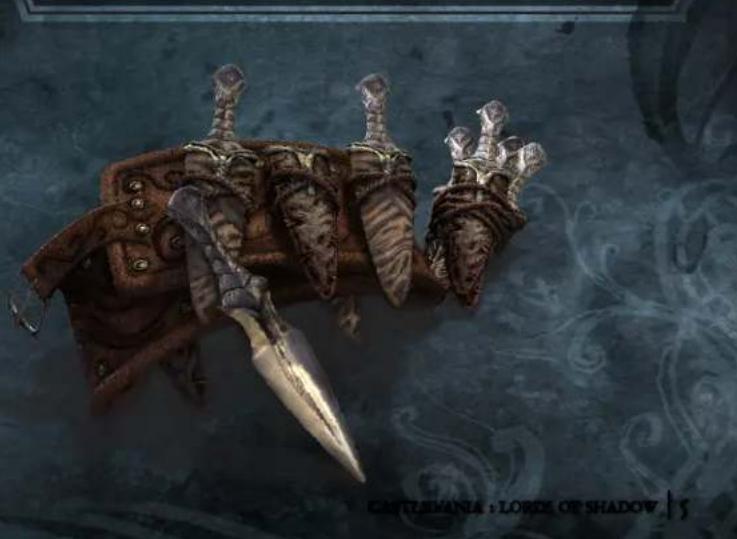
SECONDARY WEAPONS
There are four types of secondary weapons Gabriel can pick up and are selected using the D-pad.
SILVER DAGGERS
Silver daggers can be picked up throughout the adventure from defeated enemies or from inside breakable items and are calibrated to be thrown with extraordinary precision. Forged from silver and containing small shards of bone from saints, only five silver daggers can initially be carried, but this capacity can be upgraded.
FAIRIES
These small creatures distract the nearest enemy when released, stunning them for a short amount of time, affording you ample opportunity to strike. Use fairies with Light magic to create vicious berserke fairies, which deal direct damage to your enemies (at the expense of their own diminutive lives).
HOLY WATER
Holy water flasks inflict severe area damage and are most effective against enemies such as vampires and reapers. Use this in combination with Light magic to create a holy shield that protects Gabriel for a period of time.
POWER CRYSTALS
Combined from four separate pieces, power crystals can be used to destroy most enemies present in the combat zone. The destruction can take time so use this weapon wisely.
natural_image
Illustration of a fantasy castle's sword and claw on a dark, ornate surface (no text or symbols)
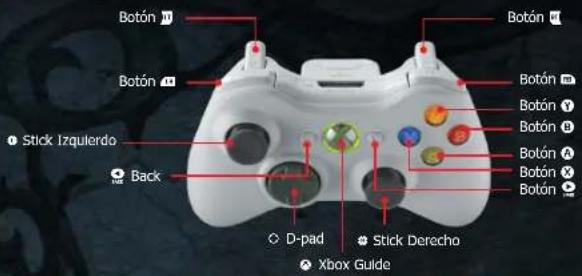
Controls for the Xbox 360 Controller
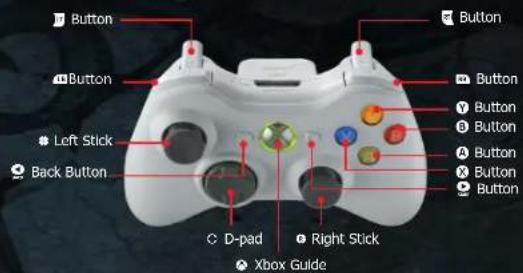
MENU CONTROLS
Navigate menus Left Stick or D-pad
Select menu option A
Return to previous screen B
GAME CONTROLS
Movement Left Stick
Direct attack X
Area attack Y
Secondary weapon attack B
Jump A
Secondary weapon select D-pad
Block
| Dodge | and Left Stick |
| Grab/Use | |
| Light magic enable/Disable | |
| Shadow magic enable/Disable | |
| Absorb light magic | Click the Left Stick |
| Absorb shadow magic | Click the Right Stick |
| Travel book | |
| Game menu/Pause |
— PERFORMING PHYSICAL ACTIONS
Gabriel will come across many places where he will be required to climb, leap, hang by his hands, or perform other physical activities. Any area that can be interacted with will be highlighted with a glow. Instructions on performing these physical acts will be provided as the story unfolds.
LEDGES
If Gabriel encounters a glowing ledge, simply jump using the Left Stick to direct the action and Gabriel will cling on to the ledge. Move the left stick to maneuver his body along the ledge to shimmy along to other areas. Gabriel can also leap across breaks in ledges by using a combination of the Left Stick and the A button.
Push the Left Stick down and press the jump button to drop from a ledge.
— MEETING OTHER CHARACTERS
Gabriel will encounter characters during the adventure. Some will be very important to him and will assist him, while others may hinder him but contribute to his understanding of the story. All of the important characters Gabriel meets will appear in the 'Main Character' section of the Travel Book.
COMBAT MOVES AND COMBOS
Basic attacks are learned immediately and you will amass experience points to unlock more complex moves and combos as your skill set increases. Full details with animated illustrations are to be found in the Travel Book, but here is a basic guide:
The Direct Attack: A basic direct chain attack that only hits enemies directly in front of you.
The Area Attack: A basic area effect chain attack that hits all nearby enemies. Combining an area attack with Light magic can be very effective because every hit recovers health for Gabriel.
The Secondary Weapon Attack: Use the currently selected secondary weapon by pressing the ⑨ button. Switch to one of four types of secondary weapon using the D-pad. A secondary weapon attack can be made more powerful if combined with Shadow magic.
The Jump: A basic jump into the air, but you can combine this move with other attacks to perform aerial combos. For example, you can launch smaller enemies into the air and fight them there using various combos by pressing the Ⓐ button after a direct or area attack.
The Block: Blocking can be very effective, especially against more powerful enemies. You will be warned if an enemy's attack cannot be blocked.
The Synchronized Block: If you block an enemy attack at the point of impact, the enemy will be stunned for a few moments, allowing you to counterattack faster and more powerfully than a simple normal block.
EXPLORING THE WORLD EXPLORING THE WORLD
The Dodge: Very effective in combat especially against final bosses. Using 'hit and run' tactics will prolong a fight, giving Gabriel a fighting chance to survive more powerful foes.
Grab: Grab by using the combat cross chain. This is generally effective especially against smaller enemies. Stand in front of an enemy and press the button. Note that some enemies cannot be grabbed.
Advanced Moves and Combos: There are a large number of advanced moves and combos to be unlocked and learned. They will appear in the Travel Book as you progress through the adventure. Some enemies are smart enough to learn a repeated attack and how to defend against it. Be unpredictable.
MINI-GAMES
You may be asked to perform a different type of action in a short mini-game during combat. For example, you may be required to seize a Goblin so that it releases a grenade. Instructions will appear on-screen, but you must react quickly in order to succeed. Other examples of mini-games include:
Grab Mini-Game: Grab an enemy and when a series of white rings have converged and press any action button at the vital point to deal a knockout blow; press too soon you will fail.
Resistance Mini-Game: Press a series of displayed buttons as fast as you can.
MAGIC
natural_image
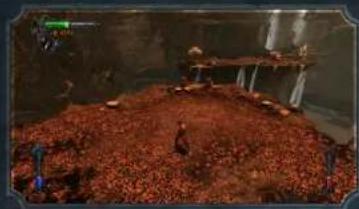
Interior scene of a dimly lit room with scattered red and green objects, no visible text or symbolsAs you progress in the quest you will have to use two different types of magic: Light and Shadow. These will appear on the game screen as blue and red containers, respectively
CASTLEVANIA : LORDS OF SHADOW CASTLEVANIA : LORDS OF SHADOW | 9
LIGHT MAGIC
Collecting Light Gems will add them to a Light Gem Medallion. These gems allow you to absorb neutral energy orbs, which help build up Light magic. Light magic attacks are most effective against large groups of enemies, and have the advantage of adding to Gabriel's health bar level as they are performed.
SHADOW MAGIC
Collecting Shadow Gems will add them to a Shadow Gem Medallion, allowing you to absorb neutral energy orbs and build up Shadow Magic. Shadow Magic attacks are very powerful and will inflict greater damage.
Light and Shadow magic can only be activated one at a time.
NEUTRAL ENERGY ORBS
natural_image
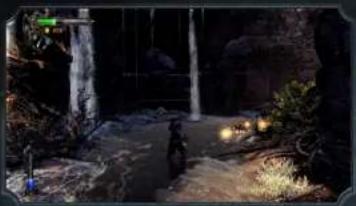
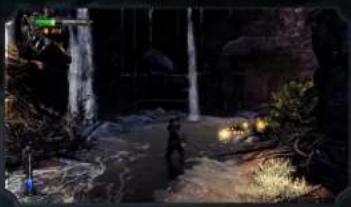
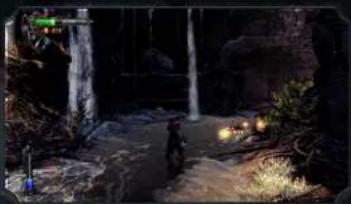
Nighttime outdoor scene with a waterfall, stone path, and illuminated lanterns (no visible text or symbols)To build up Light and Shadow magic you will need to collect neutral energy orbs that enemies drop when they die. Try to keep a reserve of both energy types. After successful combat, you will see the swirling energy orbs.
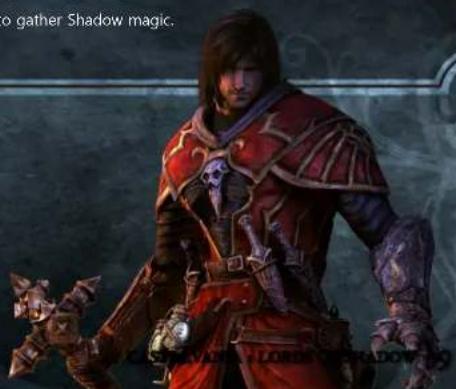
Press and hold the Left Stick to gather Light magic.
Press and hold the Right Stick to gather Shadow magic.
EXPLORING THE WORLD EXPLORING THE WORLD
ENABLING LIGHT AND SHADOW MAGIC
If you have collected neutral energy orbs for both Light and Shadow magic, you will be able to use the magic in conjunction with most other attacks, moves, and combos.
For example, a simple dodge performed with Shadow magic enabled becomes a powerful shoulder charge. Note that there are some combos and special moves that will only work with a certain type of magic enabled.
Press ☐ to activate Light magic. The blue container will activate and flare up on screen.
Press to activate Shadow magic. The red container will activate and flare up on screen.
Remember to disable Light and Shadow magic when you no longer need it.
COMBAT FOCUS
natural_image
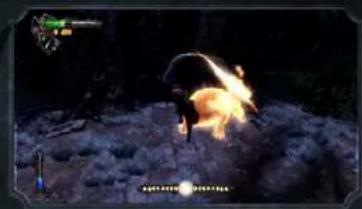
Nighttime outdoor scene with a person running on a rocky slope, surrounded by bright flames and smoke (no visible text or symbols)Once you acquire the ability to gather magic energy, the combat focus gauge will become active and appear at the bottom of the game screen. To increase its value, you must fight with 'style', changing combos as often as possible and avoiding damage. When the gauge is full, hits to enemies may release more neutral energy orbs for you to gather, allowing magic to be used constantly. Combat focus increase will not function if you activate either Light or Shadow magic.
LIFE GEM MEDALLION
Life gems are worn by warriors of the Brotherhood of Light and may be found in different locations. Look for them in obscure locations. Once found, the gems will be inserted into the empty slots of the Life Gem Medallion, giving Gabriel increased stamina. Gabriel's health bar capacity will be increased once all five gems have been inserted.
IO
CASTLEVANIA : LORDS OF SHADOW CASTLEVANIA : LORDS OF SHADOW
II
THE BROTHERHOOD OF LIGHT SCROLL
Throughout your travels, you will receive new information in the form of Brotherhood of Light Scrolls. These should be consulted whenever you require help, advice, or further clarification of the story. When a scroll is available, press the 📄 button and read it in the Travel Book 'Items' section.
NEW SKILLS INFORMATION
When you acquire a new skill, you will be taken to the Travel Book where with the game paused, and a summary of what that new skill is or what the object you have acquired does will be displayed.
natural_image
Fantasy illustration of two horned dragons in dynamic poses against a dark, textured background (no text or symbols)
THE TRAVEL BOOK
THE TRAVEL BOOK
The Travel Book provides information about Gabriel's quest. There are three main sections: Skills, Items and Characters. Note that any item marked with a red icon has yet to be opened. Anything marked with a green check mark has either been read or acquired.
Press 📄 to open the Travel Book.
Flip through the three main sections by pressing 📄 and 📃.
Highlight an item with Left Stick and scroll down with the direction buttons if necessary.
Press the Ⓐ button to select.
Press the Ⓑ button to go back.
Press the 📋 button to close the Travel Book and continue the adventure.
SKILLS
This section shows the skills you have acquired thus far in the adventure. If an item is checked with a green tick mark, you already possess that skill. Skills can be acquired by from your bank of experience points.
BASIC ACTIONS
Select one of the basic actions, for example, 'Direct Attack' and the page will flip over to reveal full details of that action: a description, an animated illustration of the action, and the button presses or sequences to activate the action.
The basic actions are: Direct Attack, Area Attack, Use Secondary Weapon, Jump, Block, Synchronized Block, Dodge, Stomp, Grab /Interact and Use Experience Points.
ADVANCED MOVES
This section reveals all the advanced moves that can be acquired. Anything you already possess is checked.
Highlight an 'Advanced Move' and press 'Show' (A button) to turn the page to read full details. On the left hand page you will see a detailed description of the move/combo, whether you have acquired it or how much it costs. Located on the right hand page, a short animation shows it in practice. The bottom of the page displays the button presses required to carry it out. Some special moves can be upgraded as they become available by spending experience points.
SECONDARY WEAPONS
This section has a list of secondary weapons you have or could acquire (for example Throwing Daggers). Highlight the Secondary Weapon and select.
The page will turn to reveal details about the weapon: an exact description, an animation, and the button sequence required. If you do not possess that weapon, you will be shown the number of experience points required and how many you have at present.
MOUNTS
This section shows your riding skills and the controls for a variety of mounts. Highlight and select 'Ride Horse'.
The page will turn to reveal details of how to fight while mounted on a horse. Gabriel will be able to ride a number of other outlandish creatures during his journey and this section is very useful for information on how to control the animals and fighting when mounted.
RELIC POWERS
This lists full details of Shadow magic or Light magic powers and the skills available once you have acquired the various relics. There are three relics to be acquired: Dark Gauntlet, Cyclone Boots and Seraph Shoulders.
Press ☐ to go to the next section of the Travel Book.
ITEMS
The second part of the Travel Book lists the items you have in your possession. Highlight and select an item and the page will turn to reveal full details of it.
THE LEFT HAND PAGE
Light Gem Medallion: This medallion will appear when you can gather Light magic. Light magic blue gems are inserted into the empty slots of the medallion when they are found. If all five slots are filled, the Light magic container's capacity is increased.
Life Gem Medallion: This shows the number of life gems you have collected. Fill the medallion with the five gems to increase stamina and Gabriel's health bar capacity.
Shadow Gem Medallion: This medallion will appear when you can gather Shadow magic. Shadow magic red gems are inserted into the empty slots when found. If all five slots are filled the Shadow magic container's capacity is increased.
Relics: This will only appear after you have acquired a relic. Highlight and select to read full details on these special relics.
The Brotherhood of Light Scrolls: This contains scrolls that will give you a story summary and useful hints on getting through the adventure.
THE RIGHT HAND PAGE
Secondary Weapons: This shows your secondary weapons and how many of each type you have in your possession.
Combat Cross: This gives details of Gabriel's main weapon: the combat cross and its upgrades/additions you may have found. Highlight and select individual sections of the combat cross illustration to read full details about them.
THE TRAVEL BOOK
PAUSE MENU
CHARACTERS
The final part of the Travel Book features a section on the characters Gabriel has met and a bestiary of all of the creatures encountered.
THE BESTIARY
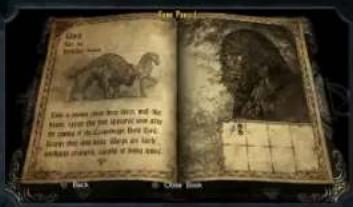
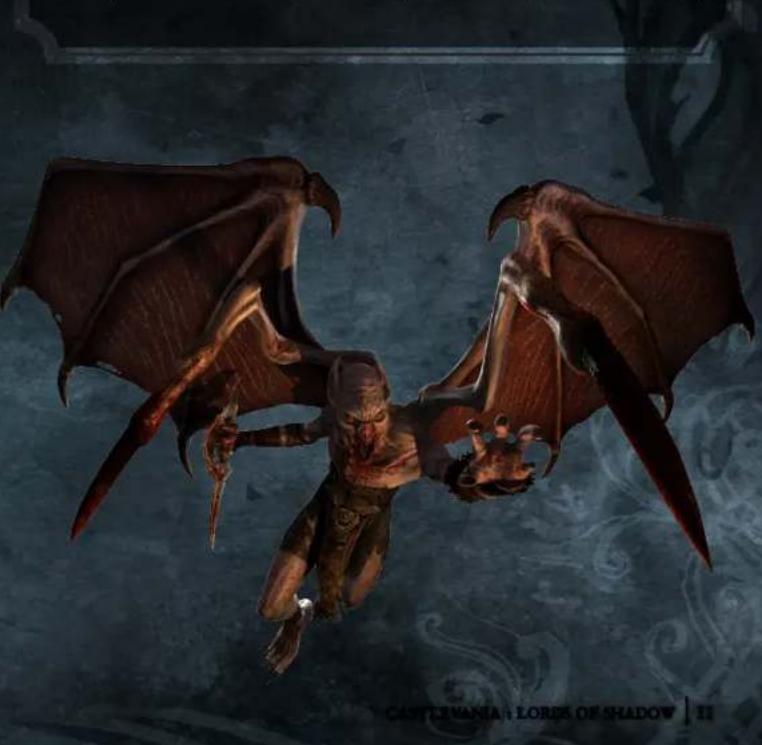
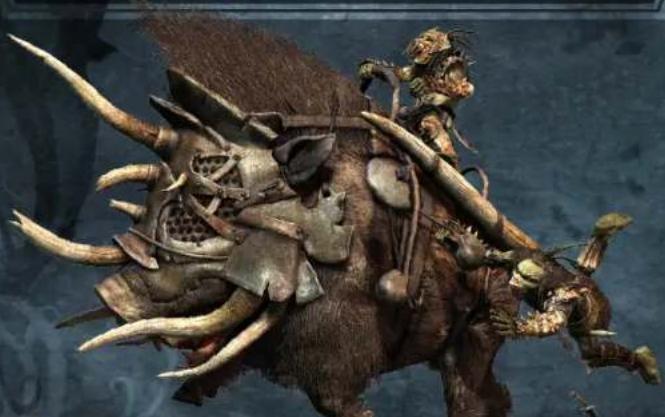
The bestiary shows details of a creature's size, combat difficulty, an illustration, and a description. It also features a grid where you can see at a glance what secondary weapons this creature is weak or strong against.
If there is a skull icon next to a particular secondary weapon it means that the enemy is weak against that secondary weapon. The more skulls appearing, the weaker that enemy is against that weapon. If there is a shield next to the secondary weapon it means they are resistant to it, and likewise, the more shields appearing, the more resistant they are to that weapon.
natural_image
Fantasy creature with large spiky horns and ornate armor, set against a dark blue background (no text or symbols visible)14 | CASTLEVANIA : LORDS OF SHADOW CASTLEVANIA : LORDS OF SHADOW | 15
Press 📋 at any time during game to open the Pause Game Menu. This will freeze the action and access a number of in-game options.
RESUME
Return to the game at the current pause point.
RESTART FROM LAST CHECKPOINT
Return to the game at the last checkpoint you have passed.
WORLD MAP
The book will open on the main world map. It shows the current story chapter and your progress/success throughout the quest at the bottom of the screen.
Press the Ⓐ button to open a detailed map page of the chapter you are on.
The page will flip over and show you how far you have progressed in that chapter.
Use Left Stick to move from section to section.
Completed chapter section summaries appear on the right side of the screen showing: name, difficulty, gems available/found, weapon upgrades and trials unlocked.
UNLOCKED TRIALS
You can return to any section of the story and attempt to complete an unlocked Trial. For example you may be given the mission: 'Finish the level, after killing 10 Goblins with their own grenades.' When you undertake an unlocked trial, the in-game screen will show an icon on the top right as a reminder of what you have to do.
CAST LEVANIA : LORES OF SHADOW
B5
PAUSE MENU
PAUSE MENU
CONFIGURATION
This lets you view and adjust certain options:
CONTROLS
The right side of the book shows the basiCastlevania: Lords of Shadowcontrols.
VIDEO
Setup video options (Gamma and Subtitles on/off).
AUDIO
Select a volume setting for Voice, Effects, Music and Video.
DIFFICULTY
Select a difficulty level you want to play from: Esquire, Warrior, Knight, and Paladin. The Paladin difficulty level is initially locked until you have accumulated more experience.
EXTRAS
COMBAT DISPLAY
This controls graphical information shown on the game screen as you combat an enemy or enemies. Select to turn on/off in-combat graphics for:
Experience Gains
Enemies' Health Bars
Gabriel's Health Bar
Gabriel's Combat Damage
Gabriel's Health Recovery
Gabriel's Focus Gains
ARTWORK
Select to view game artwork, listed chapter by chapter. Open new artwork by spending experience points.
VAMPIRE BOARDGAME
This is a bonus game: a fun and exciting chess-style board game that can be played in single or two player modes.
CREDITS
View the game credits in full.
natural_image
Fantasy illustration of two demonic characters in dynamic combat poses, one wielding a sword and the other with wings (no text or symbols)
LIMITED WARRANTY
Konami Digital Entertainment, Inc. warrants to the original purchaser of this Konami software product that the medium on which this computer program is recorded is free from defects in materials and workmanship for a period of ninety (90) days from the date of purchase. This Konami product is sold "as is," without express or implied warranty of any kind, and Konami is not liable for any losses or damages of any kind resulting from use of this program. Konami agrees for a period of ninety (90) days to either repair or replace, at its option, free of charge, any Konami product, postage paid, with proof of date of purchase, at its Factory Service Center. This warranty is not applicable to normal wear and tear. This warranty shall not be applicable and shall be void if the defect in the Konami software product has arisen through abuse, unreasonable use, mistreatment, or neglect.
THIS WARRANTY IS IN LIEU OF ALL OTHER WARRANTIES AND NO OTHER REPRESENTATIONS OR CLAIMS OF ANY NATURE SHALL BE BINDING ON OR OBLIGATE KONAMI. ANY IMPLIED WARRANTIES APPLICABLE TO THIS SOFTWARE PRODUCT, INCLUDING WARRANTIES OF MERCHANTABILITY AND FITNESS FOR A PARTICULAR PURPOSE, ARE LIMITED TO THE NINETY (90) DAY PERIOD DESCRIBED ABOVE. IN NO EVENT WILL KONAMI BE LIABLE FOR ANY SPECIAL INCIDENTAL OR CONSEQUENTIAL DAMAGES RESULTING FROM POSSESSION, USE OR MALFUNCTION OF THIS KONAMI PRODUCT.
Some states do not allow limitations as to how long an implied warranty lasts and/or exclusions or limitations of incidental or consequential damages so the above limitations and/or exclusions of liability may not apply to you. This warranty gives you specific rights, and you may also have other rights which vary from state to state.
If you experience technical problems with your game, please head to www.konami.com/support for assistance, here you will have access to many support materials, as well as our Knowledge Base which is available 24 hours a day, 7 days a week. All products must be deemed defective by a Konami Customer Service representative and an RMA number assigned prior to returning the product. All products received not matching this criteria will be returned if a Konami Customer Service Representative cannot reach you within three days upon receipt of the unauthorized return.
Konami Digital Entertainment, Inc.
Attention: Customer Service-RMA # XXXX
2381 Rosecrans Ave, Suite 200
Register now at www.konami.com to receive exclusive product news, special offers and more!
www.konami.com/castlevania
natural_image
Game scene showing a campfire at night with illuminated tents and a glowing yellow sun (no visible text or symbols)natural_image
Illustration of a group of figures in winter gear holding long, rusted objects (no text or symbols visible)
COMMANDES DU JEU EXPLORER LE MONDE
natural_image
Interior scene of a dimly lit, forested environment with scattered debris and a wooden structure (no visible text or symbols)natural_image
Illustration of a female character with long hair and a red patterned garment (no text or symbols visible)
EXPLORER LE MONDE EXPLORER LE MONDE
ORBES D'ENERGIE NEUTRE
natural_image
Nighttime outdoor scene with a figure walking along a path, surrounded by rocks and a waterfall (no visible text or symbols)natural_image
Nighttime outdoor scene with a dark object and bright light, possibly a fire or explosion (no visible text or symbols)natural_image
Fantasy illustration of a mythical creature with multiple human skulls and a staff, set against a dark background (no text or symbols)35
MENU DE PAUSE MENU DE PAUSE
REPRENDRE
natural_image
Illustration of two armored warriors in armor, one wielding a sword and the other a shield (no text or symbols)CASTLEVANIA : LORDS OF SHADOW CASTLEVANIA : LORDS OF SHADOW
CASTLEVANIA : LORDS OF SHADOW
GARANTIE LIMITÉE
Attention: Customer Service-RMA #XXXX
2381 Rosecrans Ave, Suite 200
natural_image
Nighttime outdoor scene with a person in a forested setting, illuminated by a yellow sun and green weapon (no visible text or symbols)natural_image
Fantasy warrior figure with large weapon and horns, no visible text or symbolsLOWS OF SHADOW 145
natural_image
Fantasy illustration of a winged female figure with green wings and smaller figures below, signed 'CASTLEVANIA : LORDS OF SI' (no text or symbols on the main image)CASTLEVANIA : LORDS OF SHADOW

CONTROLES DE JUEGO EXPLORANDO EL MUNDO
Controles para la Xbox 360 Controller
natural_image
Interior scene of a dimly lit, rocky outdoor space with scattered debris and a small structure (no visible text or symbols)natural_image
Illustration of a female character holding a sword, standing against a chalkboard background (no text or symbols on the figure or background)SO | CASTLEVANIA : LORDS OF SHADOW | CASTLEVANIA : LORDS OF SHADOW | SI
EXPLORANDO EL MUNDO EXPLORANDO EL MUNDO
ORBES DE ENERGÍA NEUTRAL
natural_image
Nighttime outdoor scene with a stone path, waterfall, and illuminated lanterns (no visible text or symbols)natural_image
Game scene showing a character shooting a weapon on a dirt path, with no visible text or symbols.natural_image
Illustration of a fantasy warrior in red armor holding a sword, with no visible text or symbols on the character or background.
GARANTÍA LIMITADA
Attention: Customer Service-RMA # XXXX
2381 Rosecrans Ave, Suite 200
Available Now!
XBOX LIVE arcade
KONAMI www.konami.com