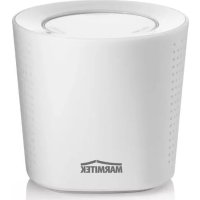
BoomBoom 152 - Speaker MARMITEK - Free user manual and instructions
Find the device manual for free BoomBoom 152 MARMITEK in PDF.


User questions about BoomBoom 152 MARMITEK
0 question about this device. Answer the ones you know or ask your own.
Ask a new question about this device
Download the instructions for your Speaker in PDF format for free! Find your manual BoomBoom 152 - MARMITEK and take your electronic device back in hand. On this page are published all the documents necessary for the use of your device. BoomBoom 152 by MARMITEK.
USER MANUAL BoomBoom 152 MARMITEK
- To prevent short circuits, this product should only be used inside and only in dry spaces. Do not expose the components to rain or moisture. Do not use the product close to a bath, swimming pool etc.
- Do not expose the components of your systems to extremely high temperatures or bright light sources.
- In case of improper usage or if you have altered and repaired the product yourself, all guarantees expire. Marmitek does not accept responsibility in the case of improper usage of the product or when the product is used for purposes other than specified. Marmitek does not accept responsibility for additional damage other than covered by the legal product responsibility.
This product is not a toy. Keep out of reach of children. - Do not open the product: the device may contain live parts. The product should only be repaired or serviced by a qualified expert.
The built-in rechargeable battery is not replaceable. Do not remove or replace battery. Dispose of unit properly. Do not dispose unit in trash or fire.
TABLE OF CONTENTS
SAFETYWARNINGS 1
TABLE OF CONTENTS. 2
INTRODUCTION 3
SET CONTENTS 3
FIRSTUSE. 3
INITIAL SETUP VIA BLUETOOTH 4
VOLUME CONTROL 4
TURING OFF 5
TURING ON 5
STANDBY 5
CONNECTING WITH AN AUDIO CABLE. 6
BATTERY LIFE AND STANDBY TIME 6
BATTERY ALMOST EMPTY 6
FREQUENTLY ASKED QUESTIONS 7
TECHNICAL DATA 8
INTRODUCTION
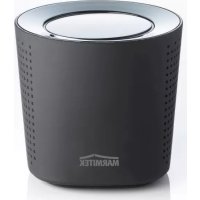
Congratulations on your purchase of the Marmitek BoomBoom150/152. This Bluetooth speaker allows you to play music from a sound source that is equipped with Bluetooth technology without having to connect the source using cables. This could involve a PC or a laptop that has a Bluetooth USB dongle, a mobile telephone that supports Bluetooth, an Android telephone, an Android Tablet, an iPhone an iPad or a Mac.
The BoomBoom150/152 has a range of about 10 metres, allowing you to organise your music in the same or in an adjoining room.
SET CONTENTS
1 x BoomBoom150/152, universal Bluetooth wireless stereos speaker
1 x mini USB cable
1 x Mini Jack to Mini Jack converter cable
1 x set of instructions in English, German, French, Spanish, Italian, Dutch.
FIRSTUSE
The BoomBoom150/152 has a built-in rechargeable battery.
We recommend completely charging the battery before using for the first time. Connect the supplied USB cable to the BoomBoom150/152 and a PC, Mac or USB power adapter. The red LED will light up.
The first charge may take up to about 3 hours. Once the BoomBoom150/152 battery is completely charged, the red LED will go off.
INITIAL SETUP VIA BLUETOOTH
- Turn on the BoomBoom150/152 by pressing the POWER button.
- Wait for approximately 20 seconds. The speaker will go into pairing mode and will produce a "beep" tone. The red & blue lights will then flash alternately.
- Turn on a device that supports Bluetooth, such as an iPod, iPhone, Android or mp3 device and go to: Settings > General > Bluetooth. Click ON the Bluetooth. BoomBoom150/152 will then appear on the device. Click ON the BoomBoom150/152. The device is now connected and paired with the speaker. If the device prompts for a pair code, enter:"0000"
- If the pairing failed within 150 seconds, the system will search for the last paired device and the blue LED will flash slowly. To restart the pairing process, turn off the speaker and repeat step 1. If the initial setup connection is successful, the next time the speaker is turned on, the speaker will automatically pair to the last device it was connected with.
! You can link to up to 8 devices however only 1 device can be connected to the BoomBoom150/152 at one time.
VOLUME CONTROL
- Tap VOLUME+ for 1 second increments to increase the volume. When maximum volume has been reached, a tone indicator will sound.
- Tap VOLUME- for 1 second increments to decrease the volume. When minimal volume has been reached, a tone indicator will sound.
- Press VOLUME+ for 2 seconds to listen to the next song. (NOTE: THIS FEATURE MAY NOT WORK WITH SOME BLUETOOTH DEVICES)
- Tap VOLUME- for 2 seconds to listen to the previous song. (NOTE: THIS FEATURE MAY NOT WORK WITH SOME BLUETOOTH DEVICES)
TURNING OFF
Depress the POWER button and the BoomBoom150/152 will go off.
TURNING ON
Depress the POWER button. The BoomBoom150/152 will produce a "beep" tone. The blue LED lights start blinking fast. The BoomBoom150/152 will then automatically link to the last device it was connected to. When connected, the blue LED lights go blinking at a slow rate. Only 1 device can be connected at once with the BoomBoom150/152. If your device does not connect automatically, go to the device's Bluetooth settings and select the BoomBoom150/152. A connection will then be made.
Turn off the Bluetooth speaker in order to pair the device with another Bluetooth device.
STANDBY
If the BoomBoom150/152 is in connecting mode (blue LED blinks fast) and no connection is made within 20 seconds, the BoomBoom150/152 will switch to pairing mode (The red & blue LEDs will then flash alternately). After 150 seconds, the BoomBoom150/152 will switch to standby setting (blue LED blinks slow).
CONNECTING WITH AN AUDIO CABLE
The Bluetooth connection can be switched to a wired connection by plugging in the 3.5mm audio jack. The volume key function will be disabled in the wired connection mode. Simply unplug the 3.5mm audio jack to revert back to the Bluetooth connection.
BATTERY LIFE AND STANDBY TIME
Once the battery has been fully charged it will last for about 4 hours via BlueTooth, or 5-6 hors via audio cable. You can also use the BoomBoom150/152 with the mini USB cable connected to a PC, Mac or USB power adapter. The battery then remains charged.
BATTERY ALMOST EMPTY
When the BoomBoom150/152's battery is almost empty, the red LED will blink once every 20 seconds. Follow the steps given earlier to charge the battery.
Frequently ASKED QUESTIONS
I can't connect my BoomBoom150/152.
Check the following:
- Ensure that the power adapter is connected and/or that the battery is fully charged.
- Ensure that the Bluetooth function on your mobile telephone is on (check your phone's manual for reference).
- Ensure that the distance between your mobile phone and the BoomBoom150/152 is no greater than 10 metres and that there are no large obstacles in the way.
Can I link numerous devices to my BoomBoom150/152?
You can link up to 8 devices to your BoomBoom150/152. If the BoomBoom150/152 is switched on, it will automatically connect to the last connected device.
Do you have other questions that have not been resolved by the above information? Please go to www.marmitek.com

Environmental Information for Customers in the European Union
European Directive 2002/96/EC requires that the equipment bearing this symbol on the product and/or its packaging must not be disposed of with unsorted municipal waste. The symbol indicates that this product should be disposed
of separately from regular household waste streams. It is your responsibility to dispose of this and other electric and electronic equipment via designated collection facilities appointed by the government or local authorities. Correct disposal and recycling will help prevent potential negative consequences to the environment and human health. For more detailed information about the disposal of your old equipment, please contact your local authorities, waste disposal service, or the shop where you purchased the product.
TECHNICAL DATA
Bluetooth Frequency 2.402-2.480GHz
Bluetooth version V2.1+EDR, class II
Support multiple pair up to 8 devices
Output power 2 × 3W max
Signal To Noise Ratio >80dB
Frequency Response 20Hz-20kHz
Distortion
<10%
Battery Li-ion 3.7v,
-
Battery Capacity 900mAh
-
Battery Charging Voltage 5V
-
Charger Time 3-4 hours max
-
Battery Life 4-8 hours
-
standby time up to 140 hours
audio input DC3.5 female
Driver Unit 40mm, 4 Ohm, 3W
Power Indicator Light Blue lights
Range Up to 10 metres open field
Product weight
0.198kg
Product dimension
80x80x74mm
Operation temperature
-10°C ~ +55°C
Storage temperature
-20°C ~ +60°C
Specifications may be modified without prior notice.
SICHERHEITSHINWEISE
Driver Unit 40mm, 4 Ohm, 3W
Driver Unit 40mm, 4 Ohm, 3W
VEILIGHEIDSWAARSCHUWINGEN
Driver Unit 40mm, 4 Ohm,3W
DECLARATION OF CONFORMITY
Hereby, Marmitek BV, declares that this BOOMBOOM150 is in compliance with the essential requirements and other relevant provisions of the following Directives:
Directive 1999/5/EC of the European Parliament and of the Council of 9 March 1999 on radio equipment and telecommunications terminal equipment and the mutual recognition of their conformity
Directive 2004/108/ec of the european parliament and of the council of 15 December 2004 on the approximation of the laws of the Member States relating to electromagnetic compatibility
Directive 2006/95/EC of the European Parliament and of the Council of 12 December 2006 on the harmonisation of the laws of Member States relating to electrical equipment designed for use within certain voltage limits
Directive 2002/95/EC of the European Parliament and of the Council of 27 January 2003 on the restriction of the use of certain hazardous substances in electrical and electronic equipment
Commission Regulation (EC) No 278/2009 of 6 April 2009 implementing Directive 2005/32/EC of the European Parliament and of the Council with regard to ecodesign requirements for no-load condition electric power consumption and average active efficiency of external power supplies
Marmitek is a trademark of Pattitude B.V. I BoomBoom150 is a trademark of Marmitek B.V. Copyright and all other proprietary rights in the content (including but not limited to model numbers, software, audio, video, text and photographs) rests with Marmitek B.V. Any use of the Content, but without limitation, distribution, reproduction, modification, display or transmission without the prior written consent of Marmitek is strictly prohibited. All copyright and other proprietary notices shall be retained on all reproductions.
MARMITEK
www.mamitek.com