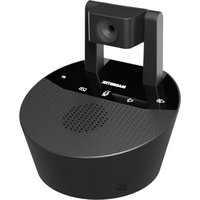
Cam 4K Pro - Conference camera MARMITEK - Free user manual and instructions
Find the device manual for free Cam 4K Pro MARMITEK in PDF.


User questions about Cam 4K Pro MARMITEK
0 question about this device. Answer the ones you know or ask your own.
Ask a new question about this device
Download the instructions for your Conference camera in PDF format for free! Find your manual Cam 4K Pro - MARMITEK and take your electronic device back in hand. On this page are published all the documents necessary for the use of your device. Cam 4K Pro by MARMITEK.
USER MANUAL Cam 4K Pro MARMITEK
4K conference camera and speakerphone
Show the whole room during hybrid meetings and have clear audio for all participants
- 4K Ultra HD camera
- wide angle view
- omni-directional microphones
- Windows/Mac
natural_image
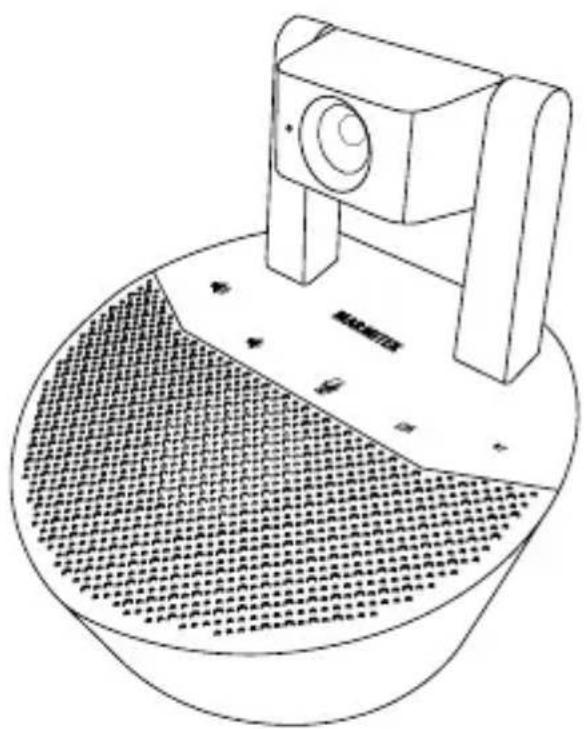
Line drawing of a camera mounted on a circular base with a textured pattern at the bottom (no text or symbols)Set content
1 x Cam 4K Pro
1 x USB-C cable
1 x 3.5mm jack audio cable
1 x power adapter

text_image
QR code image containing encoded data, no visible human-readable textProfessional

text_image
QR code image containing encoded data, no visible human-readable textMulti language user guide
Safety Instructions
Please read these instructions thoroughly before you use the device and keep them for future reference.
- Only for indoor use.
- Do not use the product in a damp environment or near water.
- Do not expose the product to extremely high or low temperatures, strong light sources or direct sunlight.
- This product is not a toy. Keep out of reach of children.
- Connect the adapter to the mains only after you have verified that the line voltage corresponds to the value specified on the type plates.
- Disconnect the AC/DC power adapter from the mains when this device is not in use for prolonged time.
- Never connect an adapter or power cord when it is damaged. In that case, contact your supplier.
- Never open the product: the device may contain parts with deadly voltage.
- Repairs or service should only be performed by qualified personnel.
- Improper use, self-installed modifications or repairs will void any and all warranties.
- Marmitek does not accept any product responsibility for incorrect use of the product or use other than for which the product is intended.
- Marmitek does not accept liability for any consequential damage other than the legal product responsibility.
Setup
When installing the Cam 4K Pro, attach the included power cord to the "DC IN" on the back interface of the conference camera and the adapter to a power socket. When the cord is connected successfully, the Cam 4K Pro will start. During the startup procedure, you will hear the startup sound and the Marmitek logo will be lit up.
Device connection via USB
The first way to connect the Cam 4K Pro is by using the USB connection. By connecting the Cam 4K Pro with the USB cable, you can use all included functions. In order to do this, connect the included USB cable to the port marked "USB" on the back interface of the Cam 4K Pro. The other end of the USB cable will need to go into the device you want to connect to the camera, like for example a PC. When these two are connected, the PC will recognize the Cam 4K Pro as a speaker, camera and microphone.
Please note, when using digital meeting software you sometimes need to manually modify the settings of the program to use the correct speaker, microphone and camera. Please refer to the instructions of the meeting software you are using to see how you can change the input and output devices within the program.
Device connection via Bluetooth
You can connect a Bluetooth compatible device to the Cam 4K Pro. When connecting via Bluetooth, you can only use the Cam 4K Pro's speaker and microphones.
To pair your Bluetooth device to the Cam 4K Pro, put the Cam 4K Pro into pairing mode by holding the "BT" button for 3 seconds. To indicate the device is in pairing mode, the "BT" button will blink in the color blue. While in pairing mode, you can search for Bluetooth devices on your device and find the "Cam 4K Pro". Tap the "Cam 4K Pro" to pair your device to the conference camera. After pairing you will hear a connection sound from the Cam 4K Pro and the "BT" button will stop blinking.
Device connection via 3.5mm jack cable
When you are connecting the Cam 4K Pro via a 3.5mm jack cable, you can only play audio over the speaker. In order to connect the Cam 4K Pro, take the included 3.5mm jack cable and connect this to the "AUX" port on the back interface of the conference camera. Take the other end of the cable and attach this to a source device with an analogue audio output.
Buttons and features
The buttons on the Cam 4K Pro let you control the conference camera. The following controls can be used:
| Button | Function |
 | Short press: volume up |
 | Short press: volume down |
 | Short press: mute/unmute microphone |
 | Short press: disable/enable camera |
| BT | Short press: start or stop media on Bluetooth device / accept call or hang up your call on Bluetooth device |
| BT | Press and hold(3s): disconnect Bluetooth / deny phone call |
Technical specifications
Camera
Video resolution 3840 x 2160p (4K)
Lens type wide angle
Audio
Speaker output 8 W RMS
Microphone range up to 15 m
Bluetooth
Version 5.1
Bluetooth profiles A2DP, HSP
General
Dimensions (h x w x d) 150 x 134 x 147 mm
Weight 495 g
Power 12 VDC, 1A
Operating temperature 5°C to 40°C
Supported OS Windows, MacOS, Android 6.0 or higher and IOS 8.0 or higher
Declaration of Conformity
CE Hereby, Marmitek BV declares that this Cam 4K Pro™ is in compliance with the essential requirements and other relevant provisions of the following Directives:
Directive 2014/53/EU of the European Parliament and of the Council of 16 April 2014 on the harmonisation of the laws of the Member States relating to the making available on the market of radio equipment and repealing Directive 1999/5/EC.
Directive 2011/65/EU of the European Parliament and of the Council of 15 November 2017 amending Directive 2011/65/EU on the restriction of the use of certain hazardous substances in electrical and electronic equipment.
Commission Regulation (EU) 2019/1782 of 1 October 2019 laying down eco-design requirements for external power supplies pursuant to Directive 2009/125/EC of the European Parliament and of the Council and repealing Commission Regulation (EC) No 278/2009.
You can read the full Declaration of Conformity at http://www.marmitek.com/en/declarations-of-conformity/
Lens type wide angle
Audio
Speaker output 8 W RMS
Ondersteunende OS Windows, MacOS, Android 6.0 of later en IOS 8.0 of later
natural_image
Abstract geometric pattern composed of nested L-shaped lines (no text or symbols)pro
20771/20240319 | Cam 4K Pro™
all rights reserved © MARMITEK PO Box 4257 - 5604 EG Eindhoven - The Netherlands
stay connected marmitek.com