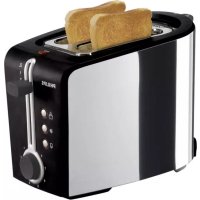
HD2626 - Toaster PHILIPS - Free user manual and instructions
Find the device manual for free HD2626 PHILIPS in PDF.



| Product Type | Toaster |
| Brand | Philips |
| Model | HD2626 |
| Supply Voltage | 220-240 V |
| Rated Power | 850 W (estimated) |
| Capacity | 2 slices of bread |
| Browning Control | 8 levels (1 to 8) |
| Special Functions | Defrost, reheat, manual stop (Stop button) |
| Included Accessory | Rack for rolls/croissants (liftable) |
| Crumb Tray | Removable for cleaning |
| Cord Length | Adjustable by wrapping under the appliance |
| Dimensions (approx.) | 30 x 20 x 20 cm |
| Weight (approx.) | 1.5 kg |
| Safety | Automatic shut-off, do not immerse, keep out of reach of children |
| Maintenance | Clean with a damp cloth; empty crumb tray regularly |
| Warranty | International Philips (see leaflet) |
| After-Sales Service | Contact Philips Consumer Service |
Frequently Asked Questions - HD2626 PHILIPS
User questions about HD2626 PHILIPS
0 question about this device. Answer the ones you know or ask your own.
Ask a new question about this device
Download the instructions for your Toaster in PDF format for free! Find your manual HD2626 - PHILIPS and take your electronic device back in hand. On this page are published all the documents necessary for the use of your device. HD2626 by PHILIPS.
USER MANUAL HD2626 PHILIPS
Read these instructions for use carefully before using the appliance and save them for future reference.
- Check if the voltage indicated on the bottom of the appliance corresponds to the local mains voltage before you connect the appliance.
Only connect the appliance to an earthed wall socket.
If the mains cord is damaged, it must be replaced by Philips, a service centre authorised by Philips or similarly qualified persons in order to avoid a hazard.
Do not immerse the appliance or the mains cord in water or other liquids.
Always unplug the appliance after use. - Keep the appliance out of the reach of children.
- Do not let the mains cord hang over the edge of the table or worktop and keep the cord away from hot surfaces.
Do not let the appliance operate unattended. Do not operate it under or near curtains or other flammable materials or under wall cabinets, as bread may burn. - Avoid touching the metal parts on top of the toaster as they become very hot during toasting.
The toaster is intended for household use only and may only be used indoors.
To avoid the risk of fire, frequently remove crumbs from the crumb tray. Make sure the crumb tray is correctly placed.
Immediately unplug the toaster if fire or smoke is observed.
If a slice of bread gets stuck inside the toaster, unplug the appliance and allow it to cool down before trying to remove the bread. Do not use a knife or a sharp tool, as these may cause damage to the heating elements.
The appliance is only meant for toasting bread. Do not put any other ingredients in the appliance, as this may lead to a hazardous situation. - Oversized foods and metal foil packages must not be inserted into the toaster, as this may cause fire or electric shock.
- Do not place the dust cover (some types only) on top of the toaster when the appliance is switched on or when it is still hot, as this could lead to damage.
Do not place the toaster on a hot surface.
The warming rack is only meant for warming up rolls or croissants. Do not put any other ingredients on the warming rack, as this may lead to a hazardous situation.
Before first use
Remove any stickers and wipe the body of the toaster with a damp cloth.
Before using the appliance for the first time, we advise you to let the appliance complete a few toasting cycles without slices of bread on the highest browning setting in a properly ventilated room. This will burn off any dust that may have accumulated on the heating elements and will prevent unpleasant smells when toasting bread.
ENGLISH 7
Using the appliance
1 Put the appliance on a stable and flat surface, away from curtains and other combustible materials. Put the plug in the wall socket.
You can adjust the length of the cord by winding part of it round the brackets in the base of the appliance (fig. 2).
Toasting bread
Never let the toaster operate unattended.
Put one or two slices of bread in the toaster (fig. 3).
2 Select the desired browning setting (fig. 4).
Select a low setting (1-2) for lightly toasted bread and a high setting for a dark browning result (5-8).
3 Push the toasting lever down to switch the appliance on (fig. 5).
- The stop button lights up.
- The toasting lever will only stay down if the appliance has been connected to the mains.
Avoid touching the metal parts on top of the toaster as they become very hot during toasting.
4 When the toast is ready, it pops up and the toaster switches off.
The toaster will switch off automatically. You can stop the toasting process and pop the bread up at any time by pressing the STOP button on top of the toaster (fig. 6).
To remove smaller items, you can move the toasting lever upwards a little further.
If bread gets stuck inside the toaster, remove the plug from the wall socket, let the appliance cool down completely and carefully remove the bread from the toaster. Do not use a knife or another sharp metal tool to do this and do not touch the metal internal parts of the toaster.
Toasting frozen bread
1 Follow the instructions in the 'Toasting bread' section, but push the toasting lever down and then press the defrost button 串 (fig. 7).
The button lights up.
Note: toasting frozen bread will take longer to toast than defrosted bread.
Reheating toasted bread
1 Follow the instructions in the 'Toasting bread' section, but push the toasting lever down and then press the reheat button (fig. 8).
The button lights up
Heating up rolls and croissants
1 Push the warming rack lever down to unfold the warming rack (fig. 9).
Never put the rolls to be heated up directly on top of the toaster without having unfolded the warming rack to avoid damaging the toaster.
2 Put the rolls or croissants on top of the warming rack.
Do not heat up more than 2 items at a time.
3 Push the toasting lever down and press the warming button. The button lights up (fig. 10). If you want to heat the rolls or croissants on both sides, turn them after the toaster has shut itself off and switch the toaster on again by pushing the toasting lever down and then pressing the warming button.
ENGLISH8
Before every new warming cycle, you have to push the toasting lever down and press the warming button again.
Cleaning
Unplug the appliance.
2 Let the appliance cool down.
3 Clean the appliance with a damp cloth. Do not use abrasive cleaning agents.
Never immerse the appliance in water.
4 Remove crumbs from the appliance by sliding the crumb tray out of the appliance (fig. 12). Do not hold the appliance upside down and do not shake it to remove the crumbs.
Environment
Do not throw the appliance away with the normal household waste at the end of its life, but hand it in at an official collection point for recycling. By doing this you will help to preserve the environment (fig. 13).
Guarantee & service
If you need information or if you have a problem, please visit the Philips website at www.philips.com or contact the Philips Customer Care Centre in your country (you will find its phone number in the worldwide guarantee leaflet). If there is no Customer Care Centre in your country, turn to your local Philips dealer or contact the Service Department of Philips Domestic Appliances and Personal Care BV.
Troubleshooting
If you are unable to solve the problem by means of this troubleshooting guide, contact the Customer Care Centre in your country (see chapter 'Guarantee & service').
| Problem | Solution |
| 1. The toaster does not work. | Check if the plug has been properly inserted into the wall socket. |
| If the toaster still does not work, take it to a service centre authorised by Philips for examination. | |
| 2. Bread gets stuck in the appliance. | Unplug the appliance and let it cool down. Carefully remove the slice or slices from the toaster.Take care not to damage the heating elements while removing the slice or slices of bread. Never use a metal object for this purpose. |
| 3. The toast is too dark/too light. | Check the browning setting selected for toasting. Select a lower setting next time if your toast is too dark and a higher setting if your toast is too light. |
| 4. Smoke comes out of the toaster. | You have chosen a too high setting for the type of bread inserted. Push the stop button to stop the toasting process. |
| 5. The mains cord is damaged. | If the mains cord of this appliance is damaged, it must always be replaced by Philips, a service centre authorised by Philips or similarly qualified persons in order to avoid a hazard. |
| 6. I cannot change the brooning level when I use the warming function. | This is normal, for the toaster has a fixed temperature setting for warming up rolls and croissants, which guarantees a perfect end result. |
| 7. Only one side of my roll or croissant is warm. | Turn your roll or croissant over and warm it up again. Follow the instructions in 'Heating up rolls or croissants'. |
DEUTSCH 9
Koponenten (Abbilding I)
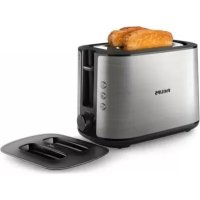
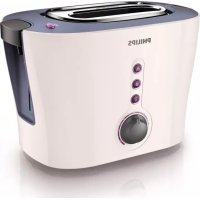
Brand : PHILIPS
Model : HD2626
Category : Toaster