PA100U - Speaker HQ Power - Free user manual and instructions
Find the device manual for free PA100U HQ Power in PDF.


| Product type | Amplified speaker |
| Brand | HQ Power |
| Model | PA100U |
| Power supply | 230 VAC ~ 50 Hz or internal battery 12 V |
| Dimensions | 310 x 255 x 120 mm |
| Weight | 5.6 kg |
| Microphone inputs | 2x 1/4" (6.35 mm) jack |
| Auxiliary input | 1x 1/4" (6.35 mm) jack |
| Recording output | 2x RCA (left/right) |
| External speaker output | 1x 1/4" jack |
| USB connection | Yes, for USB flash drive (MP3 playback) |
| Amplifier power | 16 W / 4 Ω |
| Frequency response | 20 Hz ~ 20 kHz ± 2 dB |
| Battery life | 6 h (full charge) |
| Controls | Microphone 1 and 2 volume, aux volume, master treble/bass, echo level, internal and auxiliary speaker volume |
| Safety | Indoor use only, protect from moisture, do not open, strong magnetic field |
| Maintenance | Clean with a dry, non-abrasive cloth |
| Spare parts | Available from your dealer |
| Warranty | 24 months (applicable conditions) |
Frequently Asked Questions - PA100U HQ Power
User questions about PA100U HQ Power
0 question about this device. Answer the ones you know or ask your own.
Ask a new question about this device
Download the instructions for your Speaker in PDF format for free! Find your manual PA100U - HQ Power and take your electronic device back in hand. On this page are published all the documents necessary for the use of your device. PA100U by HQ Power.
USER MANUAL PA100U HQ Power
PORTABLE AMPLIFIER WITH USB CONNECTION
DRAAGBARE VERSTERKER MET USB-AANSLUITING
AMPLIFICATEUR PORTATIF AVEC CONNEXION USB
AMPLIFICADOR PORTÁTIL CON CONEXión USB
TRAGBARER VERSTÄRKER MIT USB-ANSCHLUSS
| USER MANUAL | 3 |
| GEBRUKERSHANDLEIDING | 6 |
| NOTICE D'EMPLOI | 9 |
| MANUAL DEL USU Ario | 12 |
| BEDIENUNGSANLEITUNG | 15 |

1

VOL

VOL
MEDIA PLAYER





AC

DC

BAT.FUL


OFF
DIGITAL ECHO AMPLIFIER
1


Record
(7)

2
USER MANUAL
1. Introduction
To all residents of the European Union
Important environmental information about this product

This symbol on the device or the package indicates that disposal of the device after its lifecycle could harm the environment. Do not dispose of the unit (or batteries) as unsorted municipal waste; it should be taken to a specialized company for recycling. This device should be returned to your distributor or to a local recycling service. Respect the local environmental rules.
If in doubt, contact y ur local waste disposal authorities.
Thank you for choosing H QPower™! Please read the manual thoroughly before bringing this device into service. If the device was damaged in transit, don't install or use it and contact your dealer.
For more info concerning this product and the latest version of this manual, please visit our website www.hqpowr.eu.
2. Safety Instructions

Keep the device away from children and unauthorised users.

Indoor use only.
Keep the device away from rain, moisture, splashing and dripping liquids, extreme heat and dust. Never put objects filled with liquid on top of or close to the device.

Caution: Risk of electric shock. Do not open.

Caution: Strong magnetic field.
Do not place the amplifier near sensitive equipment.
3. General Guidelines
Refer to the Velleman® Service and Quality Warrant on the last pages of this manual.
- Protec tthis device from shocks and ab use. Avoid brue force when operating the device.
- Conta ct a local dealer for spare parts.
- Disconnect the device from the power supply source to clean or when not in use.
- Do not switch the device on immedi tely after it has been exposed to changes in temperature.
Allowing the device t stabilise to ro m temperature before switching it on avoids damage.
- Famili arise yourself with the functions of the device before actually using it.
- All modifications of the device are forbidden for safety reasons.
- Only use the device for its intended purpose. Using the device in an unauthorised way will void the warranty.
- Dama ge caused by disregard of certain guidelines in this manual is not covered by the warranty and the dealer will not accept responsibility for any ensuing defects or problems.
- Please be sure to leave a space to allow for heat radiation. The distance between tear panel and other objects must be >5cm . The distance between sides and other objects must be >3cm .
4. Features
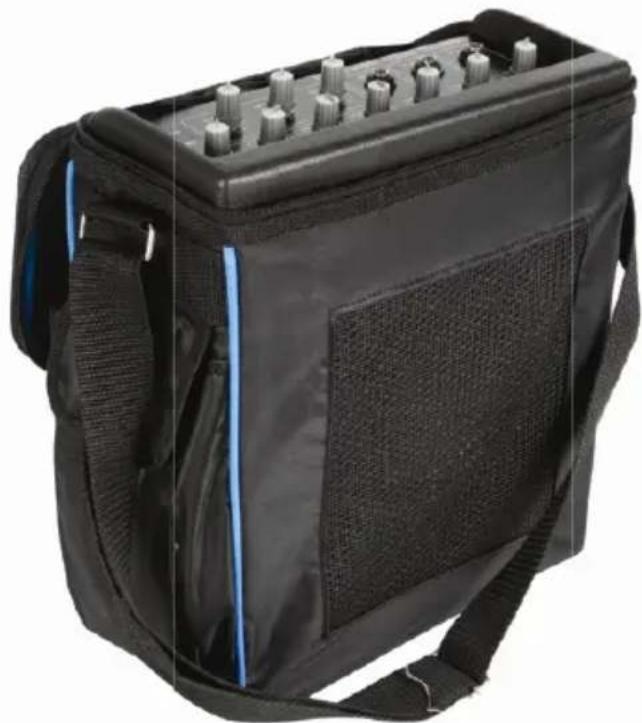
- batter -powered am plifier with extra 12 V connection
- USB connection: connect your music player and play all your favourite music
- micro phone input with echo effect
- inputs: 2x microphone, 1x auxiliary, 1x record
- extra output for exteinal speaker
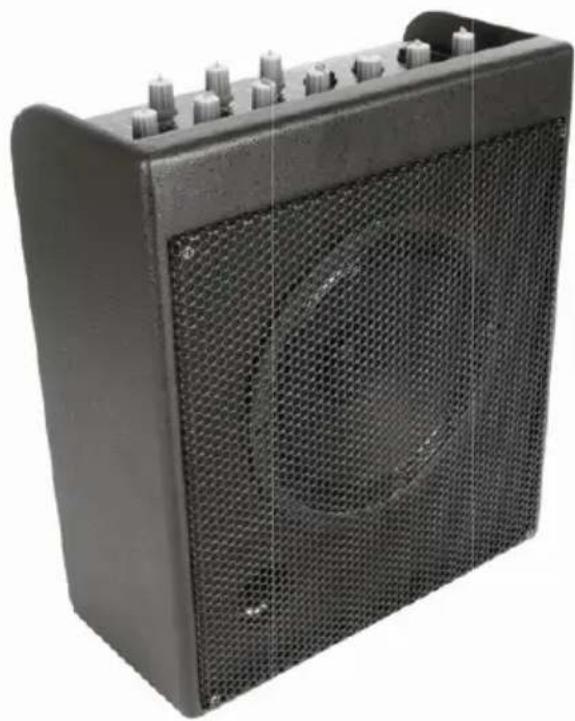
PA100U
5. Overview
Refer to illustration 1 on page 2 of this manual.
CONTROL PANEL
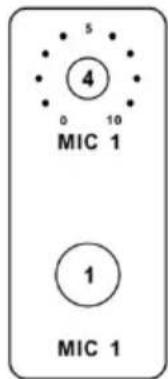
1 MIC 1 INPUT
1/4'' jack connection for your main microphone.
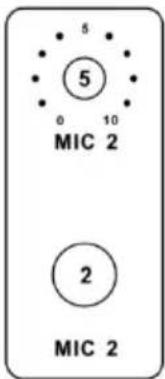
2 MIC 2 INPUT
1/4'' jack connection for a secondary microphone.
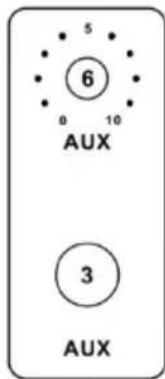
3 AUX INPUT
1/4'' jack connection for your CD or MP3 player.
4 MIC 1 LEVEL CONTROL
Volume control button for your main microphone.
5 MIC 2 LEVEL CONTROL
Volume control button for the secondary microphone.
6 AUX LEVEL CONTROL
Volume control button for the AUX input.
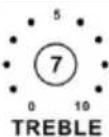
7 MASTER TREBLE CONTROL
Treble tone control button for the master output.
8 MASTER BASS CONTROL
Bass tone control button for the master output.
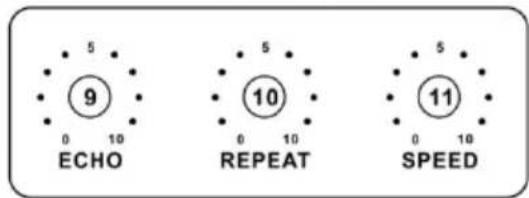
9 ECHO LEVEL CONTROL
Echo depth control button.
10 ECHO REPEAT CONTROL
Echo repeat control button.
11 ECHO SPEED CONTROL
Echo delay length control button.
Volume control button for the built-in speaker.
Volume control button for the auxiliary speaker.
14 POWER SWITCH
On/off switch. Turn the amplifier on last and off first.
15 AC LED
Lights when the amplifier is connected to the mains.
16 DC LED
Lights when the amplifier is powered by the internal battery.
17 BAT.FUL LED
Lights green when the internal battery is fully charged or red when the internal battery needs recharging.
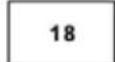
18 USB CONNECTION
USB connection for your USB stick.
19 BUTTON
Play/pause button for your MP3 files on your USB stick.
20 VOL.- BUTTON
Press once to select the previous track on your USB stick; press and hold to turn down the volume level.
21 /VOL.- BUTTON
Press once to select the next track on your USB stick; press and hold to turn up the volume level.
PA100U
Refer to illustration 2 on page 2 of this manual.
CONNECTION PANEL
1 RECORD OUTPUT L/R
Left and right RCA connections for your recording device. The volume level is not influenced by the master control buttons.
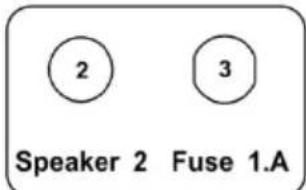
2 SPEAKER 2 OUTPUT
1/4 " jack connection for the auxiliary speaker.
3 FUSE
Fuse holder with 1A fuse.
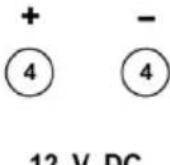
4 +/- 12 VDC CONNECTION
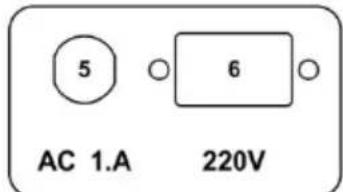
5 FUSE
Fuse holder with 1A fuse.
6 POWER SUPPLY INPUT
Input for the power supply cord.
6. Technical Specifications
| power supply 230 VAC ~ 50 Hz or internal 12 V battery | ||
| input sensitivity/impedance | ||
| MIC 3.0 mV / 600 Ω | ||
| AUX 300 mV / 28k Ω | ||
| output level | ||
| amplifier 16 W / 4 Ω | ||
| RECORD 775 mV / 10k Ω | ||
| frequency response | 20 Hz ~ 20k Hz ± 2 dB | |
| S/N ratio (@ 1k Hz) | ||
| MIC > 80 dB / 3 mV | ||
| LINE | > 90 dB / 300 mv | |
| distortion | ||
| MIC | 0.5% | |
| LINE | 0.3% | |
| master tone control | ||
| treble | 12k Hz ± 15 dB | |
| bass | 80 Hz ± 15 dB | |
| delay time | 50 ms ~ 120 ms | |
| autonomy (fully charged) | 6 h | |
| dimensions | 310 x 255 x 120 mm | |
| weight | 5.6 kg | |
Use this device with original accessories only. Velleman nv cannot be held responsible in the event of damage or injury resulted from (incorrect) use of this device. The information in this manual is subject to change without prior notice.
© COPYRIGHT NOTICE
The copyright to this manual is owned by Velleman nv. All worldwide rights reserved.
No part of this manual or may be copied, reproduced, translated or reduced to any electronic medium or otherwise without the prior written consent of the copyright holder.
GEBRUIKERSHANDLEIDING
1. Inleiding
Velleman® Service and Quality Warranty
Velleman® has over 35 years of experience in the electronics world and distributes its products in more than 85 countries.
All our products fulfil strict quality requirements and legal stipulations in the EU. In order to ensure the quality, our products regularly go through an extra quality check, both by an internal quality department and by specialized external organisations. If, all precautionary measures notwithstanding, problems should occur, please make appeal to our warranty (see guarantee conditions).
General Warranty Conditions Concerning Consumer Products (for EU):
-
All consumer products are subject to a 24-month warranty on production flaws and defective material as from the original date of purchase.
-
Velleman® can decide to replace an article with an equivalent article, or to refund the retail value totally or partially when the complaint is valid and a free repair or replacement of the article is impossible, or if the expenses are out of proportion.
You will be delivered a replacing article or a refund at the value of 100% of the purchase price in case of a flaw occurred in the first year after the date of purchase and delivery, or a replacing article at 50% of the purchase price or a refund at the value of 50% of the retail value in case of a flaw occurred in the second year after the date of purchase and delivery.
- Not covered by warranty:
-
all direct or indirect damage caused after delivery to the article (e.g. by oxidation, shocks, falls, dust, dirt, humidity...), and by the article, as well as its contents (e.g. data loss), compensation for loss of profits;
-
frequently replaced consumable goods, parts or accessories such as batteries, lamps, rubber parts, drive belts... (unlimited list);
-
flaws resulting from fire, water damage, lightning, accident, natural disaster, etc.;
-
flaws caused deliberately, negligently or resulting from improper handling, negligent maintenance, abusive use or use contrary to the manufacturer's instructions:
-
damage caused by a commercial, professional or collective use of the article (the warranty validity will be reduced to six (6) months when the article is used professionally);
-
damage resulting from an inappropriate packing and shipping of the article;
-
all damage caused by modification, repair or alteration performed by a third party without written permission by Velleman.
-
Articles to be repaired must be delivered to your Velleman dealer, solidly packed (preferably in the original packaging), and be completed with the original receipt of purchase and a clear flaw description.
-
Hint: In order to save on cost and time, please reread the manual and check if the flaw is caused by obvious causes prior to presenting the article for repair. Note that returning a non-defective article can also involve handling costs.
-
Repairs occurring after warranty expiration are subject to shipping costs.
-
The above conditions are without prejudice to all commercial warranties.
The above enumeration is subject to modification according to the article (see article's manual).