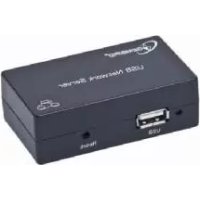
UNS1 - Printing Gembird - Free user manual and instructions
Find the device manual for free UNS1 Gembird in PDF.


| Product type | Thermal printer |
| Brand | Gembird |
| Model | UNS1 |
| Dimensions (Length x Depth x Height) | Approximately 20 x 15 x 10 cm |
| Weight | Approximately 0.8 kg |
| Power supply | Power adapter 9V DC, 1A |
| Paper width | 57 mm |
| Print speed | Up to 80 mm/s |
| Resolution | 203 dpi |
| Interface | USB, RS-232 serial |
| Operating temperature | 0°C to 40°C |
| Operating humidity | 10% to 80% RH |
| Maintenance and cleaning | Use a soft dry cloth to clean the exterior; for the print head, use a cotton swab soaked in isopropyl alcohol |
| Safety | Do not expose to water; unplug before cleaning; use only with the supplied power adapter |
| Spare parts and repairability | Replaceable print head; mechanical cutter available as a spare part |
| Warranty | 36 months (excluding wear parts) |
| General information | Thermal printer for receipts or labels; compatible with POS systems |
Frequently Asked Questions - UNS1 Gembird
User questions about UNS1 Gembird
0 question about this device. Answer the ones you know or ask your own.
Ask a new question about this device
Download the instructions for your Printing in PDF format for free! Find your manual UNS1 - Gembird and take your electronic device back in hand. On this page are published all the documents necessary for the use of your device. UNS1 by Gembird.
USER MANUAL UNS1 Gembird
natural_image
Abstract logo design featuring a stylized arrow and 'GE' letters, no readable text or symbols beyond the graphic elements.GEMBIRD®

text_image
GEMBIRD® USB Network Server USB Reset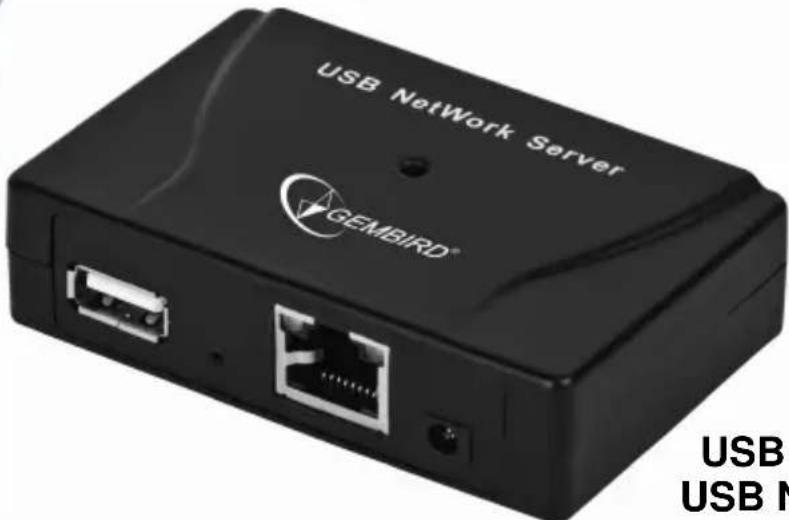
text_image
USB NetWork Server GEMBIRD® USB USB NUSB NETWORK SERVER
USB NETZWERK-SERVER
USB-NETWERKSERVER
USB NETWORK SERVER
СЕТЕВОЙ USB СЕРВЕР
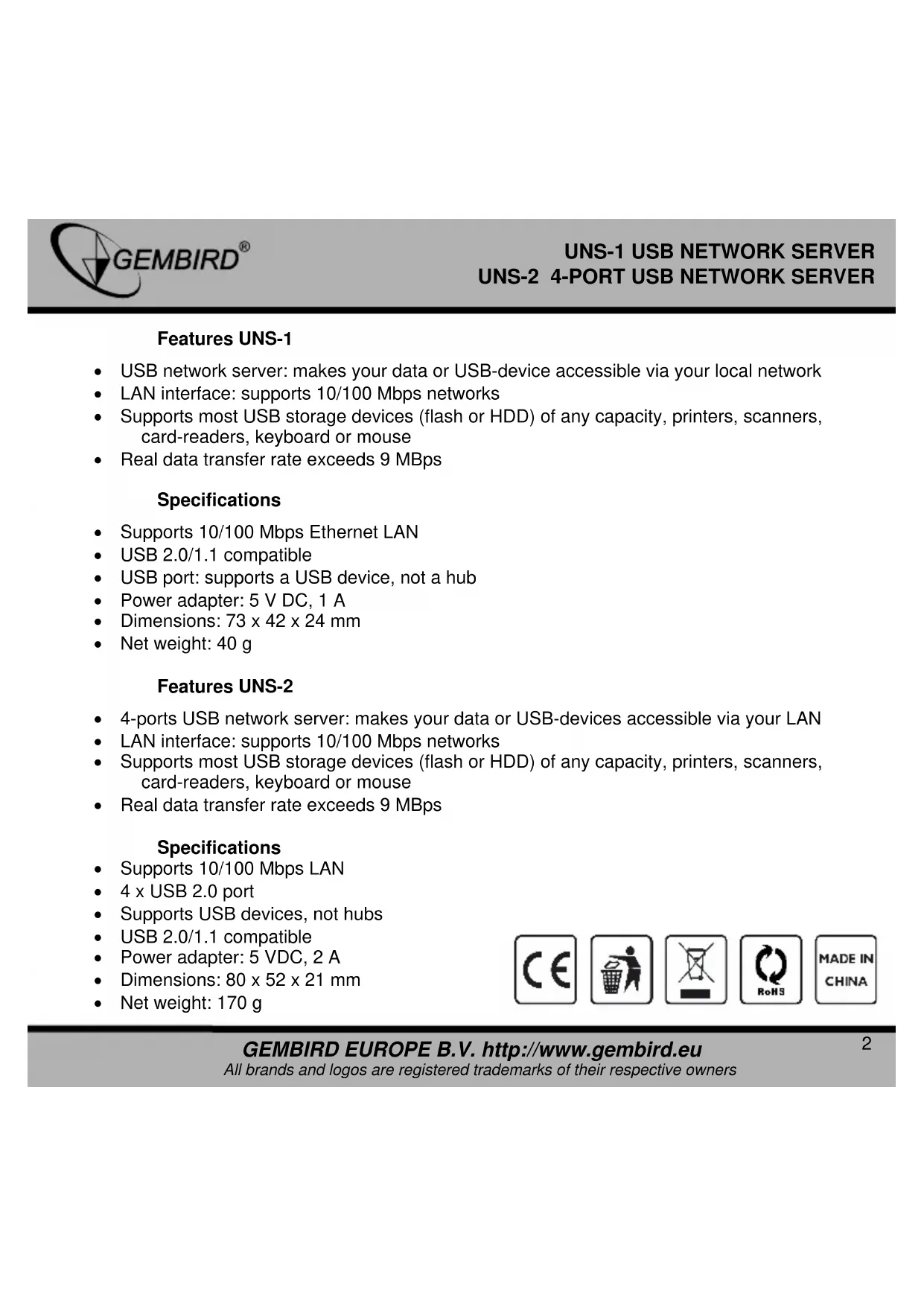
• USB network server: makes your data or USB-device accessible via your local network
• LAN interface: supports 10/100 Mbps networks
• Supports most USB storage devices (flash or HDD) of any capacity, printers, scanners, card-readers, keyboard or mouse
• Real data transfer rate exceeds 9 MBps
Specifications
• Supports 10/100 Mbps Ethernet LAN
• USB 2.0/1.1 compatible
• USB port: supports a USB device, not a hub
• Power adapter: 5 V DC, 1 A
• Dimensions: 73 x 42 x 24 mm
- Net weight: 40 g
Features UNS-2
• 4-ports USB network server: makes your data or USB-devices accessible via your LAN
• LAN interface: supports 10/100 Mbps networks
- Supports most USB storage devices (flash or HDD) of any capacity, printers, scanners, card-readers, keyboard or mouse
• Real data transfer rate exceeds 9 MBps
Specifications
• Supports 10/100 Mbps LAN
- 4 x USB 2.0 port
• Supports USB devices, not hubs
• USB 2.0/1.1 compatible
• Power adapter: 5 VDC, 2 A
• Dimensions: 80 x 52 x 21 mm
- Net weight: 170 g
text_image
CE RoHS MADE IN CHINA①

flowchart
graph TD
    A["PC"] -->|Signal| B["USB Server"]
    C["PC"] -->|Signal| B
    D["PC"] -->|Signal| B
    E["PC"] -->|To LAN| B
    F["USB Server"] -->|Data Flow| B
    style A fill:#f9f,stroke:#333
    style C fill:#f9f,stroke:#333
    style D fill:#f9f,stroke:#333
    style E fill:#f9f,stroke:#333
    style F fill:#f9f,stroke:#333
    style B fill:#ccf,stroke:#333
    style G fill:#cfc,stroke:#333
    style H fill:#fcc,stroke:#333
②
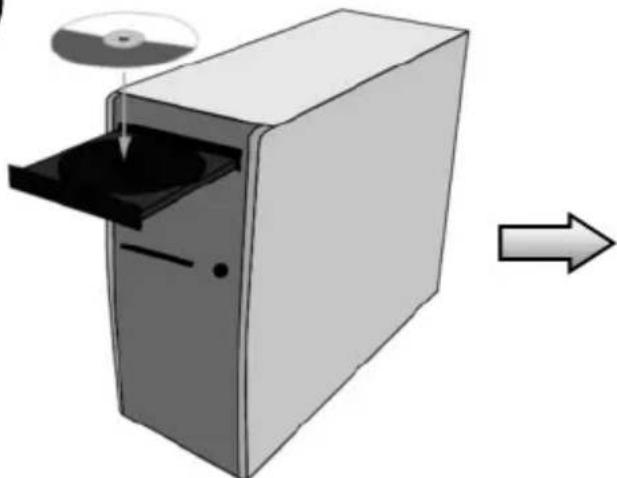
natural_image
Illustration of a computer tower with an open door and CD/DVD disc, showing a rightward arrow (no text or symbols)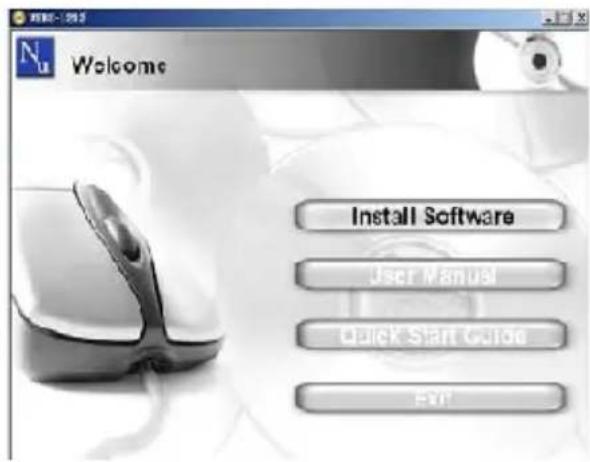
text_image
Welcome Install Software User Manual Quick Start Guide Exit③

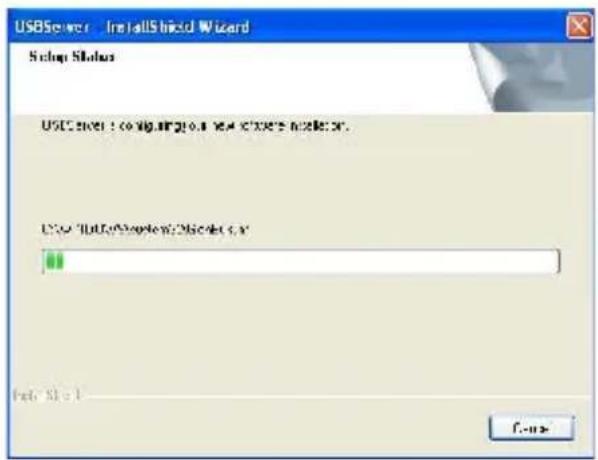
text_image
USBServer InstallShield Wizard Setup Status USIC server: config.vig201.8 new .v3675 v3675 x. USIC "USIC服务器" v3675 x. Fpt: 91-1 F-xx
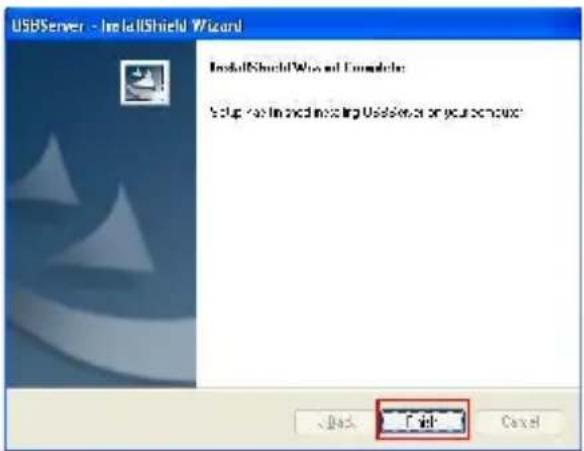
text_image
USBServer - InstallShield Wizard InstallShield Wizard and Complete Setup for installing existing UserServer or your license: Fail
text_image
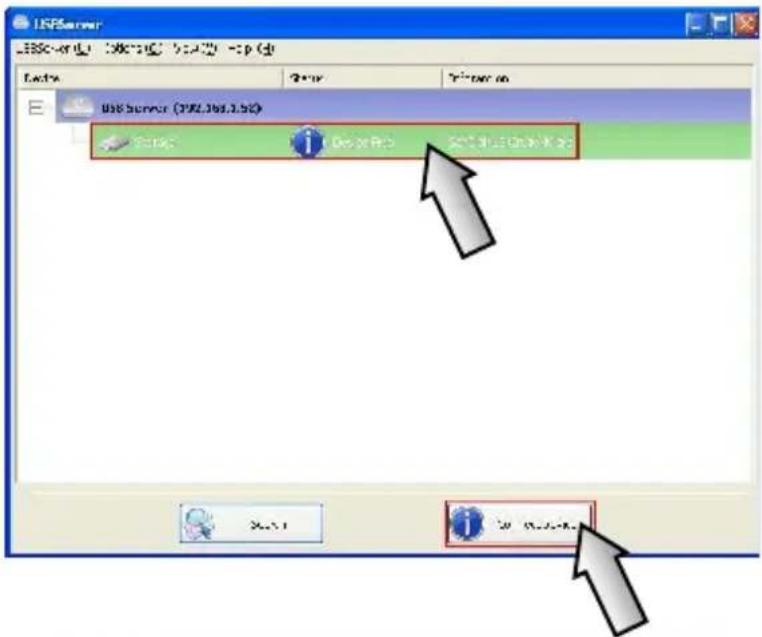
USE Server (1982.368.3.50) File 2* on Enter on USB Server (1982.368.3.50) OK Cancel OK OK Cancel
text_image
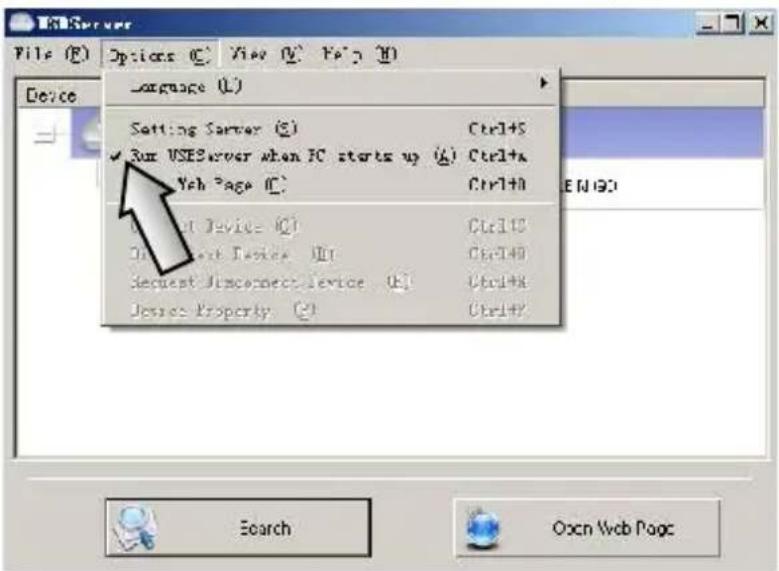
Language (L) Setting Server (S) Ctrl+S ✓ Our USEServer when PC starts up (A) Ctrl+A Web Page (C) Ctrl+O Device Device (Q) Ctrl+C Device Work Devices (W) Ctrl+D Request Disconnect device (K) Ctrl+R Device Property (E) Ctrl+Y Search Open Web Page
natural_image
Black circular icon with an exclamation mark symbol (no text or numbers)
natural_image
Simple line drawing of a hand washing a cup with water droplets falling (no text or symbols)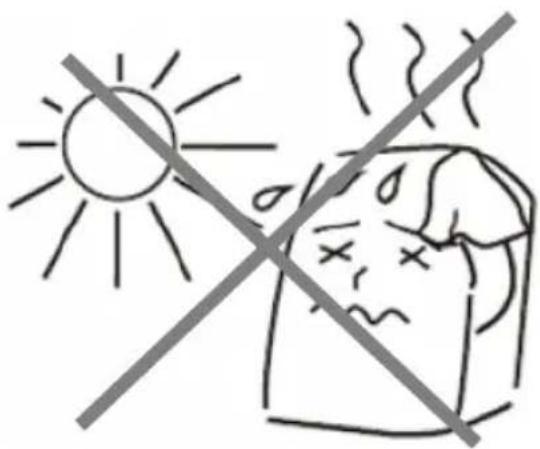
text_image
Safety warning symbol showing sun and fever with crossed lines indicating no heat or illness
natural_image
Simple line drawing of a hand using a tool to cut a screwdriver into a socket (no text or symbols)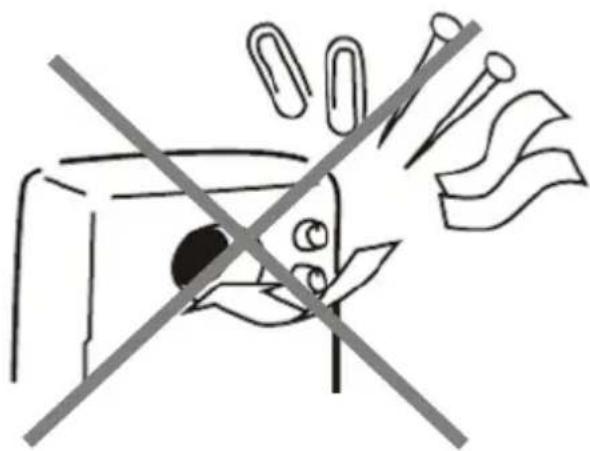
natural_image
Simple line drawing of a device with a crossed-out arrow and paperclip, no text or symbols present.EC Declaration of Conformity
We hereby certify that the following product complies with all the relevant
Safety Requirements of § 4 EMVG and of the Directives 2006/35/EC; 93/68/EEC and 2004/108/EC.
Applicant :
Gembird Europe BV
Wittevrouwen 56,
1358CD, Almere, The Netherlands
Equipment :
Computer parts
Model Nos. :
UNS-1
Product description :
UNS-1 USB network server
European standards
EN60950:2001; EN55022:2006; EN55024:1998+A1:2001+A2:2003;
EN61000-3-2:2000+A2:2005; EN61000-3-3:1995+A1:2001+A2:2005;
The following manufacturer/WITHIN Europe is responsible for this declaration:
Gembird Europe BV
Wittevrouwen 58, 1358CD. Almere, The Netherlands
Tel: +31-(0)36-5211588. Fax: +31-(0)36-5347835
Direction
Authorized signature
EC Declaration of Conformity
We hereby certify that the following product complies with all the relevant
Safety Requirements of § 4 EMVC and of the Directives 2006/96/EC; 93/68/EC and 2004/108/EC.
Applicant :
Gembird Europe BV
Wittevrouwen 56,
1358CD, Almere, The Netherlands
Equipment :
Computer parts
UNS-2
Model Nos.
UNS-2 4-port USB network server
Product description :
European standards:
EN60960:2001; EN56022:2008; EN66024:1998+A1:2001+A2:2003; EN61000-3-2:2000+A2:2005; EN61000-3-3:1995+A1:2001+A2:2005;
The following manufacturer/WITI IN Europe is responsible for this declaration:
Gembird Europe BV
Widevrouwen 56, 135BCD, Almere, The Netherlands
Tel: +31-(0)36-8211588. Fax: +31-(0)36-8347816
Director
The Netherlands / Feb 2, 2011
Place and Date
Authorized signature
Waste disposal:

Do not deposit this equipment with the household waste. Improper disposal can harm both the environment and human health. For Information about waste collection facilities for used electrical and electronic devices, please contact your city council or an authorized company for the disposal of electrical and electronic equipment.