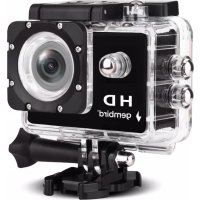
RWACAMHD01 - Camera Gembird - Free user manual and instructions
Find the device manual for free RWACAMHD01 Gembird in PDF.



| Product type | HD action camera |
| Brand | Gembird |
| Model | RWACAMHD01 |
| Dimensions (approx.) | 60 x 40 x 30 mm (without housing) |
| Weight (approx.) | 70 g (without housing) |
| Power supply | Rechargeable Li-ion battery (charges via micro USB, 3-5 h) |
| Storage | Micro SD card (Class 6 or higher, up to 32 GB) |
| Video resolutions | 1080FHD, 1080P, 720P, WVGA |
| Photo resolutions | 12M, 10M, 8M, 5M, 3M, 2M, 1.3M, VGA |
| Lens | Wide angle (not specified) |
| Waterproof | With supplied waterproof housing |
| Screen | Yes, with auto-off setting |
| Buttons | Power/Mode, OK, Up, Down |
| Main functions | Video recording, photo, playback, settings menu |
| Menu settings | Resolution, timer, burst, time stamp, motion detection, loop recording, audio, exposure, white balance, format, languages, volume, auto off, image rotation, car mode |
| Maintenance and cleaning | Clean the lens with a soft cloth; avoid water without housing |
| Safety | Do not expose to extreme temperatures; use only the recommended adapter |
| Spare parts and repairability | Replaceable battery; other repairs by after-sales service |
| Warranty | Manufacturer's warranty according to Gembird conditions |
| General information | Manufactured for Gembird Europe B.V., Netherlands |
Frequently Asked Questions - RWACAMHD01 Gembird
User questions about RWACAMHD01 Gembird
0 question about this device. Answer the ones you know or ask your own.
Ask a new question about this device
Download the instructions for your Camera in PDF format for free! Find your manual RWACAMHD01 - Gembird and take your electronic device back in hand. On this page are published all the documents necessary for the use of your device. RWACAMHD01 by Gembird.
USER MANUAL RWACAMHD01 Gembird
natural_image
Exterior view of a black and white offshore gaming camera with 'gembird' branding (no additional text or symbols visible)HD ACTION CAM MIT WASSERFESTEM GEHÄUSE
HD ACTION CAMERA WITH WATERPROOF CASE
WATERDICHE HD ACTION CAMERA
CAMERA HD TYPE WATERPROOF
KAMERA SPORTOWA HD Z WODOSZCZELNĄ OBUDOWA

gembird®
RW-ACAMHD-01
HD ACTION CAM MIT WASSERFESTEM GEHÄUSE
Eigenschaften
natural_image
Close-up of a hand holding a small electronic device with a black component, no visible text or symbolsnatural_image
Black rectangular electronic device with a circular top and textured surface (no visible text or symbols)Batteriefach
4. Aufladung
natural_image
Illustration of a hand holding a black smartphone with a close-up of its screen (no text or symbols visible)
gembird®
RW-ACAMHD-01
HD ACTION CAM MIT WASSERFESTEM GEHÄUSE
6. Funktionen
Power / Mode-Taste:
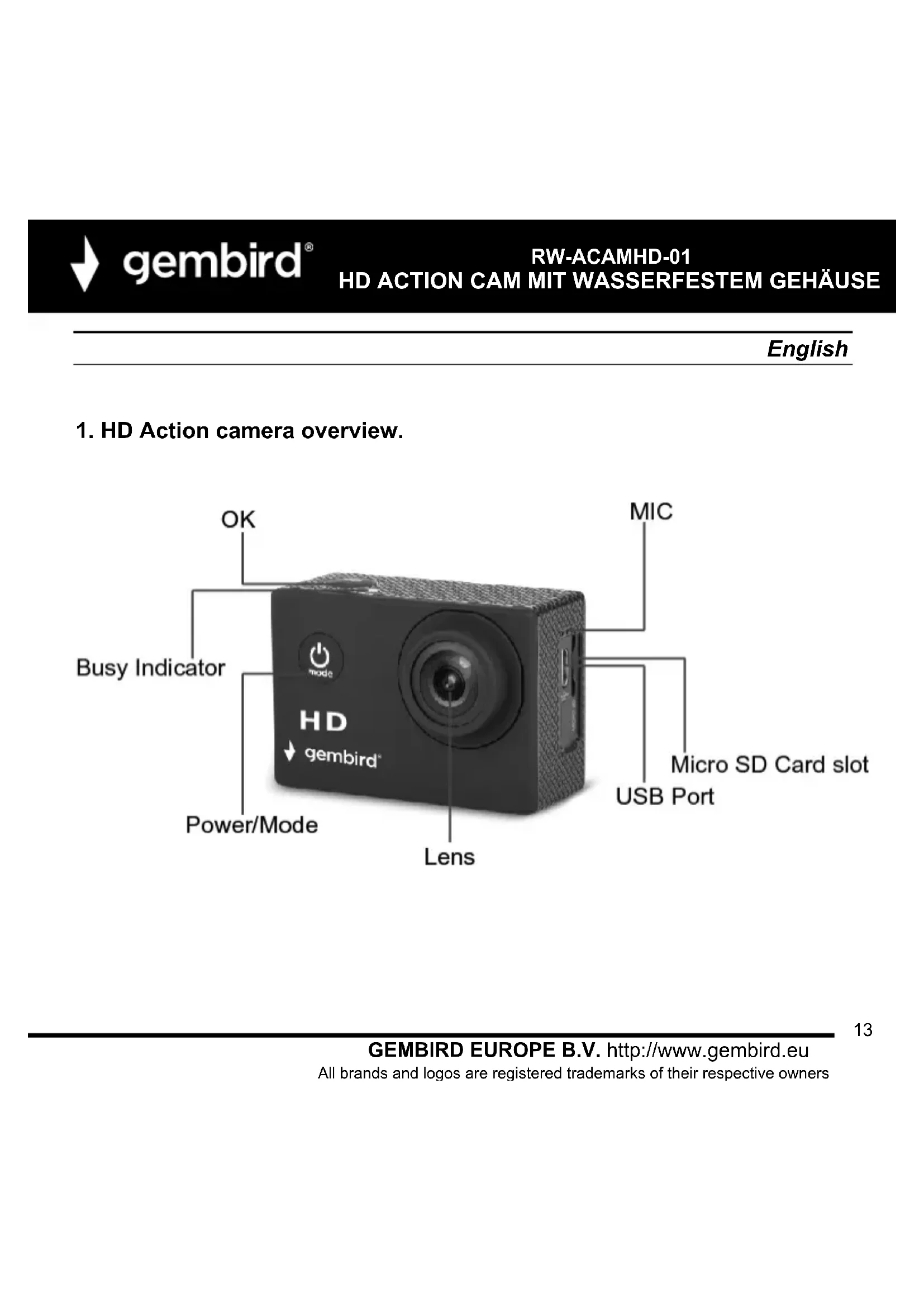
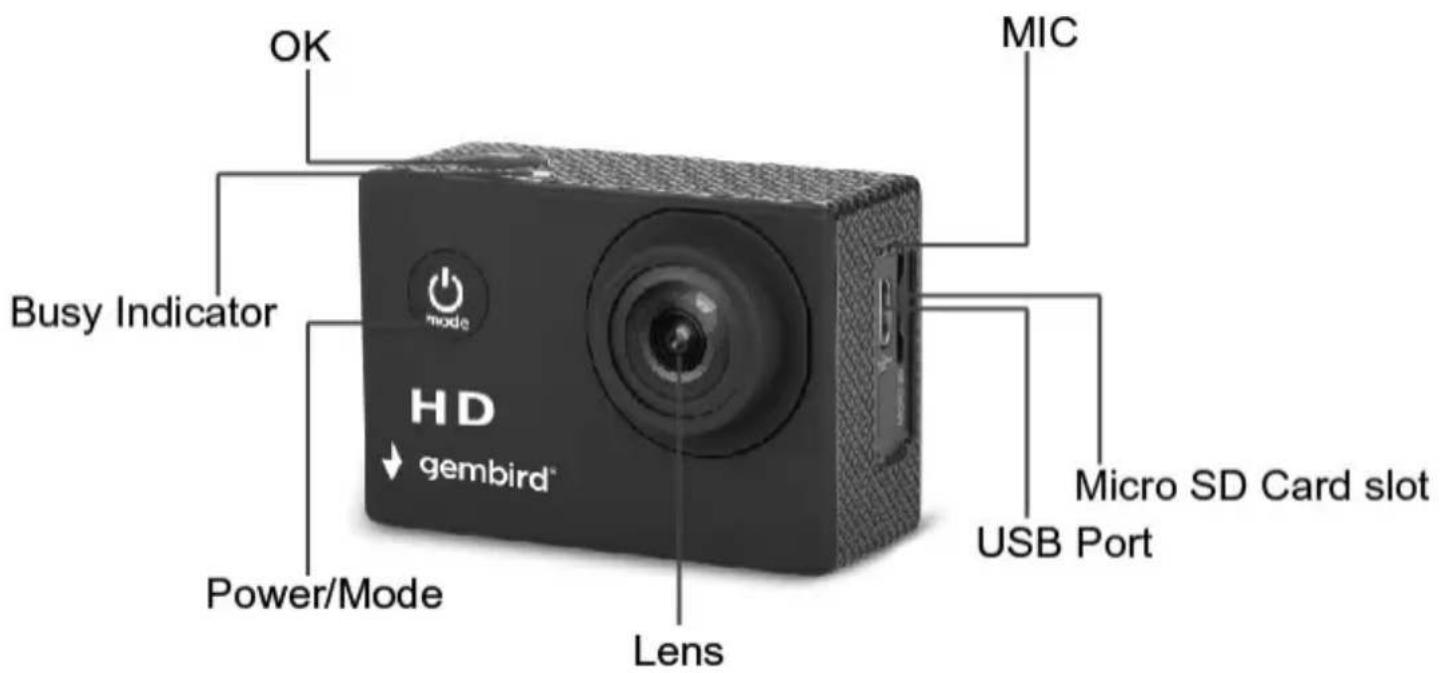
1. HD Action camera overview.

gembird®
RW-ACAMHD-01
HD ACTION CAM MIT WASSERFESTEM GEHÄUSE

2. Operating the Protective Case:
Open the case:
- Secure the camera with one hand, and with your thumb or finger, slide the lever next to arrow on the top to the left.

gembird®
RW-ACAMHD-01
HD ACTION CAM MIT WASSERFESTEM GEHÄUSE
- While holding the lever to the left, press the front lip UP which will release the hinge.
3.Once released, pull out & up on the large black piece in the back to fully disengage.
Close the case:
Slide the camera into the protective case such that the lens aligns with the front opening & button placements.

With one hand, squeeze the door shut tightly while with the other hand, place the large black piece against the door.
Keeping pressure on the back panel piece, pull the hinge forward until you hear a click.
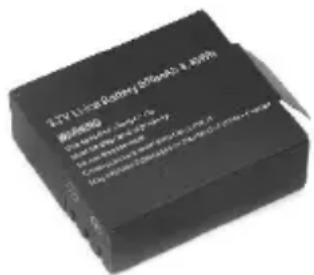
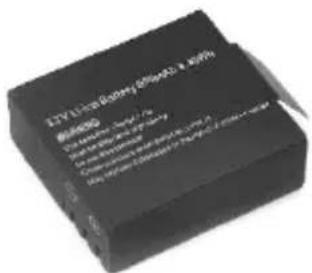
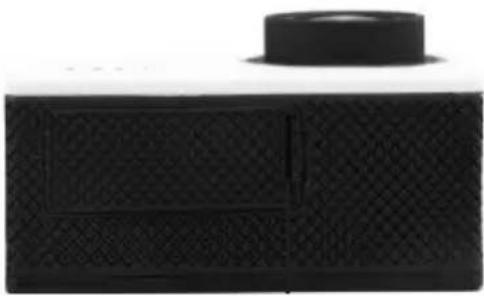
3. Installing and removing batteries
A Open the battery door as shown in below picture;
B: Insert the battery and close the battery door.

natural_image
Close-up of a hand holding a small electronic device with a black panel and indicator arrow (no text or symbols on the device itself)
gembird®
RW-ACAMHD-01 HD ACTION CAM MIT WASSERFESTEM GEHÄUSE
Note: you can reset the camera by pull out the battery, and insert the battery again.

natural_image
Close-up of a black rectangular electronic device with a circular top and textured surface (no visible text or symbols)Battery compartment
4. Charging
Charging the battery for at least 5 hours when charging before the first time use and ensure they are subsequently discharge and charged fully. This aids a long service life of the battery. Charge the battery directly via the Micro-USB port. Using the supplied USB cable and your computer for charging under shutdown status. The red charging indicator will be on when charging. Generally, the battery can be fully charged after about 3-5 hours.

gembird®
RW-ACAMHD-01
HD ACTION CAM MIT WASSERFESTEM GEHÄUSE

5. Inserting Micro SD Card
Note: Sometimes when you are using the Micro SD card for the first time in this camera, it can't read the data of Micro SD card, please format it on computer or in the setting menu before using (please do remember to back up your data before formatting the card). If possible, please choose branded card for a better using experience.Class 6 or higher Micro SD Memory card supported, Max up to 32GB.

natural_image
Illustration of a hand inserting a device into a black rectangular device (no text or symbols visible)
gembird®
RW-ACAMHD-01
HD ACTION CAM MIT WASSERFESTEM GEHÄUSE
6. Functions
Power/Mode button :
Short press this button to switch between video capture / photo capture/ playback/Menu settings.
Long press, turn on/off.
OK button:
In the video mode, short press this button to start recording, short press again to stop recording.
In the photo capture mode, short press this button to capture pictures.
In the playback mode, short press this button to start/ pause the image.
Short press this button in the menu mode to confirm the button;
Up button :
In the Select button menu option, adjust the function key upwards.
In playback mode, the selection key upturned, press this button to turn down the volume while playing video.
Press this button to close sound recording function in video mode.
Down button:
In the select button menu option, adjust the function key downwards.
In playback mode, the selection key downturned, Press this button to increase the volume while playing video.

gembird®
RW-ACAMHD-01
HD ACTION CAM MIT WASSERFESTEM GEHÄUSE
USB port:
- for connecting the PC to transfer data;
- for connecting an external power supply to the battery charge or provide power;
- for connecting the PC when the camera;
Micro SD Card Slot: Insert Micro SD Card.
7. Video Capture Mode
Use this mode to capture videos with your camera. This is the default mode when the camera is powered ON. To take a video, aim your camera as desired and short press the OK button to start recording. To stop recording, short press the OK button again, the Video will be automatically saved to your camera's memory card(not included).
8. Photo Capture Mode
Use this mode to capture pictures with your camera.
After turning on your camera, short press the Power/Mode button once to open the photo capture mode. Press the OK button to take the photo. The picture will be automatically saved to your camera's memory card(not included).

gembird®
RW-ACAMHD-01
HD ACTION CAM MIT WASSERFESTEM GEHÄUSE
9. Playback Mode
Use this mode to view and manage the Photos and Videos on your camera. After turning on your camera, short press the Power/Mode button twice to open the Playback Mode. Press the Up or Down buttons to scroll through the Photo and video files.
Remark:
If you select a video file, short press the OK button to start the playback. Press Up button to turn down the volume while playing video. Press Down button to increase the volume while playing video. To stop the playback, short press the Ok button.
10. Menu Settings Mode:
After turning on your camera, short press the Power/Mode button three times to open the Menu settings Mode, Press the Up or Down buttons to scroll through theVideo Resolution, Picture resolution and other menu settings as below.

gembird®
RW-ACAMHD-01
HD ACTION CAM MIT WASSERFESTEM GEHÄUSE
| Menu setting | Description |
| Video resolution | 1080FHD, 1080P, 720P, WVGA for choice |
| Picture resolution | 12M, 10M, 8M, 5M, 3M, 2M, 1.3M, VGA for choice |
| Time taking photo | off, 2S Timer, 5S Timer, 10S Timer for choice |
| Burst photo | Turn off, Three shoot, five shoot for choice |
| Time stamp | Off/On for choice. Displays or hides the date/time stamp on your photos or videos. |
| Motion Detection | OFF / High / Middle / Low for choice |
| Loop recording | Off, 1 Minute, 2 Minutes, 3 Minutes, 5 Minutes, 10 Minutes for choice. |
| Audio recording | Off/On for choice. |
| Exposure Value: | choose up/down from +2 to -2 exposure, and press OK to confirm |
| White Balance | Auto, daylight, cloudy, tungsten for choice. |
| Delete | Delete current, delete all for choice. |
| Protection | Lock current, unlock current, lock all, unlock all for choice. |
| Format | if you choose yes, the micro SD card will be formatted and if choose no files will be kept. |
| Languages | English, Nederlands, Chinese (Traditional), Chinese (Simplified), Japanese, Portuguese, Russian, Spanish, Italian, French, Deutsche, etc. |
| Volume | 0,1,2,3,4,5,6,7 for choice |
| Automatic shutdown | turn off, 1minute, 3minutes, 5minutes for choice. |
| Automatic off-screen | turn off, 1minute, 3minutes, 5minutes, 10minutes for choice. |
| Reset | if yes camera will be reset to original situation. |
| Frequency | Select 50Hz or 60Hz |
| Time setting | Change the date & time using the up and down arrow buttons. |
| Image rotation | Off, On for choice. |
| Car mode | Off, On for choice. |
| Software version | Displays version of firmware. |
Nederlands
natural_image
Close-up of a hand holding an electronic device with a black component, no visible text or symbolsnatural_image
Black rectangular electronic device with textured surface and circular top (no visible text or symbols)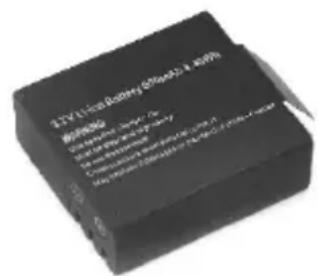
Batterijvak
4. Opladen
natural_image
Illustration of hands inserting a device into a black rectangular panel (no text or symbols visible)
gembird®
RW-ACAMHD-01
HD ACTION CAM MIT WASSERFESTEM GEHÄUSE
6. Functies
natural_image
Close-up of a hand holding a small electronic device with a black handle, no visible text or symbols
gembird®
RW-ACAMHD-01 HD ACTION CAM MIT WASSERFESTEM GEHÄUSE
natural_image
Black textured rectangular object with a circular top and side panel (no visible text or symbols)4. Charge
5. Insertion de la carte Micro SD
natural_image
Illustration of hands inserting a device into a black rectangular device (no text or symbols visible)
gembird®
RW-ACAMHD-01
HD ACTION CAM MIT WASSERFESTEM GEHÄUSE
6. Fonctions
Bouton d'alimentation / mode:
8. Mode capture photo
natural_image
Close-up of a hand holding a small electronic device with a black cover and indicator lights, no visible text or symbols.
gembird®
RW-ACAMHD-01
HD ACTION CAM MIT WASSERFESTEM GEHÄUSE

natural_image
Black rectangular electronic device with a circular top and textured surface (no visible text or symbols)Komora baterii

4. Ładowanie
natural_image
Diagram showing a laptop connected to a camera via a cable, with no visible text or symbols.natural_image
Close-up of hands holding a black smartphone with a close button, no visible text or symbols
gembird®
RW-ACAMHD-01
HD ACTION CAM MIT WASSERFESTEM GEHÄUSE
6. Funkcje
natural_image
Simple line drawing of a hand washing a cup with water droplets falling (no text or symbols)
natural_image
Illustration of a hand using a screwdriver to adjust or repair a component (no text or symbols present)
natural_image
Simple line drawing of a hand holding a bottle with a crossed-out arrow, no text or symbols present.
gembird®
RW-ACAMHD-01
HD ACTION CAM MIT WASSERFESTEM GEHÄUSE
| (ENG) Waste disposal:Do not deposit this equipment with the household waste. Improper disposal can harm both the environment and human health. For Information about waste collection facilities for used electrical and electronic devices, please contact your city council or an authorized company for the disposal of electrical and electronic equipment. |
| (DE) Entsorgungshinweise:Werfen Sie dieses Gerät nicht in den Hausmüll. Unsachgemäße Entsorgung kann sowohl der Umwelt als auch der menschlichen Gesundheit schaden.Informationen zu Sammelstellen für Altgeräte erhalten Sie bei Ihrer Stadtverwaltung oder einer autorisierten Stelle für die Entsorgung von Elektro-und Elektronikgeräten. |
| (ES) Deposito de basura:No deposite este equipo con la basura doméstica. La eliminación inadecuada puede dañar tanto el medio ambiente como la salud humana. Para obtener información sobre las instalaciones de recolección de desechos para dispositivos eléctricos y electrónicos usados, comuníquese con su ayuntamiento o una empresa autorizada para la eliminación de equipos eléctricos y electrónicos. |
| (CZ) Nakládání s odpady:Toto zařízení nevkládejte do domovního odpadu. Nesprávná likvidace může poškodit životní prostředí i lidské zdravl. Informace o zařízení pro sběr odpadu použitých elektrických zařízení získáte u městské rady nebo autorizované společnosti o likvidaci elektrických a elektronických zařízení. |
| (FR/BE) Traitement des déchets:Ne jetez pas cet appareil dans les déchets domestiques. Un traitement inapproprié peut être dommageable à l'environnement et à la santé humain. Vous trouvez des informations sur les centres de rassemblement des appareils vieux chez l'administration municipale ou chez un centre autorisé pour le traitement des appareils électriques ou électroniques. |
| (HR) Odlaganje smeća:Ovu opremu ne odlazite zajedno s kućnim otpadom. Nepravilno odlaganje može naštetiti okolišu i ljudskom zdravlju. Za informacije o objektima za prikupljanje otpada za rabljene električne i elektroničke uređaje obratite se gradskom vijeću ili ovlaštenom društvu za odlaganje električne i elektroničke opreme. |
| (IT) Smaltimento dei rifiuti:Non depositare questa apparecchiatura con i rifiuti domestici. Lo smaltimento improprio può danneggiare sia l'ambiente che la salute umana. Per informazioni sulle strutture di raccolta dei rifiuti per i dispositivi elettrici ed elettronici usati, contattare il comune o una società autorizzata per lo smaltimento delle apparecchiature elettriche ed elettroniche. |
| (PT) Depósito de lixo:Não deposite este equipamento no lixo doméstico. O descarte inadequado pode prejudicar o meio ambiente e a saúde humana. Para obter informações sobre instalações de coleta de lixo para dispositivos elétricos e eletrônicos usados, entre em contato com o conselho da cidade ou uma empresa autorizada para o descarte de equipamentos elétricos e eletrônicos. |
| (PL) Utylizacja odpadów:Nie należy deponować tego sprzętu razem z odpadami domowymi. Niewłaściwa utylizacja może zaszkodzić zarówno środowisku, jak i zdrowiu ludzkiemu. Aby uzyskać informacje na temat urządzeń do zbierania zużytych urządzeń elektrycznych i elektronicznych, należy skontaktować się z radą miasta lub upoważnioną firmą w celu usunięcia sprzętu elektrycznego i elektronicznego. |
| (RO) Eliminarea deșeurilor:Nu depuneti acest echipament cu deșeurile menajere. Eliminarea necorespunzátoare poate dăuna atât mediului, cât și sănătății umane. Pentru informații despre instalațiile de colectare a deșeurilor pentru dispozitive electrice și electronice folosite, vă rugăm să contactați consiliul municipal sau o companie autorizată pentru eliminarea echipamentelor electrice și electronice. |
| (SK) Likvidácia odpadu:Toto zariadenie nevkladajte do domového odpadu. Nesprávna likvidácia može poškodit životné prostredie a l'udské zdravie. Informácie o zariadeniach na zber použitého odpadu z elektrických a elektronických zariadení získate od mestského zastupiteľstva alebo od autorizovanej spoločnosti o likvidácii elektrických a elektronických zariadení. |
| (SL) Odlaganje odpadkov:Te opreme ne odlagajte skupaj z gospodinjskimi odpadki. Nepravilno odstranjevanje lahko škoduje okolju in zdravju ljudi. Za informacije o napravah za zbiranje odpadnih električnih în elektronskih naprav se obrnite na mestni svet ali pooblaščeno podjetje za odstranjevanje električne in elektronske opreme. |
| (GR) Διαχείριση απορριμάτων:Μην καταθέτετε autóv τον εξοπλισμό στα οικιακά απορρίμματα. Η ακατάλληλη απόρριψη μπορεί να βλάψει τόσο το περιβάλλον όσο και την ανθρώπινη υγεία. Για πληροφορίες σχετικά με τις εγκαταστάσεις συλλογής απορριμμάτων για χρησιμοποιημένες ηλεκτρικές και ηλεκτρονικές συσκευές, επικοινωνήστε με το δημοτικό συμβούλιο ή μια εξουσιοδοτημένη εταιρεία για τη διάθεση ηλεκτρικών και |

gembird®
RW-ACAMHD-01
HD ACTION CAM MIT WASSERFESTEM GEHÄUSE
(ENG) WARRANTY CONDITIONS
The receipt must clearly list the date of purchase and the part number, in addition it should be printed. Keep the receipt for the entire warranty period since it is required for all warranty claims. During the warranty period the defective items will be credited, repaired or replaced at the manufacturer's expense. Work carried out under the warranty neither extends the warranty period nor starts a new warranty period. The manufacturer reserves the right to void any warranty claim for damages or defects due to misuse, abuse or external impact (falling down, impact, ingress of water, dust, contamination or break). Wearing parts (e.g. rechargeable batteries) are excluded from the warranty. Upon receipt of the RMA goods, Gembird Europe B.V. reserves the right to choose between replacement of defective goods or issuing a credit note. The credit note amount will always be calculated on the basis of the current market value of the defective products.
Gembird Europe B.V. Wittevrouwen 56, 1358CD Almere, The Netherlands
www.gembird.nl/service support@gmb.nl
(DE) GARANTIE BEDINGUNGEN


- gembird®
- RW-ACAMHD-01
- HD ACTION CAM MIT WASSERFESTEM GEHÄUSE
- Eigenschaften
- Aufladung
- Funktionen
- HD Action camera overview.
- Operating the Protective Case:
- Installing and removing batteries
- RW-ACAMHD-01 HD ACTION CAM MIT WASSERFESTEM GEHÄUSE
- Charging
- Inserting Micro SD Card
- Functions
- USB port:
- Video Capture Mode
- Photo Capture Mode
- Playback Mode
- Remark:
- Menu Settings Mode:
- Opladen
- Functies
- Charge
- Insertion de la carte Micro SD
- Fonctions
- Mode capture photo
- Ładowanie
- Funkcje
- (ENG) WARRANTY CONDITIONS
- (DE) GARANTIE BEDINGUNGEN
Brand : Gembird
Model : RWACAMHD01
Category : Camera