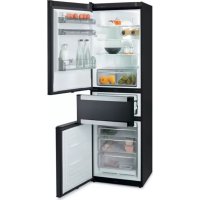
FFA8865N - Fridge FAGOR - Free user manual and instructions
Find the device manual for free FFA8865N FAGOR in PDF.



| Product type | Combined refrigerator |
| Brand | Fagor |
| Model | FFA8865N |
| Power supply | 220-240 V, 50/60 Hz, grounded plug |
| Refrigerant | R600A |
| Recommended refrigerator temperature | 4 °C |
| Recommended freezer temperature | -19 °C (quick freezing: -24 °C) |
| Quick cooling function | Yes, duration 6 hours |
| Holiday function | Yes, maintains low consumption |
| Quick freezing function | Yes, duration 52 hours |
| Middle compartment | 3 functions: Delicatessen (13°C), Fresh food (-2 to 3°C), Ice cream/Freezer (-14°C) |
| Child lock | Yes, activation by pressing 3 seconds |
| Open door alarm | Yes, after 2 minutes |
| Freezer temperature alarm | Yes, flashing icon + acoustic signal |
| Power cut warning | Yes, with food condition indication |
| Defrosting | Automatic (No Frost) |
| Carbon filter | Yes, replacement recommended every 6 months |
| S.P.A. system (humidity) | Optional, water reservoir for vegetable drawer |
| Interior lighting | E14 bulb, 220-240 V, 15/25 W |
| Door reversibility | Yes, procedure described in the manual |
Frequently Asked Questions - FFA8865N FAGOR
User questions about FFA8865N FAGOR
0 question about this device. Answer the ones you know or ask your own.
Ask a new question about this device
Download the instructions for your Fridge in PDF format for free! Find your manual FFA8865N - FAGOR and take your electronic device back in hand. On this page are published all the documents necessary for the use of your device. FFA8865N by FAGOR.
USER MANUAL FFA8865N FAGOR
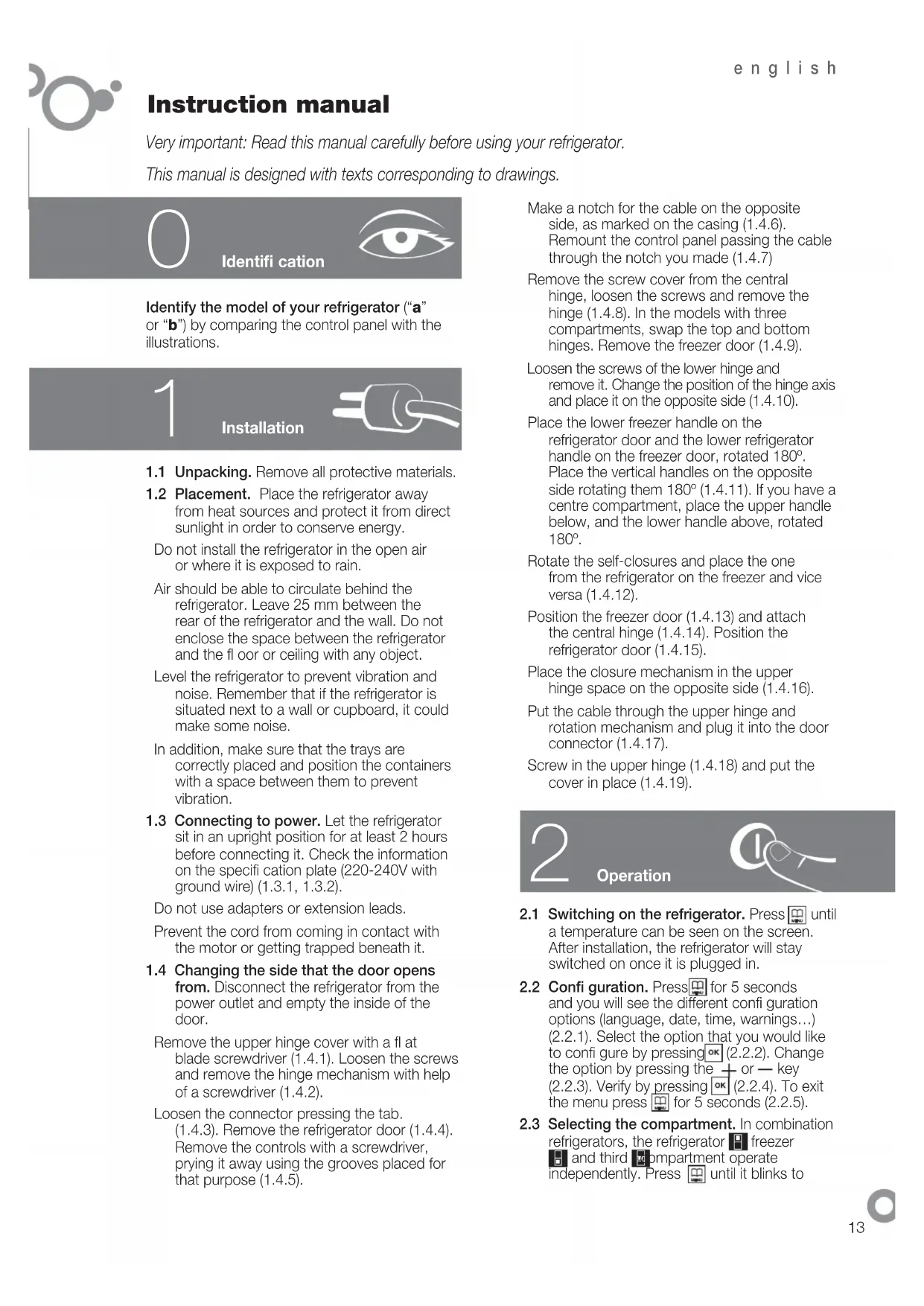
Very important: Read this manual carefully before using your refrigerator. This manual is designed with texts corresponding to drawings.

Identification

Identify the model of your refrigerator ("a" or "b") by comparing the control panel with the illustrations.
1
Installation
1.1 Unpacking. Remove all protective materials.
1.2 Placement. Place the refrigerator away from heat sources and protect it from direct sunlight in order to conserve energy.
Do not install the refrigerator in the open air or where it is exposed to rain.
Air should be able to circulate behind the refrigerator. Leave 25mm between the rear of the refrigerator and the wall. Do not enclose the space between the refrigerator and the floor or ceiling with any object.
Level the refrigerator to prevent vibration and noise. Remember that if the refrigerator is situated next to a wall or cupboard, it could make some noise.
In addition, make sure that the trays are correctly placed and position the containers with a space between them to prevent vibration.
1.3 Connecting to power. Let the refrigerator sit in an upright position for at least 2 hours before connecting it. Check the information on the specifi cation plate (220-240V with ground wire) (1.3.1, 1.3.2).
Do not use adapters or extension leads.
Prevent the cord from coming in contact with the motor or getting trapped beneath it.
1.4 Changing the side that the door opens from. Disconnect the refrigerator from the power outlet and empty the inside of the door.
Remove the upper hinge cover with a flat blade screwdriver (1.4.1). Loosen the screws and remove the hinge mechanism with help of a screwdriver (1.4.2).
Loosen the connector pressing the tab. (1.4.3). Remove the refrigerator door (1.4.4). Remove the controls with a screwdriver, prying it away using the grooves placed for that purpose (1.4.5).
Make a notch for the cable on the opposite side, as marked on the casing (1.4.6). Remount the control panel passing the cable through the notch you made (1.4.7)
Remove the screw cover from the central hinge, loosen the screws and remove the hinge (1.4.8). In the models with three compartments, swap the top and bottom hinges. Remove the freezer door (1.4.9).
Loosen the screws of the lower hinge and remove it. Change the position of the hinge axis and place it on the opposite side (1.4.10).
Place the lower freezer handle on the refrigerator door and the lower refrigerator handle on the freezer door, rotated 180^ . Place the vertical handles on the opposite side rotating them 180^ (1.4.11). If you have a centre compartment, place the upper handle below, and the lower handle above, rotated 180^ .
Rotate the self-closures and place the one from the refrigerator on the freezer and vice versa (1.4.12).
Position the freezer door (1.4.13) and attach the central hinge (1.4.14). Position the refrigerator door (1.4.15).
Place the closure mechanism in the upper hinge space on the opposite side (1.4.16).
Put the cable through the upper hinge and rotation mechanism and plug it into the door connector (1.4.17).
Screw in the upper hinge (1.4.18) and put the cover in place (1.4.19).

Operation

2.1 Switching on the refrigerator. Press until a temperature can be seen on the screen. After installation, the refrigerator will stay switched on once it is plugged in.
2.2 Confi guration. Press for 5 seconds and you will see the different confi guration options (language, date, time, warnings...) (2.2.1). Select the option that you would like to confi gure by pressing OK (2.2.2). Change the option by pressing the or key (2.2.3). Verify by pressing OK (2.2.4). To exit the menu press for 5 seconds (2.2.5).
2.3 Selecting the compartment. In combination refrigerators, the refrigerator freezer and third compartment operate independently. Press until it blinks to
select a compartment (2.3.1) and verify by pressing OK (2.3.2).
2.4 Selecting the temperature. Press the + or - keys, first for the refrigerator and then for the freezer compartment (2.4.1). In the three compartment models you can also regulate the third compartment (2.4.3). Verify by pressing OK (2.4.2).
Once the temperature is selected press the + and keys simultaneously (2.4.4) to see the current temperature of each compartment.
Recommendation: To best keep food, the recommended temperature for the refrigeration compartment is 4 and -19 for the freezer compartment. If you want to freeze, the recommended temperature is -24.
Remember that the interior temperature depends on the temperature of the environment, placement, and frequency with which the door is opened.
2.5 Refrigerator functions.
Rapid cooling mode: This function activates refrigeration with the coldest temperature for 6 hours. It should be used if you put a large quantity of food in the refrigerator.
To activate and deactivate: Select the refrigeration compartment (2.3.1, 2.3.2). Press until appears on the display (2.5.1). Verify by pressing OK (2.5.2).
Holiday mode: The holiday function is very useful when the refrigerator will not be used for a long period of time, but you want to keep food in the freezer. With this function, your refrigerator will use little power and odours won't develop in its interior.
Warning: To use this function, the refrigerator door must be closed.
To activate and deactivate: Select the refrigeration compartment (2.3.1, 2.3.2). Press until appears on the display (2.5.3). Verify by pressing OK (2.5.4).
Connecting / disconnecting the refrigerator or middle compartment: Some models allow disconnection of the refrigeration or middle compartment. Select the compartment (2.3.1, 2.3.2). Adjust the temperature with the +, - keys until no number shows on the display (2.5.5). Press OK and the compartment will be turned off (2.5.6).
2.6 Freezer functions.
Rapid freezing mode: This function sets the coldest freezer temperature for 52 hours. The function should be activated 24 hours before putting a large quantity of food in the freezer.
To activate and deactivate: Select the freezer compartment (2.3.1, 2.3.2). Press until
appears on the display (2.6.1). Verify by pressing (2.6.2).
Connecting / disconnecting the freezer: Select the freezer compartment (2.3.1, 2.3.2). Adjust the temperature with the +, - keys until no number shows on the display (2.6.3). Press OK and the compartment will be turned off (2.6.4). Shutting off the freezer also shuts off the other compartments.
2.7 Middle compartment functions.
Delicatessen mode: Keeps the temperature at 13^ Ideal for storing cheeses, wines, cold cuts, chocolate...
To activate and deactivate: Select the middle compartment (2.3.1, 2.3.2). Press until appears on the display (2.7.1). Verify by pressing OK
Cold foods mode: Keeps the temperature at 2 - 3^ .Ideal for storing meats, fi sh, shellfi sh...
To activate and deactivate: Select the middle compartment (2.3.1, 2.3.2). Press until appears on the display (2.7.2). Verify by pressing OK.
Ice cream / freezer mode**: Keeps the temperature at -14^ Ideal for ice creams and frozen products to be eaten soon.
To activate and deactivate: Select the middle compartment (2.3.1, 2.3.2). Press until appears on the display (2.7.3). Verify by pressing OK.
Warning: This compartment is not appropriate for keeping foods for a long period of time.
2.8 Lock mode. To keep children from changing settings.
Press key for 3 seconds. To unlock, repeat this operation.
2.9 Usage recommendations.
- Don't leave the door open more time than necessary and don't put hot foods in the refrigerator. This will provide the most efficiient use of the refrigerator and avoid increasing power consumption.
If your refrigerator is of the NO FROST variety, don't block the ventilation grille and try leave space between food items so that air circulates around them.
-
Don't put carbonated drinks or glass bottles containing liquid in the freezer, they can burst.
-
Store food in hermetically sealed containers to prevent drying.
-
Do not eat extremely cold ices or food as they can produce burns in the mouth.
3
Maintenance and cleaning

3.1 Interior cleaning. To clean the interior, use a sponge or cloth soaked in water with bicarbonate in order to prevent odours developing.
In no case use steam cleaning machines, solvents, or abrasive detergents.
3.2 Exterior cleaning. Do not clean the screens with a steam cleaning machine.
It is advisable to clean the back vent once a year with a vacuum cleaner.
3.3 Cleaning the accessories. Accessories are not suitable for automatic dishwashers. Clean them by hand with a sponge or cloth.
3.4 Changing the lamp. In the case that the lamp goes out: disconnect the refrigerator. Remove the cover by pressing the tab (3.4.1, 3.4.3) or removing the screw (3.4.5, 3.4.6) and take out the burnt out lamp (3.4.2, 3.4.4, 3.4.7). Replace it with another with the same type of thread, E14, 220-240V, 15/25W or according to fixture instructions.
3.5 Changing the carbon filter. The refrigerator may incorporate a carbon filter that absorbs the odours of certain foods and retains microorganisms (fungus and bacteria) circulating in the air.
The fi iter keeps its properties for 6 months. After that time, it is recommended to replace it. Its location varies based on model.
Remove the cover by pressing the tab (3.5.1, 3.5.3, 3.5.5). Remove the filter (3.5.2, 3.5.4, 3.5.6) and loosen the seals (3.5.7). Put the new filter in place.
To activate the fi ler: press for 5 seconds to get to the configuration menu (3.5.8). Press multiple times until appears on the display (3.5.9). Press to verify (3.5.10). To exit the menu press for 5 seconds (3.5.11).
Keep the old fi iters and the replacements out of the reach of children: Ingesting a large quantity could be dangerous.
Don't get the fi Iter wet, as it will lose it properties.
3.6 S.P.A. salus per aquam (optional)
Your refrigerator may incorporate the S.P.A. accessory which maintains a constant level of humidity in the vegetable compartment, preventing drying.
It is located in the vegetable compartment drawer separator (3.6.1). It consists of a receptacle with a pouring container and a fullness level indicator. When the S.P.A.
needs water, the level will become hidden. Take out the container (3.6.2) and use it to refill the receptacle (3.6.3).
The fi iter should be changed every 2 years (3.6.4).

Diagnostics

4.1 Door open. If the door stays open for more than 2 minutes, an alarm will sound and the refrigerator light will go off. The alarm is disconnected when the door is closed.
4.2 Freezer not cold enough.
If the temperature of the freezer is unusually high, the icon on the display will blink and a beeping sound will be activated. Initiate the rapid freezing mode to manually deactivate the beeping (2.3.1, 2.3.2, 2.6.1).
- The first time the refrigerator is connected, the icon will appear, but the alarm won't sound.
4.3 Loss of electrical power.
If there is a loss of electrical power, open the doors of the refrigerator as little as possible.
Power loss warning function: There is a warning in the case that there has been a power loss as well as an indication of whether the food is still good.
To activate/deactivate: Press for 5 seconds to get to configuration (4.3.1). Then press several times until the con blinks (4.3.2).Press to activate (4.3.3) and exit the menu by pressing for 5 seconds (4.3.4).
After a loss of electrical power, if you see the icon it means that the food in the freezer should be eaten. The icon means that the food thawed some time ago and should be thrown out. On the text line "CANCEL POWER LOSS WARNING" will appear. Press OK to cancel it (4.3.5).
4.4 Normal refrigerator noises
It is perfectly normal for your refrigerator to make certain noises while it is running and you should not worry about them.
- The coolant gas can make a bubbling sound as it circulates.
- The compressor may make humming or tapping sounds, especially at start-up.
- The expansion and contraction of material used may make clicking or creaking sounds.
- The air that moves the freezer ventilator may generate a light background sound.
Don't try to repair the refrigerator. Call technical service.

Safety

- Keep the ventilation grille uncovered.
- Be careful not to damage refrigeration circuits.
- Don't use electrical devices in the interior of the refrigerator, unless they are recommended by the manufacturer.
- Don't use mechanical devices or means other than those recommended by the manufacturer to speed up the thawing process.
- This appliance is not intended for use by people (including children) whose physical, sensory, or mental capacities are reduced or who lack experience or knowledge, except under supervision or after receiving instruction regarding use of the appliance from a person responsible for their safety. Use by children should be supervised to prevent them playing with the appliance.
- If the power cable is damaged, it should be replaced by the manufacturer, by their after sales service, or by personnel similarly qualifi ed in order to prevent dangerous situations.

The environment

This refrigerator was designed with environmental conservation in mind.
The appliance operates with coolant R600A, which does not damage the environment.
Respect the environment. Use the recommended temperatures for each compartment. They will depend on the mode you need for effcient use of your refrigerator.
Disconnect the refrigerator or set it to holiday mode when you will not be using it for a prolonged period. You will reduce power consumption and save energy.
Avoid leaving the doors open more time than necessary. It causes an increase in power use.
Waste management of electrical and electronic appliances.
Do not discard appliances mixing them general household waste.
Deliver your refrigerator to a special collection centre.
Recycling domestic appliances prevents negative impacts on health and the environment and helps save energy and resources.
For more information, contact your local authorities or the establishment where you purchased your refrigerator.
Bedienungsanleitung
HaCTpOuTb, HaxKaB [2.2.2].IJIa I3MeHeHnA
ONUHNCNOLb3yOTcKHOKN-(2.2.3).
IOITBVerKdEHHaXMMTeOK(2.2.4).IINBaBbIXOda
N3 MEHIO HAKMNTe , yDepXnBa5 ckyHd
(2.2.5).
2.3 Bb6op oTceKa.B KOM6HnHpoBaHaBbIX
XOIOIINbHnKax XOIOIINbHbN OTcK
MOP03NbHbI OTCek H TpeTn OTCek
同
MOP03nIbHOrO-19DnI XpaHeHHN npOdyKToB.
Bcnyae ecn BAM HyxHo 3amOp03ntb npOdyKT,
pekomeHdyetc3aDaTb ypoBeH TeMnepaTypbI
-24
TOMHHTO TOM,TO TEmnepaTypa BHyTpN
KaMep XOJIOINbHnKa 3aBnCt OT TeMnpaTpybl
OKpyxauoey cpebl, MectopacnoJoxeHn np60pa
IyactOTbIOTKpbBaHNA DBEPZI.
2.5 Pexmbi paobtixoJouHnbo OTeJeHnA.
Pexmm6bictporo oxlaekdeHn. PnBkJIIOueHn
3TOTOPEXKIMABXOJIOINHOMOTJEHEHNB
TeueHn6 6acOB 6yDenT nOndepxNbTaBc8 Boonee
HIN3KAN TEMNepaTpa. VcnoIb3ObaHne DaHHoro
pekima pekomehnyetc npn nomeeHINB
XOLOINbHOEOTDeJIeHHe 60JbWOro KOJIuHecTBA
npOdyKToB.
JIYBKKIOUeHn BBKIOUeHn: BbIbepntE
XOLOdInbHbI OTeK (2.3.1, 2.3.2). HaxMnte
ydepKbBn Do BN3yaN3aun Ha DnCnnee
(2.5.1).Длг подевжденин HaЖмITE (2.5.2).
OHaKO Bbl XeNaTe 3aMOp03nTb npOyKTbl
B MOPO3NJIbHOM OTdEJIeHIN. Pa6OTaB 3TOM
pejKIMe, XOJIOINbHnK NOTpeBnEr OueHb MaI0
3NEKTPo3HePmN, IN BHYTpH Hero He 6pa3yIOTCa
3anaxn.
BHHMaHHe:PnNcNoIb3OBAHmN 3TOrOpeXmHa
DBePca XOJIOINbHnKa DOnJXHa 6bITb3aKpblTa.
ДЯВКЛЮЧЕНИ BBKЛЮЧЕНИ:BBIБЕРNTe
XOIOIINbHbI ONcK (2.3.1, 2.3.2).
Haxmte ,yepxmba DO Bn3yaJN3aun
DcNnnee (2.5.3).IJIa NOPTBEPXJDEHNA HAXMITE OK
(2.5.4).
BkHoueHne/BbIKIOueHne XoOaINbHO
OTdJIeHnI nn CpeHero OTceKa:B HeKoToPbIX
MOeJAX MOXHO OTKIOUaTb XOJIOJIbHoe
OTDeIeHHe nn CpeDn HOrcK. BbIbepnte OTeCk
(2.3.1, 2.3.2).Измен�у Temпату сnomошьо
KHOOK +, -do npekpaueHH Bn3yann3aun
KAKOTO-JI6O YINCSIOBO 3HaueHnHa DCNCTTae
(2.5.5).HaxMnte OK, n Bbl6paHHbIMOTCEK
BbIKJIIOHUYTcR (2.5.6).
2.6 Peximbpa60tbMop03nHOro OTdeneHHa
PexMM 6bICTpO rO 3aMopaxnBaHn. Ppi
BKNIOeHm 3TOPOpeXIMAbMOP03NJbHOM
OTeJIeHnB TeueHne 52 yacob6yudT
IIOIDepKINBaTbC860nee Hn3KaTeMtnepaTypa.
DaHHbIpeKIMpeKOMeHnyeTcBKNIOuTa b 3a 24
Yaca DO TORO, KaB MOp03nJIbHOe OTJeJIeHHe 6yIeT
nomeseHo 60lbwoe KOInueCTBO npOdyKToB.
Ke nbitaTecb camoToTeJIbHO OTpeMOHTnpOBaT np6Op. Lpn
BO3HKnHOBeHH HEnCnpaBHOCTN O6paTntEcB Cnyk6by Texnuecko NODepKKN NO TenepoHy

PpaBnla
TEXHINKI
6e30nachoctn

- He 3aoropaxnBaIte BENTINIAZIOHNYU peWETKy.
CobioaTe ocTopoXHocTb,HTO6bI He NOBpeDnTb KOHTyp OxJaXDeHH.
He noIb3yIteCb 3eKtpnueckmnp6opam BHytpn XOIOINbHnka,ecNI TObKO nCIOJb3OBaHne ONpeDeJIeHHOro np6opa He peKOMeHDoBaHO n3rTOBHTeEM.
He nCIOJIb3yIte MExaHnueckne yCTpoNCTBa n npOuHne CpeDCTBA, 3a NCKIIoueHnem peKOMeHNoBaHHbIX U3rTOBnTeJEM,ДЯ YCKOpEHNr IpOceCa pa3MOpaxNBaHnA.
Данн布局прбор He npedHa3haeHдяЗкплyaTaци Лицамn(В TOMЧСLEДetbMn)CоганчeHHbIMN ФИЗИЕСКIMN,CEHCOPHBIMNуMCTBEHHbIMN BO3MOXHOCTAMn,aTakKeЛицамn,He IMeOUIMN ДОТаTOUHorO OblTa n 3HaHn.ПольЗOBAHne рпбором ТAKIM Лицамn pa3peшaETcR TOLbKO ПОД ппсмOTpOM Лицa,OTBETCTBEHHORO 3aTEXHNY6e3ONaCHOCTN,ИЛN ПОСLE ПОВЕDEHIN NMCOTBETCTBYUJIERO INHCTpyKTaJa No 3KcPnyatauNi.PnIekPnyatauNi pnpobApTebMn 3a НИМN Heo6xOДmO pncMaTpPbBaTb,He NO3BOJYrIrpaTb C прборom.
B Cnyae NOBpeKJeHnCetEBORO shhpya erO Heo6xOIMNo 3ameHtB.Bo n36ExKaHHe BO3HKnHOBeHn OAnChbIX cTyaun 3TO DOnJKeH DeJaTB n3ROToBnteJI, erO Cnyk6a NocIepnoaXHoRo 06cnyKbAHnNn NIn NIO, IMeOooe COOTBETCTBYUOyKBAJINpKaUIO.

Okpyxiaoua cpeda

B KOHCTpyKmN 3Toro xOLOnIbHMKa yUTeHbI Tpe6OBaHn n acNEKtbl, CBA3aHHbIe C 3aunTOI OKpyKaIOuEi Cpebl.
B np60pe nCIOJIb3yETc XlaIaIeHT R600A, KOTOpbln ABJETcK KOJONURYeCKN 6e3BpeHbIM.
3abotbtecb 60kpykaoue cpe. Co6IIOaTe peKOMHeAunno IPO yOBHIO TEMNEpaTypbI B KAKDM OTCEKe B 3aBNCIMOCTN OT pekmua, Heo6xoDnMOrO dna 3fpeKTNBHO 3KcPnyatauIN XONOJIbHNKa.
EcnxOJIOINbHnK He 6yIeT nCNOB3OBaTcBHa nPOTRKeHN DInTeNbHoro nepNoA BpeMeHN, OKJIIOHTe erO OT CETn INBkIOHTe peKIM «OTnyCK. BnaOapra 3tOMy Bbl COKpaTInTe IOTpeBHeHne 3JeKtpO3Heprnn N ObecneHIne ee 3KOHOmIO.
CTapaTecb He DepeKaTb DBepCuI OTKpbITbIMN DOJIbSe, YEM 3TO HEO6XODMO, NOCKOJbKY 3TO IINBOIDNT K IOBbIeHHOMy paCXoYd 3NEKTPo3HepRn.
06paueHne c OTPaobTaBmM MaepnlaM 3Jektpnuecknx H Jekkponhhx np6bOpOB.
He Bb6paBcBAIte np6Opbl INx Yactn Bmecte C 6b10BBIM Mycopom.
IIO nCTeueHm npoka 3Kcnpnyatauun XoNoDnJIbHnK cneDyET CdaTb B CNEuaJIbHbI nyHK Tnpema.
NobtopnHa nepepaOka 6bIObIX 3JIeKTPoPnBOpOB
No3BOJAE TneDIOBpATNTb He6IarOPIRTHbIE NOcNEcTBNA
dIa 3IDOPOBbI N OKpyXaUoSe I cpebl, a TaKKe CcKOHOMNTb
3HeprnIO n pecypcbI.
Длп NOЛучEHнДОПONHHTeьнИФсрмaциОбpaTITeCB B COOTBETCTBYIOUne OprAHbI CBOeN CTpaHbI/perMOHa IIN TOpROBoE npeDnPnTNe, B KOTOPOM Bbl npNo6peH NcOJOniNbHnK.
Návod k použiti
jgl jil 81s g ojlal jai jia jia jia jia jia jia jia jia jia jia jia jia jia jia jia jia jia jia jia jia jia jia jia jia jia jia jia
S BCD = S COD + S BDO - S BOC
jss jss
(1.4.8)Jz
a 1
ydaal ydiy
aillnne jlll allj. Jauall Jauall
(1.4.9)
a 1
1 25
Juaal jai Jai Jai Jai
aagall gllg 100
.
(1.4.10)
J 1
J 1
.
J 124
J 124
J 124
J 124
J 124
3.1
Gclally all y jaiall jiaowj Jaoi
y jai lll g jaiall waiill aaiii iie ci liiy
a