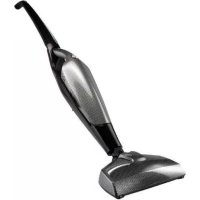
iTurbo - Vacuum Cleaner BEEM - Free user manual and instructions
Find the device manual for free iTurbo BEEM in PDF.


| Product type | Handheld and cordless stick vacuum cleaner |
| Brand and model | BEEM iTurbo (M38.001 / M38.002) |
| Dimensions (L x W x H) | 260 x 200 x 1150 mm |
| Net weight (main kit) | Approximately 2.55 kg |
| Operating voltage | 12 VDC (M38.001) / 14.4 VDC (M38.002) |
| Power | 70 W (M38.001) / 80 W (M38.002) |
| Power adapter / charging station | Input 100-240 V ~ 50/60 Hz, output 19.5 VDC, 200 mA |
| Protection class | II |
| Protection type | IPX0 |
| Battery | Built-in rechargeable, charging via charging station |
| Runtime | Not specified in the manual; initial charging time: approximately 12 hours |
| Dust container capacity | Not specified; empty after each use |
| Filtration | Filter with textile filter element (washable) |
| Included accessories | Floor brush, crevice nozzle, upholstery brush, charging station, power adapter |
| Use | Stick vacuum (mounted) or handheld vacuum (detachable) |
| Maintenance and cleaning | Clean the dust container, filter and filter element with water; let dry completely |
| Safety | Do not vacuum liquids or hot objects; do not use with a damaged power adapter |
| Spare parts and repairability | Available parts: brush kit, filter kit, dust container, charging station, power adapter, handle, floor brush, base body (references in the manual) |
| General information | Extended manufacturer warranty on certain products; EU declaration of conformity |
Frequently Asked Questions - iTurbo BEEM
User questions about iTurbo BEEM
0 question about this device. Answer the ones you know or ask your own.
Ask a new question about this device
Download the instructions for your Vacuum Cleaner in PDF format for free! Find your manual iTurbo - BEEM and take your electronic device back in hand. On this page are published all the documents necessary for the use of your device. iTurbo by BEEM.
USER MANUAL iTurbo BEEM
i-Turbo Akkusauger 2 in 1 i-Turbo+ Akkusauger 2 in 1
Kabelloser Hand- & Stielstaubsauger
Cordless handheld & upright vacuum cleaner
Open the fold-out page at the beginning and end of the user manual in order to view the illustrations during reading.
General instructions 19
Safety instructions 21
Startup 25
Appliance description 25
Operation and use 27
After using 28
Cleaning and maintenance 28
Storage 28
Troubleshooting 29
Spare parts and other accessories . . 30
Technical data 31
Dear Customer,
Before using the appliance, please read the instructions contained in this user manual on startup, safety, intended use as well as cleaning and care.
Open the fold-out page at the beginning and end of the user manual in order to view the illustrations during reading.
Keep this user manual in a safe place and give it to any future owners together with the appliance.
General instructions
Copyright
This document is copyrighted. Any duplication or reprinting, in whole or in part, and the reproduction of the illustrations, even in modified form, is only permitted with the written approval of the manufacturer.
Notes on environmental protection
The packaging materials used can be recycled. When no longer required, dispose of the packaging materials according to local environmental regulations.
This product may not be disposed of in the domestic refuse within the European Union. Dispose of the appliance via communal collection points.
Warranty / Guarantee
In addition to the statutory warranty obligation, BEEM also grants an extended manufacturer's guarantee for some products.
Provided this is granted, the corresponding details for each product can be found either on the product-specific packaging, advertising material or on the BEEM website.
Please visit our website to obtain more information on comprehensive guarantee conditions, available accessories and spare parts as well as user manuals in various languages
Symbols used
DANGER
This indicates an imminent hazardous situation, which could lead to severe physical injury or death.
Follow these instructions to avoid danger.
WARNING
This indicates a possible hazardous situation, which could lead to severe physical injury or death.
Follow these instructions to avoid danger.
CAUTION
This indicates a potentially hazardous situation, which could lead to minor injuries or material damage.
Follow these instructions to avoid danger.
NOTE
A note contains additional information to simplify the use of the appliance.
Intended use
This appliance is intended primarily for non-commercial use on hard floors, carpeting or upholstered furniture in closed rooms for vacuuming dry domestic dirt and dust. Any use other than previously stated is considered as improper use.
WARNING
If not used for its intended purpose and/or used in any other way, the appliance may be or become a source of danger.
Use the appliance only for its intended purpose.
Observe the procedures described in this user manual.
No claims of any kind will be accepted for damage resulting from use of the appliance for other than its intended purpose.
The risk must be borne solely by the user.
Limitation of liability
We assume no liability for damage or follow-up damage in the case of:
failure to observe the instructions in the user manual,
use for other than the intended purpose,
improper or unsuitable handling,
incorrectly performed repairs,
unauthorised modifications,
use of non-approved parts or spare parts,
use of unsuitable supplementary or accessory parts.
Declaration of Conformity
BEEM hereby declares that this appliance complies with the fundamental requirements and other relevant provisions of 2006/95/EC and 2004/108/EC and und 2009/125/EC directives.
Safety instructions
This appliance is not intended for use by persons (including children) with restricted physical, sensory or mental capabilities or with insufficient experience and/or knowledge unless they are supervised by a person responsible for their safety or have received instructions on the use of the appliance from such a person.
Children must be supervised to ensure that they do not play with the appliance.
Inspect the appliance for visible signs of damage before use. Do not use a damaged appliance.
Do not leave the appliance unattended during operation.
Only allow repairs to the appliance to be carried out by an authorised specialist or by the works customer service; this particularly applies to a damaged power supply unit. Unqualified repairs can lead to considerable danger for the user. This will also invalidate the warranty or guarantee.
Repairs to the appliance during the guarantee period may only be carried out by service centres authorised by the manufacturer otherwise the warranty or guarantee will become invalid in the event of damage or subsequent damage.
Defective parts may only be replaced with original spare parts. Only original spare parts guarantee that the safety requirements are met.

DANGER
Danger from electric current
Do not use the appliance if the power supply unit or the charging cable of the power supply unit is damaged.
Do not open the housing of the appliance or the power supply unit. Danger from electric current if live connections are touched and/or the electrical and mechanical configuration is changed.
Never immerse the motor unit, the charging station or the power supply unit in water or other fluids.
Do not use the appliance to vacuum any liquids or wet dirt.
In wet areas, only use approved extension leads or multiple mains sockets.
Pull the power supply unit out of the mains socket.
if you are not using the appliance, for a longer period of time
if a malfunction occurs during operation,
before you clean the charging station.
Risk of suffocation!
Never play with packaging material. Risk of suffocation.

WARNING
Do not vacuum potentially inflammable or explosive substances, dust or gases and do not vacuum locations where such substances are stored.
Do not vacuum any burning or smoldering objects, such as cigarettes or ash or coal apparently having gone out.
Do not point the vacuum nozzle near to the head when vacuuming.
Keep hair, jewellery, loose clothing, fingers and other parts of the body away from the suction opening and moving parts.
When used for a longer period of time, the appliance can become hot. Allow the appliance to cool down before storing it or carrying out work on the appliance.
Before use, check that the handle and/or attached accessories are not damaged.
Risk of fire, explosion and injury from improper handling of the rechargeable batteries!
Do not open or short-circuit the rechargeable batteries, throw them into fire or immerse in fluids.
Only charge the batteries with the charging station supplied. Risk of fire, explosion or acid burning if a wrong charging appliance is used.

WARNING
Battery acid can leak out of a damaged battery. If one of the rechargeable batteries is leaking, avoid contact of the battery fluid with the skin, eyes and mucous membranes. In the event of contact with battery acid, rinse the areas concerned with plenty of clear water and consult a doctor immediately.
If the rechargeable battery is damaged or mishandled, vapour can escape. Provide fresh air and consult a doctor in the event of discomfort. Vapours can irritate the respiratory tract.
CAUTION
When using for prolonged periods of time, allow the appliance to cool down occasionally to avoid overheating.
Never lift or move the appliance with the mains cable of the power supply unit.
Grip the power supply unit housing to pull the power supply unit out of the mains socket and not the power cable.
Do not operate the appliance without the dust container.
Do not vacuum any heavy, hard or sharp-edged objects.
Empty the dust container each time after vacuuming or when the dust container is almost full.
Clean the filter element at regular intervals (at least every 3 to 6 months).
Allow moist or shampooed carpets and wall-to-wall carpeting to dry completely before vacuum cleaning.
Do not clean appliance parts in a dishwasher or washing appliance.
Do not leave the appliance out- side and do not expose it to direct humidity or sunlight. Do not store the appliance in the immediate vicinity of heat sources (such as fire, radiators, fan heaters or other heat radiating appliances).
Do not use any aggressive or abra- sive cleaning agents.
Requirements for the place of use
For safe and trouble-free operation of the appliance, the installation location must satisfy the following requirements:
The mains socket must be easily accessible and allow fast disconnection in the event of an emergency.
Do not operate the charging station in a hot, wet or very humid environment.
Electrical connection
For safe and trouble-free operation of the appliance, the following instructions on the electrical connection must be be observed:
Before connecting the appliance, compare the connection data (voltage and frequency) on the rating plate with those of your mains power supply. This data must correspond in order to avoid damage to the appliance. If in doubt, ask your electrical appliance retailer.
The mains socket must be protected by at least a 10 A automatic circuit breaker.
Make sure that the power supply unit and the charging cable of the power supply unit is undamaged and are not laid over sharp edges.
The mains cable must not be pulled tightly, bent or come into contact with hot surfaces, sharp edges or chemicals.
Route the charging cable of the power supply unit so that there is no risk of tripping.
The electrical safety of the appliance is only assured when it is connected to a properly installed protective earth (PE) conductor system. Connection to a mains socket without PE conductor is forbidden. If in doubt, the electrical system must be checked by a qualified electrician. The manufacturer assumes no liability for injury or damage caused by a missing or interrupted protective earth conductor.
Startup
Unpacking
Remove the appliance, all accessory parts and the user manual from the box.
Remove all packaging materials and protective foils from the product and the accessories before using it for the first time.
NOTE
Do not remove the rating plate or any warning signs on the appliance.
If possible, keep the original packaging during the warranty or guarantee period in order to be able to pack the appliance properly in the event of a guarantee claim. Transport damage will invalidate the warranty or guarantee.
Checking the delivery contents
Check for visible signs of damage or missing items.
Report incomplete or damaged contents to your supplier immediately.
Before using for the first time
Insert the power supply unit into the mains socket and connect the charging station.
Put the appliance into the charging station and fully charge the battery for approx. 12 h.
Appliance description
(See illustration on the left fold-out page)
1 Upright vacuum cleaner ON/OFF button
2 Handle
3 Upright vacuum cleaner ON/OFF button
4 Upright vacuum cleaner
5 Filter
6 Textile filter element
7 Dust container
8 Floor brush
9 Upright vacuum cleaner housing
10 Upright vacuum cleaner release mechanism
11 Power supply unit with charging cable
12 Joint nozzle
13 Upholstery nozzle
14 Charging station
14a Appliance holder
14b Pedestal
15 Connecting socket
16 Dust container release button
17 User manual (not illustrated)
Attaching accessories (images A1, A2)
To fix the charging station, proceed as follows:
Put the appliance holder (14a) onto the pedestal (14b) (image A1).
Screw both parts from below with the screws supplied (image A2).
Insert the charging cable into the connection socket (15) on the side of the charging station.
NOTE
To avoid damaging the plastic parts, do not screw in too tightly.
Attaching the floor brush (image B1)
To attach the floor brush (8) to the upright vacuum cleaner, proceed as follows:
Align the suction inlet of the base ap- appliance with the floor brush.
Push both parts together until they audibly snap in.
Attaching the handle to the upright vacuum cleaner (image C1, C2)
To attach the handles to the upright vacuum cleaner, proceed as follows:
Insert the handle (2) into the socket of the housing (image C1).
Turn the screw supplied into the handle (image C2).
Switching the appliance ON/OFF
The appliance can be used either as a handheld or an upright vacuum cleaner.
To switch on the appliance, press the ON/OFF button on the upright vacuum cleaner (1) or on the handheld vacuum cleaner (3).
To switch off the appliance, press the corresponding button again.
Operation and use
Using as upright vacuum cleaner
To use the appliance as an upright vacuum cleaner, proceed as follows:
Push the handheld vacuum cleaner (4) into the housing of the upright vacuum cleaner (9) until it snaps in (image D1).
Switch the appliance on or off with the ON/OFF button (1) on the handle.
Using as handheld vacuum cleaner
To use the appliance as a handheld vacuum cleaner, proceed as follows:
Press both release mechanisms (10) on the sides of the handheld vacuum cleaner at the same time.
Remove the handheld vacuum cleaner (4) from the housing of the upright vacuum cleaner (9).
Switch the appliance on or off with the ON/OFF button (3) on the handheld vacuum cleaner.
Using accessories (images E1-E2)
The joint nozzle (12) and the upholstery brush (13) are located at the back of the charging station (14) (image E1-E2). To use them, proceed as follows:
Take the desired attachment out of the charging station.
Remove the handheld vacuum cleaner.
Put the attachment onto the handheld vacuum cleaner.
Emptying the dust container Images (F1)
To empty the dust container, proceed as follows:
Take the handheld vacuum cleaner out of the housing of the upright vacuum cleaner as described in the section Using as handheld vacuum cleaner (page 27).
Press the release mechanism (16) of the dust container and take out the dust container.
Pull the filter (5) out of the dust container (7).
Empty the dust container.
Take out the filter (5) and remove the textile filter element (6).
Clean the filter element as described in the section Cleaning and care (page 28).
Put the filter and filter element together again and insert the filter back into the dust container.
Insert the dust container back into the appliance.
Charging the vacuum cleaner (image G1)
To charge, put the upright vacuum cleaner together with the handheld vacuum cleaner onto the charging station. The appliance will start charging.
The charging process ends automatically when the appliance is charged.
NOTE
Switch off the appliance before putting it onto the charging station. Otherwise it will start vacuuming immediately after taking it out of the charging station.
After using
Switch off the appliance and put it onto the charging station.
Clean the appliance and the accessories parts as described in the section Cleaning and care (page 28).
Cleaning and maintenance
Before beginning any work, pay attention to the safety instructions in the section Safety instructions (page 21)!
Cleaning the appliance
Wipe the appliance and the accessory parts with a slightly damp cloth.
Rinse the inside of the dust container with water and dry thoroughly.
The filter and the filter element can also be cleaned in water.
Dry all parts of the appliance thor- roughly after cleaning.
NOTE
Before reassembling, allow the dust container, the filter and the filter element to dry completely after cleaning in water.
Storage
If you do not intend to use the appliance for a longer period of time, clean it as described in the section Cleaning and care (page 28).
Store the joint nozzle and the upholstery brush on the charging station as depicted in images E1 and E2.
Store the appliance and all accessory parts at a dry, clean and frost-free location which is protected against direct sunlight.
Troubleshooting
The following table will help you locate and eliminate minor faults:
| Fault Possible cause Remedy | ||
| The appliance does not function after pressing the ON/OFF button. | Charging station power supply unit not plugged in. | Plug in the power supply unit. |
| Automatic circuit breaker in electrical distribution board tripped. | Switch on the automatic circuit breaker again. | |
| The internal safety switch has switched off the appliance as a result of overheating. | Allow the appliance to cool down. | |
| Appliance not charged. Charge | the appliance. | |
| Charging cable of the power supply unit not connected. | Connect the charging cable. | |
| The automatic circuit breaker in the electrical distribution board trips. | Too many appliances connect-ed to the same power circuit. | Reduce the number of appliances on the power circuit. |
| No fault detected. | Contact customer service. | |
NOTE
If you cannot resolve the problem with the steps described above, please contact customer service.
Spare parts and other accessories
| Item* Article No. | Designation | ||
| M38.001 M38.002 | |||
| 12, 13 900 901 | 001 Brush set, 2-parts | ||
| 5, 6 900 901 006 | Filter set, 2-parts | ||
| 7 900 901 011 | Dust container | ||
| - 900 901 016 | M6 screw and nut for fixing the handle | ||
| 14 900 901 041 | Charging station without power supply unit | ||
| 11 900 901 056 | Power supply unit unit with charging cable | ||
| 2 | 900 901 021 | Handle, red | - |
| 8 | 900 901 031 | Floor brush, red - | |
| 9 | 900 901 046 | Base body, red | - |
| 2 | 900 901 026 | - | Handle, black |
| 8 | 900 901 036 | - | Floor brush, black |
| 9 | 900 901 051 | - | Base body, black |
- numbering according to the description of the appliance
| Technical data | ||
| Model | Cordless handheld & upright vacuum cleaner | |
| i-Turbo Akkusauger i-Turbo + Akkusauger | ||
| Type number M38.001 M38.002 | ||
| Dimensions | 260 x 200 x 1150 mm (L x W x H) | |
| Main set approx. net weight | 2.55 kg | |
| Operating voltage 12 V | DC | 14.4 VDC |
| Power 70 W 80 W | ||
| Power supply unit/charging station | ||
| Input voltage 100-240 V ~ | ||
| Mains frequency 50/60 Hz | ||
| Output voltage 19.5 V | DC | |
| Power consumption 200 mA | ||
| Protection class II | ||
| Degree of protection IPX0 | ||
Sommaire
Remarques generales 33
modifications non-authorises;
Monter la station de charge (figures A1, A2)
Elements of Lifestyle
BEEM
Subject to printing error.
For service in other countries contact your local dealer.


- i-Turbo Akkusauger 2 in 1 i-Turbo+ Akkusauger 2 in 1
- General instructions
- Copyright
- Notes on environmental protection
- Warranty / Guarantee
- Symbols used
- DANGER
- WARNING
- CAUTION
- NOTE
- Intended use
- Limitation of liability
- Declaration of Conformity
- Safety instructions
- Requirements for the place of use
- Electrical connection
- Startup
- Unpacking
- Checking the delivery contents
- Before using for the first time
- Appliance description
- Attaching accessories (images A1, A2)
- Attaching the floor brush (image B1)
- Attaching the handle to the upright vacuum cleaner (image C1, C2)
- Switching the appliance ON/OFF
- Operation and use
- Using as upright vacuum cleaner
- Using as handheld vacuum cleaner
- Using accessories (images E1-E2)
- Emptying the dust container Images (F1)
- Charging the vacuum cleaner (image G1)
- After using
- Cleaning and maintenance
- Cleaning the appliance
- Storage
- Troubleshooting
- Sommaire
- Monter la station de charge (figures A1, A2)
- BEEM
Brand : BEEM
Model : iTurbo
Category : Vacuum Cleaner