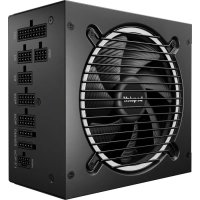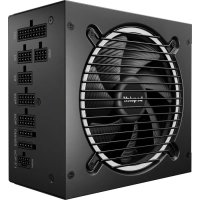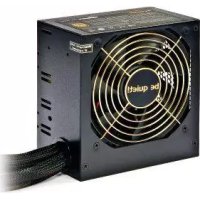
PCGH Edition F1 500W - Power Supply (PC) Be Quiet! - Free user manual and instructions
Find the device manual for free PCGH Edition F1 500W Be Quiet! in PDF.
User questions about PCGH Edition F1 500W Be Quiet!
0 question about this device. Answer the ones you know or ask your own.
Ask a new question about this device
Download the instructions for your Power Supply (PC) in PDF format for free! Find your manual PCGH Edition F1 500W - Be Quiet! and take your electronic device back in hand. On this page are published all the documents necessary for the use of your device. PCGH Edition F1 500W by Be Quiet!.
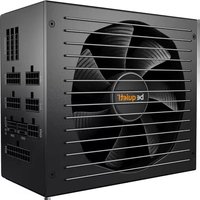
USER MANUAL PCGH Edition F1 500W Be Quiet!
Games Hardware EDITION
THE PC GAMES HARDWAREPSU
USER MANUAL
BQT F1-500W
PCGH Edition
INDEX
DEUTSCH
- Introduction 10
2.Warnings and safety instructions 10 - Compatibility 11
- Benefits and special features of your new power supply 11
- Installing your new power supply 12
- Troubleshooting 12
- Attachments 13
- Disposal instructions 14
- Warranty, manufacturer's data 14
- Legal notice, Copyright 15
FRANÇAISE
1.Label 35
2. Voltage regulation 35
3. Operating conditions 35
4. Minimal load 35
5. Power Supply Dimensions 36
6. Distribution and pin assignment 36
7. Connectivity and cable lengths 37
1. EINLEITUNG
We are delighted that you have chosen to use a be quiet! power supply of the PCGH Edition Series in your PC. Please read and follow all the information contained in these instructions carefully prior to installation. The power supply is only guaranteed to function properly if the instructions are followed thus providing you with maximum satisfaction with this product. Should you have any further question, please contact our customer service. See contact information under item 9.
2. WARNINGS AND SAFETY INSTRUCTIONS
Never unscrew the power supply. It may hold elements containing high voltages after long periods of disuse and which could cause serious injury.
A power supply must only be opened by an authorised technician!
The warranty shall lapse if opened by an unauthorised technician and if the warranty seal is broken.
Never handle the power supply with wet or damp hands when in operation.
Never insert objects into the openings/fans of the power supply.
Operation is only permitted indoors! Outdoor use may lead to severe damage.
Do not carry out works on the power supply if it is connected to the mains. Always turn the mains switch to „0“ and pull out the mains plug.
In the event of a short circuit in the device, remove the mains cable and do not use the device.
If there are traces of smoke, damaged cables or exposure to liquids, the power supply must immediately be disconnected from the mains and must not be used.
This power supply is covered for a voltage range between 100 - 240V and can be used universally.
Do not operate the PC directly next to a heater or another source of heat, as this reduces the lifespan of all components and may lead to failures. Ensure that there is sufficient ventilation in the PC case, for example by adding additional fans.
Should you want to clean your power supply, disconnect it completely from the mains and do not use damp cloths or cleaning detergent. Clean the power supply from the outside using a dry cloth.
Only use the power supply after one hour in an ambient air environment, as otherwise
condensation water could accumulate in the power supply.
3. COMPATIBILITY
be quiet! PCGH Edition power supplies are compatible with current power supply and motherboard specification, such as: Intel ATX12V Power Supply Design Guide Version 2.3 (and downward compatible to V 2.01 / V 2.0). ATX System Design Guide Version 2.2 und Version 2.1, BTX Version 1.0a and the Intel C6 status of the current CPU generation.
4. BENEFITS AND SPECIAL FEATURES OF YOUR NEW POWER SUPPLY
TUV tested safety:
be quiet! PCGH Edition power supplies are TUV certified. They fulfill the demands made on electrical safety pursuant to the Equipment and Product Safety Act (EN60950). Documents can be viewed on www.tuv.com and by entering the 10 digit ID No.
Economical through high efficiency:
The power supplies of the PCGH Edition Series are highly efficient (80plus Gold certification). This helps reduce electricity costs.
Voltage stability:
The PCGH Edition Series has first class stability in its voltage supply. This is guaranteed by the high quality of its component parts. Output voltages are therefore maintained at the optimal set value, which is particularly important with high performance specifications.
Fuse functions:
be quiet! PCGH Edition power supplies offer high safety with many fuse functions. The power supply automatically switches off if limits are exceeded or not reached.
OCP (over-current protection), UVP (under-voltage protection), SCP (short circuit protection), OPP (over power protection), OTP (over temperature protection), OVP (overvoltage protection). If the power supply is operated at an excessively high temperature, it will automatically switch off. It can then be switched on after cooling off. Please ensure that the PC is equipped with sufficient cooling.
5. INSTALLING YOUR NEW POWER SUPPLY
You must read the item „Warnings/safety instructions" before beginning installation. You will need a screwdriver to fit the power supply in your PC. Only use the screws supplied with the power supply, as these have the suitable thread
First remove your old power supply. To do this, proceed as follows:
- Carefully disconnect your PC from any power sources and pull out all cables connected to the PC.
- Open the PC case also following the manufacturer's instructions.
- Disconnect all plugs from the motherboard and all other components, such as FDD, HDD or optical drives. Ensure that there are no plugs from the old power supply connected to any of the components.
- Now remove the screws on the rear of the power supply and take it out carefully. Make especially sure that no cables get caught in the components and damage them.
Installing your new be quiet! PCGH Edition power supply:
- Place the new power supply in the space provided in the case and screw it to the rear with the four screws provided. Do not use excessive force.
- Plug the 24 pin connector into the socket provided on the motherboard.
- If required, connect the 4 pin / 8 pin connector, into the socket provided on the motherboard. This connector is going to supply your PC with additional power.
- If required, plug the PCIe connector into your graphic card.
6. TROUBLESHOOTING
Please note:
In ATX systems, the power supply receives a signal from the motherboard when switched on, without which it cannot run. For this reason, please ensure that the power switch connector (usually located on the front panel) is correctly connected to the motherboard using either the motherboard or case manual. If this is the case, check the power (on/off) switch, as it may be faulty which means the power supply cannot be started. You can use the reset switch instead of the power switch in order to avoid such faults.
Careful!
Working on power sources could lead to serious injury. You must read item 2 - „Warnings and safety instructions“ carefully. Repairs must only be carried out by authorized technicians!
If the system does not function properly with the power supply installed, first check the following possible sources of faults:
- Check that the power supply cable is correctly and firmly connected to the power supply and to the socket. Ideally, use a separate power outlet for the computer power supply.
- Check whether all connections are correctly connected and make any adjustments required, such as incorrect polarity.
- Examine the connection of the on/off switch from the case to the motherboard. Have the motherboard manual on hand if needed! Switch the power supply on by turning the switch to position "l" and press the on/off switch on the case. If the power supply still does not turn on, continue to the next item.
- Check your system for possible short circuits or faulty hardware, making sure you switch off the computer and disconnect all devices not required for the computer to start. Switch it on again. Repeat this process and switch on one of the devices you have found likely to be faulty upon each restart. If the power supply does not react due to a short circuit, wait at least 5 minutes after the restart as the device is equipped with over power protection.
Important:
If the power supply does not work, check that you have read these instruction thoroughly and have excluded the problems mentioned. If the problem persists, contact our customer service department immediately.
All returns are examined by our RMA service. If a power supply is found to be faultless, it shall be returned to the customer. A testing fee may be charged for the expense incurred.
7. ATTACHEMENTS
This item is delivered with: Power cables, user manual, cable ties, and screws to attach power supply.
8. DISPOSAL INSTRUCTIONS
Used electronic equipment may no longer be disposed of in unsorted household waste pursuant to European guidelines*. It must be disposed of separately. Waste electronic and electric equipment must be transferred to a special collection point (e.g. recycling centre). This is usually free.
- Directive 2002/96/EC of the European Parliament the European Council of 27 January 2003 on Waste Electronic and Electric Equipment (WEEE). Act Governing the Sale, Return and Environmentally Sound Disposal of Electronic and Electrical Equipment (Electrical and Electronic Equipment Act - ElektroG) of 16 March 2005.
9. WARRANTY, MANUFACTURER'S DATA
2 year manufacturer's warranty for end consumers (only first purchase from authorised Listan dealers), from date of purchase receipt.
Your original purchase receipt will be required before warranty performance is rendered. Please keep it in a safe place.
Listan GmbH & Co.KG . Biedenkamp 3a . 21509 Glinde . Germany
For further information, you can contact us in Germany
Mon - Fri 09:00 - 17:30
Phone +49 40 736 7686-44
Fax + 49 40 7367686-69
e-mail: service@be-quiet.de
www.be-quiet.com
Our General Warranty Conditions apply, which can be viewed on the Internet on www.be-quiet. net/service/en/warranty. The following numbers will have to be provided in the event of service. You will find them on the power supply name plate:
| Model description Article | le Number Serial Number | |
| BQT F1-500W BN189 | S/N (see nameplate for number) |
10. LEGAL NOTICE, COPYRIGHT
Copyright © Listan GmbH & Co. KG 2011. All rights reserved.
Please note the following:
- The content of this documentation may not be copied, transmitted, distributed or stored in any form, whether in whole or in part, without the prior written approval of Listan.
- be quiet! is a registered trademark of Listan GmbH & Co. KG. Other product and company names mentioned in this documentation may be trademarks or trade names of their respective owners.
- In accordance with its policy, Listen continually develops its products further. Listen therefore reserves the right to make changes and improvements to any of the products described in this documentation without prior notice.
- Listen is under no circumstances responsible for the loss of data and income or for any specific, incidental, indirect or direct damage, however this may be incurred.
- The content of this documentation is presented in its most updated form. Listen neither expressly nor implicitly assumes any liability for the accuracy or completeness of the content of this documentation, including, but not limited to the implicit guarantee of market suitability and the appropriateness for a certain purpose, unless applicable laws or case law prescribe such liability. Listen reserves the right to make changes to this documentation or to withdraw the documentation at any time without prior notice.
1. INTRODUCTION
| Environment Temperature | Rel. Humidity | |
| Operation 0 ~ 40°C | up to 85% (non-condensing) | |
| Storage -40 ~ 70°C | up to 95% (non-condensing) |
4. MINIMAL LOAD
| 3,3V | 5V | 12V1 | 12V2 | 12V3 | 12V4 | -12V | 5VSB | |
| 500W | 0,1 | 0,2 | 0,1 | 0 | 0 | 0 | 0 | 0 |
5. POWER SUPPLY DIMENSIONS

6. DISTRIBUTION AND PIN ASSIGNMENT

24 PIN ATX POWER CONNECTOR
| Pin | Color | Signal | Pin | Color | Signal |
| 1 | Orange | +3.3VDC | 13 | Orange Brown | +3.3V def. sense |
| 2 | Orange | +3.3VDC | 14 | Blue | -12VDC |
| 3 | Black | COM | 15 | Black | COM |
| 4 | Red | +SVDC | 16 | Green | PS_ON/OFF |
| 5 | Black | COM | 17 | Black | COM |
| 6 | Red | +SVDC | 18 | Black | COM |
| 7 | Black | COM | 19 | Black | COM |
| 8 | Grey | PWR_OK | 20 | ||
| 9 | Violet | +SVSB | 21 | Red | +SVDC |
| 10 | Yellow | +12VDC | 22 | Red | +SVDC |
| 11 | Yellow | +12VDC | 23 | Red | +SVDC |
| 12 | Orange | +3.3VDC | 24 | Black | COM |


PERIPHERAL DEVICES & FDD POWER CONNECTOR
| Pin | Color | Signal | Pin | Color | Signal |
| 1 | Red | +5VDC | 3 | Black | COM |
| 2 | Black | COM | 4 | Yellow | +12VDC |

SATA POWER CONNECTOR
| Pin | Color | Signal | Pin | Color | Signal |
| 1 | Orange | 3,3V | 4 | Black | COM |
| 2 | Black | COM | 5 | Yellow | +12VDC |
| 3 | Red | +SVDC |


EPS +12 V POWER CONNECTOR
| Pin Color | or Signal | Pin Color Signal | |||
| 1 | Black | COM | 5 | Yellow | +12VDC |
| 2 | Black | COM | 6 | Yellow | +12VDC |
| 3 | Black | COM | 7 | Yellow | +12VDC |
| 4 | Black | COM | 8 | Yellow | +12VDC |


PCI EXPRESS VGA CONNECTOR
| Pin Color Signal Pin Color Signal | |||||
| 1 | Yellow | +12VDC | 4 | Black | COM |
| 2 | Yellow | +12VDC | 5 | Black | COM |
| 3 | Yellow | +12VDC | 6 | Black | COM |
| 7 | Black COM | 8 | Black | COM | |
7. CONNECTIVITY AND CABLE LENGTHS

500W
EasyManual