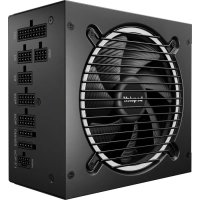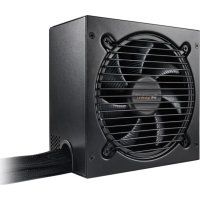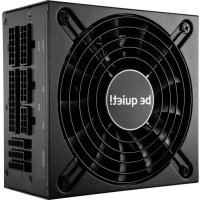
Be Quiet! SFXL Power 600W - Power Supply (PC)

SFXL Power 600W - Power Supply (PC) Be Quiet! - Free user manual and instructions

Find the device manual for free SFXL Power 600W Be Quiet! in PDF.

English EN Download 💬 AI Question 10 questions ⚙️ Specs
📄

Document temporarily unavailable

The manual is currently being transferred to our new server. It will be accessible again in a few hours. Thank you for your patience.

Pick your language and provide your email: we'll send you a specifically translated version.
Product Type PC Power Supply
Brand Be Quiet!
Model SFXL Power 600W
Nominal Power 600 W
Form Factor SFX-L
Compatibility Intel SFX12V 3.3, Intel ATX12V 2.4, C6/C7, Energy Star 6.0, ErP
Main Connectors 20+4 pin ATX, 4+4 pin CPU 12V
Fan 120 mm silent
Protections Overload protection, short circuit protection
Manufacturer Warranty 3 years
Included Accessories Power cable, manual, SFX to ATX adapter, cable set, mounting screws
Maintenance and Cleaning Unplug before cleaning, use a dry cloth, do not open
Safety Do not open (high voltage), do not use outdoors, do not handle with wet hands
Operating Temperature Indoor, dry environment
Recycling Do not dispose of with household waste, follow WEEE directives

Frequently Asked Questions - SFXL Power 600W Be Quiet!

How to install the SFXL Power 600W power supply?
Unplug the PC, remove the old power supply, place the new one in the case and secure it with the provided screws. Connect the 20+4 pin connectors to the motherboard and the CPU 12V connector. Use only the supplied cables.
What safety precautions should be taken?
Never open the power supply (high voltage). Do not use with wet hands. Do not insert objects into the fan. Use only indoors. In case of short circuit, do not restart.
What is the compatibility of this power supply?
It is compatible with Intel SFX12V 3.3, ATX12V 2.4 standards, Intel C6/C7 processors, Energy Star 6.0 and ErP.
What to do if the PC does not start after installation?
Check that the power cord is properly plugged in, all connectors are firmly inserted, and the power supply switch is set to 'I'. Test by disconnecting non-essential peripherals to identify a short circuit.
Can I use cables from another power supply?
No, use only the cables supplied with your SFXL Power 600W to avoid any risk of short circuit or damage.
How to clean my Be Quiet! power supply?
Unplug the power supply and clean the outside with a dry cloth. Do not use a damp cloth or cleaning products. Never open the unit.
What is the warranty period?
The manufacturer warranty is 3 years for the end consumer, provided that the purchase receipt and serial number are supplied. Opening the unit voids the warranty.
How to recycle this power supply at end of life?
Do not dispose of it with household waste. Follow WEEE directives and take it to an approved collection point for electrical and electronic equipment.
Is the power supply compatible with an ATX motherboard?
Yes, thanks to the included SFX to ATX adapter, it can be mounted in a case designed for a standard ATX power supply.
What to do in case of smoke or suspicious odor?
Immediately unplug the power supply from the mains and do not use it again. Have it repaired by qualified personnel. Do not open the unit.

User questions about SFXL Power 600W Be Quiet!

0 question about this device. Answer the ones you know or ask your own.

Ask a new question about this device

The email remains private: it is only used to notify you if someone responds to your question.

No questions yet. Be the first to ask one.

Download the instructions for your Power Supply (PC) in PDF format for free! Find your manual SFXL Power 600W - Be Quiet! and take your electronic device back in hand. On this page are published all the documents necessary for the use of your device. SFXL Power 600W by Be Quiet!.
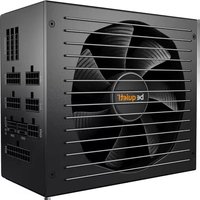
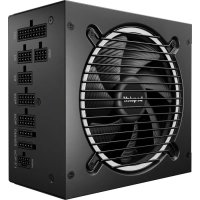
USER MANUAL SFXL Power 600W Be Quiet!

Manual assistant
Powered by Anthropic
Waiting for your message
Product information

Brand : Be Quiet!

Model : SFXL Power 600W

Category : Power Supply (PC)