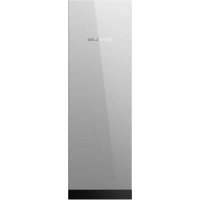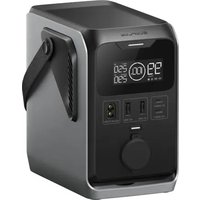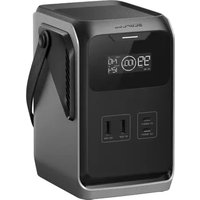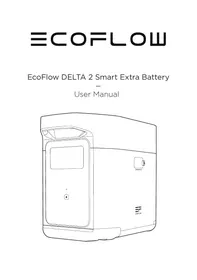
EcoFlow DELTA 2 Smart Extra Battery - Power Banks ECOFLOW - Free user manual and instructions
Find the device manual for free EcoFlow DELTA 2 Smart Extra Battery ECOFLOW in PDF.



User questions about EcoFlow DELTA 2 Smart Extra Battery ECOFLOW
0 question about this device. Answer the ones you know or ask your own.
Ask a new question about this device
Download the instructions for your Power Banks in PDF format for free! Find your manual EcoFlow DELTA 2 Smart Extra Battery - ECOFLOW and take your electronic device back in hand. On this page are published all the documents necessary for the use of your device. EcoFlow DELTA 2 Smart Extra Battery by ECOFLOW.
USER MANUAL EcoFlow DELTA 2 Smart Extra Battery ECOFLOW
Read all safety tips, warning messages, terms of use, and disclaimers carefully. Refer to the terms of use and disclaimer at https://ecoflow.com/pages/terms-of-use and stickers on the product before use. Users take full responsibility for all usage and operations. Familiarize yourself with the related regulations in your area. You are solely responsible for being aware of all relevant regulations and using EcoFlow products in a way that is compliant.
CONTENTS
- Specifications 1
- Safety Instructions
2.1 Usage 2
2.2 Disposal Guide 2
- Getting Started
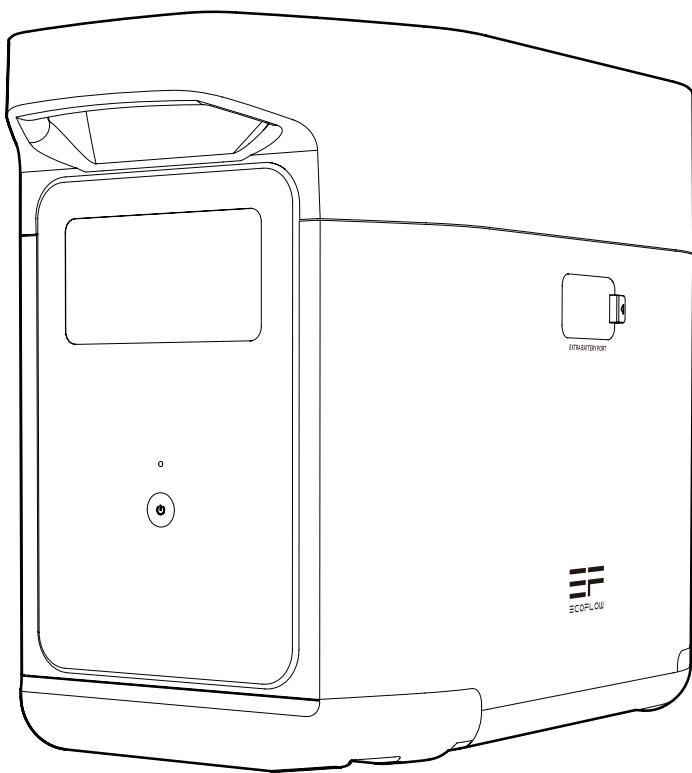
3.1 Product Details 3
3.2 LCD Screen 4
3.3 General Product Usage 4
4.FAQS 6
5. Troubleshooting 7
6.What's In the Box 7
7. Storage & Maintenance 8
8.Fcc Statement 8
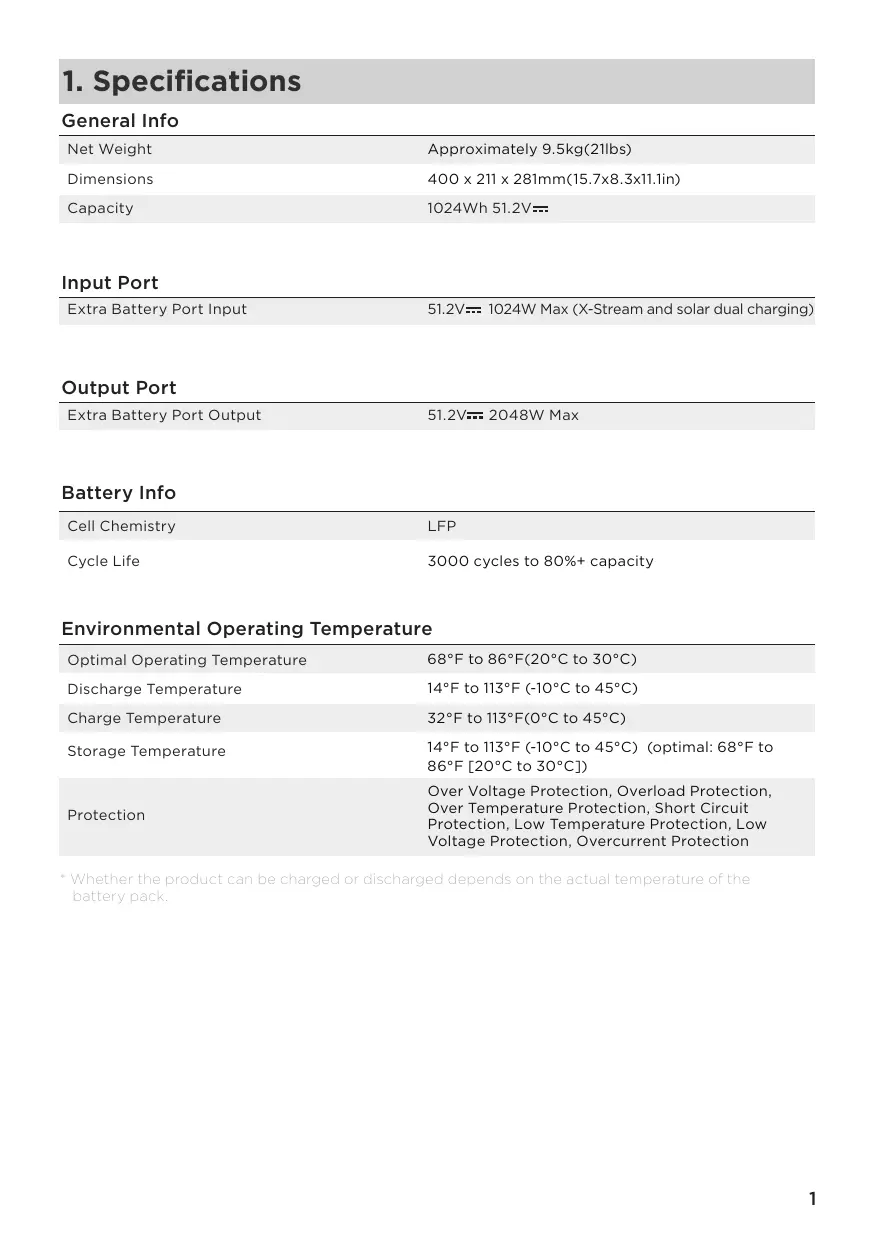
1. Specifications
General Info
| Net Weight | Approximately 9.5kg(21lbs) |
| Dimensions | 400 x 211 x 281mm(15.7x8.3x11.1in) |
| Capacity | 1024Wh 51.2V= |
Input Port
| Extra Battery Port Input | 51.2V--- 1024W Max (X-Stream and solar dual charging) |
Output Port
| Extra Battery Port Output | 51.2V--- 2048W Max |
Battery Info
| Cell Chemistry | LFP |
| Cycle Life | 3000 cycles to 80%+ capacity |
Environmental Operating Temperature
| Optimal Operating Temperature | 68°F to 86°F(20°C to 30°C) |
| Discharge Temperature | 14°F to 113°F (-10°C to 45°C) |
| Charge Temperature | 32°F to 113°F(0°C to 45°C) |
| Storage Temperature | 14°F to 113°F (-10°C to 45°C) (optimal: 68°F to 86°F [20°C to 30°C]) |
| Protection | Over Voltage Protection, Overload Protection, Over Temperature Protection, Short Circuit Protection, Low Temperature Protection, Low Voltage Protection, Overcurrent Protection |
- Whether the product can be charged or discharged depends on the actual temperature of the battery pack.
2. Safety Instructions
2.1 Usage
- Do not use the product near a heat source, such as a fire source or a heating furnace.
- Avoid contact with any liquid. Do not immerse the product in water or get it wet. Do not use the product in rain or humid environments.
- Do not use the product in an environment with strong static electricity/magnetic fields.
- Do not disassemble the product in any way or pierce the product with sharp objects.
- Avoid using wires or other metal objects that may result in a short circuit.
- Do not use unofficial components or accessories. If you need to replace any components or accessories, please visit official EcoFlow channels to check relevant information.
- When using the product, please strictly follow the operating environment temperature specified in this user manual. If the temperature is too high, it may result in a fire or explosion; if the temperature is too low, the product performance may be severely reduced, or the product may cease to work.
- Do not stack any heavy objects on the product.
- Do not lock the fan forcibly during use or place the product in an unventilated or dusty area.
- Please avoid impact, falls, or severe vibrations when using the product. In case of a severe external impact, turn off the power supply immediately and stop using the product. Ensure the product is well fastened during transportation to avoid vibrations and impacts.
- If you accidentally drop the product into water during use, please place it in a safe open area, and stay away from it until it is completely dry. The dried product should not be used again, and should be properly disposed of according to Section 2.2 below. If the product catches fire, we recommend that you use the fire extinguishers in the following order: water or water mist, sand, fire blanket, dry powder, and finally a carbon dioxide fire extinguisher.
- Use a dry cloth to clean off dirt on the product ports.
- Rest the product on a flat surface to avoid damages caused by the product falling over. If the product is overturned and severely damaged, turn it off immediately, place the battery in an open area, keep it away from combustible matter and people, and dispose of it in accordance with local laws and regulations.
- Ensure that the product is kept out of reach of children and pets.
2.2 Disposal Guide
- If conditions permit, make sure that the battery is fully discharged before disposing it in a designated battery recycling bin. The product contains batteries with potentially dangerous chemicals, so it is strictly prohibited to dispose of it in ordinary trash cans. For more details, please follow the local laws and regulations on battery recycling and disposal.
- If the battery cannot be fully discharged due to a product failure, please do not dispose of the battery directly in the battery recycling box. In such case, you should contact a professional battery recycling company for further processing.
- Please dispose of over-discharged batteries that cannot be recharged.
3. Getting Started
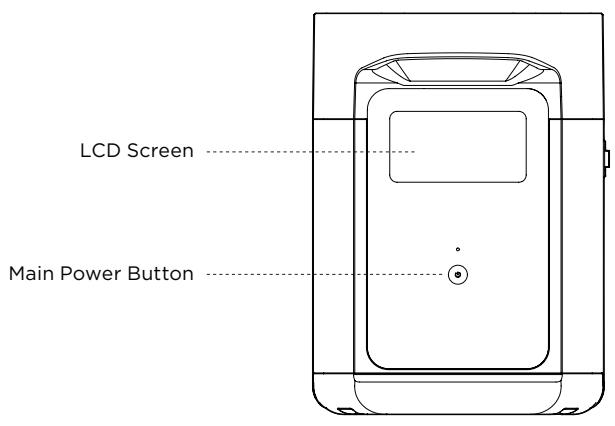
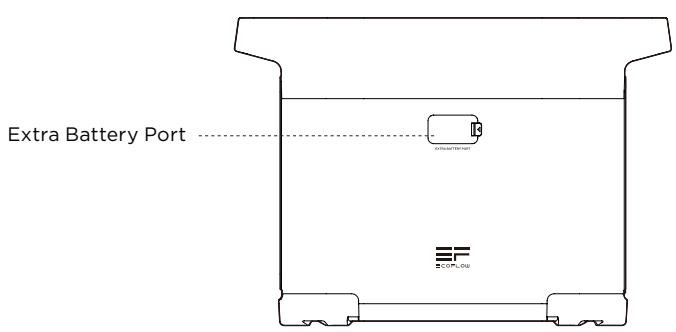
3.1 Product Details
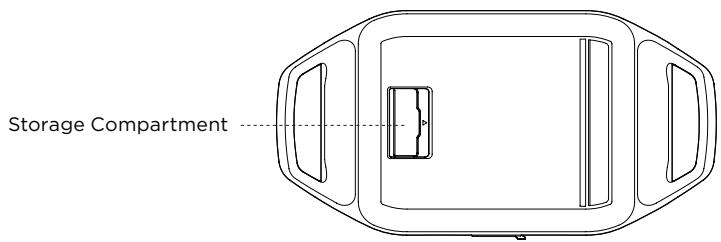
3.2 LCD Screen
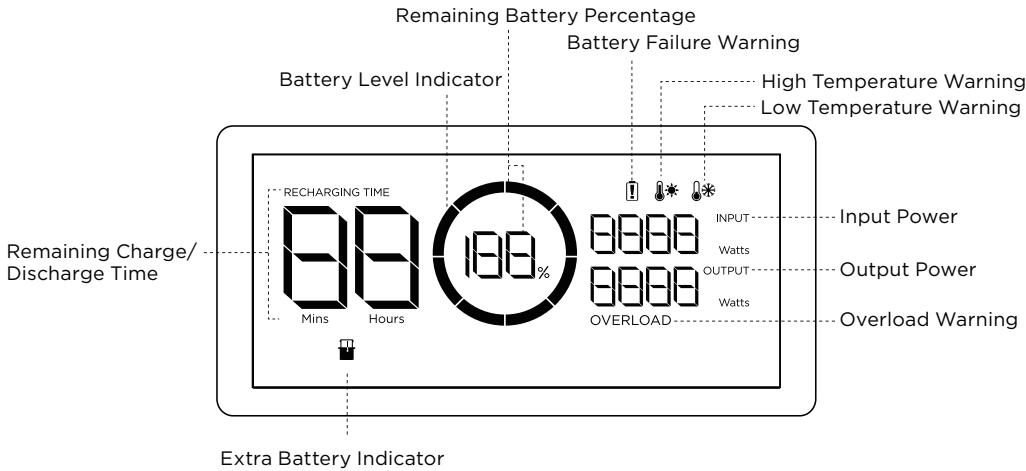
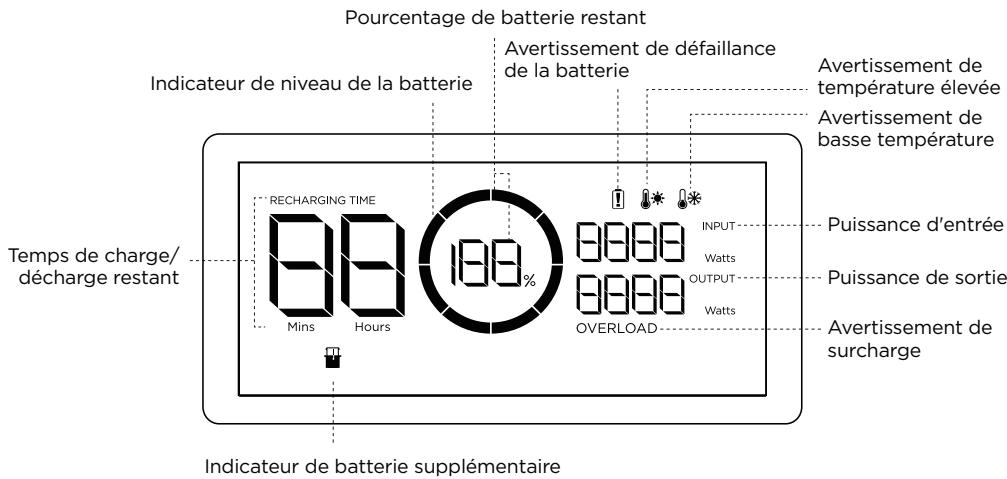
Battery Level Indicator: The indicator will repeatedly fill while charging. If product is at 0% charge, the indicator will flash to warn you.
- See Section 5 for more troubleshooting steps.
3.3 General Product Usage
DELTA 2 Extra Battery should be used with DELTA 2, it cannot be used separately.
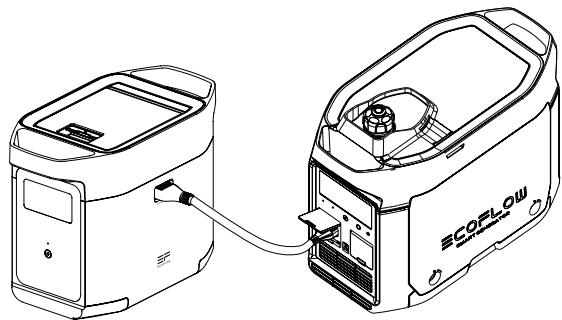
DELTA 2 Extra Battery can be only recharged when connected to DELTA 2 or Smart Generator.
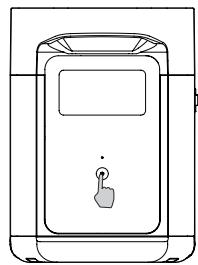
Short Press to Turn On
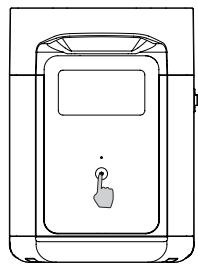
Long Press to Turn Off
Product On, Product Off, LCD Screen On
Short press the Main Power Button to turn on the product; the LCD Screen will light up and the battery level indicator icon will display.
The product enters sleep mode after 5 minutes of idle operation; the LCD Screen will automatically turn off. When the product senses any load change or operations, the LCD Screen will automatically light up. To turn the LCD Screen on or off, please short press the Main Power Button.
To power off the product, press and hold the Main Power Button.
The default product standby time is 2 hours. With other Power Buttons turned off and no other load access for 2 hours, the product will automatically shut down. The standby time can be set on the app.
For use along with DELTA 2
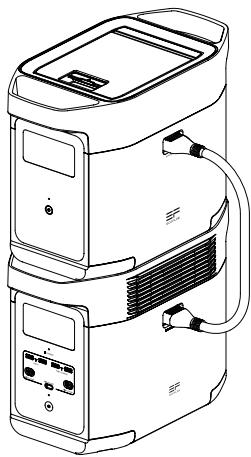
DELTA 2 Extra Battery can be uesd with DELTA 2. A DELTA 2 can support up to one DELTA 2 Extra Battery to meet more extensive capacity requirements.
Please carefully read the following notes before using:
- Before connecting the Extra Battery to the DELTA 2, please make sure to power off the DELTA 2 and Extra Battery.
- After connecting the DELTA 2 Extra Battery to DELTA 2, you need to make sure that the Extra Battery icons appear on both the DELTA 2 Extra Battery and the Extra Battery LCD screen. Charge or discharge the DELTA 2 Extra Battery after you have seen both icons.
- DO NOT connect the DELTA 2 Extra Battery to DELTA 2 while discharging or charging; if you need to remove the Extra Battery Cable, please make sure that the DELTA 2 Extra Battery and DELTA 2 are both powered off.
- DO NOT touch the metal Extra Battery Port with your hands or other objects. Gently wipe it clean with a dry cloth when unrelated materials are attached to the metal port.
- Tightly connect the Extra Battery Cable with DELTA 2 and the Extra Battery. Failing to comply may heat the connection and affect the device's performance or lead to a fire.
Recharge With Smart Generator
You may recharge DELTA 2 Extra Battery with the smart generator. Please refer to the Smart Generator user manual for more details.
4. FAQs
- What battery does the product use?
It uses high-quality LFP battery.
- How long can the product charge my devices?
The charging time is shown on the product's LCD Screen, which can be used to estimate the charging time of most appliances with stable power usage.
- How can I know if the product is charging?
When it's charging, the remaining charging time will be shown on the LCD Screen. Meanwhile, the charging indicator icon begins to rotate with the remaining battery percentage and the input power shown on the right of the circle.
- How to clean the product?
Please gently wipe it with a dry, soft, clean cloth or paper towel.
- How to store the product?
Before storing, please turn off the product first, and then store it in a dry, ventilated place at room temperature. Do not place it near water sources. For long-term storage, please discharge the battery to 30% and recharge it to 60% every three months to extend its battery life.
- Can I bring the product on a plane?
No.
5. Troubleshooting
| Indicator | Problem | Solution | |
| RECHARGING TIME | Icons Flash together | High Temperature Charge Protection | Charging can be resumed automatically after the battery cools down. |
| Icons Flash together | High Temperature Discharge Protection | The power supply can be resumed automatically after the battery cools down. | |
| RECHARGING TIME | Icons Flash together | Low Temperature Charge Protection | Charging can be resumed automatically after battery temperature rises above 41°F. |
| Icons Flash together | Low Temperature Discharge Protection | The power supply can be resumed automatically after the battery temperature rises above 10°F. | |
| OVERLOAD | Icon Flashes | Battery Overload Protection Short circuit protection during discharging | Remove high-power electrical appliances |
| Icon Stays On | Battery Failure | Contact EcoFlow Customer Service | |
If the Alarm Prompt shows on the product LCD screen during use and does not disappear after a restart, please stop using it immediately (do not try to charge or discharge). If you require any other assistance, please contact EcoFlow Customer Service.
6. What's In the Box
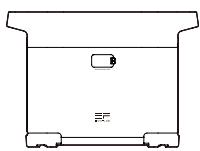
EcoFlow DELTA 2 Smart Extra Battery
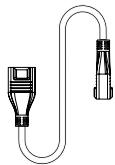
DELTA 2 Extra Battery Cable
User Manual & Warranty Card
7. Storage & Maintenance
- Please use or store the product in an environment temperature between 68^ to 86^ , away from water, heat, and other metal objects.
- For long-term storage, please discharge the battery to 30% and recharge it to 60% every three months.
- For safety, please do not store the product in an environment temperature higher than 113^ or lower than 14^ for a long time.
- If the remaining battery is less than 1% after you finish using the product, please recharge it to 60% before storing. If the product is left idle for a long time with severely low battery, irreversible damages may be caused to the battery cell and the product service life will be shortened.
- If the product has been idle for too long and the battery is severely low, it will enter a deep sleep protection mode. In such case, please charge the product before using it again.
8. Fcc Statement
This device complies with Part 15 of the FCC Rules. Operation is subject to the following two conditions:
(1) This device may not cause harmful interference, and
(2) This device must accept any interference received, including interference that may cause undesired operation.
Warning: Changes or modifications not expressly approved by the party responsible for compliance could void the user's authority to operate the equipment.
NOTE: This equipment has been tested and found to comply with the limits for a Class A digital device, pursuant to part 15 of the FCC Rules. These limits are designed to provide reasonable protection against harmful interference when the equipment is operated in a commercial environment. This equipment generates, uses, and can radiate radio frequency energy and, if not installed and used in accordance with the instruction manual, may cause harmful interference to radio communications. Operation of this equipment in a residential area is likely to cause harmful interference in which case the user will be required to correct the interference at his own expense.
FCC Radiation Exposure Statement:
This equipment complies with FCC radiation exposure limits set forth for an uncontrolled environment. This equipment should be installed and operated with minimum distance 20cm between the radiator & your body.
ECOFLOW
EcoFlow DELTA 2 Intelligenter Ersatzakku
Benutzerhandbuch

HAFTUNGSAUSSCHLUSS
Compartment de rangement
https://ecoflow.com/pages/terms-of-use, a TaKxhe o6paTHe BnImaHne Ha NaKLeiKn
Ha n3denni do hauana nCnoB3ObaHnra. POnb3ObaTeNn HecyT noNHyo OTBeTCTBeHHocTh
3a 3KcPnIyatauHIO IVbIIOJIHReMbIe Opeaun. O3HaKOMbTeCb c npIMeHNMbIMn HOpMaMn
3aKoHOdaTeNbCTBa, DeCTByUOuIMM B BaWem perNoHE. POnb3ObaTeNb HeCET eHNOHnHyO
OTBETCTBeHHOCTb 3a O3HaKOMJIeHHe CO BcEMn COOTBeTCTByUOzIMn HOpMaMn INX
co6lloedene npu nCnoIb3oBaHnnpOduKcnn EcoFlow.
- TexHnueckne xapaKTepeNCTnKN 1
- Texhnuka 6e3oNaChOCTN
2.1 2
2.2 INchtpukunno ytnn3aun 2
- NaOpa60TbI
3.1 Oпсане устpoиства 3
3.2KK-3KpaH 4
3.3 06iue npabnla kcnnyatau 4
- YACTO 3AДАВАБМБЕ BОПССБI 6
5.Поись устра themselves 7 - Komnlekt noctabkn 8
7.XpaHeHne n o6cnyKuBaHne 8
1. Texhnueckne xapaKTepeNCTnKN
06uie cbeHn
- KaKa aKKyMaIyToPHa 6aTape IcNoJIb3yEtCByCTpoIcTBe?
B Hem nCnoJb3yetcB bICOKoKaueCTBeHHbI aKKymJrTop LFP.
- KaKdoJrOaCMory3apXaTbCBOINpI6OpbICnOMoUbYoCTpoiCTBa?
Ha JKK-3kpane oTo6paKaaeTcnpimepeHoe Bpem 3apAkn dIy 60JIbUHHCTBa yCTpoiCTB co cTa6nJIbHbIM nOtpe6JIeHHeM MoUHocTn.
- KaK noHbT, yTo aKKyMnyaTOp BbInOnHnEeT 3apAky?
B npoecce 3apdkn ha KK-3kpane oTo6paKaetc8 ocTabweec8 Bpem8 3apdkn. 3naoc 3apdkn BpaaeTc8 BmecTe Co 3NaueHneM ocTabweeroC 3apda B npoentax, Mouhoctb nocTypaUoEro PntaHn8 OTo6paKaetc8 B npaBoi qactn Kpyra.
- KaK npaBnIbHo qNCTnTb aKKymJyTOp?
OctopoKHO npotpnte erocyoh marykou chtoT prnockou nll 6ymaxkbim noIoTeHcem.
- KaK npabunbNo xpaHnTb aKkymyIaTOp?
Ipepe pa3meeHnem Ha xpaHHe N BkIIOUHTe AKKymJrTOp. Pocne 3TOrO xpaHnTe B cyXOM npOBetpnaEMOM PomeeHnn Prn KOMHaTHoN TeMnepaTyPe. He xpaHnTe pAOM C nCTOuHnKaMn BObl. Ipn pa3meeHnHa DJIroCspOHHoe XpaHHe N Pa3Pdnte AKKymJrTOp Do 30% nNoD3apJxJaTe Do 60% kaxdbIe Tpr Meca, yTO6bI oBecneuHTb MaKcImaJIbHbN cPoK cnJx6bl.
PyKOBoDCTBO NOIb3ObaTeN I RaPahNTnHbT TaJOn
7. XpaHeHne n o6cLyXnBaHne
- YcnoBna nCnoJIb3ObaHnna n XpaHeHHa YcTpoIcTBa: TempePaTypa OkpykaHoue cpeDbI O T 68°F (20°C)do 86^ (30°C),Ha pacCToRnHnOT nCTOChNkoB BoDbI,TeIIa N dpyrNx MeTaIInuecknx npEMeTOB.
- Пи размeseни на длгocрочехханенпуразядnte akкymлторdo 30% niodзаржайTe do 60% кадытprmecya.
3.ИЗ coo6paJekHи БeOJaNcHocStn He xpaHInTe yUcTpoIcSTBO npi TempepaType BbIse 113°F (45°C) nIin HnKe 14°F (-10°C)В TeueHneДлnteIbHorOВpeMeHn. - Ecnn octabwnncs3apd akymytnaTopa Mehbe 1% nocle 3abepehenra pa6oTb, 3apndte erdo 60% nepe np3meuenem Ha xpaenHe. Ecnn aKymyTApO octaetcB HeakTNBHom coCToHn B TeueHne doIrroro BpemeHn C OueH Nn3kM 3apdom, Bo3MOxHO Heo6paTUMoe NOBpeXdHne 3JeMeHTOB PNTAHn H cokpaeeHne cpoKa cnJx6bl yctpoiCTBa.
- EcniakKymyJIaTOp ocTaETcB HeAKTINBHOM COCTOAHn B TeueHne DoIrTO BpeMeHn C OueHb Hn3KIM 3apJdOM, OH nepexoHTB 3aunTHbI pexkM rIy6oKO rCHa. B TaKOM cIyae nepeD cIeDuOuIm IcPOnJIb3OBAHNEM 3apJdITe akKymyJIaTOp.
ECOFLOW
EcoFlow DELTA 2 斯咔連 择が 匆術リ
사용자 썼名字
朝朝古志
多是的,
http://ecoflow.com/pages/termsof-use_Saietr.hf.
s.hg 1000000000000000000000000000000000000000000000000000000000000000000000000000000
- 1
- An instant j
2.1SA 2
2.2 2
- 巴拉吉里