USER MANUAL BOOMASTER 700 BOOMTONEDJ
MODE D'EMPLOI - USER MANUAL - HANDLEIDING - MANUAL DE USO
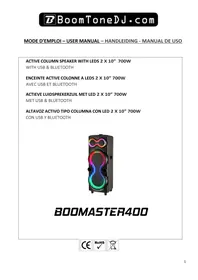
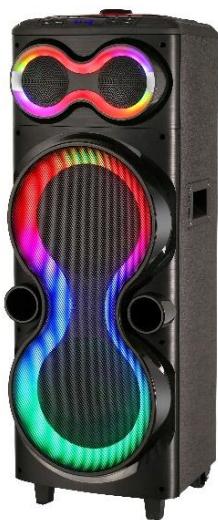
ACTIVE COLUMN SPEAKER WITH LEDs 2 X 10” 700W
WITH USB & BLUETOOTH
ENCEINTE ACTIVE COLONNE A LEDs 2 X 10” 700W
AVEC USB ET BLUETOOTH
ACTIEVE LUIDSPREKERZUIL MET LED 2 X 10” 700W
MET USB & BLUETOOTH
ALTAVOZ ACTIVO TIPO COLUMNNA CON LED 2 X 10" 700W
CON USB Y BLUETOOTH
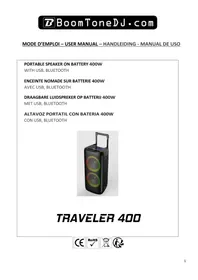
BOOMASTER400
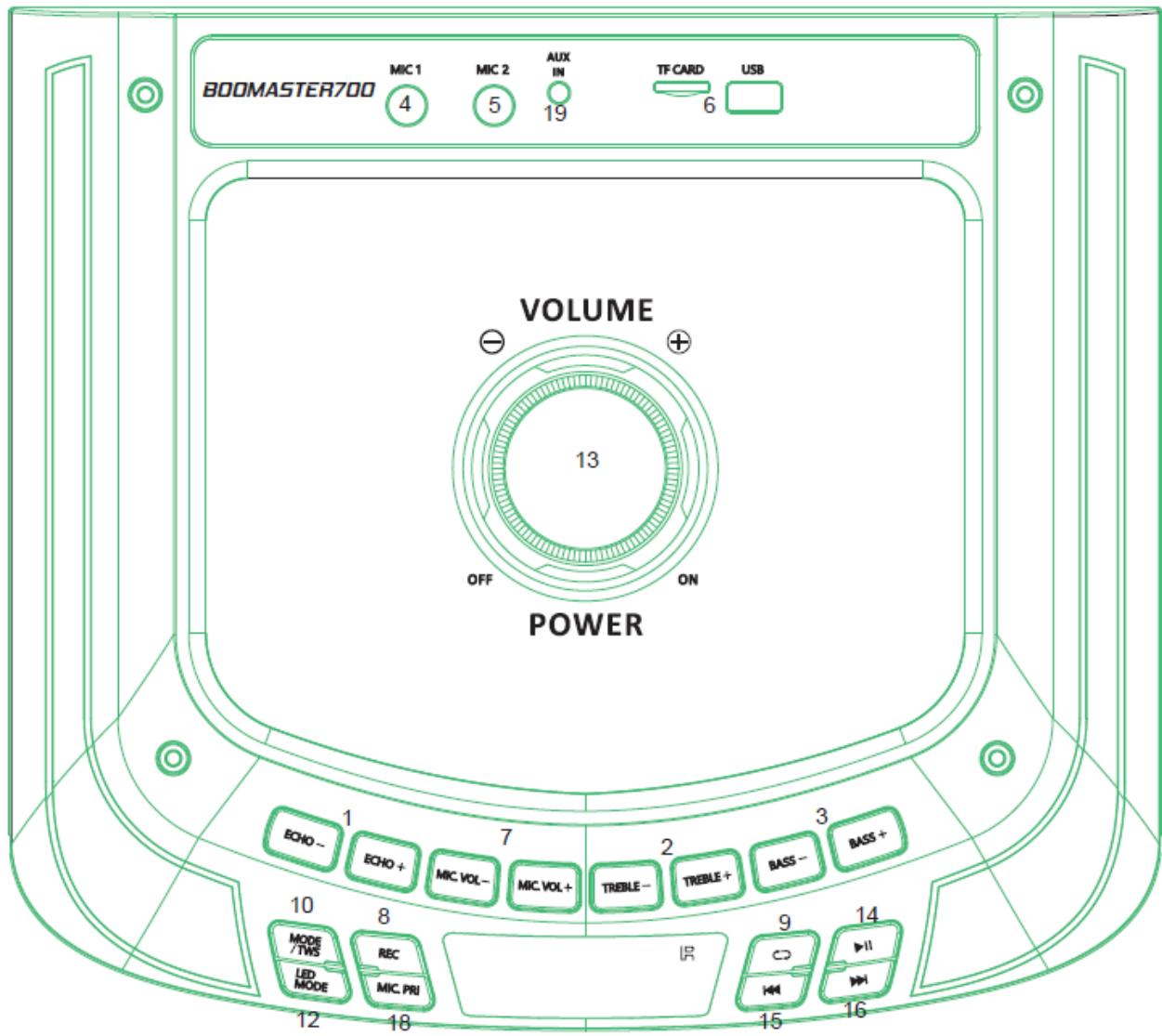
PANNEAU DE COMMANDE - CONTROL PANEL - CONTROLPANEL - PANEL DE CONTROL
FR - MODE D'EMPLOI
Please read the manual carefully and keep it for future reference.
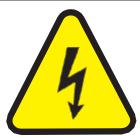
The lightning flash with arrowhead symbol, within an equilateral Triangle, is intended to alert the user to the presence of not insulated dangerous voltages within the product's enclosure that may be of sufficient
magnitude to constitute a risk of electric shock to persons.
The exclamation point within an equilateral triangle is intended to alert the user to the presence of important operating and maintenance (servicing) instructions in the literature accompanying the appliance.

CAUTION
DO NOT OPEN THE HOUSING SHOCK HAZARD
CAUTION:
- Donot place any recipients filled with liquids, such as glasses or vases, on top of or directly next to the appliance. They could fallover, causing waterto enterthe appliance. Never pour out liquidsoverthe appliance. Do not place small objects, such as coins or paper clips, on the appliance since they could fall inside the appliance and cause fire or ashock hazard! If any liquid or objectsenterthe appliance, pull immediately the mains plug out of the socket and contact a specialist.
- Only pull the mains plug out of the socket by the intended gripping surface. Do not pull it by the cable.
- Never plug the mains plug in or out with damp or wet hands
Electrical appliances must be kept out of there each of children. Be particularly careful if children are present. Children are not aware of the hazards involved in handling electrical appliances, and could attempt to poke objects into the appliance. There is a life-threatening danger of electrocution.
- Neverplace the appliance on unstable or mobilesurface. Persons could be injured or the appliance damaged by it falling down.
All persons involved in operating, installing and servicing the appliance and putting it into service must be trained and qualified accordingly and observe these operating instructions.
Defective mains cables may only be replaced by specialists. Danger of shock hazard!
If you are not sure about the correct connection or if questions arise which are not answered by the operating instructions, please do not hesitate to contact support or a specialist of your choice. Consult a specialist if you are in doubt about the operating principle or the safety of the product.
- Please unplug the adaptor and switch the unit off if you don't use it for a long time, to avoid damage due to voltage surges.
No naked flame sources such as lighted candles should be placed on the apparatus.
- A warning that batteries (battery pack or batteries installed) shall not be exposed to excessive heats such as sunshine, fire or the like.
Where the MAINS plug or an appliance coupler is used as the disconnect device, the disconnect device shall remain readily operable.
The device in operation cannot be exposed to extreme temperatures (not below 5^ and not above 35^ )
The device can only be used indoors
Use of the Remote Control
Please operate the remote control within a distance of 6 m and 30^ between the remote and the appliance. Aim the remote at the sensor. Remove all obstacles between the remote and the sensor.
The remote control might not work properly if the sensor is exposed to strong sunshine. If the remote control doesn't work properly, please check the batteries
RECOMMENDATIONS FOR BATTERIES
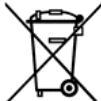
This symbol indicates that used batteries should not be disposed of with household waste but be recycled in separate collection points for recycling.
ATTENTION
Danger of explosion if battery is incorrectly placed. Only replace by the same or equivalent type. Keep new and old batteries out of the reach of children.
If the battery compartment doesn't close properly, stop using the product and keep it out of the reach of children.
Batteries shall not be exposed to excessive heat such as sunshine, fire or the like.
When the internal batteries are not to be used, remove them to avoid damage caused by battery leakage or corrosion.
WARNING
The supplied remote control contains abattery. In case of ingestion, it might cause serious internal burns within only 2 hours that might lead to death.
If you are indoubt whether the batteries have been swallowed or introduced into any other part of the body, contact immediately a doctor.

Electric products must not be put into household waste. Please bring them to a recycling centre. Ask your local authorities or your dealer about the way to proceed.
C Accordance with the requirements of CE standard

Recycled products can be recycled

The product is suitable for indoor use
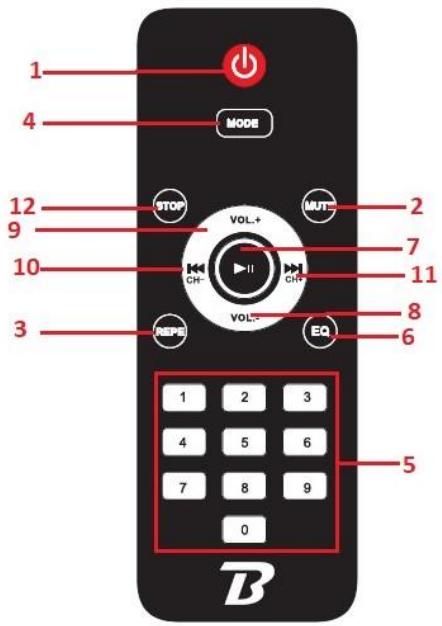
REMOTE CONTROL
- Standby
- Mute
- Repeat key (single repeat, repeat all) in USB/TF mode
- Mode key (Choose from AUX/USB/TF/BLUETOOTH).
Long press to switch the LEDs on the woofer on or off.
- 0-9 keys
- Sound EQ mode key (To select from Rock, Pop, Jazz, Norm,...)
- Play / Pause
- Volume -
- Volume +
- Previous Track
- Next Track
- Stop
CONTROL PANEL
- Echo > to add echo effect on microphone sound
- Treble > to increase or decrease high frequency
- Bass > to increase or decrease low frequency
- Microphone input 1 (6.35mm jack)
- Microphone input 2 (6.35mm jack)
- USB / TF input
- Microphone Volume > to adjust the voulume of MIC 1 and MIC 2
- REC > to record sound of MIC1 and MIC2 on USB drive
- REPEAT > to repeat One track or all track (USB mode)
- MODE > to switch between USB-TF/ BLUE / LINE-IN
- POWER SWITCH ON/OFF
- To select LED light effect
- Main Volume control knob
- PLAY/PAUSE
- Previous Track (Hold to decrease volume of USB)
- Next Track (Hold to increase volume of USB)
- AC220-240V input socket to connect the speaker to a domestic wall socket.
- MIC priority switch > reduce the sound of music when talk in microphone
- AUX IN > to connect an MP3 ao other applinace with 3.5mm output phone jack
BLUETOOTH OPERATION
1 Turn on the unit and press the MODE button on unitorontheremotecontrolto
2. Select the Bluetooth function. "blue" will start flashing on the display, the system automatically enters search mode.
3. Activate the Bluetooth feature on the external device to be paired.
4. Initiate a search for devices. The device shows up as "BOOMASTER700"
5. Select it and enter the password «0000» if required.
6. Play now the music from the device
7. Press the PLAY button on the unit or the key on remote control, to start playing and the buttons NEXT and PREV, or the keys and for the selection of songs.
In USB/TF play mode: Long press on the record key to go into recording mode.
The current sound output will stop and go to mute status. The recording will start when the screen displays 00:01. You can use a microphone to record. If you connect the USB/TF card for the first time to the speaker, the system will create a folder.
LINE IN MODE
- Press MODE button (10) on the unit or on the remote control until "LINE" appears on display.
- You can play music from the connected device (19) and adjust Volume
Support music formats: MP3, WMA
- USB port: plug and play
- TF slot: plug and play
- Play/pause: Press to play, press to pause, press again to resume play.
- Previous/Next: During play press once to go back to the beginning of the track or to the next track.
- Repeat: During play press once to repeat the current song, press twice to repeat all songs.
Technical Specification
| Power supply | AC220-240V 50/60Hz |
| Speakers | 2 x 10” (25cm) + Tweeter piezo 1.5” |
| Maximum musical power | 700W |
| Power consumption | 60W max |
| Frequency response | 50Hz – 20KHz |
| Bluetooth frequency range | 2402 – 2480MHz |
| Max BT RF emission | 2.18dBm |
| Packaging dimension | 1002 x 370 x 365 mm |
| Product dimension | 900 x 330 x 315mm |
| Gross weight / Net weight | 16.3KG / 14.35KG |
The EU declaration of conformity is available on our website www.msc-distribution.om
NL-HANDLEIDING