CL-CM-MULTI - Griddle COSYLIFE - Free user manual and instructions
Find the device manual for free CL-CM-MULTI COSYLIFE in PDF.


| Product Type | Crepe Maker |
| Brand | COSYLIFE |
| Model | CL-CM-MULTI |
| Model Number | 975211 |
| Capacity | 8 pancakes |
| Power | 1500 W |
| Power Supply | 220-240 V ~ 50/60 Hz |
| Plate Coating | Non-stick |
| Temperature Control | Yes, gradual from MIN to MAX |
| Heating Indicator | Red (lights up while heating, turns off when temperature is reached) |
| Included Accessories | 8 wooden spatulas, 1 ladle, detachable power cord |
| Housing Material | Heat-resistant plastic |
| Handles | Thermally insulated |
| Power Cord | Detachable, length approx. 80 cm |
| Dimensions (L x W x H) | 35 x 28 x 10 cm (approx.) |
| Weight | 2.2 kg (approx.) |
| Cleaning | Do not immerse, wipe with a damp cloth |
| Intended Use | Household, cooking pancakes and similar preparations |
| Warranty | 2 years |
Frequently Asked Questions - CL-CM-MULTI COSYLIFE
User questions about CL-CM-MULTI COSYLIFE
0 question about this device. Answer the ones you know or ask your own.
Ask a new question about this device
Download the instructions for your Griddle in PDF format for free! Find your manual CL-CM-MULTI - COSYLIFE and take your electronic device back in hand. On this page are published all the documents necessary for the use of your device. CL-CM-MULTI by COSYLIFE.
USER MANUAL CL-CM-MULTI COSYLIFE
Thank you for choosing this COSYLIFE product. COSYLIFE products are chosen, tested, and recommended by ELECTRO DEPOT, so you can be sure you are getting a top-quality, easy-to-use product that won't let you down.
We're confident your new device will be a pleasure to use every day!
Welcome to ELECTRO DEPOT.
Table of Contents

Parts
Product overview
Intended use
Specifications

Before first use
Operation

Cleaning and maintenance
Storage
Parts
Non-stick cooking plate for 8 pancakes
B Base unit
Heating indicator light (red)
D Temperature Control knob
E Handles
F Removable power cable
Wooden spatula x 8
Ladle
Product overview
- Unpack and remove all labels from the unit. Please check that all parts are included and intact. If the unit is damaged or faulty, do not use it and take it to your retailer or after-sales service centre.
- Keep all packaging out of the reach of children. There is a risk of accidents if children play with packaging materials.
Intended use
This unit is intended for household use only. It is not intended for industrial, commercial or outdoor use. This unit is designed exclusively for cooking pancakes.
Any other use may damage the unit or result in fire, electric shock or injury.
Use the unit indoors, in a dry and well-ventilated area.
Specifications
| Model: | 975211 |
| Operating voltage: | 220-240 V ~, 50-60 Hz |
| Rated power: | 1500 W |
| Protection class: | Class I |
B Product usage
Before first use
- Remove all packing materials and any protective stickers from the unit.
- Before first use, clean the unit with a soft moist cloth ( Cleaning and maintenance).

Note: The unit may emit a slight smoke and odour on the first use. This is a normal phenomenon due to the first heating of the internal components and will disappear after a few minutes.
Operation
Prepare the pancake batter before starting to use the unit.
- Place the unit on a stable, level, dry and heat resistant surface. Use a non-slip heat-resistant mat under the unit to protect the tabletop from heat.
- Apply a thin layer of cooking oil or butter on the cooking plate to ensure the pancakes are easy to flip.
- Make sure the Temperature Control knob is turned anti-clockwise to the "MIN" (Off) position. Plug one end of the power cable into the power socket on the back of the unit, and plug the other end of the cable into an earthed mains socket. Ensure a firm connection on both ends.
- Turn the Temperature Control knob clockwise to select the desired temperature. Allow the unit to preheat. The red Heating indicator light will illuminate to indicate that the unit is heating up to the selected temperature, and will turn off when the selected temperature is reached.
- When the red Heating indicator light goes off, the unit is ready to cook.

Note:
- The red Heating indicator light will cycle on and off during cooking to indicate that the unit is maintaining the selected temperature.
- Use wooden or nylon utensils on the cooking plate to protect the non-stick surface from scratches. Do not use metal or sharp utensils.
-
Do not rest utensils on the cooking surface. Do not cut foods on the cooking plate.
-
Pour a small amount of batter into the centre of the pancake moulds using the ladle (provided).
- Turn the pancakes (or food) with the wooden spatulas (provided). Reapply butter or cooking oil to the cooking plate as needed.
- To turn the unit off, turn the Temperature Control knob to the "MIN" (Off) position and unplug the power cable from the mains socket.

WARNING!
Unplugging the power cable is the only way to completely disconnect the unit from the mains supply. Never leave the unit unattended while it is connected to the mains socket.
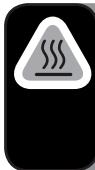
CAUTION! Risk of burns!
- Do not touch hot surfaces. The cooking plate, metal surfaces and surfaces marked with this symbol on the unit become hot during use and are subject to residual heat after use. Always use the handles or knobs.
- Never move the unit during use, especially when it contains hot batter.
Cleaning and maintenance

WARNING! Risk of fire or electrocution!
- Before cleaning, always unplug the unit from the mains socket and allow it to cool down.
- Never immerse the unit, power cable or plug in water or any liquid. Never rinse them under the tap.

Important: Do not use solvents, chemical or abrasive cleaning agents, wire brushes, sharp objects or scouring pads to clean the unit.
- Clean the unit after each use.
- The cooking plate is not removable.
- The cooking plate is easier to clean when it is still slightly warm. Use a heat-resistant plastic or wooden spatula to remove any food residue from the cooking plate. Clean the cooking plate with a soft cloth or sponge dampened with warm water and mild dish detergent.
To remove stubborn food burns on the cooking plate, place a kitchen paper dampened with warm soapy water on the spot and let it sit for a few minutes before cleaning.
- Wipe down the base unit and cooking plate with a soft moist cloth. Make sure that no moisture gets into the unit or the air inlets/outlets.
- Allow the unit to dry completely before using or storing it.
Storage
- Always unplug the unit before storing, and make sure that it is completely cool and dry.
- Store the device in a cool, dry and clean place, out of the reach of children and pets.
C
Cleaning and maintenance
- Please save the packaging for storing your device when not in use for a longer period of time.
- Remove the detachable power cable and store it with the unit.

Bedankt!
This product is guaranteed against faults caused by defects in manufacturing or the materials used for a period of two years, starting from the date of purchase.* This warranty does not cover defects or damage caused by failure to install the device correctly, incorrect use of the product, or excessive wear and tear.
*proof of purchase required.
NL