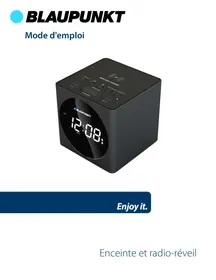
BLP2612 - Alarm Clock BLAUPUNKT - Free user manual and instructions
Find the device manual for free BLP2612 BLAUPUNKT in PDF.

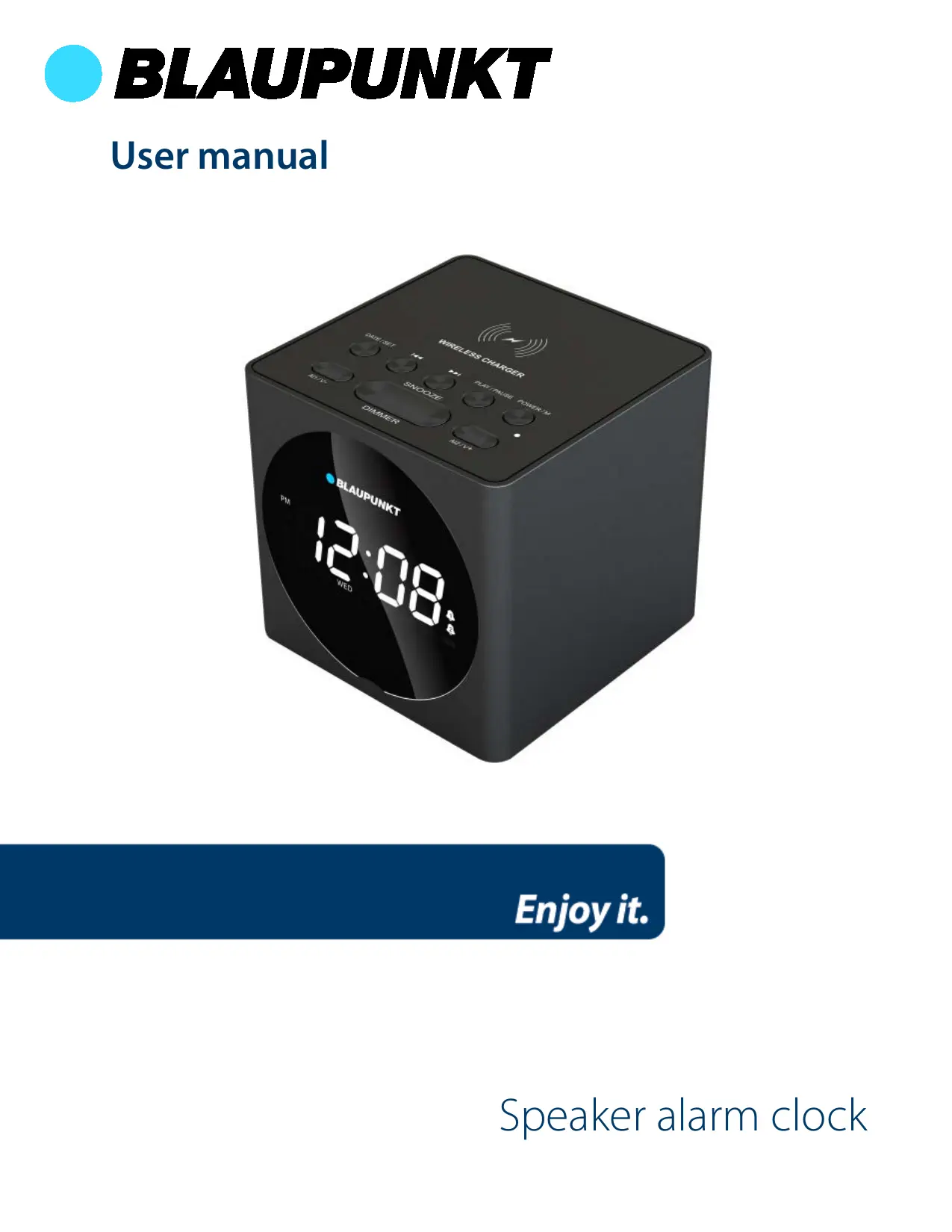


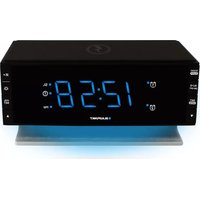
| Product type | Radio alarm clock with wireless charger |
| Brand | Blaupunkt |
| Model | BLP2612 |
| Dimensions | 115 x 115 x 112 mm |
| Weight | 0.62 kg |
| Power supply | 5.5 V DC / 1.5 A |
| Maximum power consumption | 8.25 W |
| Sound output | 5 W |
| Frequency response | 20 Hz - 18 kHz |
| Bluetooth version | 4.2 |
| Bluetooth range | 10 m |
| FM radio frequency | 87.5 – 108 MHz |
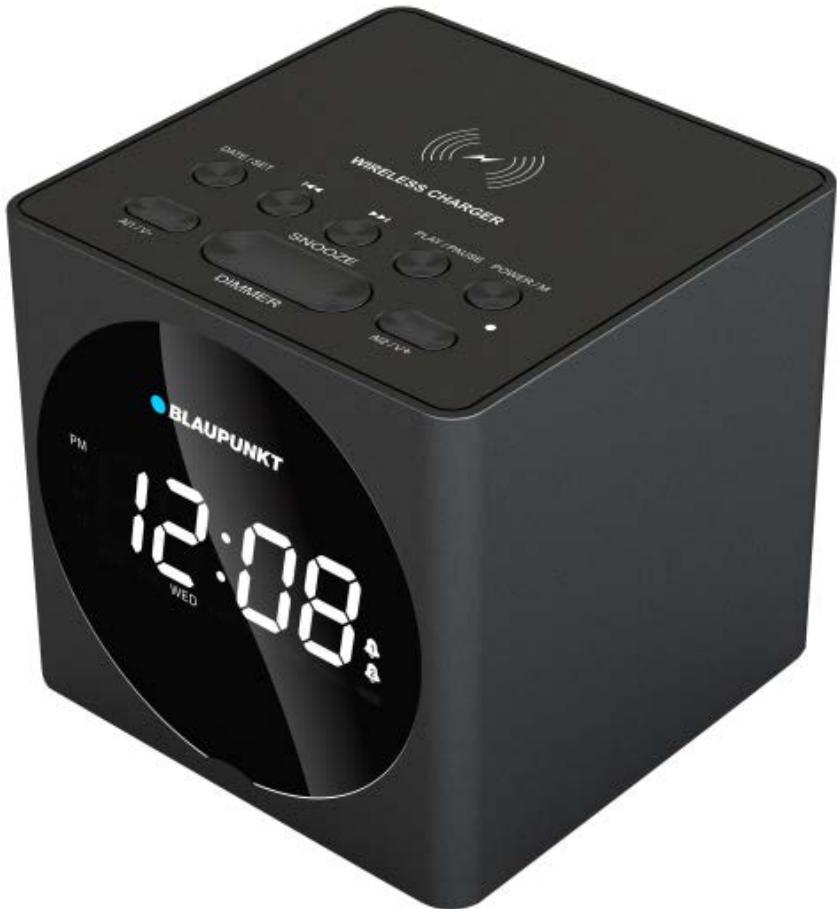
| Main functions | FM radio, Bluetooth, line input, dual alarm, wireless charging, night light |
| Display type | LED |
| Display settings | 12/24h, adjustable brightness (4 levels) |
| Alarms | 2 independent alarms (beep or radio), snooze up to 30 min |
| Station memory | Up to 20 FM stations in memory |
| Wireless charging | Qi compatible, top surface |
| Care and cleaning | Wipe with a soft, dry cloth; do not use abrasive products |
| Safety | Do not expose to water, do not open, use indoors only |
| Spare parts and repairability | Repair by qualified personnel only; backup battery not user-replaceable |
| General information | Compliant with directive 2014/53/EU; do not dispose of with household waste |
Frequently Asked Questions - BLP2612 BLAUPUNKT
User questions about BLP2612 BLAUPUNKT
0 question about this device. Answer the ones you know or ask your own.
Ask a new question about this device
Download the instructions for your Alarm Clock in PDF format for free! Find your manual BLP2612 - BLAUPUNKT and take your electronic device back in hand. On this page are published all the documents necessary for the use of your device. BLP2612 by BLAUPUNKT.
USER MANUAL BLP2612 BLAUPUNKT
Read these safety instructions before using your device and store them for possible future reference.
- The device is not intended for use by persons (including children) with reduced physical, sensory or mental capacity. Persons who have not read the manual, unless they have received explanations by a person responsible for their safety and supervision should not use this unit.
- Children should be monitored to ensure that they do not play with the device.
- The device should always be readily accessible.
- The device should not be exposed to dripping or splashing water.
- No objects filled with liquids such as vases shall be placed on the device.
- Always leave a minimum distance of 10 ~cm around the unit to ensure sufficient ventilation.
- Open flame sources, such as candles, should not be placed on top of the device.
- The device is intended for use only in a temperate climate.
- At full volume, prolonged listening to the portable audio device may damage the user's hearing and cause hearing troubles (temporary or permanent deafness, hearing drone, tinnitus, hyperacusis).
- So we recommend not to listen to the portable audio device at high audio volume and no more than one hour per day at medium audio volume.
- CAUTION: Danger of explosion if battery is incorrectly replaced or not replaced by the same type or equivalent.
- The battery should not be exposed to excessive heat such as sunshine, fire or similar.
- Different types of batteries, new and used batteries should not be mixed.
- The battery must be installed according to the polarity.
- If the battery is worn, it must be removed from the product.
- The battery must be disposed of safely. Always use the collection bins provided (check with your dealer) to protect the environment.
Switch the device off where the use of the device is not allowed or where there is a risk of causing interference or danger, for example on board an aircraft, near medical equipment, fuel, chemicals or blasting sites.
ROAD SAFETY COMES FIRST
Check the current laws and regulations regarding the use of this device in the areas where you drive.
- Do not handle the device when driving.
- Concentrate fully on the driving
- Radio signals could affect some of the car's electronic systems such as the audio stereo and alarm systems.
INTERFERENCE
All wireless devices are susceptible to interference which may affect their performance.
All our device conform to international standards and regulations, and if need be national ones, with a view to limiting user exposure to electromagnetic fields. These standards and regulations were adopted after the completion of extensive scientific research. This research established no link between the use of the mobile headset and any adverse effects on health if the device is used in accordance with standard practices.
AUTHORISED PERSONNEL
Only qualified people are authorized to install or repair this product.
ACCESSORIES
Only use batteries, chargers and other accessories which are compatible with this equipment. Do not connect incompatible products.
KEEP YOUR APPLIANCE DRY
Your device is not waterproof. Keep it dry.
CHILDREN
Keep your device in a safe place, out of the reach of young children. The device contains small parts that may present a choking hazard.
Specifications
Max consumption : 8,25W
Radio frequency : 2,4GHz
Sound power : 5W
Frequency range : 20Hz- 18KHz
Bluetooth compatible version : 4.2
Distance Bluetooth stays connected : 10m
Dimensions : 115 x 115 x 112mm
Weight : 0,62Kg
Function Buttons
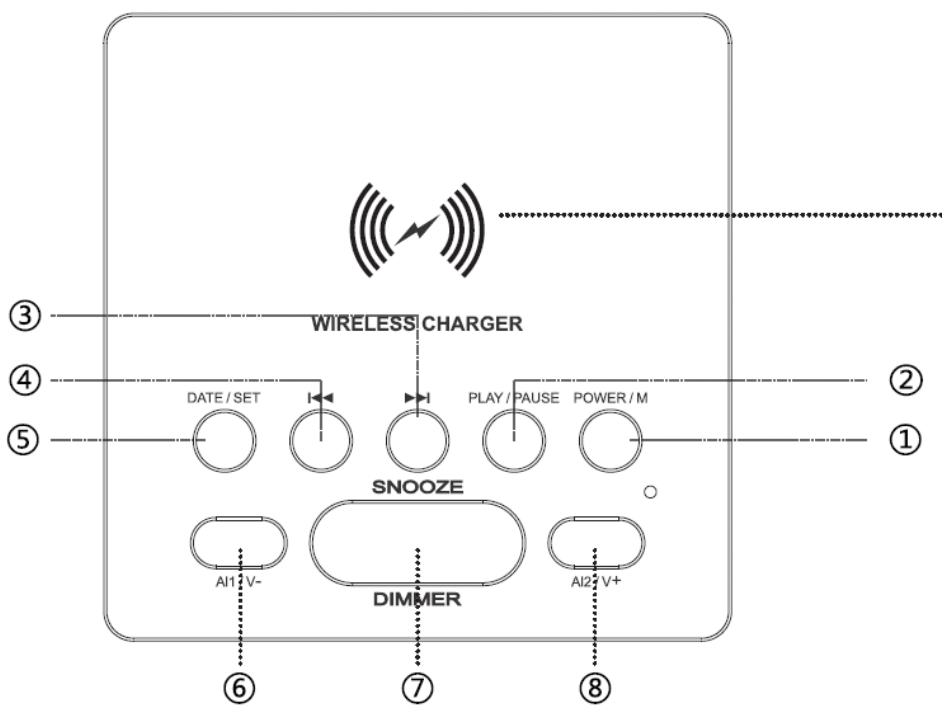
Wireless charging panel Put your phone on the top panel of unit, charging icon will display.
- Power/M : Power on/off/mode button
- Play/Pause : Play/Pause for music under Bluetooth function
- Next track/FM/Bluetooth/FM radio tuning
- Last track/FM/Bluetooth/FM radio tuning
- DATE/SET : Time adjustment / keep radio stations by hand
- AL1/V - : Press once to decrease volume, press it always to decrease volume continuously/ power off alarm1
- SNOOZE/DIMMER : Alarm pausing/Display light/mid-dim. Default is bright.
- AL2/V + : Press once to increase volume, press it always to increase volume continuously/ power off alarm2.
ON/OFF/MODE
- Default mode is under clock mode by PM12:00 when unit is power on. Press button ② to exchange mode of 12H or 24H.
- Power on/Mode exchanging
A. Press ① into FM mode
B. Press ① again to Bluetooth mode
C. Press ① continuously to line-in mode
D. Press ① successively to exchange function of FM/Bluetooth/Line in
E. Default mode is FM
F. During operation, there has reminder voice
- Power off
A. Press ① and hold to power off and shows clock on display
B. During operation, there has reminder voice
Bluetooth pairing
- Please switch on Bluetooth function on cell or tablet
- Press M button to Bluetooth mode of unit, then BT was sparking on display
- Search for BLP2612 from cell or tablet and then starting pairing
- Under Bluetooth mode, if no pairing Bluetooth device searching for 10minutes, unit will stop searching
- After pairing successfully, BT indicator is lighting always, and display shows Clock
- Press button ③④ once to cut off Bluetooth function
- Pick up call
A. When call is coming in, press button ⑦ to pick up call
B. Press button ⑦ again to cut off call
C. Press button ① to refuse coming call
FM Mode
- Press button ① to FM mode, then FM indicator is light on display, and there shows current frequency at display.
- Searching station automatically: press and hold button ② , unit is starting to search for stations automatically and record, station numbers from P1 to P99
- Select stations what you want : at all recorded stations, press and hold button ③④ to next or last stations that have recorded in unit and starting playing
- Searching station by hand : under FM mode, press button ③④ to search for station step by step.
- Record stations by hand, under current FM frequency, press and hold button ⑤ , there shows the number of stations on display, then press 3 4 button to select station numbers from P1 to P20
- Press and hold button③④ at same time to eliminate all stations
Clock / Alarm mode
- At standby mode, press button⑤, there shows year, press button⑤ again, shows month and date. Press ⑤ button further to show time. This action will be circulated when press button⑤ continuously, if stop more than 5 seconds, shows to original mode.
- At standby mode, press button ⑤ to time mode, then Hour number is sparking, press button 3 4 to correct hour; press button 5 again, number of Minute is sparking, press button 3 4 to adjust to correct minute; continuously press button 5 , number of Month is sparking, press button 3 4 to correct Month; same action to adjust year, date...
- Alarm1: under clock mode, press button⑥ to make icon of 4 is shows on LED, press button⑥ again to power off alarm1 and icon 4 was off on display. Press and hold button ⑥ to default alarm BUSS and sparking on display, press button③④ to change alarm music to FM; press button⑥ and button③④ to adjust alarm time and alarm volume respectively; press button⑥ finally to adjust alarm mode: Monday to Friday, Saturday to Sunday, Monday to Sunday, then press button ⑥ to finish setting up.
- Alarm2 : same as Alarm1 setting up, just change button⑥ to button⑧, other action is same as alarm1 setting up.
Alarm Snooze/Sleep mode
- Alarm time duration is 30minutes
- When alarm is working, press button ⑨ to wake up snooze function, press and hold button ⑨ to power off snooze function
- When alarm is working, press button① to erase alarm function
Dimmer display
At any mode, press button⑦ to adjust brightness of display: bright—mid bright—dark-off; default is mid bright
Wireless Charging Panel
- Put your cell phone on the top panel of unit, charging icon is brighting.
Declaration of conformity UE
Dag Technologie®, herby declares that this equipment, conforms to the essential requirements and other relevant provisions of Directive 2014/53/UE. The declaration of Conformity can be viewed at the following address:
http://www.mms-support.net/OTA/ECD_DAG_BLP2612-001.pdf
The European directive 2012/19/EU on Waste Electrical and Electronic Equipment (WEEE), requires that old household electrical appliances must not be disposed of in the normal unsorted municipal waste stream.
Old appliances must be collected separately in order to optimize the recovery and recycling of the materials they contain, and reduce the impact on human health and the environment. The crossed out "wheeled bin" symbol on the product reminds you of your obligation, that when you dispose of the appliance, it must be separately collected.

To avoid possible hearing damage, do not listen at high audio volume for long periods of time.
Imported by Dag Technologie
79/81Ancienne route Nationale 7
69570 Dardilly
France
Enjoy it.
Dag Technologie®
79/81Ancienne Route Nationale 7
69570 Dardilly - France
Manual del usuario
Enjoy it.
Draadloos laadpaneel


- ROAD SAFETY COMES FIRST
- INTERFERENCE
- AUTHORISED PERSONNEL
- ACCESSORIES
- KEEP YOUR APPLIANCE DRY
- CHILDREN
- Specifications
- Function Buttons
- ON/OFF/MODE
- Bluetooth pairing
- FM Mode
- Clock / Alarm mode
- Alarm Snooze/Sleep mode
- Dimmer display
- Wireless Charging Panel
- Declaration of conformity UE
- Manual del usuario
- Draadloos laadpaneel
Brand : BLAUPUNKT
Model : BLP2612
Category : Alarm Clock