USER MANUAL DL-EB39 DUAL
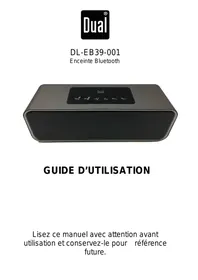
natural_image
Black Dual audio player with black grille and control buttons (no visible text or symbols on device body)
GUIDE D'UTILISATION
MAINTENEZ VOTRE APPAREIL AU SEC
EXCLUSIONS DE GARANTIE
EXCLUSIONS DE GARANTIE LIÉES À L'ORIGINE DU DOMMAGE
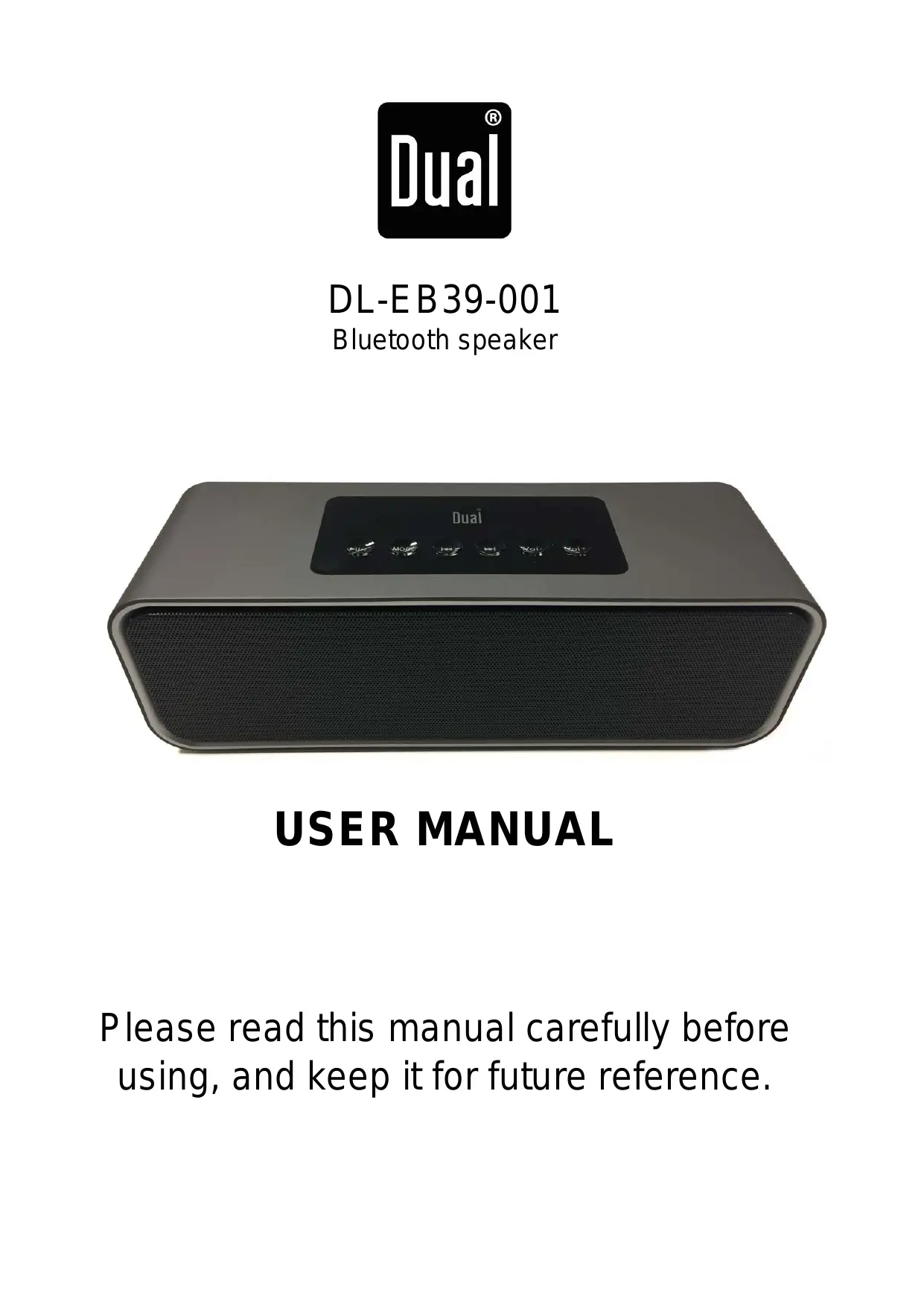
natural_image
Black Dual audio player with black speaker grille and control buttons (no visible text or symbols on device body)
USER MANUAL
Please read this manual carefully before using, and keep it for future reference.
Safety Precautions
Read these safety instructions before using your device and store them for possible future reference.
- The device is not intended for use by persons (including children) with reduced physical, sensory or mental capacity. Persons who have not read the manual, unless they have received explanations by a person responsible for their safety and supervision should not use this unit.
- Children should be monitored to ensure that they do not play with the device.
- The device should always be readily accessible.
- The device should not be exposed to dripping or splashing water.
- No objects filled with liquids such as vases shall be placed on the device.
- Always leave a minimum distance of 10cm around the unit to ensure sufficient ventilation.
- Open flame sources, such as candles, should not be placed on top of the device.
- The device is intended for use only in a temperate climate.
- At full volume, prolonged listening to the portable audio device may damage the user's hearing and cause hearing troubles (temporary or permanent deafness, hearing drone, tinnitus, hyperacusis).
- So we recommend not to listen to the portable audio device at high audio volume and no more than one hour per day at medium audio volume.
- The battery can't be replaced by the user, but only by the maker of this product, the after sales department or a qualified person.
SWITCH OFF IN RESTRICTED AREAS
- Switch the device off where the use of the device is not allowed or where there is a risk of causing interference or danger, for example on board an aircraft, near medical equipment, fuel, chemicals or blasting sites.
ROAD SAFETY COMES FIRST
Check the current laws and regulations regarding the use of this device in the areas where you drive.
- Do not handle the device when driving.
- Concentrate fully on the driving
- Radio signals could affect some of the car's electronic systems such as the audio stereo and alarm systems.
INTERFERENCE
- All wireless devices are susceptible to interference which may affect their performance.
- All our device conform to international standards and regulations, and if need be national ones, with a view to limiting user exposure to electromagnetic fields. These standards and regulations were adopted after the completion of extensive scientific research. This research established no link between the use of the mobile headset and any adverse effects on health if the device is used in accordance with standard practices.
AUTHORISED PERSONNEL
- Only qualified people are authorized to install or repair this product
ACCESSORIES
- Only use batteries, chargers and other accessories which are compatible with this equipment. Do not connect incompatible products.
KEEP THE EQUIPMENT DRY
- This equipment is not water proof. Keep it dry.
CHILDREN
- Keep your device in a safe place, out of the reach of young children. The device contains small parts that may present a choking hazard.
Dual Electronics, herby declares that this equipment conforms to the essential requirements and other relevant provisions of Directive 1999/5/EC. The declaration of Conformity can be viewed at the following internet address:
http://www.mms-support.net/OTA/ECD_MMBL_DL-EB39-001.pdf
【PACKING LIST】
• 1x Speaker DL-EB39
- 1 x USB charging cable
- 1 x Audio cable
- 1 x Instruction manual
- Wireless Bluetooth function
- Support hands-free function with build in microphone, clear voice without echo
- Support to play Mp3 music from U-disk or TF card
- Build in high quality lithium battery, support to charge from Micro USB port
- Support to set customized alarm bell, as you want
- Stereo and Hifi sound
- Fashion design
【KEY DEFINITION】

- “▶” KEY : Play/Pause/answer calling/hang up calling
In Bluetooth mode, short press “▶▶▶▶” key to answer or hang up the call when connect with smart phone. In Mp3 and Bluetooth mode, short press “▶▶▶▶” key to play or pause music.
In Line-in mode, short press “▶” key to silence.
-
"MODE" Key: Press "MODE" key to select Mode, the sequence is as: TIME->DATE->ALARM->BLUETOOTH->Mp3 -> Line in
-
“◀◀” KEY: In Bluetooth mode, short press “◀◀” key to select last music.
In Mp3 mode, short press “◀◀” key to last music, long press to fast backward.
-
“▶▶” KEY: In Bluetooth mode, short press “◀◀” key to select next music. In music player mode (MP3), short press “◀◀” key to select next music, long press to fast forward.
-
"Vol-" KEY: Press "Vol-" KEY to decrease volume
-
"Vol+" KEY :Press "Vol+" KEY to increase volume
-
"Power on/Off" KEY: switch on to power on, switch off to power off
- Built in Lithium Rechargeable Battery
【Lithium Rechargeable Battery Note】
-
Charge lithium battery
Can be charged from adapter or computer. It reach to full charged about 5 hours.
-
Maintain lithium battery
If the device is no use for long time to prevent Lithium Rechargeable Battery no properly work, please charge lithium battery in two to three months.
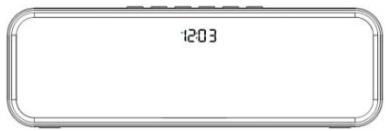
It enters to Time Mode and show time on display when turn on switch. Short press “◀◀” or “▶◀” to adjust 12/24 hours. Long press “Mode” key to set date and time. Short press “MODE” key to set date and time. When “year” shines on display, short press “◀◀” or “▶◀” to set it. Then, adjust month/date/hour/minute in same way.
2. Date Mode
Short press “Mode” key from Time Mode, it enters to Date Mode, LED display will show date, short press “◀◀” and “▶◀” to check year/month/date.
3. Alarm Mode
Long press “Mode” key to set alarm, same operation as time setting way. Short press “Mode” key to adjust ON/OFF status by pressing “◀◀” or “▶◀”. Then, short press “Mode” to confirm it.(Attention: The device support customized alarm song as you need. Please check the steps 1.Build a file, named as Alarm; Put one music in this file. Only first song will be alarm music, when there are many songs in the file.2.Keep external U-disk or TF card connect with speaker, which has alarm song file)
4. Bluetooth Mode
Short press “Mode” key to enter Bluetooth mode. You can see “BLUE” on display and hear a voice. Turn on Bluetooth digital device (mobile phone/MID/computer etc.) and connect it with a device named as “DL-EB39”. A voice will note you if it succeed. Short press “◀◀” /“▶◀” to choose former /next song. Short press “Vol+” /“Vol-” to increase/decrease volume. Short press “⊕/▶∥” key to play/pause. Short press “▶∥·∠” to play/pause. Short press “▶∥·∠” to answer/hang off calling
5. MP3 Mode
It enters to Mp3 mode when insert TF card/U-disk. Short press “◀◀” /“▶▶” to choose former /next song. Long press “◀◀” /“▶▶” to fast forward/backward. Short press “Vol+” /“Vol-” to increase/decrease volume. Press “Vol- ”/ Vol+” KEY to decrease/increase volume. Short press “ ⏻/▶▶” key to pause/play music.
6. LINE-IN Mode
It enters AUX mode when connect digital device via line-in cable, or short press “Mode” key come to Line-in mode from other mode. Short press “VOL+” or “VOL-” to increase or decrease volume. Short press “▶▶▶” to silence
【FAQ】
| No power | Check Lithium Rechargeable Battery which has power or not Check DC 5V Plug which is plugged properly |
| No sound or Sound distortion | Check the level of volume which is not on zero statusCheck music file which is damaged or not .The damaged music file produce sound distortion and cannot played .Please keep the good music files.Check Lithium Rechargeable Battery which is not enough power |
| Device hang up | Switch OFF the power then Switch ON the power again or After Charging, Switch ON the power once again |
【Specification】
| Display | LED |
| Built in lithium Rechargeable Battery | Battery capacity : 2000mAh |
| LINE-INAudio in (AUX)MP3/WMA/APE/FLAC/WAV | Max. input | (L) 300mV+ (R) 300mV |
| Output power | 5W x 2 |
| MP3 Bit Rate | 8K bps – 320K bps |
| Signal noise Ratio(SNR) | 85dB |
| Signal Distortion | <0.55% |
| Radio Frequency | 2.402-2.480GHz |
| Sound Frequency range | 60Hz-18Khz |
| Rated Voltage | DC5V 1A |
| Music Format | MP3 |
| Play time | Max 4 ~ 6 Hours (According to the level of Volume) |
| Charging Time | 4 hours |
| Bluetooth version | 2.1+EDR |
| Transmission Distance | 10 m |
| Operation temperature | -5 to 40 Celsius Degree |
* Product appearance, function and specification might change without prior notice.
WARRANTY CONDITIONS:
Your product is guaranteed 2 years.
To request support, contact the customer service at 0811 482 202.
You will then be asked the defective part and the original invoice stating the product regulation.
We may ask you for photos of your appliance.
FAILURE TO PACKING:
If it appeared, after unpacking the product or device, a vice preventing the use of the product in its expected configuration, contact the customer service within 72 hours worked.
DISCLAIMER OF WARRANTY
The guarantee does not apply in case of accidental physical damage, it does not cover such damage and failures that resulted:
- improper installation (of a bad installation) or a misuse or poor maintenance of the product.
- Improper use of the material or not complying with the instructions in the user manual.
- lightning, flood, fire, power surge, shock, poor ventilation, a fall, discoloration due to the action of light, burning, humidity, excessive heating without humidifier, or irregular ground or insects.
- Repairs made and / or working on the hardware and / or opening of it by an unauthorized person by the manufacturer.
- Maintenance, repair or replacement of parts due to normal usury or failure to maintain.
- Modification of the construction and original features of the guaranteed product.
- Corrosion, oxidation, a bad connection or an external power supply problem.
EXCLUSION OF WARRANTIES RELATING TO THE NATURE OF DAMAGES (INDIRECTS DAMAGES)
The guarantee covers only the right to repair or replace the guaranteed product.
Consequently, the indirect damage resulting from the failure or damage not covered by warranty, including:
- Commissioning costs, adjusting, cleaning;
- Damage of any kind resulting from the unavailability of the product guaranteed during the period between deterioration and failure and repair or replacement of the product guaranteed.
OTHER EXCLUSIONS
- Damage and faults under specific exclusions in the warranty manufacturer guaranteed product, as mentioned in the product instructions for use;
• The aesthetic damage;
- The products guarantee that the customer is not able to return or those who returned without their accessories.
The European directive 2012/19/EU on Waste Electrical and Electronic Equipment (WEEE), requires that old household electrical appliances must not be disposed of in the normal unsorted municipal waste stream. Old appliances must be collected separately in order to optimize the recovery and recycling of the materials they contain, and reduce the impact on human health and the environment. The crossed out “wheeled bin” symbol on the product reminds you of your obligation, that when you dispose of the appliance, it must be separately collected.
To avoid possible hearing damage, do not listen at high audio volume for long periods of time.
DUAL Electronics – 79/81 Ancienne Route Nationale 7 – 69570 DARDILLY - FRANCE
DL-EB39-001
Altoparlante Bluetooth
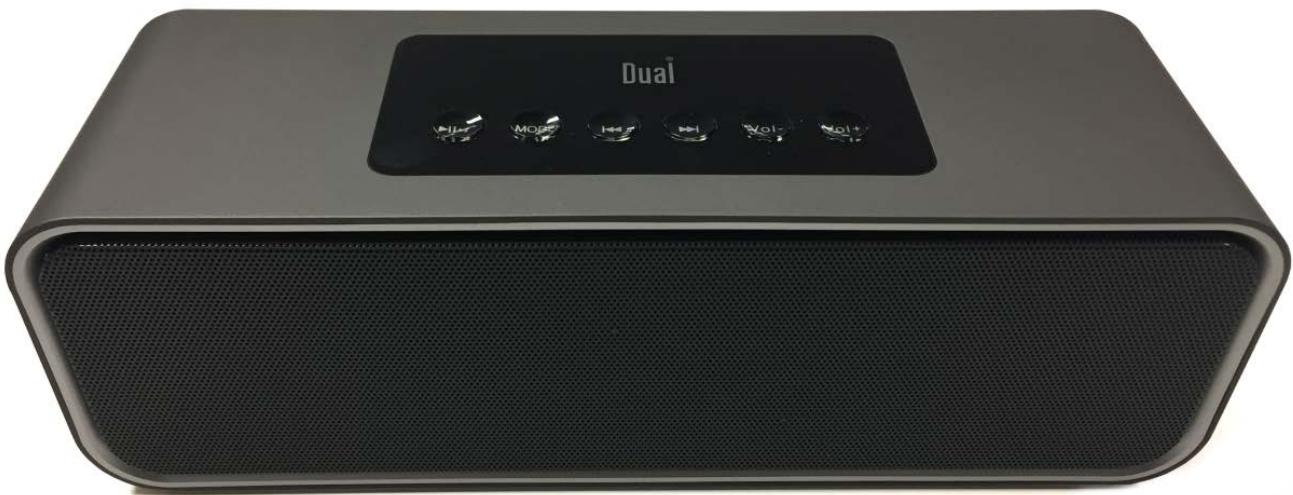
natural_image
Exterior view of a Dual audio device with black speaker grille and control buttons (no visible text or symbols beyond branding)
MANUALE UTENTE
natural_image
Technical line drawing of a device front and side views (no text or symbols)
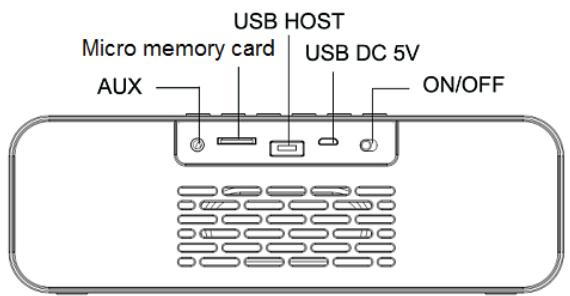
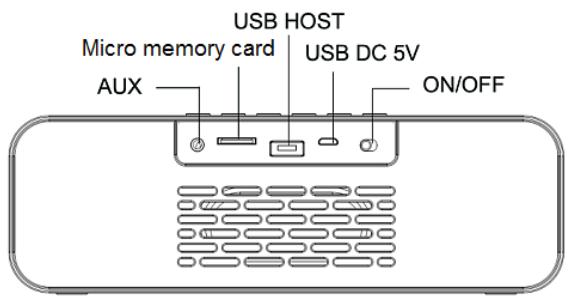
| En | It |
| USB HOST | HOST USB |
| Micro memory card | Scheda Micro SD |
| USB DC 5V | USB DC 5V |
| AUX | AUX |
| ON/OFF | Accensione/Spegnimento |
[ASPETTO DEL DISPLAY]
![DUAL DL-EB39 - [ASPETTO DEL DISPLAY] - 1](/content/2025/01/328169/images/dfcc884e817eff232d48d05e005efdc943c3239f822695f5fc4cfc0d66da2b9d.jpg)
natural_image
Black Dual audio player with black grille and control buttons (no visible text or symbols on device body)
BEDIENUNGSANLEITUNG
natural_image
Technical line drawing of a device front panel and its rounded rectangular frame (no text or symbols)
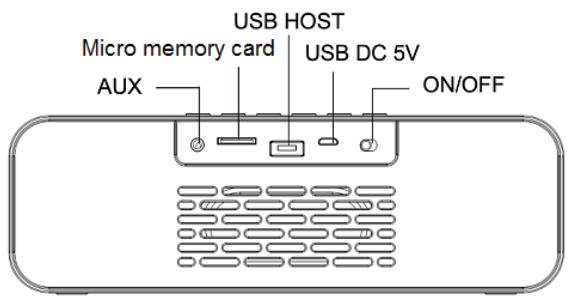
| En | De |
| USB HOST | USB-HOST |
| Micro memory card | Micro-Speicherkarte |
| USB DC 5V | USB DC 5 V |
| AUX | AUX |
| ON/OFF | EIN/AUS |
natural_image
Exterior view of a Dual audio device with black speaker grille and control buttons (no visible text or symbols beyond branding)
MANUAL DEL USUARIO
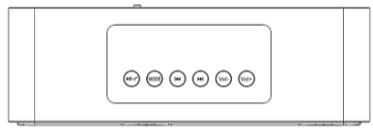
[IMAGEN DEL PRODUCTO]
| En | Es |
| USB HOST | Microtarjeta de memoria |
| Micro memory card | Microtarjeta de memoria |
| USB DC 5V | USB DC 5 V |
| AUX | AUX |
| ON/OFF | ENCENDIO/APAGADO |
[IMAGEN DE LA PANTALLA]
![DUAL DL-EB39 - [IMAGEN DE LA PANTALLA] - 1](/content/2025/01/328169/images/3bc3a68a0ffba5ebea11037c12d08567a39d133824cd39a8b916d8d481501a58.jpg)
[CARACTERÍSTICAS DEL PRODUCTO]
natural_image
Exterior view of a Dual audio device with black speaker grille and control buttons (no visible text or symbols beyond branding)
GEBRUIKSHANDLEIDING
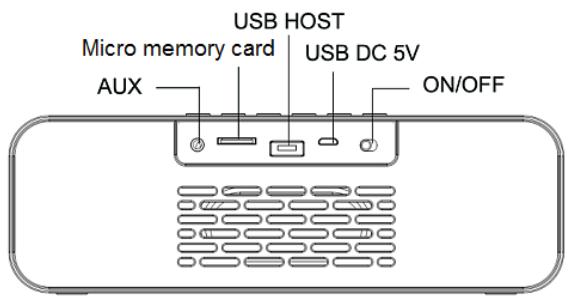
| En | NI |
| USB HOST | USB-HOST |
| Micro memory card | Microgeheugenkaart |
| USB DC 5V | USB DC 5V |
| AUX | AUX |
| ON/OFF | AAN/UIT |
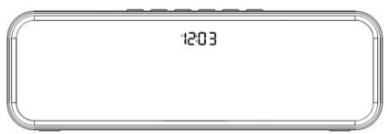
[UITERLIJK VAN DE DISPLAY]
![DUAL DL-EB39 - [UITERLIJK VAN DE DISPLAY] - 1](/content/2025/01/328169/images/a914601d99161c8a159c7705e9d0f82012ec52a7ce771387b9c50548286e27c4.jpg)
[PRODUCTEIGENSCHAPPEN]