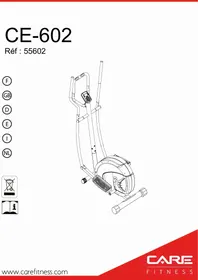
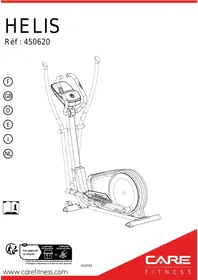
USER MANUAL CE-602 CARE FITNESS
Important: Read these instructions before using the equipment!
Safety
- Read this user manual and keep it in a safe place. Use this product exclusively in the manner indicated.
- This equipment must be assembled and used by adults.
- The equipment complies with the EN-957 standard, classification H for use in the home. It must not be used in a sports center or any other public, associative or rented space.
- For totally safe use, a stable, level surface is required. Protect your floor covering with a mat. Do not use the equipment in damp areas (swimming pool, sauna, etc.).
- Do not allow children to play with this equipment. STRIALE declines all responsibility for any injuries they may incur. Do not allow children close to this equipment when you are training.
- STRIALE declines all responsibility if technical modifications are made to any of its products by the user.
Maximum weight of user: 100kg
- Before you start training, it is essential that you consult your doctor to determine the intensity level of the program you use.
- Excessive or badly programmed training can damage your health.
- Keep your back straight when exercising.
- It is strongly recommended that your wear suitable clothing and footwear.
- For adjustable parts, bear the maximum positions in mind.
Maintenance
- Regularly check that elements fastened with nuts and bolts are correctly tightened.
- To maintain the level of safety, the equipment must be regularly checked. It is vital that any faulty parts are replaced and that it is not used until completely repaired. Remember regularly to grease moving parts.
- As sweat is very corrosive, do not allow it to come into contact with the enameled or chromed parts of the equipment, particularly the computer. Immediately wipe the equipment after training. The enameled parts can be cleaned using a damp sponge. All aggressive or corrosive products should be avoided.
Guarantee: the chassis is guaranteed for 5 years. Moving parts are guaranteed for 2 years. The guarantee applies to normal use by a private individual in his home
Recycling : The « crossed out dustbin » sign means that this product and its batteries cannot be thrown out whit domestic waste. They should be treated apart. When you have finished with them, drop them at an authorised collection point so they can be recycled. This gesture will go towards protecting the environment and your health.
E mail: sav@carefitness.com
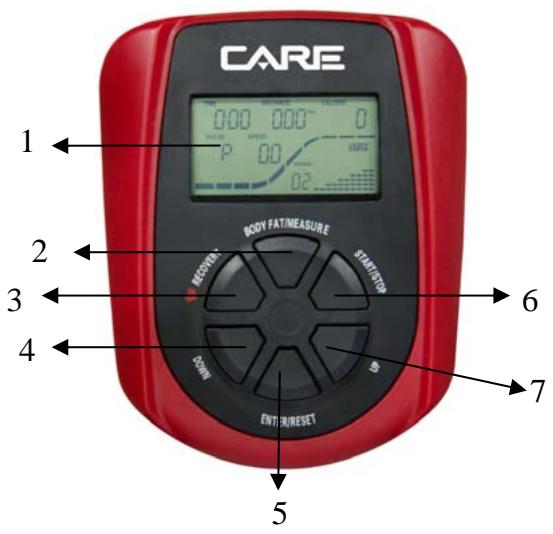
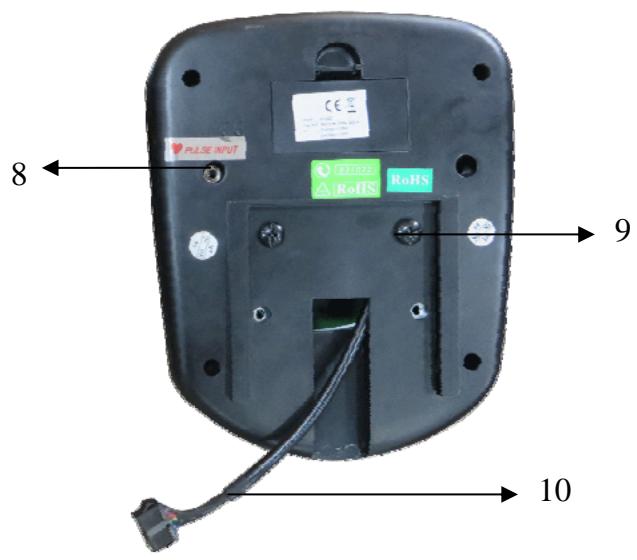
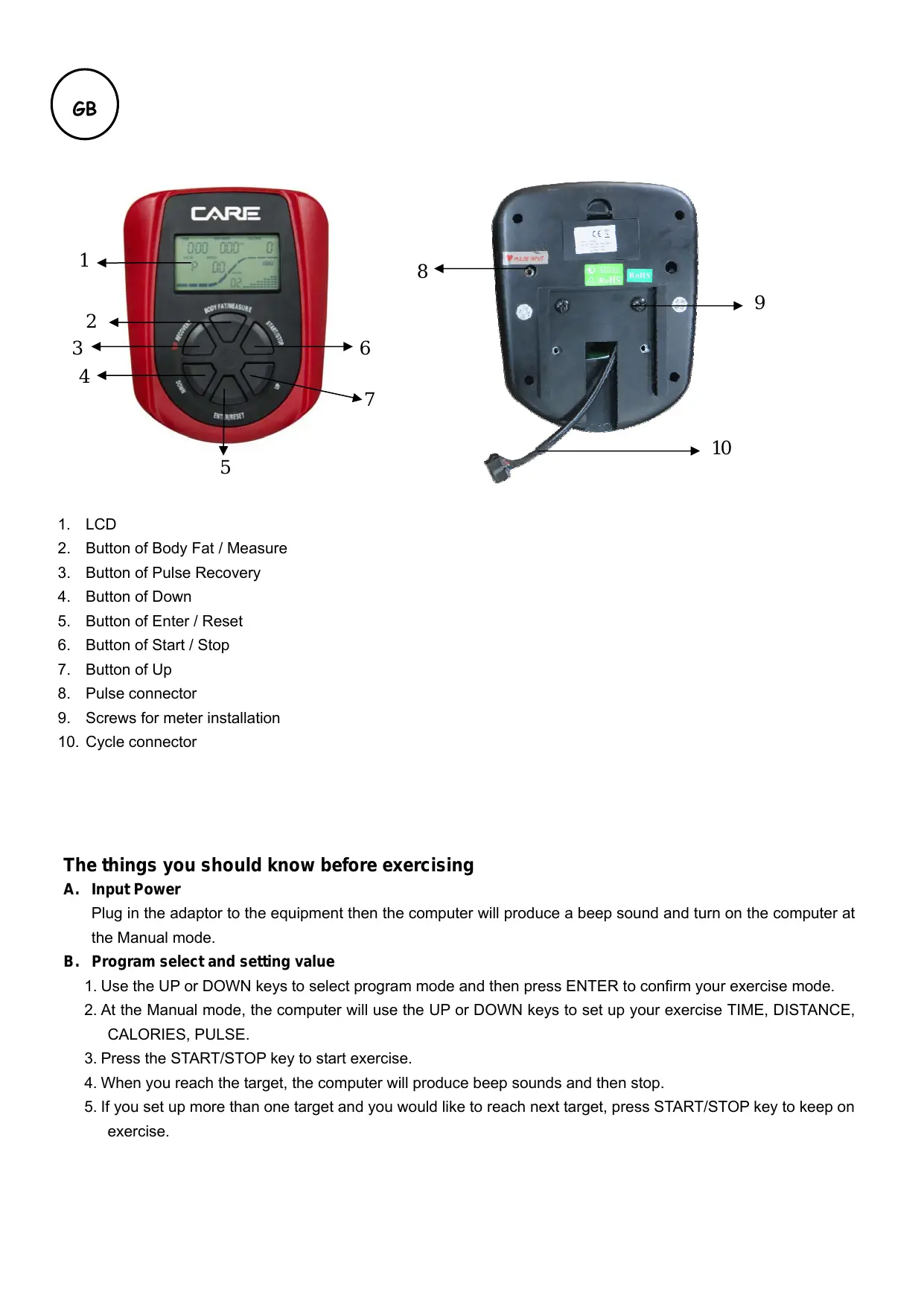
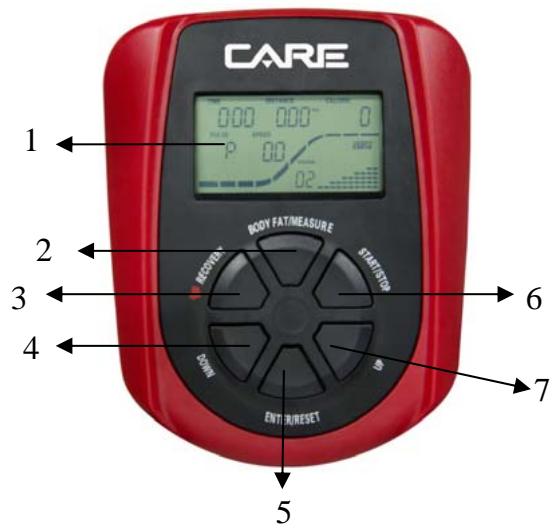
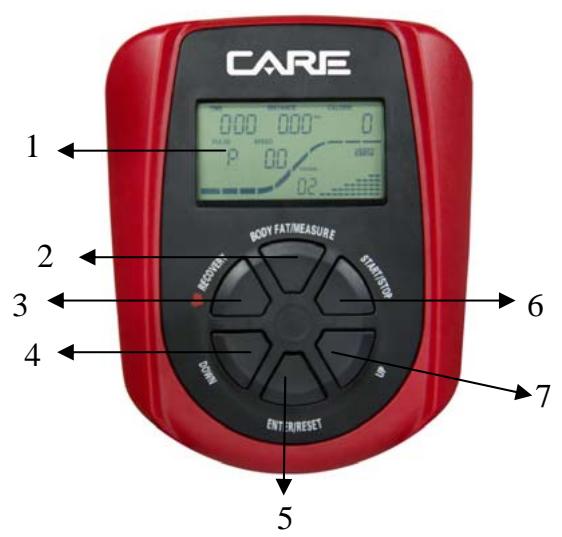
- LCD
- Button of Body Fat / Measure
- Button of Pulse Recovery
- Button of Down
- Button of Enter / Reset
- Button of Start / Stop
- Button of Up
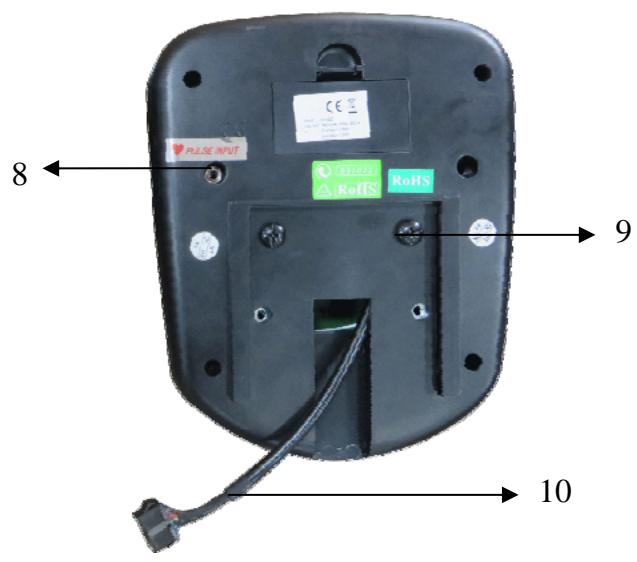
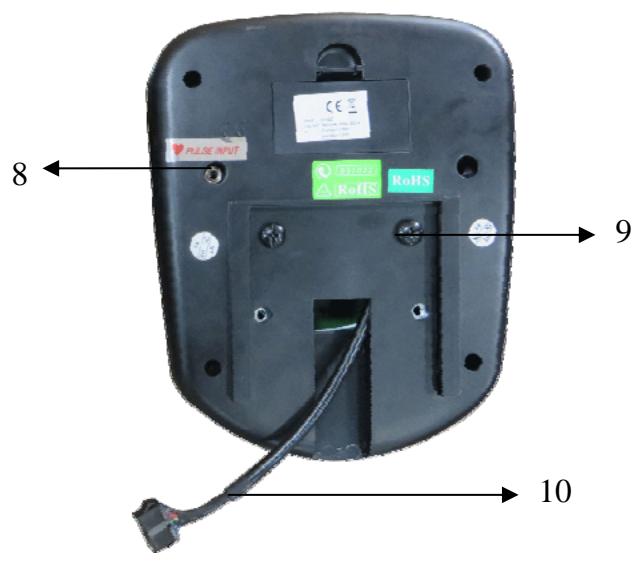
- Pulse connector
- Screws for meter installation
- Cycle connector
The things you should know before exercising
Plug in the adaptor to the equipment then the computer will produce a beep sound and turn on the computer at the Manual mode.
B. Program select and setting value
- Use the UP or DOWN keys to select program mode and then press ENTER to confirm your exercise mode.
- At the Manual mode, the computer will use the UP or DOWN keys to set up your exercise TIME, DISTANCE, CALORIES, PULSE.
- Press the START/STOP key to start exercise.
- When you reach the target, the computer will produce beep sounds and then stop.
- If you set up more than one target and you would like to reach next target, press START/STOP key to keep on exercise.
C. The monitor will SHOW SLEEP mode (LCD off) when there is no signal input and no pressed key after 4 minutes. Press the screen to start the monitor.
Functions and Features:
- TIME: Shows your elapsed workout time in minutes and seconds. Your computer will automatically count up from 0:00 to 99:59 in one second intervals. You can also program your computer to count down from a set value by using the UP and DOWN keys. If you continue exercising once the time has reached 0:00, the computer will begin beeping, and reset itself to the original time set, letting you know your workout is done.
- DISTANCE: Displays the accumulative distance traveled during each workout up to a maximum of 99.9KM/MILE.
- RPM: Your pedal cadence.
- SPEED: Displays your workout speed value in KM/MILE per hour.
- CALORIES: Your computer will estimate the cumulative calories burned at any given time during your workout.
- PULSE: Your computer displays your pulse rate in beats per minute during your workout.
- AGE: Your computer is age-programmable from 10 to 99 years. If you do not set an age, this function will always default to age 35.
- TARGET HEART RATE (TARGET PULSE): The heart rate you should maintain is called your Target Hear Rate in beats per minute.
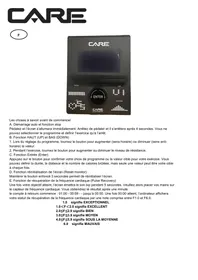
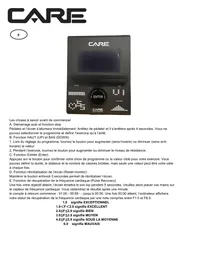
- PULSE RECOVERY: During the START stage, leave the hands holding on grips or leave the chest transmitter attached and then press "PULSE RECOVERY" key, all function displays will stop except "TIME". Time starts counting from 00:60 - 00:59 - - to 00:00. As soon as 00:00 is reached, the computer will show your heart rate recovery status with the grade F1.0 to F6.0.
1.0 means OUTSTANDING
1.0 < F < 2.0 means EXCELLENT
2.0 ≤ F ≤ 2.9 means GOOD
3.0 ≤ F ≤ 3.9 means FAIR
4.0 ≤ F ≤ 5.9 means BELOW AVERAGE
6.0 means POOR
Note: If no pulse signal input then the computer will show "P" on the PULSE window. If the computer shows "ERR" on the message window, please re-press the PULSE RECOVERY key and please make sure your hands are keeping well on the grips or the chest transmitter is attached well.
10.TEMPERATURE: Display the current temperature.
Key function:
There are 6 button keys and the function description as follows:
- START/STOP key:
a. Quick Start function: Allows you to start the computer without selecting a program. Manual .workout only. Time automatically begins to count up from zero
b. During the exercise mode, press the key to STOP exercise.
c. During the stop mode, press the key to START exercise.
- UP key:
a. Turn the toggle wheel to increase the resistance during exercise mode.
b. During the setting mode, turn the toggle wheel to increase the value of Time, Distance, Calories, Age and select Gender and Program.
- DOWN key:
a. Press the key to decrease the resistance during exercise mode.
b. During the setting mode, press the key to decrease the value of Time, Distance, Calories, Age and select Gender and Program.
- ENTER key:
a. During the setting mode, press the key to accept the current data entry.
b. At the stop mode, by holding this key for over two seconds the user can reset all values to zero or default value.
c. During setting the Clock, press this key can accept the setting hour and setting minute.
- BODY FAT key: Press the key to input your HEIGHT, WEKGHT, GENDER and AGE then to measure your body fat ratio,
- PULSE RECOVERY key: Press the key to activate heart rate recovery function.
Program Introduction & Operation:
Manual Program: Manual
P1 is a manual program. User can start exercise by pressing START/STOP key. The default resistance level is 5. Users may exercise in any desirous of resistance level (Adjusting by UP/DOWN keys during the workout) with a period of time or a number of calories or a certain distance.
Operations:
- Use UP/DOWN keys to select the MANUAL (P1) program.
- Press the ENTER key to enter MANUAL program.
- The TIME will flash and you can press UP or DOWN keys to set your exercise TIME. Press ENTER key to confirm your desired TIME.
- The DISTANCE will flash and you can press UP or DOWN keys to set your target DISTANCE. Press ENTER key to confirm your desired DISTANCE.
- The CALORIES will flash and you can press UP or DOWN keys to set your exercise CALORIES. Press ENTER key to confirm your desired CALORIES.
- The PULSE will flash and then you can press UP or DOWN keys to set your exercise PULSE. Press ENTER key to confirm your desired Pulse.
- Press the START/STOP key to begin exercise.
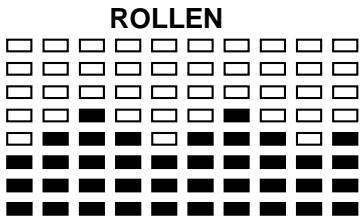
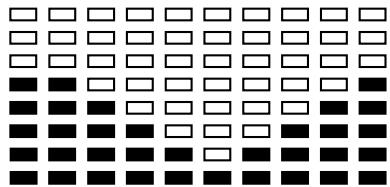
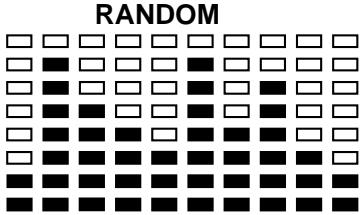
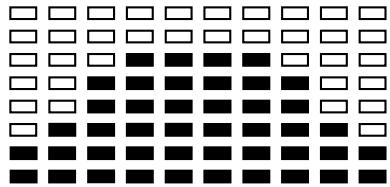
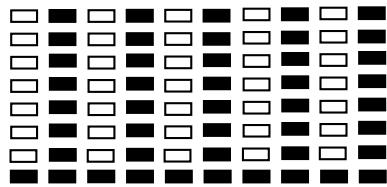
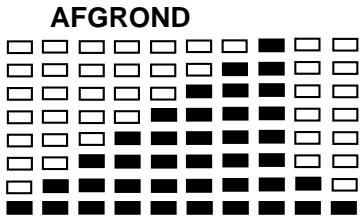
Preset Program: Steps, Hill, Rolling, Valley, Fat Burn, Ramp, Mountain, Intervals, Random, Plateau, Fartlek, Precipice Program
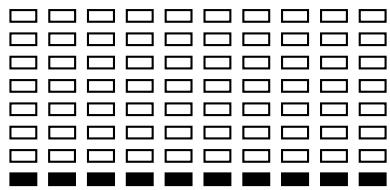
PROGRAM 2 to PROGRAM 13 is the preset programs. Users can exercise with different level of loading in different intervals as the profiles show. Users may exercise in any desirous of resistance level (Adjusting by UP/DOWN keys during the workout) with a period of time or a number of calories or a certain distance.
Operations:
- Use UP/DOWN keys to select one of the above programs from P2 to P13.
- Press the ENTER key to enter your workout program.
- The TIME will flash and you can press UP or DOWN keys to setting your exercise TIME. Press ENTER key to confirm your desired TIME.
- The DISTANCE will flash and you can press UP or DOWN keys to setting your target DISTANCE. Press ENTER key to confirm your desired DISTANCE.
- The CALORIES will flash and you can press UP or DOWN keys to setting your exercise CALORIES. Press ENTER key to confirm your desired CALORIES.
- The PULSE will flash and then you can press UP or DOWN keys to set your exercise PULSE. Press ENTER key to confirm your desired Pulse.
- Press the START/STOP key to begin exercise.
User Setting Program: User 1, User 2,
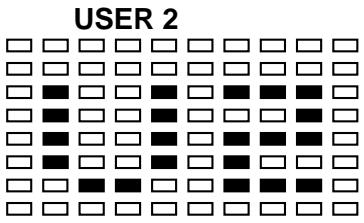
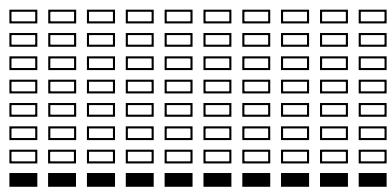
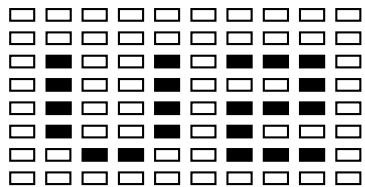
Program 14 to 15 is the user setting program. Users are free to create the values in the order of TIME, DISTANCE, CALORIES and the resistance level in 10 columns. The values and profiles will be stored in the memory after setup. Users may also change the ongoing loading in each column by UP/DOWN keys, and they will not change the resistance level stored in the memory.
Operations:
- Use UP/DOWN keys to select the USER program from P14 to P15.
-
Press the ENTER key to enter your workout program.
-
The column 1 will flash, and then use the UP/DOWN keys to create your personal exercise profile. Press ENTER to confirm your first column of exercise profile. The default level is load 1.
- The column 2 will flash, and then use the UP/DOWN keys to create your personal exercise profile. Press ENTER to confirm your second column of exercise profile.
- Follow the above description 5 and 6 to finish your personal exercise profiles. Press ENTER to confirm your desired exercise profile.
- The TIME will flash and you can press UP or DOWN keys to setting your exercise TIME. Press ENTER key to confirm your desired TIME.
- The DISTANCE will flash and you can press UP or DOWN keys to setting your target DISTANCE. Press ENTER key to confirm your desired DISTANCE.
- The CALORIES will flash and you can press UP or DOWN keys to setting your exercise CALORIES. Press ENTER key to confirm your desired CALORIES.
- The PULSE will flash and then you can press UP or DOWN keys to set your exercise PULSE. Press ENTER key to confirm your desired Pulse.
- Press the START/STOP key to begin exercise.
Body Fat Program: Body Fat
Program 16 is a special program design to calculate users' body fat ratio and to offer a specific loading profile for users. There are 3 body types divided according to the FAT% calculated.
Type1: BODY FAT% > 27
Type2: 27 BODYFAT% 20
Type3: BODY FAT % < 20
The computer will show the test results of FAT PERCENT, BMI and BMR.
Operations:
- Use UP/DOWN keys to select the BODY FAT (P16) program.
- Press the ENTER key to enter your workout program.
- The HEIGHT will flash and you can press UP or DOWN keys to set your HEIGHT. Press ENTER key to confirm your HEIGHT. The default HEIGHT is 170cm or 5'07" (5feet 7 inches).
- The WEIGHT will flash and you can press UP or DOWN keys to set your WEIGHT. Press ENTER key to confirm your WEIGHT. The default WEIGHT is 70kgs or 155lbs.
- The GENDER will flash and you can press UP or DOWN keys to select your sex. Number 1 means man and number 0 means female. Press ENTER key to confirm your Gender. The default sex is 1 (MAN).
- The AGE will flash and you can press UP or DOWN keys to set your AGE. Press ENTER key to confirm your AGE. The default AGE is 35.
- Press the START/STOP key to begin body fat measurement. If the window show E on the window, please make sure your hands are attached well on the grips or the chest belt is touch well on your body. Then press the START/STOP key again to begin body fat measurement.
- After finished your measurement, the computer will show the values of BMR, BMI and FAT PERCENT on the LCD display. Furthermore, the computer will show your own exercise profile for your body type.
- Press START/STOP key to begin exercise.
Operation guide:
- Sleep Mode: The computer will enter the sleep mode when there is no signal input and no keys be pressed after 4 minutes. You can press any key to wake up the computer.
- BMI (Body Mass Index): BMI is a measure of body fat based on height and weight that applies to both adult men and women.
- BMR (Basal Metabolic Rate): Your Basal Metabolic Rate (BMR) shows the number of calories your body needs to operate. This doesn't account for any activity, it's simply the energy needed to sustain a heartbeat, breathing and normal body temperature. It measures the body at rest, not sleep, at room temperature.
Error Message:
E1 (ERROR 1):
Normal state: During workout, when the monitor did not get the count signal from the gear motor more than 4 seconds and check under successive 3 times then the LCD will show E1.
Power on state: The gear motor will return to zero automatically, when the signal of motor cannot be detected for more than 4 seconds then the gear motor's driver will be cut off immediately and show the E1 on the LCD display. All the other digital and function mark are blank, and the output signals are cut off also.
E2 (ERROR 2): When the monitor read the memory data, if the I.D. code is not correct or the memory IC damages then the monitor will show E2 immediately at power on.
E3 (ERROR 3): After 4 seconds by start mode, the computer detects the faulty motor did not leave the zero point then the LCD bar displays "E3".
Technical data of the current adapter
- Available for Input: 230V/50Hz or 60Hz Output: 6V AC/0.5A
- Available for Input: 110V/50Hz or 60Hz Output: 6V AC/0.5A
LCD Workout Graphics
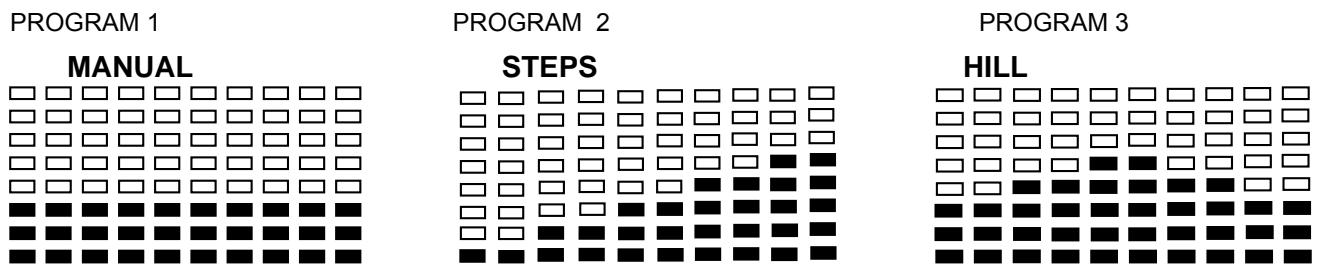
PRESET PROGRAM PROFILES:
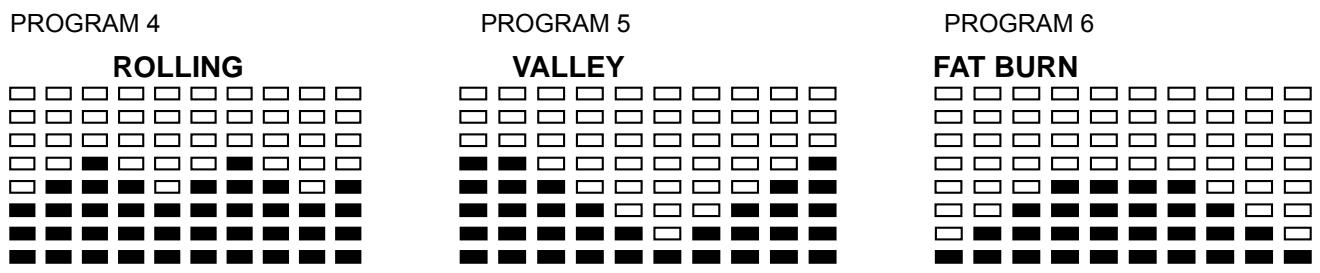
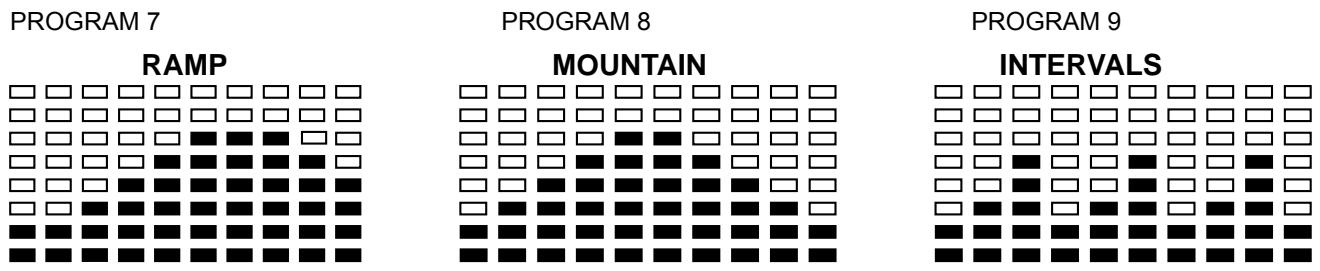
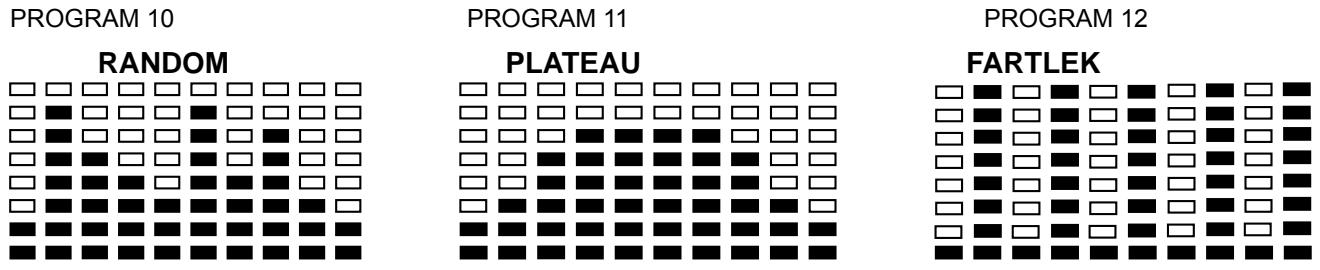
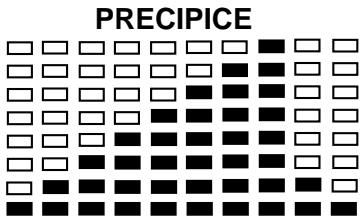
PROGRAM 13
USER SETTING PROGRAM
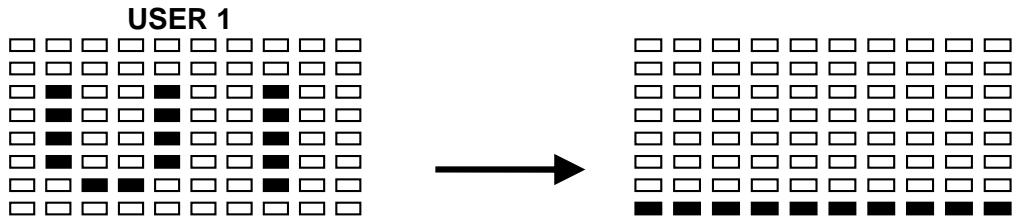
PROGRAM 14
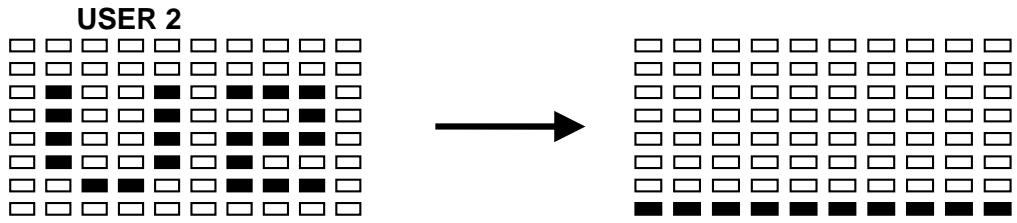
PROGRAM 15
BODY FAT TEST PROGRAMS:

PROGRAM 16
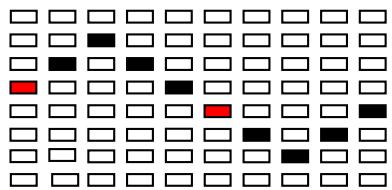
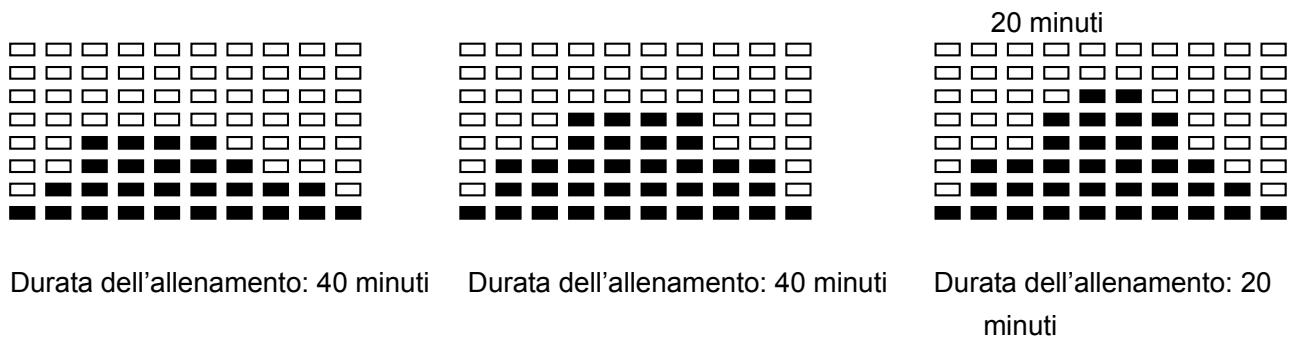
One of the Following Six Profiles Will Display Automatically after Measuring Your BODY FAT:
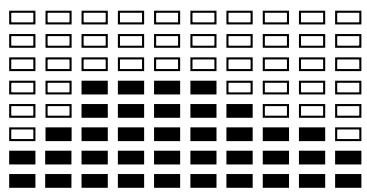
Workout Time: 40 minutes
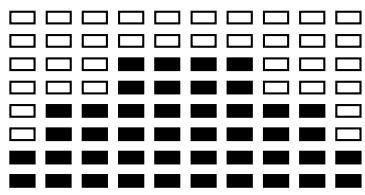
Workout Time: 40 minutes
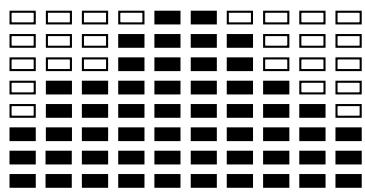
Exercise time: 20 minutes
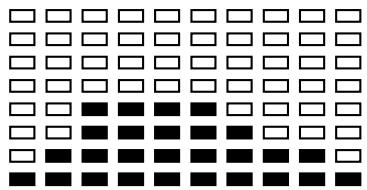
Workout Time: 40 minutes
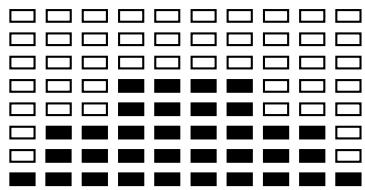
Workout Time: 40 minutes
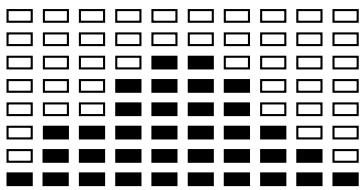
Workout time: 20 minutes
Cardio - Training:
Before programming your training, it is essential to take account of your age, particularly for people of
more than 35 years of age, as well as your physical condition. If you have a sedentary lifestyle without regular physical activity, it is vital that you consult your doctor to determine the level of intensity of your training. Once determined, do not attempt to achieve your maximum during the first training sessions. Be patient; your performance will quickly improve.
This enables you to develop your cardiovascular system (fitness of the heart / blood vessels). During Cardio-Training, the muscles need a supply of oxygen and nutritive substances. They also need to liminate waste. Our heart increases its rhythm and sends a larger amount of oxygen to the body by means of the cardiovascular system.
The more often you exercise regularly and repetitively, the more your heart will develop, just like any other muscle. In daily life, this translates into the ability to bear greater physical effort and improve your intellectual faculties.
Definition of your work Zone:
The Maximum Heart Rate (MHR) = 220 - age (180 - age for sedentary people).
The Warming Up Zone and Cooling Down Zone are equal to 55% of your MHR.
The Fat Loss Zone is between 55 / 65% of your MHR.
The Aerobic Zone is between 65 / 85% of your MHR.
The Anaerobic Zone is between 85% of your MHR and your MHR.
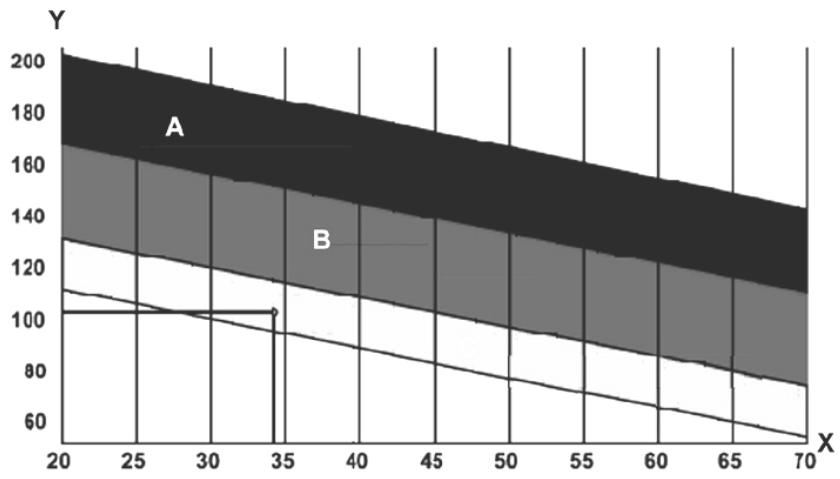
The progressive training stages:
1) A warming up phase:
Start each training session by warming up progressively (10-20 min, more if you are over 50) which will put your muscles on standby and gently increase your heart rate. Gently increase your pulse to 55% of your MHR (Maximum Heart Rate).
Keep your Heart Rate at this level for the duration of the warming up time. If you
begin your training too quickly, you are in danger of increasing the risk of tendon or muscle injury.
2) A work phase:
This is the main part of the training session. Depending on your specific goals and your initial physical condition, weight loss, improvement of cardiovascular resistance (aerobic work), development of stamina (anaerobic work), it is possible to choose the appropriate target zone.
The Fat Loss Zone, 55 - 65%
The heart rate must be low and the duration of the exercise quite long. This zone is advised for people resuming physical activity after a long period of idleness, who
are trying to eliminate excess weight or are susceptible to cardiac problems. Do not forget that for this type of training the duration of the exercise must be at least 30 minutes and the Heart Rate (HR) between 55 and 65% of the MHR. - Gradually increase from 30 to 60 minutes per session.
Exercise 3 or 4 times a week.
The Aerobic Zone, 65 - 85%
This zone is recommended for those who are in good physical condition who train
regularly. By training in this zone, you will improve your physical condition but avoid overworking.
Duration: 20 to 30 minutes per session.
- Frequency: At least 3 or 4 times a week.
The Anaerobic Zone, 85% - MHR
This zone is exclusively for experienced athletes and is never recommended
without medical approval and supervision. This zone is designed only for very fit people. It is used for interval training (or for short sprints) to help you to improve or measure your level of stamina.
The time spent in this zone must be brief to avoid the risk of accident.
3) A cooling down phase:
This entails a reduction of exertion (10 to 20 min). It enables you to return your cardiovascular system to normal (55% of your MHR) and prevent or reduce muscular pain such as cramp and stiffness. You must follow the training with a session of stretching exercises while your joints
are still warm. This relaxes the muscles and helps to prevent stiffness. Stretch slowly and gently. You must never stretch until you reach the pain threshold. Hold each stretch for 30 to 60 seconds while breathing out.
Check your progress
As it improves, your cardiovascular system will have an HR which will be lower when at rest. You will take longer to reach your target zone and it will be easier for you to maintain it. Sessions will seem easier and easier and you will have more stamina in your daily life.
If, on the other hand, your HR is higher than usual when at rest, you will have to rest or reduce the intensity of your training.
Do not be discouraged by the initial sessions. Motivate yourself by scheduling specific training times. Work hard!
To order spare parts
To guarantee an efficient service, make sure you have the following items before you contact our After Sales Service:
The name or reference of the product.
The manufacturing number shown on the main chassis and on the packing box.
After Sales Service
Email: seervice-uk@carefitness.com
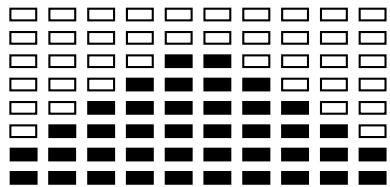
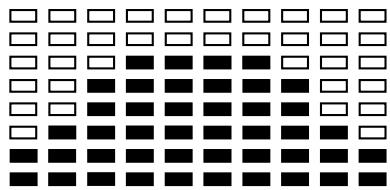
MOUNTAIN
PROGRAMM 11
PLATEAU
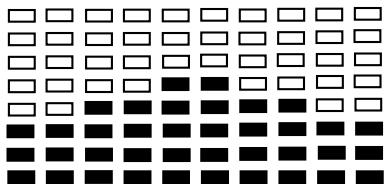
PROGRAMM 3
HILL
PROGRAMM 6
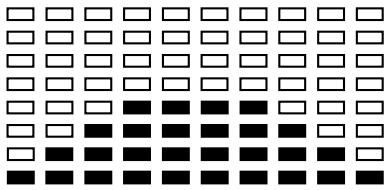
FAT BURN
PROGRAMM 9
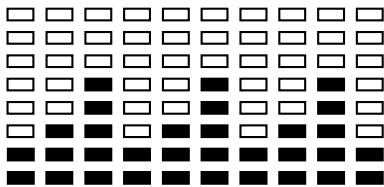
INTERVALS
PROGRAMM 12
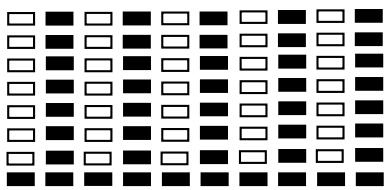
FARTLEK
PROGRAMM15

1.0 < F < 2.0 means EXCELENTE
2.0 ≤ F ≤ 2.9 means BUENO
3.0 ≤ F ≤ 3.9 means REGULAR
4.0 ≤ F ≤ 5.9 means POR DEBAJO DEL PROMEDIO
6.0 means MALO
$$
\begin{array}{l l} 1. 0 & = \text {N O T E V O L E} \ 1. 0 < F < 2. 0 & = \text {E C C E L L E N T E} \ 2. 0 \leq F \leq 2. 9 & = \text {B U O N O} \ 3. 0 \leq F \leq 3. 9 & = \text {D I S C R E T O} \ 4. 0 \leq F \leq 5. 9 & = \text {S O T T O L A M E D I A} \ 6. 0 & = \text {S C A R S O} \end{array}
$$
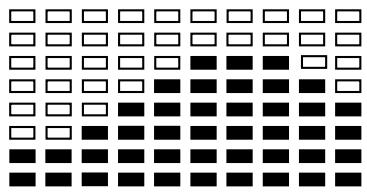
PROGRAMMA 7
PROGRAMMA 8
PROGRAMMA 9
RAMPA
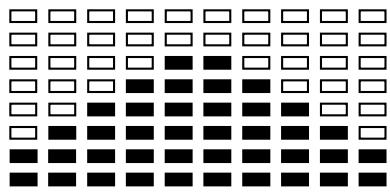
MONTAGNA
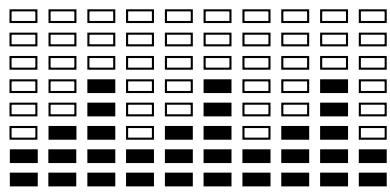
INTERVALLO
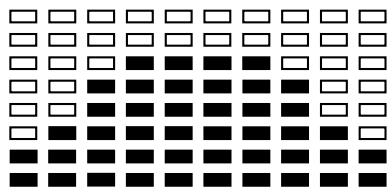
PROGRAMMA 10
PROGRAMMA 11
ALTOPIANO
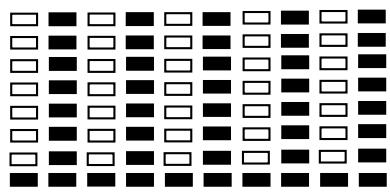
PROGRAMMA 12
FARTLEK
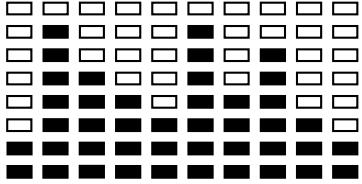
RANDOM
PROGRAMMA 13
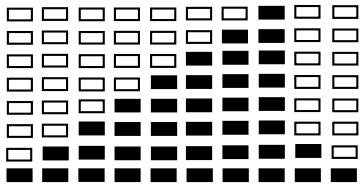
PRECIPIZIO
PROGRAMMA DA IMPOSTARE DALL'UTENTE
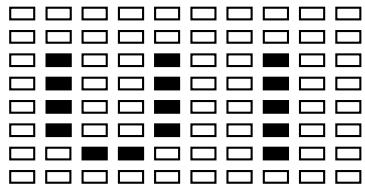
PROGRAMMA 14
UTENTE 1
PROGRAMMA 15
UTENTE 2
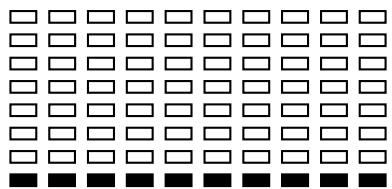
GRASSO CORPOREO
(MODALITA' START)
PROGRAMMI PER IL TEST DEL GRASSO CORPOREO
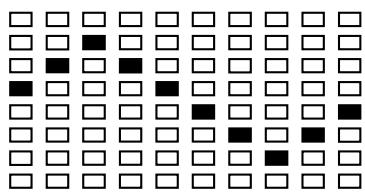
PROGRAMMA 16
GRASSO CORPOREO (MODALITA' STOP)


C. CONTROLLO DEI PROGRESSI
E-mail: service-it@carefitness.com
1.0 < F < 2.0 = EXCELLENT
2.0 ≤ F ≤ 2.9 = GOED
3.0 ≤ F ≤ 3.9 = REDELIJK
4.0 ≤ F ≤ 5.9 = ONDER GEMIDDELD
6.0 = ZWAK
PROGRAMMA 4
PROGRAMMA 5
PROGRAMMA 6
VALLEI
VETVERBRANDEND
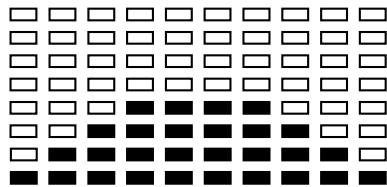
PROGRAMMA 9
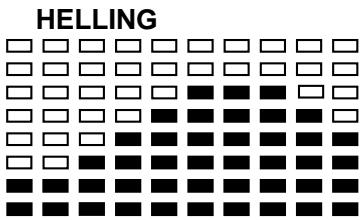
PROGRAMMA7
PROGRAMMA 8
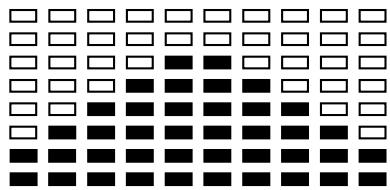
BERG
PAUSE
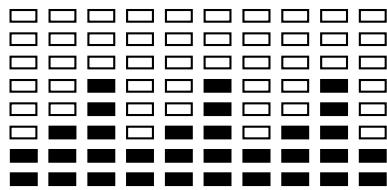
PROGRAMMA 12
PROGRAMMA 10
PROGRAMMA 11
HOOGVLAKTE
FARTLEK
PROGRAMMA 13
PROGRAMMA IN TE STELEN DOOR GEBRUIKER
De harttraining (cardiotraining):
Dagelijke training = circa 10 minutes per keer.
2 tot 3 trainingen per week = circa 30 minutes per keer.
1 tot 2 trainingen per week = circa 50 minutes per keer.
E-mail: service-nl@carefitness.com
CARE
FITNESS