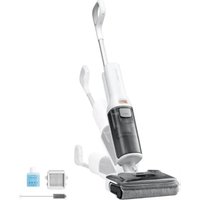
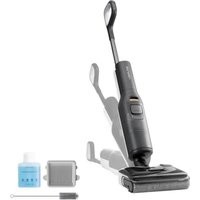
USER MANUAL Dyad Pro ROBOROCK
Roborock Dyad Pro Combo
Wet and Dry Vacuum Cleaner User Manual
Read this user manual with diagrams carefully before using this product and store it properly for future reference.
Contents
English 03
Français 12
Deutsch 20
Italiano 28
Espanol 36
Polski 44
Norsk 52
Svenska 60
04 Safety Information
05 Product Introduction
05 Product Installation
06 Connecting to the App
06 Instructions for Using the Wet and Dry Vacuum Cleaner
07 Instructions for Using the Vacuum Cleaner
08 Routine Maintenance
09 Basic Parameters
10 Common Issues
11 EU Declaration of Conformity
11 WEEE Information
11 Warranty Information
Usage Restrictions
- Do not use this product outdoor or in any commercial or industrial environments. It is intended for home use only.
- Do not store the product anywhere in a cart to avoid high or low temperatures affecting its battery life.
- The battery pack of this cleaner can not be used for charging or discharging in environments with high humidity, or temperatures above 40^ or below 4^ .
- Use the maintenance brush carefully to avoid injury. Keep out of reach of children.
Children should be supervised to ensure that they do not play with the appliance.
- This appliance is not intended for use by persons (including children) with reduced physical, sensory or mental capabilities, or lack of experience and knowledge, unless they have been given supervision or instruction concerning use of the appliance by a person responsible for their safety (CB).
-
This appliance can be used by children aged from 8 years and above and persons with reduced physical, sensory or mental capabilities or lack of experience and knowledge if they have been given supervision or instruction concerning use of the appliance in a safe way and understand the hazards involved. Children shall not play with the appliance. Cleaning and user maintenance shall not be made by children without supervision (EU).
-
To satisfy RF exposure requirements, a separation distance of 20cm or more should be maintained between this device and persons during device operation. To ensure compliance, operations at closer than this distance is not recommended.
- The antenna used for this transmitter must not be co-located in conjunction with any other antenna or transmitter.
- Keep hair, loose clothing, fingers, and all parts of body away from openings and moving parts.
- Keep limbs and pets away from the rotating brush heads to avoid injury.
- Do not touch the power cable, nor operate the product with wet hands to prevent injuries.
- Do not vacuum any burning or smoking substances (such as non-extinguished cigarette butts).
- Do not vacuum any hard or pointy objects (such as building materials, glass, and nails).
- This product is only to be used in areas below 3,000 meters above sea level.
Battery and Charging
WARNING
- Do not charge non-rechargeable batteries.
- This product contains batteries that are only replaceable by skilled persons.
-
For the purposes of recharging the battery, only use the detachable supply unit roborock MDS01HRR or MDS02HRR provided with this product.
-
Do not use any third-party batteries, power cables or docks.
- To reduce the risk of injury from moving parts, keep the power off before servicing.
- Do not disassemble, repair or modify the battery, power cable or the dock.
- Do not charge the vacuum or install the dock near heat sources or in humid areas (such as radiators or bathrooms).
- Do not wipe the power cable or the dock with a wet cloth, nor touch them with wet hands.
- If the power cord is damaged or broken, immediately stop use and contact after-sales service.
- If the product is not going to be used for an extended period of time, fully charge it, unplug its power supply, and place it in a cool and dry place.
- Make sure that you recharge it once every three months to avoid the battery to over-discharge.
Transportation
- It is recommended to transport the product in its original packaging.
Note
- Rinse the filter at least once a month with tap water. For details please refer to Maintenance.
Product Introduction
A1 Wet and Dry Vacuum Cleaner
Self-Clean
- Press: Standard mode
Press and hold for 2 seconds: DEEP mode
Change Mode
- Press: Switch to AUTO/MAX/Floor Drying/ECO mode
Power
Press: Start/Pause
Press and hold for 2 seconds: Switch off
- Press while charging: Start/Stop drying
A1-1—Handle Release
A1-2—Clean Tank Release
A1-3—Clean Tank
A1-4—Handle
A1-5—Main Unit Release
A1-6—LED Display
A1-7—Main Unit
A1-8—Main Unit Handle
A1-9—Dirty Tank Release
A1-10—Dirty Tank
A1-11-Detergent Cartridge
A1-12-Detergent Cartridge Release
A1-13-Cleaning Head
A1-14—Front Rollers
A1-15—Rear Roller
A2 Vacuum Cleaner
Change Mode
- Press: Switch to AUTO/MAX mode
Power
Press: Start/Pause
Press and hold for 2 seconds: Switch off
A2-1—Dustbin Release
A2-2—Dustbin
A2-3—Baton
A2-4-Multi-Surface Brush
A2-5—Motorized Mini-Brush
A2-6—2-in-1 Cleaning Head
A3 Charging Dock and Storage Stand for Vacuum Accessories
A3-1—Baton Holder Clip
A3-2—Maintenance Brush
A3-3—Power Cable
A3-4—Charging Dock Body
A3-5—Charging Port
A3-6—Charging Dock Tray
A3-7—Baton Holder
A3-8—Storage Stand for Vacuum Accessories
A4 Screen Functions
A4-1-Dirt Level
A4-2—ECO Mode
A4-3—Floor Drying Mode
A4-4—Battery Level
A4-5—WiFi
A4-6—Clean Tank Empty
A4-7-AUTO Mode
A4-8—MAX Mode
A4-9—Drying
A4-10—Self-Cleaning
A4-11-WiFi
- Off:WiFidisabled
- Flashing slowly: Waiting for connection
- Flashing quickly: Connecting
- Steady on: WiFi connected
A4-12-Charging
A4-13—Dirty Tank Full
A4-14—Error
Product Installation
B1 Wet and Dry Vacuum Cleaner Installation
B1-1—Insert the handle into the vacuum body until it clicks in place. The button should face forward.
B1-2—To remove the handle, pull the handle while pressing the handle release button on the back of the vacuum body.
B2 Vacuum Cleaner Installation
B2-1—Remove the main unit from the vacuum cleaner: Press the main unit release button with one hand while grasping the handle of the main unit and forcedly pulling it downward with the other hand.
B2-2—Assemble the main unit and dustbin combo unit: Put the filter of the dustbin right side up and align the power port of the main unit with the metal contact on the dustbin. Then press the handle of the main unit down until it clicks in place.
B2-3—Connecting main unit and dustbin combo unit with accessories. Method 1: Connect the unit to a cleaning head. Method 2: Connect the unit to the baton first, and then connect a cleaning head.
B3 Installing the Charging Dock
B3-1—Align the charging dock tray with the charging dock body, press down, making sure they are firmly secured.
B3-2—Connect the power cable into the side of the charging dock and plug it in.
B3-3—To disassemble the charging dock, grasp the side handles of the tray and pull upward.
B4 Installing the Storage Stand and Storing Vacuum Accessories
B4-1—Put the storage stand on the floor, align its connection point with the right-hand side of the charging dock, and install charging dock from the top down.
B4-2—Insert the baton holder into the slot on the storage stand until it clicks in place.
B4-3—To remove the holder, press the clip on the back and pull the holder upward.
B4-4—Store all accessories.
Note: Do not store the main unit and dustbin combo unit on the top of the baton to prevent it from falling down.
Connecting to the App
1 Download the app
Search "Roborock" in the App Store or Google Play or scan the QR code to download and install the app.

ResetWiFi
a. Keep the machine upright and press to light up the screen and enter standby mode.
b. Press and hold and until you hear the "Resetting WiFi" voice alert. The reset is complete when the WiFi indicator flashes slowly. The vacuum cleaner will then wait for a connection.
Note: If the mobile phone fails to connect to the vacuum cleaner because your router configuration has changed or you forget your password or for any other reasons, reset the WiFi and add your device again.
3 Add the Device
Open the Roborock app, tap "Scan to Connect" or "Search for Device" on the home page, and add the device as instructed in the app.
Notes:
- The actual process may vary due to ongoing app updates. Follow the instructions provided in the app.
Only 2.4 GHz WiFi is supported.
- If the vacuum cleaner waits more than half an hour for a connection, WiFi will be automatically disabled. If you want to reconnect, reset the WiFi before proceeding.
- During firmware updates, do not remove the main unit from the wet and dry vacuum cleaner; otherwise the update will fail.
Instructions for Using the Wet and Dry Vacuum Cleaner
C1 Filling the Clean Tank
C1-1—Push the clean tank release button and remove the tank.
C1-2—Open the cover, fill the tank with tap water, and then close it tightly. The water level should not exceed the MAX line.
Note: To avoid deforming the clean tank, only use cold water.
C1-3—Tilt the clean tank, install the bottom in place, and then gently push it inward to secure it in place.
C2 Adding Detergent
C2-1—Push the detergent cartridge release button and remove the cartridge.
C2-2—Open the detergent cartridge, fill it with detergent, and then close it tightly.
C2-3—Reinstall the detergent cartridge.
Notes:
- The detergent cartridge requires refilling after about 20 tanks of clean water.
- Remove or empty the detergent cartridge if detergent is deemed unnecessary.
- To prevent corrosion or damage, do not use any disinfectant and only use detergent recommended by Roborock.
C3 Locking and Unlocking
C3-1—Tap the side of the cleaning head without the detergent cartridge, and push the handle to lock the cleaning head or pull the handle to unlock the cleaning head.
C3-2—Locked
C3-3—Unlocked
Starting the Vacuum Cleaner
Unlock the cleaning head and press the button to start the vacuum cleaner.
Notes:
- The cleaning head does not work when locked. Unlock it first.
- Press button can only start drying when the vacuum cleaner is charging.
C4-1—Caution
In order to prevent dirty water from leaking out, do not lay the body flat or tilt it over 60^ when dirty tank in place.
Switching Modes
Press the button to switch to AUTO, MAX, Floor Drying or ECO mode. The screen will display the icon for the current mode.
Note: Floor Drying mode is for removing clean water from wet environments such as bathrooms. It should not be used when water depth exceeds 10mm (0.4 in).
Standby and Power Off
- When the vacuum cleaner is operating, press the button to pause it and enter standby mode.
- In standby mode, you can lock the cleaning head and place the vacuum cleaner upright on the floor.
- Lock the cleaning head and press and hold the button for 2 seconds to turn off the vacuum cleaner. If the vacuum cleaner is left idle for 5 minutes in standby mode, it will automatically turn off.
Note: You can modify the settings in the app to enable automatically resume operation after unlocking the cleaning head.
Adding and Emptying Water
When the dirty tank is full or the clean tank is empty during use, the vacuum cleaner will provide audio and visual alerts. Add water into the clean tank or empty the dirty tank before continuing.
C5 Emptying the Dirty Tank
C5-1—Push the dirty tank release button and remove the tank.
C5-2—Hold the handle firmly with one hand, gently lift out the cover, and then pour out the dirty water.
C5-3—Reinstall the cover, tilt the dirty tank, install the bottom in place, and then gently push it inward to secure it in place.
Charging and Self-Cleaning
- Lock the cleaning head, and place the vacuum cleaner onto the charging dock. The voice alert "Charging" indicates that the vacuum cleaner is charging.
- Press the button to start standard self-cleaning. Press and hold the button for 2 seconds to switch to DEEP self-cleaning mode.
- After self-cleaning finishes, empty the dirty tank to prevent odors.
Notes:
- The product is equipped with a built-in high-performance lithium-ion rechargeable battery pack. To maintain battery performance, keep the product charged for normal use.
- Always place the vacuum cleaner on the charging dock after use to prevent water stains.
Drying
Drying starts automatically after self-cleaning is completed. To manually start or stop drying, press the button on the docked vacuum cleaner.
Voice Alert Settings
Connect to the app to adjust the volume of voice alerts.
Instructions for Using the Vacuum Cleaner
Powering On and Off
Press the button to start the vacuum cleaner and press it again to pause the vacuum cleaner. Press and hold the button for 2 seconds to turn the vacuum cleaner off.
Switching Modes
Press the button to switch between AUTO and MAX modes. The screen will display the icon for the current mode.
D1 Selecting a Cleaning Head
D1-1-Motorized Mini-Brush
D1-2-Multi-Surface Brush
D1-3—Crevice Tool
D1-4-Dusting Brush
Motorized Mini-Brush: To remove dust from soft nap mattress pads or sofas.
Multi-Surface Brush: To remove dust from low and medium pile carpets. It can also be used on tiles or other floor surfaces.
2-in-1 cleaning head (crevice tool): To remove dust from gaps in door frames.
2-in-1 cleaning head (dusting brush): To remove dust from tables or fabric.
Switching between the crevice tool and dusting brush: Press the lock catch at the bottom of the 2-in-1 cleaning head, and pull the head downward until it clicks in place. The cleaning head is switched to a dusting brush. Press the lock catch and push the head upward to
expose the crevice tool head. The cleaning head is switched to a crevice tool.
Notes:
- Do not use any cleaning head for floor drying.
- Do not touch the rotating part of the cleaning head.

Routine Maintenance
To maintain optimal performance of the product, refer to the following table for routine maintenance.
| Parts | Maintenance Frequency | Replacement Frequency |
| Roller | 2-4 weeks | 6-12 months |
| Filter (dirty tank) | 1 month | 6-12 months |
| Filter (dustbin) | 1 month | 6-12 months |
| Cleaning head and dirty water pipe | 1 month | N/A |
| Dirty tank | 1 month | N/A |
| Dirty water level sensor | 1 month | N/A |
| Charging dock tray | As needed | N/A |
| Charging contacts | 1 month | N/A |
| Dustbin | 1 month | N/A |
| Multi-Surface Brush | 1 month | N/A |
| Motorized Mini-Brush | 1 month | N/A |
Product Maintenance
If this product is left unused for a prolonged period of time, fully charge it and unplug it before storing it in a cool and dry place. Do not place the product in humid locations or under direct sunlight. Charge it at least once every 3 months to avoid overdischarge.
Cleaning the Main Unit and Body
Wipe and clean the main unit and the body with a soft and dry cloth. Before cleaning, unplug the power supply and power the cleaner off.
E1 Cleaning the Dirty Tank and Filter
E1-1—Take out the dirty tank, pull out the cover, and open the water level sensors. Clean the parts with the provided maintenance brush, rinse them with cold water, and then snap the water level sensors back in place.
E1-2—Take out the filter from the dirty water tank cover and remove any trash attached to the filter. If the filter is dirty, rinse it with cold water and then shake off the residual water.
E1-3—Allow up to 24 hours for all parts drying and install them back in place.
Notes:
- Use a second filter if necessary.
- Do not touch the filter with your hands, brushes, or sharp objects to avoid damage to the filter.
E2 Cleaning the Rollers
- Remove the vacuum cleaner from the
charging dock, and switch it off. Stabilize the body.
E2-1—Rotate the rear roller cover to the unlock position, and pull the rear roller outward.
E2-2—Pinch the left and right front rollers with both hands, and pull them outward.
E2-3—Cut off any hair entangled on the rollers and remove any debris using the provided maintenance brush.
Note: Use the maintenance brush carefully to avoid injury.
E2-4—Insert the rear roller from the side, and then rotate the rear roller cover from the unlock position to the lock position until it clicks in place.
E2-5—Note: Do not rinse the cleaning head directly with water.
E2-6—To install the front rollers, marked red and blue, on the correct sides of the head. Pinch them with both hands and align them with the front roller shaft. Push inward to install properly.
E3 Cleaning the Cleaning Head and Dirty Water Pipe
- Remove the dirty tank and front and rear rollers. Switch off the vacuum cleaner and stabilize the body.
- Clean the roller slots and dirty water pipe with the maintenance brush provided.
- Wipe the charging contacts with a dry cloth.
- Reinstall the rollers and dirty tank in place.
Note: Do not rinse the cleaning head directly with water.
E4 Cleaning the Charging Dock Tray
E4-1—Grasp the side handles of the tray and pull upward.
E4-2—Rinse the tray with water and reinstall it in place after drying.
E4-3—Note: Only remove and wash the tray. Do not wash any other parts of the charging dock.
E5 Cleaning the Main Unit and Dustbin Combo Unit
E5-1—To discard the dust, press the dustbin release button and remove the dustbin.
E5-2—Remove the filter.
E5-3—Grab the handle and lift out the cyclone parts.
E5-4—Discard the dust inside and install the cyclone parts and filter back into the dustbin.
E5-5—Do not wash the dustbin to avoid damaging the electrical parts inside.
E6 Cleaning the Multi-Surface Brush
E6-1—Turn the brush head over with the bottom facing you. Look for debris, including hair and fibers on the head or in the bearings.
E6-2—Cut off any hair entangled on the roller and remove any debris using the provided maintenance brush.
Note: Use the maintenance brush carefully to avoid injury.
E7 Cleaning the Motorized Mini-Brush
E7-1—Hold the brush so the lock on the side is facing you, and turn the lock counterclockwise.
E7-2—After removing the locking mechanism, remove the roller.
E7-3—Clean the roller with the maintenance brush provided and then wash the roller.
E7-4—Place the roller vertically and dry it for at least 24 hours for it to dry thoroughly.
Note: Use the maintenance brush carefully to avoid injury.
Basic Parameters
Main Unit
| Model | H1C1A |
| Rated Input | 25.75VDC 1A |
| Battery | 21.6 V/4000 mAh (TYP)
Lithium-ion battery |
Dock Charger
| Model | MDS01HRR or MDS02HRR |
| Rated Input Voltage | 220-240VAC |
| Rated Frequency | 50-60Hz |
| Rated Input | 0.6A |
| Rated Output | 25.75VDC 1A |
| Battery | 21.6 V/4000 mAh (TYP) Lithium-ion battery |
WiFi Specification
| Service | WiFi |
| Protocol | 802.11b/g/n |
| Frequency Range | 2400-2483.5 MHz |
| Max. Output Power | ≤20dBm |
Common Issues
| Issue | Solution |
| There are large water stains on the floor, the cleaning head leaks water, or water cannot be vacuumed from the floor. | Remove the rollers and the dirty tank to check for a clog in the dirty water pipe or the suction outlet, and check if the filter is clogged or wet. Clear all blockages, clean the filter and make sure the dirty tank and filter are properly installed before retrying. |
| The screen does not light up and the vacuum cleaner cannot start. | Low battery level. Charge it before use. |
| The dirty tank leaks and the filter is wet. | Remove and clean the two water level sensors in the dirty tank. Make sure that the body is not laid flat. |
| There is an unpleasant smell during use. | Clean the rollers, dirty tank, and filter. |
| Cleaning creates a lot of bubbles. | Do not add detergent or disinfectants that are not recommended by Roborock to the clean tank, or spray such detergent or disinfectants on the floor. |
| The vacuum cleaner does not charge when docked. | Check the charging contacts on the charging dock and the corresponding part on the body. |
| The screen is on, but the buttons do not respond. | Press and hold the button for 10 seconds to force restart the vacuum cleaner. |
| Issue | Solution |
| Unable to connect to WiFi. | ·WiFi is disabled. Reset the WiFi and try again.
·Poor WiFi signal. Move the vacuum cleaner to an area with good WiFi reception.
·Abnormal WiFi connection. Reset the WiFi, download the latest mobile app and retry.
·Unable to connect to WiFi. There may be an error with your router settings. Contact Roborock Customer Service for help with troubleshooting. |
| Power is always being drawn when the vacuum cleaner is docked. | ·The vacuum cleaner will draw power while it is docked to maintain battery performance, but the power consumption is extremely low. |
| Cleaning head is not functioning. | ·The motor of the cleaning head may be too hot. Please wait until the temperature is normal before use.
·The contact of the cleaning head may be dirty. Please wipe it with a soft, dry cloth and try again. |
| Reduced suction force. | ·The dustbin is full or the filter is clogged. Use after cleaning the dustbin and the filter.
·The cleaning head may be clogged. Remove any foreign objects from it. |
We Shenzhen Roborock Innovation Technology Co., Ltd., hereby, declares that this equipment is in compliance with the applicable Directives and European Norms, and amendments. The full text of the EU declaration of conformity is available at the following internet address:
https://global.roborock.com/pages/compliance
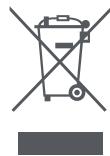
Correct Disposal of this product. This marking indicates that this product should not be disposed with other household wastes throughout the EU. To prevent possible harm to the environment or human health from uncontrolled waste disposal, recycle it responsibly to promote the sustainable reuse of material resources. To return your used device, please use the return and collection systems or contact the retailer where the product was purchased. They can take this product for environmental safe recycling.
The warranty period depends on the laws of the country in which the product is sold, and the warranty is the responsibility of the seller.
The warranty only covers defects in material or workmanship.
The repairs under warranty may only be carried out by an authorized service centre. When making a claim under the warranty, the original bill of purchase (with purchase date) must be submitted.
The warranty will not apply in cases of:
Normal wear and tear.
- Incorrect use, e.g. overloading of the appliance, use of non-approved accessories, use of force.
- Damage caused by external influences.
- Damage caused by non-observance of the user manual, e.g. connection to an unsuitable mains supply or non-compliance with the installation instructions.
- Partially or completely dismantled appliances.
https://global.roborock.com/pages/compliance
https://global.roborock.com/pages/compliance
https://global.roborock.com/pages/compliance
Roborock Dyad Pro Combo
https://global.roborock.com/pages/compliance
Wet and Dry Vacuum Cleaner
Manufacturer: Shenzhen Roborock Innovation Technology Co., Ltd.
Product Model: H1C1A
Address of Manufacturer: Room 1802, Building D1, Nanshan Zhiyuan, No.1001
Xueyuan Avenue, Changyuan Community, Taoyuan Street, Nanshan District, Shenzhen, P.R. China
For more product information, visit our website: www.roborock.com
For after-sales support, contact our support team at:
Europe: support@roborock-eu.com