
2333 - Bluetooth speaker LOGITECH - Free user manual and instructions
Find the device manual for free 2333 LOGITECH in PDF.
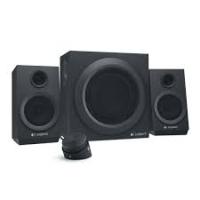


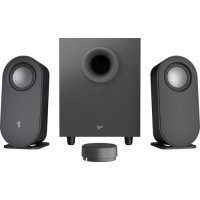
| Product Type | 2.1 multimedia speaker system (satellite speakers + subwoofer) |
| Brand | Logitech |
| Model | z333 |
| Connectivity | 3.5mm audio input (for computer, tablet, smartphone) RCA input (for TV, game console) – RCA cable not included |
| Output Power | Not specified, typical ~20W RMS (estimated) |
| Frequency Response | Not specified, typical 50Hz–20kHz (estimated) |
| Power Supply | Mains (power cord provided) |
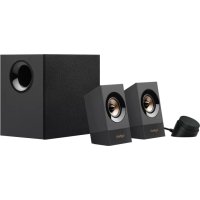
| Box Contents | Left satellite, right satellite, subwoofer, wired remote control, user documentation |
| Controls | Volume knob on remote control, bass button at rear of subwoofer |
| Headphone Jack | 3.5mm jack on the right side of the remote control, automatically mutes speakers |
| Simultaneous Connection | Possible via 3.5mm input and RCA input (two audio sources) |
| Dimensions (Subwoofer) | Not specified, approximately 250 x 250 x 280 mm (estimated) |
| Dimensions (Satellite) | Not specified, approximately 100 x 150 x 100 mm (estimated) |
| Total Weight | Not specified, approximately 3 kg (estimated) |
| Care and Cleaning | Unplug before cleaning. Use a soft, dry cloth. Do not use solvents or abrasive products. |
| Safety | Do not expose to moisture. Do not open the device. Use only the provided power adapter. |
| Spare Parts and Repairability | Not specified. Contact Logitech support for any repairs. |
| Warranty | Not specified, typically 2 years (estimated) |
Frequently Asked Questions - 2333 LOGITECH
User questions about 2333 LOGITECH
0 question about this device. Answer the ones you know or ask your own.
Ask a new question about this device
Download the instructions for your Bluetooth speaker in PDF format for free! Find your manual 2333 - LOGITECH and take your electronic device back in hand. On this page are published all the documents necessary for the use of your device. 2333 by LOGITECH.
USER MANUAL 2333 LOGITECH
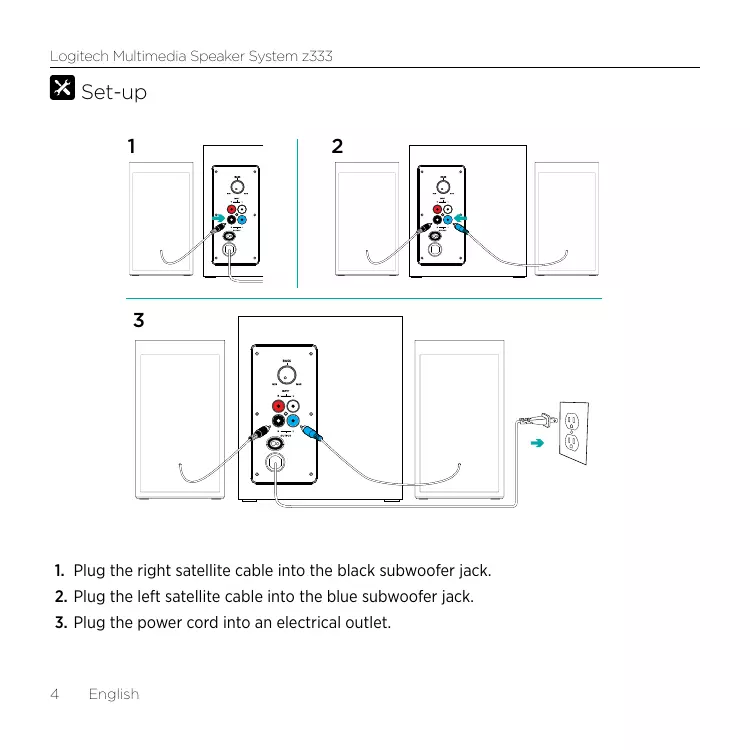
- Plug the right satellite cable into the black subwoofer jack.
- Plug the left satellite cable into the blue subwoofer jack.
- Plug the power cord into an electrical outlet.
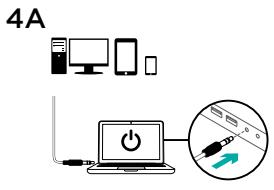
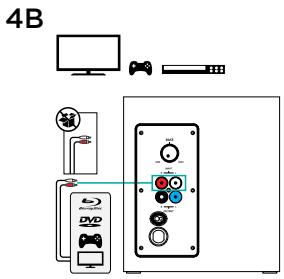

- A. If you have a 3.5mm outlet on your device:
- Insert the 3.5mm plug from the subwoofer into the audio jack on your device (computer, tablet, smartphone, etc). B. If you have an RCA outlet on your device:
- Insert the RCA jack on the subwoofer (the RCA cable is not included in the box and must be purchased separately).
- Insert the other end of the RCA cable into the RCA outlet on your device (TV, Gaming Console, etc).
- Switch ON the ON/OFF button on the wired remote to turn your Multimedia Speaker System z333 ON.
Features
1

2
4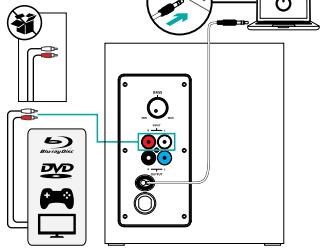
1. ADJUSTING SPEAKER VOLUME
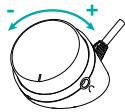
Adjust your Multimedia Speaker System z333 volume with the wheel located on the middle of the wired remote. (VOLUME UP - turn the wheel to the right. VOLUME DOWN - turn the wheel to the left)
2. USING HEADPHONES
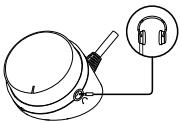
Most types of analog headphones with a 3.5mm connector can be plugged into the headphone jack on the right end side of the wired remote. When you plug in the headphones, the speaker is muted automatically. With headphones plugged into your Multimedia Speaker System z333, the main control volume is through your audio device (computer, tablet or smartphone, etc). Headphone volume will not be affected by volume adjustment on the wired remote.
3. ADJUSTING BASS VOLUME
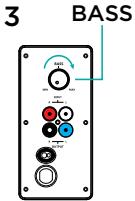
To adjust the bass level of your Multimedia Speaker System z333, turn the bass control located at the back of your subwoofer clockwise.
4. CONNECT TO TWO DEVICES SIMULTANEOUSLY
Connect to two devices at the same (TV and computer for example) through the RCA connector on the back of the subwoofer and the 3.5mm cable on the subwoofer.

1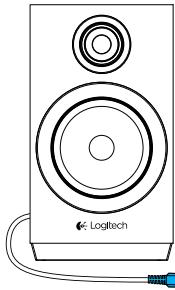
2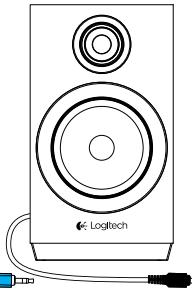
3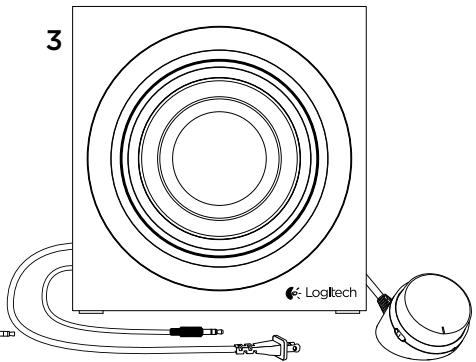
4
Brand : LOGITECH
Model : 2333
Category : Bluetooth speaker