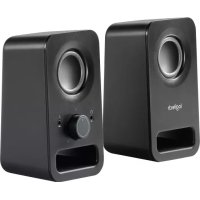
Z150 - Bluetooth speaker LOGITECH - Free user manual and instructions
Find the device manual for free Z150 LOGITECH in PDF.



| Brand | Logitech |
| Model | Z150 |
| Product Type | Bluetooth 2.0 Speaker |
| Connectivity | Bluetooth, 3.5 mm auxiliary input, headphone jack |
| Output Power | 10 W RMS (2 x 5 W) |
| Frequency Response | 60 Hz - 20 kHz |
| Signal-to-Noise Ratio | ≥ 80 dB |
| Power Supply | AC adapter (input: 100-240 V AC, output: 12 V DC 1 A) |
| Dimensions (right speaker) | 200 x 100 x 150 mm |
| Dimensions (left speaker) | 200 x 100 x 150 mm |
| Total Weight | 1.2 kg |
| Controls | Volume/on/off knob on the right speaker |
| Maintenance | Wipe with a soft, dry cloth |
| Safety | Do not expose to water or excessive heat |
| Spare Parts | AC adapter available from Logitech customer service |
| Repairability | Repairability score: 6.5/10 (estimate) |
Frequently Asked Questions - Z150 LOGITECH
User questions about Z150 LOGITECH
0 question about this device. Answer the ones you know or ask your own.
Ask a new question about this device
Download the instructions for your Bluetooth speaker in PDF format for free! Find your manual Z150 - LOGITECH and take your electronic device back in hand. On this page are published all the documents necessary for the use of your device. Z150 by LOGITECH.
USER MANUAL Z150 LOGITECH
Z150 CLEAR STEREO SOUND
Complete Setup Guide
natural_image
Line drawing of two connected audio/video devices with a cable, no text or symbols presentCONTENTS
English . . . . . . . . . . . . . . . . . . . . . . . . . . . . 3
Deutsch 6
Français 9
Italiano....12
Español ..... 15
Português 18
Nederlands 21
Svenska. 24
Dansk. 27
Norsk 30
Suomi. 33
Ελληνικά . . . . . . . . . . . . . . . . . 36
По-русски....39
Po polsku .....42
Magyar 45
Česká verze. . . . . . . . . . . . . . . . 48
Slovenčina ..... 51
Українська. . . . . . . . . . . . . . . . . . 54
Eesti 57
Latviski 60
Lietuvių . . . . . . . . . . . . . . . . . . 63
Български....66
Hrvatski 69
Srpski 72
Slovenščina. 75
Română 78
Türkçe 81
84 العربية
87.
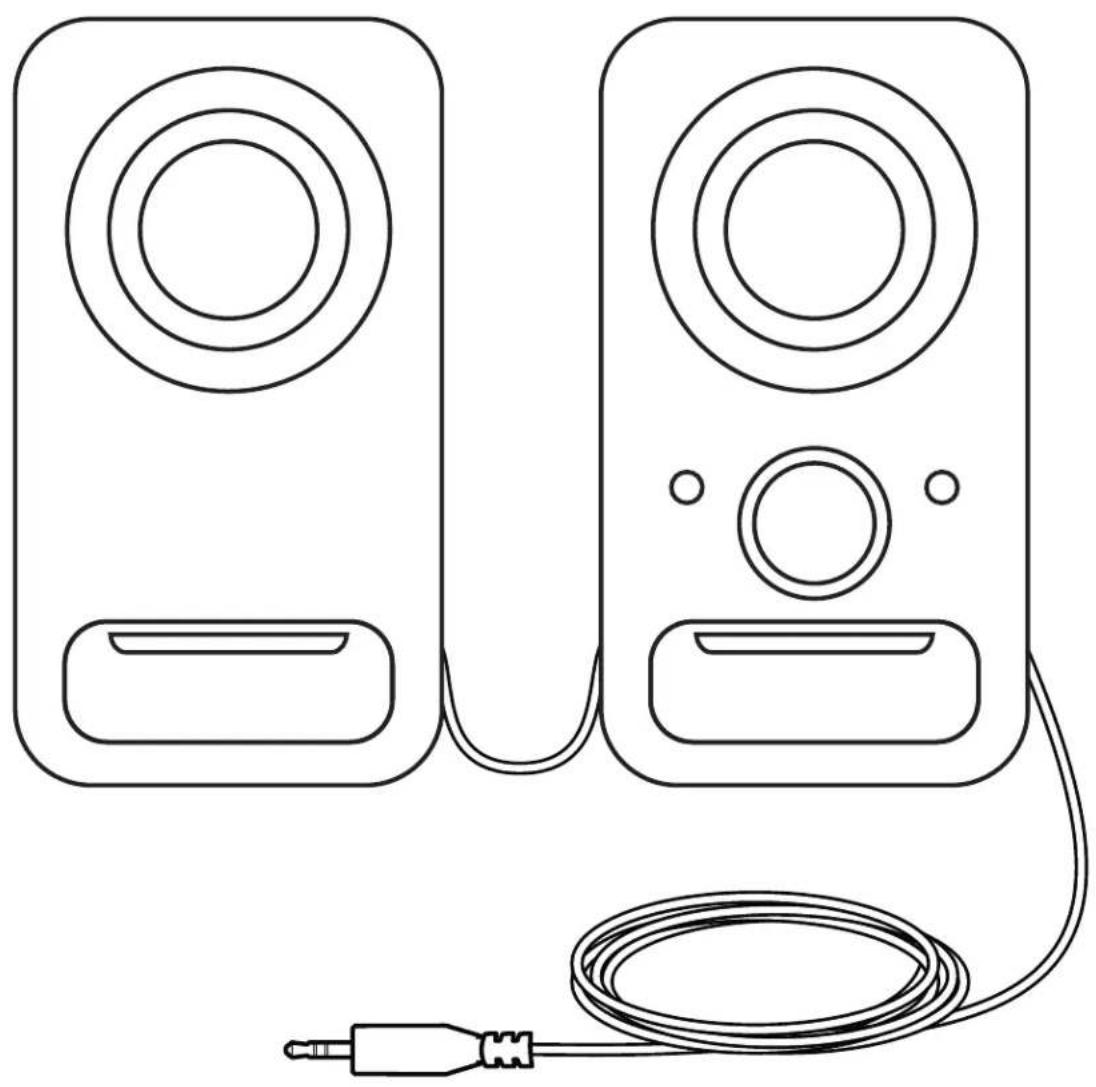
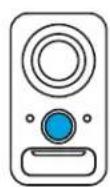
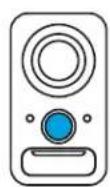
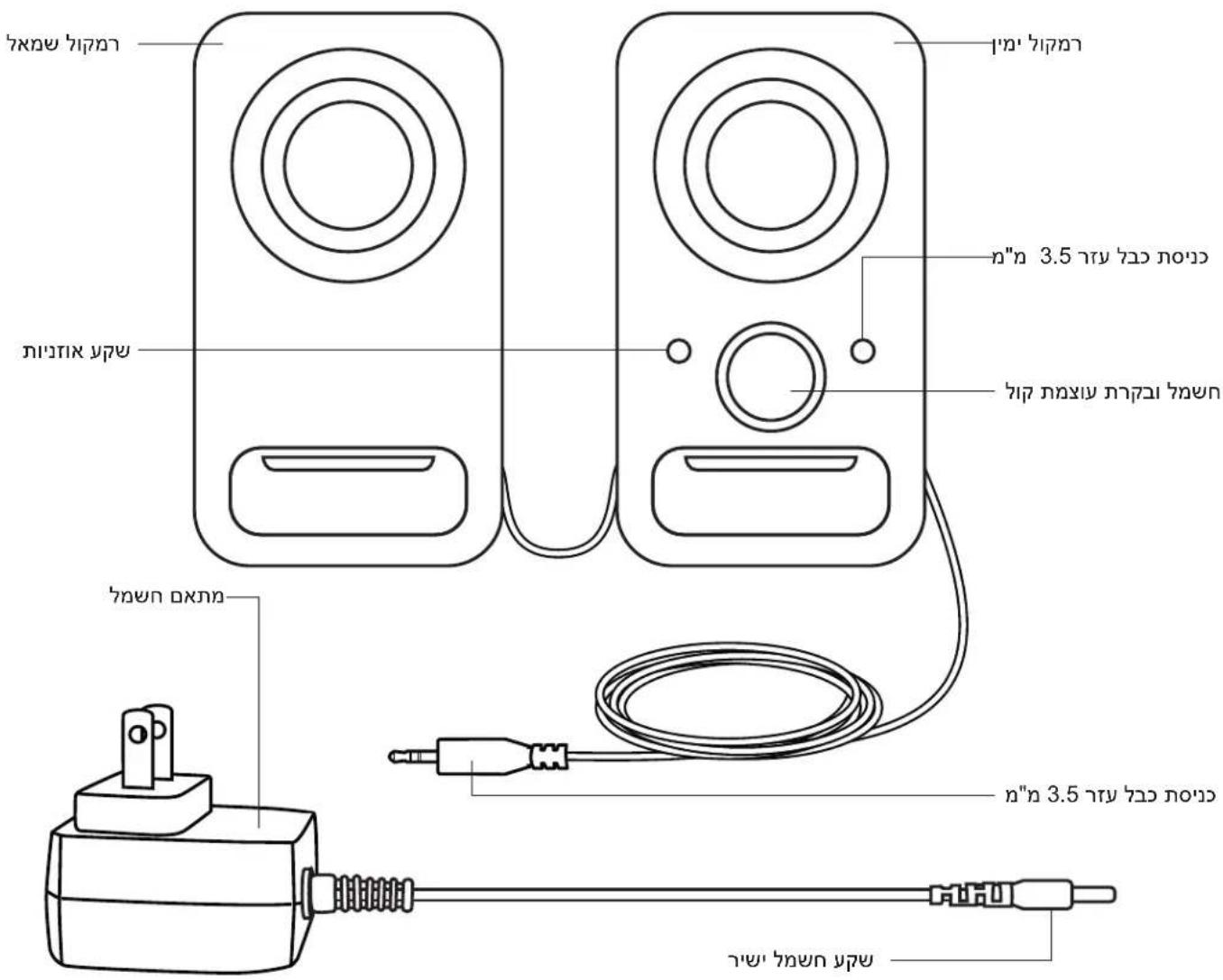
KNOW YOUR PRODUCT
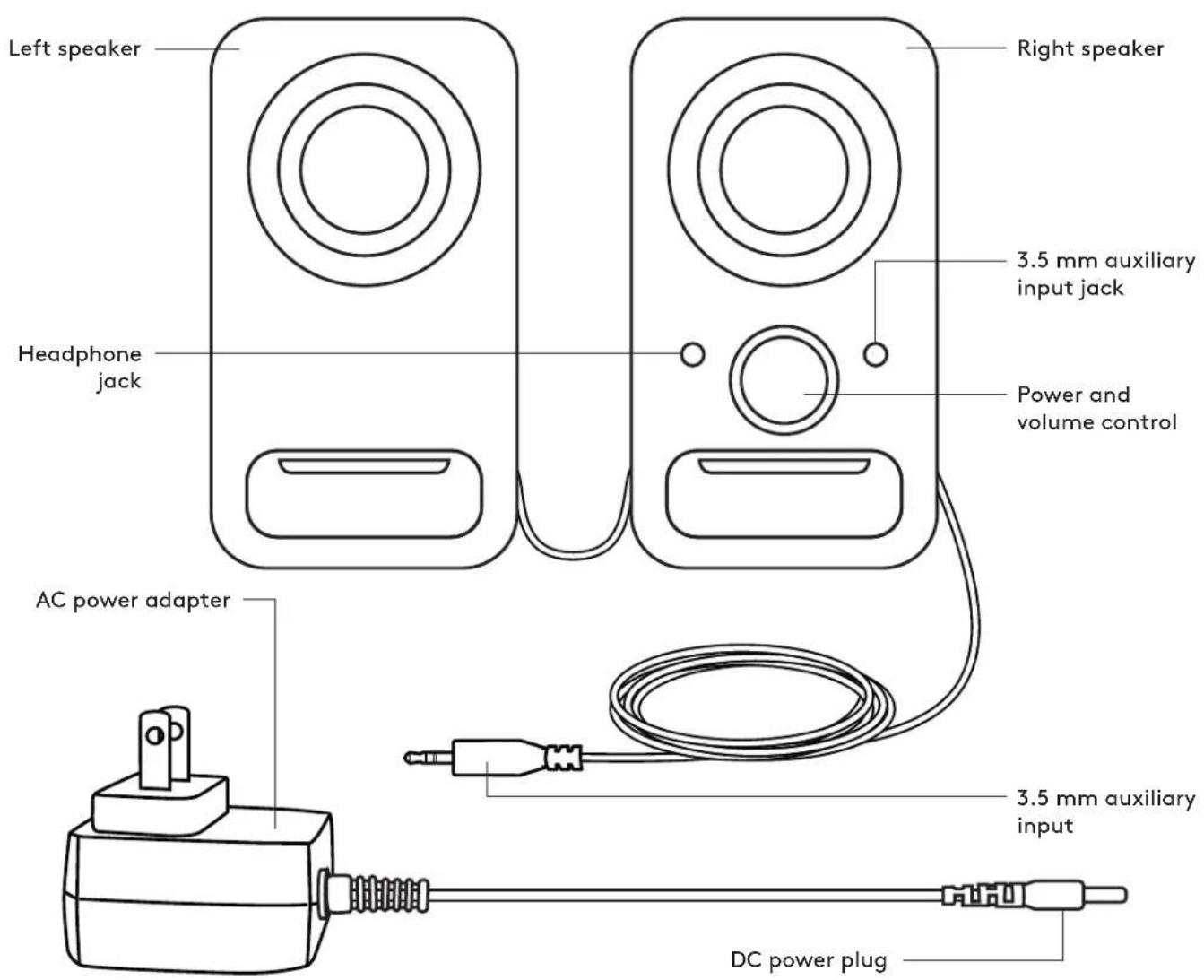
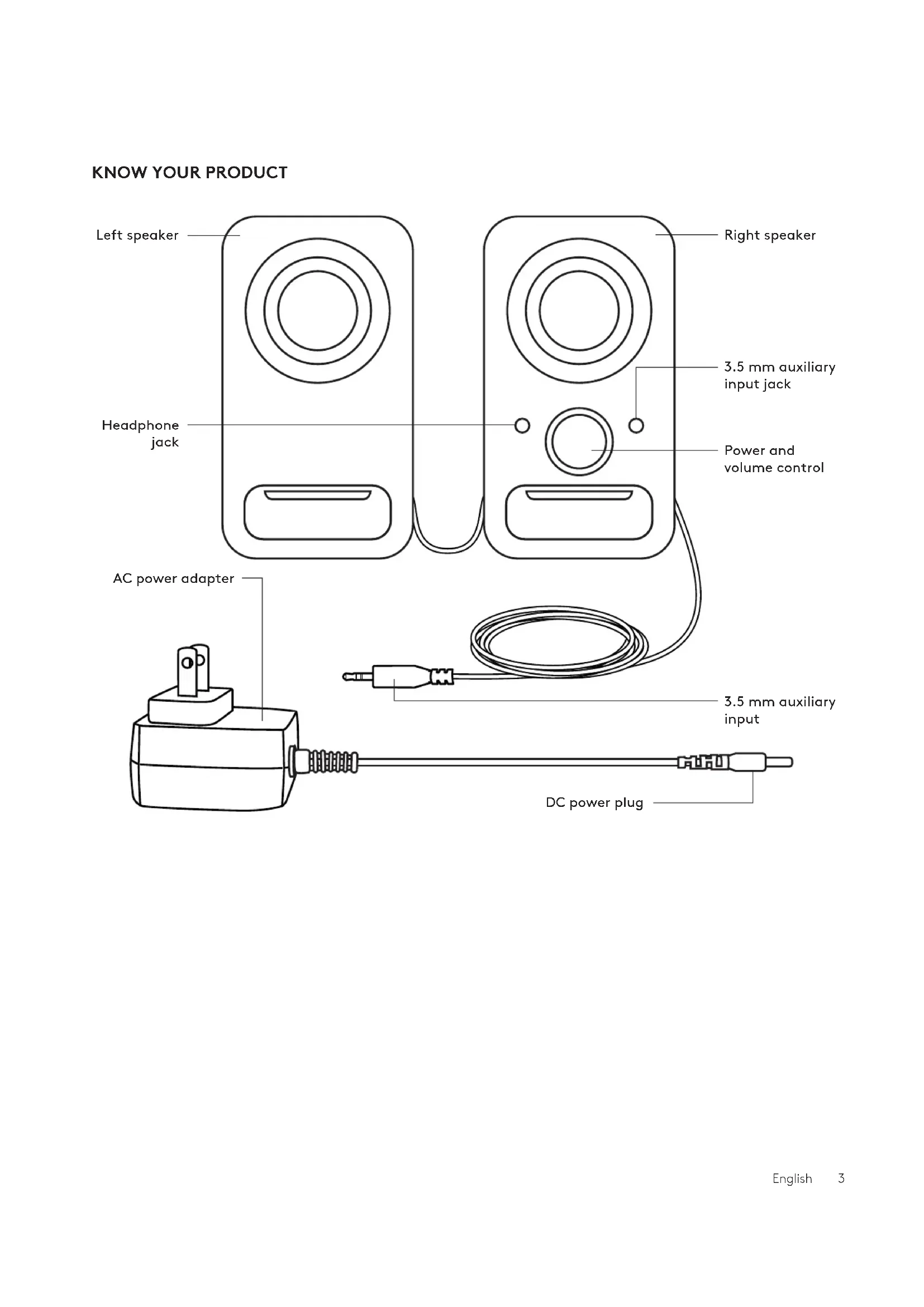
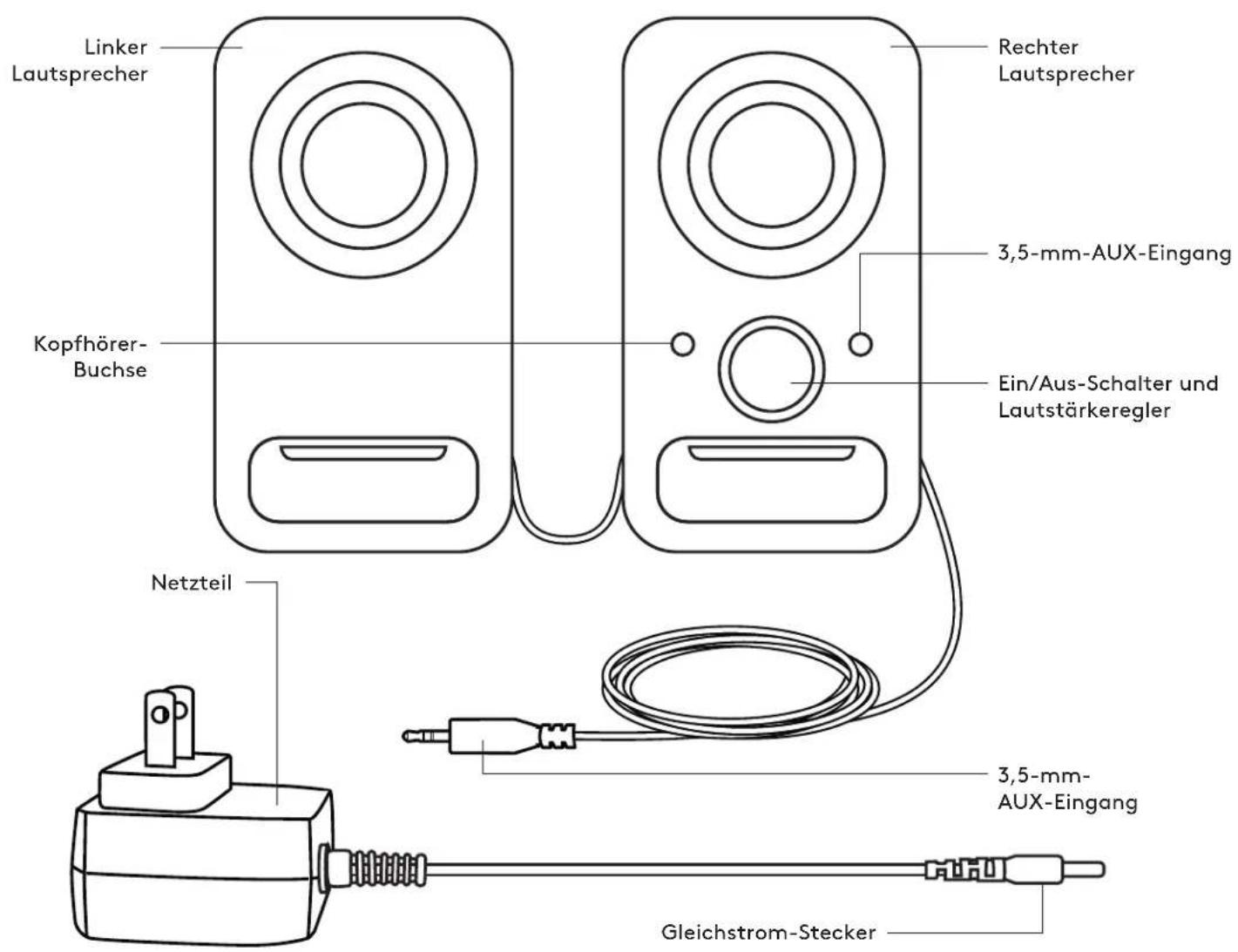
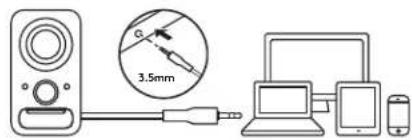
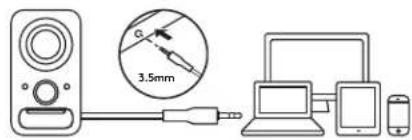
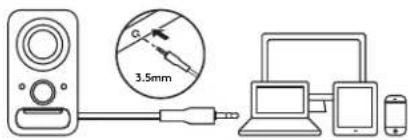
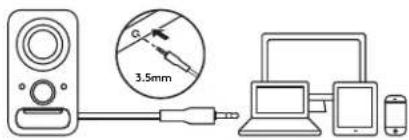
- Connect the DC power plug to the back of your right speaker and connect your AC adapter to the electrical outlet.
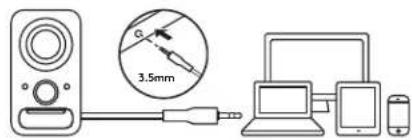
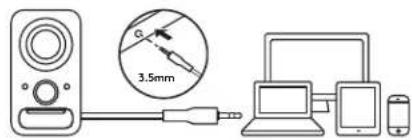
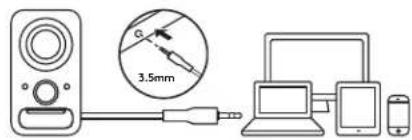
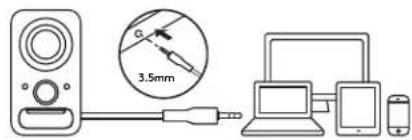
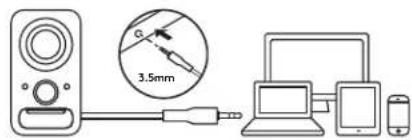
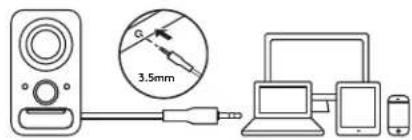
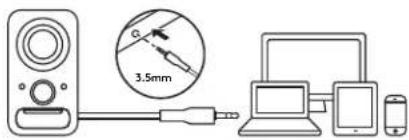
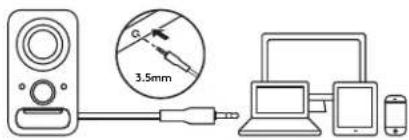
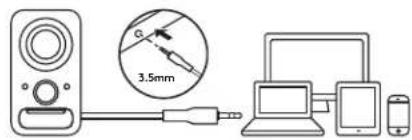
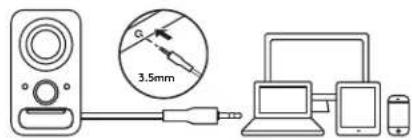
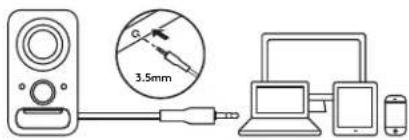
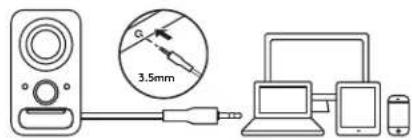
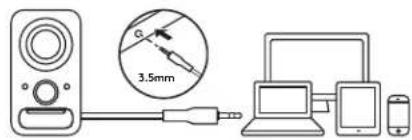
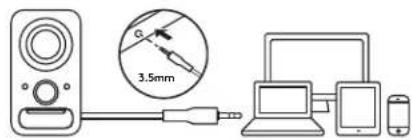
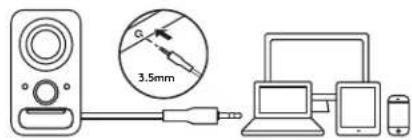
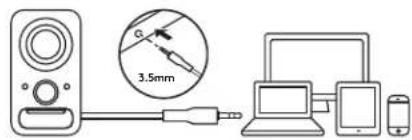
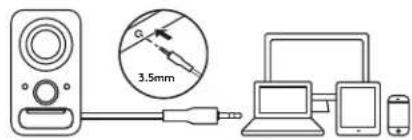
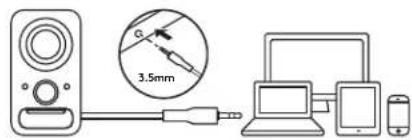
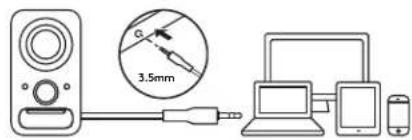
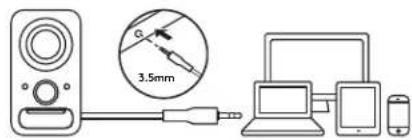
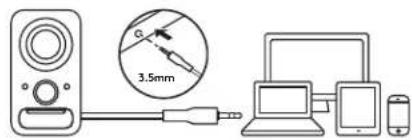
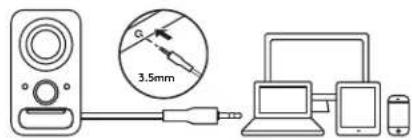
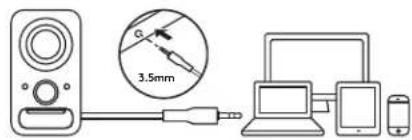
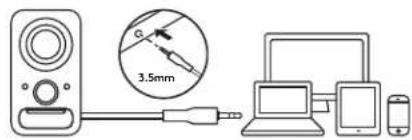
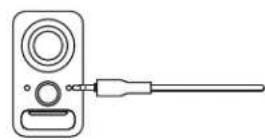
2A. Connect your source device using the attached 3.5 mm auxiliary input on the right speaker.
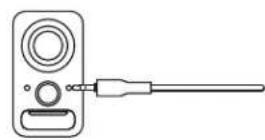
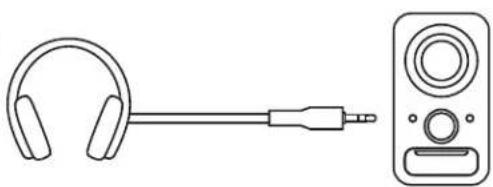
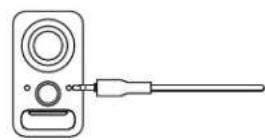
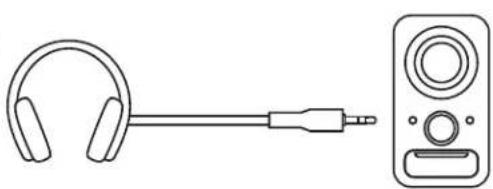
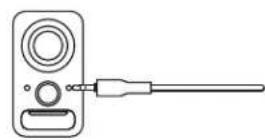
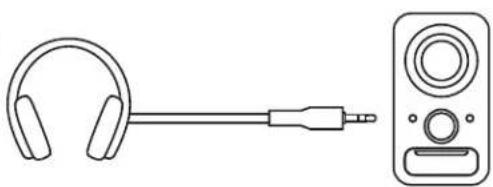
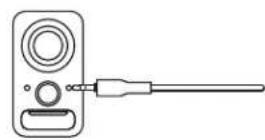
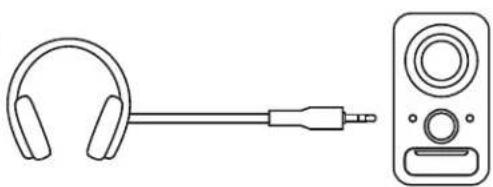
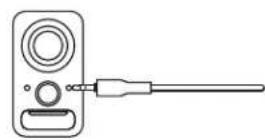
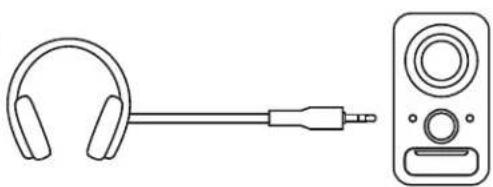
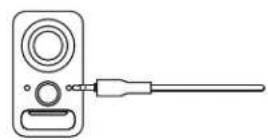
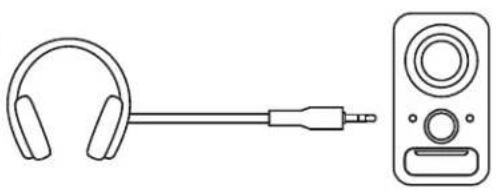
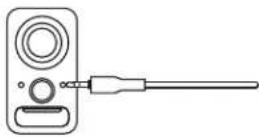
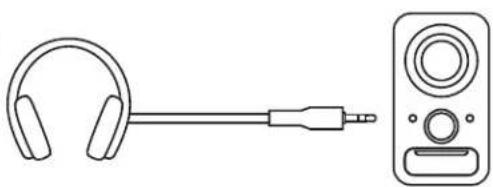
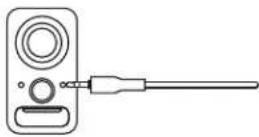
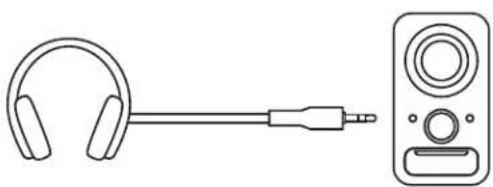
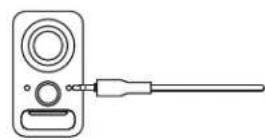
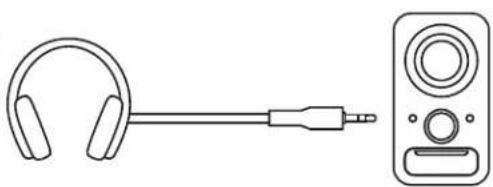
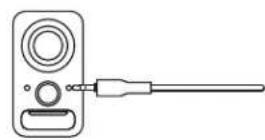
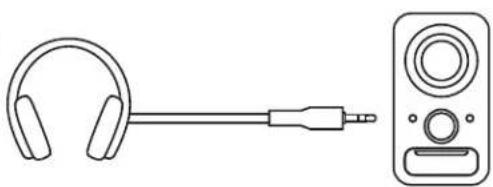
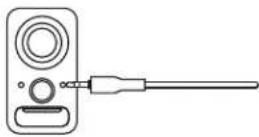
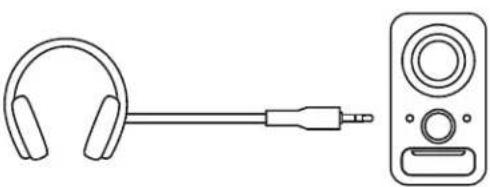
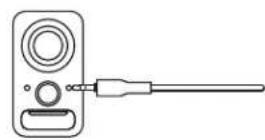
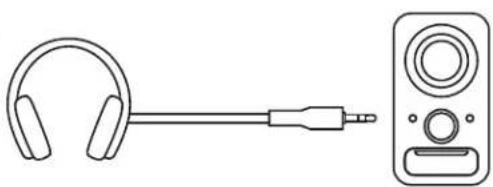
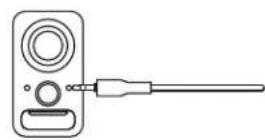
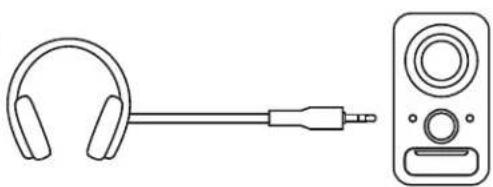
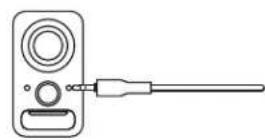
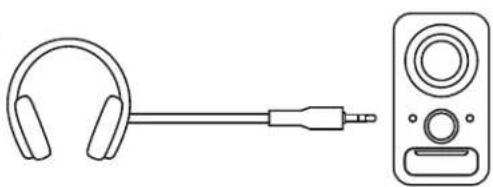
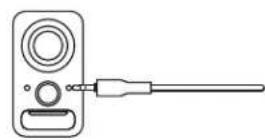
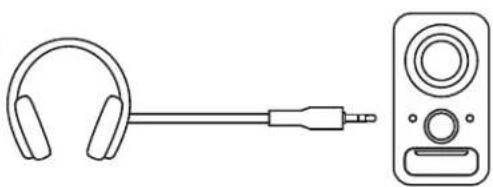
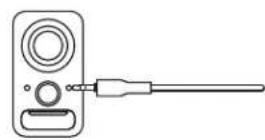
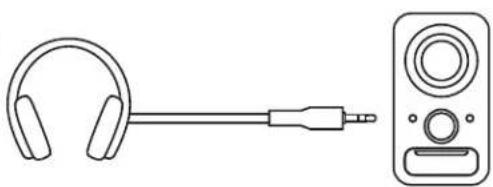
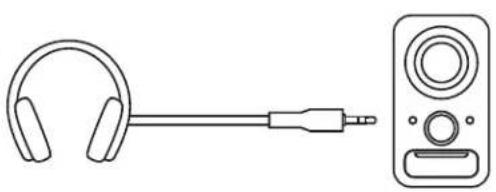
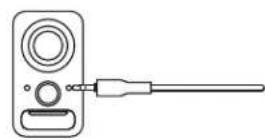
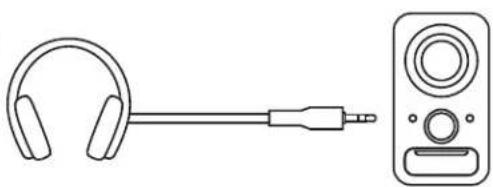
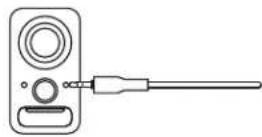
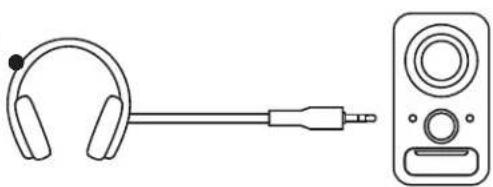
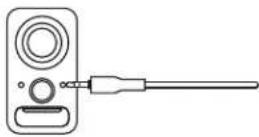
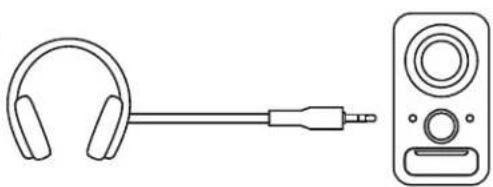
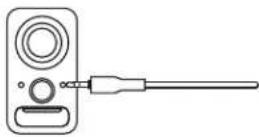
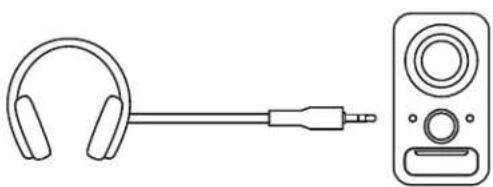
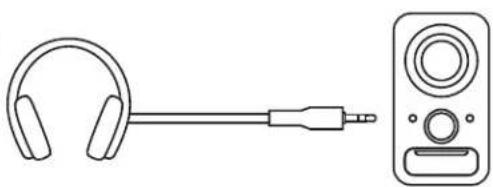
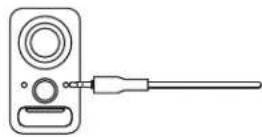
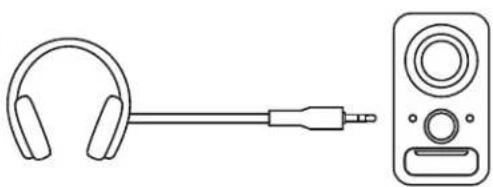
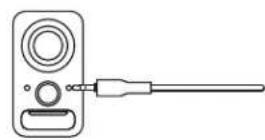
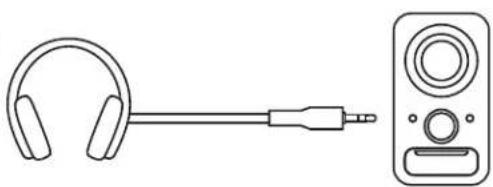
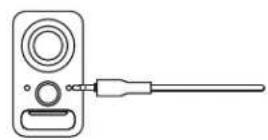
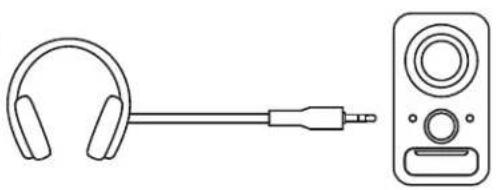
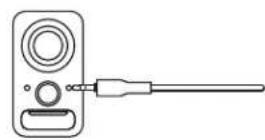
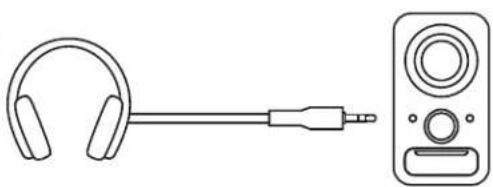
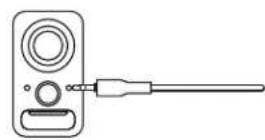
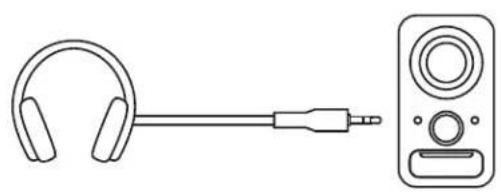
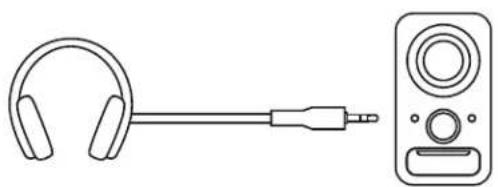
2B. You can also connect a device to the auxiliary input jack on the front of the right speaker. - (Optional) Connect your headphones to the headphone jack on the front of the right speaker.
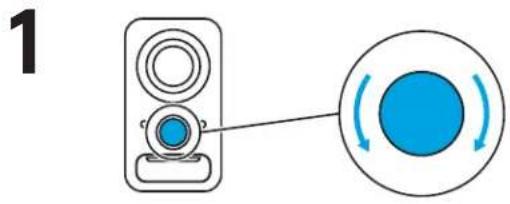
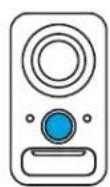
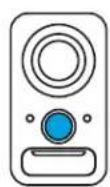
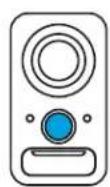
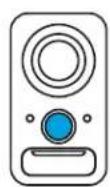
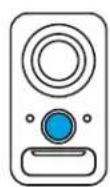
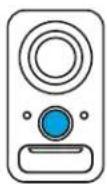
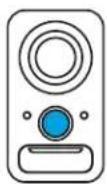
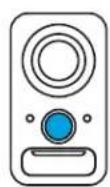
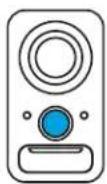
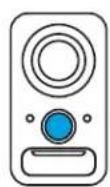
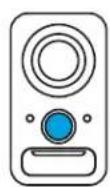
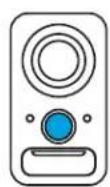
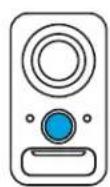
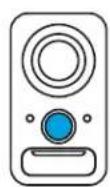
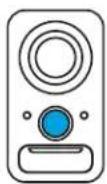
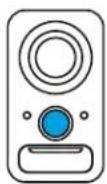
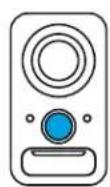
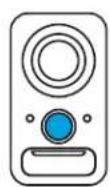
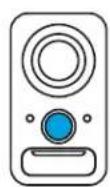
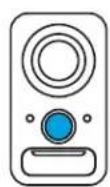
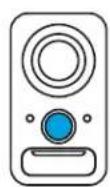
- Turn the speaker on using the Power/Volume knob.
1
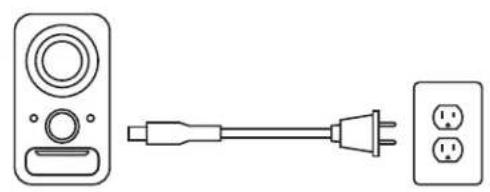
natural_image
Simple line drawing of a device with a power connector and two three-pin socket (no text or symbols)2A
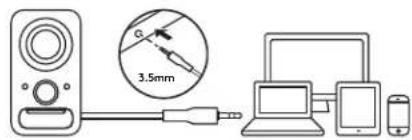
2B
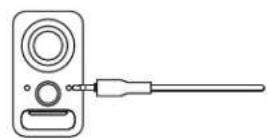
3
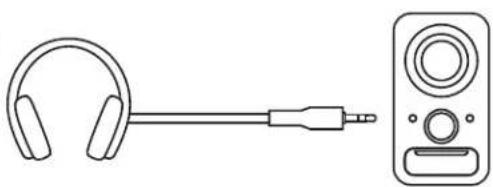
natural_image
Line drawing of a pair of headphones connected to a speaker (no text or symbols)4

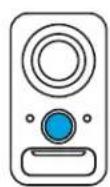

ADJUST THE VOLUME
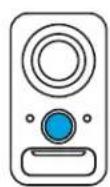
- Increase (or decrease) the volume of speakers by rotating the single volume control knob clockwise (or counter-clockwise) on the right speaker.
PRODUKT AUF EINEN BLICK
natural_image
Line drawing of a power connector with three socket outlets connected to a speaker (no text or symbols)2A
2B
3
natural_image
Line drawing of a pair of headphones connected to a speaker (no text or symbols)4



natural_image
Simple line drawing of a device with a power connector and two three-pin socket (no text or symbols)2A
2B
3
natural_image
Line drawing of a pair of headphones connected to a speaker (no text or symbols)4


AJUSTEMENT DU VOLUME
natural_image
Line drawing of a power connector with three socket terminals connected to a terminal block (no text or symbols)2A
2B
3
natural_image
Line drawing of a pair of headphones connected to a speaker (no text or symbols)4


CONECTA LOS ALTAVOCES
natural_image
Line drawing of a power connector with three socket terminals connected to a terminal block (no text or symbols)2A
2B
3
natural_image
Line drawing of a pair of headphones connected to a speaker (no text or symbols)4


AJUSTA EL VOLUMEN
natural_image
Line drawing of a power connector with three socket terminals connected to a terminal block (no text or symbols)2A
2B
3
natural_image
Line drawing of a pair of headphones connected to a speaker (no text or symbols)4


AJUSTAR O VOLUME
natural_image
Line drawing of a device with a power connector and two three-pin socket (no text or symbols)2A
2B
3
natural_image
Line drawing of a pair of headphones connected to a speaker (no text or symbols)4


HET VOLUME AANPASSEN
natural_image
Diagram showing a remote control unit connected to a power plug and two socket outlets (no text or symbols present)2A
2B
3
natural_image
Line drawing of a pair of headphones connected to a speaker (no text or symbols)4


JUSTERA VOLYMEN
natural_image
Diagram showing a remote control unit connected to a power plug and two socket outlets (no text or symbols present)2A
2B
3
natural_image
Line drawing of a pair of headphones connected to a speaker (no text or symbols)4


JUSTERING AF LYDSTYRKE
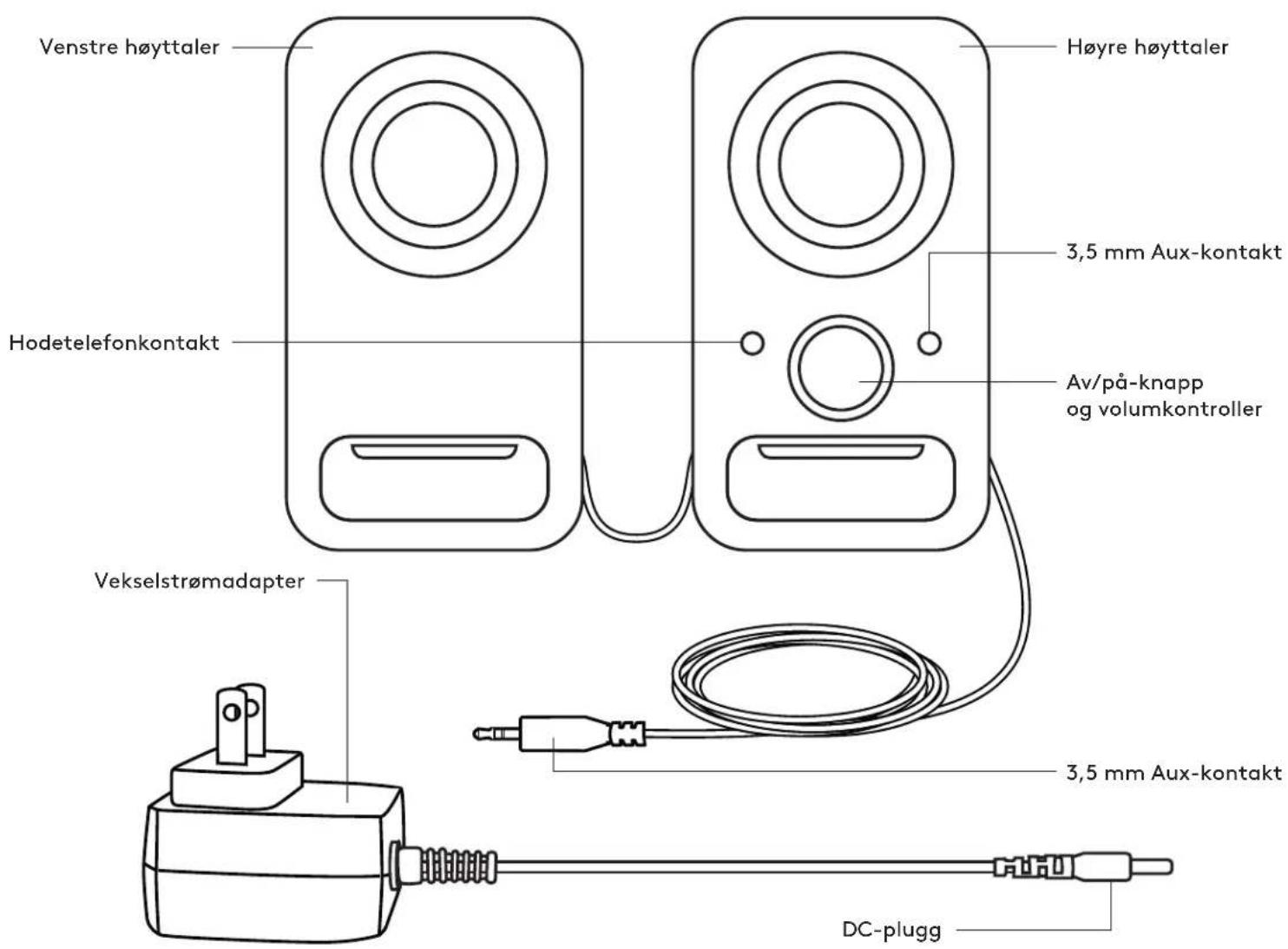
BLI KJENT MED PRODUKTET
natural_image
Line drawing of a power connector with three socket terminals connected to a terminal block (no text or symbols)2A
2B
3
natural_image
Line drawing of a pair of headphones connected to a speaker (no text or symbols)4



JUSTERE VOLUMET
natural_image
Line drawing of a power connector with three socket outlets connected to a speaker (no text or symbols)2A
2B
3
natural_image
Line drawing of a pair of headphones connected to a speaker (no text or symbols)4


ÄÄNENVOIMAKKUUDEN SÄÄTÄMINEN
natural_image
Diagram showing a remote control unit connected to a power plug and two socket outlets (no text or symbols present)2A
2B
3
natural_image
Line drawing of a pair of headphones connected to a speaker (no text or symbols)4


natural_image
Simple line drawing of a device with a power connector and two three-pin socket (no text or symbols)2A
2B
3
natural_image
Line drawing of a pair of headphones connected to a speaker (no text or symbols)4


natural_image
Simple line drawing of a device with a power connector and two three-pin socket (no text or symbols)2A
2B
3
natural_image
Line drawing of a pair of headphones connected to a speaker (no text or symbols)4


REGULACJA GŁOŚNOŚCI
natural_image
Simple line drawing of a device with a power connector and two three-pin socket (no text or symbols)2A
2B
3
natural_image
Line drawing of a pair of headphones connected to a speaker (no text or symbols)4


A HANGERŐ SZABÁLYOZÁSA
natural_image
Line drawing of a power connector with three socket terminals connected to a terminal block (no text or symbols)2A
2B
3
natural_image
Line drawing of a pair of headphones connected to a speaker (no text or symbols)4


NASTAVENÍ HLASITOSTI
natural_image
Simple line drawing of a device with a power connector and two three-pin socket (no text or symbols)2A
2B
3
natural_image
Line drawing of a pair of headphones connected to a speaker (no text or symbols)4


NASTAVITEV GLASNOSTI
natural_image
Simple line drawing of a device with a power connector and two three-pin socket (no text or symbols)2A
2B

3
natural_image
Line drawing of a pair of headphones connected to a speaker (no text or symbols)4


natural_image
Line drawing of a power connector with three socket outlets connected to a speaker (no text or symbols)2A
2B
3
natural_image
Line drawing of a pair of headphones connected to a speaker (no text or symbols)4


HELITUGEVUSE REGULEERIMINE
natural_image
Simple line drawing of a remote control unit connected to a power plug and two socket outlets (no text or symbols)2A
2B
3
natural_image
Line drawing of a headset connected to a speaker (no text or symbols)4.



SKALUMA REGULŠANA
SUSIPAŽINKITE SU SAVO GAMINIU
Kairysis garsiakalbis
Dešinysis garsiakalbis
natural_image
Diagram showing a remote control unit connected to a power plug and two socket outlets (no text or symbols present)2A
2B
3
natural_image
Line drawing of a pair of headphones connected to a speaker (no text or symbols)4


GARSUMO REGULIAVIMAS
natural_image
Simple line drawing of a remote control unit connected to a power outlet (no text or symbols)2A
2B
3
natural_image
Line drawing of a pair of headphones connected to a speaker (no text or symbols)4


РЕГУЛИРАНЕ НА СИЛАТА НА ЗВУКА
natural_image
Simple line drawing of a device with a power connector and two three-pin socket (no text or symbols)2A
2B

3
natural_image
Line drawing of a pair of headphones connected to a speaker (no text or symbols)4


PODEŠAVANJE GLASNOĆE
natural_image
Simple line drawing of a remote control unit connected to a power plug and two socket outlets (no text or symbols)2A
2B
3
natural_image
Line drawing of a pair of headphones connected to a speaker (no text or symbols)4



natural_image
Simple line drawing of a device with a power connector and two three-pin socket (no text or symbols)2A
2B
3
natural_image
Line drawing of a pair of headphones connected to a speaker (no text or symbols)4


NASTAVITEV GLASNOSTI
natural_image
Line drawing of a remote control unit connected to a power outlet, showing terminal and socket (no text or symbols)2A
2B
3
natural_image
Line drawing of a pair of headphones connected to a speaker (no text or symbols)4


AJUSTAREA VOLUMULUI
natural_image
Line drawing of a remote control unit connected to a power outlet and two three-pin socket (no text or symbols)2A
2B
3
natural_image
Line drawing of a pair of headphones connected to a speaker (no text or symbols)4


SESI AYARLAYIN
natural_image
Line drawing of a power connector with three socket terminals connected to a terminal block (no text or symbols)2A
2B
3
natural_image
Line drawing of a pair of headphones connected to a speaker (no text or symbols)4


ضبط مستوى الصوت
natural_image
Diagram showing a device connected to a circular button with blue arrows indicating rotation (no text or symbols)תָרִי בְּלָה
natural_image
Line drawing of a remote control unit connected to a power outlet, showing terminal and socket (no text or symbols)2A
2B
3
natural_image
Line drawing of a pair of headphones connected by a cable to a speaker (no text or symbols)4


© 2019 Logitech, Logitech, Logi and other Logitech marks are owned by Logitech and may be registered. All other trademarks are the property of their respective owners. Logitech assumes no responsibility for any errors that may appear in this manual. Information contained herein is subject to change without notice.
WEB-621-001220.002
- Z150 CLEAR STEREO SOUND
- CONTENTS
- ADJUST THE VOLUME
- AJUSTEMENT DU VOLUME
- CONECTA LOS ALTAVOCES
- AJUSTA EL VOLUMEN
- AJUSTAR O VOLUME
- HET VOLUME AANPASSEN
- JUSTERA VOLYMEN
- JUSTERING AF LYDSTYRKE
- JUSTERE VOLUMET
- ÄÄNENVOIMAKKUUDEN SÄÄTÄMINEN
- REGULACJA GŁOŚNOŚCI
- A HANGERŐ SZABÁLYOZÁSA
- NASTAVENÍ HLASITOSTI
- NASTAVITEV GLASNOSTI
- HELITUGEVUSE REGULEERIMINE
- SKALUMA REGULŠANA
- SUSIPAŽINKITE SU SAVO GAMINIU
- GARSUMO REGULIAVIMAS
- РЕГУЛИРАНЕ НА СИЛАТА НА ЗВУКА
- PODEŠAVANJE GLASNOĆE
- AJUSTAREA VOLUMULUI
- SESI AYARLAYIN
- 2A
- 2B
- 3
- 4
Brand : LOGITECH
Model : Z150
Category : Bluetooth speaker