
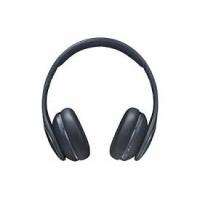
LEVEL ON WIRELESS - Headphones SAMSUNG - Free user manual and instructions
Find the device manual for free LEVEL ON WIRELESS SAMSUNG in PDF.
 FR
FR
 AR
AR
 BG
BG
 CS
CS
 DA
DA
 DE
DE
 EL
EL
 EN
EN
 ES
ES
 ET
ET
 FA
FA
 FI
FI
 HU
HU
 ID
ID
 IT
IT
 KK
KK
 KO
KO
 LT
LT
 LV
LV
 MK
MK
 NL
NL
 NO
NO
 PL
PL
 PT
PT
 RO
RO
 RU
RU
 SK
SK
 SL
SL
 SQ
SQ
 SV
SV
 TH
TH
 TR
TR
 UK
UK
 UR
UR
 VI
VI
 ZH
ZH
| Product Type | Wireless headphone |
| Brand | Samsung |
| Model | Level On Wireless |
| Dimensions (approx.) | 200 x 180 x 80 mm |
| Weight (approx.) | 300 g |
| Power | Built-in rechargeable lithium-ion battery |
| Estimated battery life | Up to 10 hours |
| Connectivity | Bluetooth |
| Main features | Wireless listening, volume control, hands-free calls |
| Care and cleaning | Wipe with a soft, dry cloth. Do not use chemicals. |
| Safety | Do not expose to moisture, extreme temperatures (5-35°C), magnetic fields. Avoid prolonged use at high volume. |
| Spare parts and repairability | Non-user-replaceable battery. Repair by Samsung authorized service center. |
| General information | Designed for use with Bluetooth compatible devices. Follow WEEE disposal instructions. |
Frequently Asked Questions - LEVEL ON WIRELESS SAMSUNG
User questions about LEVEL ON WIRELESS SAMSUNG
0 question about this device. Answer the ones you know or ask your own.
Ask a new question about this device
Download the instructions for your Headphones in PDF format for free! Find your manual LEVEL ON WIRELESS - SAMSUNG and take your electronic device back in hand. On this page are published all the documents necessary for the use of your device. LEVEL ON WIRELESS by SAMSUNG.
USER MANUAL LEVEL ON WIRELESS SAMSUNG
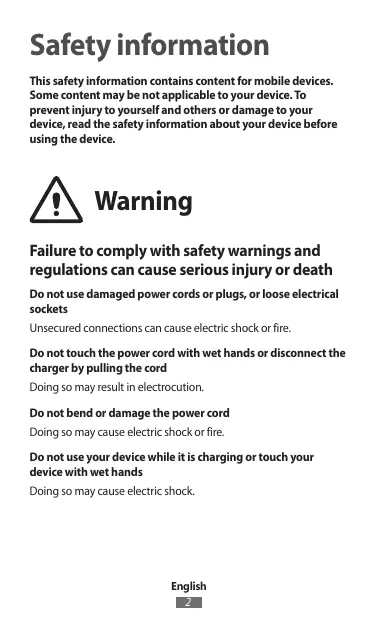
This safety information contains content for mobile devices. Some content may not be applicable to your device. To prevent injury to yourself and others or damage to your device, read the safety information about your device before using the device.

Warning
Failure to comply with safety warnings and regulations can cause serious injury or death.
Do not use damaged power cords or plugs, or loose electrical sockets.
Unsecured connections can cause electric shock or fire.
Do not touch the power cord with wet hands or disconnect the charger by pulling the cord.
Doing so may result in electrocution.
Do not bend or damage the power cord.
Doing so may cause electric shock or fire.
Do not use your device while it is charging or touch your device with wet hands.
Doing so may cause electric shock.
Do not short-circuit the charger or the device.
Doing so may cause electric shock or fire, or the battery may malfunction or explode.
Do not use your device outdoors during a thunderstorm.
Doing so may result in electric shock or device malfunction.
Use manufacturer-approved batteries, chargers, accessories, and supplies.
- Using generic batteries or chargers may shorten the life of your device or cause the device to malfunction. They may also cause a fire or cause the battery to explode.
- Use only Samsung-approved batteries and chargers specifically designed for your device. Incompatible batteries and chargers can cause serious injuries or damage to your device. Samsung cannot be responsible for the user's safety when using accessories or supplies that are not approved by Samsung.
Do not drop or cause an impact to the charger or the device.
Handle and dispose of the device and charger with care.
- Never dispose of the battery or device in a fire. Never place the battery or device on or in heating devices, such as microwave ovens, stoves, or radiators. The device may explode when overheated. Follow all local regulations when disposing of used battery or device.
- Never crush or puncture the device.
- Avoid exposing the device to high external pressure, which can lead to an internal short circuit and overheating.
Protect the device, battery, and charger from damage.
- Avoid exposing your device and battery to very cold or very hot temperatures. Extreme temperatures can damage the device and reduce the charging capacity and life of your device and battery.
- Prevent the battery from coming into contact with metal objects, as this can create a connection between the + and - terminals of your battery and lead to temporary or permanent battery damage.
- Never use a damaged charger or battery.
Do not store your device near or in heaters, microwaves, hot cooking equipment, or high pressure containers.
The battery may leak. - Your device may overheat and cause a fire.
Do not use or store your device in areas with high concentrations of dust or airborne materials
Dust or foreign materials can cause your device to malfunction and may result in fire or electric shock.
Prevent the multipurpose jack and the small end of the charger from contact with conductive materials, such as liquids, dust, metal powders, and pencil leads
Conductive materials may cause a short circuit or corrosion of the terminals, which may result in an explosion or fire.
Do not bite or suck the device or the battery
- Doing so may damage the device or result in an explosion or fire. Children or animals can choke on small parts.
- If children use the device, make sure that they use the device properly.
Do not insert the device or supplied accessories into the eyes, ears, or mouth
Doing so may cause suffocation or serious injuries.
Do not handle a damaged or leaking Lithium Ion (Li-Ion) battery
For safe disposal of your Li-ion battery, contact your nearest authorised service centre.
Caution
Failure to comply with safety cautions and regulations can cause injury or property damage
Do not use your device near other electronic devices
- Most electronic devices use radio frequency signals. Your device may interfere with other electronic devices.
- Using an LTE data connection may cause interference with other devices, such as audio equipment and telephones.
Do not use your device in a hospital, on an aircraft, or in automotive equipment that can be interfered with by radio frequency.
- Avoid using your device within a 15 cm range of a pacemaker, if possible, as your device can interfere with the pacemaker.
- To minimise possible interference with a pacemaker, use your device only on the side of your body that is opposite the pacemaker.
- If you use medical equipment, contact the equipment manufacturer before using your device to determine whether or not the equipment will be affected by radio frequencies emitted by the device.
- On an aircraft, using electronic devices can interfere with the aircraft's electronic navigational instruments. Make sure the device is turned off during takeoff and landing. After takeoff, you can use the device in flight mode if allowed by aircraft personnel.
- Electronic devices in your car may malfunction due to radio interference from your device. Contact the manufacturer for more information.
Do not expose the device to heavy smoke or fumes.
Doing so may damage the outside of the device or cause it to malfunction.
If you use a hearing aid, contact the manufacturer for information about radio interference.
The radio frequency emitted by your device may interfere with some hearing aids. Before using your device, contact the manufacturer to determine whether or not your hearing aid will be affected by radio frequencies emitted by the device.
Do not use your device near devices or apparatuses that emit radio frequencies, such as sound systems or radio towers.
Radio frequencies may cause your device to malfunction.
Turn off the device in potentially explosive environments.
- Turn off your device in potentially explosive environments instead of removing the battery.
- Always comply with regulations, instructions and signs in potentially explosive environments.
- Do not use your device at refuelling points (petrol stations), near fuels or chemicals, or in blasting areas.
- Do not store or carry flammable liquids, gases, or explosive materials in the same compartment as the device, its parts, or accessories.
If you notice strange smells or sounds coming from your device or the battery, or if you see smoke or liquids leaking from the device or battery, stop using the device immediately and take it to a Samsung Service Centre.
Failure to do so may result in fire or explosion.
Comply with all safety warnings and regulations regarding mobile device usage while operating a vehicle.
While driving, safely operating the vehicle is your first responsibility. Never use your mobile device while driving, if it is prohibited by law. For your safety and the safety of others, use your common sense and remember the following tips:
- Get to know your device and its convenience features, such as speed dial and redial. These features help you reduce the time needed to place or receive calls on your mobile device.
- Position your device within easy reach. Make sure you can access your wireless device without taking your eyes off the road. If you receive an incoming call at an inconvenient time, let your voicemail answer it for you.
- Suspend calls in heavy traffic or hazardous weather conditions. Rain, sleet, snow, ice, and heavy traffic can be hazardous.
- Do not take notes or look up phone numbers. Jotting down a "to do" list or flipping through your address book takes attention away from your primary responsibility of driving safely.
- Dial sensibly and assess the traffic. Place calls when you are not moving or before pulling into traffic. Try to plan calls when your car will be stationary.
- Do not engage in stressful or emotional conversations that may be distracting. Make the person you are talking to aware that you are driving and suspend conversations that could potentially divert your attention from the road.
Care for and use your mobile device properly.
Keep your device dry
- Humidity and liquids may damage the parts or electronic circuits in your device.
- Do not turn on your device if it is wet. If your device is already on, turn it off and remove the battery immediately (if the device will not turn off or you cannot remove the battery, leave it as-is). Then, dry the device with a towel and take it to a service centre.
- Liquids will change the colour of the label that indicates water damage inside the device. Water damage to your device can void your manufacturer's warranty.
Store your device only on flat surfaces
If your device falls, it may be damaged.
Do not store your device in very hot or very cold areas. It is recommended to use your device at temperatures from 5°C to 35°C
- Do not store your device in very hot areas such as inside a car in the summertime. Doing so may cause the screen to malfunction, result in damage to the device, or cause the battery to explode.
- Do not expose your device to direct sunlight for extended periods of time (on the dashboard of a car, for example).
- Store the battery at temperatures from 0°C to 45°C.
Do not store your device with metal objects, such as coins, keys, and necklaces
- Your device may be scratched or may malfunction.
- If the battery terminals come into contact with metal objects, this may cause a fire.
Do not store your device near magnetic fields
- Your device may malfunction or the battery may discharge from exposure to magnetic fields.
- Magnetic stripe cards, including credit cards, phone cards, passbooks, and boarding passes, may be damaged by magnetic fields.
Do not use your device or applications for a while if the device is overheated.
Prolonged exposure of your skin to an overheated device may cause low temperature burn symptoms, such as red spots and pigmentation.
Do not use your device with the back cover removed.
The battery may fall out of the device, which may result in damage or malfunction.
If your device has a camera flash or light, do not use it close to the eyes of people or pets.
Using a flash close to the eyes may cause temporary loss of vision or damage to the eyes.
Use caution when exposed to flashing lights.
While using your device, leave some lights on in the room and do not hold the screen too close to your eyes. - Seizures or blackouts can occur when you are exposed to flashing lights while watching videos or playing Flash-based games for extended periods. If you feel any discomfort, stop using the device immediately. - If anyone related to you has experienced seizures or blackouts while using a similar device, consult a physician before using the device.
- If you feel discomfort, such as a muscle spasm, or disoriented, stop using the device immediately and consult a physician.
- To prevent eye strain, take frequent breaks while using the device.
Reduce the risk of repetitive motion injuries.
When you repetitively perform actions, such as pressing keys, drawing characters on a touch screen with your fingers, or playing games, you may experience occasional discomfort in your hands, neck, shoulders, or other parts of your body. When using your device for extended periods, hold the device with a relaxed grip, press the keys lightly, and take frequent breaks. If you continue to have discomfort during or after such use, stop using the device and consult a physician.
Protect your hearing and ears when using a headset.

- Excessive exposure to loud sounds can cause hearing damage.
- Exposure to loud sounds while walking may distract your attention and cause an accident.
- Always turn the volume down before plugging the earphones into an audio source and use only the minimum volume setting necessary to hear your conversation or music.
- In dry environments, static electricity can build up in the headset. Avoid using headsets in dry environments or touch a metal object to discharge static electricity before connecting a headset to the device.
- Do not use a headset while driving or riding. Doing so may distract your attention and cause an accident, or may be illegal depending on your region.
Use caution when using the device while walking or moving
- Always be aware of your surroundings to avoid injury to yourself or others.
- Make sure the headset cable does not become entangled in your arms or on nearby objects.
Do not carry your device in your back pockets or around your waist
You could be injured or damage the device if you fall.
Do not paint or put stickers on your device
- Paint and stickers can clog moving parts and prevent proper operation.
- If you are allergic to paint or metal parts of the device, you may experience itching, eczema, or swelling of the skin. When this happens, stop using the device and consult your physician.
Do not use the device if it is cracked or broken
Broken glass or acrylic could cause injury to your hands and face. Take the device to a Samsung Service Centre to have it repaired.
Install mobile devices and equipment with caution
- Ensure that any mobile devices or related equipment installed in your vehicle are securely mounted.
- Avoid placing your device and accessories near or in an airbag deployment area. Improperly installed wireless equipment can cause serious injury when airbags inflate rapidly.
Do not drop your device or cause impacts to your device
- Your device may be damaged or may malfunction.
- If bent or deformed, your device may be damaged or parts may malfunction.
Ensure maximum battery and charger life
- Avoid charging your device for more than a week, as overcharging may shorten battery life. Over time, unused device will discharge and must be recharged before use.
- Disconnect the charger from power sources when not in use.
- Use the battery only for their intended purposes.
- Leaving batteries unused over time may reduce their lifespan and performance. It may also cause the batteries to malfunction or explode, or cause a fire.
- Follow all instructions in this manual to ensure the longest lifespan of your device and battery. Damages or poor performance caused by failure to follow warnings and instructions can void your manufacturer's warranty.
- Your device may wear out over time. Some parts and repairs are covered by the warranty within the validity period, but damages or deterioration caused by using unapproved accessories are not.
When using the device, mind the following
- Hold the device upright, as you would with a traditional phone.
- Speak directly into the microphone.
Do not disassemble, modify, or repair your device.
- Any changes or modifications to your device can void your manufacturer's warranty. If your device needs servicing, take your device to a Samsung Service Centre.
- Do not disassemble or puncture the battery, as this can cause explosion or fire.
- Turn off the device before removing the battery. If you remove the battery with the device turned on, it may cause the device to malfunction.
When cleaning your device, mind the following:
- Wipe your device or charger with a towel or an eraser.
- Clean the battery terminals with a cotton ball or a towel.
- Do not use chemicals or detergents. Doing so may discolor or corrode the outside of the device or may result in electric shock or fire.
Do not use the device for anything other than its intended use.
Your device may malfunction.
Avoid disturbing others when using the device in public.
Allow only qualified personnel to service your device.
Allowing unqualified personnel to service your device may result in damage to your device and will void your manufacturer's warranty.
Handle SIM cards, memory cards, or cables with care
- When inserting a card or connecting a cable to your device, make sure that the card is inserted or the cable is connected to the proper side.
- Do not remove a card while the device is transferring or accessing information, as this could result in loss of data and/or damage to the card or device.
- Protect cards from strong shocks, static electricity, and electrical noise from other devices.
- Do not touch gold-coloured contacts or terminals with your fingers or metal objects. If dirty, wipe the card with a soft cloth.
- Inserting a card or connecting a cable by force or improperly may result in damage to the multipurpose jack or other parts of the device.
Ensure access to emergency services
Emergency calls from your device may not be possible in some areas or circumstances. Before travelling in remote or undeveloped areas, plan an alternative method of contacting emergency services personnel.
Protect your personal data and prevent leakage or misuse of sensitive information
While using your device, be sure to back up important data. Samsung is not responsible for the loss of any data. - When disposing of your device, back up all data and then reset your device to prevent misuse of your personal information. - Carefully read the permissions screen when downloading applications. Be particularly cautious with applications that have access to many functions or to a significant amount of your personal information. - Check your accounts regularly for unapproved or suspicious use. If you find any sign of misuse of your personal information, contact your service provider to delete or change your account information. - In the event your device is lost or stolen, change the passwords on your accounts to protect your personal information. - Avoid using applications from unknown sources and lock your device with a pattern, password, or PIN.
Do not distribute copyright-protected material
Do not distribute copyright-protected material without the permission of the content owners. Doing this may violate copyright laws. The manufacturer is not liable for any legal issues caused by the user's illegal use of copyrighted material.
Malware and viruses
To protect your device from malware and viruses, follow these usage tips. Failure to do so may result in damages or loss of data that may not be covered by the warranty service
- Do not download unknown applications.
- Do not visit untrusted websites.
- Delete suspicious messages or emails from unknown senders.
- Set a password and change it regularly.
- Deactivate wireless features, such as Bluetooth, when not in use.
- If the device behaves abnormally, run an antivirus program to check for infection.
- Run an antivirus program on your device before you launch newly-downloaded applications and files.
- Install antivirus programs on your computer and run them regularly to check for infection.
- Do not edit registry settings or modify the device's operating system.
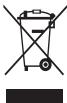
Correct disposal of this product
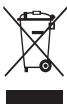
(Waste Electrical & Electronic Equipment)
(Applicable in countries with separate collection systems)
This marking on the product, accessories or literature indicates that the product and its electronic accessories (e.g. charger, headset, USB cable) should not be
disposed of with other household waste.
To prevent possible harm to the environment or human health from uncontrolled waste disposal, please separate these items from other types of waste and recycle them responsibly to promote the sustainable reuse of material resources.
Household users should contact either the retailer where they purchased this product, or their local government office, for details of where and how they can take these items for environmentally safe recycling.
Business users should contact their supplier and check the terms and conditions of the purchase contract. This product and its electronic accessories should not be mixed with other commercial wastes for disposal.
This EEE is compliant with RoHS.
Correct disposal of batteries in this product

(Applicable in countries with separate collection systems)
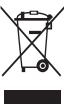
This marking on the battery, manual or packaging indicates that the batteries in this product should not be disposed of with other household waste. Where
marked, the chemical symbols Hg, Cd or Pb indicate that the battery contains mercury, cadmium or lead above the reference levels in EC Directive 2006/66. If batteries are not properly disposed of, these substances can cause harm to human health or the environment.
To protect natural resources and to promote material reuse, please separate batteries from other types of waste and recycle them through your local, free battery return system.
Correct disposal of batteries in this product

(Applicable in countries with separate collection systems)
The marking on the battery, manual or packaging indicates that the battery in this product should not be disposed of with other household waste. Where
marked, the chemical symbols Hg, Cd or Pb indicate that the battery contains mercury, cadmium or lead above the reference levels in EC Directive 2006/66.
The battery incorporated in this product is not user replaceable. For information on its replacement, please contact your service provider. Do not attempt to remove the battery or dispose it in a fire. Do not disassemble, crush, or puncture the battery. If you intend to discard the product, the waste collection site will take the appropriate measures for the recycling and treatment of the product, including the battery.
Disclaimer
Some content and services accessible through this device belong to third parties and are protected by copyright, patent, trademark and/or other intellectual property laws. Such content and services are provided solely for your personal non-commercial use.
You may not use any content or services in a manner that has not been authorised by the content owner or service provider.
Without limiting the foregoing, unless expressly authorised by the applicable content owner or service provider, you may not modify, copy, republish, upload, post, transmit, translate, sell, create derivative works, exploit, or distribute in any manner or medium any content or services displayed through this device.
"THIRD PARTY CONTENT AND SERVICES ARE PROVIDED "AS IS." SAMSUNG DOES NOT WARRANTY CONTENT OR SERVICES SO PROVIDED, EITHER EXPRESSLY OR IMPLIEDLY, FOR ANY PURPOSE. SAMSUNG EXPRESSLY DISCLAIMS ANY IMPLIED WARRANTIES, INCLUDING BUT NOT LIMITED TO, WARRANTIES OF MERCHANTABILITY OR FITNESS FOR A PARTICULAR PURPOSE. SAMSUNG DOES NOT GUARANTEE THE ACCURACY, VALIDITY, TIMELINESS, LEGALITY, OR COMPLETENESS OF ANY CONTENT OR SERVICE MADE AVAILABLE THROUGH THIS DEVICE AND UNDER NO CIRCUMSTANCES, INCLUDING NEGLIGENCE, SHALL SAMSUNG BE LIABLE, WHETHER IN CONTRACT OR TORT, FOR ANY DIRECT, INDIRECT, INCIDENTAL, SPECIAL OR CONSEQUENTIAL DAMAGES, ATTORNEY FEES, EXPENSES, OR ANY OTHER DAMAGES ARISING OUT OF, OR IN CONNECTION WITH, ANY INFORMATION CONTAINED IN, OR AS A RESULT OF THE USE OF ANY CONTENT OR SERVICE BY YOU OR ANY THIRD PARTY, EVEN IF ADVISED OF THE POSSIBILITY OF SUCH DAMAGES."
Third party services may be terminated or interrupted at any time, and Samsung makes no representation or warranty that any content or service will remain available for any period of time. Content and services are transmitted by third parties by means of networks and transmission facilities over which Samsung has no control. Without limiting the generality of this disclaimer, Samsung expressly disclaims any responsibility or liability for any interruption or suspension of any content or service made available through this device.
Samsung is neither responsible nor liable for customer service related to the content and services. Any question or request for service relating to the content or services should be made directly to the respective content and service providers.
Safety information for mobile devices. Some of this information may apply to your device. To prevent injury to yourself or others, or damage to your device, read the safety information for your device before using it.

Warning
a
ailll lalb y jaiylll lalb y ell y la ayablaall lailll cbby
Aayblll Cnll lai jllnni jSaa Jlll cll glll
jll j 24
all j
jglal jg jy jll jz jz jz jz jz jz jz jz jz jz jz jz jz jz jz jz jz jz jz jz jz
.
aaiilgl yllal all jaiil aie jaii
Jana 25 148 jall gabelian yllal lai jil jaliol plull cull
a 14 aalal 5 jgj gaaal 5 g
.
aiaiaiaiaiaiaiaiaiaiaiaiaiaiaiaiaiaiaiaiaiaiaiaiaiaiaiaiaiaiaiaiaiaiaiaiaiaiaiaiaiaiaiaiaiaiaiaiaiaiaiaiaiaiaiaiaiaiaiaiaiaiaiaiaiaiaiaiaiaiaiaiaiaiaia
a a a a a a a a a a a a a a a a a a a a a a a
Ae yay ayy gell ayy gll taii iie oyab ayuoi
Cuaa 4 jalj jgall
__SUPPIMER__
1 1
Therefore, the area of triangle ACD equals the area of triangle COD plus the area of triangle BDO minus the area of triangle CDA.
1 1
PIN 1:113,245,3
USB 0g (USB Jds aclld jalil)
aalld aef dgygall lall alal
(Alaiia aaii aiil iaiii gill uilll g jba)

Lgag a jajal g jajal g jajal g jajal ddi y jay 1jai jai iia jai gaojai cai jai jai cai jai kai jai jai i jai jai jai jai jai jai jai jai jai jai jai jai jai jai jai jai jai jai jai jai jai jai jai jai jai jai jai jai jai jai jai jai jai
35 1 1 1 1 1 1 1 1 1 1 1 1 1 1 1 1 1 1 1 1 1 1 1 1 1 1 1 1 1 1 1 1 1 1 1 1 1 1 1 1 1 1 1
Lalal yolall plalal sale 1e alalll yalall yalal lalal sale! pali dla la lyal ale! gylal alg
aill 10 a 50 gall clll lalil
(Alaiia gaii aaiil aiin gill uill
J 1 J 1 J 1 J 1 J 1 J 1 J 1 J 1 J 1 J 1 J 1 J 1 J 1 J 1 J 1 J 1 J 1 J 1 J 1 J 1 J 1 J 1 J 1 J 1 J 1 J 1 J 1 J 1 J 1 J 1 J 1 J 1 J 1 J 1 J
()
He DoKocBaTae 3aBauHaaZaKa 6bCen Mckpo BpEe HnIe KnIOuBaHTae 3aepHNO tycrOaBTO, DpNaiKu Ka6ena
Toba moxe da npedein3Bnka cmbpt OT ekeTpueecknyap.
He orbbaIte n He nobpekdaIte eIeKtpueckna ka6en
Toba MoXe da npedn3BnKa TOKOB yap nIIN noXkap.
HNeon3BaJIeYyOToBCTBO,doKATO ce 3aepkDa,ne Ro doKoCBAIe C mOko pBue
This may cause an electric shock.
Do not connect the cable to the charging device.
This may cause an electric shock or fire, and may damage the device or cause injury.
Do not use the device during a thunderstorm.
This may cause an electric shock or damage to the device.
Use batteries, charging devices, accessories, and spare parts approved by the manufacturer.
Using unapproved batteries or charging devices may cause a fire, explosion, or other hazards. This may result in injury or damage to the device. - Use only Samsung-approved batteries and chargers. - Do not use incompatible batteries or chargers. - Do not use damaged batteries or chargers. - Samsung is not responsible for the safety of use of accessories or consumables that are not approved by Samsung.
Do not drop or subject the charging device to impact.
Be careful when connecting the charging device to the power source.
Never insert the device into a microwave oven. Never place the device on a heating pad, microwave, or radiator. The device may catch fire if overheated. Follow the instructions for inserting and removing the device's battery. Never disassemble or puncture the device. Keep the device away from heat and moisture, as this may cause electric shock or fire.
Protect the device, battery, and charging device from damage.
Keep the device and battery away from extreme temperatures.
Extreme temperatures may damage the device or reduce the battery's lifespan. - Avoid short-circuiting the battery terminals, as this may create a connection between the + and - terminals and cause a fire or explosion. - Never use a damaged charging device or battery.
Do not leave the device near heaters, microwaves, stoves, or containers with hot water.
- The battery may leak.
- The product can be used for fire prevention and firefighting.
The device must be kept out of reach of children and pets.
The device can be used for firefighting and for extinguishing small fires.
Avoid contact with the multifunctional valve on the device with corrosive materials such as acids, alkalis, and solvents.
The device must be kept away from heat sources and open flames.
Do not disassemble the device or the battery.
The device should be stored in a cool, dry place. - Keep away from children and pets. - If the device is used, make sure it is used properly.
This device is intended for use with the accessories and battery specified by the manufacturer.
Failure to do so may cause malfunction or serious damage.
Do not expose the device to high temperatures or direct sunlight.
Keep the device away from water and other liquids to prevent short circuits.
Warning
Failure to follow these instructions may result in personal injury or property damage.
Do not use the device near other electronic devices.
Do not place the device on soft surfaces such as beds or sofas.
To avoid any malfunction, keep the device away from strong magnetic fields.
If you use a hearing aid, consult your doctor for information about the compatibility of the device.
The radio frequency output, planned by the device, may cause interference with hearing aids. Consult your doctor to ensure that the hearing aid is protected from the device's output.
Do not use the device near other devices or appliances that emit radio frequencies, such as audio systems or radios.
Radio frequencies may damage the device.
Turn off the device when you are in areas with potentially explosive atmospheres.
Instead of replacing the battery, use the device in a potentially explosive environment. Follow the instructions provided for such environments. Do not expose the device to flammable liquids or gases. Do not leave or store the device in areas with explosive substances.
If the battery is damaged, remove the device from the battery and contact the manufacturer or an authorized service center for repair.
Otherwise, you may cause a fire or explosion.
Do not store the device near metal objects, such as coins, keys, or jewelry.
Your device may be scratched or damaged. If you keep the battery in contact with metal objects, this may cause a short circuit.
Do not leave the device near magnetic fields.
• The device may be affected by magnetic fields or the battery may be damaged by magnetic materials. - Magnetic cards, including credit cards, phone cards, passes, and door cards, may be damaged by magnetic fields.
Do not use the device or its accessories for extended periods of time while the device is charging.
The device's surface may be damaged at high temperatures. Keep the device away from heat sources such as radiators or heaters.
This device is intended for home use.
The device may emit heat from it, which can cause burns if used incorrectly.
In the absence of a camera flash and lighting, do not use it on people or animals.
Using the flash close to the eyes may cause temporary visual impairment.
Precautions when using the flash
Turn on the flash only when using the device, and do not point it directly at people's eyes. The flash emits intense light that can cause temporary blindness. If you feel discomfort, stop using the device. - If you have a medical condition or are taking medication that may be affected by the flash, consult a doctor before using the device. If you feel discomfort, such as muscle spasms or convulsions, stop using the device immediately and consult a doctor. For people with epilepsy or those prone to seizures, be careful when using the device.
Start slowly when using the device again
When you use the device for the first time or after a long period of inactivity, you may experience discomfort in your eyes, head, or neck. Start using the device gradually, and if you continue to feel discomfort during use, stop using the device and consult a doctor.
Protect your hearing and ears when using headphones

- Listening at high volume for a long time can damage your hearing. To avoid hearing loss, keep the volume at a moderate level.
Always use headphones at a moderate volume and avoid prolonged exposure to loud sounds. Set the volume to a comfortable level before listening to music. In a quiet environment, the headphones may not be able to produce static electricity. Avoid using the device in dusty or humid environments, and do not touch metal objects to discharge static electricity before using the headphones. - Do not use the headphones while driving a vehicle. This may distract you and cause an accident, and it may also be illegal in some areas.
Do not place heavy objects on top of your device
Heavy objects can damage the moving parts and impair the normal functioning of the device. - If you are allergic to metal or have metal parts in your body, you may feel discomfort when using the device. If this happens, stop using the device and consult your doctor.
Do not use the device if it is cracked or broken
A cracked or broken device can cause injury to your hands or face. Take the device to a Samsung service center for repair.
- Device, this mobile device is intended for home use, not for professional use, and is supplied without warranty. The device should be used only for its intended purpose. Improper use may cause serious damage, especially if the device is dropped.
Do not drop the device or allow impacts to it.
Your device may be damaged or may not work properly. If it is dropped or deformed, the device may be damaged.
Operate the device within the maximum temperature range on the battery.
Do not expose the device to high temperatures or direct sunlight, as this may cause fire or explosion. Do not use the device if it is damaged or has been repaired improperly. Do not use the battery for any other purpose. If the battery is not used properly, it may cause fire or explosion. Do not damage the battery or expose it to high temperatures, as this may cause fire.
Follow the instructions and warnings in this manual to ensure the longest possible life for your device and battery. Improper use or exposure to extreme temperatures may damage the device or battery. Do not use the device if it is damaged. Do not use the device in areas with high humidity or dust, as this may cause damage.
When using the device, pay attention to the following:
Do not use the device for any purpose other than its intended use.
The device may be damaged.
Do not use the device to illuminate people, especially when using the device to light a room.
Use only qualified service personnel to repair the device.
If you allow your device to be serviced by unqualified personnel, it may cause damage to the device.
Use only the supplied SIM cards, memory cards, and cables.
When inserting or removing the cable from the device, make sure the battery is installed correctly or the cable is connected to the correct port. Do not insert the card while the device is in operation, as this may cause damage to the card or the device. Keep the card away from children, static electricity, and electronic devices, and away from the device itself. Do not touch the metal contacts of the card. If there is dust, clean the contacts with a soft cloth. When connecting the cable, ensure it is inserted correctly and not forced. Do not pull the cable with excessive force.
In the event of a malfunction, it is possible that you cannot operate the device. Before you take it to a service center for repair, plan an alternative method for contacting the technical department in case of an emergency.
Please read the information carefully before using the device. Samsung is not responsible for the loss of your data. Before disposing of the device, archive all data and then reset the device to prevent misuse of your personal information. Carefully read the manual for instructions on how to use the device. Pay special attention to the instructions that have many functions. I will check your account regularly for unauthorized use. If you find any suspicious activity on your account, contact the service center immediately to prevent information leakage. In case of device loss or theft, change your account password to protect your personal information. Do not share your password with anyone.
Do not distribute copyrighted material
Do not distribute copyrighted material without the permission of the owners. This may lead to violation of copyright laws. The manufacturer is not responsible for any legal consequences resulting from improper use of copyrighted material.
End of content
Read the user manual before using the device. Failure to follow the instructions may lead to damage or loss of data, as well as to the disclosure of confidential information.
Do not use the device for unknown purposes. Do not use unreliable accessories. - Use only original accessories or those recommended by the manufacturer. Ask a specialist for advice. - Do not use the device in environments with high humidity, such as Bluetooth, when it is not necessary. - The device should be regularly checked for updates to ensure proper functioning. If the device does not work correctly, restart it or update the software. - Do not modify the device's software. - Follow the instructions for use.
Correct handling of the device's electrical equipment


(Electrical and electronic equipment)
(System for separate waste collection)
All trademarks and registered trademarks mentioned in this document are the property of their respective owners. This includes, for example, the device, accessories, and USB cables. They should be used only with the device.
Delete.
The manufacturer is responsible for the safe disposal, recycling, and recovery of waste batteries and accumulators, as well as for the separate collection of waste batteries and accumulators, in order to create conditions for environmentally sound treatment and recycling of the resources.
The manufacturer has been registered in accordance with the applicable legislation, and the competent authorities have been notified, in order to allow the placing on the market of batteries and accumulators, ensuring the protection of the environment.
The product is supplied in accordance with the terms of the purchase contract. This does not affect the manufacturer's obligations regarding the separate collection and recycling of waste batteries and accumulators.
Correct disposal of batteries in this product

(Available in systems with separate collection)
This marking on the battery, the manual, or the packaging indicates that the battery must not be disposed of with other household waste. The chemical symbols Hg, Cd, or Pb indicate that the battery contains mercury, cadmium, or lead above the levels specified in Directive 2006/66/EC.
Hg, Cd, and Pb are indicated, which are present in the battery, and the battery must not be disposed of with unsorted municipal waste. If the battery is not disposed of properly, these substances can cause harm to human health and the environment.
To prevent negative effects on the environment and to promote the reuse and recycling of materials, please separate the battery from other types of waste and take it to your local collection point for recycling.
Correct disposal of batteries in this product

(Available in systems with separate collection)
The marking on the battery, the manual, or the packaging indicates that the battery must not be disposed of with other household waste. The chemical symbols Hg, Cd, or Pb indicate that the battery contains mercury, cadmium, or lead above the levels specified in Directive 2006/66/EC.
The battery contains mercury, cadmium, or lead, and must not be disposed of with unsorted municipal waste.
The product and its battery must not be disposed of as unsorted municipal waste. Please return the product to your local collection point for recycling. Do not attempt to disassemble the battery or dispose of it in a fire. If you need to dispose of the product, please follow the local regulations for recycling and disposal of waste electrical and electronic equipment, including batteries.
Disclaimer
This document is the property of the copyright holder. It is protected by copyright, patents, trademarks, and/or other intellectual property laws. No part of this document may be reproduced, transmitted, or stored in a retrieval system, in any form or by any means, without the prior written permission of the copyright holder, except for the inclusion of brief quotations in a review. All other uses are strictly prohibited. This document is provided on an "as is" basis, without warranty of any kind, either expressed or implied, including but not limited to the implied warranties of merchantability, fitness for a particular purpose, or non-infringement. In no event shall the copyright holder be liable for any damages, including but not limited to direct, indirect, incidental, special, consequential, or punitive damages, arising out of the use of or inability to use this document, even if the copyright holder has been advised of the possibility of such damages.
The device can be turned off at any time, but Samsung does not assume responsibility for any damages or losses resulting from the use of the device in a manner that is not in accordance with the instructions, or for any damages or losses arising from the use of the device after the warranty period has expired. The device should be used in accordance with the instructions provided by the manufacturer. Samsung is not responsible for any damages or losses arising from the use of the device in a manner that is not in accordance with the instructions, or for any damages or losses arising from the use of the device after the warranty period has expired.
Samsung does not assume any responsibility for any damages or losses arising from the use of the device in a manner that is not in accordance with the instructions, or for any damages or losses arising from the use of the device after the warranty period has expired. If you have any questions or concerns about the use of the device, please contact the manufacturer or the supplier of the device.
Safety Information
1 1
s yg 12 s g s 12 s 2
As ola Jia j s y ly oJg Uaill ay cly uu Lulj algo
1.2g jaiy by 5j gaiy ay jiai ciui jai jai jai jai
pia 1jai oai joi aiui ay bi yai gai ci jia jia daa j
4.55 4.55
i 1
()
gai kii j 00s oaii iiaa aie gai j j j j
:
oJai jyj yOJai Jii j 10
jui jia jia 45 jiu jia bao. jia jia jia jia jia jia jia
j 1 j
Cui jin jin jin jin jin jin jin jin jin jin jin jin jin jin jin jin jin jin jin jin jin jin jin jin jin jin jin jin jin jin jin jin jin jin jin jin jin jin jin jin jin jin
cuui jiuji yki jiu u 1 yai o jai y kci ci ddy jy
15
g 1
sui j 45 15 15
jw (s) jzil y 10
(5,2), (3,2)
S 150
i 1
JU 1
.2g 1
sijg jglgj ggljgjj 1
Jr J 1
.
jLs jS jS i 1
gai jia bi jiu ciui jao liy g y i jie jiy cjs g silyi jls
iiuui uuiuui
alilni Cunly j gls 45 gale 62j5 gla ainy ly
2j j 00000000000000000000000000000
jia jia sla 451 dila jiu yu slao juyi gaiy iipie jy ci ly aiy jay
.
25j5y j 1
1 1
auii oiiinai iililgy ly ilj j
Therefore, the area of triangle OBC equals the area of triangle COD plus the area of triangle BOC minus the area of triangle BOC.
4a
a 1
a 1
()
Therefore, sin alpha is less than 0.
1 1
| W/kg ·/··· | SAR |
| W/kg ·/··· | SAR |
Safety instructions
3AkhmudanFAH HEMECAbIF KETKEN LINTNIH OIN (Li-ION) 6ATapehBbI KOJdAHBaH3
OcbI eHIM 6aTapeJIapbIH caikeciHwe KOIO

(Белекхинayкуйenepi6ap endep yinKoIaHbNabI)
Batapeadabfa, HcyKaIbNtAbfH meHeme opaMaDb 6yTbnAbe 6ybnIhimeri BatapearHbH 63KbMET etry Meep3mHInH coBnHa 6BaKa TpyMbK KaIbKTabMpHem 6 bipre XohJbMaYbIe NekEeHIN KcpedE. SeIinHeH eKepeDi Hg, Cd hemat Pb cmbOdaBpatapeadabfa cbHan,
KADMM HEMECE KoprAcbHn MeuJIpe 2066 OE DIPeKtINBAcHbNAbIyK CepKetIeHn deReHn dcAbn TycetIHdIniB iDIIpIedi.
Byi hEmeiBeratapnhi naaahayauh ayibtiapa aamaiy. Obl Byihtbpyr Tpaalbi aknapattb KhMeT xekIcHHeH abHni3. Batapenhyu bHaFapMaH3 xae HtAOK TakTamaHb3. Batapenhyb6 BnilekeTeyre, Xagyra HEMeCte Tcyre 6oImaHb. EhmIdi Tactady bYfapacb3, KOKbc HxNAtbOp HbHm MeBAPenHybKaTaIeDyDenEhKt3yDHN HEMeBC6ackaua KoJdAnhydb NtICl TiqaanapabHyxjypr313e.

CmBbON KeDnJk OAdkTbHn 005/2011 texHHaKbI kperamantHe CaeKcKOlanhbladjXaHeOcbE hHmHI KANTamaBc HekHII pet NaAldanahyra apHaLMaHfAHJx HaJe OKaRa XatatbHIn Karpctedj. Ocb EHMHH KANTamaBc H a3bck-TYIK EHImdepi cKaTay yuHin naJaalnaHyra TbHIM CaNbHaHda.

CImbON KANTamahya JXOHO MMKJHgIRH KBPcTeDI. CImbON CaIbIK, KOJ, XaJIHe/HEMeCe apiIin GEJIrInIpy TUIyIDER KAMATA MATEPAIbIbINH, BILRCIMEH ToTbIKbIbIPbIbY MyMMKII.
Kayankepiinikren 6ac tapu
OcKbpyRbIaKaBtHnayoBaNtHKnB6iMAmhMeH NcMBeTep yuiHniTataptnAeNenHirineTKeXaJIaDbxHaTeABTOBpIKKbYKbHKTap, CyaJa B6nEriC xHeA/HEMeCe 6Ba Ka HntTeNLeKryAaNbIK MeHsIKu 3AndabPbIMe KopraNa. OcHbIaN MzMmHgNekTe Tce XeJHae KOMpeRnBuIbK EMEc MaKcTTAeKtKlIeJe. Ma3MHy IheRePi HEMec Kb3PbIMptpoaiEApkBbIy PcyKAT eITmEReh KAnDa Jdp B3amMHy HEMEc Kb3METnqdi KaD aD bip DapeKoeQoLaDHaAMiAaBc3i OcB6ac TaTpTDy RcKpCat eTneHInue, XoRaFbpa KepCtTIeHepDM XieKTeMeJ, OcKbPyBbIMEn HcKePcTINH KAnDa jD bipMaMnHbJ HEMEc Kb3MeTti KAHN da bD appeKaeTe tyPi E3repy, KeWipy, KaIIa 6BaCbIbNaHpy, XkyTej, XyKaJIyA,IxSybe, Aydpy, cat, TybHbDi Eh6BeKeTJIxacai, KOlanDAhy HEMec tapay KCyBfHbN3xJxOx.
YUHIIHHI TAPAI MA3MVHb JXGHE KEBMETETPEK KEJIITIKICB KAMTAMACb ETJIEI SAMSUNG MYHDA BAEBJIFEH MA3MVH HEMECE Kb3METETPE YUHJ KAHDAI BA BIP MAKCATA APKbIH HEMECE TYCNAI DAHFAH KEGIITIKETPEBPMEIDI SAMSUNG CATYFA XAPAMbIbIK INE EEEJIJI BIP MAKCATCA KOJIADHVA CBJEKCTIK KEPIIJKTEPHI KOCA, BIPAK OHBIIMEH UJEKTEJIMEV, KAHDAI DA BYP TCTAYI KEGIITIKETPEBPMEIDI. SAMSUMOGCb IKYbIFbIbFAPKbILK OJIOL KEGKTIKIIEH, BIPAK DIA BIP MA3MVH HEMEC Kb3METTHD ANJITIIHE, XAPAMbIbIK BYBA HEPA3IMDIITLHE, 3AHAFCsIKECTIIHTHE HEMEC TOJIbIK TByIFbIEK, BEPMEIDI XGEHAMESSUNG EUSIB KFAPDAIAO, COBHUYIISHE YKbIbC13bIK, YUHIIJ HAPTEHMECE A3AMATTBK YKKB, EBY3UIbIK BOK bOJIbIHKAHDAI DA BYTKIEJN, XAHAMA, KEJDEIECOK, KACAKAHSA HEMECE PETTIK 3AJIaJDAp, 5bIFbIHDAp RA BOIMACA B6ACA DA YbIuHdNIIH HEMEC BApALNbCTbIAJLDAp HEMEC KE3 KEJITIEH KAMTbIFAH AKNJAPATTbE HEMEC MVHDA 3AJIaJDAp BOyBMYMIXDHITCKEPITJFEH DITHE KAPAMACTAH, CI3 HEMECE YUHIIHHI TAPAI APKbIbIK KOJIADHY HENTXKECHIDEYFAH 3AJIaJDAp YUHJX KEAJAITBt IMEC
This device may be used in a wide range of environments, including household, commercial, and industrial settings. Samsung is not responsible for any damage or loss caused by improper use of the device. If you use the device in a dusty environment, Samsung may provide additional cleaning or maintenance services.
Samsung devices and their accessories should be kept away from children and pets. If the device or its accessories are damaged, contact Samsung or an authorized service center immediately.
Do not expose the device to metallic objects, such as coins, keys, and jewelry.
Do not store the device in dusty or dirty areas. If the device comes into contact with metallic objects, it may cause a fire.
Do not place the device near magnetic fields.
The device may be affected by magnetic fields, and the battery may be damaged. Magnetic cards, including credit cards, phone cards, bankbooks, and access cards, may be demagnetized by the device's magnetic field.
Do not use the device in a hospital operating room if the device is prohibited by the hospital.
Prolonged exposure of your skin to the device may cause symptoms of overheating, such as redness or skin irritation.
Do not use the device with a damaged battery.
The battery may leak or cause malfunction if it is damaged or used improperly.
Since the device is equipped with a built-in battery, do not remove the battery by force.
Use the device in a well-ventilated area and avoid exposing it to high temperatures or direct sunlight.
Handle the device carefully when using the flash.
Do not use the device in areas where the use of electronic devices is prohibited, such as in hospitals or on airplanes. If you feel discomfort, stop using the device and consult a doctor. If you experience any discomfort, such as dizziness or nausea, stop using the device immediately and consult a doctor. If you have any questions, contact the manufacturer or an authorized service center.
When using the device, follow the instructions, keep the connectors, the ventilation openings and the sensitive parts clean to prevent the device from malfunctioning during use. When you use the device, the connectors may heat up. Do not touch them while they are hot. If you experience any discomfort while using the device, stop using it and consult a doctor.
Protect your hearing when using the device

Listening to the device at high volume may damage your hearing. Listening to it at high volume for a long time may cause hearing damage.
- Always make sure that the device volume is set to the minimum before putting the earphones in your ears. Increase the volume gradually, only as needed, and only when the device is in use.
- In dry environments, static electricity may build up. Avoid using the device near dry environments or flammable materials to prevent static electricity from causing a fire or electric shock. Do not use the device near water. In the event of a malfunction, the device may cause electric shock or fire. If this happens, stop using the device and contact the manufacturer.
Remove the device from your ears when you are not using it
- Always be aware of your surroundings to avoid accidents. Make sure the cable of the earphones does not get caught on your arms or other objects.
Do not wear the device in your ears or around your neck
If you drop it, the device may be damaged or you may be injured.
Do not disassemble the device and do not place heavy objects on it
- Water and moisture can damage the device. Do not use the device in the rain or in humid conditions.
- If you are allergic to the materials used in the device, you may experience itching, eczema, or swelling of the skin. If this happens, stop using the device and consult your doctor.
Do not use the device if it is damaged or broken
A damaged or broken device may cause injury to your arms or face. Take the device to a Samsung service center for repair.
Handle the mobile device with care.
- Always handle the device with care and avoid exposing it to liquids or extreme temperatures. If you notice any damage, stop using the device and contact a qualified service center. Improper handling may cause serious damage to the device and void the warranty.
Do not use the device and do not attempt to repair it yourself.
Your device may become damaged or malfunction. If the device is damaged, it may not function properly. In such cases, contact a qualified service center for inspection and repair.
Ensure maximum battery life and charging
- Charge the battery fully before first use.
- Using the device while charging may cause damage to the battery. Always use the device with a fully charged battery. Avoid using the device while it is charging. Unplug the charger from the power source when not in use. Use the battery only for its intended purpose.
- If the battery is left unused for a long time, it may lose its capacity and performance. Also, when the device is exposed to extreme temperatures, the battery may discharge or even explode. Follow the instructions in this manual to ensure the safety of your device and battery. Failure to follow these instructions may result in damage to the device or personal injury. Your warranty may be voided if the device is misused. Some parts of the device may become hot during operation. In such cases, handle the device with care and avoid prolonged contact with your skin.
When using the device, take necessary precautions
Hold the device properly, just like a regular phone. Speak directly into the microphone.
Do not disassemble, modify, or repair your device.
- Replace the battery only with the same or equivalent type recommended by the manufacturer. If the device needs to be serviced, take it to a Samsung service center.
- Do not disassemble or puncture the battery, as this may cause an explosion or fire. Remove the battery only after turning off the device. If you remove the battery while the device is on, it may cause unexpected malfunction of the device.
While using the device, observe the following precautions.
- Turn off the device or remove it from the charger. Check the battery contacts with a dry cloth or a soft brush.
- Do not use chemicals or detergents. Otherwise, it may cause discoloration or corrosion of the device, or damage to the electrical contacts.
Use the device only for its intended purpose.
Ensure that the device functions properly.
Avoid exposing the device to moisture.
Only qualified service personnel should service the device.
Unauthorized modifications or repairs may void the warranty and may cause damage to the device.
Handle SIM cards, memory cards, and cables with care.
- When inserting a card or connecting a cable to the device, ensure that the card or cable is inserted or connected in the correct direction. Do not force the card or cable into the device, as this may damage the card or the device. Keep the cards away from water, static electricity, and electrical charges. Do not touch the gold contacts with your fingers or metal objects. If the card is dirty, wipe it with a soft cloth. Inserting the card or connecting the cable improperly may cause damage to the device's internal components.
Provide proper ventilation for the device.
For ventilation, do not place the device in a confined space. Do not place the device on soft surfaces such as a bed or sofa, as this may block ventilation. Keep the device away from heat sources and do not expose it to direct sunlight.
For your safety, follow the instructions and warnings provided in the user manual.
Please read all safety information before using the device to avoid injury. Samsung is not responsible for any damage caused by improper use. Before turning on the device, read the safety information carefully to ensure safe and proper use. Follow the instructions when using the device. Be careful when using the device with applications. If the device is used with applications that are not approved by Samsung, it may cause malfunctions. - Regularly check your device for any damage or wear. If you notice any signs of malfunction or damage to your device, contact your operator to have your device repaired or replaced. Remember to back up your data before sending your device for repair. Avoid using the device with unauthorized accessories and always turn off your device before cleaning.
Do not distribute copyrighted material
Do not distribute copyrighted material without the permission of the rights holder. Doing so may violate copyright laws. The manufacturer is not responsible for any legal issues arising from the unauthorized use of copyrighted material.
Proper disposal of the device and battery
To properly dispose of the device and battery, follow the instructions provided in the user manual. Improper disposal may lead to environmental damage or loss of data, which may not be covered by the warranty.
Do not install unknown applications. Do not visit untrusted websites. Avoid suspicious links or emails from unknown senders. - Set a password and change it regularly. • Disable unused features such as Bluetooth, Wi-Fi, and NFC. If the device is infected with malware, scan it with antivirus software. Scan the device with antivirus software and remove any malicious applications. Install antivirus software on your computer and regularly scan for viruses. Do not root the device or modify the operating system.
Proper disposal of this product
Program viruses and viruses
To protect the device from virus-infected programs or viruses, follow the usage tips below. Failure to comply with these requirements may lead to deterioration or loss of data that may not be covered by the warranty.
Do not use or store the device in places with high concentrations of dust or volatile substances.
Do not burn or dispose of the device or battery in fire.
This may cause explosion, fire, or damage to the device. - Keep the device away from children and pets. If the device is used improperly, it may cause injury. Follow the instructions for proper use.
These devices comply with the requirements of the Russian Federation for technical means.
This may lead to serious injuries.
Use only original accessories and spare parts.
Information about the availability of the device in the Russian Federation can be obtained from the service center.

Warning
Failure to follow the warnings and safety instructions may result in injury or damage to the equipment.
It is prohibited to use the device near electronic devices.
Most electronic devices are shielded against radio frequency interference. However, some devices may be affected by it. Using the device with connected accessories may cause interference with other devices, such as hearing aids or pacemakers.
To avoid interference with the operation of medical devices, it is prohibited to use the device in hospitals, airplanes, or vehicles.
- Keep the device at a distance of at least 15 cm from a pacemaker. If you use a pacemaker, hold the device to the right ear, not the left, to avoid interference. - If you use any medical devices, consult with the manufacturer to ensure that the device does not interfere with the medical devices.
Using electronic devices on airplanes may interfere with the aircraft's navigation systems. Do not forget to turn off the device during takeoff and landing. After takeoff, it is allowed to use the device in airplane mode with the permission of the crew. Such devices may cause interference with the aircraft's electronic equipment due to radio signals. For more information, contact the aircraft manufacturer.
Avoid excessive exposure to smoke and dust on the device
This may damage the device's case or cause it to malfunction.
If the device is used with an accessory, contact its manufacturer for information about its compatibility with the device.
The device may cause interference with the operation of some medical devices. If you use such devices, consult with the manufacturer to ensure that the device does not interfere with the medical devices.
Radio equipment can cause interference with the operation of the device, for example, audio systems or radio devices.
Radio waves can cause malfunctions in the device.
Turn off the device in potentially explosive atmospheres.
In potentially explosive atmospheres, turn off the device and do not remove the battery. Strictly follow the rules and instructions in potentially explosive atmospheres. Do not use the device at refueling points, near fuel tanks or chemical reagents, as well as in places where blasting operations are carried out. Do not carry portable transmitters, gases or explosive substances together with the device, its components or accessories.
If you detect smoke, unusual smell, strange sounds, or the device heats up, immediately stop using the device and remove the battery. If the device is not working properly, contact the service center.
Otherwise, an explosion or fire may occur.
Follow the safety instructions for using the device in the form provided by the manufacturer.
Observe technical safety and traffic rules when using the device in a vehicle. Do not use the device while driving if it is prohibited by law. The safety of the driver and passengers must be ensured in accordance with the recommendations.
Use the device with caution. The device may cause distractions while driving. - Place the device in a convenient location. Make sure that the device can be used without obstructing the view of the road. The driver, who is distracted for a long time, may cause an accident. In case of poor visibility or unfavorable weather conditions, postpone the call. Rain, snow, ice, or intense movement may lead to an accident. Do not make calls or check the phone book while driving. Checking the phone book or making calls distracts the driver from safe driving. Use the device hands-free, without being distracted from driving. It is recommended to stop the vehicle before making a call. Do not make calls when the vehicle is moving - do not conduct important or lengthy conversations that may distract you from driving. Inform your interlocutors that you are driving. Do not conduct conversations that may distract you from driving.
Use the mobile device and handle it correctly.
Avoid getting the device wet.
Moisture and liquids can damage the components of the device or the electrical circuit. - Turn off the device. If the device is already off, turn it on and remove the battery (if you cannot turn off the device or remove the battery, do not use the device). Take the device to a service center. The ingress of moisture into the device can affect its operation. The manufacturer is not responsible for damage caused by moisture.
Install the device only on a flat surface.
If the device is dropped, it may be damaged.
Operate the device only at normal or room temperature. It is recommended to use the device at temperatures from 5 to 35°C.
Do not leave the device in high temperatures, for example in a car in summer. This can cause screen damage, damage the device, or lead to battery swelling. Do not expose the device to prolonged direct sunlight (for example, on a car dashboard). Store the battery at temperatures from 0 to 45°C.
The device may be scratched by metal objects such as keys or coins.
The device casing may be transparent, which can lead to device malfunction. Contact of battery contacts with metal objects may cause a short circuit.
Do not store the device near sources of magnetic fields.
Exposure to magnetic fields can cause malfunctions in charging and discharging of the battery. Also, exposure to magnetic fields can damage cards with magnetic stripes, for example credit and debit cards, bank cards, and similar.
If the device overheats, unplug it and let it cool down.
Using the device with wet hands may cause electric shock or damage.
Do not use the device without the back cover.
The battery may explode if the device is damaged, which can lead to injury.
If the device is equipped with a flash or lamp, do not use it near the eyes of people or animals.
This may cause temporary or permanent vision damage.
Protect your eyes when working with the device.
The device uses a light source close to the eye. Its use always leaves the key light on, although the light source is bright. Prolonged exposure to the light may cause eye strain, and in case of illness, it may exacerbate symptoms. If you experience discomfort while using the device, immediately stop using it. - If any of your family members have experienced seizures or loss of consciousness when using a similar device, consult a doctor before using your device. - If you experience dizziness, blurred vision, or coordination problems, immediately stop using the device and rest. The device should be used with breaks.
Remember the risk of injury when using the device.
When using the device, follow the instructions, such as pressing the buttons, drawing lines, and using the device correctly. You may experience discomfort in the palms, eyes, or other parts of the body. During prolonged use of the device, it is recommended to take breaks, press the buttons without excessive force, and avoid continuous use. If discomfort occurs during use, consult a doctor.
Be careful when using the headset.

D. Avoid loud volume. - Prolonged exposure to high volume may damage your hearing and lead to irreversible consequences.
Each time you use the headset, set the volume to a moderate level. Set the minimum volume at which you can hear the sound or music. In conditions of low visibility, use the headset with caution. In low visibility, do not use the headset or use it with care. If you use the headset near a metal object, it may cause static electricity. - Do not use the headset during a thunderstorm or in the rain. This may distract your attention and lead to an accident; it may also be dangerous for your health.
Be careful when using the device near a power source.
To avoid injury, always assess the surrounding environment. - Make sure that the device does not get caught on your hands or clothing.
Do not carry the device in your pocket or on your belt.
Do not paint the device or stick stickers on it.
- Paint and stickers may interfere with the normal operation of the device. Possible allergic reactions to paint or metal parts may be accompanied by itching, redness, or swelling of the skin. In this case, immediately stop using the device and consult a doctor.
Do not use the device if it is damaged.
Broken glass or plastic parts may cause injury. Take the device to a service center for repair.
Install mobile devices and equipment
Install mobile devices and equipment correctly, following the instructions. Do not use the device in places where it may be exposed to moisture or dust. Incorrect installation of equipment or devices may lead to serious injuries if the device falls.
Do not place the device in areas with strong electromagnetic fields
This may cause damage to the device or malfunctions in its operation. Use the device only in accordance with the instructions, and components may be damaged.
Ensuring maximum battery life of the device
Do not leave the mobile device connected to the charger for more than a week, as overcharging may shorten the battery's lifespan. - If the battery is not used, it will gradually discharge over time.
- After charging the battery, always disconnect the charger from the device. - The battery should only be used for its intended purpose. Improper use of batteries may cause damage or injury. This may also lead to malfunctions, explosions, or fire. To ensure maximum device lifespan, follow all instructions in the user manual. Damage caused by improper use, misuse, or failure to follow instructions is not covered by the warranty. Over time, the device may require maintenance or repair. Repairs should be performed by qualified personnel. Damage caused by unauthorized service or modification is not covered by the warranty.
Using the device in the following ways
- Hold the device vertically, like a traditional telephone. Speak into the microphone
Do not disassemble, repair, or modify the device
Any changes to the device's structure will void the warranty. If the device requires service, contact the Samsung service center. Do not disassemble the battery or expose it to heat, as this may cause explosion or fire. - Before removing the battery, turn off the device. Removing the battery from a powered-on device may cause malfunctions.
Emergency services
In some areas, emergency calls may not be possible. If you are in an area without coverage, you may need to use another phone to call emergency services.
Seriously consider the importance of personal data and information security when using the device
- The device may automatically create backup copies of data. Samsung is not responsible for the loss of any data.
- Before starting work, reset the device parameters so that your personal information does not fall into the hands of third parties. When loading the application, carefully read the rules of access. Pay special attention to applications that have access to many device functions or to your personal data and information. Regularly check the activity logs for suspicious use. If any signs of suspicious activity are detected, contact the manufacturer's support service and provide information about your activity logs. In case of loss or theft of the device, change the passwords of your accounts and reset the device data.
- Use only applications from trusted sources. Do not use the device with the help of a computer, password, or PIN code.
Prohibition on the distribution of copyrighted materials
Distribution of materials protected by copyright without the appropriate permission is prohibited. This is a violation of copyright law. The user is responsible for any illegal use of materials protected by copyright.
Harmful content
Protection from harmful content and viruses. Follow the recommendations to avoid damage and data loss. Failure to follow the recommendations may lead to damage and data loss, and the warranty does not cover such cases.
Do not install unknown applications. Do not visit unreliable websites. Be careful when opening attachments and links.
Security measures. - Set a password and change it regularly. - Disable unnecessary functions, such as Bluetooth, if they are not used. - Perform regular checks for viruses using antivirus software. - Before downloading applications, check the reviews. • Install antivirus software on your computer and regularly perform checks and updates. And keep the registry or operating system of the device updated.
Proper disposal
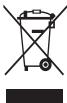
(Disposal instructions)
For users using the system of separate waste collection
This marking on the product, accessories, or documentation indicates that the product and its electronic accessories (for example,
charger, headset, USB cable) should not be disposed of with other household waste.
To prevent possible harm to the environment or health from uncontrolled waste disposal, and to promote the reuse of material resources, separate these items from other types of waste and recycle them responsibly.
Information about the place and method of disposal of the product in accordance with the norms of environmental protection can be obtained from the seller and in accordance with the legislation of the country.
B13NEcH-NIb0BaTBeNAtiOJnKbHbOJIcbOATNTbC KIOCTABUHKy I O3HAOKOMtBA CycOBIMN DMOBOPAOKoTNKZJI. 3ZaPeJAeYrTNIImKOBpHTbIaNHE I ERO 3NkETPOHNHe AKECCsCyApB BMeCte C.DpyTMMI PpON3BQDTBENHbMMI OTXdQMAn.
Ppabunbna yTuNn3aun aKKymyIaTOPOB dny 3TOrO n3denn

{ENCTBETHEHNOI DRA TCPAH, HCNNONBHYOUXX CNTTEMY PA3dEBNHO C60FAoXTD08}
TakayakmpokOBa HA kkyMmYrOte, PkoKOBCTBNEI yNtAOKoBeYkBaIyBaETHaNo TTO, QkKMyrTOpb, IcNtObl3yMeBcB DAHOMIN HsEINiD, HeJONKhBbVbPcBbATBbMCEbc DpyfmmBbSTOBmIKOTXdAmO NOKOHAYnCPOKa CZyKb6y.
XMHHKNECNC Hg, Cd nPi Pb 03aHAnot, OTO AKKMYMANTOp CqdePcKHT ptyTB, KadMMn INN CBHeue KBOHNCTBAC, npReBbuaowuXoKTHOrpTbnb yOpeBb b DnepKTInBe EC 2006/66. EcnI kAkyMNTopYtINM3PPOBaBNH HENpaBnIbHO, 3mE BuIECTBA MOrYT HAHECTN BPeD 3doPobBoIO JIOeIe IIN OKyPKAouoI cpeE.
JIIa3a2hpiPiNooBbIypeCPOsOBin CciEIOBnTOPBOHOICNIOB3OBAHm IeHNbIaMepAONOBOTdJIeAKKMyTOrpOBy OtObAIIHcMOcpa I cDaBaJIeIX HA npePabotKyNepe3MeTHcyoBeCNlAHO6OMeHa kAKyMMYIPTOBo.
PpabunbHa yTuHn3aun aKKymyTOpOB dIe 3TOrO u3denn

{JEBCTIEBTHbOHOI TcPAH,MCIObIbYIOOHXICTEMYY paaDBeHBO cOHOxTOKO}
Takayakmpokiba HAKYMKYNIOTPO, YKPOBQDTBE NINI YNtAKOBKE yka3bAytBaH Na TO, YOAKMYNITOpB, HCNIOB3yMEbE B DAHOMN IaENDNi, He JONKHN BUBPcABBaBTB BMCETe C DpyfMMB6BTOMBNXOTdAMOn NOOKOHANN CPOKA CYZbKO.
XMHHNECKC NCMBLOHg, Cd IIN Pb O3HAAOT, TOA KKKMYMNTOP CoQEPKHT pTYb, KaDMN INI CNBIEcN KOJIYCETBX, PnEBbIaHOOJN KOHTPbNb yOPOBEh B INDpKETMBE EC 2006/66.
B DAHOMN PPOJNYK tMCNbEyTCBCTPOEHNbkyAKMYMNTOP, KOTOPBI HNE3BIAI3NBv. Tc0b6A ZAMH4EBtO BCRZMECbC n OCTABZIMK CYNJr. He NtBnaitbc CAMOTORETNbHO XINBEYb kAKMYMTOp INH XeChEb Eo. He p3a3bipnate AKKMYMNTOp IN e I NpOttkaIteB oE cTbIMn npedmTaM. YVTHN3aIu n nepeba60TKa KMOHbOaBHNNx I3dJIyN. B TomcNcne AKKMYMNTOpOB, DOKTHKA PPOIN3BOQITCBa COBTOETCTBYOIXuXnYHKTAx pepeBa60Tk.

CMMBOE HNEI NII PNOOYIO NPMNMEHETB C COOTBEETCB T E XEHUEKCEHM PRAMEHOTAMTOKEHHO KOCAO3AEO6ZoHNACCHOTYNAOKOBIKU005/2011 INyKAbaeT A HO, YTO NAOKOBIA NONDPOJKTYE Hne pRnDAHNAHcHAE NIOPTOPHO ICNIObOBAHNI IONNEKATYINI3aIAIA. NYNAKOBY KANADNOI PONDQYI ZANPEAETC INCIIOB3oBaTb XPAHANEHI NIIPONDPOJNQyD.

CMMBON nETNI Me6yBaCA yK3a3BAET HAO 03MOXHOCTB YTN13NAIINYAOKBKN.CMMBOM KOBT Bd8ONONHEN O603AHENHE MATEPANAYNAOKBKN B VIDE U4KPOBOTO I/ NIN 6yBKBEHOHO 0603AHENHY
OTKa3 OT OTBetCTBeHHOCTN
The content and services available through this service are protected by copyright, patents, trademarks, and/or other intellectual property laws. Such content and services are provided solely for non-commercial personal use. It is prohibited to use the content of this service, or any part thereof, without the prior written permission of the service provider. Without limiting the foregoing, unless expressly permitted by the applicable content or service provider, it is prohibited to use, copy, reproduce, distribute, transmit, transfer, sell, create derivative works, or exploit in any manner or by any means the content or services, in whole or in part, available through this service.
The content and services of third parties and other providers are provided "as is." Samsung makes no warranties, express or implied, regarding the use of such content or services for any purpose. Samsung expressly disclaims all implied warranties, including (but not limited to) warranties of merchantability, fitness for a particular purpose. Samsung does not guarantee the accuracy, validity, timeliness, legality, or completeness of any content or services made available through this device, under any circumstances, including but not limited to force majeure. Samsung shall not be liable, whether in contract or tort, for any direct, indirect, incidental, special, consequential, or punitive damages, attorney fees, costs, or expenses arising out of or in connection with the use of or inability to use any information (or in connection with this), contained in the content or services, or as a result of the use of any information provided by you or any third party, even if you or they were advised of the possibility of such damages.
The services may be interrupted or terminated at any time, with or without notice, at Samsung's sole discretion. Samsung may also modify or discontinue the content or services, in whole or in part, at any time. Samsung shall not be liable for any interruption or termination of the services, or for any delay or failure in the provision of the services, available on this device.
Samsung also assumes no responsibility for any inquiries or complaints regarding the content or services. All questions or requests regarding the content or services should be directed to the respective content or service provider.
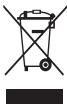
(2017 National Spring)
()
Nannnnnna (1)
muaenlunu
()
__SUPPIMER__
Do not place the device near heating cables.
This device can cause electric shock or fire if used improperly.
Do not use the device with wet hands or touch the device with wet hands.
This can cause electric shock.
Do not short-circuit the device or the battery.
This device can cause electric shock or fire if used improperly, or if the battery is damaged.
Do not use the device near flammable gases.
This can cause electric shock or fire.
Use only Samsung-approved batteries, chargers, and accessories. Using other batteries or chargers may cause damage or malfunction.
Using non-approved batteries or chargers may cause damage or malfunction. Use only Samsung-approved batteries and chargers. Do not use damaged batteries or chargers. Samsung is not responsible for accidents caused by using non-approved accessories.
Do not place or store the device near heat sources.
Never place the device or battery in water. Never place the device or battery in water or other liquids that may conduct electricity, such as micro-wave ovens. In case of interruption, the device may be damaged. Follow all safety instructions for the use of the device or battery. Never disassemble the device or attempt to open it. - Do not allow the device to be exposed to high pressure. This may cause internal short circuits and interruptions.
Protect the device, battery, and device from moisture
- Avoid exposing the device and battery to extreme temperatures. Do not place the device or battery near heat sources, such as radiators, stoves, or other appliances that produce heat. Also, avoid exposing the device to direct sunlight for extended periods.
Avoid contact between the battery terminals and metal objects, as they may short-circuit the + and - terminals and cause damage to the battery. - Never use damaged devices or batteries.
Do not store the device near heat sources, microwave ovens, gas stoves, or containers of high pressure, or near the exhaust of devices.
This may cause the battery to leak. - The device may overheat and cause damage.
Do not use or store the device in places with high concentrations of dust or moisture.
Do not bite the device or battery, and do not put them in your mouth.
Do not drop the device and do not place heavy objects on it.
Do not place or drop the device.
This may cause damage or malfunction of the device. Improper use may lead to damage or malfunction of the device.
Ensure maximum service life of the battery and charging device
- Avoid charging the device at high temperatures, as overcharging may reduce the battery's service life. Follow the instructions for use. Use the battery only for its intended purpose.
- Improper use of batteries over a long period may lead to a reduction in their service life or damage. This may cause malfunction of the batteries, or even fire or injury. Follow the instructions for use, maintenance, and battery replacement. Damage caused by improper use, failure to follow the instructions, or unauthorized repairs may void the warranty.
The device is protected against accidental short circuits. The built-in protection system ensures safe operation under normal conditions, preventing damage from misuse of recommended accessories. It is protected.
When using the device, follow these instructions.
Hold the device vertically and connect the cable. Talk into the microphone.
Do not disassemble, modify, or repair the device.
If the device is modified or repaired by unauthorized persons, the warranty may be void. The manufacturer is not responsible for repairs or modifications not performed by Samsung. Do not disassemble the battery or its contacts, as this may cause fire or explosion. Turn off the device before removing the battery. If the device is turned off while the battery is being removed, it may cause malfunction.
When using the device, follow these instructions.
- Clean the battery contacts with a dry cloth or a soft brush.
- Do not use chemical solvents or abrasives. They may damage the surface of the device or cause corrosion or short circuits.
Use the device only for its intended purpose.
This may cause malfunction of the device.
Do not allow children to use the device without supervision.
Unauthorized personnel should not attempt to repair the device, as this may result in loss of warranty and damage.
Handle SIM cards, memory cards, and cables with care.
When inserting a card, do not force it; insert it correctly. Do not remove the card while the device is transmitting information, as this may result in data loss or damage to the device. Keep cards away from children, static electricity, and electrical discharges. Do not touch the metal contacts with your fingers. If a card is damaged, replace it with a new one.
The device must be used only for its intended purpose. Before each use, check the device for damage. If the device is damaged, do not use it and contact the service department.
Protection of personal data is ensured in accordance with the law.

Therefore, the area of triangle APQ equals the area of triangle AQP plus the area of triangle QPQ.
Therefore, |x - 2| = (1/|x|) * |r1^2 + r2^2 + r3^2| ≤ (3/4)|x|^2.
15
i 1
15xu ydu 15
S C S C S C S S S S S S S S S S
S Ss sss sss
∴ S ΔOBC = S ΔCOD + SΔBOC
SCLSCISSIJUSSL
ii 15
- | x - 2| = 5/2 .
Sjglg jls JnaiuLsN Ssljxll,
13KuS 1200
i j 1j 1j j j j j j j j j j j j j j
j 1 jnnn nnnn nnnn nnnn nn nnnn nnnn nnnn nnnn nnnn nnnn nnnn nnnn nnnn nnnn nnnn nnnn nnnn nnnn nnnn nnnn nnnn nnnn nnnn nnnn nnnn nnnn nnnn nnnn nnnn nnnn nnnn nnnn nnnn nnnn nnnn nnnn nnnn nnnn
L
gibla plai gina s Juauiu u 5yj yu juiuui
y
c
Therefore, it is exactly x, y and x^2 + y^2 - 4x + 3 = 0
s 1 s 1 s 1 s 1 s 1 s 1 s 1 s 1 s
1 1
C. 35 S C. C. D. D. D. D. D. D. D. D. D. D. D. D. D. D. D. D. D. D. D. D. D. D. D. D. D. D. D. D. D. D. D. D. D. D. D. D. D. D. D. D. D. D. D. D. D. D. D. D. D. D.
1 1
()
15e 5
C
Jus Jus Jus Jus Jus Jus Jus Jus Jus
(20 1
y 1
a
C. Since a1 = a2 = a3 = 0, therefore a5 = 0
Therefore, angle C = 35 degrees - (S_2) degrees S = angle S_1 S = angle DBC
The integral from a to b of f(x) dx plus the integral from a to b of g(x) dx plus ... plus the integral from a to b of k u_1(x) dx plus ... plus the integral from a to b of k u_n(x) dx equals 0.
Therefore, angle SOB = angle BAC = 1/2 angle 1 + angle 3 - angle 5 + angle 7
is is is is is is is is is is is is
1/2 sum_{i=1}^{n} sum_{j=1}^{m} sum_{k=1}^{n-1} sum_{l=1}^{m-1} sum_{m=1}^{n-1} sum_{n=1}^{m-1}
j s_i = sum_{i}^{n} c i and j s_i = sum_{i}^{n} c i and j s_i = sum_{i}^{n} c i and j s_i
Therefore, 1/2 is less than or equal to 1/2
The sum from i=1 to n of a_i, evaluated from 0 to infinity
clible Al Al Al Al Al Al Al Al Al Al Al Al Al
Because 45 y |
is less than or equal to sum_{i=1}^{n} sum_{j=1}^{m} sum_{k=1}^{n} sum_{l=1}^{m} sum_{m=1}^{n} sum_{n=1}^{m} sum_{l=1}^{n} sum_{m=1}^{n} ...
1/2 is less than or equal to 1/2 + 1/2 + 1/2 + 1/2 + 1/2 + 1/2 + 1/2 + 1/2 + 1/2 + 1/2 + 1/2 + 1/2 + 1/2 + 3/2
j_i is in {1, 2, ..., n-1}
∴ ω = 1/2 π
1
1
S 15
y 1
S 1
S
C
-15 1
y ci 1000
1
∴ SΔAOB = SΔCOD + SΔBDO = SΔAOB + SΔCOD + SΔBDO
Ss
C
S 1
Therefore, the area of triangle OBC equals the area of triangle COD plus the area of triangle BDO minus the area of triangle BOC.
S C 1 S C S C S C S C S C
-000
-
g jyj yj yj yj yj yj yj yj yj yj yj yj yj yj yj yj yj yj yj yj yj yj yj yj yj yj yj yj yj yj yj yj yj yj yj yj yj yj
Therefore, the area of the quadrilateral COBD equals the area of triangle COD plus the area of triangle BDO, which is the area of triangle COD plus the area of triangle BDO.
cuiy jiyi 100
Sulalal 5
gusuususususususususususususususususususususususususususususususususususususususususususususus
-135 135 135 135
J 1
S S S S S S S S S S S S S S S S S
Therefore, in right triangle ABD:
1 1
-1
S 1
Therefore, the area of triangle ACD equals the area of triangle COD plus the area of triangle BDO minus the area of triangle CFD.
-1s 1y
y
()
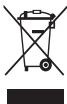
()
juiy 15 y
S u 1
S (US USB 1
Cuiy
1
(Applied in countries with their own collection systems)
The symbol indicates that the product is covered by the directive for separate collection of waste batteries. Do not dispose of batteries in this product with other household waste. When the battery is depleted, the chemical symbols Hg, Cd, or Pb indicate that the battery contains mercury, cadmium, or lead above the reference levels set by EU Directive 2006/66. If batteries are not disposed of properly, they can cause explosions and harm the environment and human health.
Mercury, cadmium, and lead above the reference levels set by EU Directive 2006/66. If batteries are not disposed of properly, they can cause explosions and harm the environment and human health.
To protect natural resources and promote material reuse, please separate batteries from other waste and recycle them through the free battery collection system at your local facility.


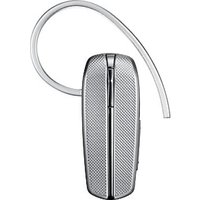
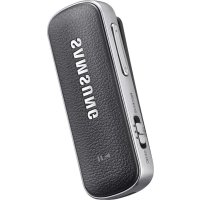
- WARNING
- FAILURE TO COMPLY WITH SAFETY WARNINGS AND REGULATIONS CAN CAUSE SERIOUS INJURY OR DEATH
- DO NOT SHORT-CIRCUIT THE CHARGER OR THE DEVICE
- DO NOT USE YOUR DEVICE OUTDOORS DURING A THUNDERSTORM
- USE MANUFACTURER-APPROVED BATTERIES, CHARGERS, ACCESSORIES, AND SUPPLIES
- DO NOT DROP OR CAUSE AN IMPACT TO THE CHARGER OR THE DEVICE
- HANDLE AND DISPOSE OF THE DEVICE AND CHARGER WITH CARE
- PROTECT THE DEVICE, BATTERY, AND CHARGER FROM DAMAGE
- DO NOT STORE YOUR DEVICE NEAR OR IN HEATERS, MICROWAVES, HOT COOKING EQUIPMENT, OR HIGH PRESSURE CONTAINERS
- DO NOT USE OR STORE YOUR DEVICE IN AREAS WITH HIGH CONCENTRATIONS OF DUST OR AIRBORNE MATERIALS
- PREVENT THE MULTIPURPOSE JACK AND THE SMALL END OF THE CHARGER FROM CONTACT WITH CONDUCTIVE MATERIALS, SUCH AS LIQUIDS, DUST, METAL POWDERS, AND PENCIL LEADS
- DO NOT BITE OR SUCK THE DEVICE OR THE BATTERY
- DO NOT INSERT THE DEVICE OR SUPPLIED ACCESSORIES INTO THE EYES, EARS, OR MOUTH
- DO NOT HANDLE A DAMAGED OR LEAKING LITHIUM ION (LI-ION) BATTERY
- CAUTION
- FAILURE TO COMPLY WITH SAFETY CAUTIONS AND REGULATIONS CAN CAUSE INJURY OR PROPERTY DAMAGE
- DO NOT USE YOUR DEVICE IN A HOSPITAL, ON AN AIRCRAFT, OR IN AUTOMOTIVE EQUIPMENT THAT CAN BE INTERFERED WITH BY RADIO FREQUENCY
- DO NOT EXPOSE THE DEVICE TO HEAVY SMOKE OR FUMES
- IF YOU USE A HEARING AID, CONTACT THE MANUFACTURER FOR INFORMATION ABOUT RADIO INTERFERENCE
- DO NOT USE YOUR DEVICE NEAR DEVICES OR APPARATUSES THAT EMIT RADIO FREQUENCIES, SUCH AS SOUND SYSTEMS OR RADIO TOWERS
- TURN OFF THE DEVICE IN POTENTIALLY EXPLOSIVE ENVIRONMENTS
- IF YOU NOTICE STRANGE SMELLS OR SOUNDS COMING FROM YOUR DEVICE OR THE BATTERY, OR IF YOU SEE SMOKE OR LIQUIDS LEAKING FROM THE DEVICE OR BATTERY, STOP USING THE DEVICE IMMEDIATELY AND TAKE IT TO A SAMSUNG SERVICE CENTRE
- COMPLY WITH ALL SAFETY WARNINGS AND REGULATIONS REGARDING MOBILE DEVICE USAGE WHILE OPERATING A VEHICLE
- CARE FOR AND USE YOUR MOBILE DEVICE PROPERLY
- KEEP YOUR DEVICE DRY
- STORE YOUR DEVICE ONLY ON FLAT SURFACES
- DO NOT STORE YOUR DEVICE IN VERY HOT OR VERY COLD AREAS. IT IS RECOMMENDED TO USE YOUR DEVICE AT TEMPERATURES FROM 5°C TO 35°C
- DO NOT STORE YOUR DEVICE WITH METAL OBJECTS, SUCH AS COINS, KEYS, AND NECKLACES
- DO NOT STORE YOUR DEVICE NEAR MAGNETIC FIELDS
- DO NOT USE YOUR DEVICE OR APPLICATIONS FOR A WHILE IF THE DEVICE IS OVERHEATED
- DO NOT USE YOUR DEVICE WITH THE BACK COVER REMOVED
- IF YOUR DEVICE HAS A CAMERA FLASH OR LIGHT, DO NOT USE IT CLOSE TO THE EYES OF PEOPLE OR PETS
- USE CAUTION WHEN EXPOSED TO FLASHING LIGHTS
- REDUCE THE RISK OF REPETITIVE MOTION INJURIES
- PROTECT YOUR HEARING AND EARS WHEN USING A HEADSET
- USE CAUTION WHEN USING THE DEVICE WHILE WALKING OR MOVING
- DO NOT CARRY YOUR DEVICE IN YOUR BACK POCKETS OR AROUND YOUR WAIST
- DO NOT PAINT OR PUT STICKERS ON YOUR DEVICE
- DO NOT USE THE DEVICE IF IT IS CRACKED OR BROKEN
- INSTALL MOBILE DEVICES AND EQUIPMENT WITH CAUTION
- DO NOT DROP YOUR DEVICE OR CAUSE IMPACTS TO YOUR DEVICE
- ENSURE MAXIMUM BATTERY AND CHARGER LIFE
- WHEN USING THE DEVICE, MIND THE FOLLOWING
- DO NOT DISASSEMBLE, MODIFY, OR REPAIR YOUR DEVICE
- WHEN CLEANING YOUR DEVICE, MIND THE FOLLOWING
- DO NOT USE THE DEVICE FOR ANYTHING OTHER THAN ITS INTENDED USE
- AVOID DISTURBING OTHERS WHEN USING THE DEVICE IN PUBLIC
- ALLOW ONLY QUALIFIED PERSONNEL TO SERVICE YOUR DEVICE
- HANDLE SIM CARDS, MEMORY CARDS, OR CABLES WITH CARE
- ENSURE ACCESS TO EMERGENCY SERVICES
- PROTECT YOUR PERSONAL DATA AND PREVENT LEAKAGE OR MISUSE OF SENSITIVE INFORMATION
- DO NOT DISTRIBUTE COPYRIGHT-PROTECTED MATERIAL
- MALWARE AND VIRUSES
- CORRECT DISPOSAL OF THIS PRODUCT
- CORRECT DISPOSAL OF BATTERIES IN THIS PRODUCT
- DISCLAIMER
- JLL J
- DO NOT CONNECT THE CABLE TO THE CHARGING DEVICE
- DO NOT USE THE DEVICE DURING A THUNDERSTORM
- USE BATTERIES, CHARGING DEVICES, ACCESSORIES, AND SPARE PARTS APPROVED BY THE MANUFACTURER
- DO NOT DROP OR SUBJECT THE CHARGING DEVICE TO IMPACT
- BE CAREFUL WHEN CONNECTING THE CHARGING DEVICE TO THE POWER SOURCE
- PROTECT THE DEVICE, BATTERY, AND CHARGING DEVICE FROM DAMAGE
- FAILURE TO FOLLOW THESE INSTRUCTIONS MAY RESULT IN PERSONAL INJURY OR PROPERTY DAMAGE
- IF YOU USE A HEARING AID, CONSULT YOUR DOCTOR FOR INFORMATION ABOUT THE COMPATIBILITY OF THE DEVICE
- DO NOT USE THE DEVICE NEAR OTHER DEVICES OR APPLIANCES THAT EMIT RADIO FREQUENCIES, SUCH AS AUDIO SYSTEMS OR RADIOS
- TURN OFF THE DEVICE WHEN YOU ARE IN AREAS WITH POTENTIALLY EXPLOSIVE ATMOSPHERES
- IF THE BATTERY IS DAMAGED, REMOVE THE DEVICE FROM THE BATTERY AND CONTACT THE MANUFACTURER OR AN AUTHORIZED SERVICE CENTER FOR REPAIR
- DO NOT STORE THE DEVICE NEAR METAL OBJECTS, SUCH AS COINS, KEYS, OR JEWELRY
- DO NOT LEAVE THE DEVICE NEAR MAGNETIC FIELDS
- DO NOT USE THE DEVICE OR ITS ACCESSORIES FOR EXTENDED PERIODS OF TIME WHILE THE DEVICE IS CHARGING
- THIS DEVICE IS INTENDED FOR HOME USE
- IN THE ABSENCE OF A CAMERA FLASH AND LIGHTING, DO NOT USE IT ON PEOPLE OR ANIMALS
- PRECAUTIONS WHEN USING THE FLASH
- START SLOWLY WHEN USING THE DEVICE AGAIN
- PROTECT YOUR HEARING AND EARS WHEN USING HEADPHONES
- DO NOT PLACE HEAVY OBJECTS ON TOP OF YOUR DEVICE
- DO NOT DROP THE DEVICE OR ALLOW IMPACTS TO IT
- OPERATE THE DEVICE WITHIN THE MAXIMUM TEMPERATURE RANGE ON THE BATTERY
- WHEN USING THE DEVICE, PAY ATTENTION TO THE FOLLOWING
- DO NOT USE THE DEVICE FOR ANY PURPOSE OTHER THAN ITS INTENDED USE
- DO NOT USE THE DEVICE TO ILLUMINATE PEOPLE, ESPECIALLY WHEN USING THE DEVICE TO LIGHT A ROOM
- USE ONLY QUALIFIED SERVICE PERSONNEL TO REPAIR THE DEVICE
- USE ONLY THE SUPPLIED SIM CARDS, MEMORY CARDS, AND CABLES
- DO NOT DISTRIBUTE COPYRIGHTED MATERIAL
- END OF CONTENT
- CORRECT HANDLING OF THE DEVICE'S ELECTRICAL EQUIPMENT
- SAFETY INFORMATION
- SAFETY INSTRUCTIONS
- OCBI EHIM 6ATAPEJIAPBIH CAIKECIHWE KOIO
- KAYANKEPIINIKREN 6AC TAPU
- DO NOT EXPOSE THE DEVICE TO METALLIC OBJECTS, SUCH AS COINS, KEYS, AND JEWELRY
- DO NOT PLACE THE DEVICE NEAR MAGNETIC FIELDS
- DO NOT USE THE DEVICE IN A HOSPITAL OPERATING ROOM IF THE DEVICE IS PROHIBITED BY THE HOSPITAL
- DO NOT USE THE DEVICE WITH A DAMAGED BATTERY
- SINCE THE DEVICE IS EQUIPPED WITH A BUILT-IN BATTERY, DO NOT REMOVE THE BATTERY BY FORCE
- HANDLE THE DEVICE CAREFULLY WHEN USING THE FLASH
- PROTECT YOUR HEARING WHEN USING THE DEVICE
- REMOVE THE DEVICE FROM YOUR EARS WHEN YOU ARE NOT USING IT
- DO NOT WEAR THE DEVICE IN YOUR EARS OR AROUND YOUR NECK
- DO NOT DISASSEMBLE THE DEVICE AND DO NOT PLACE HEAVY OBJECTS ON IT
- DO NOT USE THE DEVICE IF IT IS DAMAGED OR BROKEN
- HANDLE THE MOBILE DEVICE WITH CARE
- DO NOT USE THE DEVICE AND DO NOT ATTEMPT TO REPAIR IT YOURSELF
- ENSURE MAXIMUM BATTERY LIFE AND CHARGING
- WHEN USING THE DEVICE, TAKE NECESSARY PRECAUTIONS
- WHILE USING THE DEVICE, OBSERVE THE FOLLOWING PRECAUTIONS
- PROVIDE PROPER VENTILATION FOR THE DEVICE
- FOR YOUR SAFETY, FOLLOW THE INSTRUCTIONS AND WARNINGS PROVIDED IN THE USER MANUAL
- PROPER DISPOSAL OF THE DEVICE AND BATTERY
- PROPER DISPOSAL OF THIS PRODUCT
- PROGRAM VIRUSES AND VIRUSES
- DO NOT USE OR STORE THE DEVICE IN PLACES WITH HIGH CONCENTRATIONS OF DUST OR VOLATILE SUBSTANCES
- DO NOT BURN OR DISPOSE OF THE DEVICE OR BATTERY IN FIRE
- USE ONLY ORIGINAL ACCESSORIES AND SPARE PARTS
- FAILURE TO FOLLOW THE WARNINGS AND SAFETY INSTRUCTIONS MAY RESULT IN INJURY OR DAMAGE TO THE EQUIPMENT
- IT IS PROHIBITED TO USE THE DEVICE NEAR ELECTRONIC DEVICES
- TO AVOID INTERFERENCE WITH THE OPERATION OF MEDICAL DEVICES, IT IS PROHIBITED TO USE THE DEVICE IN HOSPITALS, AIRPLANES, OR VEHICLES
- AVOID EXCESSIVE EXPOSURE TO SMOKE AND DUST ON THE DEVICE
- IF THE DEVICE IS USED WITH AN ACCESSORY, CONTACT ITS MANUFACTURER FOR INFORMATION ABOUT ITS COMPATIBILITY WITH THE DEVICE
- RADIO EQUIPMENT CAN CAUSE INTERFERENCE WITH THE OPERATION OF THE DEVICE, FOR EXAMPLE, AUDIO SYSTEMS OR RADIO DEVICES
- TURN OFF THE DEVICE IN POTENTIALLY EXPLOSIVE ATMOSPHERES
- IF YOU DETECT SMOKE, UNUSUAL SMELL, STRANGE SOUNDS, OR THE DEVICE HEATS UP, IMMEDIATELY STOP USING THE DEVICE AND REMOVE THE BATTERY. IF THE DEVICE IS NOT WORKING PROPERLY, CONTACT THE SERVICE CENTER
- FOLLOW THE SAFETY INSTRUCTIONS FOR USING THE DEVICE IN THE FORM PROVIDED BY THE MANUFACTURER
- USE THE MOBILE DEVICE AND HANDLE IT CORRECTLY
- AVOID GETTING THE DEVICE WET
- INSTALL THE DEVICE ONLY ON A FLAT SURFACE
- OPERATE THE DEVICE ONLY AT NORMAL OR ROOM TEMPERATURE. IT IS RECOMMENDED TO USE THE DEVICE AT TEMPERATURES FROM 5 TO 35°C
- THE DEVICE MAY BE SCRATCHED BY METAL OBJECTS SUCH AS KEYS OR COINS
- DO NOT STORE THE DEVICE NEAR SOURCES OF MAGNETIC FIELDS
- IF THE DEVICE OVERHEATS, UNPLUG IT AND LET IT COOL DOWN
- DO NOT USE THE DEVICE WITHOUT THE BACK COVER
- IF THE DEVICE IS EQUIPPED WITH A FLASH OR LAMP, DO NOT USE IT NEAR THE EYES OF PEOPLE OR ANIMALS
- PROTECT YOUR EYES WHEN WORKING WITH THE DEVICE
- REMEMBER THE RISK OF INJURY WHEN USING THE DEVICE
- BE CAREFUL WHEN USING THE HEADSET
- BE CAREFUL WHEN USING THE DEVICE NEAR A POWER SOURCE
- DO NOT CARRY THE DEVICE IN YOUR POCKET OR ON YOUR BELT
- DO NOT PAINT THE DEVICE OR STICK STICKERS ON IT
- DO NOT USE THE DEVICE IF IT IS DAMAGED
- INSTALL MOBILE DEVICES AND EQUIPMENT
- DO NOT PLACE THE DEVICE IN AREAS WITH STRONG ELECTROMAGNETIC FIELDS
- ENSURING MAXIMUM BATTERY LIFE OF THE DEVICE
- USING THE DEVICE IN THE FOLLOWING WAYS
- DO NOT DISASSEMBLE, REPAIR, OR MODIFY THE DEVICE
- EMERGENCY SERVICES
- SERIOUSLY CONSIDER THE IMPORTANCE OF PERSONAL DATA AND INFORMATION SECURITY WHEN USING THE DEVICE
- PROHIBITION ON THE DISTRIBUTION OF COPYRIGHTED MATERIALS
- HARMFUL CONTENT
- PROPER DISPOSAL
- PPABUNBNA YTUNN3AUN AKKYMYIATOPOB DNY 3TORO N3DENN
- PPABUNBHA YTUHN3AUN AKKYMYTOPOB DIE 3TORO U3DENN
- OTKA3 OT OTBETCTBEHHOCTN
- DO NOT USE THE DEVICE NEAR FLAMMABLE GASES
- USE ONLY SAMSUNG-APPROVED BATTERIES, CHARGERS, AND ACCESSORIES. USING OTHER BATTERIES OR CHARGERS MAY CAUSE DAMAGE OR MALFUNCTION
- DO NOT PLACE OR STORE THE DEVICE NEAR HEAT SOURCES
- PROTECT THE DEVICE, BATTERY, AND DEVICE FROM MOISTURE
- DO NOT DROP THE DEVICE AND DO NOT PLACE HEAVY OBJECTS ON IT
- DO NOT PLACE OR DROP THE DEVICE
- ENSURE MAXIMUM SERVICE LIFE OF THE BATTERY AND CHARGING DEVICE
- WHEN USING THE DEVICE, FOLLOW THESE INSTRUCTIONS
- DO NOT DISASSEMBLE, MODIFY, OR REPAIR THE DEVICE
- USE THE DEVICE ONLY FOR ITS INTENDED PURPOSE
- DO NOT ALLOW CHILDREN TO USE THE DEVICE WITHOUT SUPERVISION
- HANDLE SIM CARDS, MEMORY CARDS, AND CABLES WITH CARE
- PROTECTION OF PERSONAL DATA IS ENSURED IN ACCORDANCE WITH THE LAW
- Y
Brand : SAMSUNG
Model : LEVEL ON WIRELESS
Category : Headphones