DL-P10GREY - DL-P10RED - DLP10BLUE - DLP10COPPER - DLP10GREEN - DLP10WHITE - Turntable DUAL - Free user manual and instructions
Find the device manual for free DL-P10GREY - DL-P10RED - DLP10BLUE - DLP10COPPER - DLP10GREEN - DLP10WHITE DUAL in PDF.



| Product Type | Belt-drive turntable |
| Available models | DL-P10GREY, DL-P10RED, DLP10BLUE, DLP10COPPER, DLP10GREEN, DLP10WHITE |
| Speeds | 33⅓, 45, 78 rpm |
| Stylus | Ceramic cartridge |
| Built-in speakers | Stereo, 2 × 0.8 W |
| Bluetooth | Version 2.1 + EDR, standard range |
| Audio input/output | RCA audio output (L/R) |
| Recording | Record vinyl to memory card or USB key in MP3 (128 kbps) |
| Supported file formats | MP3 (for USB/SD) |
| Maximum memory card capacity | 32 GB |
| Auto-stop function | Yes, the tonearm returns to rest position at end of record |
| Power supply | DC 5 V, 1 A (power adapter included) |
| Power consumption | 5 W max |
| Dimensions (approx.) | 42 × 30 × 12 cm |
| Weight (approx.) | 2.8 kg |
| Included accessories | Power adapter, 45 RPM adapter, user manual |
| Maintenance and cleaning | Clean records with an anti-static cloth; replace the stylus every 250 hours; dust the stylus with a soft brush dipped in alcohol |
| Safety | Do not listen at high volume for extended periods; keep away from water; leave a 10 cm ventilation space around the device |
| Warranty | 2 years |
| After-sales service | 0 811 482 202 (France) |
| Repairability | Any repair must be carried out by qualified personnel; the damaged power cord must be replaced by the manufacturer |
Frequently Asked Questions - DL-P10GREY - DL-P10RED - DLP10BLUE - DLP10COPPER - DLP10GREEN - DLP10WHITE DUAL
User questions about DL-P10GREY - DL-P10RED - DLP10BLUE - DLP10COPPER - DLP10GREEN - DLP10WHITE DUAL
0 question about this device. Answer the ones you know or ask your own.
Ask a new question about this device
Download the instructions for your Turntable in PDF format for free! Find your manual DL-P10GREY - DL-P10RED - DLP10BLUE - DLP10COPPER - DLP10GREEN - DLP10WHITE - DUAL and take your electronic device back in hand. On this page are published all the documents necessary for the use of your device. DL-P10GREY - DL-P10RED - DLP10BLUE - DLP10COPPER - DLP10GREEN - DLP10WHITE by DUAL.
USER MANUAL DL-P10GREY - DL-P10RED - DLP10BLUE - DLP10COPPER - DLP10GREEN - DLP10WHITE DUAL
1-Français
2- English
3- German
4-Dutch
5-Italian
6- Spanish
INSTRUCTIONS DE SECURITÉ
EXCLUSIONS DE GARANTIE
EXCLUSIONS DE GARANTIE LIÉES À L'ORIGINE DU DOMMAGE
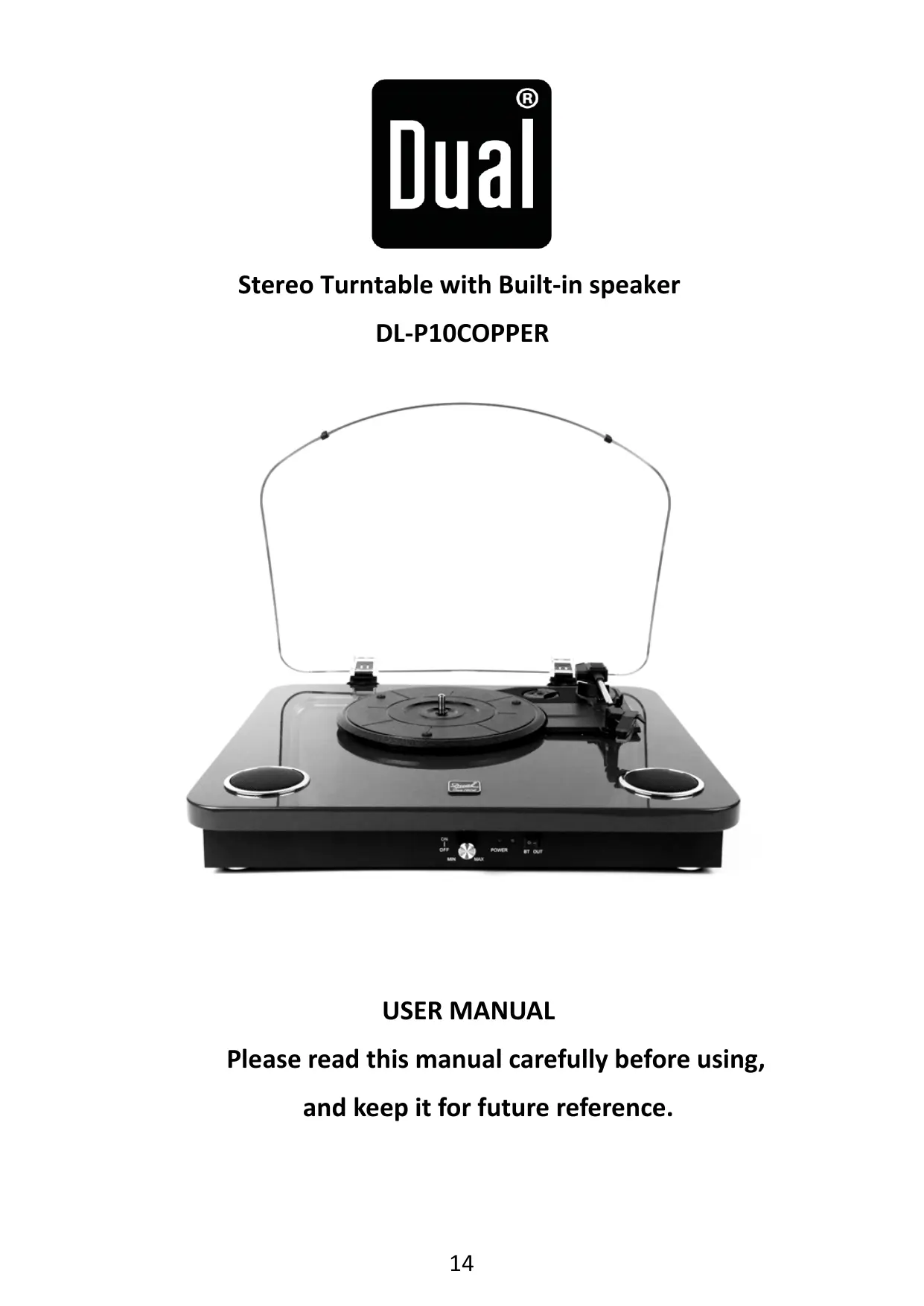
Stereo Turntable with Built-in speaker DL-P10COPPER
USER MANUAL
Please read this manual carefully before using, and keep it for future reference.
SAFETY INSTRUCTIONS
Read these safety instructions before using your device and store them for possible future reference.
- If the cord is damaged, have it repaired by the manufacturer, its service or a similarly qualified person in order to avoid any hazard.
- The cord should always be readily accessible.
- The device is not intended for use by persons (including children) with reduced physical, sensory or mental capacity. Persons who have not read the manual, unless they have received explanations by a person responsible for their safety and supervision should not use this unit.
- Children should be monitored to ensure that they do not play with the device.
- The device should always be readily accessible.
- The device should not be exposed to dripping or splashing water.
- No objects filled with liquids such as vases shall be placed on the device.
- Always leave a minimum distance of 10 ~cm around the unit to ensure sufficient ventilation.
- Open flame sources, such as candles, should not be placed on top of the device.
- The device is intended for use only in a temperate climate.
- At full volume, prolonged listening to the portable audio device may damage the user's hearing and cause hearing troubles (temporary or permanent deafness, hearing drone, tinnitus, hyperacusis).
So we recommend not to listen to the portable audio device at high audio volume and no more than one hour per day at medium audio volume.
SWITCH OFF IN RESTRICTED AREAS
Switch the mobile device off where the use of mobile devices is not allowed or where there is a risk of causing interference or danger, for example on board an aircraft, near medical equipment, fuel, chemicals or blasting sites.
INTERFERENCE
All wireless devices are susceptible to interference which may affect their performance.
AUTHORISED PERSONNEL
Only qualified people are authorized to install or repair this product
ACCESSIONS
Only use chargers and other accessories which are compatible with this equipment. Do not connect incompatible products.
KEEP THE EQUIPMENT DRY
This equipment is not water proof. Keep it dry.
CHILDREN
Keep your device in a safe place, out of the reach of young children. The device contains small parts that may present a choking hazard.
Declaration of conformity EU:
Dual Electronics, hereby declares that this equipment, conforms to the essential requirements and other relevant provisions of Directive 2014/53/UE. The declaration of Conformity can be viewed at the following address:
http://www.mms-support.net/OTA/ECD_DUAL_DL-P10COPPER.pdf
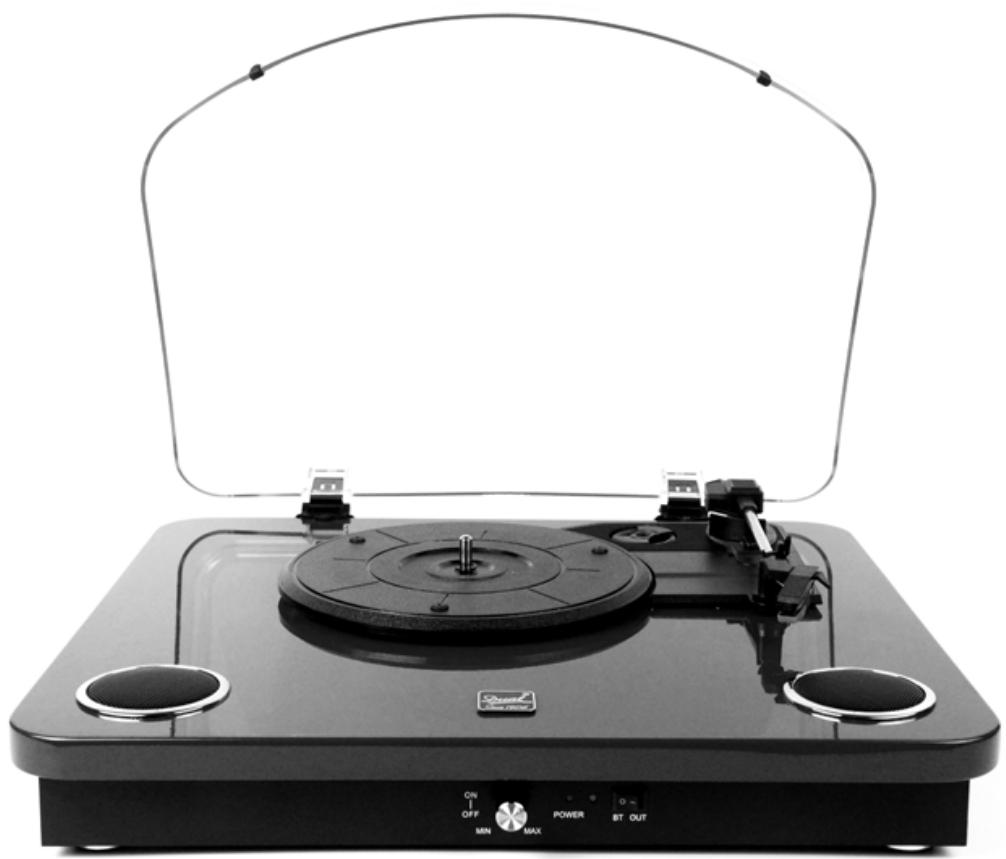
FUNCTIONS:
3-speed (33 1/3 , 45 and 78 RPM)
Built-in stereo speakers for great sound
High quality ceramic cartridge produces detailed sound
- Belt driven turntable mechanism
DC power adapter, 45 RPM adapter included
AUTO-STOP function
RCA audio out
- Play 7", 10" & 12" Records
- Bluetooth 2.1 +EDR
TF card reader & USB flash driver
- Record vinyl to memory card or USB Drive
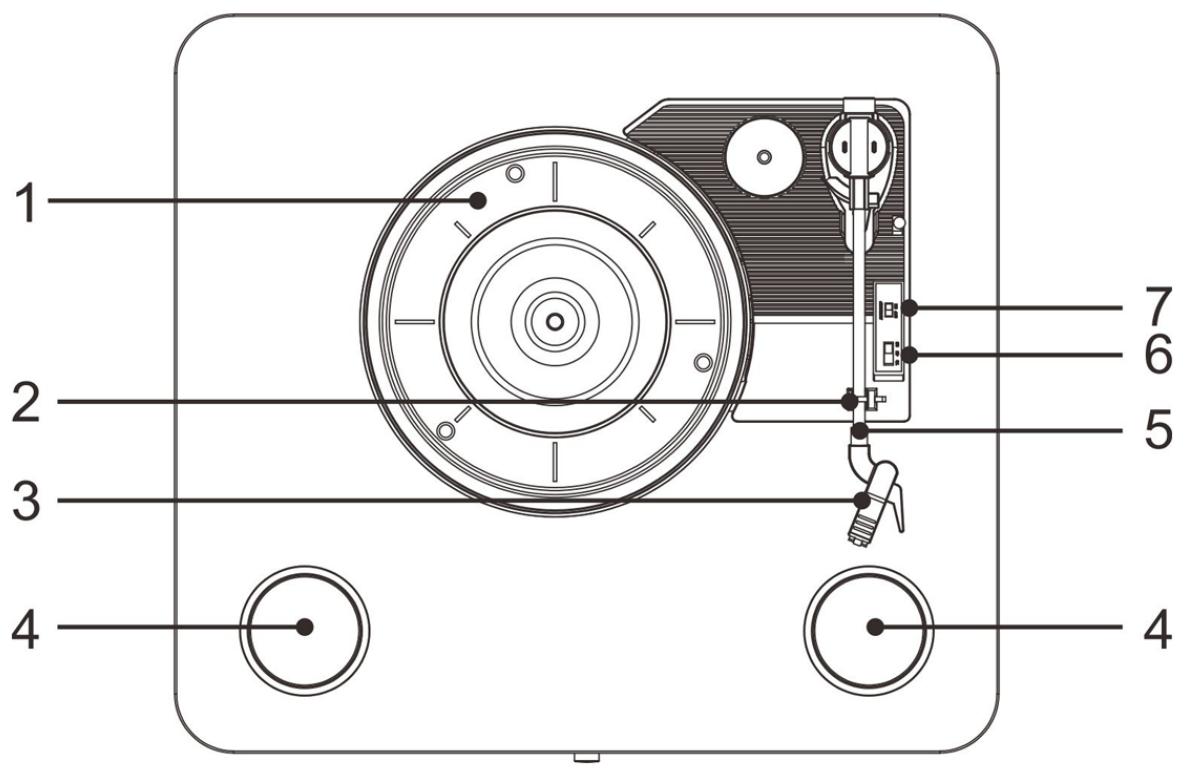
- TURNTABLE platter
- TONE-ARM rest/lock
- CARTRIDGE/STYLUS
- INTERNAL speakers
- TONE-ARM
- SPEED selector (33, 45 & 78rpm)
- TONE-ARM - lift lever
- Power switch/ Volume control
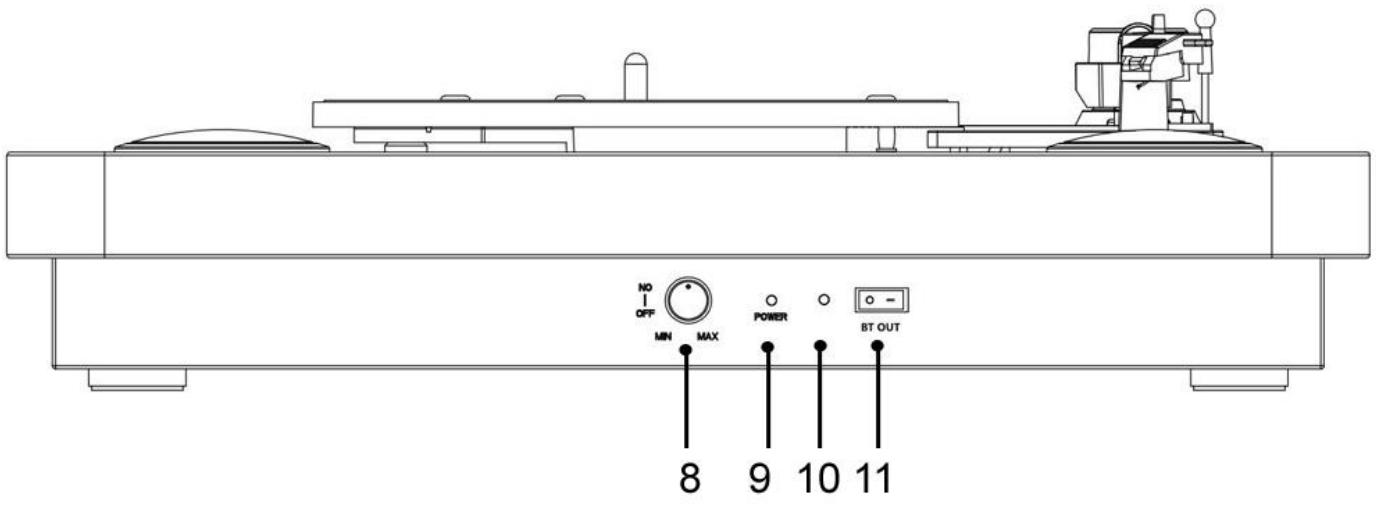
9.Power light - Bluetooth light
- Bluetooth out button ON/OFF
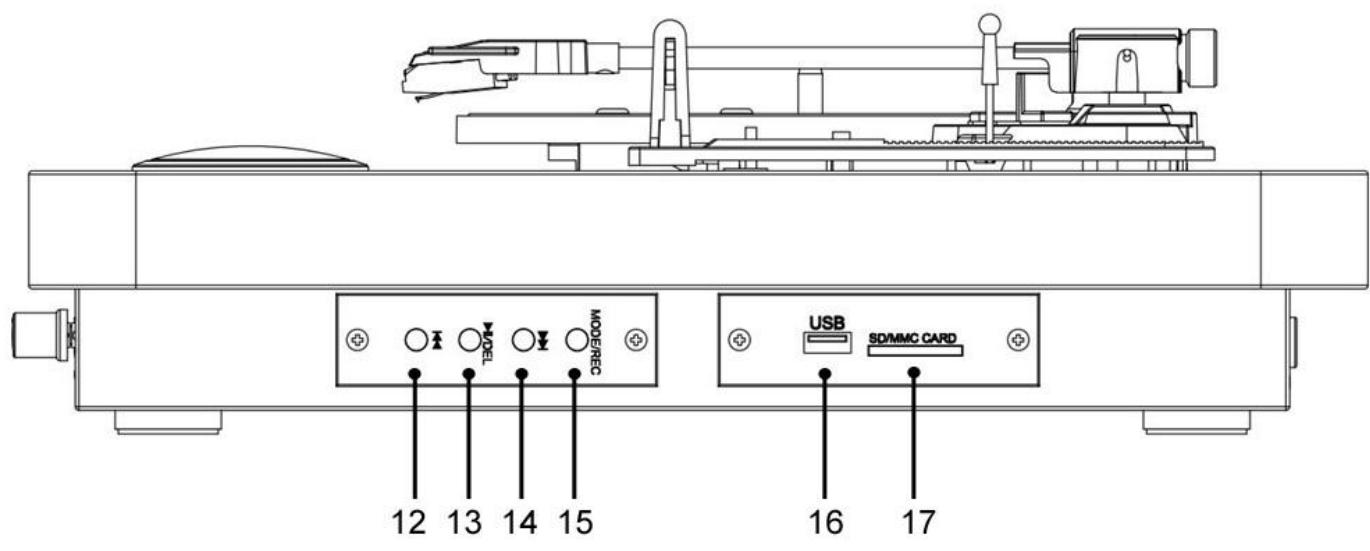
- Previous music
13.Pause/play button/DEL
14.Next music - Mode: REC/USB/TF/Bluetooth selection button
- USB connector
- Memory card connector
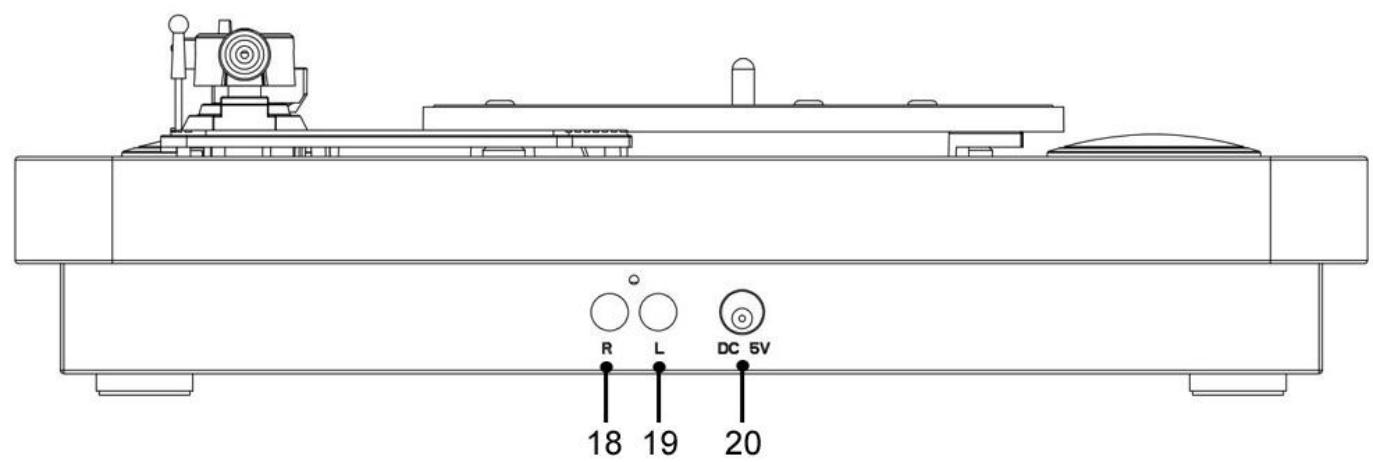
- R channel
- L channel
- DC power jack
FITTING THE DUST COVER
Refer to the diagram below to attached the plastic dust cover.
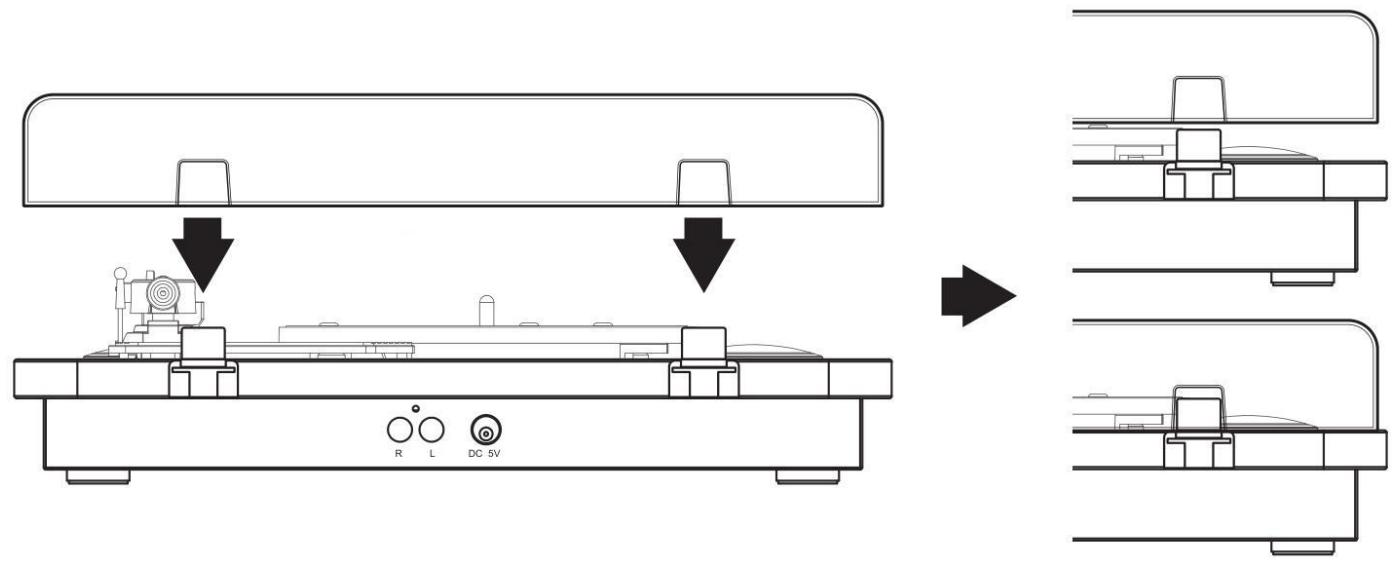
Take care when fitting, and do not press down too hard. Remove the dust cover in the same manner, but pull the cover upwards.
INITIAL SET-UP
MAINS CONNECTION
Ensure that the mains voltage of your home corresponds to the operating voltage of the unit. Your unit is ready to be connected to a mains voltage of 5V DC adaptor.
CONNECTING TO AN EXTERNAL SOUND SYSTEM
Should you wish to connect the turntable to an external amplifier follow the below steps.
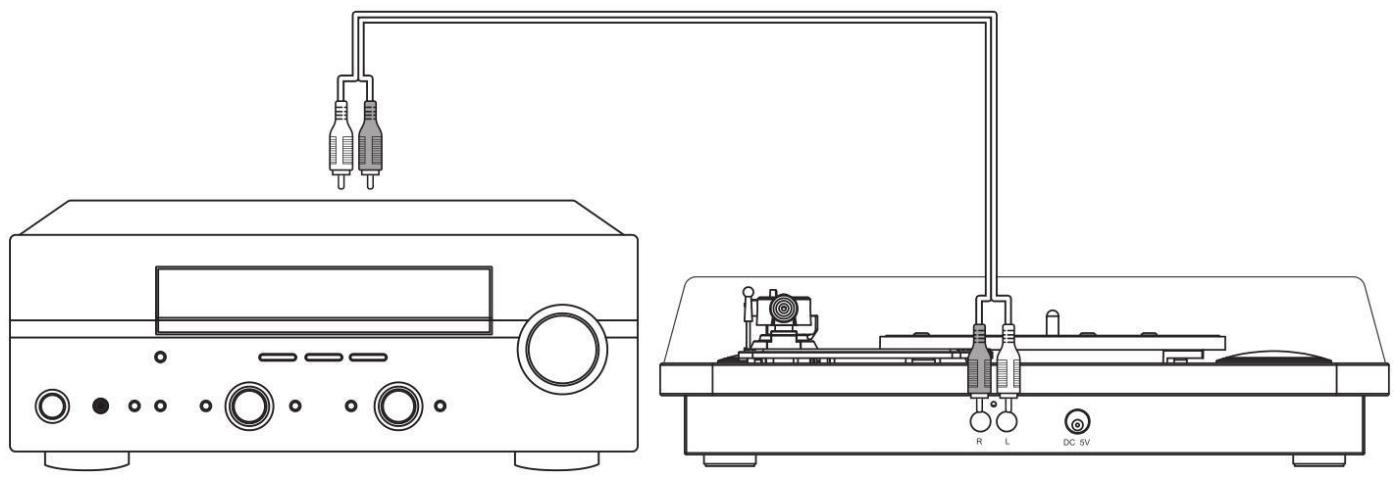
- Connect an RCA audio cable (not supplied) to the AUDIO LINE OUT sockets on the rear of the turntable.
Note: Take care to match the RED/WHITE plugs to the corresponding RED/WHITE sockets.
- Connect the other end of the cable to an AUDIO INPUT on the amplifier (check your amplifier user manual if you are not sure).
- The volume control on the turntable will have no effect on the volume level when connected this way. All volume controls should be operated from the amplifier.
Note: Turn the volume on the turntable all the way down, so it does not interfere with the external sound system.
PLAYING A RECORD
(Turn the BT OUT button on OFF position)
- Before use, ensure the security wire (tone-arm rest/lock) and the cartridge protector (stylus/cartridge) have been removed. And the tone-arm lock is released.
- Place a record on the turntable platter (1).
- Select the speed required using the speed selector switch (6).
- Raise the tone-arm (5) using the tone-arm lift lever (7). As you move the tone-arm towards the record the turntable begins spinning. Lower the needle gently onto the outer edge of the record using the tone-arm lift lever (7).
- Rotate the ON/OFF/Volume control knob (8) to increase or decrease the volume level.
- When the record has finished playing the tone-arm will raise and return to the rest position.
Some of vinyl need to push "Auto-OFF" to finish playing.
USB FLASH DRIVE AND MEMORY CARD READER RECORDING
(Lift up the tone arm and put it on the rest, Turn the BT OUT button on OFF position)
LISTEN TO MUSIC:
- If you want to play or pause music from your installed memory card or USB flash memory, turn the power & volume control knob clockwise to power on; the music will start playing automatically.
- You can play or pause music by pressing the play-pause/del button.
- If you want to play the next or previous track from your installed memory card or USB flash memory, press the next track or previous track button.
- If you have installed a memory card & USB flash memory, the last one installed will start playing. You can select the desired source by pushing the MODE/REC button. (SD => USB). The mode button will select the active/installed sources only. Only mp3 file format is supported.
Note: the tone arm must be in rest position.
RECORDING MUSIC:
You can convert your vinyl records into digital mp3 files by inserting an memory card in the memory card reader slot or USB flash memory device into the USB port.
- Play your 'vinyl' music, as described in 'listening to a record'.
-
Press and hold the MODE/REC button for 2 seconds.
-
You will hear one 'short beep', indicating that recording has started.
- When finished recording, press "MODE/REC" for 2 seconds to stop recording.
- You will hear 2 'short beeps', indicating that the recording has stopped.
The recorded songs will be saved in the "RECORD0" folder as mp3 file, in 128 kbs.
The file names of the recorded songs will be "REC001L, RECO02L, etc". - You can only switch folders between the "RECORD0" folder and the memory card and/or USB flash memory by pressing the MODE/REC button (SD/MMC=> SD/MMC record0 => USB => USB record0 => SD/MMC).
DELETE RECORDED MUSIC:
If you want to delete the song being played from your USB flash memory or memory card, press and hold the play-pause/del button for 2 seconds. You will hear 2 "short beeps" confirming that the song being played has been deleted.
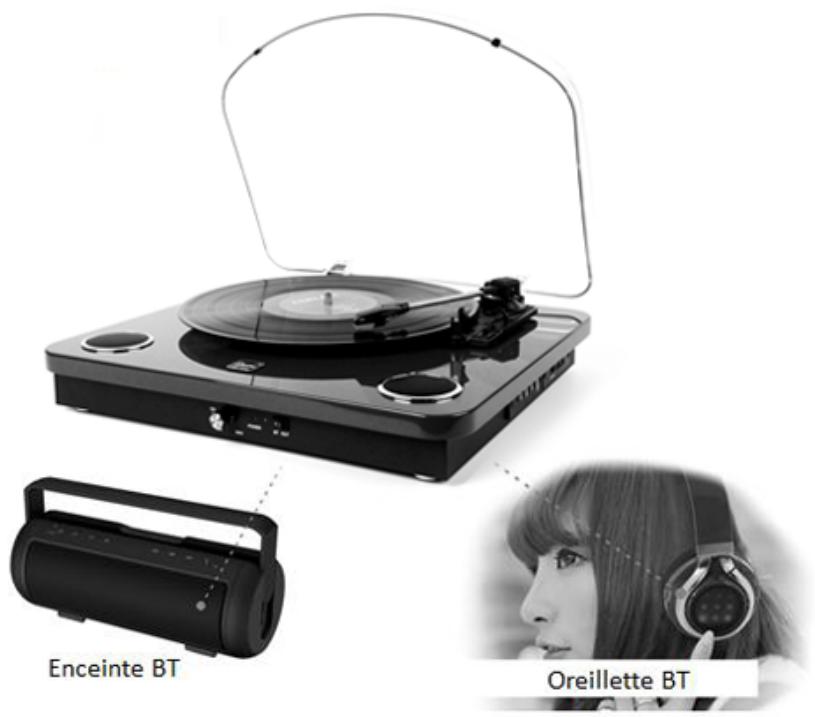
BLUETOOTH OUT FUNCTION
- Rotate the ON/OFF/Volume control knob (8), and Turn ON the BT OUT button (11), the Bluetooth indicator (10) will flash blue quickly.
- Place a record on the turntable platter (1), or insert a memory card in the memory card reader slot (17) or USB flash memory device into the USB port (16).
- Enable your Bluetooth speaker or Bluetooth headset power ON, and make sure it is in searching mode.
- Waiting for 10-15 seconds, the Bluetooth indicator (10) will be blue, the Bluetooth connected successfully.
- You can enjoy the music from Bluetooth speaker or Bluetooth headset.
REPLACING THE STYLUS
-Refer to the figures 1-8
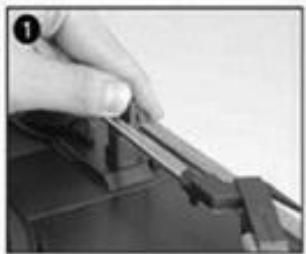
Push the arm lock to release the tone-arm.
Take off cap of cartridge to expose the needle out.
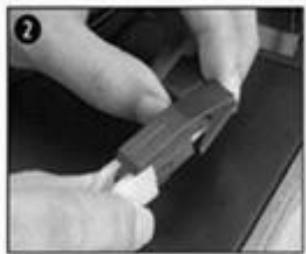
Separate the cartridge from the socket lightly.
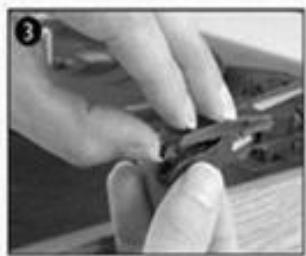
Take off the audio-line from the cartridges completely.
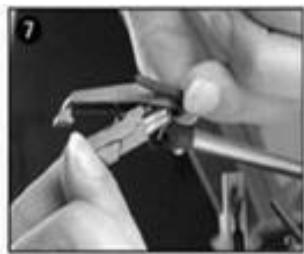
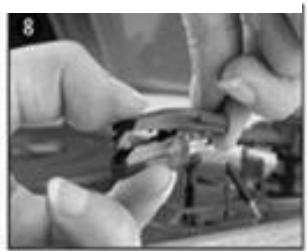
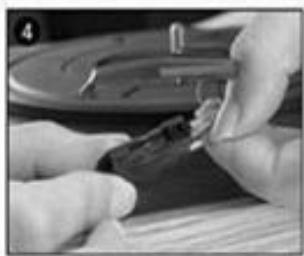
To fit a new one just in opposite deals, insert the audio-line accordingly, and install the cartridge to the socket lightly.
Note: Please exercise extreme care whilst performing this operation so as to avoid the tone arm and audio line wires from any damage.
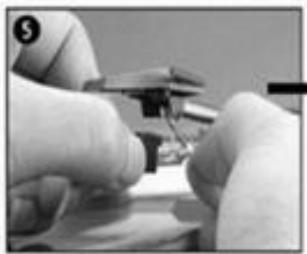
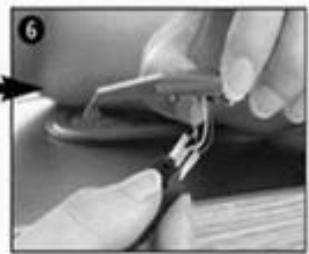
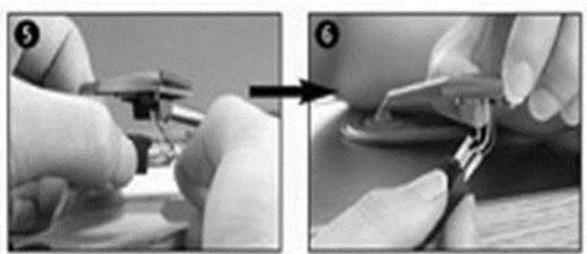
INSTALLING A NEW STYLUS CARTRIDGE
-Refer to the figures 5 & 6
NOTES
We advise you to clean your records with an anti-static cloth to gain maximum enjoyment from them and to make them last.
We would also point out that for the same reason your stylus should be replaced periodically (approximately every 250 hours).
Dust the stylus from time to time using a very soft brush dipped in alcohol (brushing from back to front of the cartridge).
WHEN TRANSPORTING YOUR RECORD PLAYER DO NOT FORGET TO:
- Replace the protective cap on the stylus.
- Put the rest clip into the pick-up arm.
TECHNICAL DATAS
Rated voltage: DC 5V --- 1A
Max power consumption: 5W
Puissance sound power: 2 × 0.8W
Radio Frequency: 2,4 GHz
Memory card port: 32GB
Bluetooth compatible version :2.1+EDR
Distance Bluetooth stays connected: 6m
Accessories included: adaptor, user manual
Adaptor: INPUT: AC 100-240~ 50/60Hz 0.15A
OUTPUT:DC 5V --- 1A
45 rpm adapter

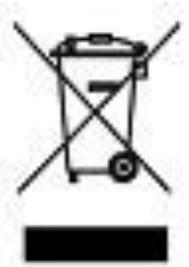
The European directive 2012/19/EU on Waste Electrical and Electronic Equipment (WEEE), requires that old household electrical appliances must not be disposed of in the normal unsorted municipal waste stream. Old appliances must be collected separately in order to optimize the recovery and recycling of the materials they contain, and reduce the impact on human health and the environment. The crossed out "wheeled bin" symbol on the product reminds you of your obligation, that when you dispose of the appliance, it must be separately collected.
To avoid possible hearing damage, do not listen at high audio volume for long periods of time.
Warranty conditions
OPERATING MANAGEMENT:
Your product is guaranteed 2 years.
To request support, contact the customer service at 0 811 482 202.
You will then be asked the defective part and the original invoice stating the product regulation. We may ask you for photos of your appliance.
FAILURE TO PACKING:
If it appeared, after unpacking the product or device, a vice preventing the use of the product in its expected configuration, contact the customer service within 72 hours worked.
DISCLAIMER OF WARRANTY
DISCLAIMER OF WARRANTY RELATED TO THE ORIGIN OF DAMAGES
The guarantee does not apply in case of accidental physical damage, it does not cover such damage and failures that resulted:
- improper installation (of a bad installation) or a misuse or poor maintenance of the product.
- improper use of the material or not complying with the instructions in the user manual.
- lightning, flood, fire, power surge, shock, poor ventilation, a fall, discoloration due to the action of light, burning, humidity, excessive heating without humidifier, or irregular ground or insects.
- repairs made and / or working on the hardware and / or opening of it by an unauthorized person by the manufacturer.
- maintenance, repair or replacement of parts due to normal usury or failure to maintain.
- modification of the construction and original features of the guaranteed product.
- corrosion, oxidation, a bad connection nor an external power supply problem.
EXCLUSION OF WARRANTY RELATING TO THE NATURE OF DAMAGES
(INDIRECTS DAMAGES)
The guarantee covers only the right to repair or replace the guaranteed product. Consequently, the indirect damage resulting from the failure or damage not covered by warranty, including:
- Commissioning costs, adjusting, cleaning;
- Damage of any kind resulting from the unavailability of the product guaranteed during the period between deterioration and failure and repair or the replacement of the product guaranteed.
OTHER EXCLUSIONS
- Damage and faults under specific exclusions in the warranty manufacture guaranteed product, as mentioned in the product instructions for use;
- The aesthetic damage;
- The products guarantee that the customer is not able to return or those who returned without their accessories.
DUAL ELECTRONICS 79/81 ANCIENNE ROUTE NATIONALE 7 – 69570 DARDILLY – FRANCE
AUSGANG: DC 5V --- 1A
UITGANG: DC 5V --- 1A
USCITA: DC 5V --- 1A
Adattatore 45 giri



SALIDA: DC 5 V --- 1 A
45 rpm adapter