
MB3463 - Blender CLATRONIC - Free user manual and instructions
Find the device manual for free MB3463 CLATRONIC in PDF.
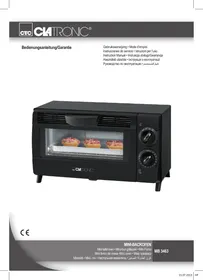

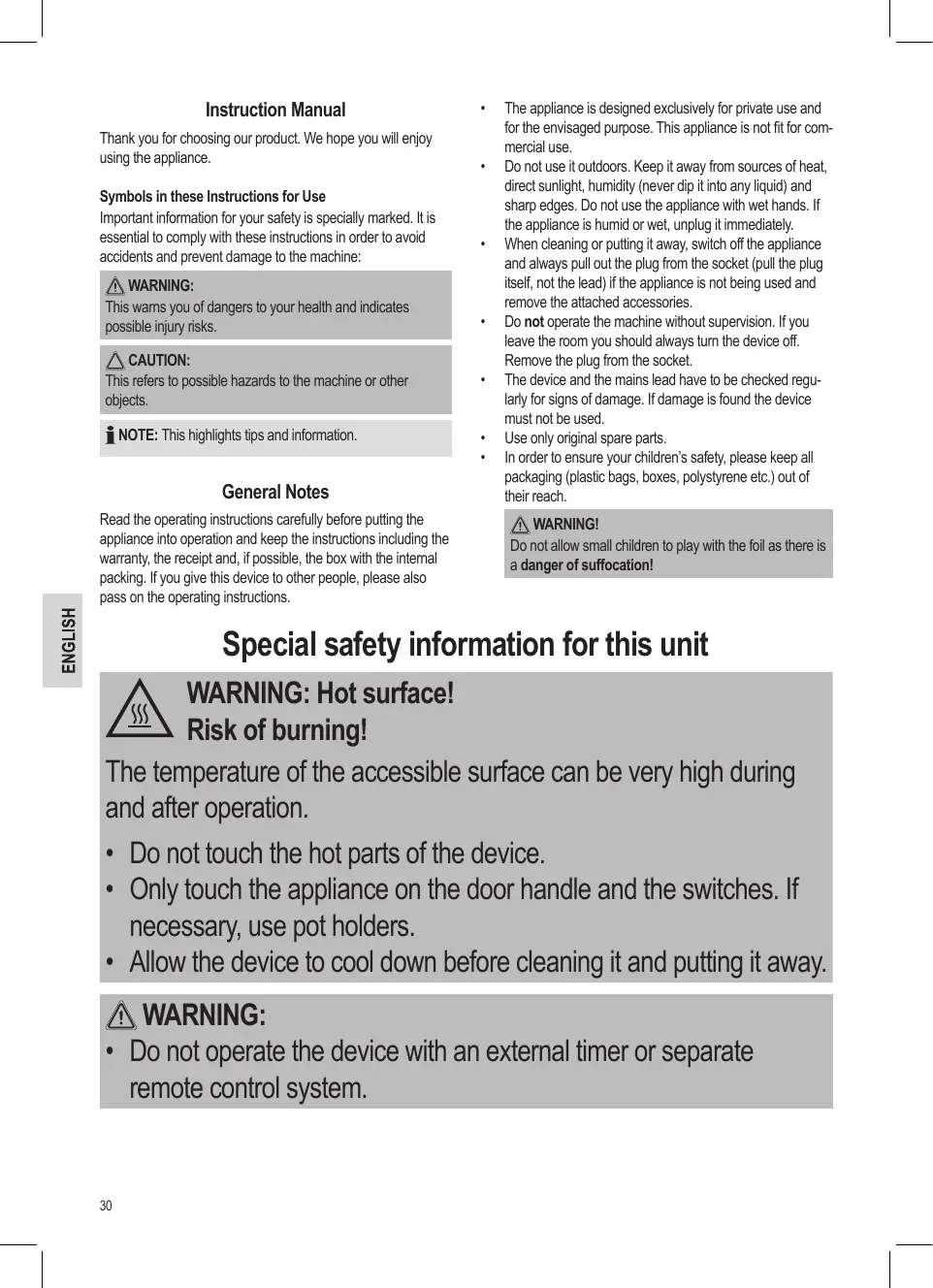


| Product type | Multifunction grill oven |
| Model | MB 3463 |
| Brand | Clatronic |
| Power supply | 220-240 V~, 50/60 Hz |
| Power | 800 W |
| Protection class | I |
| Net weight | Approximately 2.75 kg |
| Capacity (toasts) | 2 to 3 slices |
| Heating types | Top heat, bottom heat, top+bottom heat |
| Timer | 1 to 15 minutes with automatic shut-off and audible signal |
| Included accessories | Grill rack, pizza tray, crumb tray |
| Door handle | Yes, insulated |
| Exterior material | Painted steel (estimate) |
| Cleaning | Do not immerse, clean with a damp cloth and mild detergent |
| Safety | Automatic shut-off after timer, hot surface (warning) |
| Repairability | Call a qualified technician for repairs |
| Spare parts | Original accessories recommended, contact customer service |
| Warranty | Not specified, keep receipt |
| Use | For household use only, indoors |
Frequently Asked Questions - MB3463 CLATRONIC
User questions about MB3463 CLATRONIC
0 question about this device. Answer the ones you know or ask your own.
Ask a new question about this device
Download the instructions for your Blender in PDF format for free! Find your manual MB3463 - CLATRONIC and take your electronic device back in hand. On this page are published all the documents necessary for the use of your device. MB3463 by CLATRONIC.
USER MANUAL MB3463 CLATRONIC
CE
MINI-BACKOFEN
Mini tafel oven • Mini-four grillepain • Mini Fomo
Overview of the Components ...... Page 3
Instruction Manual Page 30
Technical Data Page 33
Disposal Page 34
NEDERLANDS
Inhoud
Locatie van bedieningselementen....Pagina 3
Bedienungsanleitung
Thank you for choosing our product. We hope you will enjoy using the appliance.
Symbols in these Instructions for Use
Important information for your safety is specially marked. It is essential to comply with these instructions in order to avoid accidents and prevent damage to the machine:

WARNING:
This warns you of dangers to your health and indicates possible injury risks.

CAUTION:
This refers to possible hazards to the machine or other objects.

NOTE: This highlights tips and information.
General Notes
Read the operating instructions carefully before putting the appliance into operation and keep the instructions including the warranty, the receipt and, if possible, the box with the internal packing. If you give this device to other people, please also pass on the operating instructions.
- The appliance is designed exclusively for private use and for the envisaged purpose. This appliance is not fit for commercial use.
- Do not use it outdoors. Keep it away from sources of heat, direct sunlight, humidity (never dip it into any liquid) and sharp edges. Do not use the appliance with wet hands. If the appliance is humid or wet, unplug it immediately.
- When cleaning or putting it away, switch off the appliance and always pull out the plug from the socket (pull the plug itself, not the lead) if the appliance is not being used and remove the attached accessories.
- Do not operate the machine without supervision. If you leave the room you should always turn the device off. Remove the plug from the socket.
- The device and the mains lead have to be checked regularly for signs of damage. If damage is found the device must not be used.
• Use only original spare parts. - In order to ensure your children's safety, please keep all packaging (plastic bags, boxes, polystyrene etc.) out of their reach.

WARNING!
Do not allow small children to play with the foil as there is a danger of suffocation!
Special safety information for this unit

WARNING: Hot surface! Risk of burning!
The temperature of the accessible surface can be very high during and after operation.
- Do not touch the hot parts of the device.
- Only touch the appliance on the door handle and the switches. If necessary, use pot holders.
- Allow the device to cool down before cleaning it and putting it away.

WARNING:
- Do not operate the device with an external timer or separate remote control system.

WARNING:
- Always operate the appliance under supervision. Very dry bread can catch fire inside the appliance!
- Do not try to repair the appliance on your own. Always contact an authorized technician. To avoid the exposure to danger, always have a faulty cable be replaced only by the manufacturer, by our customer service or by a qualified person and with a cable of the same type.
- This appliance can be used by children aged from 8 years and above and persons with reduced physical, sensory or mental capabilities or lack of experience and knowledge if they have been given supervision or instruction concerning use of the appliance in a safe way and understand the hazards involved.
• Children shall not play with the appliance. - Cleaning and user maintenance shall not be made by children unless they are older 8 years and supervised.
- Keep the appliance and its cord out of reach of children less than 8 years.

CAUTION:
- Ensure that the power cord does not come into contact with the hot parts of the appliance.
- Do not place the appliance near inflammable items such as curtains or wood.
- Place the appliance on an even, heat-resistant surface.
- Position the appliance with its back facing a wall.
- Do not move the appliance when it is in operation.
- Ensure that both operating switches are in the “OFF” position when you are not using the appliance.
Overview of the Components
1 Housing
2 Function switch
3 Timer
4 Grill grate
5 Door handle
6 Pizza tray
Not shown: Crumb tray
Symbols on the switches
Function switch
| OFF | Off |
| Top heating | |
| Bottom heating | |
| Top and bottom heating |
Timer
OFF-0 Off
1...15 Minutes
Unpacking the appliance
- Take the appliance out of its packaging.
- Remove all the packaging material such as plastic foil, filling material, cable ties and cardboard packaging.
- Check that all parts are supplied in the box.
- Please check the appliance for any transport damage to prevent hazards.
i NOTE:
There may still be dust or production residues on the appliance. We recommend that you clean the appliance as described under “Cleaning”.
Instructions for use
Before initial use
There is a protective layer on the heating element. To remove this, operate the appliance for about 10 minutes without any contents. Set the function switch to "Top and bottom heating".
i NOTE:
Any smoke or smells produced during this procedure are normal. Please ensure sufficient ventilation.
Electrical connection
- Ensure that both operating switches are in the "OFF" position.
- Check whether the mains voltage that you want to use matches the one of the device. You will find the information about this on the type plate.
- Insert the plug in a duly installed protective contact socket.
Turning on/ off
- The operating switches are used to turn the appliance on and off.
- Once you have selected a heating type with the function switch and once you've turned on the timer, the heating process will begin immediately. And vice versa: Once you have set a time and once you have turned on a heating mode, the heating process will begin immediately.
- A beep signals the end of the set time. The appliance shuts off automatically. You may still hear the timer ticking for a few minutes.
- If you'd like to end the heating process before the set time has elapsed, turn the timer anti-clockwise until you hear a beep.
- If you would like to finish working with the appliance, set the function switch to the "OFF" position. Disconnect the mains plug from the socket.
i NOTE:
The timer may also be used at any time without any electrical connection.
General information on use
• Use the pizza tray for meat or for pizza.
- If you would like to use other dishes, ensure that they are heat-resistant.
• The grill grate is suitable for preparing toast.
- With cooking times of less than 5 minutes, we recommend preheating the oven without food for about 3 minutes.
- When setting the timer to 3 minutes or less, first set it to 10 minutes and then turn it back to 3 minutes.
Using the unit
- Ensure that both operating switches are in the "OFF" position.
- Connect the appliance to a properly installed earthed socket.
- Open the door and place the dish into the oven.
- Close the door.
- Use the function switch to select the desired type of heating.
- Set the desired cooking time with the timer. You can use the following table as a guide.
- Once the oven has been turned off, you may open the door and remove the dish with pot holders.
WARNING: Risk of burning!
• Do not touch the hot parts of the appliance.
- Only touch the appliance on the door handle and on the switches.
-
Set the function switch to the "OFF" position.
-
Disconnect the mains plug from the socket.
-
Let the appliance cool down before you clean it!
Recommended toasting times
| Food | Quantity/ Piece | Cooking time | Heating type |
| Sandwich | 2 – 3 | 2 – 3 minutes | Top and bottom heating |
| Toast | 2 - 3 slices | 2 – 3 minutes | Top and bottom heating |
| Bacon | 4 strips | 5 – 10 minutes per side | Top heating |
| Ham slices | 3 - 4 slices | 7 – 12 minutes per side | Top heating |
| Hamburger | 2 – 3 slices | 8 – 10 minutes per side | Top heating |
| Pork chops | 2 | 12 – 14 minutes per side | Top heating |
| Fish fillet | 1 - 2 slices | 10 – 12 minutes per side | Top heating |
| Sausages/ Hot Dogs | 3 – 4 | 10 – 12 minutes per side | Top heating |
| Beefsteaks | 2 slices (approx. 2 cm thick) | 12 – 14 minutes per side | Top heating |
| Lamb chops | 2 – 3 | 11 – 14 minutes per side | Top heating |
| Chicken | 1 half | 15 – 20 minutes per side | Top heating |
These times only serve as a guide and may vary depending on circumstances.
Cleaning

WARNING:
• Always pull out the plug from the mains socket before cleaning and wait until the unit has cooled down.
- Do not immerse the device in water! It could result in an electric shock or fire.

CAUTION:
- Do not use any wire brush or other abrasive objects.
• Do not use any acidic or abrasive detergents.
Pizza tray
- Remove the pizza tray from the inside.
- Clean the pizza tray in hot water with a mild detergent.
- Dry the pizza tray thoroughly before replacing it.
Crumb tray
The crumb tray is located at the bottom of the appliance.
- Tilt the appliance slightly backwards.
- Push the handle of the crumb tray backwards in order to flip the tray open. It cannot be removed!
- Clean the crumb tray with a cloth.
- Re-attach the crumb tray to the bottom of the appliance.
Interior

CAUTION:
Do not use any oven spray! The quartz heater could be damaged in the process.
Keep the interior of the oven clean.
- Splatter and food residues on the oven walls and on the grill grate may be removed with a moist cloth by adding some dishwashing liquid.
- Wipe dry with a dry towel.
Base unit

WARNING:
Please ensure that no water gets inside the appliance!
• Clean the housing after use with a slightly damp cloth.
Storage
- Clean the appliance as described and let it completely dry.
• We recommend storing the appliance in the original packaging if you do not want to use it for long periods of time. - Always store the appliance out of the reach of children in a well-ventilated and dry place.
Technical Data
Model: MB 3463
Power supply: 220 - 240 V\~, 50/60 Hz
Power consumption: 800 W
Protection class: I
Net weight:...... approx. 2.75 kg
The right to make technical and design modifications in the course of continuous product development remains reserved.
This device has been tested according to all relevant current CE guidelines, such as electromagnetic compatibility and low voltage directives, and has been constructed in accordance with the latest safety regulations.
Disposal
Meaning of the "Dustbin" Symbol
Protect our environment: do not dispose of electrical equipment in the domestic waste.
Please return any electrical equipment that you will no longer use to the collection points provided for their disposal.
This helps avoid the potential effects of incorrect disposal on the environment and human health.
This will contribute to the recycling and other forms of reutilisation of electrical and electronic equipment.
Information concerning where the equipment can be disposed of can be obtained from your local authority.
Instrukcja obsługi
CTC Clatronic Sp. z o.o

- NEDERLANDS
- INHOUD
- BEDIENUNGSANLEITUNG
- SYMBOLS IN THESE INSTRUCTIONS FOR USE
- WARNING
- CAUTION
- GENERAL NOTES
- SPECIAL SAFETY INFORMATION FOR THIS UNIT
- WARNING: HOT SURFACE! RISK OF BURNING
- OVERVIEW OF THE COMPONENTS
- SYMBOLS ON THE SWITCHES
- FUNCTION SWITCH
- UNPACKING THE APPLIANCE
- I NOTE
- INSTRUCTIONS FOR USE
- BEFORE INITIAL USE
- ELECTRICAL CONNECTION
- TURNING ON/ OFF
- GENERAL INFORMATION ON USE
- USING THE UNIT
- WARNING: RISK OF BURNING
- CLEANING
- PIZZA TRAY
- CRUMB TRAY
- INTERIOR
- BASE UNIT
- STORAGE
- TECHNICAL DATA
- DISPOSAL
- MEANING OF THE "DUSTBIN" SYMBOL
- INSTRUKCJA OBSŁUGI
Brand : CLATRONIC
Model : MB3463
Category : Blender