
VC07F60WNUR/EF - VC07F60WNUR/EF - Vacuum Cleaner SAMSUNG - Free user manual and instructions
Find the device manual for free VC07F60WNUR/EF - VC07F60WNUR/EF SAMSUNG in PDF.



User questions about VC07F60WNUR/EF - VC07F60WNUR/EF SAMSUNG
0 question about this device. Answer the ones you know or ask your own.
Ask a new question about this device
Download the instructions for your Vacuum Cleaner in PDF format for free! Find your manual VC07F60WNUR/EF - VC07F60WNUR/EF - SAMSUNG and take your electronic device back in hand. On this page are published all the documents necessary for the use of your device. VC07F60WNUR/EF - VC07F60WNUR/EF by SAMSUNG.
USER MANUAL VC07F60WNUR/EF - VC07F60WNUR/EF SAMSUNG
Vacuum Cleaner user manual
* Before operating this unit, please read the instructions carefully.
* For indoor use only.
English
imagine the possibilities
Thank you for purchasing a Samsung product.
SAMSUNG
safety information
SAFETY INFORMATION

- Before operating the appliance, please read this manual thoroughly and retain it for your reference.

- Because these following operating instructions cover various models, the characteristics of your vacuum cleaner may differ slightly from those described in this manual.
CAUTION/WARNING SYMBOLS USED
w | Indicates that a danger of death or serious injury exists. |
c | Indicates that a risk of personal injury or material damage exists. |
OTHER SYMBOLS USED
 | Represents something you must NOT do. |
| [4274] | Represents something you must follow. |
 | Indicates that you must disconnect the power plug from the socket. |

- This vacuum cleaner is designed for household use only.
Do not use this vacuum cleaner to clean building waste and debris, toner of laser printer.
Regularly keep the filters in clean conditions to prevent of collecting fine dust in them.
Dry carpet cleaners or fresheners, powders and fine dust such as flour should be only vacuumed in very small amounts.
Always clean the dust bin & filters after vacuuming them.
Do not use this vacuum cleaner with any of the filters or dust bin removed.
Do not use worn, deformed or damaged filters.
Always install the filters in the correct position as shown in this manual.
Failure to meet these requirements could cause damage to the internal parts and void your warranty. Never twist micro filter after washing. It can be a reason of deformation or damage filter.
If filter deformed or damaged please replace the filter (it can be a reason of penetration of dust and debris into motor).
Please insert filter properly without gap between filter and cover filter (it can be a reason of penetration of dust and debris into motor).
02\_ safety information
safety information
IMPORTANT SAFEGUARDS
GENERAL
- Read all instructions carefully. Before switching on, make sure that the voltage of your electricity supply is the same as that indicated on the rating plate on the bottom of the cleaner.
- WARNING : Do not use the vacuum cleaner when rug or floor is wet. Do not use to suck up water.
- Close supervision is necessary when any appliance is used by or near children.
Do not allow the vacuum cleaner to be used as a toy.
Do not allow the vacuum cleaner to run unattended at any time.
Use the vacuum cleaner only for its intended use as described in these instructions.
- Do not use the vacuum cleaner without a dust bin.
Empty the dust bin before it is full in order to maintain the best efficiency.
- Do not use the vacuum cleaner to pick up matches, live ashes or cigarette butts. Keep the vacuum cleaner away from stoves and other heat sources.
Heat can deform and discolour the plastic parts of the unit.
- Avoid picking up hard, sharp objects with the vacuum cleaner as they may damage the cleaner parts.
Do not stand on the hose assembly.
Do not put weight on the hose.
Do not block the suction or the exhaust port.
- Switch the vacuum cleaner off on the body of the machine before unplugging from the electrical outlet.
Disconnect the plug from the electrical outlet before emptying the dust bin.
To avoid damage, please remove the plug by grasping the plug itself, not by pulling on the cord.
- This appliance can be used by children aged from 8 years and above and persons with reduced physical, sensory or mental capabilities or lack of experience and knowledge if they have been given supervision or instruction concerning use of the appliance in a safe way and understand the hazards involved. Children shall not play with the appliance.
Cleaning and user maintenance shall not be made by children without supervision. - Children should be supervised to ensure that they do not play with the appliance.
- The plug must be removed from the socket outlet before cleaning or maintaining the appliance.
- The use of an extension cord is not recommended.
- If your vacuum cleaner is not operating correctly, switch off the power supply and consult an authorized service agent.
- If the supply cord is damaged, it must be replaced by the manufacturer or its service agent or a similarly qualified person in order to avoid a hazard.
- Don't carry the vacuum cleaner by holding the hose. Use the handle on the vacuum cleaner set.
- Unplug the cleaner when not in use. Turn off the power switch before unplugging.
- For information on Samsung's environmental commitments and product specific regulatory obligations e.g.
REACH visit: samsung.com/uk/aboutsamsung/samsungelectronics/corporate citizenship/data_corner.html
UV BRUSH
- Since the UV rays from the UV Brush damage skin and eyes, never allow the rays to make contact with skin or eyes and do not let children or the elderly use the UV Brush. It may damage your eyesight.
- If the transparent window is broken and the UV rays are exposed directly, turn the power off and contact the service center.
- Do not use the UV Brush for purposes other than the sterilization of mattresses, bedclothes, beds, cushions and so on made from material.
The company will not be held liable for any loss due to accidents from using the UV Brush for purposes other than its original purpose as listed above.
- Do not sit on the UV Brush or drop it, and avoid imparting impacts on the product.
Failing to do so may result in injury or product damage.
- Do not touch the power terminals on the back of the UV Brush with a metal pin or rod.
This may result in electric shock or fire.
- When the UV lamp is out of order, never disassemble or modify the product yourself. Please contact the manufacturer or service center for a replacement.
- Since an internal discharge occurs within the UV Brush, never use the product near an inflammable spray or substance.
- Take care not to touch the UV lamp window after using the UV Brush for an extended period of time as the surface of the window may be hot.
- The UV Brush may start slowly at a low temperature due to the inherent characteristics of UV lamps.
Please keep the UV Brush indoors.
ASSEMBLING THE CLEANER
07
11 Using the UV brush (Option)
MAINTAIN TOOLS AND FILTER
12
12 Using accessory
14 Maintain floor tools
16 Dust full indicator
16 Changing the dust bag
16 Cleaning inlet filter
17 Cleaning outlet filter
17 Change the battery (remote-control type)
TROUBLESHOOTING
18
06_ contents
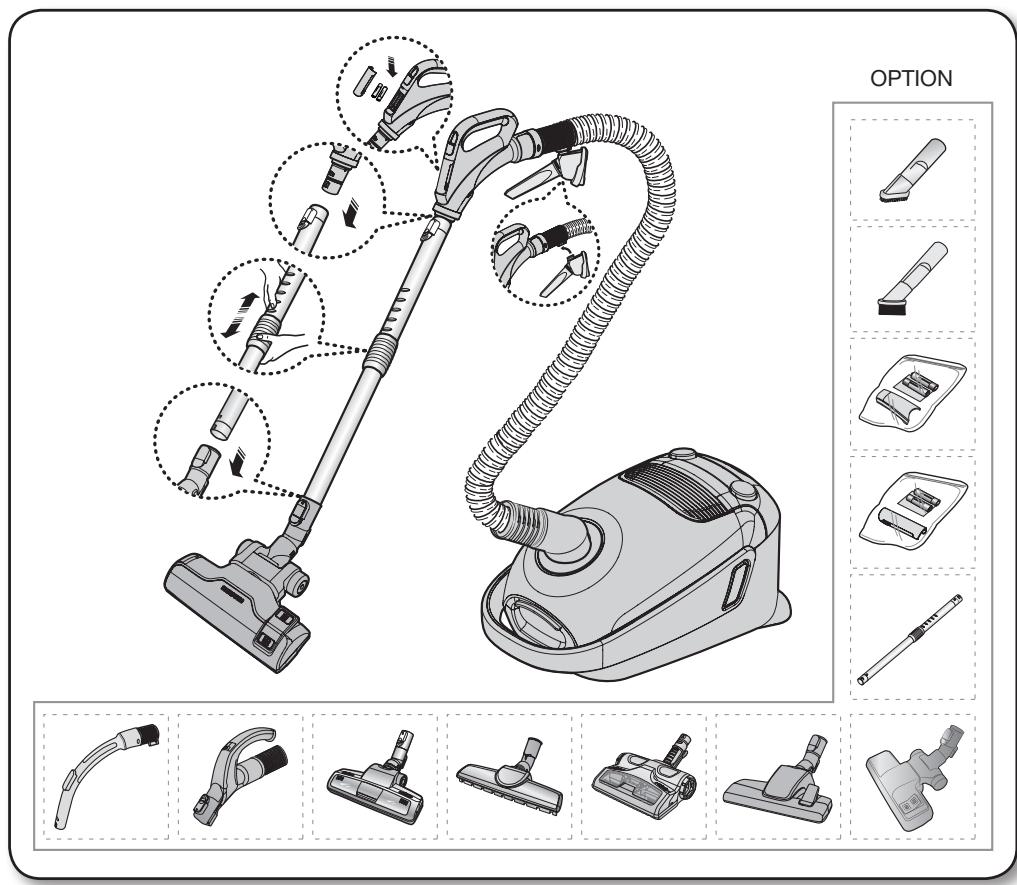
assembling the cleaner
text_image
OPTION
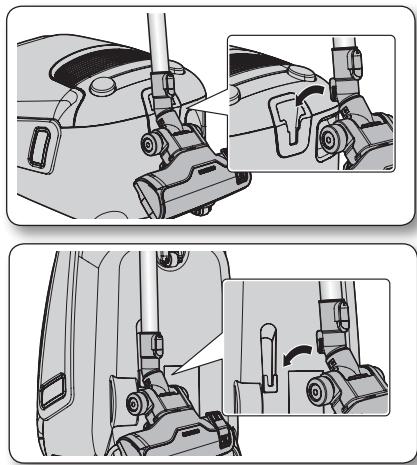
- For storage, park the floor nozzle.
natural_image
Technical illustration of mechanical assembly steps showing front and side views (no text or symbols)assembling the cleaner _07
operating the cleaner
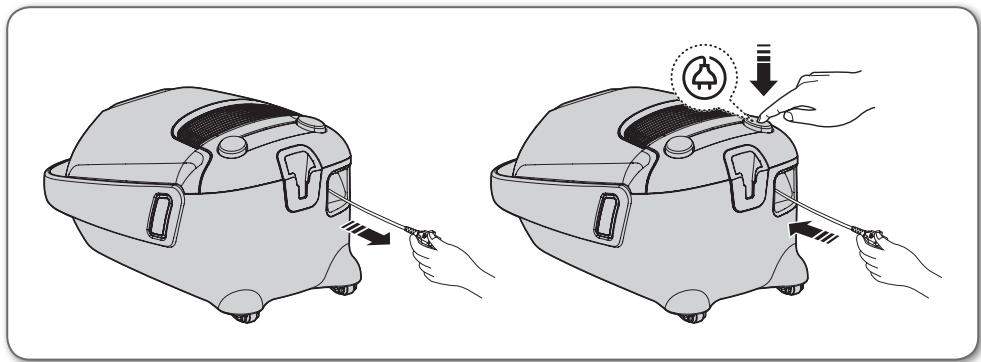
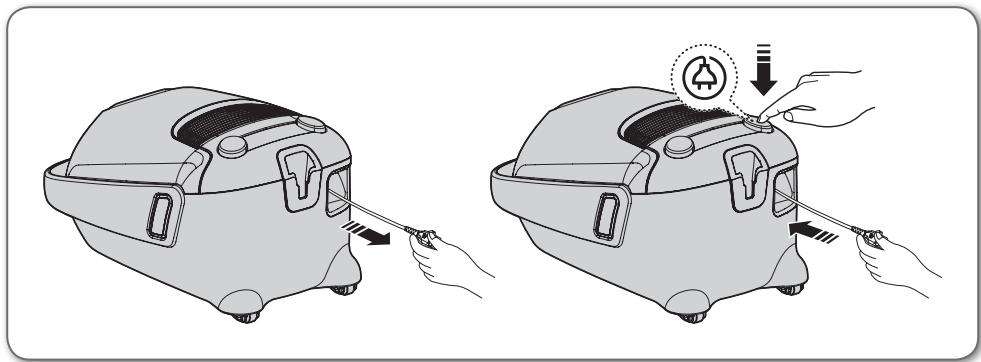
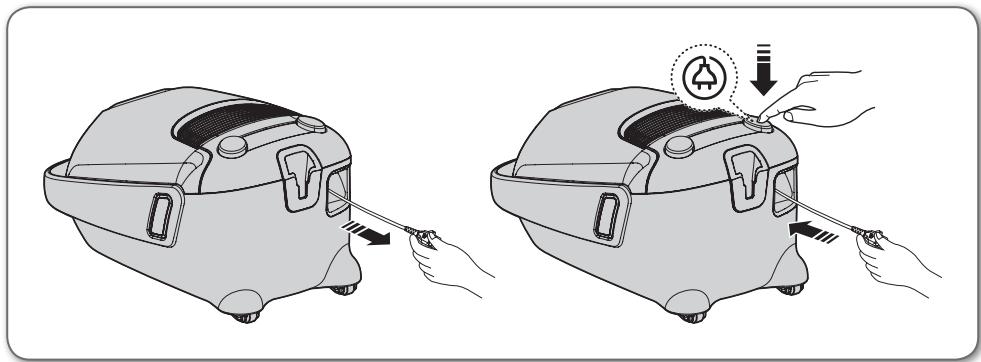
POWER CORD
natural_image
Illustration of two hand-drawn views of a car interior with tools, showing step-by-step installation (no text or symbols)CAUTION
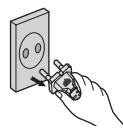
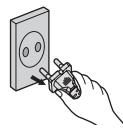
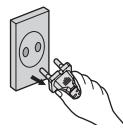
- When removing the plug from the electrical outlet, grasp the plug, not the cord.
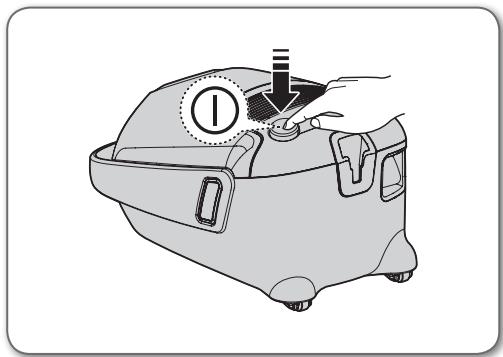
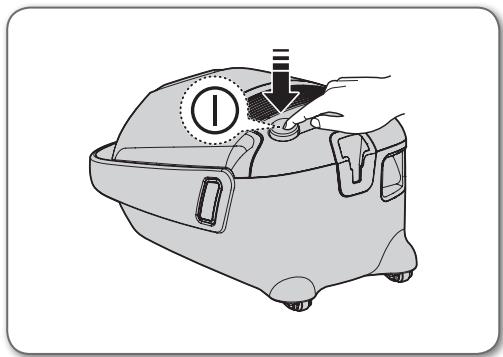
ON/OFF SWITCH
natural_image
Illustration of a hand operating a device with a circular indicator and pointer (no text or symbols)08_ operating the cleaner
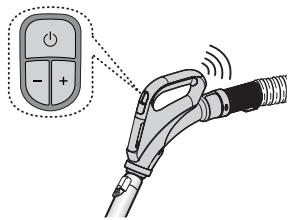
HOSE (SC07F60J, SC08F60J Series)
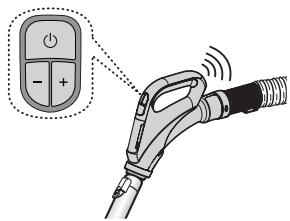
- ON/OFF ( ⏻ ) Button
- Press the ON/OFF button to operate the vacuum cleaner. Press again to stop the vacuum cleaner.
- Suction (-), (+) Button
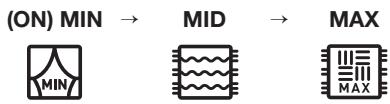
- Press the (+) button to operate the vacuum to highsuction power. Press the (-) button to operate the vacuum to low suction power.
flowchart
graph LR
    A["(ON) MIN"] --> B["MID"]
    B --> C["MAX"]
text_image
Diagram showing an electric vehicle charging plug with a power button and indicator lights, highlighting the function of charging.Handle Control The cleaner is controlled by radio frequency signals.

If no button is pressed for 30 minutes while cleaning, the safety device is activated and the power is cut off. In this case, press the [Power] button on the main unit or unplug and then plug the power cord in again.
HOSE (SC07F60Y, SC08F60Y Series)
-
ON/OFF ( ⏻ ) Button
-
Press the ON/OFF button to operate the vacuum cleaner. Press again to stop the vacuum cleaner.
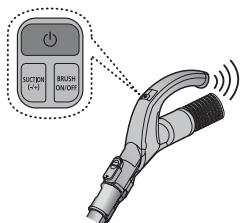
- SUCTION (-/+) Button
- Press the [SUCTION (-/+)] button to increase or decrease the suction power. Each time you press the button, you gradually increase the suction power. After the suction power reaches its maximum, the next time you press the button, you return the suction power to its minimum.

flowchart
graph LR
    A["(ON) MIN"] --> B["MID"]
    B --> C["MAX"]
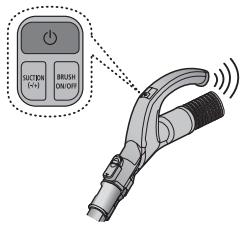
text_image
Suction (+) BRUSH ON/OFFHandle Control
The cleaner is controlled by radio frequency signals.
- BRUSH ON/OFF Button
- Press the [BRUSH ON/OFF] button to operate the UV Brush. Press again to stop the UV Brush.

If no button is pressed for 30 minutes while cleaning, the safety device is activated and the power is cut off. In this case, press the [Power] button on the main unit or unplug and then plug the power cord in again.
BODY
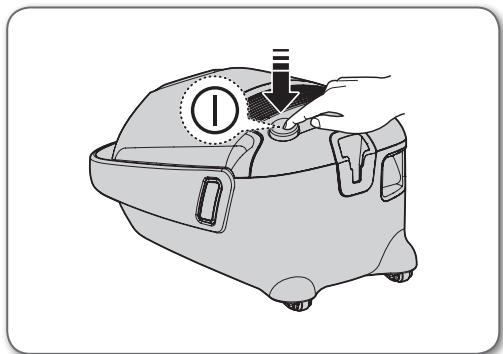
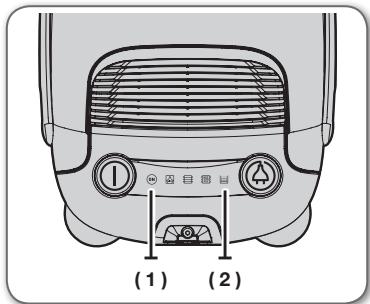
Press the power ON/OFF button repeatedly to start and to stop the vacuum cleaner. (OFF → ON → OFF)

If the remote handle control is not working, the cleaner can be operated using the ON/OFF button on the body of the machine.
text_image
(1) (2)| (1)ON | The icon lights up blue when the power source is connected. |
| (2) | If the filter check indicator turns red, check and eliminate possible blockages in brushes, pipe, hoses, filters and if necessary. Empty and replace dust bag. |
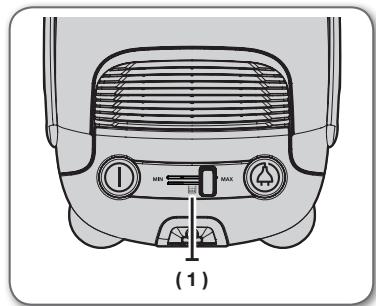
Body-control type (SC05F60W, SC07F60W, SC08F60W Series)
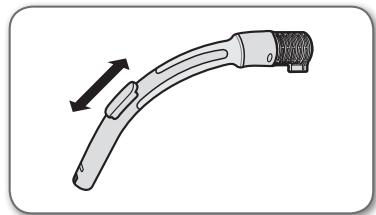
HOSE
To reduce suction for leaning draperies, small rugs, and other light fabrics, pull the tap air until the hole is open.
natural_image
Illustration of a curved mechanical device with a black arrow indicating direction (no text or symbols)BODY
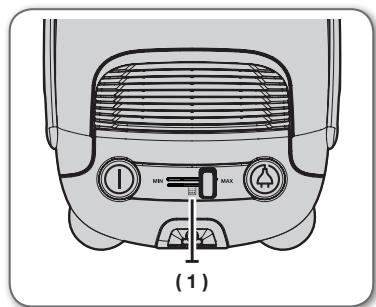
To control power level, just slide the power control right and left.
MIN = For delicate fabrics, e.g. net curtains.
MAX = For hard floors and heavily soiled carpets.
text_image
(1)| (1) | If the filter check indicator turns red, check and eliminate possible blockages in brushes, pipe, hoses, filters and if necessary. Empty and replace dust bag. |
10\_ operating the cleaner
USING THE UV BRUSH (OPTION)
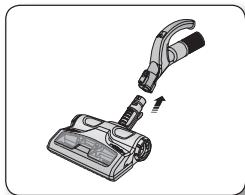
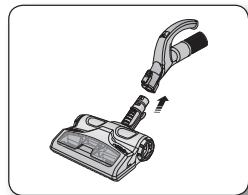
- Insert the brush into the hose handle.
- Insert the UV brush securely into the hose handle until you hear a “clicking” sound.
natural_image
Illustration of a vacuum cleaner with attached lever and handle (no text or symbols)-
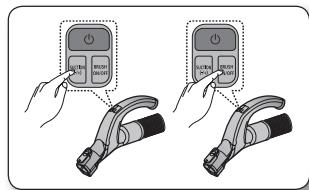
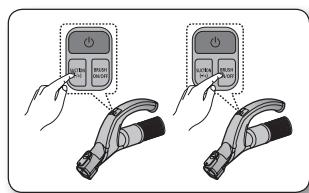
Press the [BRUSH ON/OFF] button to use UV Brush.
-
Press the [Suction -/+] button to start cleaning and choose the appropriate suction strength.
- Press the [BRUSH ON/OFF] button.
• UV sterilization cannot be activated by itself.
text_image
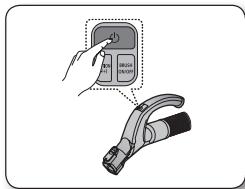
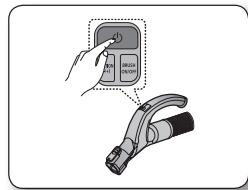
Diagram showing two hand gestures interacting with a device, one displaying a button labeled 'Control Unit' and the other 'Control Button'.- When you have finished UV cleaning, press the [ ⏻ ] button.
- Press the [ ⏻ ] button to stop the cleaner.
- For safety reasons, UV brushing only runs for 30 minutes and then stops operating. To resume the operation, press the [SUCTION (-/+)] button again.
text_image
Diagram showing a hand interacting with a device labeled 'c1' and a device with 'BRIN' and 'R' symbols, likely illustrating a diagnostic or testing procedure.
The UV brush, which is inserted into the hose handle (not directly connected to the telescopic pipe), is dedicated for bedclothes.
maintain tools and filter
USING ACCESSORY
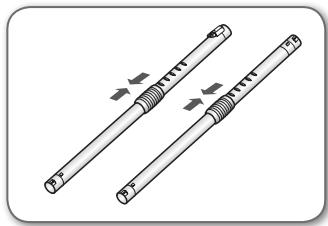
Pipe
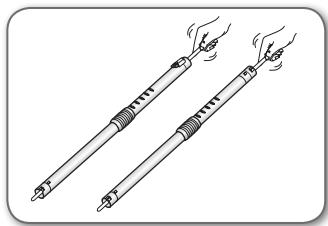
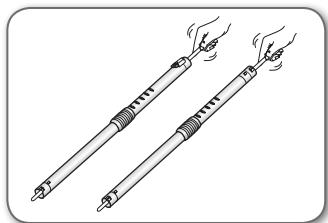
- Adjust the length of the telescopic pipe by sliding the length control button located in the center of the telescopic pipe back and forth.
natural_image
Illustration of two cylindrical mechanical components with directional arrows indicating motion (no text or symbols)- To check for blockages, separate the telescopic pipe and adjust to shorten. This allows for easier removal of waste clogging the tube.
natural_image
Illustration of two hand-drawn sticks with arrows indicating motion (no text or symbols)Accessory
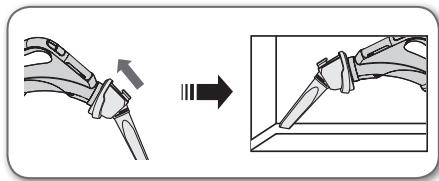
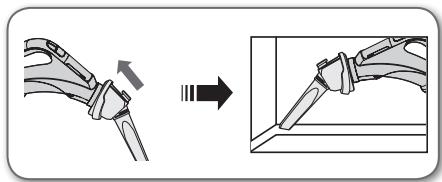
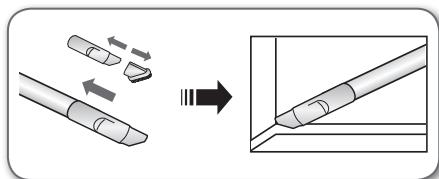
- To use the crevice tool, push the accessory on to the end of the hose handle in the opposite direction.
natural_image
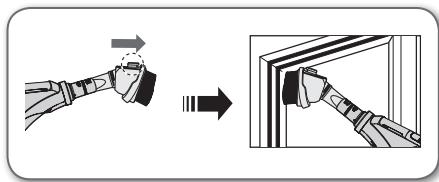
Diagram showing a mechanical assembly before and after modification, with no visible text or symbols- Pull out the button, to use the dusting brush.
text_image
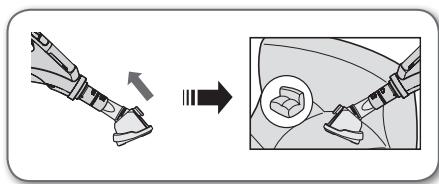
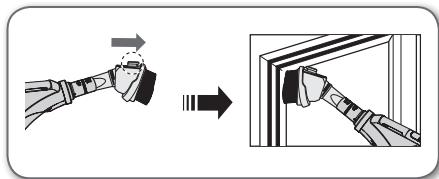
Diagram illustrating a hand turning a tool into a door panel, with directional arrows indicating motion.- To use the upholstery tool, push the accessory on to the end of the hose handle.
text_image
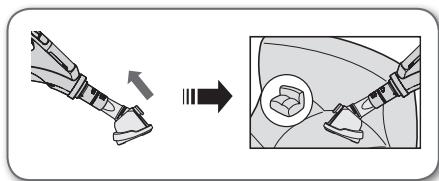
Diagram illustrating a mechanical assembly process with an arrow indicating transformation from a tool to a car seat.12_ maintain tools and filter
Accessory
- Push the accessory onto the end of the hose handle.
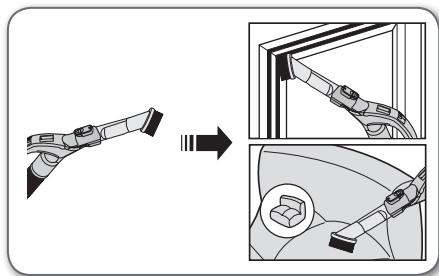
natural_image
Diagram showing a mechanical assembly transforming into two views of a car (no text or symbols present)- Pull out the dusting brush to use the crevice tool.
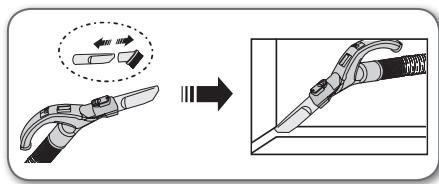
text_image
Diagram illustrating the process of a tool or device being processed, with an arrow indicating transformation from a single tool to a final assembly.- Push the accessory onto the end of the pipe.
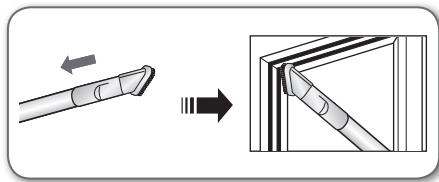
text_image
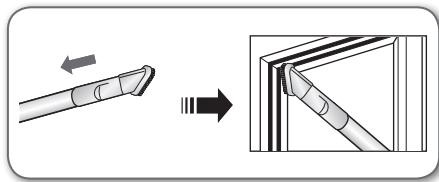
Diagram illustrating the process of a tool tip being inserted into a triangular prism, with directional arrows indicating movement.- Pull out the dusting brush to use the crevice tool.
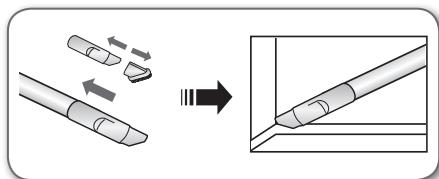
text_image
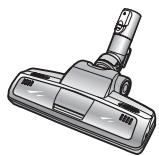
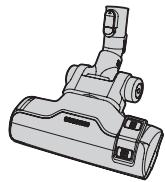
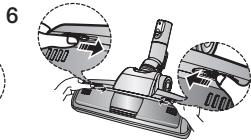
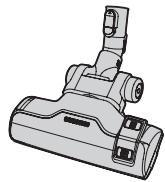
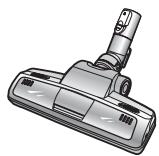
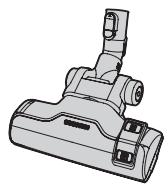
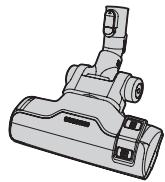
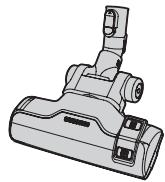
Diagram illustrating the process of a tool tip being cut with arrows indicating direction and resulting tip profile2-Step Brush
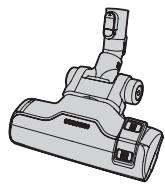
natural_image
Technical line drawing of a mechanical component (no text or symbols)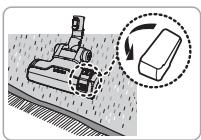
natural_image
Diagram showing a robotic arm operating on a surface with a circular inset illustrating the process (no text or symbols present)Carpet Cleaning
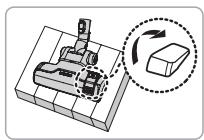
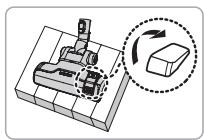
natural_image
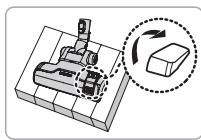
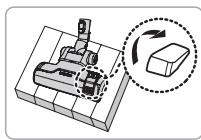
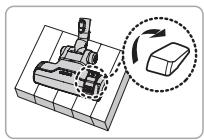
3D mechanical assembly diagram showing a base with a rotating component and a dashed circle highlighting the rotation direction (no text or symbols)Floor Cleaning
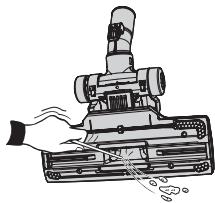
natural_image
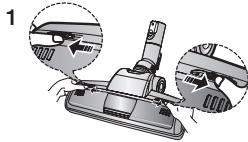
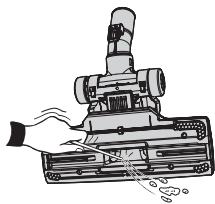
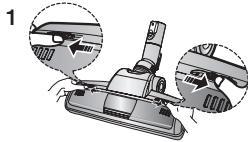
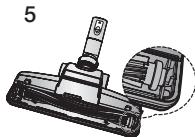
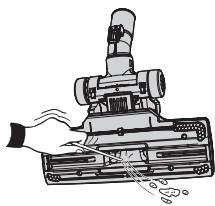
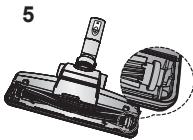
Illustration of a mechanical device with a hand operating it, showing components and motion lines (no text or symbols)- Adjust the inlet lever according to the floor surface.
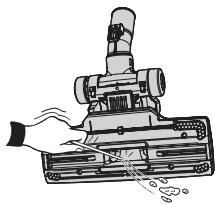
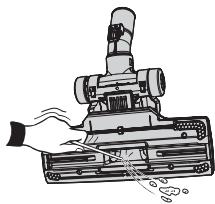
- Remove waste matter completely if the inlet is blocked.
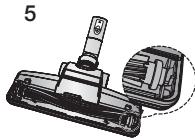
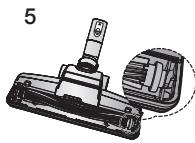
Power Pet Plus Brush (Option)
For improved pickup of pet hair and fibre on carpets.
natural_image
Diagram of a vacuum cleaner with two views of the component (no text or symbols present)
natural_image
Illustration of a mechanical clamp or tool with a handle and lever (no text or symbols)
natural_image
Technical illustration of a mechanical component with a cylindrical pin and base, shown in two views (no text or symbols)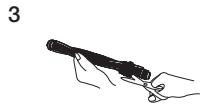
natural_image
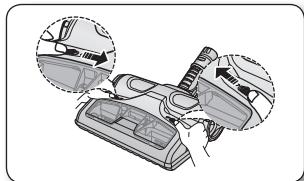
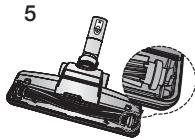
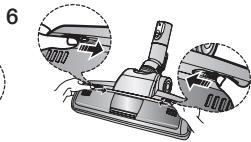
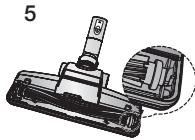
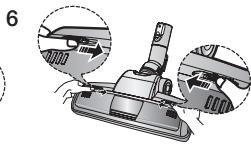
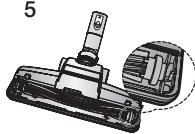
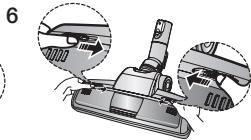
Mechanical assembly diagram showing a component with three views of a tool (no text or symbols present)- Frequent vacuuming of hair or pet fur may cause a falling-off of the rotation due to matters tangled around.
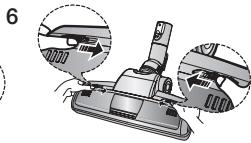
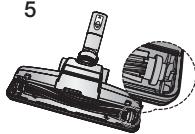
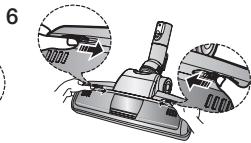
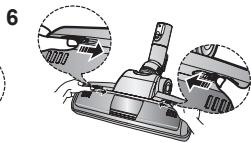
- Push the Open button of the transparent screen cover to separate the cover.
- Remove the brushbar from the transparent screen.
- Remove waste matter such as dust and hair tangled around the brushbar using scissors.
- Remove dust inside the brush housing using a dry duster or crevice tool.
- Insert brushbar into rotating belt and assemble.
- Click the transparent screen cover back into place to reassemble.
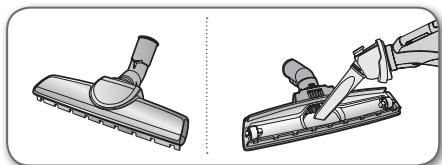
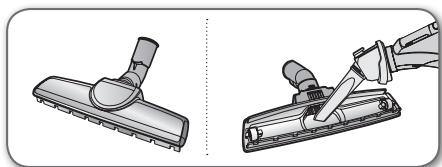
Parquet Master Brush (Option)
• Vacuum dust in wide area at once.
- Remove waste matter completely if the inlet is blocked.
natural_image
Illustration of a hand using a tool to clean or adjust a vacuum cleaner (no text or symbols present)14_ maintain tools and filter
To remove dust from the dust bin of the UV brush (Option)
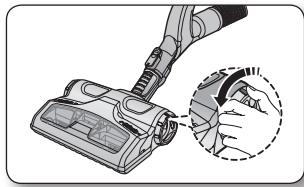
When you notice that the dust bin is filled, use the [Dust Removal] button to empty the dust bin.
- To remove dust from the dust bin, move the [Dust Removal] button to the "Open" position.
-
While the cleaner is operating (suction), use the [Dust Removal] button for this purpose.
-
When done, move the [Dust Removal] button to the "Close" position.
- When the [Dust Removal] button is in the "Open" position, the suction power of the cleaner is reduced.
natural_image
Illustration of a hand using a vacuum cleaner to clean or adjust the air gap (no text or symbols present)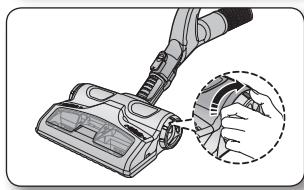
natural_image
Illustration of a hand using a vacuum cleaner to clean or adjust the air gap (no text or symbols present)- Frequent vacuuming of hair or pet fur may cause a falling-off of the rotation due to matters tangled around.
Cleaning the UV brush (Cleaning the drum) (Option)
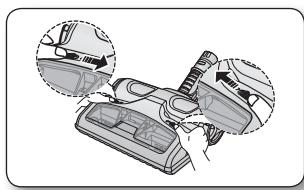
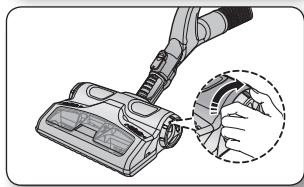
You should check your vacuum cleaner's Brush roll regularly. Strings, hair and carpet fibers can wrap around the brush and hamper its ability to clean. To prevent this you should clean the brush.
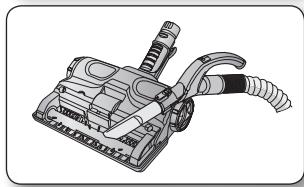
- Push the [Open Transparent Cover] button inward to remove the cover.
- Use the crevice tool to remove impurities such as dust and hair from the brush roll.
- When done, push the button outward to close the cover.
natural_image
Diagram showing car interior components with arrows indicating movement or force (no text or symbols present)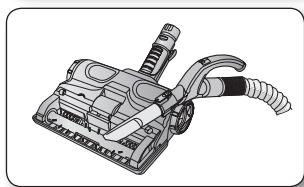
natural_image
Illustration of a vacuum cleaner with attached hoses and lever mechanism (no text or symbols)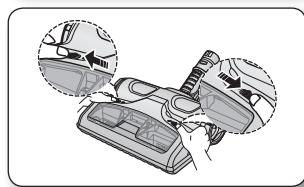
natural_image
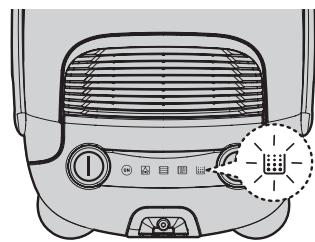
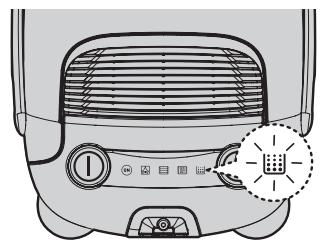
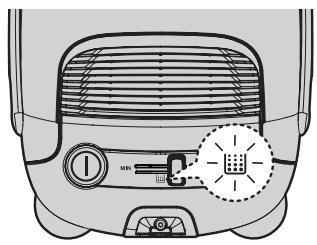
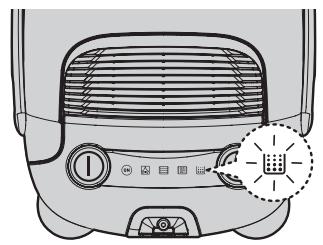
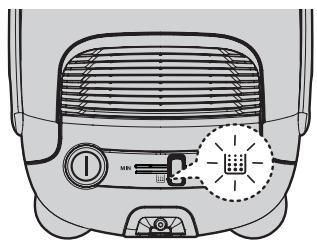
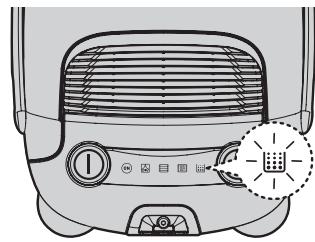
Diagram showing car interior components with arrows indicating movement or assembly (no text or symbols present)DUST FULL INDICATOR
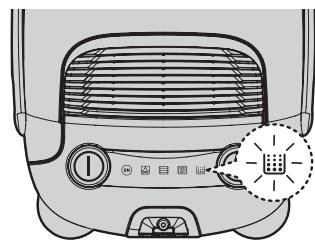
natural_image
Top-down view of a portable air conditioner unit with control panel and indicator lights (no text or symbols visible)Remote-control type
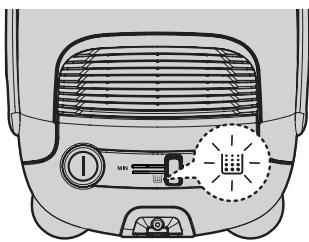
text_image
Diagram of a refrigerator interior with labeled buttons and a highlighted indicator light symbolBody-control type
- Frequent vacuuming of hair or pet fur may cause a falling-off of the rotation due to matters tangled around. The lamp will turn red when suction is reduced. If the light comes on, please change the bag.
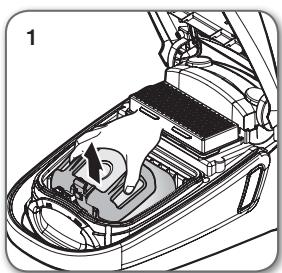
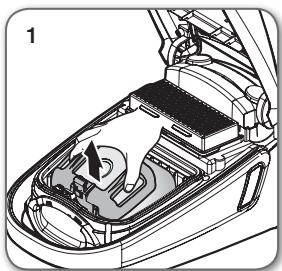
CHANGING THE DUST BAG

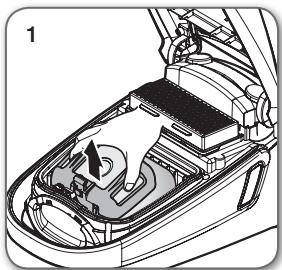
natural_image
Technical diagram of a car interior showing engine compartment and fan structure (no text or labels)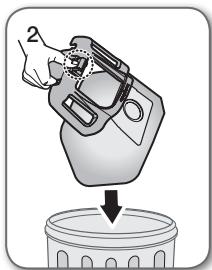
natural_image
Illustration of a hand pouring liquid into a trash bin (no text or symbols)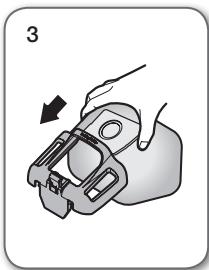
natural_image
Illustration of a hand holding a mechanical clamp or bracket, with an arrow indicating direction (no text or symbols present)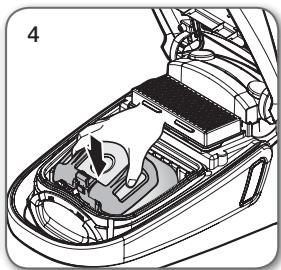
natural_image
Technical illustration of a car interior showing engine compartment and fan assembly (no text or symbols)
You can purchase dust bags in the shops where you bought this vacuum cleaner or authorized SAMSUNG service center.
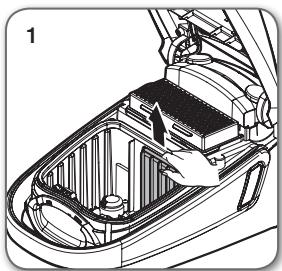
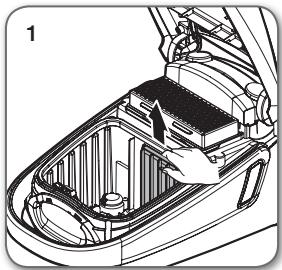
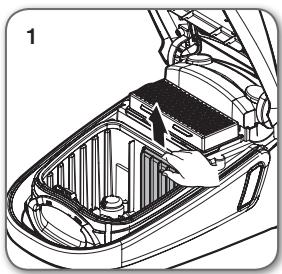
CLEANING INLET FILTER

natural_image
Technical illustration of a car interior showing engine compartment and battery casing (no text or symbols)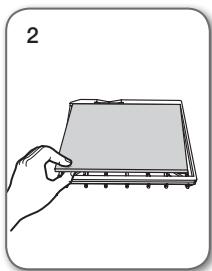
natural_image
Illustration of a hand holding a flat electronic device with a screen (no text or symbols visible)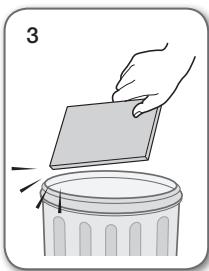
natural_image
Illustration of a hand placing a rectangular object onto a trash bin (no text or symbols)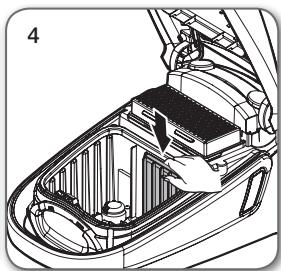
natural_image
Technical illustration of a car interior showing battery compartment and hand placement (no text or symbols)
Don't throw away the filter.
16_ maintain tools and filter
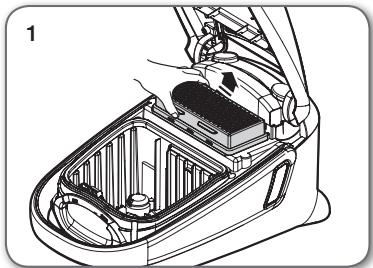
natural_image
Technical line drawing of a car interior showing internal components and wiring (no text or symbols)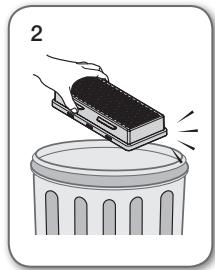
natural_image
Illustration of a hand placing a block onto a trash bin (no text or symbols)
natural_image
Technical line drawing of a car interior showing internal components and a battery cover (no text or symbols)
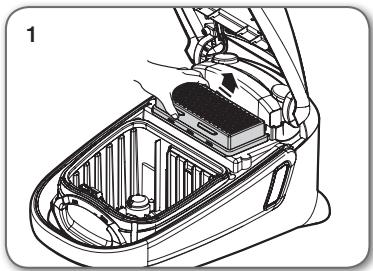
- Please replace the filter 1\~2 times a year.

- When suction is noticeably reduced continuously or vacuum cleaner abnormally overheats, please clean the outlet filter. Note. Do not wash filter. If cleaning does not resolve the problem Please replace blocked out filter.
- Replacement filters are available at your local Samsung distributor.
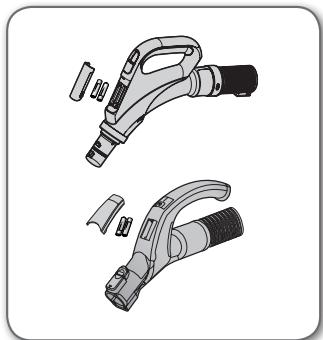
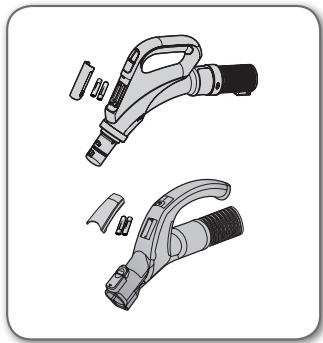
CHANGE THE BATTERY (REMOTE-CONTROL TYPE)

- When the vacuum cleaner does not work, replace the batteries. If the problem persists, please contact our authorized dealer.
- Use 2 batteries of size AAA.

- Never disassemble or recharge the batteries.
- Never heat up the batteries or throw them into fire.
- Do not reverse (+), (-) poles.
- Dispose of the batteries property.
natural_image
Two technical illustrations of a handheld electric shock absorber tool, showing internal components and assembly (no text or symbols)BATTERY TYPE : AAA Size

troubleshooting
| PROBLEM | SOLUTION |
| Motor does not start. | Check cable, plug and socket.Leave to cool. |
| Suction force is gradually decreasing. | Check for blockage and remove. |
| Cord does not rewind fully. | Pull the cord out 2-3 m and push down the cord rewind button. |
| Vacuum cleaner does not pick up dirt. | Check hose and replace if required. |
| Low or decreasing suction. | Please check filter and, if required, clean as illustrated in the instructions. if filters are out of condition change them to new ones. |
| Body overheating. | Please check filters, if required clean as illustrated in the instruction. |
| Static electricity discharge. | Please decrease power suction.This can also occur when air in the room is very dry.Please ventilate the room to air humidity become a normal. |
Thermal protector : This vacuum cleaner has a special thermostat that protects the motor in case of its overheating. If the vacuum cleaner suddenly shuts off, turn off the switch and unplug the vacuum cleaner. Make sure that there is power in the socket. To avoid electric shock, please contact a qualified electrician. Check the vacuum cleaner for possible source of overheating such as a full dust tank, a blocked hose, pipe, or clogged filter. If these conditions are found, fix them and wait at least 30 minutes before attempting to use the vacuum cleaner. After the 30 minute period, plug the vacuum cleaner back in and turn on the switch.
If the vacuum cleaner still does not run, contact a service engineer.
This vacuum cleaner is compliant with the following regulations:
- RTTE Directive(1999/5/EC)
- Electromagnetic Compatibility Directive : 2004/108/EEC
- Low Voltage Directive : 2006/95/EC
The official Declaration of conformity may be found at http://www.samsung.com, go to Support Please search Product Support and enter the model name.
18_ troubleshooting
[English]
According to Commission Regulation (EU) No 665/2013 and No 666/2013
| A | Supplier | Samsung Electronics., Co. Ltd | ||||||
| B | Model | SC07F60WU | SC07F60JV | SC07F60YX | SC08F60WU | SC08F60JV | SC08F60YX | SC05F60WV |
| C | Energy Efficiency Class | A | B | A^+ | ||||
| D | Annual Energy Consumption (kWh/yr) | 28.0 | 34.0 | 22.0 | ||||
| E | Carpet Cleaning Performance Class | C | D | C | ||||
| F | Hardfloor Cleaning Performance Class | A | B | A | ||||
| G | Dust Re-Emission Class | A | A | A | ||||
| H | Sound Power Level (dBA) | 74 | 76 | 74 | ||||
| I | Rated Input Power (W) | 700 | 750 | 500 | ||||
| J | Type | General purpose vacuum cleaner | ||||||
1) Indicative annual energy consumption (kWh per year), based on 50 cleaning tasks. Actual annual energy consumption will depend on how the appliance is used.
2) Measurements for power consumption and performance are based on methods in EN 60312-1 and EN 60704.
SAMSUNG
Usisivač
natural_image
Technical illustration of mechanical assembly steps showing front and side views (no text or symbols)rukovanje usisivačem
KABL ZA NAPAJANJE
natural_image
Illustration of two hand-drawn views of a car hood with tool application, showing step-by-step installation (no text or symbols)
- Prilikom isključivanja utikača iz zidne utičnice uhvatite za utikač, a ne za kabl.
PREKIDAČ ON/OFF (UKLJUČIVANJE/ISKLJUČIVANJE)
natural_image
Illustration of a hand operating a device with a circular indicator and pointer (no text or symbols)08_ rukovanje usisivačem
CREVO (serija SC07F60J, SC08F60J)
- Dugme ON/OFF (UKLJUČIVANJE/ISKLJUČIVANJE) [ ⏻ ]
-
Pritisnite dugme ON/OFF (UKLJUČIVANJE/ISKLJUČIVANJE) da biste uključili usisivač.
Pritisnite ga ponovo da biste ga isključili. -
Dugme za usisavanje (-), (+)
- Pritisnite dugme (+) da biste koristili veliku snagu usisavanja.
Pritisnite dugme (-) da biste koristili malu snagu usisavanja.

flowchart
graph LR
    A["(UKLJ.) MIN."] --> B["SREDNJE"]
    B --> C["MAKS."]
text_image
Diagram showing an electric vehicle charging plug with a control panel and power button, accompanied by a speech bubble indicating the function.Kontrola na dršci
Ovim usisivačem se upravlja putem signala radio frekvencije.

Ako za vreme čišćenja ne pritisnete nijedan taster u roku od 30 minuta, aktiviraće se zaštitni uređaj i isključiti napajanje. U tom slučaju pritisnite taster [Power] (Uključivanje/isključivanje) na glavnoj jedinici ili iskopčajte i ponovo ukopčajte kabl za napajanje.
CREVO (serija SC07F60Y, SC08F60Y)
- Dugme ON/OFF (UKLJUČIVANJE/ISKLJUČIVANJE) [ ⏻ ]
-
Pritisnite dugme ON/OFF (UKLJUČIVANJE/ISKLJUČIVANJE) da biste uključili usisivač.
Pritisnite ga ponovo da biste ga isključili. -
SUCTION (USISAVANJE) (-/+) taster
- Pritisnite taster [SUCTION (USISAVANJE) (-/+)] da biste povećali ili smanjili snagu usisavanja. Svaki put kada pritisnete taster, postepeno povećavate snagu usisavanja. Nakon što usisna snaga dostigne svoj maksimum, sledeći put kada pritisnete taster, vraćate snagu usisavanja na minimum.
text_image
SUCION (+/-) BRUSH ON/OFFKontrola na dršci
Ovim usisivačem se upravlja putem signala radio frekvencije.

flowchart
graph LR
    A["(UKLJ.) MIN."] --> B["SREDNJE"]
    B --> C["MAKS."]
- BRUSH ON/OFF (ČETKA UKLJUČI/ISKLJUČI) taster
- Pritisnite taster [BRUSH ON/OFF (ČETKA UKLJUČI/ISKLJUČI)] da biste koristili UV četku. Pritisnite ponovo da biste zaustavili UV četku.

Ako za vreme čišćenja ne pritisnete nijedan taster u roku od 30 minuta, aktiviraće se zaštitni uređaj i isključiti napajanje. U tom slučaju pritisnite taster [Power] (Uključivanje/isključivanje) na glavnoj jedinici ili iskopčajte i ponovo ukopčajte kabl za napajanje.
KUĆIŠTE
Pritiskajte dugme ON/OFF (UKLJUČIVANJE/ISKLJUČIVANJE) da biste uključili isključili usisivač. (ISKLJUČENO → UKLJUČENO → ISKLJUČENO)

natural_image
Illustration of a curved mechanical device with a black arrow indicating direction (no text or symbols)KUĆIŠTE
Pomerite dugme za kontrolu snage nadesno ili nalevo da biste podesili snagu usisavanja.
MIN (MIN.) = Za osetljive tkanine poput zavesa.
MAX (MAKS.) = Za podove i izuzetno zaprljane tepihe.
text_image
(1)| (1) | Ako indikator statusa filtera počne da svetli crveno, proverite i po potrebi uklonite zapušenja u četkama, cevi, crevima i filterima. Ispraznite i zamenite vreću za prašinu. |
10\_ rukovanje usisivačem
KORIŠĆENJE UV ČETKE (OPCIONO)
- Ubacite četku u dršku creva.
- Ubacite čvrsto UV četku u dršku creva sve dok ne čujete "klik".
natural_image
Illustration of a vacuum cleaner with attached lever and handle (no text or symbols)-
Pritisnite taster [BRUSH ON/OFF (ČETKA UKLJUČI/ISKLJUČI)] da biste koristili UV četku.
-
Pritisnite taster [ Suction -/+ (Usisavanje -/+)] da biste počeli usisavati i izabrali odgovarajuću snagu usisavanja.
- Pritisnite taster [BRUSH ON/OFF (ČETKA UKLJUČI/ISKLJUČI)].
- UV sterilizacija ne može sama od sebe da se aktivira.
text_image
Illustration showing two hand gestures with a control panel and device labels, likely demonstrating a diagnostic or testing procedure.- Kada ste završili sa UV čišćenjem, pritisnite [ ⏻ ] taster.
- Pritisnite [ ⏻ ] taster da biste zaustavili usisivač.
- Iz bezbednosnih razloga, UV četkanje radi samo 30 minuta i nakon toga prestaje sa radom. Da biste nastavili sa radom, pritisnite ponovo taster [SUCTION (USISAVANJE) (-/+)].
text_image
Diagram showing a hand holding a control panel with Chinese text and a close-up of a handheld device with labeled buttons.
UV četka, koja je umetnuta u dršku creva (a ne direktno povezana sa teleskopskom cevi), namenjena je za posteljine.
natural_image
Two cylindrical mechanical components with internal spring-like elements, shown in side and top views (no text or symbols)natural_image
Illustration of two hand-drawn tools with different end caps, showing motion or calligraphy (no text or symbols)Dodatna oprema
- Ako želite da koristite alatku za pukotine, priključite je na kraj drške na crevu tako da bude okrenuta u suprotnom pravcu.
natural_image
Diagram showing a hand holding a tool with an arrow indicating movement, alongside a close-up of the tool tip (no text or symbols present)- Izvucite dugme, da biste koristili četku za prašinu.
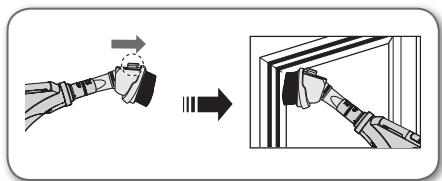
text_image
Diagram showing a hand holding a tool with an arrow indicating motion, followed by a close-up of the tool's tip into a window frame.- Ako želite da koristite alatku za čišćenje presvlaka, priključite je na kraj drške na crevu.
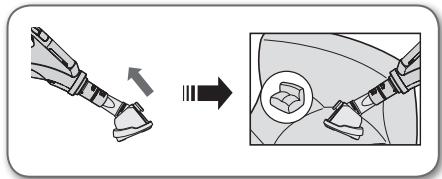
text_image
Diagram illustrating a mechanical assembly process with an arrow indicating direction and a magnified inset showing a component detail.natural_image
Diagram showing a mechanical assembly transforming into two views of a car (no text or symbols present)- Izvucite četku za prašinu da biste koristi alatku za pukotine.
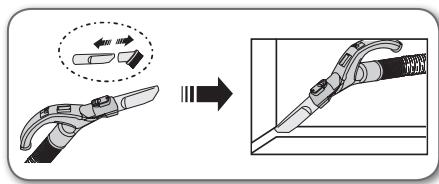
text_image
Diagram illustrating the process of a tool or device being processed, with an arrow indicating transformation from a single tool to a final assembly.• Gurnite pribor u kraj cevi.
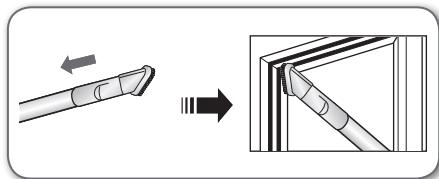
text_image
Diagram illustrating the process of a pen tip bending technique, showing before and after states with directional arrows.- Izvucite četku za prašinu da biste koristi alatku za pukotine.
text_image
Diagram illustrating the process of tool tip formation, showing before and after states with arrows indicating movement.2-stepena četka
natural_image
Technical line drawing of a mechanical component (no text or symbols)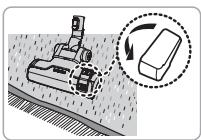
natural_image
Diagram showing a robotic arm operating on a surface with a magnified inset illustrating the process (no text or symbols present)Čišćenje tepiha
natural_image
Mechanical assembly diagram showing a workpiece with a rotating component and a 3D inset view (no text or symbols)Čišćenje poda
natural_image
Illustration of a hand operating a vacuum cleaner with attached components (no text or symbols)- Podesite ručku na usisnom delu u skladu sa vrstom podloge.
- U potpunosti uklonite prljavštinu ako je usisni deo blokiran.
Profesionalna četka za životinjske dlake (opciono)
natural_image
Diagram of a vacuum cleaner with two views of the component (no text or symbols present)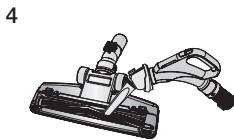
natural_image
Illustration of a handheld tool with a handle and connector (no text or symbols)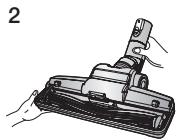
natural_image
Technical illustration of a mechanical component with a cylindrical pin and housing (no text or symbols)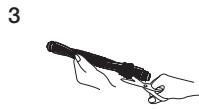
natural_image
Diagram of a car interior fixture with two views showing internal components (no text or labels)- Često usisavanje vlasi kose ili životinjskih dlaka može da dovede do smanjivanja brzine rotacije zbog upletenog materijala.
- Pritisnite dugme za otvaranje na prozirnom poklopcu kako biste ga odvojili.
- Uklonite traku sa četkom sa prozirnog poklopca.
- Pomoću makaza uklonite prljavštinu poput prašine i dlaka upletenih oko trake sa četkom.
- Uklonite prašinu iz kućišta četke pomoću suve alatke za čišćenje prašine ili alatke za nepristupačne delove.
- Postavite traku sa četkom na rotacioni kaiš i sklopite je.
- Vratite prozirni poklopac na mesto.
Profesionalna četka za parket (opciono)
- Jednopotezno usisavanje prašine na širokom području.
- U potpunosti uklonite prljavštinu ako je usisni deo blokiran.
natural_image
Illustration of a vacuum cleaner being adjusted for a tool (no text or symbols present)14\_ alatke za čišćenje i filter
natural_image
Illustration of a hand using a vacuum cleaner to clean or adjust the air gap (no text or symbols present)- Kada završite, pomerite taster [Dust Removal (Uklanjanje prašine)] u položaj "Zatvoreno".
- Kada je taster [Dust Removal (Uklanjanje prašine)] u položaju "Open" (Otvoreno), smanjena je usisna snaga usisivača.
natural_image
Illustration of a hand using a vacuum cleaner to clean or store air (no text or symbols visible)- Često usisavanje vlasi kose ili životinjskih dlaka može da dovede do smanjivanja brzine rotacije zbog upletenog materijala.
Čišćenje UV četke (Čišćenje bubnja) (Opciono)
Redovno bi trebalo da proveravate četku usisivača. Niti, dlake i vlakna tepiha mogu da se obmotaju oko četke i da umanje njenu mogućnost efektivnog čišćenja tepiha. Da biste to sprečili, očistite četku.
-
Pritisnite taster [Open Transparent Cover (Otvori providni poklopac)] prema unutra da biste uklonili poklopac.
-
Pritisnite taster [Open Transparent Cover (Otvori providni poklopac)] prema unutra da biste uklonili poklopac.
natural_image
Diagram showing a cleaning or repair process with arrows indicating steps (no text or symbols present)- Koristite alatku za pukotine da biste uklonili nečistoću oko četke kao što su prašina i dlake.
natural_image
Illustration of a vacuum cleaner with attached hose and lever mechanism (no text or symbols)natural_image
Illustration of a car interior with hand positioning and two inset views showing engine components (no text or symbols)INDIKAKTOR PUNE VREĆE ZA PRAŠINU
natural_image
Top-down view of a portable air conditioner unit with control panel and indicator lights (no text or symbols visible)text_image
Diagram of a refrigerator interior with labeled buttons and a highlighted digital display iconnatural_image
Technical diagram of a car interior showing engine compartment and intake manifold (no text or labels)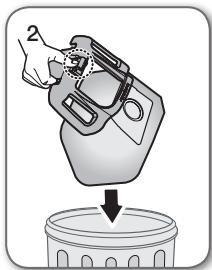
natural_image
Illustration of a hand cleaning a container with a downward arrow (no text or symbols)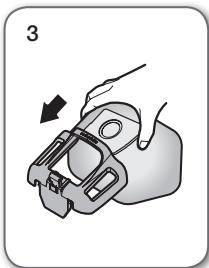
natural_image
Illustration of a hand holding a mechanical clamp or bracket, with an arrow indicating direction (no text or symbols present)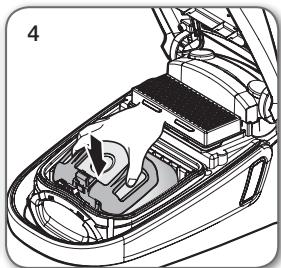
natural_image
Interior view of a car showing the hood and engine compartment with a hand operating the valve (no text or symbols visible)
Vreće za prašinu možete da kupite u prodavnicama u kojima je moguće kupiti ovaj usisivač ili u ovlaštenom SAMSUNG servisnom centru.
ZAMENA USISNOG FILTERA

natural_image
Technical line drawing of a car interior showing engine compartment and structural components (no text or symbols)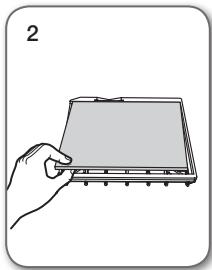
natural_image
Illustration of a hand holding a rectangular electronic device with a grid and indicator lights (no text or symbols)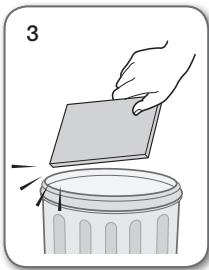
natural_image
Illustration of a hand placing a paper into a trash bin (no text or symbols)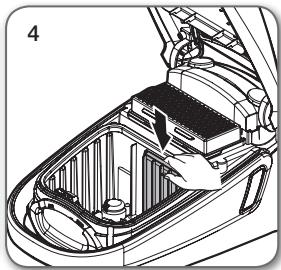
natural_image
Technical line drawing of a car interior showing engine compartment and battery housing (no text or symbols)
Nemojte da bacite filter.
natural_image
Technical line drawing of a car interior showing internal components (no text or symbols)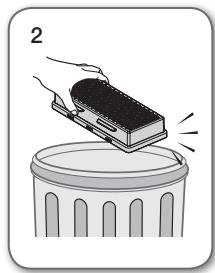
natural_image
Illustration of a hand pressing down on a trash can with motion lines indicating impact (no text or symbols)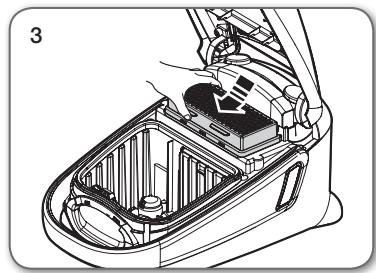
natural_image
Technical line drawing of a car interior showing internal components and a hand holding a battery (no text or symbols)
- Zamenite filter 1\~2 puta godišnje.

- Kada je usisna snaga neprestano primetno smanjena ili se usisivač nenormalno zagreva, očistite izduvni filter. Napomena. Nemojte da perete filter. Ukoliko čišćenje ne rešava problem, zamenite začepljeni filter.
natural_image
Two technical illustrations of a handheld electric shock absorber with exploded and assembled parts (no text or symbols)TIP BATERIJE: Veličina AAA

rešavanje problema
| PROBLEM | REŠENJE |
| Motor se ne uključuje. | Proverite kabl, utikač i utičnicu.Ostavite uređaj da se ohladi. |
| Snaga usisavanja se postepeno smanjuje. | Proverite da li postoji zapušenje i uklonite ga. |
| Kabl se ne uvlači u potpunosti. | Izvucite kabl 2-3 m, pa pritisnite dugme za uvlačenje kabla. |
| Usisivač ne usisava prljavštinu. | Proverite crevo i zamenite ga po potrebi. |
| Mala ili opadajuća snaga usisavanja. | Proverite filter i po potrebi ga očistite u skladu sa uputstvima. a u slučaju da je dotrajao zamenite ga. |
| Kućište se pregreva. | Proverite filtere i po potrebi ih očistite u skladu sa uputstvima. |
| Pražnjenje statičkog elektriciteta. | Smanjite snagu usisavanja.Ovo može da se dogodi i kada je vazduh u prostoriji veoma suv.Provetrite prostoriju da bi vlažnost vazduha postala normalna. |
Termalni štitnik : Ovaj usisivač ima specijalni termostat koji štiti motor u slučaju pregrevanja. Ako se usisivač iznenada isključi, isključite prekidač i isključite strujni kabl usisivača iz utičnice. Proverite da li ima struje u utičnici. Da biste izbegli strujni udar, obratite se kvalifikovanom električaru. Proverite usisivač zbog mogućih izvora pregrevanja kao što su pun rezervoar za prašinu, blokirano crevo, cev ili zapušen filter.
Ako su ova stanja pronađena, popravite ih i sačekajte barem 30 minuta pre upotrebe usisivača. Nakon 30 minuta, ponovo uključite strujni kabl usisivača u utičnicu i uključite prekidač.
Ako usisivač i dalje ne radi, obratite se serviseru.
natural_image
Technical illustration of mechanical assembly steps showing front and side views (no text or symbols)rukovanje usisivačem
KABEL ZA NAPAJANJE
natural_image
Illustration of two hand-drawn views of a car interior with tools, showing step-by-step installation (no text or symbols)
- Prilikom izvlačenja utikača iz naponske utičnice držite za utikač, a ne za kabel.
PREKIDAČ ZA UKLJUČIVANJE/ISKLJUČIVANJE
natural_image
Illustration of a hand operating a device with a circular indicator and pointer (no text or symbols)08_ rukovanje usisivačem
CRIJEVO (serija SC07F60J, SC08F60J)
- Gumb UKLJUČIVANJE/ISKLJUČIVANJE ( ⏻ )
- Kako biste pokrenuli usisivač, pritisnite gumb ON/OFF (Uključivanje/isključivanje).
text_image
Diagram showing an electric vehicle charging plug with a power button and signal waves, highlighting the function.Kontrola na dršci
Usisavačem se upravlja pomoću radio frekvencijskih signala.

natural_image
Diagram of a curved mechanical device with directional arrows indicating motion (no text or symbols)KUĆIŠTE
Za upravljanje jačinom snage jednostavno okrećite gumb za kontrolu snage udesno ili ulijevo.
natural_image
Illustration of a vacuum cleaner with attached lever and handle (no text or symbols)text_image
Illustration showing two hand gestures interacting with a device, one pointing at the button and the other holding the device.- Kada završite s UV čišćenjem, pritisnite gumb [ ⏻ ].
text_image
Diagram showing a hand holding a control panel with Chinese text and a close-up of a handheld device with labeled buttons.
natural_image
Two cylindrical mechanical components with internal spring-like elements, shown in side and top views (no text or symbols)- Kako biste provjerili postoje li začepljenja, odvojite teleskopsku cijev i smanjite njenu duljinu. Time se olakšava uklanjanje nakupljenog otpada iz cijevi.
natural_image
Illustration of two hand-drawn tools with spring-like end caps, no text or symbols presentDodatak
natural_image
Diagram showing a hand holding a tool before and after assembly, with no visible text or symbols- Kako biste uporabili četku za prašinu, izvucite gumb.
text_image
Diagram illustrating a hand turning a tool with directional arrows, showing the process from left to right.- Želite li koristiti nastavak za čišćenje presvlaka, gurnite dodatak na kraj drške crijeva.
text_image
Diagram illustrating a mechanical assembly process with labeled components and a magnified view showing a component detail.12_ održavanje nastavaka i filtra
Dodatak
• Gurnite nastavak na kraj drške crijeva.

text_image
Diagram illustrating a robotic arm joint operation with labeled steps and a close-up view of the mechanical component.text_image
Diagram illustrating a tool being processed, showing a magnified view of the tool's internal structure.• Gurnite nastavak na kraj cijevi.
text_image
Diagram illustrating the process of a pen tip tool, showing before and after states with directional arrows.text_image
Diagram illustrating the process of tool tip application, showing before and after states with directional arrows.Četka s 2 položaja
natural_image
Technical line drawing of a mechanical component (no text or symbols)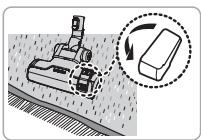
natural_image
Diagram showing a robotic arm operating on a surface with a magnified inset illustrating the process (no text or symbols present)Čišćenje tepiha
natural_image
Mechanical assembly diagram showing a cutting tool interacting with a block, with a magnified inset illustrating the process (no text or symbols present)Čišćenje poda
natural_image
Illustration of a vacuum cleaner with attached circuit board and mechanical components (no text or symbols)- Polugu usisnog otvora podesite u skladu s površinom poda.
- Ako je usisni otvor začepljen, uklonite nakupljeni otpad.
Dodatna četka za dlake kućnih ljubimaca (opcija)
Za bolje skupljanje dlaka kućnih ljubimaca i vlakana na tepisima.
natural_image
Diagram of a vacuum cleaner with two views of the component (no text or symbols present)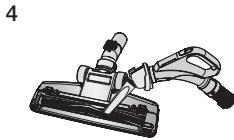
natural_image
Illustration of a mechanical clamp or tool with a handle and base (no text or symbols)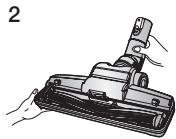
natural_image
Technical illustration of a mechanical component with a cylindrical pin and base, shown in two views (no text or symbols)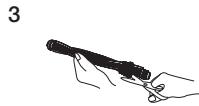

natural_image
Mechanical device with three views of a lever mechanism (no text or symbols visible)- Često usisivanje dlaka kućnih ljubimaca može uzrokovati usporavanje rotacije zbog zapetljanog materijala.
natural_image
Illustration of a vacuum cleaner being cut with a tool, shown from two different angles (no text or symbols present)14\_ održavanje nastavaka i filtra
Uklanjanje prašine iz posude za prašinu UV četke (Opcija)
natural_image
Illustration of a hand using a vacuum cleaner to clean or adjust the air gap (no text or symbols present)- Kada završite, pomaknite gumb [Dust Removal] (Uklanjanje prašine) u položaj "Close" (Zatvoreno).
- Kada se gumb [Dust Removal] (Uklanjanje prašine) nalazi u položaju "Open" (Otvoreno), snaga usisavanja smanjuje se.
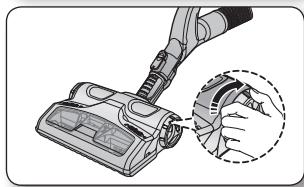
natural_image
Illustration of a hand using a vacuum cleaner to clean or store air (no text or symbols visible)- Često usisivanje dlaka kućnih ljubimaca može uzrokovati usporavanje rotacije zbog zapetljanog materijala.
natural_image
Diagram showing a car interior with hand positioning and two zoomed-in views of the device (no text or symbols present)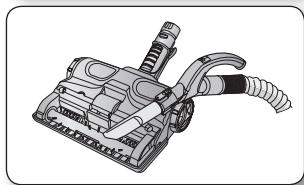
natural_image
Technical illustration of a vacuum cleaner with attached hoses and lever (no text or symbols)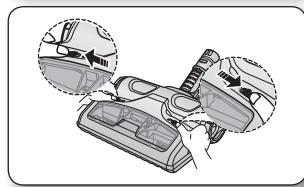
natural_image
Diagram showing a car interior with hand positioning and two circular insets highlighting the components (no text or symbols present)INDIKATOR PUNE VREĆICE ZA PRAŠINU
natural_image
Front view of a portable air conditioner unit with control buttons and indicator lights (no text or symbols visible)Tip s daljinskim upravljanjem
natural_image
Front view of a portable air conditioner unit with control panel and indicator lights (no text or symbols)Kontrola na uređaju
- Često usisivanje dlaka kućnih ljubimaca može uzrokovati usporavanje rotacije zbog zapetljanog materijala. Kada se usisna snaga smanji, indikator svijetli crveno. Kada se indikator uključi, promijenite vrećicu.
MIJENJANJE VREĆICE ZA PRAŠINU

natural_image
Technical diagram of a car interior showing internal components and airflow direction (no text or labels)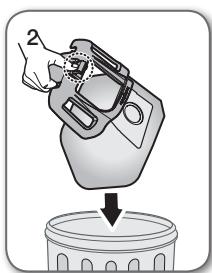
natural_image
Illustration of a hand pouring liquid into a trash bin (no text or symbols)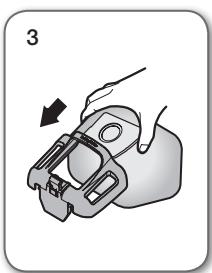
natural_image
Illustration of a hand holding a mechanical component with an arrow indicating direction (no text or symbols)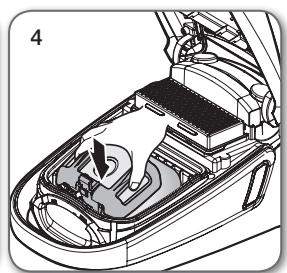
natural_image
Interior view of a car showing the hood and engine compartment with a directional arrow indicating rotation (no text or symbols present)
Vrećice za prašinu možete kupiti u trgovinama u kojima ste kupili ovaj usisavač ili u ovlaštenom SAMSUNG servisnom centru.
ČIŠĆENJE ULAZNOG FILTRA

natural_image
Technical illustration of a car interior showing battery compartment and structural components (no text or symbols)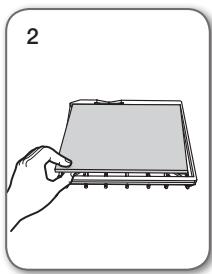
natural_image
Illustration of a hand holding a flat electronic device (no text or symbols visible)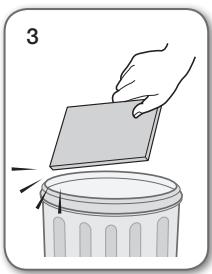
natural_image
Illustration of a hand placing a paper into a trash bin (no text or symbols)
natural_image
Technical line drawing of a car interior showing engine compartment and dashboard (no text or symbols)
Filtar ne bacajte.
16_ održavanje nastavaka i filtra
natural_image
Technical line drawing of a car interior showing internal components and wiring (no text or symbols)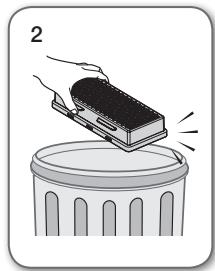
natural_image
Illustration of a hand placing a block onto a trash can (no text or symbols)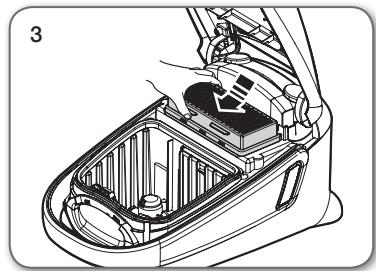
natural_image
Technical line drawing of a car interior showing internal components and a hand inserting a component (no text or symbols)
- Zamijenite filtar 1\~2 puta godišnje.

- Ako se snaga usisavanja osjetno i neprekidno smanjuje ili se usisavač prekomjerno pregrijava, očistite izlazni filtar. Napomena. Ne perite filtar. Ako se čišćenjem problem ne otkloni, zamijenite začepljeni izlazni filtar.
- Zamjenske filtre možete nabaviti kod lokalnog trgovca proizvodima Samsung.
ZAMJENA BATERIJE (TIP S DALJINSKIM UPRAVLJANJEM)

- Ako usisivač ne radi, zamijenite baterije. Ako se problem nastavi, obratite se ovlaštenom trgovcu.
- Koristite 2 baterije veličine AAA.

- Baterije nikada nemojte rastavljati niti ponovo puniti.
- Baterije nikada nemojte zagrijavati niti ih bacati u vatru.
• Nemojte preokretati polove (+) i (-). - Baterije odlažite na pravila način.
natural_image
Illustration of two types of welding torches with exploded views (no text or symbols)VRSTA BATERIJA: Veličina AAA

rješavanje problema
| PROBLEM | RJEŠENJE |
| Motor se ne pokreće. | Provjerite kabel, utikač i utičnicu.Ostavite uređaj da se ohladi. |
| Usisna snaga postepeno se smanjuje. | Provjerite postoji li začepljenje i uklonite ga. |
| Kabel se ne može namotati do kraja. | Izvucite 2-3 metra kabela i pritisnite gumb za namotavanje kabela. |
| Usisivač ne skuplja prljavštinu. | Provjerite crijevo i prema potrebi ga zamijenite. |
| Usisavanje je slabo ili postaje slabije. | Provjerite filtar i prema potrebi ga očistite u skladu s ilustracijama u uputama. Ako filtri više nisu funkcionalni, zamijenite ih novima. |
| Pregrijavanje kućišta. | Provjerite filtre i prema potrebi ih očistite u skladu s ilustracijama u uputama. |
| Pražnjenje statičkog elektriciteta. | Smanjite usisnu snagu.To se može događati i kada je zrak u prostoriji vrlo suh.Prozračite prostoriju kako bi se povećala vlažnost zraka na uobičajenu razinu. |
Zaštita od pregrijavanja : Usisivač sadrži posebni termostat koji štiti motor u slučaju pregrijavanja. Ako se usisivač iznenada isključi, isključite prekidač i iskopčajte usisivač iz napajanja. Provjerite provodi li utičnica struju. Kako biste izbjegli strujni udar, obratite se kvalificiranom električaru. Provjerite moguće izvore pregrijavanja usisivača, primjerice je li posuda za prašinu puna, jesu li crijevo ili cijev blokirani i je li filtar začepljen. Ako ste otkrili neki od navedenih izvora pregrijavanja, uklonite ga i pričekajte najmanje 30 minuta prije ponovnog korištenja usisivača. Nakon 30 minuta priključite usisivač u napajanje i uključite ga. Ako i dalje ne možete pokrenuti usisivač, obratite se servisnom inženjeru.
natural_image
Technical illustration of mechanical assembly steps showing front and side views (no text or symbols)natural_image
Illustration of two hand-drawn views of a car interior with tools, showing step-by-step installation (no text or symbols)
natural_image
Illustration of a hand operating a device with a circular indicator and pointer (no text or symbols)text_image
Diagram showing an electric vehicle charging plug with a control panel and power button, annotated with signal waves.natural_image
Diagram of a curved mechanical device with directional arrows indicating movement (no text or symbols)КУКИШТЕ
natural_image
Illustration of a vacuum cleaner with attached lever and handle (no text or symbols)text_image
Diagram showing two hand gestures interacting with a device, one displaying a button labeled 'Control Unit' and the other 'Control Button'.text_image
Diagram showing a hand holding a control panel with Chinese text and a close-up of a handheld device with labeled buttons.
natural_image
Two cylindrical mechanical components with internal threading and directional arrows indicating motion (no text or symbols)natural_image
Illustration of two hand-drawn tools with spring-like end caps, no text or symbols presentДодатоци
natural_image
Diagram showing a mechanical component being adjusted to form a tool, with no visible text or symbols.text_image
Diagram illustrating a hand holding a device before and after adjustment, with directional arrows indicating motion.text_image
Diagram illustrating the process of a car seatbelt switch, showing step-by-step assembly and detail view.text_image
Diagram illustrating a mechanical assembly process with labeled steps and component illustrationstext_image
Diagram illustrating a mechanical tool application process, showing a disassembly step and resulting assembly.text_image
Diagram illustrating the process of a pen tip tool, showing before and after states of the tool's tip and tip assembly.text_image
Diagram illustrating the process of tool tip insertion, showing before and after states with arrows indicating movement.Четка со 2 позиции
natural_image
Technical line drawing of a vacuum cleaner component (no text or symbols)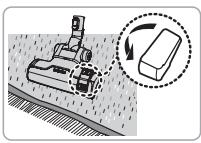
natural_image
Diagram showing a robotic device interacting with a rectangular block on a surface, with an arrow indicating rotation (no text or symbols present)Чистење теписи

natural_image
Mechanical assembly diagram showing a cutting tool interacting with a block, with an arrow indicating rotation (no text or symbols present)Чистење подови
natural_image
Illustration of a hand operating a vacuum cleaner with attached components (no text or symbols)natural_image
Illustration of a vacuum cleaner (no text or symbols visible)natural_image
Diagram of a vacuum cleaner with two views of the component (no text or symbols present)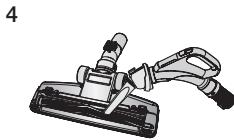
natural_image
Illustration of a mechanical clamp or tool with a handle and lever (no text or symbols)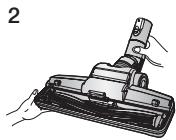
natural_image
Technical illustration of a mechanical component with a cylindrical pin and housing (no text or symbols)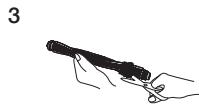
natural_image
Diagram of a car interior component with two views showing hand positioning (no text or symbols)natural_image
Illustration of a hairdryer tool and its application in a manual setting (no text or symbols)natural_image
Illustration of a hand using a vacuum cleaner to clean or adjust the air gap (no text or symbols present)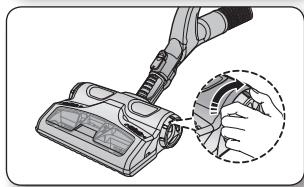
natural_image
Illustration of a hand using a vacuum cleaner to clean or store air (no text or symbols visible)natural_image
Diagram showing a car interior with hand positioning and directional arrows indicating movement (no text or symbols present)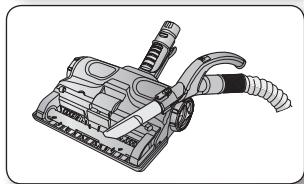
natural_image
Illustration of a vacuum cleaner with attached hoses and lever mechanism (no text or symbols)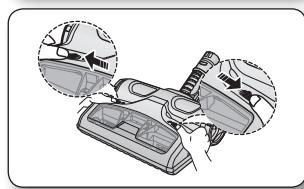
natural_image
Diagram showing a car interior with hand positioning and two circular insets highlighting the components (no text or symbols present)natural_image
Top-down view of a portable air conditioner unit with control panel and indicator lights (no text or symbols visible)text_image
Diagram of a refrigerator interior with labeled buttons and a digital display icon, showing airflow or ventilation system.natural_image
Interior view of a car showing the hood and engine compartment (no text or symbols visible)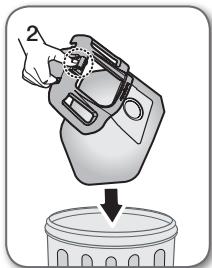
natural_image
Illustration of a hand pouring liquid into a trash bin (no text or symbols)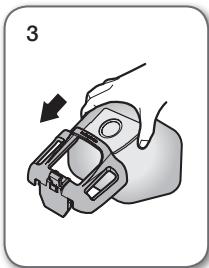
natural_image
Illustration of a hand holding a mechanical clamp or bracket, with an arrow indicating direction (no text or symbols present)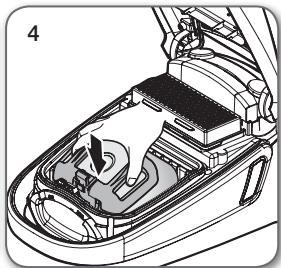
natural_image
Diagram of a car interior showing the engine compartment with a hand pointing to a component (no text or labels present)
natural_image
Technical line drawing of a car interior showing internal components and airflow direction (no text or symbols)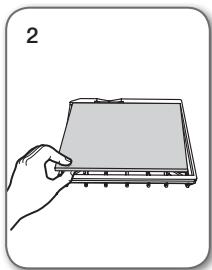
natural_image
Illustration of a hand holding a rectangular electronic device with a grid and buttons (no text or symbols)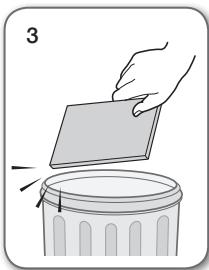
natural_image
Illustration of a hand placing a rectangular object onto a trash can, with no text or symbols present.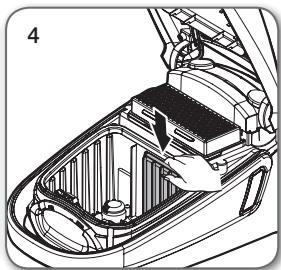
natural_image
Technical illustration of a car interior showing battery compartment and structural components (no text or symbols)
natural_image
Technical illustration of a car interior showing internal components and structural layout (no text or symbols)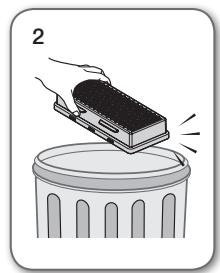
natural_image
Illustration of a hand placing a rectangular object onto a trash can (no text or symbols)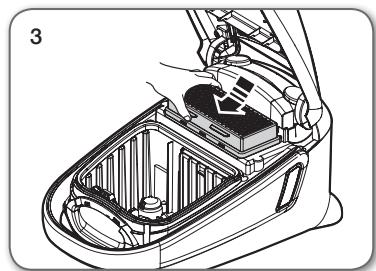
natural_image
Technical line drawing of a car interior showing internal components and a battery cover (no text or symbols)
natural_image
Illustration of two types of hair accessories with exploded views (no text or symbols)natural_image
Technical illustration of mechanical components with close-up views (no text or symbols)natural_image
Illustration of two hand-drawn photos showing a device being processed with tools, no text or symbols present.
natural_image
Illustration of a robotic vacuum cleaner with a dial indicator and control panel (no text or symbols)text_image
Diagram showing an electric vehicle charging plug with a control panel and power button, annotated with signal waves.natural_image
Diagram of a curved mechanical component with directional arrows indicating movement (no text or symbols)TRUPI
natural_image
Illustration of a vacuum cleaner with attached lever and handle (no text or symbols)text_image
Diagram showing two hand gestures interacting with a device, one displaying a control panel labeled 'Control Panel' and the other 'Control Panel'.text_image
Diagram showing a hand interacting with a device labeled 'c1' and a device with 'BRIN' and 'BRIN' buttons, next to a device illustration.
natural_image
Two cylindrical mechanical components with internal threading and fasteners, shown in side view (no text or symbols)natural_image
Illustration of two hand-drawn tools with different grip designs, no text or symbols presentPajisje shtesë
natural_image
Diagram showing a mechanical assembly before and after modification, with no visible text or symbolstext_image
Diagram illustrating a hand turning a tool into a door panel, with directional arrows indicating motion.text_image
Diagram illustrating a mechanical assembly process with an arrow indicating direction and a magnified inset showing a component detail.text_image
Diagram illustrating a mechanical assembly process with labeled steps and component illustrationstext_image
Diagram illustrating the process of a tool or device being processed, with an arrow indicating transformation from a single tool to a final assembly.text_image
Diagram illustrating the process of a tool tip being inserted into a triangular prism, with directional arrows indicating movement.text_image
Diagram illustrating the process of tool tip positioning and cutting, showing before-and-after states with arrows indicating movement.Furçë me 2 hapa
natural_image
Technical line drawing of a mechanical component (no text or symbols)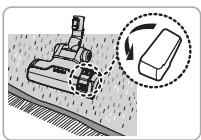
natural_image
Diagram showing a robotic arm operating on a surface with a magnified inset illustrating the process (no text or symbols present)Pastrimi i qilimit
natural_image
Mechanical assembly diagram showing a cutting tool interacting with a block, with an arrow indicating rotation (no text or symbols present)natural_image
Illustration of a hand operating a vacuum cleaner with attached components (no text or symbols)natural_image
Diagram of a vacuum cleaner with two views of the component (no text or symbols present)
natural_image
Illustration of a mechanical clamp or fixture with a handle and base (no text or symbols)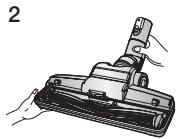
natural_image
Technical illustration of a mechanical component with a cylindrical pin and base, shown in two views (no text or symbols)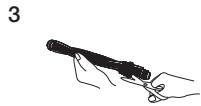
natural_image
Mechanical assembly diagram showing a component being inserted into a housing, with two views of the handle (no text or labels present)natural_image
Illustration of a vacuum cleaner being cut with a tool, shown from two different angles (no text or symbols present)natural_image
Illustration of a hand using a vacuum cleaner to clean or adjust the air gap (no text or symbols present)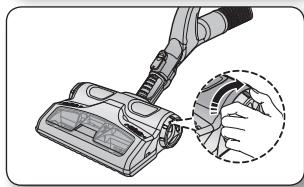
natural_image
Illustration of a hand using a vacuum cleaner to clean or store air (no text or symbols visible)natural_image
Diagram showing a car interior with two views of the dashboard and a tool, no text or symbols present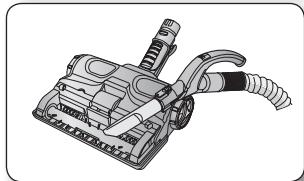
natural_image
Technical illustration of a vacuum cleaner with attached hoses and lever mechanism (no text or symbols)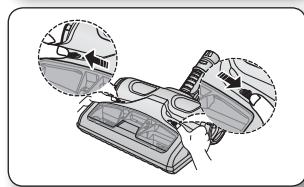
natural_image
Diagram showing car interior components with arrows indicating movement or adjustment (no text or symbols present)TREGUESI I KUFIRIT TË MBUSHJES ME PLUHUR
natural_image
Front view of a portable air conditioner unit with control buttons and indicator lights (no text or symbols visible)Tipi me telekomandë
text_image
Diagram of a refrigerator interior with labeled parts and a highlighted indicator light symbolnatural_image
Technical diagram of a car interior showing internal components and airflow direction (no text or labels)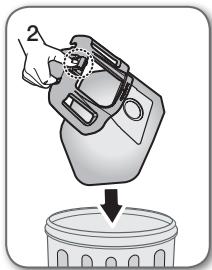
natural_image
Illustration of a hand pouring liquid into a trash bin (no text or symbols)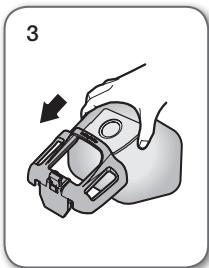
natural_image
Illustration of a hand holding a mechanical component with an arrow indicating motion (no text or symbols)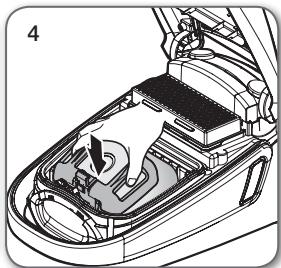
natural_image
Technical illustration of a car interior showing the engine compartment and fan assembly (no text or symbols)
natural_image
Technical illustration of a car interior showing engine compartment and battery casing (no text or symbols)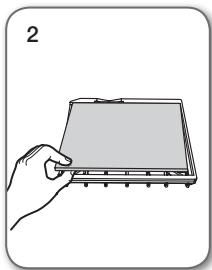
natural_image
Illustration of a hand holding a rectangular electronic device with a screen (no text or symbols visible)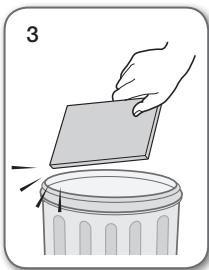
natural_image
Illustration of a hand holding a rectangular object over a trash bin, with no visible text or symbols.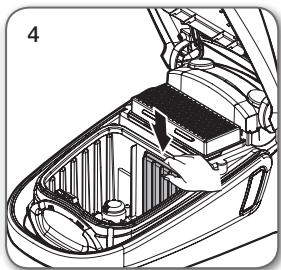
natural_image
Technical line drawing of a car interior showing engine compartment and dashboard (no text or symbols)
Mos e hidhni filtrin.
natural_image
Technical illustration of a car interior showing internal components and structural layout (no text or symbols)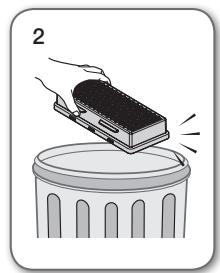
natural_image
Illustration of a hand placing a rectangular object onto a trash can (no text or symbols)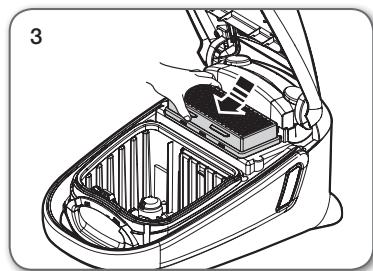
natural_image
Technical line drawing of a car interior showing internal components and structural lines (no text or symbols)
natural_image
Two technical illustrations of a handheld welding torch or welding tool, showing exploded and assembled views (no text or symbols)natural_image
Technical illustration of mechanical components with close-up views (no text or symbols)natural_image
Illustration of two hand-drawn photos showing a device being processed with tools, no text or symbols present.
BUTONUL ON/OFF (PORNIRE/OPRIRE)
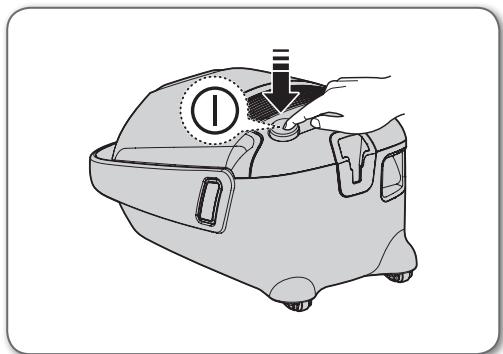
natural_image
Illustration of a medical device with a dial indicator and handle, no text or symbols presenttext_image
Diagram showing an electric vehicle charging plug with a power button and signal waves, highlighting the positive terminal.natural_image
Diagram of a curved mechanical device with directional arrows indicating motion (no text or symbols)CORPUL
natural_image
Illustration of a vacuum cleaner with attached lever and handle (no text or symbols)text_image
Illustration showing two hand gestures interacting with a control panel, one pointing at the button and the other holding the device.text_image
Diagram showing a hand holding a control panel with Chinese text and a close-up of a handheld device with labeled buttons.
natural_image
Illustration of two cylindrical mechanical components with directional arrows indicating motion (no text or symbols)natural_image
Illustration of two hand-drawn tools with spring-like end caps, no text or symbols presentAccesorii
natural_image
Diagram showing a mechanical assembly step with an arrow indicating direction (no text or symbols present)text_image
Diagram illustrating a hand turning a tool into a door panel, with directional arrows indicating movement.text_image
Diagram showing a robotic arm joint before and after assembly, with an inset close-up of the mechanical component.natural_image
Diagram showing a mechanical assembly with three views of a bracket, no text or symbols presenttext_image
Diagram illustrating the process of a tool or device being processed, with an arrow indicating transformation from a single tool to a final assembly.text_image
Diagram illustrating the process of a tool tip being inserted into a triangular prism, with directional arrows indicating movement.text_image
Diagram illustrating the process of tool tip application, showing before and after states with arrows indicating movement.Peria cu 2 trepte
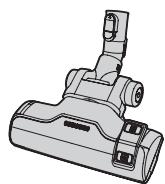
natural_image
Technical line drawing of a mechanical component (no text or symbols)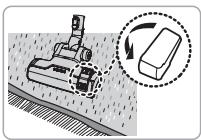
natural_image
Illustration of a robotic arm operating on a surface with a magnified inset showing the same mechanical component (no text or symbols present)Curățarea covorului
natural_image
Mechanical assembly diagram showing a cutting tool interacting with a block, with an arrow indicating rotation (no text or symbols present)Curățarea pardoselii
natural_image
Illustration of a hand operating a vacuum cleaner with attached components (no text or symbols)natural_image
Diagram of a vacuum cleaner with two views of the component (no text or symbols present)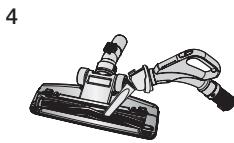
natural_image
Illustration of a mechanical clamp or fixture with a handle and lever (no text or symbols)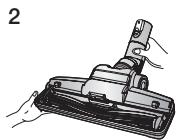
natural_image
Technical illustration of a mechanical component with a cylindrical pin and housing, shown in two views (no text or symbols)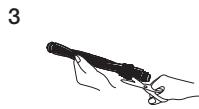
natural_image
Diagram of a vacuum cleaner with two views of the handle (no text or symbols present)natural_image
Illustration of a vacuum cleaner being inserted into a clamped component (no text or symbols present)natural_image
Illustration of a hand using a vacuum cleaner to clean or adjust the air gap (no text or symbols present)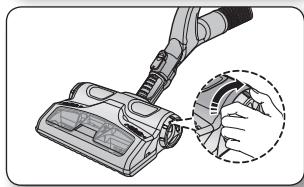
natural_image
Illustration of a hand using a vacuum cleaner to clean or store air (no text or symbols visible)natural_image
Diagram showing a car interior with hand positioning and two zoomed-in views of the device (no text or symbols present)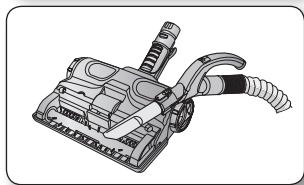
natural_image
Technical illustration of a vacuum cleaner with attached hoses and lever (no text or symbols)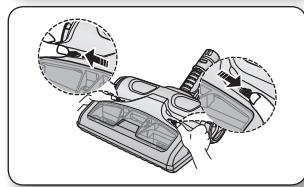
natural_image
Diagram showing a car interior with hand positioning and two circular insets highlighting the components (no text or symbols present)INDICATORUL DE UMPLERE CU PRAF
natural_image
Top-down view of a portable air conditioner unit with control panel and indicator lights (no text or symbols visible)text_image
Diagram of a refrigerator interior with labeled buttons and a highlighted indicator for thermal management.SCHIMBAREA SACULUI PENTRU PRAF

natural_image
Technical diagram of a car interior showing engine compartment and fan structure (no text or labels)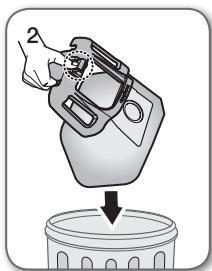
natural_image
Illustration of a hand pouring liquid into a trash bin (no text or symbols)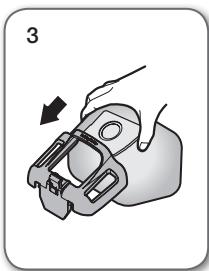
natural_image
Illustration of a hand holding a mechanical clamp or bracket, with an arrow indicating direction (no text or symbols present)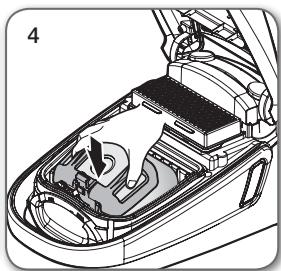
natural_image
Interior view of a car showing the dashboard and engine compartment with a hand pointing to a component (no text or symbols visible)
natural_image
Technical illustration of a car interior showing battery compartment and structural components (no text or symbols)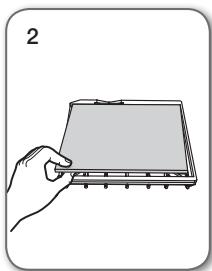
natural_image
Illustration of a hand holding a flat electronic device with a screen (no text or symbols visible)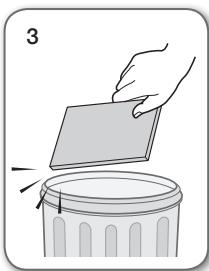
natural_image
Illustration of a hand placing a rectangular object onto a trash can, with no text or symbols present.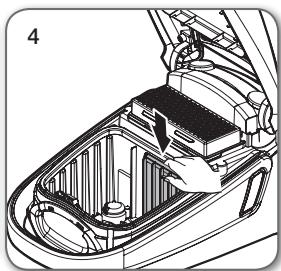
natural_image
Technical illustration of a car interior showing engine compartment and battery casing (no text or symbols)natural_image
Technical illustration of a car interior showing internal components and structural layout (no text or symbols)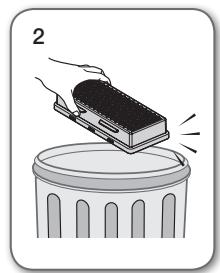
natural_image
Illustration of a hand placing a rectangular object onto a trash can (no text or symbols)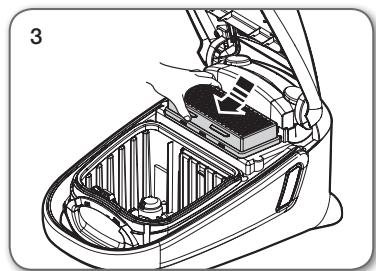
natural_image
Technical line drawing of a car interior showing internal components and a battery cover (no text or symbols)
natural_image
Illustration of two types of hair accessories with exploded views (no text or symbols)natural_image
Technical illustration of mechanical assembly steps showing front and side views (no text or symbols)natural_image
Illustration of two identical car washers with hands using a tool to adjust their interior (no text or symbols present)
natural_image
Illustration of a hand operating a device with a circular indicator and pointer (no text or symbols)text_image
Diagram showing an electric vehicle charging plug with a control panel and power button, alongside a dotted line indicating the power input.natural_image
Diagram of a curved mechanical device with directional arrows indicating motion (no text or symbols)КОРПУС
natural_image
Illustration of a vacuum cleaner with attached lever and handle (no text or symbols)text_image
Diagram showing two hand gestures interacting with a device, one displaying 'Control Panel' and the other 'Display Panel'
text_image
Diagram showing a hand pressing a button labeled '按钮1' to select '按钮2', with an electric plug being inserted.
natural_image
Two cylindrical mechanical components with internal threading and directional arrows indicating motion (no text or symbols)natural_image
Illustration of two hands holding test probes with motion lines indicating movement (no text or symbols)Аксесоари
natural_image
Diagram showing a mechanical assembly process: before and after a step, with no visible text or symbols.text_image
Diagram showing a hand holding a tool with an arrow indicating motion, followed by a close-up of the tool's tip into a window frame.text_image
Diagram illustrating a mechanical assembly process with labeled parts and an inset showing a 3D object being inserted into a car.text_image
Diagram illustrating a mechanical assembly process with labeled steps and a magnified inset showing the component being inserted.text_image
Diagram illustrating a mechanical tool being processed into a device, with an arrow indicating the process.text_image
Diagram illustrating the process of a tool tip being inserted into a folded paper corner, with directional arrows indicating movement.text_image
Diagram illustrating the process of a tool tip with directional arrows indicating movement or assembly.2-степенна четка
natural_image
Technical line drawing of a mechanical component (no text or symbols)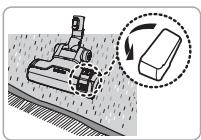
text_image
Diagram illustrating a robotic arm operating on a surface with an inset showing a rectangular object being moved, likely illustrating robotic movement or repair process.natural_image
Mechanical assembly diagram showing a workpiece with a rotating component and a 3D inset view (no text or symbols)natural_image
Illustration of a hand operating a vacuum cleaner with attached components (no text or symbols)natural_image
Illustration of a vacuum cleaner with two close-up views showing internal components (no text or symbols)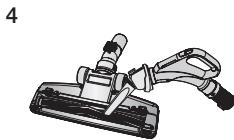
natural_image
Illustration of a handheld tool with a handle and connector (no text or symbols)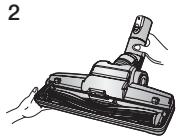
natural_image
Technical illustration of a mechanical component with a cylindrical pin and a separate inset showing internal structure (no text or symbols)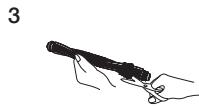
natural_image
Diagram of a car interior component with two views showing internal parts (no text or symbols)natural_image
Illustration of a hand using a tool to lift a vacuum cleaner into a socket (no text or symbols present)natural_image
Illustration of a hand using a vacuum cleaner to clean or store items (no text or symbols visible)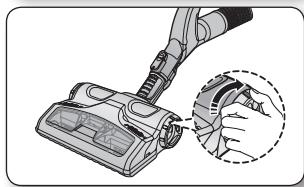
natural_image
Illustration of a vacuum cleaner with a magnified inset showing the component detail (no text or symbols present)natural_image
Diagram showing a cleaning or repair process with arrows indicating steps (no text or symbols present)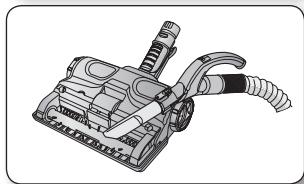
natural_image
Line drawing of a vacuum cleaner with attached hoses and control panel (no text or symbols)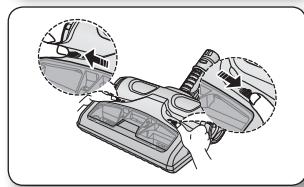
natural_image
Diagram showing car interior components with arrows indicating movement or adjustment (no text or symbols present)natural_image
Top-down view of a portable air conditioner unit with control buttons and ventilation grilles (no text or symbols visible)text_image
Diagram of a refrigerator interior with labeled buttons and indicator lights, showing air flow control interfacenatural_image
Technical diagram of a car interior showing engine compartment and fan structure (no text or labels)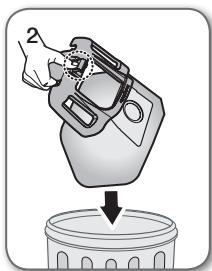
natural_image
Illustration of a hand pouring liquid into a trash bin (no text or symbols)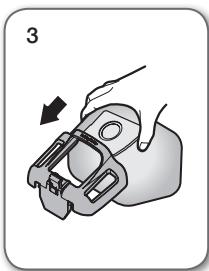
natural_image
Illustration of a hand holding a mechanical clamp or bracket, with no visible text or symbols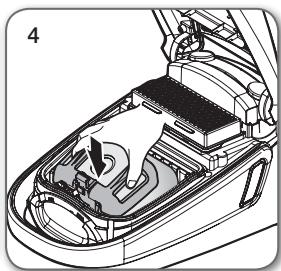
natural_image
Technical illustration of a car interior showing engine compartment and fan assembly (no text or symbols)
natural_image
Technical illustration of a car interior showing battery compartment and structural components (no text or symbols)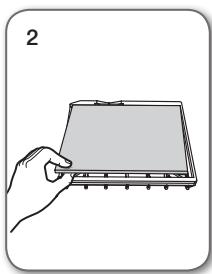
natural_image
Illustration of a hand holding a flatboard with a grid, no text or symbols present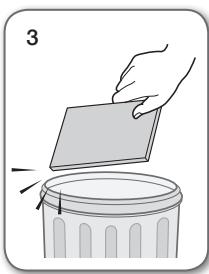
natural_image
Illustration of a hand placing a blank sheet into a trash bin (no text or symbols)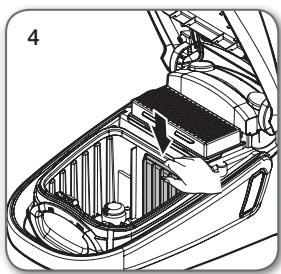
natural_image
Technical diagram of a car interior showing internal components and a hand holding a battery (no text or labels)
natural_image
Technical illustration of a car interior showing internal compartments and structural elements (no text or symbols)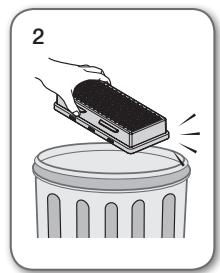
natural_image
Illustration of a hand placing a rectangular object onto a trash can (no text or symbols)
natural_image
Technical line drawing of a car interior showing internal components and structural lines (no text or symbols)
natural_image
Two types of hairless spray gun components shown in exploded and assembled views (no text or symbols)natural_image
Technical illustration of mechanical assembly steps showing front and side views (no text or symbols)natural_image
Illustration of two hand-drawn views of a car interior with tools, showing a step to press or install a component (no text or symbols present)
natural_image
Illustration of a hand operating a device with a circular indicator and handle (no text or symbols)text_image
Diagram showing an electric vehicle charging plug with a control panel and power button, accompanied by a speech bubble indicating the positive charge.natural_image
Diagram of a curved mechanical component with directional arrows indicating motion (no text or symbols)ΣΩΜΑ
natural_image
Illustration of a vacuum cleaner with attached lever and handle (no text or symbols)text_image
Diagram showing two hand positions of a handheld device with labeled buttons and control panel, illustrating a manual or diagnostic operation.text_image
Diagram showing a hand inserting a power button into a device with Chinese labels, alongside a close-up of the device's handle.
natural_image
Two cylindrical mechanical components with internal threading and fasteners, shown in side view (no text or symbols)natural_image
Illustration of two hand-drawn tools with different grip designs, no text or symbols presentΕξάρτημα
natural_image
Diagram showing a mechanical component being inserted into a housing, with an arrow indicating the process (no text or symbols present)text_image
Diagram illustrating a mechanical assembly process with labeled components and directional arrows indicating motion.text_image
Diagram illustrating the process of a car seatbelt switch, showing step-by-step assembly and detail view.text_image
Diagram illustrating a mechanical assembly process with labeled steps and component illustrationstext_image
Diagram illustrating the process of a tool or device being processed, with an arrow indicating transformation from a single tool to a final assembly.text_image
Diagram illustrating the process of a pen tip bending technique, showing before and after states with directional arrows.text_image
Diagram illustrating the process of tool tip positioning and cutting, showing before-and-after states with arrows indicating movement.Βούρτσα 2 βημάτων
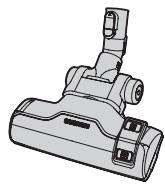
natural_image
Technical line drawing of a vacuum cleaner component (no text or symbols)
natural_image
Illustration of a robotic device interacting with a rectangular block, showing motion and rotation (no text or symbols)Καθαρισμός χαλιών
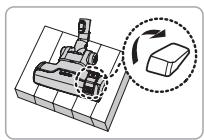
natural_image
3D mechanical assembly diagram showing a base with a rotating component and a dashed circle highlighting the rotation direction (no text or symbols)Καθαρισμός δαπέδων
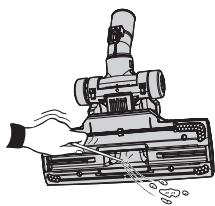
natural_image
Illustration of a hand operating a vacuum cleaner with attached components (no text or symbols)natural_image
Diagram of a vacuum cleaner with two views of the component (no text or symbols present)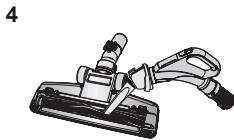
natural_image
Illustration of a mechanical clamp or tool with a handle and lever (no text or symbols)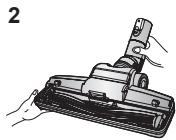
natural_image
Technical illustration of a mechanical component with a cylindrical pin and base, shown in two views (no text or symbols)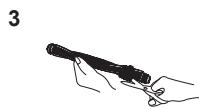
natural_image
Mechanical assembly diagram showing a component being inserted into a housing, with two views of the handle (no text or labels present)natural_image
Illustration of a vacuum cleaner being inserted into a clip (no text or symbols present)natural_image
Illustration of a vacuum cleaner with a magnified inset showing the hand holding a small object (no text or symbols present)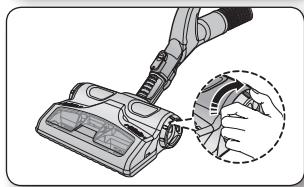
natural_image
Illustration of a hand holding a vacuum cleaner with a magnified inset showing the component detail (no text or symbols present)natural_image
Diagram showing a cleaning or repair process with arrows indicating steps (no text or symbols present)
natural_image
Line drawing of a vacuum cleaner device with attached hoses and control panel (no text or symbols)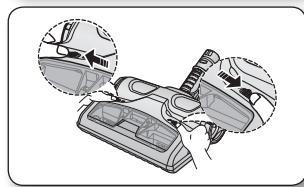
natural_image
Diagram showing car interior components with arrows indicating movement or adjustment (no text or symbols present)natural_image
Top-down view of a portable air conditioner unit with control panel and indicator lights (no text or symbols visible)natural_image
Front view of a portable air conditioner unit with control panel and indicator lights (no text or symbols)natural_image
Technical diagram of a car interior showing engine compartment and fan structure (no text or labels)
natural_image
Illustration of a hand pouring liquid into a trash bin (no text or symbols)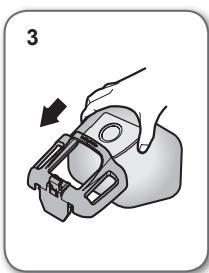
natural_image
Illustration of a hand holding a mechanical component with an arrow indicating motion (no text or symbols)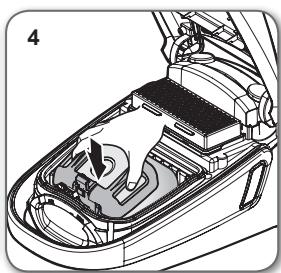
natural_image
Technical illustration of a car interior showing the engine compartment and fan assembly (no text or symbols)
natural_image
Technical diagram of a car interior showing battery compartment and fan structure (no text or symbols)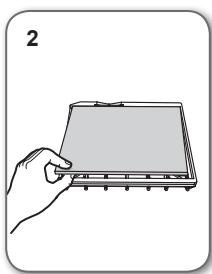
natural_image
Illustration of a hand holding a flat electronic device with a screen (no text or symbols visible)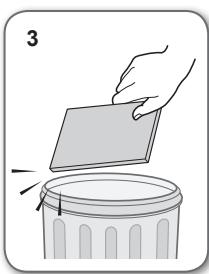
natural_image
Illustration of a hand placing a rectangular object onto a trash can, with no text or symbols present.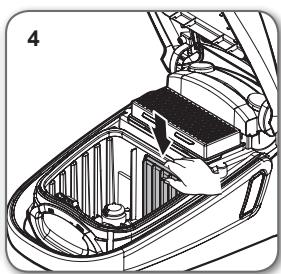
natural_image
Technical illustration of a car interior showing battery compartment and structural components (no text or symbols)
natural_image
Technical illustration of a car interior showing internal components and structural layout (no text or symbols)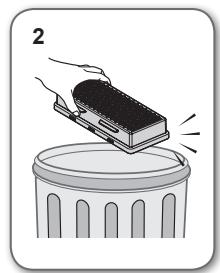
natural_image
Illustration of a hand placing a rectangular object onto a trash can (no text or symbols)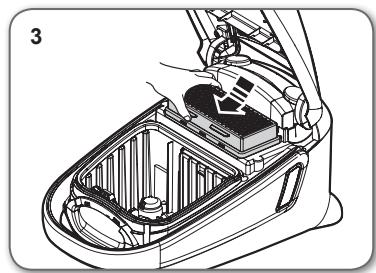
natural_image
Technical line drawing of a car interior showing internal components and a hand holding a battery (no text or symbols)
natural_image
Technical illustration of two types of spray gun holders shown in exploded and assembled views (no text or labels)natural_image
Technical illustration of mechanical components with close-up views (no text or symbols)natural_image
Illustration of two hand-drawn photos showing a device being adjusted for a tool, with no visible text or symbols.VIGYÁZAT!
natural_image
Illustration of a hand operating a device with a circular indicator and pointer (no text or symbols)text_image
Diagram showing an electric vehicle charging plug with a power button and signal waves, highlighting the positive terminal.natural_image
Illustration of a curved mechanical device with a directional arrow indicating motion (no text or symbols)KÉSZÜLÉKHÁZ
natural_image
Illustration of a vacuum cleaner with attached lever and handle (no text or symbols)text_image
Diagram showing two hand gestures interacting with a device, one displaying a button labeled 'Control Unit' and the other 'Control Button'.text_image
Diagram showing a hand holding a device with Chinese labels and a close-up of a tool, likely illustrating a diagnostic or testing procedure.
natural_image
Illustration of two cylindrical mechanical components with directional arrows indicating motion (no text or symbols)natural_image
Illustration of two hand-drawn tools with different end caps, no text or symbols presentnatural_image
Diagram showing a mechanical assembly process: before and after a step, with no visible text or symbols.text_image
Diagram illustrating a mechanical assembly process with labeled components and directional arrows indicating motion.text_image
Diagram illustrating a mechanical assembly process with an arrow indicating direction and a magnified inset showing a component detail.natural_image
Diagram showing a mechanical assembly transforming into two views of a car (no text or symbols present)text_image
Diagram illustrating the process of a tool or device being processed, with an arrow indicating transformation from a single tool to a final assembly.text_image
Diagram illustrating the process of a tool tip being inserted into a triangular prism, with directional arrows indicating movement.text_image
Diagram illustrating the process of a tool tip being cut with arrows indicating direction and resulting tip profileKétállású kefe
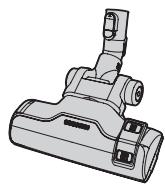
natural_image
Technical line drawing of a mechanical component with no visible text or symbols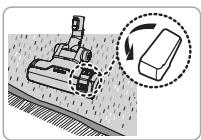
natural_image
Diagram showing a robotic arm operating on a surface with a magnified inset illustrating the process (no text or symbols present)Szönyegtisztítás
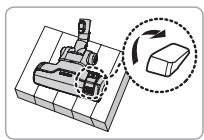
natural_image
Mechanical assembly diagram showing a cutting tool interacting with a block, with an arrow indicating rotation (no text or symbols present)Padlótisztítás
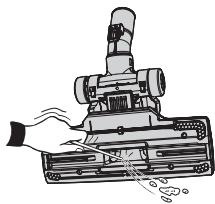
natural_image
Illustration of a hand operating a vacuum cleaner with attached components (no text or symbols)natural_image
Diagram of a vacuum cleaner with two views of the component (no text or symbols present)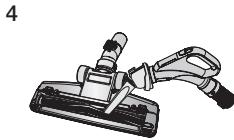
natural_image
Illustration of a mechanical clamp or tool with a handle and base (no text or symbols)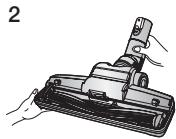
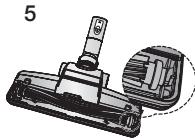
natural_image
Technical illustration of a mechanical component with a cylindrical pin and base, shown in two views (no text or symbols)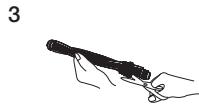
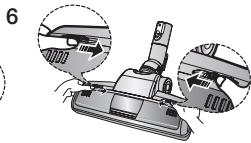
natural_image
Mechanical device with three views of a lever mechanism (no text or symbols visible)natural_image
Illustration of a vacuum cleaner being cut with a tool, shown from two different angles (no text or symbols present)natural_image
Illustration of a hand using a vacuum cleaner to clean or adjust the air gap (no text or symbols present)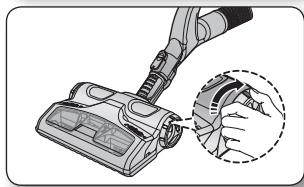
natural_image
Illustration of a hand using a vacuum cleaner to clean or store air (no text or symbols visible)natural_image
Diagram of a cleaning or repair device with two views of the handle (no text or symbols present)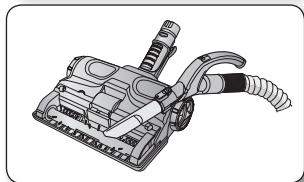
natural_image
Illustration of a mechanical device with hoses and a handle (no text or symbols)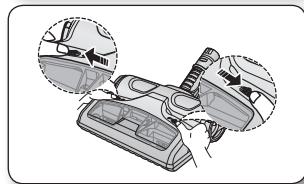
natural_image
Diagram showing a car interior with hand positioning and two inset views of the dashboard (no text or symbols present)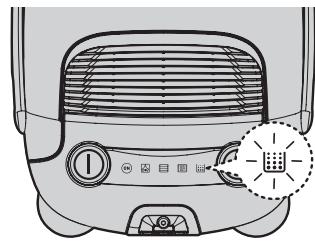
natural_image
Top-down view of a portable air conditioner unit with control panel and indicator lights (no text or symbols)Távirányítású típus
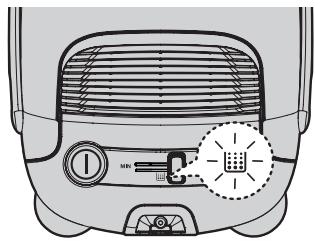
natural_image
Front view of a portable air conditioner unit with control panel and indicator lights (no text or symbols visible)natural_image
Technical diagram of a car interior showing internal components and airflow direction (no text or labels)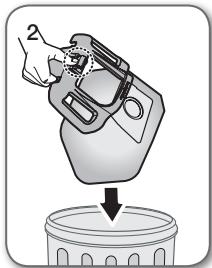
natural_image
Illustration of a hand pouring liquid into a trash bin (no text or symbols)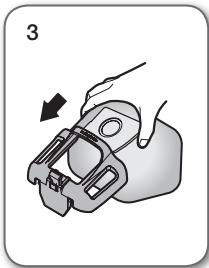
natural_image
Illustration of a hand holding a mechanical clamp or bracket, with an arrow indicating direction (no text or symbols present)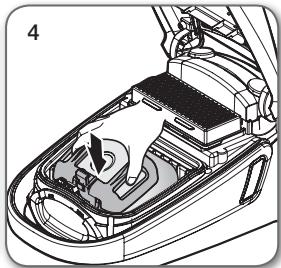
natural_image
Interior view of a car showing the dashboard and engine compartment with a hand inserting a component (no text or symbols visible)
natural_image
Technical illustration of a car interior showing battery compartment and structural components (no text or symbols)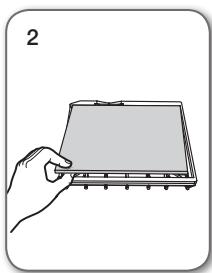
natural_image
Illustration of a hand holding a rectangular electronic device with a screen (no text or symbols visible)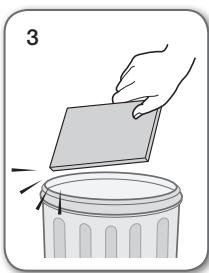
natural_image
Illustration of a hand placing a rectangular object onto a trash can, with no text or symbols present.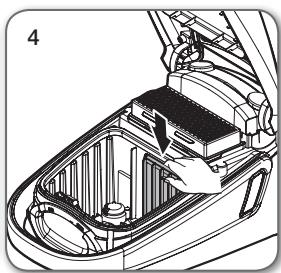
natural_image
Technical diagram of a car interior showing internal components and a hand interacting with the lid (no text or symbols present)
natural_image
Technical line drawing of a car interior showing internal components and structural lines (no text or symbols)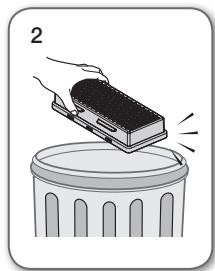
natural_image
Illustration of a hand pressing a block on a trash can (no text or symbols)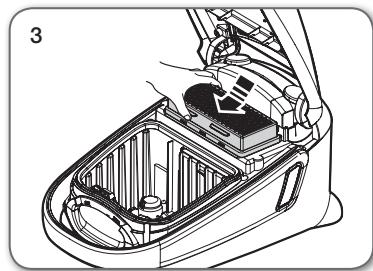
natural_image
Technical line drawing of a car interior showing internal compartments and structural elements (no text or symbols)
natural_image
Two types of hairless spray tools shown in exploded and assembled views (no text or labels)DALŠÍ POUŽITÉ SYMBOLY
text_image
VOLITELNÉ
natural_image
Technical illustration of mechanical assembly steps showing front and side views (no text or symbols)obsluha vysavače
NAPÁJECÍ ŠNŮRA
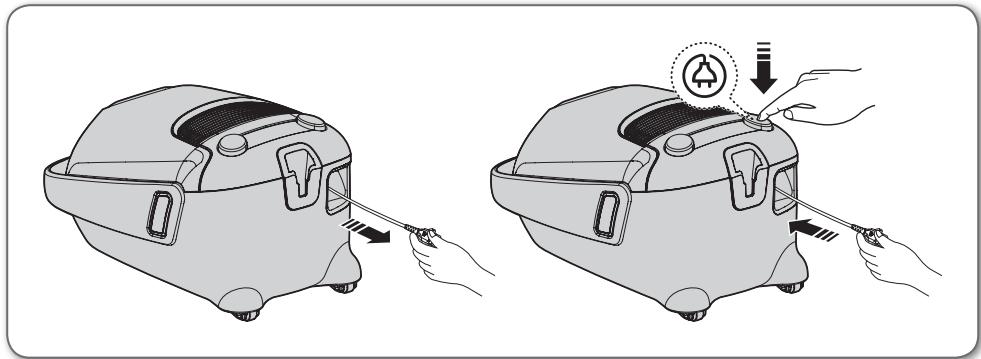
natural_image
Illustration of two hand-drawn photos showing a device being adjusted for a tool, with no visible text or symbols.UPOZORNĚNÍ
natural_image
Illustration of a hand operating a device with a circular indicator and pointer (no text or symbols)08_ obsluha vysavače
HADICE (řada SC07F60J, SC08F60J)
text_image
Diagram showing an electric vehicle charging plug with a power button and indicator lights, highlighting the function of charging.natural_image
Illustration of a curved mechanical device with a black arrow indicating direction (no text or symbols)TĚLESO
natural_image
Illustration of a vacuum cleaner with attached lever and handle (no text or symbols)text_image
Diagram showing two hand gestures interacting with a device, one displaying a control panel and the other displaying a device.text_image
Diagram showing a hand holding a device with Chinese labels and a close-up of a tool interacting with it.
natural_image
Two cylindrical mechanical components with internal threading and directional arrows indicating motion (no text or symbols)natural_image
Illustration of two soldering iron tools with steam rising (no text or symbols)Příslušenství
natural_image
Diagram showing a mechanical component being inserted into a housing, with an arrow indicating the process (no text or symbols present)text_image
Diagram illustrating a hand turning a tool into a door panel, with directional arrows indicating motion.text_image
Diagram illustrating a mechanical assembly step with an arrow indicating direction and a magnified inset showing a component detail.natural_image
Diagram showing a mechanical assembly transforming into two views of a car (no text or symbols present)text_image
Diagram illustrating the process of a tool or device being processed, with an arrow indicating transformation from a single tool to a final assembly.text_image
Diagram illustrating the process of a pen tip or pencil tip with an arrow indicating direction and resulting geometry.text_image
Diagram illustrating the process of a tool tip being cut with arrows indicating direction and resulting tip profile.Kartáč se 2 polohami
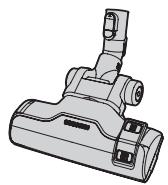
natural_image
Technical line drawing of a vacuum cleaner component (no text or symbols)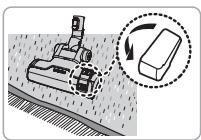
natural_image
Diagram showing a robotic arm operating on a surface with a magnified inset illustrating the process (no text or symbols present)Vysávání koberců
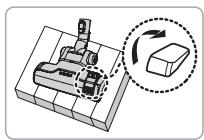
natural_image
Mechanical assembly diagram showing a cutting tool interacting with a block, with an arrow indicating rotation (no text or symbols present)Vysávání podlah
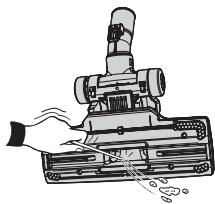
natural_image
Illustration of a hand operating a vacuum cleaner with attached components (no text or symbols)natural_image
Diagram of a vacuum cleaner with two views of the component (no text or symbols present)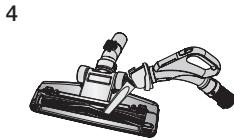
natural_image
Illustration of a mechanical clamp or tool with a handle and base (no text or symbols)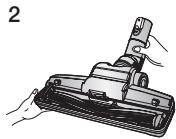
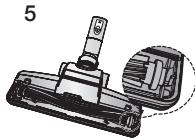
natural_image
Technical illustration of a mechanical component with a cylindrical pin and base, shown in two views (no text or symbols)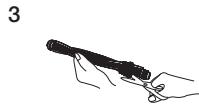
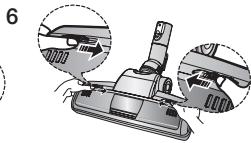
natural_image
Mechanical device with three views of a lever mechanism (no text or symbols visible)natural_image
Illustration of a vacuum cleaner being cut with a tool, shown from two different angles (no text or symbols present)natural_image
Illustration of a hand using a vacuum cleaner to clean or adjust the air gap (no text or symbols present)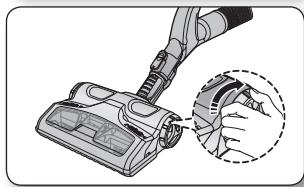
natural_image
Illustration of a hand using a vacuum cleaner to clean or store air (no text or symbols visible)natural_image
Diagram showing a car interior with hand positioning and two zoomed-in views of the dashboard (no text or symbols present)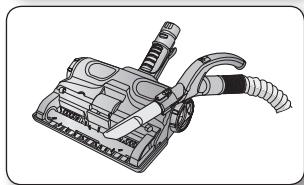
natural_image
Technical illustration of a vacuum cleaner with attached hoses and lever mechanism (no text or symbols)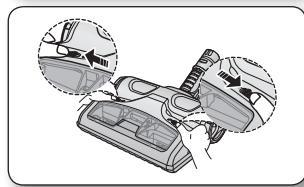
natural_image
Diagram showing a car interior with hand positioning and two circular insets highlighting the components (no text or symbols present)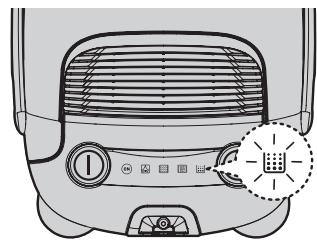
natural_image
Top-down view of a portable air conditioner unit with control panel and indicator lights (no text or symbols visible)text_image
Diagram of a refrigerator front panel with labeled buttons and a highlighted thermal management device iconnatural_image
Technical diagram of a car interior showing internal components and airflow direction (no text or labels)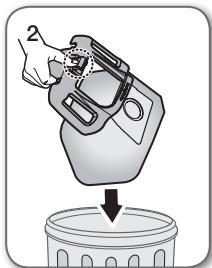
natural_image
Illustration of a hand pouring liquid into a trash bin (no text or symbols)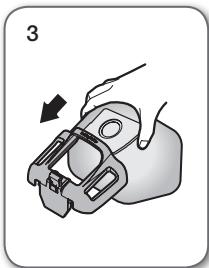
natural_image
Illustration of a hand holding a mechanical clamp or bracket, with an arrow indicating direction (no text or symbols present)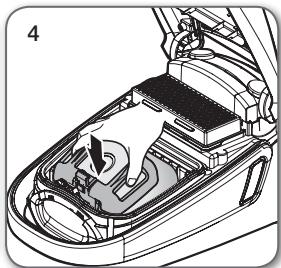
natural_image
Diagram of a car interior showing the engine compartment with a hand pointing to the engine block (no text or labels present)
natural_image
Technical line drawing of a car interior showing internal components and airflow direction (no text or symbols)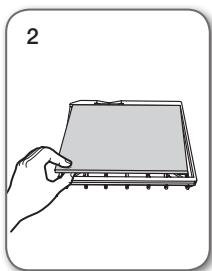
natural_image
Illustration of a hand holding a flatboard with a ruler, no text or symbols present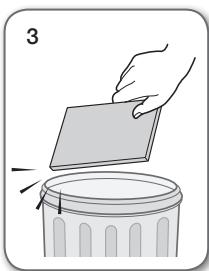
natural_image
Illustration of a hand placing a blank sheet into a trash bin (no text or symbols)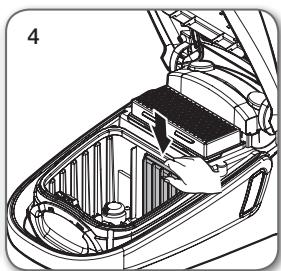
natural_image
Technical illustration of a car interior showing battery compartment and hand placement (no text or symbols)
Filtr nevyhazujte.
natural_image
Technical illustration of a car interior showing internal components and structural layout (no text or symbols)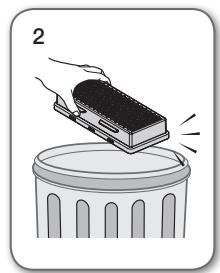
natural_image
Illustration of a hand placing a rectangular object onto a trash can (no text or symbols)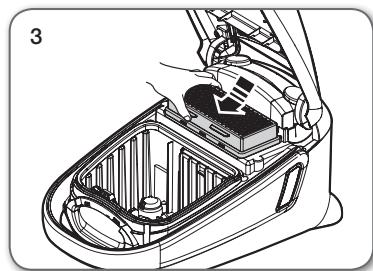
natural_image
Technical line drawing of a car interior showing internal components and structural lines (no text or symbols)
natural_image
Two types of spray gun components shown in exploded and assembled views (no text or symbols)TYP BATERIÍ: Typ AAA

odstraňování závad
text_image
MOŽNOST 1
- Ak chcete zariadenie odložit, nástavec na podlahy zastrčte do držiaka.
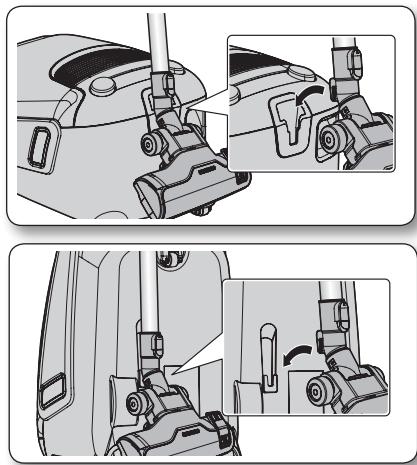
natural_image
Technical illustration of mechanical assembly steps showing front and side views (no text or symbols)prevádzka vysávača
NAPÁJACÍ KÁBEL
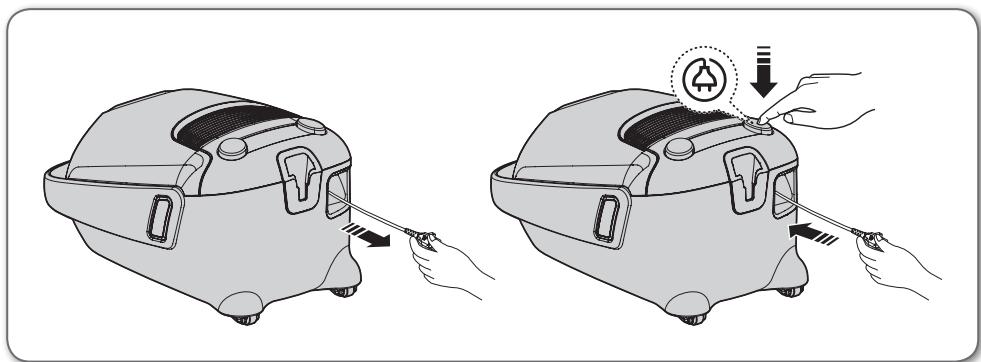
natural_image
Illustration of two identical hand-drawn views of a portable air purifier with a power button, showing tool application and assembly (no text or symbols)
- Pri odpájaní zástrčky od elektrickej zásuvky neťahajte za kábel, ale uchopte priamo zástrčku.
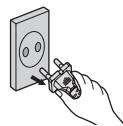
VYPÍNAČ
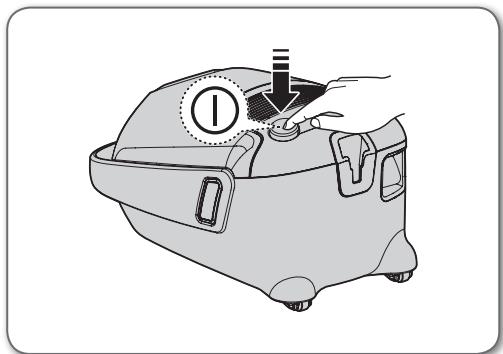
natural_image
Illustration of a hand operating a device with a circular indicator and mechanical components (no text or symbols)flowchart
graph LR
    A["(ZAP.) MIN"] --> B["STRED"]
    B --> C["MAX"]
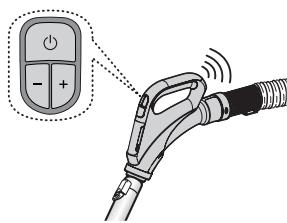
text_image
Diagram showing an electric vehicle charging plug with a power button and signal waves, alongside a control panel icon.flowchart
graph LR
    A["(ZAP.) MIN"] --> B["STRED"]
    B --> C["MAX"]

text_image
SICITOR (V) BRUSH OK/OFFnatural_image
Diagram of a curved mechanical component with directional arrows indicating movement (no text or symbols)TELO
natural_image
Illustration of a vacuum cleaner with attached lever and handle (no text or symbols)text_image
Diagram showing two hand gestures interacting with a device, one displaying a control panel and the other displaying a device.text_image
Diagram showing a hand holding a device with Chinese labels and a close-up of a tool handle, likely illustrating a diagnostic or testing procedure.
natural_image
Two cylindrical mechanical components with internal threading and fasteners, shown in side view (no text or symbols)natural_image
Illustration of two hand-drawn tools with different end caps, showing motion or vibration (no text or symbols)Príslušenstvo
natural_image
Diagram showing a mechanical component being adjusted to form a tool, with no visible text or symbols.text_image
Diagram illustrating a hand turning a tool into a door panel, with directional arrows indicating motion.text_image
Diagram illustrating a mechanical assembly process with labeled parts and an inset showing a component detail.natural_image
Diagram showing a mechanical assembly transforming into two views of a car (no text or symbols present)text_image
Diagram illustrating the process of a tool or device being processed, showing a disassembly step and resulting assembly.- Príslušenstvo zatlačte na koniec trubice.
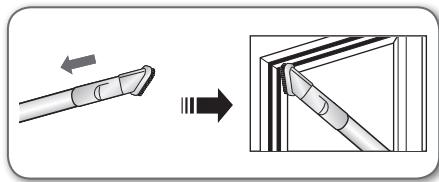
text_image
Diagram illustrating the process of a tool tip being inserted into a triangular prism, with directional arrows indicating movement.text_image
Diagram illustrating the process of a tool tip being cut with arrows indicating direction and resulting tip profile.2-kroková kefa
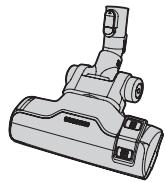
natural_image
Technical line drawing of a mechanical component (no text or symbols)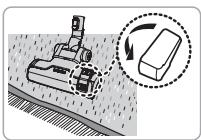
text_image
Diagram illustrating a robotic arm operating on a surface with an inset showing a moving object and rotation arrow.Čistenie koberca
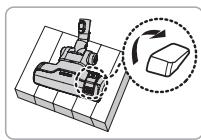
natural_image
Mechanical assembly diagram showing a cutting tool interacting with a block, with a magnified inset illustrating the process (no text or symbols present)Čistenie podlahy
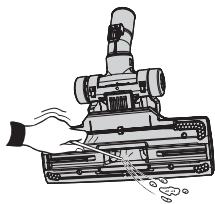
natural_image
Illustration of a vacuum cleaner with attached circuit board and mechanical components (no text or symbols)natural_image
Diagram of a vacuum cleaner with two views of the component (no text or symbols present)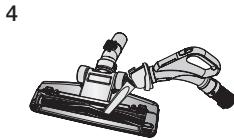
natural_image
Illustration of a mechanical clamp or tool with a handle and base (no text or symbols)
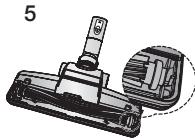
natural_image
Technical illustration of a mechanical component with a cylindrical pin and base, shown in two views (no text or symbols)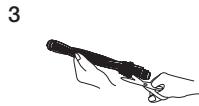
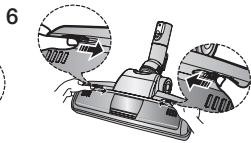
natural_image
Mechanical device with three views of a lever mechanism (no text or symbols visible)natural_image
Illustration of a vacuum cleaner being cut with a tool, shown from two different angles (no text or symbols present)natural_image
Illustration of a hand using a vacuum cleaner to clean or adjust the air gap (no text or symbols present)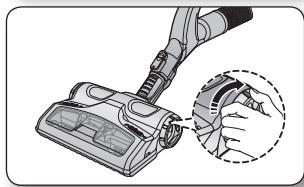
natural_image
Illustration of a hand using a vacuum cleaner to clean or store air (no text or symbols visible)natural_image
Diagram showing a car interior with hand positioning and two zoomed-in views of the dashboard (no text or symbols present)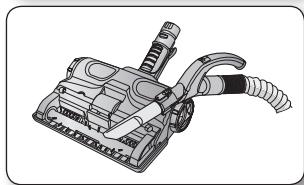
natural_image
Technical illustration of a vacuum cleaner with attached hoses and lever mechanism (no text or symbols)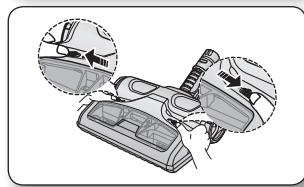
natural_image
Diagram showing a car interior with hand positioning and two circular insets highlighting the components (no text or symbols present)INDIKÁTOR NAPLNENIA PRACHOM
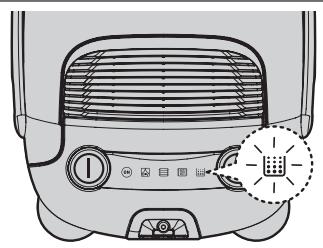
natural_image
Front view of a portable air conditioner unit with control buttons and indicator lights (no text or symbols visible)text_image
Diagram of a refrigerator interior with labeled parts and a highlighted indicator light symbolnatural_image
Interior view of a car showing the dashboard and engine compartment (no text or symbols visible)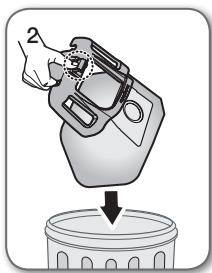
natural_image
Illustration of a hand pouring liquid into a trash bin (no text or symbols)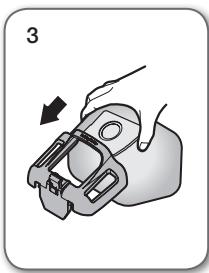
natural_image
Illustration of a hand holding a mechanical clamp or bracket, with an arrow indicating direction (no text or symbols present)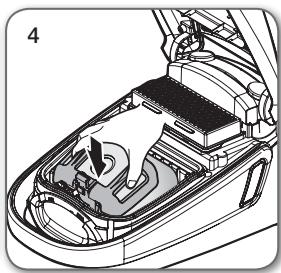
natural_image
Interior view of a car showing the dashboard and steering wheel (no text or symbols visible)
natural_image
Technical illustration of a car interior showing engine compartment and battery casing (no text or symbols)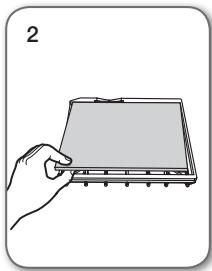
natural_image
Illustration of a hand holding a rectangular electronic device with a screen (no text or symbols visible)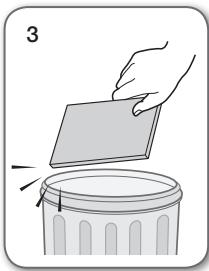
text_image
3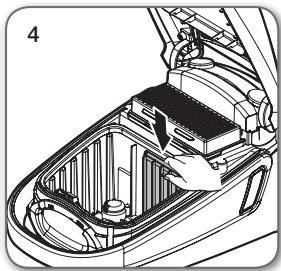
natural_image
Technical line drawing of a car interior showing internal compartments and structural elements (no text or symbols)natural_image
Technical line drawing of a car interior showing internal compartments and battery casing (no text or symbols)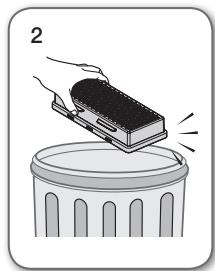
natural_image
Illustration of a hand pressing a block onto a trash can (no text or symbols)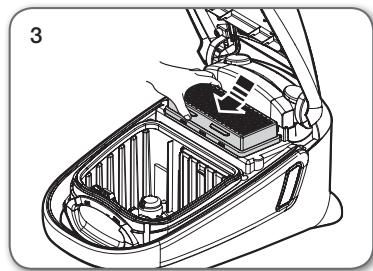
natural_image
Technical line drawing of a car interior showing internal components and structural lines (no text or symbols)
natural_image
Two types of hairless spray tools shown in exploded and assembled views (no text or labels)TYP BATÉRIE : Vel'kost' AAA

riešenie problémov
natural_image
Technical illustration of mechanical assembly steps showing front and side views (no text or symbols)obstuga odkurzacza
PRZEWÓD ZASILAJĄCY

natural_image
Illustration of two identical hand-drawn views of a portable air purifier with a power button, showing tool application and assembly (no text or symbols)PRZESTROGA
natural_image
Illustration of a hand operating a device with a circular indicator and mechanical components (no text or symbols)text_image
(ON (WŁ.)) MIN (MIN.) → MID (ŚRED.) → MAX (MAKS.) MIN MAX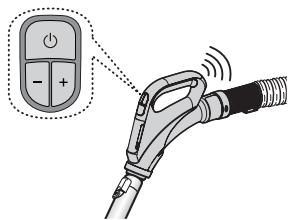
text_image
Diagram showing an electric vehicle charging plug with a control panel and signal waves, highlighting the positive charge.text_image
(ON (WŁ.)) MIN (MIN.) → MID (ŚRED.) → MAX (MAKS.) MIN MAX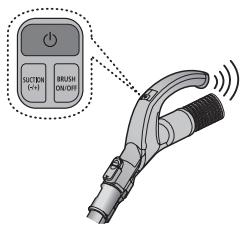
text_image
SUCPTION (+/-) BRUSH ON/OFFnatural_image
Illustration of a curved mechanical device with a black arrow indicating direction (no text or symbols)OBUDOWA
natural_image
Illustration of a vacuum cleaner with a handle and lever mechanism (no text or symbols)text_image
Diagram showing two hand gestures interacting with a device, one displaying a control panel and the other displaying a device.text_image
Diagram showing a hand interacting with a device labeled 'cl' and a device with 'BRUSHED' button, illustrating a medical or diagnostic procedure.
natural_image
Illustration of two cylindrical mechanical components with directional arrows indicating motion (no text or symbols)natural_image
Illustration of two hand-drawn sticks with arrows indicating motion (no text or symbols)Akcesoria
natural_image
Diagram showing a mechanical component being adjusted to form a tool, with no visible text or symbols.text_image
Diagram illustrating a hand turning a cable with an arrow indicating the process, alongside a magnified view of the cable being inserted.text_image
Diagram illustrating a mechanical assembly process with labeled parts and an inset showing a component detail.natural_image
Diagram showing a mechanical assembly process with three views of a bracket (no text or symbols present)text_image
Diagram illustrating a tool being inserted into a device, with an arrow indicating the process.text_image
Diagram illustrating the process of a tool tip before and after cutting a triangular prism, with directional arrows indicating movement.text_image
Diagram illustrating the process of a tool tip with directional arrows indicating movement or transformation.natural_image
Technical line drawing of a vacuum cleaner component (no text or symbols)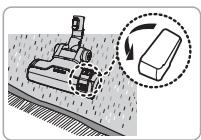
natural_image
Diagram showing a robotic arm operating on a surface with a magnified inset illustrating the process (no text or symbols present)Czyszczenie dywanów
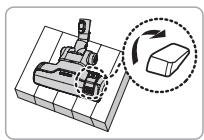
natural_image
Mechanical assembly diagram showing a cutting tool interacting with a block, with an arrow indicating rotation (no text or symbols present)Czyszczenie podłogi
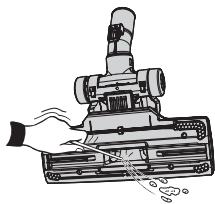
natural_image
Illustration of a hand operating a vacuum cleaner with attached components (no text or symbols)natural_image
Diagram of a vacuum cleaner with two views showing internal components (no text or symbols)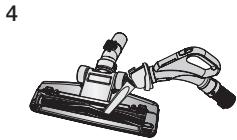
natural_image
Mechanical clamp or lever assembly with a handle and base component (no visible text or symbols)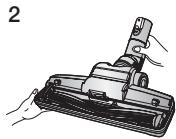
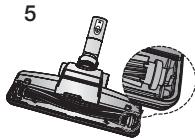
natural_image
Technical illustration of a mechanical component with a cylindrical pin and base, shown in two views (no text or symbols)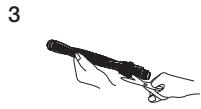
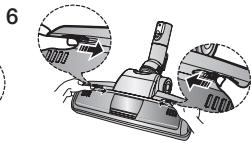
natural_image
Mechanical assembly diagram showing a component being inserted into a housing, with two views of the handle (no text or labels present)natural_image
Illustration of a vacuum cleaner being adjusted to form a flat tool (no text or symbols present)natural_image
Illustration of a hand using a vacuum cleaner to clean or adjust the air gap (no text or symbols present)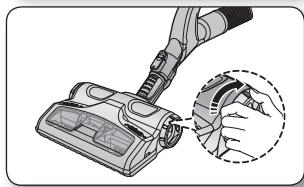
natural_image
Illustration of a hand using a vacuum cleaner to clean or store air (no text or symbols visible)natural_image
Diagram of a cleaning or repair device with two views of the handle (no text or symbols present)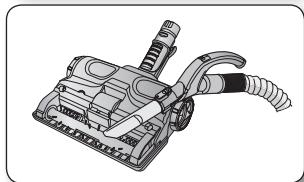
natural_image
Illustration of a mechanical device with hoses and a handle (no text or symbols)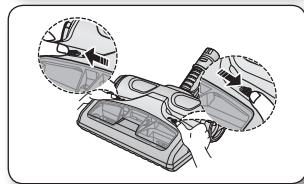
natural_image
Diagram showing a car interior with hand positioning and two inset views of the dashboard (no text or symbols present)WSKAŹNIK NAPEŁNIENIA
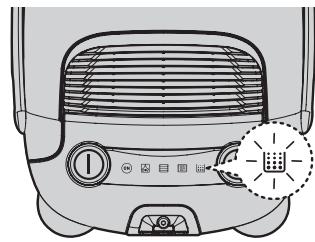
natural_image
Top-down view of a portable air conditioner unit with control panel and indicator lights (no text or symbols visible)Model z pilotem
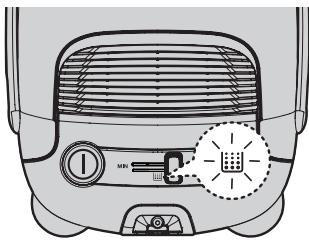
text_image
Diagram of a refrigerator interior with labeled buttons and a highlighted indicator light symbolModel bez pilota
natural_image
Technical diagram of a car interior showing engine compartment and fan structure (no text or labels)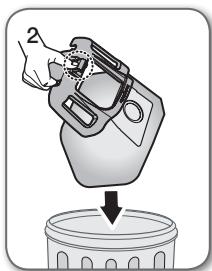
natural_image
Illustration of a hand pouring liquid into a trash bin (no text or symbols)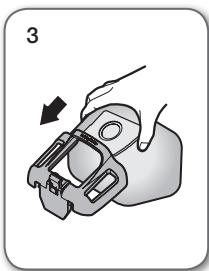
natural_image
Illustration of a hand holding a mechanical clamp or bracket, with an arrow indicating direction (no text or symbols present)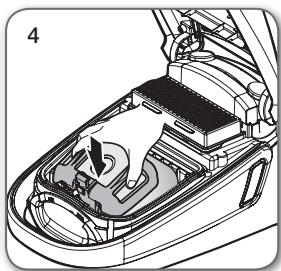
natural_image
Technical illustration of a car interior showing engine compartment and fan assembly (no text or symbols)
natural_image
Technical illustration of a car interior showing battery compartment and structural components (no text or symbols)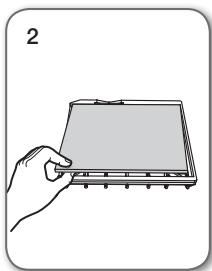
natural_image
Illustration of a hand holding a flat electronic device with a screen (no text or symbols visible)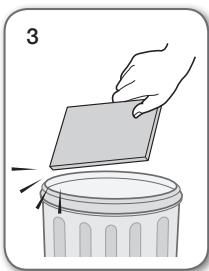
natural_image
Illustration of a hand holding a rectangular object above a trash can, with no text or symbols present.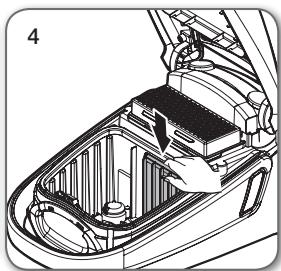
natural_image
Technical illustration of a car interior showing battery compartment and engine compartment (no text or symbols)natural_image
Technical illustration of a car interior showing internal components and structural layout (no text or symbols)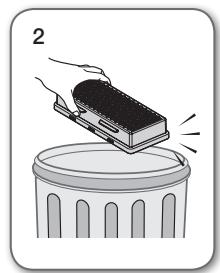
natural_image
Illustration of a hand placing a rectangular object onto a trash can (no text or symbols)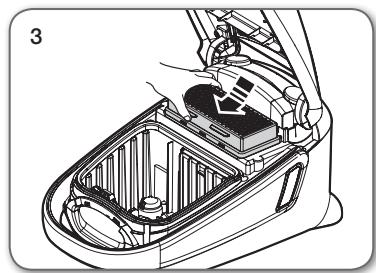
natural_image
Technical line drawing of a car interior showing internal components and a hand holding a battery (no text or symbols)
natural_image
Two types of welding torches shown in exploded and assembled views (no text or labels)natural_image
Technical illustration of mechanical components with close-up views (no text or symbols)uporaba sesalnika
NAPAJALNI KABEL
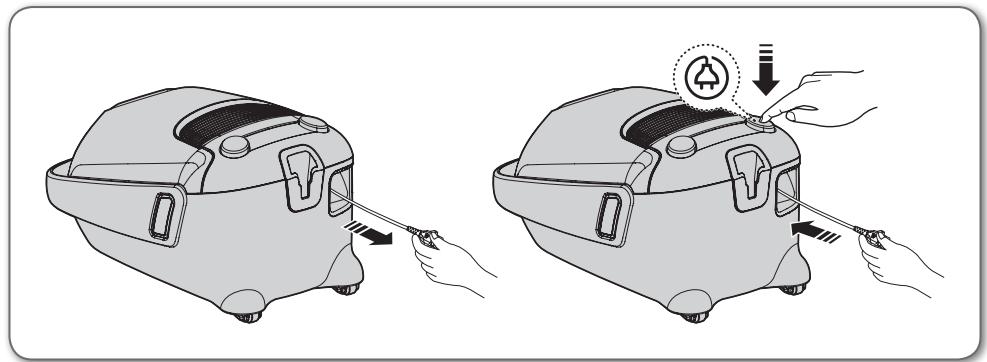
natural_image
Illustration of two hand-drawn views of a small car with a tool, showing the process of cleaning or repair (no text or symbols present)PREVIDNO
- Ko želite potegniti vtič iz električne vtičnice, primite za vtič in ne za kabel.
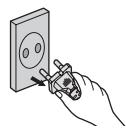
STIKALO VKLOP/IZKLOP
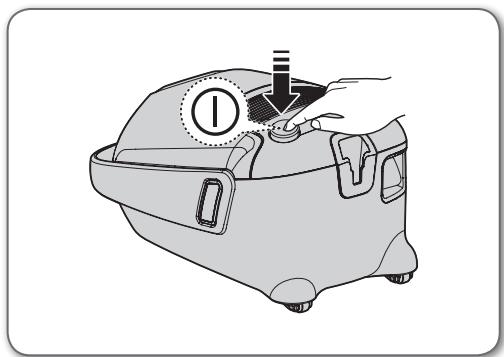
natural_image
Illustration of a hand operating a vacuum cleaner with a dial indicator (no text or symbols present)text_image
Diagram showing an electric vehicle charging plug with a power button and signal waves, highlighting the function.natural_image
Diagram of a curved mechanical device with directional arrows indicating motion (no text or symbols)OHIŠJE
Za upravljanje moči premikajte gumb za moč desno in levo.
natural_image
Illustration of a vacuum cleaner with attached device (no text or symbols)-
Za uporabo UV-krtače pritisnite gumb [BRUSH ON/OFF] (Vklop/izklop krtače).
-
Za začetek čiščenja in izbiro ustrezne moči sesanja pritisnite gumb [Suction -/+] (Moč sesanja -/+).
- Pritisnite gumb [BRUSH ON/OFF] (Vklop/izklop krtače).
• UV-sterilizacija se ne vklopi samodejno.
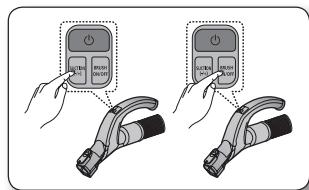
text_image
Diagram showing two hand positions of a device with control buttons, one pointing at a button labeled 'STOP' and the other 'STOP'.text_image
Diagram showing a hand pressing a button labeled 'ON/OFF/ORDER' onto an electric plug, illustrating the process of switching or disassembly.
natural_image
Two cylindrical mechanical components with internal springs, shown in line style (no text or symbols)natural_image
Illustration of two hand-drawn tools with different end caps and spring-like fittings (no text or symbols)Dodatki
natural_image
Diagram showing a mechanical assembly step: before and after a change, with no visible text or symbols.- Če želite uporabiti krtačo za prah, izvlecite gumb.
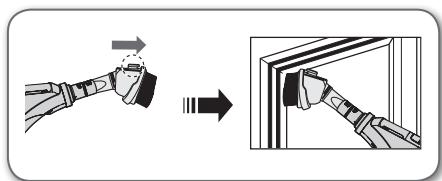
text_image
Diagram showing a hand holding a tool with an arrow indicating direction, followed by a close-up of the tool's tip into a wall.text_image
Diagram illustrating a mechanical assembly process with labeled components and an inset showing a 3D object highlighted.natural_image
Diagram showing a robotic arm interacting with a car, with three views of the arm and a close-up view of the interior (no text or symbols present)- Če želite uporabiti nastavek za sesanje špranj, izvlecite krtačo za prah.
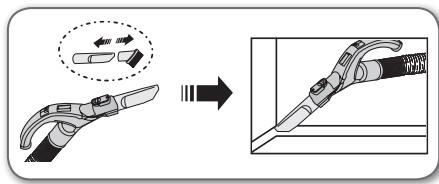
text_image
Diagram illustrating a mechanical tool being processed, showing step-by-step assembly from tool tip to final component.• Vstavite dodatek v konec cevi.
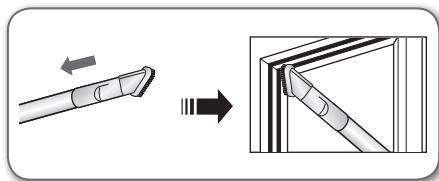
text_image
Diagram illustrating the process of a tool tip being inserted into a triangular frame, with directional arrows indicating movement.- Če želite uporabiti nastavek za sesanje špranj, izvlecite krtačo za prah.
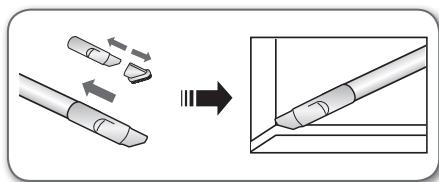
text_image
Diagram illustrating the process of tool tip positioning and cutting, showing before-and-after states with arrows indicating movement.Dvostopenjska krtača
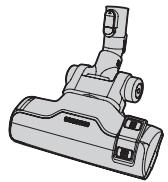
natural_image
Technical line drawing of a vacuum cleaner component (no text or symbols)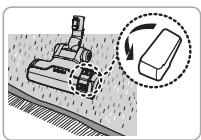
text_image
Diagram illustrating a robotic arm operating on a surface with an inset showing a moving object and rotation arrow.Čiščenje preprog
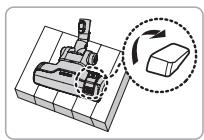
natural_image
Mechanical assembly diagram showing a cutting tool interacting with a block, with an arrow indicating rotation (no text or symbols present)Čiščenje tal
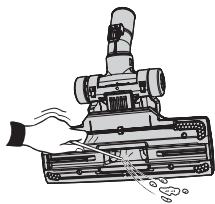
natural_image
Illustration of a hand operating a vacuum cleaner with attached components (no text or symbols)natural_image
Diagram of a vacuum cleaner with two views of the component (no text or symbols present)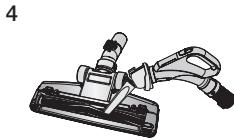
natural_image
Illustration of a mechanical clamp or fixture with a handle and lever (no text or symbols)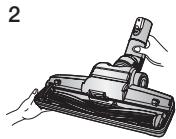
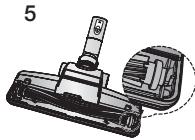
natural_image
Technical illustration of a mechanical component with a cylindrical pin and base, shown in two views (no text or symbols)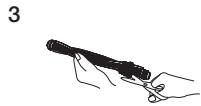
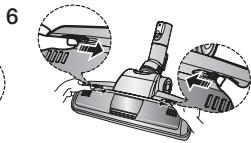
natural_image
Mechanical assembly diagram showing a component being inserted into a housing, with two views of the handle (no text or labels present)natural_image
Illustration of a vacuum cleaner being inserted into a clip (no text or symbols present)natural_image
Illustration of a vacuum cleaner with a magnified inset showing the tip of the device (no text or symbols present)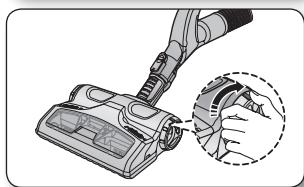
natural_image
Illustration of a vacuum cleaner with a hand inserting a component, showing no text or symbols.natural_image
Diagram showing car interior components with arrows indicating movement or assembly (no text or symbols present)
natural_image
Technical illustration of a mechanical device with hoses and a handle (no text or symbols)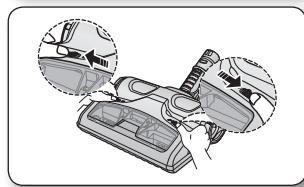
natural_image
Diagram showing car interior components with arrows indicating movement or adjustment (no text or symbols present)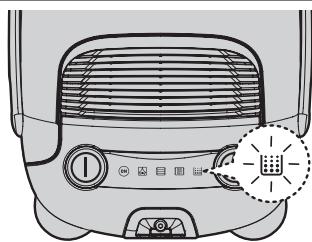
natural_image
Top-down view of a car air conditioner unit with control panel and indicator lights (no text or symbols)Model z daljinskim upravljanjem
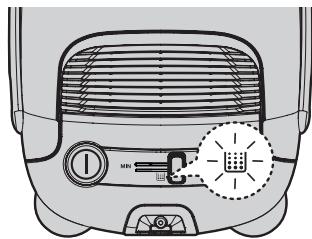
text_image
Diagram of a refrigerator interior with labeled buttons and a highlighted icon indicating a smart air conditioner.natural_image
Interior view of a car showing internal components and airflow direction (no text or symbols)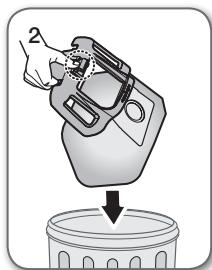
natural_image
Illustration of a hand pouring liquid into a trash bin (no text or symbols)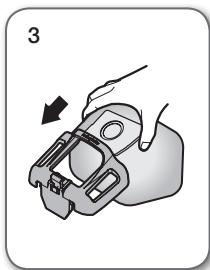
natural_image
Illustration of a hand holding a mechanical component with an arrow indicating direction (no text or symbols)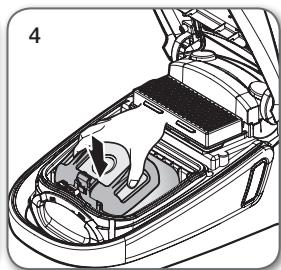
natural_image
Interior view of a car showing the dashboard and engine compartment with a hand pointing to a component (no text or symbols visible)
natural_image
Technical diagram of a car interior showing engine compartment and structural components (no text or labels)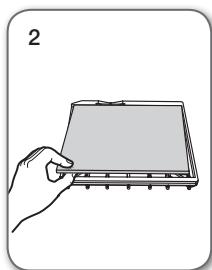
natural_image
Illustration of a hand holding a flat electronic device with a screen (no text or symbols visible)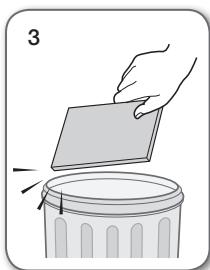
natural_image
Illustration of a hand placing a paper into a trash bin (no text or symbols)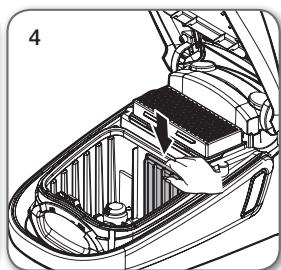
natural_image
Technical illustration of a car interior showing internal components and structural lines (no text or symbols)
Ne zavrzite filtra.
natural_image
Technical line drawing of a car interior showing internal components and wiring (no text or symbols)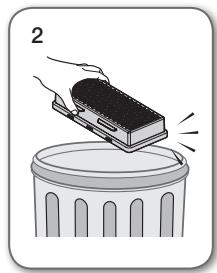
natural_image
Illustration of a hand pressing down on a trash can with a block on top (no text or symbols)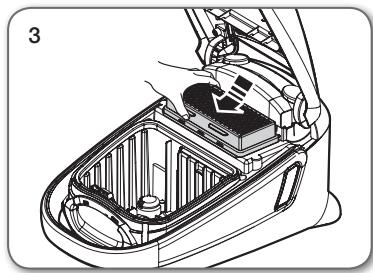
natural_image
Technical line drawing of a car interior showing internal components and structural lines (no text or symbols)
- Filter zamenjajte enkrat do dvakrat na leto.

natural_image
Two types of hairless spray tools shown in exploded and assembled views (no text or labels)VRSTA BATERIJE: velikost AAA
