GPS-3V4 - GPS Navigation INVION - Free user manual and instructions
Find the device manual for free GPS-3V4 INVION in PDF.



| Product type | GPS navigation with multimedia player |
| Brand | INVION |
| Model | GPS-3V4 |
| Screen | LCD 3.5 inches, 4:3, 320x240 pixels resolution, touchscreen |
| Operating system | Windows CE .Net 4.2 |
| Processor | ARM 400 MHz |
| RAM | 64 MB SDRAM |
| GPS receiver | SiRF III (high sensitivity chip) |
| GPS antenna | Built-in; supports external TMC antenna |
| Battery | Built-in lithium polymer |
| Battery life | Approximately 2.5 hours |
| Dimensions | 105 x 75 x 20 mm |
| Weight | 175 g |
| Main functions | GPS navigation, MP3 audio player, MP4 video player, image viewer |
| Memory card support | SD/MMC (sold separately) |
| Connectivity | USB port, headphone jack/TMC antenna jack, SD/MMC card slot, external antenna jack |
| Included accessories | 5V car adapter, USB cable, windshield suction cup mount, GPS mount, user guide |
| Power supply | 5V cigarette lighter adapter; internal battery |
| Settings | Volume, brightness |
| Safety instructions | Read the manual before use, do not touch the touchscreen during startup |
| Environmental protection | Recyclable packaging, do not dispose of the device with household waste, recycle used batteries |
| Warranty | Legal warranty of conformity; contact the retailer |
| After-sales service | Phone: +33 1 69.91.47.65, Email: sav@supportplus.fr, Mon-Fri 9am-6pm |
Frequently Asked Questions - GPS-3V4 INVION
User questions about GPS-3V4 INVION
0 question about this device. Answer the ones you know or ask your own.
Ask a new question about this device
Download the instructions for your GPS Navigation in PDF format for free! Find your manual GPS-3V4 - INVION and take your electronic device back in hand. On this page are published all the documents necessary for the use of your device. GPS-3V4 by INVION.
USER MANUAL GPS-3V4 INVION
Congratulations on choosing your new Invion product. We have every expectation that you will be completely satisfied with your new purchase.
To always guarantee optimal function and performance of your product, we would ask the following:
- Before using the product for the first time, carefully read the operating instructions and adhere to the safety precautions!
- All activities at and with this product may only be carried out as described in these operating instructions.
- Please be sure to include the operating instructions in case you pass along this product to someone else.
Packaging:
This product is delivered in protective packaging to prevent transportation damage. Packaging materials are raw materials and can therefore be recycled. Please recycle these materials.
INVION
Contents
Brief introduction of hardware. 4
Top Menu 6
Entertainment 7
Specifications 10
With reference to environmental protection. 11
Claims & Warranties 12
Brief introduction of hardware
Standard Package
Before getting started with your GPS, check to see that your INVION GPS-3V4 package includes the following items (if you are missing any parts, please contact your INVION dealer immediately):
GPS unit
Owner's manual
- Windshield suction mount
TMC external antenna
Car power adapter
USB cable
Mounting bracket
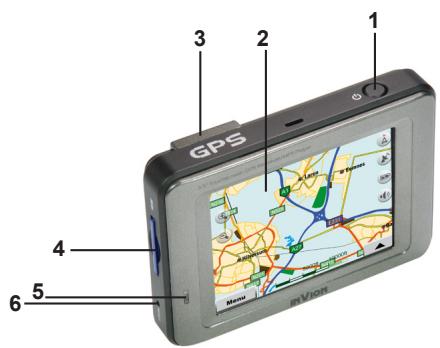
(1) Power button: press and hold for 3 seconds to turn the GPS unit on or off.
(2) Touch screen
(3) Built-in GPS antenna
(4) Card slot: slot for SD or MMC memory cards (sold separately)
(5) Charge indicator light
(6) Reset button
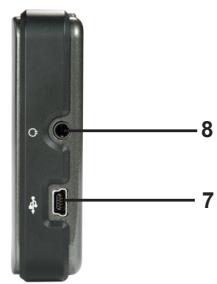
(7) USB port
(8) Headphone jack/TMC antenna jack
*Tip1: Do not touch the touch screen before the unit starts up completely; otherwise, the touch screen may fail to work.
Connection
Connect to Car Power
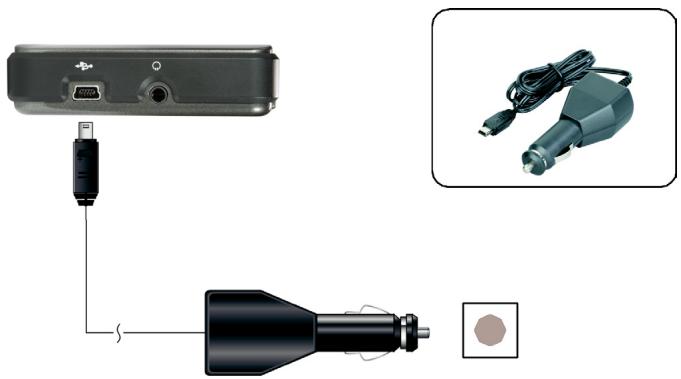
- Connect the USB plug of the car power adapter to the USB port on the side of the GPS Unit.
- Connect the car cigarette lighter plug of the car power adapter into the car cigarette lighter socket.

SiRF
Chipset SIRF III
Operates behind athermic windshield
Top Menu
- Press the POWER button to turn on the GPS unit.
- The "Top Menu" screen will be displayed.
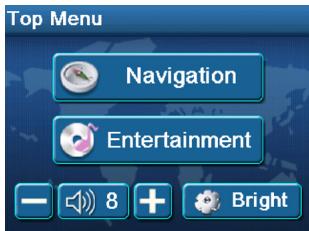
NOTE: During navigation or other operations, quickly pressing the POWER button will display the "Top Menu" screen.
Volume
- Tap (+) or (-) on the "Top Menu" screen to adjust the volume.
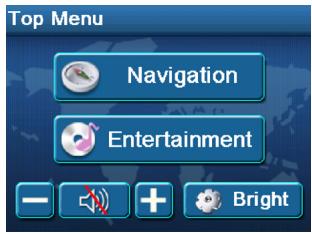
- Tap on the screen to mute the sound. The following will be displayed on the screen:
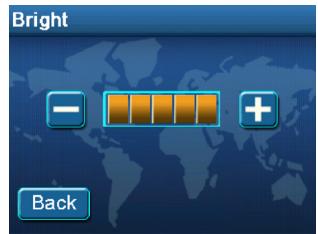
Bright
Tap Bright on the "Top Menu" screen to display the "Bright" menu.
- Tap (+) or (-) on the screen to adjust the brightness of the screen.
- Tap Back on the screen to return to the "Top Menu" screen.
Entertainment
You can play the audio, video or picture files stored in SD or MMC memory cards.
- Insert the SD or MMC memory card into the card slot.
- Tap Entertainment on the Top Menu to change to Media player mode. The SDMMC DISK folder will be displayed.
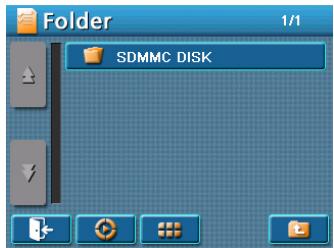
- Tap SDMMC DISK folder to open it. The folder list will be displayed.
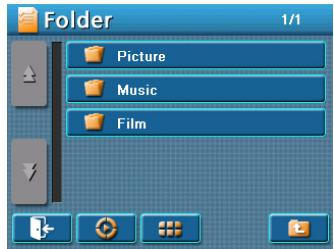
- Tap a folder (Picture, Music, or Film) to open it; or tap a file to play it.
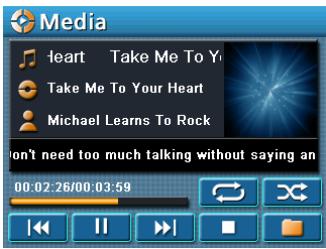
To Play an Audio or Video File
- Tap the Music or Film folder to open it.
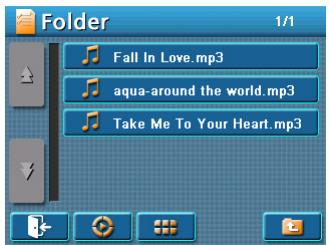
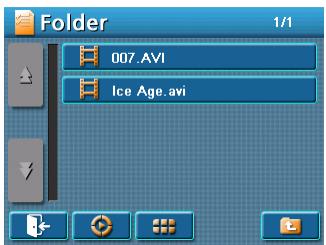
- Select and tap the file to play it.
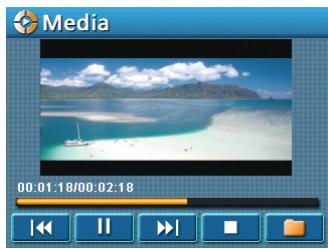
NOTE:
While a video is playing, tap the video screen area to toggle between the two screen sizes.
To View a Picture File
- Tap the Picture folder to open it.
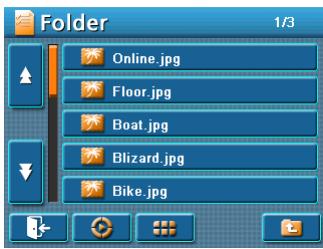
- Select and tap the file to view it.
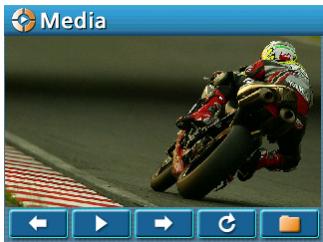
NOTE:
While displaying a picture, tap the picture screen area to toggle between the two screen sizes.
The following buttons appear on the Folder screens.

Tap to return to the Top Menu.
Tap to display the entertainment interface.

Tap to scroll up the folder list or file list.

Tap to scroll down the folder list or file list.

Tap to show the file list in thumbnail mode.
Tap to show the file list in list mode.
Tap to return to the folder list.
The following buttons appear on the Audio and Video Media screens.

Tap to play a file or all files repeatedly.
Tap to play the files in random order.
Tap to play the previous file.
Tap to pause the playback.
Tap to resume the playback.
Tap to play the next file.
Tap to stop the playback.
Tap to return to the file list.
The following buttons appear on the Picture Media screens.

Tap to view the previous picture.
Tap to play the picture slideshow continuously.
Tap to view the next picture.
Tap to rotate the current picture 90^ clockwise.
Tap to return to the file list.
Specifications
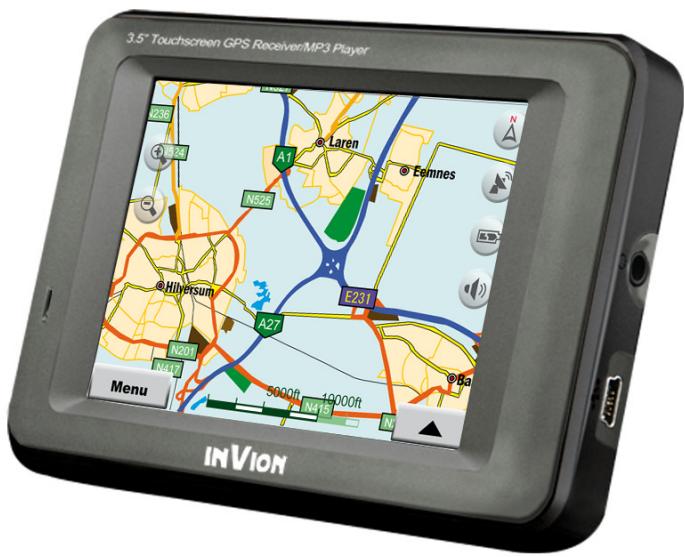
3.5" GPS Navigation with MP3/MP4 Player
- 3.5" 4:3 LCD Screen, 320*240 RGB
- OS: Windows CE.Net 4.2
- 64 MB SDRAM
CPU:ARM400MHz
GPS: SIRF Star 3 High Sensitivity Receiver
Built-in Antenna - Plays MP4/MP3 file via SD card (sold separately)
Built-In Lithium-Polymer Battery last 2.5 hours
Dimension: 105L X 75W X 20H mm
Weight: 175g
Hard Key and Connection Ports:
Power on/off
- Headphone jack/TMC antenna jack
USB port
- Reset
- SD/MMC card slot
- External antenna jack
Accessories:
- 5V Car Power Adapter
USB cable - Windshield suction mount
- Mounting bracket
With reference to environmental protection

- Packing materials are raw materials and can be used again.
- Keep packing materials separate. For more information about recycling contact your local administration.

Old devices do not belong in the domestic refuse! Dispos of old devices responsibly, and contribute to environmental protection. Your local administration will inform you about collecting points and opening times.

Old batteries do not belong in the domestic refuse! Dispos of old batteries accordingly and contribute to environmental protection. Your local administration will inform you about collecting points and opening times.

This product complies with European directives
Claims & Warranties
In case of possible product defects, please contact the dealer from whom you purchased the device. For this reason we recommend you save your purchase receipt.
Service
For technical questions, information about our products, and for spare part orders, our Service team is available as follows:
Service times: Monday to Friday, from 9:00 a.m. to 6:00 p.m.
Phone: 00800/77778899
This is a Europewide freephone number that carries no calling charge
E-mail: service-gb@supportplus.org
Important note: Please do not send your device to our address without having been requested to do so by our Service team. The costs and the risk of loss for unsolicited mailings will be borne by the sender. We reserve the right to refuse the acceptance of unsolicited mailings or to return the corresponding merchandise to the sender carriage forward, that is, at the sender's expense.
VRS 1.0
INVION
SYSTEME DE NAVIGATION GPS AUTONOME
GPS-3V4
MANUEL D'UTILISATION
INVION
InVion
Model: GPS-3V4
Language : FR
Page : 1 (of 13 Pages)
Version : 1.0
Date : 2007.08.21