USER MANUAL RC3000E02 THOMSON
Operating Instruction
Mode d'emploi
Bedienungsanleitung

THOMSON
THOMSON
UNIVERSAL REMOTE CONTROL

Manufactured and commercialised
by HAMA under THOMSON
Trademark license
Hama GmbH & Co KG
86651 Monheim/Bayern GERMANY
GB Operating Instructions 01
F Mode d'emploi 04
This universal remote control (4 in 1) is compatible with the majority of television sets, DVD players and video recorders, amplifiers and Hi-Fi and Home Cinema systems, as well as digital boxes such as satellite or cable receivers, DVBT receivers (Digital Video Broadcast Terrestrial), ADSL decoders, and so on.
This remote control was programmed in the factory, so that you can use it to control most of the sets of the THOMSON group's make. For this reason, we recommend that prior to attempting to programme the remote control, you try it out by means of one of the methods described in this user manual. However, first of all, you must install 2 batteries (AAA) in the remote control.
Please keep this guide along with the code list (provided separately), so that you can subsequently programme your remote control for use with other sets.
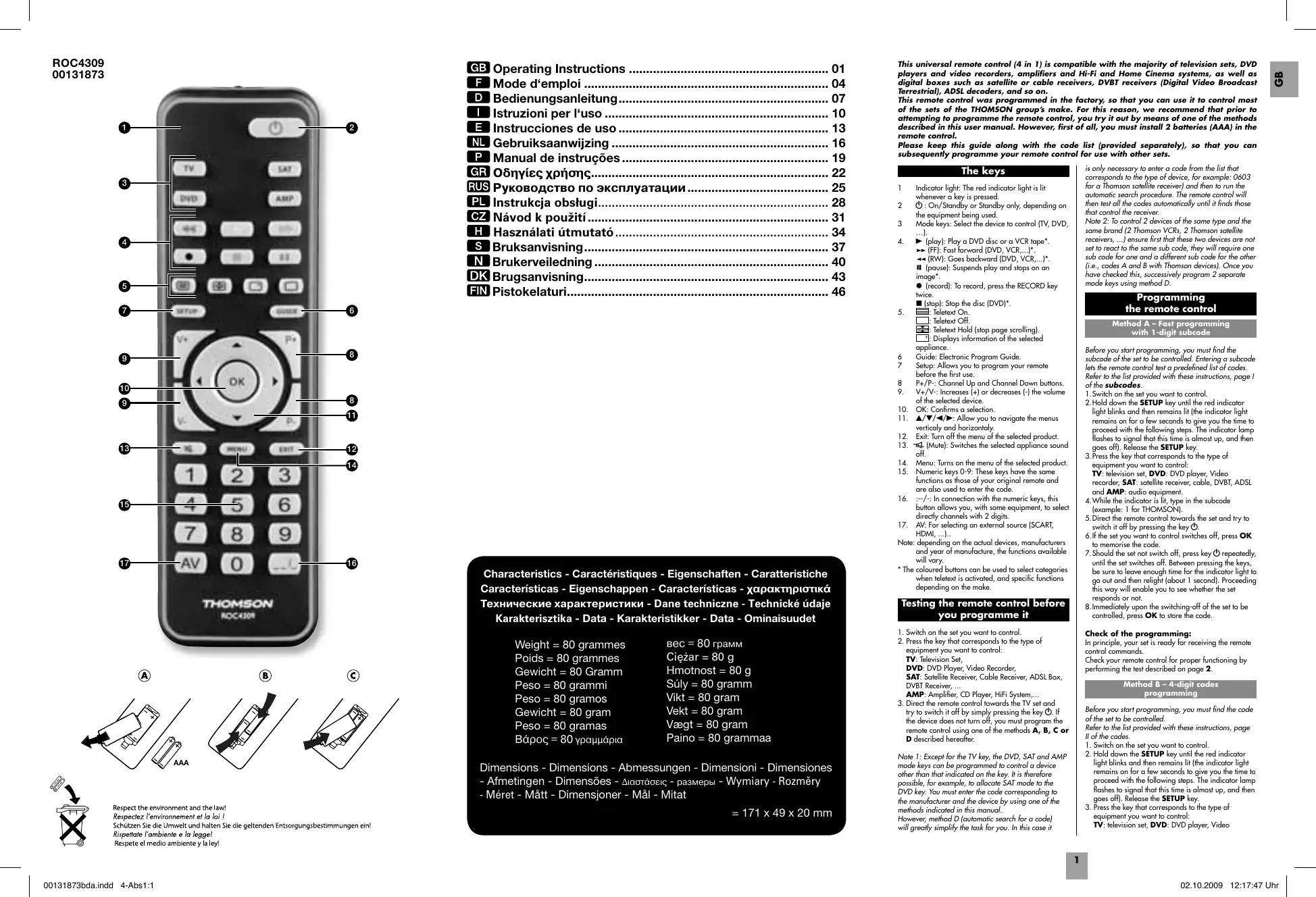
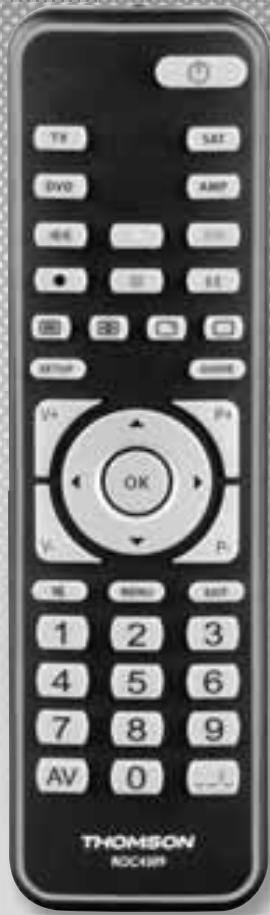
The keys
1 Indicator light: The red indicator light is lit whenever a key is pressed.
2 ⏻: On/Standby or Standby only, depending on the equipment being used.
3 Mode keys: Select the device to control (TV, DVD, ...).
- ▶ (play): Play a DVD disc or a VCR tape*.
▶▶ (FF): Fast forward (DVD, VCR,...)*
◀◀ (RW): Goes backward (DVD, VCR,...)*.
II (pause): Suspends play and stops on an image*.
● (record): To record, press the RECORD key twice.
■ (stop): Stop the disc (DVD)*
- ☐: Teletext On
□: Teletext Off
: Teletext Hold (stop page scrolling).
☐: Displays information of the selected appliance.
6 Guide: Electronic Program Guide.
7 Setup: Allows you to program your remote before the first use.
8 P+/P-: Channel Up and Channel Down buttons.
-
V+/V-: Increases (+) or decreases (-) the volume of the selected device.
-
OK: Confirms a selection
-
▲/▼/◄/►: Allow you to navigate the menus vertically and horizontally.
-
Exit: Turn off the menu of the selected product.
-
(Mute): Switches the selected appliance sound off.
-
Menu: Turns on the menu of the selected product.
-
Numeric keys 0-9: These keys have the same functions as those of your original remote and are also used to enter the code.
-
:--/--: In connection with the numeric keys, this button allows you, with some equipment, to select directly channels with 2 digits.
-
AV: For selecting an external source (SCART, HDMI, ...).
Note: depending on the actual devices, manufacturers and year of manufacture, the functions available will vary.
* The coloured buttons can be used to select categories when teletext is activated, and specific functions depending on the make.
Testing the remote control before you programme it
-
Switch on the set you want to control.
-
Press the key that corresponds to the type of
equipment you want to control:
TV: Television Set,
DVD: DVD Player, Video Recorder,
SAT: Satellite Receiver, Cable Receiver, ADSL Box, DVBT Receiver, ...
AMP: Amplifier, CD Player, HiFi System,...
- Direct the remote control towards the TV set and try to switch it off by simply pressing the key ⏻. If the device does not turn off, you must program the remote control using one of the methods A, B, C or D described hereafter.
Note 1: Except for the TV key, the DVD, SAT and AMP mode keys can be programmed to control a device other than that indicated on the key. It is therefore possible, for example, to allocate SAT mode to the DVD key. You must enter the code corresponding to the manufacturer and the device by using one of the methods indicated in this manual.
However, method D (automatic search for a code) will greatly simplify the task for you. In this case it
is only necessary to enter a code from the list that corresponds to the type of device, for example: 0603 for a Thomson satellite receiver) and then to run the automatic search procedure. The remote control will then test all the codes automatically until it finds those that control the receiver.
Note 2: To control 2 devices of the same type and the same brand (2 Thomson VCRs, 2 Thomson satellite receivers, ...) ensure first that these two devices are not set to react to the same sub code, they will require one sub code for one and a different sub code for the other (i.e., codes A and B with Thomson devices). Once you have checked this, successively program 2 separate mode keys using method D.
Programming the remote control
Method A - Fast programming with 1-digit subcode
Before you start programming, you must find the subcode of the set to be controlled. Entering a subcode lets the remote control test a predefined list of codes. Refer to the list provided with these instructions, page 1 of the subcodes.
-
Switch on the set you want to control
-
Hold down the SETUP key until the red indicator light blinks and then remains lit (the indicator light remains on for a few seconds to give you the time to proceed with the following steps. The indicator lamp flashes to signal that this time is almost up, and then goes off). Release the SETUP key.
-
Press the key that corresponds to the type of equipment you want to control:
TV: television set, DVD: DVD player, Video recorder, SAT: satellite receiver, cable, DVBT, ADSL and AMP: audio equipment.
-
While the indicator is lit, type in the subcode (example: 1 for THOMSON).
-
Direct the remote control towards the set and try to switch it off by pressing the key ⏻.
-
If the set you want to control switches off, press OK to memorise the code.
-
Should the set not switch off, press key repeatedly, until the set switches off. Between pressing the keys, be sure to leave enough time for the indicator light to go out and then relight (about 1 second). Proceeding this way will enable you to see whether the set responds or not.
-
Immediately upon the switching-off of the set to be controlled, press OK to store the code.
Check of the programming:
In principle, your set is ready for receiving the remote control commands.
Check your remote control for proper functioning by performing the test described on page 2.
Method B - 4-digit codes programming
Before you start programming, you must find the code of the set to be controlled.
Refer to the list provided with these instructions, page II of the codes.
-
Switch on the set you want to control.
-
Hold down the SETUP key until the red indicator light blinks and then remains lit (the indicator light remains on for a few seconds to give you the time to proceed with the following steps. The indicator lamp flashes to signal that this time is almost up, and then goes off). Release the SETUP key.
-
Press the key that corresponds to the type of equipment you want to control:
TV: television set, DVD: DVD player, Video
recorder, SAT: satellite receiver, cable, DVBT, ADSL and AMP: audio equipment.
- While the indicator is lit, enter the first digit of the 4-digit code proposed for the set to be controlled (example: 0036 for Thomson).
- Direct the remote control towards the set and try to switch it off by pressing the key ⏻.
- Should the set not switch off, repeat step 2. Then type in the next 4-digit code. Try to switch off the set by pressing key ⏻ once. Repeat this procedure by trying out each of the 4-digit codes.
Check of the programming:
In principle, your set is ready for receiving the remote control commands.
Check your remote control for proper functioning by performing the test described on page 2.
Method C – Programming by means of code retrieval
Should none of the codes work, you still have the possibility of retrieving the appropriate code without having to perform any input.
- Switch on the set you want to control.
- Hold down the SETUP key until the red indicator light blinks and then remains lit (the indicator light remains on for a few seconds to give you the time to proceed with the following steps. The indicator lamp flashes to signal that this time is almost up, and then goes off). Release the SETUP key.
- Press the key that corresponds to the type of equipment you want to control:
TV: television set, DVD: DVD player, Video recorder, SAT: satellite receiver, cable, DVBT, ADSL and AMP: audio equipment.
- Direct the remote control towards the set and try to switch it off by pressing the key ⏻.
- If the set you want to control switches off, press OK to memorise the code.
- Should the set not switch off, press key ⏻ as many times as required (up to 200 times), until the set switches off. Between pressing the keys, be sure to leave enough time for the indicator light to go out and then relight (about 1 second). Proceeding this way will enable you to see whether the set responds or not.
- Immediately upon the switching-off of the set to be controlled, press OK to store the code.
Check of the programming:
In principle, your set is ready for receiving the remote control commands.
Check your remote control for proper functioning by performing the test described on page 2.
Try out other remote control keys to find out the range of functions you can control. If you think that not all of the keys are active, repeat the procedure of this programming method to find out the code supporting a wider range of features.
Method D – Automatic code search
With this method, the remote control scrolls through the full code list by sending an IR signal to the set to be controlled remotely. Proceed as follows:
- Switch on the set you want to control.
- Hold down the SETUP key until the red indicator light blinks and then remains lit (the indicator light remains on for a few seconds to give you the time to proceed with the following steps. The indicator lamp flashes to signal that this time is almost up, and then goes off).
- Release the SETUP key.
- Press the key that corresponds to the type of equipment you want to control:
TV: television set, DVD: DVD player, Video recorder, SAT: satellite receiver, cable, DVBT, ADSL and AMP: audio equipment.
- Press the P+ or standby ⏻ or ▶ (DVD/VCR only) key. After a few seconds, the remote control begins to scroll through the whole code list included in the library (at a rate of roughly 1 code per second). Press the P+, ⏻ or ▶ key once again to slow down the test speed (1 code every 3 seconds). As soon as the set changes channels (or turn off, or start to play the disk), you must press OK to save
the code and stop the remote control scrolling through the list. If you do not react quickly enough, you can go back to the previous code by pressing P- or ◀ (DVD/VCR only) as many times as necessary (you can go forward by pressing ⏻, P+ or ▶ (DVD/VCR only) if you have gone back too far). As soon as the set responds again, press OK to save the code.
Method E - Programming for control of a COMBO (combined TV-VCR, TV/DVD, VCR/DVD, ... set)
Depending on the COMBO group (TV/VCR, VCR/DVD, etc.) and the make, you will be required to enter a single code for both devices in the COMBO, or to enter two codes, one code per device. Consult the separate list to discover this. Before you start programming, you must find the subcode or code of the subset to be controlled (television or video recorder...). Refer to the list supplied with this user manual (see page subcodes or codes).
- Switch on the COMBO you want to control.
- Hold the SETUP key down until the red indicator lamp blinks and then remains lit. Release the SETUP key.
- Press the key of the first device to control, and then follow one of the programming methods A, B, C or D previously described.
- If a second code programming is required, then repeat steps 2 and 3 above.
How to retrieve a programmed code
It may be useful to retrieve the code programmed in the remote control.
- Hold down the SETUP key until the red indicator light blinks and then remains lit. Release the SETUP key.
- Press the key that corresponds to the type of equipment you want to find the code:
TV: television set, DVD: DVD player, VCR: Video recorder,
SAT: satellite receiver, cable, DVBT, ADSL, AMP: audio equipment and AUX: any appliance.
- Press the SETUP key again briefly, the indicator light blinks once.
- Press the number keys (0 to 9) until you notice that the indicator lamp blinks once.
- The number which made the indicator lamp blink is the first of the four figures comprising your code, write it down.
- Repeat step 3 to find out the 3 other numbers of the code.
- When the fourth figure is found, the indicator lamp goes out.
Check of the programming
- For a television or a satellite receiver: switch on and, for example, press 2 to change channels, etc...
- Video recorder: load a tape and then press ▶.
- DVD player: load a DVD and then press ▶.
Try other remote control keys to find out the range of functions you can control. If you think that not all of the keys are active, try the programming Method B or C.
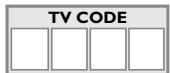
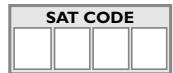
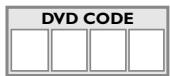
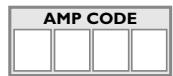
When you have retrieved the code of your set, jot it down so that you can use it whenever needed.
After battery replacement, you may have to programme the remote control again.
Other functions
Placing all devices on standby
Press the ⏻ key twice in less than one second, keeping it held down the second time. All the devices go on standby one after the other (the devices which were already on Standby may turn on).
Adjustment of ALL volume controls under a specific mode
In its delivered state, the ROC4309 is programmed such that all modes will use their own Volume and Mute functions if present.
You can allocate the volume control to one of the modes of the remote control on condition that the volume control exists on the corresponding device (e.g. control of TV sound in TV mode, DVD mode, VCR Mode, etc.).
- Hold the SETUP key down until the red indicator lamp blinks and then remains lit.
- Release the SETUP key
- Press the key until the red indicator lamp blinks once.
- Press once on the mode key (TV, DVD, ...) corresponding to the device whose volume will always be controlled by the VOL and keys.
- Press the key once. The red indicator lamp goes off.
- All other mode will now punch-through to your chosen mode for Volume and Mute control.
Adjustment of the volume controls for EACH mode.
You can decide that the volume control is functional for each mode selected on condition that the volume control exists on the corresponding device (e.g. control of the television set sound in TV mode, the control of the sound of the SAT receiver in SAT mode, ...).
- Hold the SETUP key down until the red indicator lamp blinks and then remains lit.
- Release the SETUP key
- Press the key until the red indicator lamp blinks once.
- Press once on the mode key (TV, DVD, ...) corresponding to the device whose volume will always be controlled by the VOL and keys.
- Press the VOL- key once.
- Press the key once. The red indicator lamp goes off.
- The chosen mode key will now use its own Volume and Mute functions
Restoring the universal Volume/Mute functions
If you have changed the universal volume and mute functions, as described in the previous two sections, you can reset the functions back to the factory settings:
- Hold the SETUP key down until the red indicator lamp blinks and then remains lit.
- Release the SETUP key
- Press the key until the red indicator lamp blinks once.
- Press and release the key. The red indicator lamp will go off completely. The volume and mute functions are now restored to their factory defaults.
Replacing the batteries
Use 2 AAA 1.5 Volt batteries
- Open the cover on the back of the remote control.
- Check the +/- polarity on the batteries and inside the compartment.
- Insert the batteries.
- Press the battery cover back into place.
When exchanging the batteries, it may be necessary to reprogram the unit. Hence it is advisable to record the codes needed for your devices.
- ☐: Teletext On.
☐: Teletext Off.
- ☐: Teletexto On.
☐: Teletexto Off.
□: Teletext uit (Off).