
10B2 - Calculator HP - Free user manual and instructions
Find the device manual for free 10B2 HP in PDF.

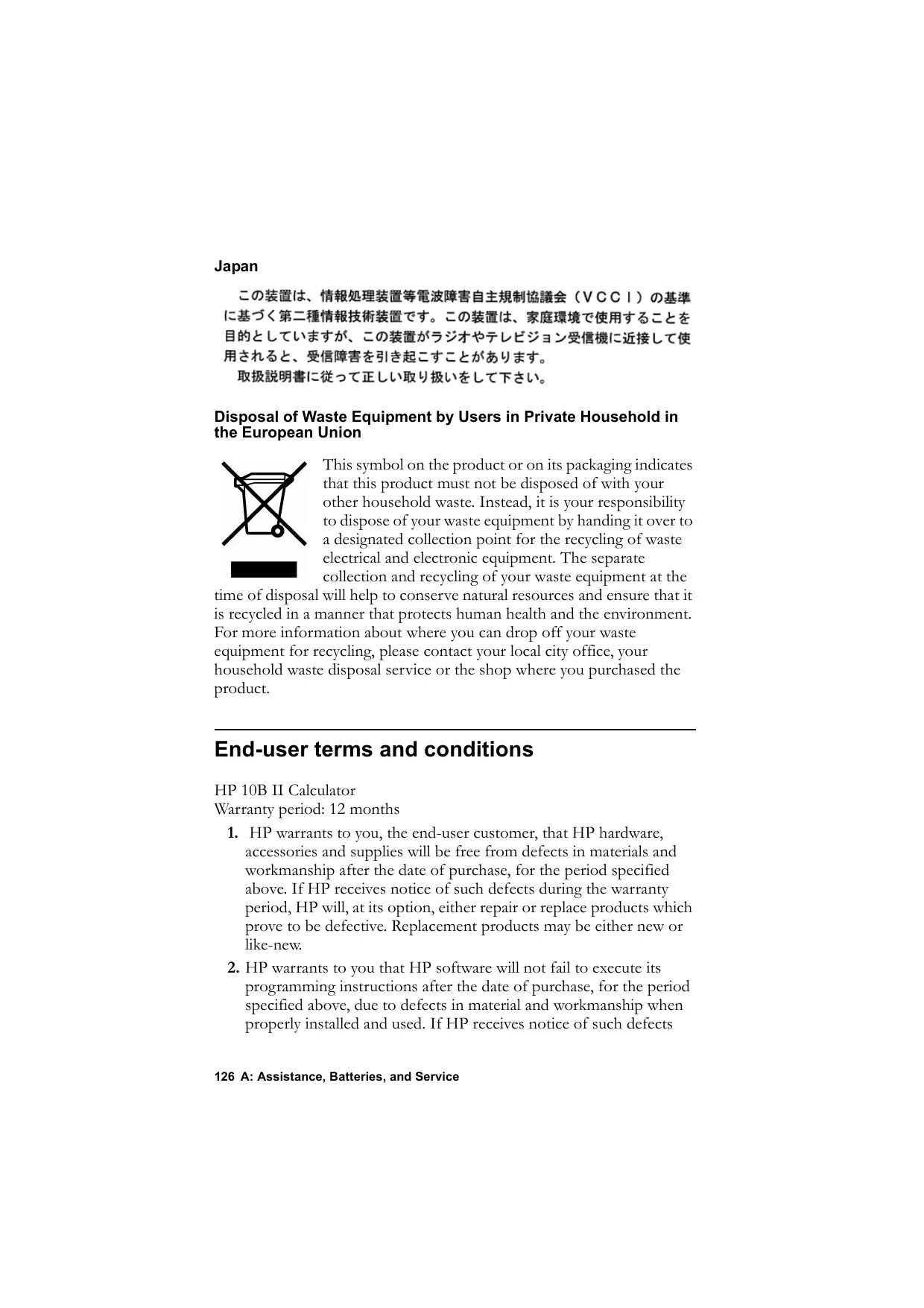

| Product Type | Financial Calculator |
| Brand | HP |
| Model | 10B2 |
| Dimensions | Approximately 15 x 8 x 1.5 cm |
| Weight | Approximately 120 g (with batteries) |
| Power Source | 2 LR44 / AG13 button cell batteries |
| Display | 12-digit LCD screen |
| Main Functions | Financial calculations (NPV, IRR, amortization), statistics, percentages, memory |
| Maintenance and Cleaning | Wipe with a soft, dry cloth. Do not use solvents. |
| Safety | No special conditions. Keep out of reach of young children. |
| Spare Parts and Repairability | User-replaceable batteries. No user-serviceable internal parts. |
| General Information | Made in China. Complies with Canadian electromagnetic compatibility (EMC) standard Class B. |
Frequently Asked Questions - 10B2 HP
User questions about 10B2 HP
0 question about this device. Answer the ones you know or ask your own.
Ask a new question about this device
Download the instructions for your Calculator in PDF format for free! Find your manual 10B2 - HP and take your electronic device back in hand. On this page are published all the documents necessary for the use of your device. 10B2 by HP.
USER MANUAL 10B2 HP
hp 10BII financial calculator
user's guide

i n v e n t
Edition 1
HP part number F1902-90001
Notice
REGISTER YOUR PRODUCT AT: www.registerer.hp.com
THIS MANUAL AND ANY EXAMPLES CONTAINED HEREIN ARE PROVIDED "AS IS" AND ARE SUBJECT TO CHANGE WITHOUT NOTICE. HEWLETT-PACKARD COMPANY MAKES NO WARRANTY OF ANY KIND WITH REGARD TO THIS MANUAL, INCLUDING, BUT NOT LIMITED TO, THE IMPLIED WARRANTYES OF MERCHANTABILITY, NON-INFRINGEMENT AND FITNESS FOR A PARTICULAR PURPOSE.
HEWLETT-PACKARD CO. SHALL NOT BE LIABLE FOR ANY ERRORS OR FOR INCIDENTAL OR CONSEQUENTIAL DAMAGES IN CONNECTION WITH THE FURNISHING, PERFORMANCE, OR USE OF THIS MANUAL OR THE EXAMPLES CONTAINED HEREIN.
Copyright 1988, 1989, 2001, 2004 Hewlett-Packard Development Company, L.P. Reproduction, adaptation, or translation of this manual is prohibited without prior written permission of Hewlett-Packard Company, except as allowed under the copyright laws.
Hewlett-Packard Company
4995 Murphy Canyon Rd,
Suite 301
San Diego, CA 92123
Welcome to the HP 10BII
Your HP 10BII reflects the superior quality and attention to detail in engineering and manufacturing that have distinguished Hewlett-Packard products for 60 years. Hewlett-Packard stands behind this calculator—we offer expertise to support its use (see inside the back cover) and worldwide service.
Hewlett-Packard Quality
Our calculators are made to excel and to be easy to use.
This calculator is designed to withstand the drops, vibrations, pollutants (smog, ozone), temperature extremes, and humidity variations that it may encounter in everyday work life.
The calculator and its manual have been designed and tested for ease of use. We added many examples to highlight the varied uses of the calculator.
- Low-power electronics and an advanced power management system gives extended battery life.
- The microprocessor has been optimized for fast and reliable computations using 15 digits internally for precise results.
- Extensive research has created a design that has minimized the adverse effects of static electricity, a potential cause of malfunctions and data loss in calculators.
Features
The features of the HP 10BII and the manual reflect the needs and wishes of many customers:
A large 12-character display.
An At-a-Glance section in the manual for quick reference.
Applications to solve business and financial tasks:
- Time Value of Money. Loans, savings, leases, and amortization schedules.
- Interest Conversion. Nominal and effective rates.
- Cash Flows. Net present value and internal rate of return.
- Business Percentages. Percent change, markup, and margin calculations.
-
Statistics. Mean, standard deviation, correlation coefficient, and linear regression forecasting, plus other statistical calculations.
-
Enough memory to store an initial cash flow and 14 cash flow groups, with up to 99 cash flows per group.
Ten numbered storage registers.
Easy access to functions saves keystrokes and adds convenience. -
Auto-increment capability for amortization schedules.
-
Labels for amortization and cash flows.
Automatic constant.
3-key memory. -
Many examples are included in the manual so you can combine them for your specific needs.
Contents
11 At a Glance...
11 Basics—At a Glance...
12 Percentages—At a Glance...
13 Memory Keys—At a Glance...
14 Time Value of Money (TVM)—At a Glance...
15 TVM What if...—At a Glance...
16 Amortization—At a Glance...
17 Interest Rate Conversion—At a Glance...
18 IRR/YR and NPV—At a Glance...
19 Statistics—At a Glance...
21 Keyboard Map
1 23 Getting Started
23 Power On and Off
23 Adjusting the Display Contrast
23 Simple Arithmetic Calculations
25 Understanding the Display and Keyboard
25 Cursor
25 Clearing the Calculator
25 Clearing Memory
26 Annunciators
27 Shift Key
27 Statistics Key
28 INPUT Key
28 SWAP Key
28 Math Functions
29 Display Format of Numbers
30 Specifying Displayed Decimal Places
30 Scientific Notation
31 Displaying the Full Precision of Numbers
31 Interchanging the Period and Comma
32 Rounding Numbers
32 Messages
| 2 | 33 | Business Percentages |
| 33 | Percent Key | |
| 33 | Finding a Percent | |
| 34 | Adding or Subtracting a Percent | |
| 34 | Percent Change | |
| 35 | Margin and Markup Calculations | |
| 35 | Margin Calculations | |
| 35 | Markup on Cost Calculations | |
| 36 | Using Margin and Markup Together | |
| 3 | 37 | Number Storage and Arithmetic |
| 37 | Using Stored Numbers in Calculations | |
| 37 | Using Constants | |
| 39 | Using the M Register | |
| 40 | Using Numbered Registers | |
| 41 | Doing Arithmetic Inside Registers | |
| 42 | Doing Arithmetic | |
| 43 | Power Operator | |
| 43 | Using Parentheses in Calculations | |
| 4 | 45 | Picturing Financial Problems |
| 45 | How to approach a Financial Problem | |
| 46 | Signs of Cash Flows | |
| 47 | Periods and Cash Flows | |
| 47 | Simple and Compound Interest | |
| 47 | Simple Interest | |
| 48 | Compound Interest | |
| 49 | Interest Rates | |
| 49 | Two Types of Financial Problems | |
| 49 | Recognizing a TVM Problem | |
| 51 | Recognizing a Cash Flow Problem |
5
53 Time Value of Money Calculations
53 Using the TVM Application
54 Clearing TVM
55 Begin and End Modes
55 Loan Calculations
60 Savings Calculations
63 Lease Calculations
67 Amortization
72 Interest Rate Conversions
72 Investments With Different Compounding Periods
73 Compounding and Payment Periods Differ
6
75 Cash Flow Calculations
75 How to Use the Cash Flow Application
77 NPV and IRR/YR: Discontinuing Cash Flows
77 Organizing Cash Flows
78 Entering Cash Flows
Viewing and Replacing Cash Flows
80 Calculating Net Present Value
83 Calculating Internal Rate of Return
84 Automatic Storage of IRR/YR and NPV
7
85 Statistical Calculations
85 Clearing Statistical Data
86 Entering Statistical Data
86 One-Variable Statistics
86 Two-Variable Statistics and Weighted Mean
87 Correcting Statistical Data
87 Correcting One-Variable Data
87 Correcting Two-Variable Data
87 Summary of Statistical Calculations
88 Mean, Standard Deviations, and Summation Statistics
90 Linear Regression and Estimation
93 Weighted Mean
| 8 | 95 | Additional Examples |
| 95 | Business Applications | |
| 95 | Setting a Sales Price | |
| 96 | Forecasting Based on History | |
| 97 | Cost of Not Taking a Cash Discount | |
| 98 | Loans and Mortgages | |
| 98 | Simple Annual Interest | |
| 98 | Continuous Compounding | |
| 99 | Yield of a Discounted (or Premium) Mortgage | |
| 101 | Annual Percentage Rate for a Loan With Fees | |
| 103 | Loan With a Partial (Odd) First Period | |
| 104 | Automobile Loan | |
| 105 | Canadian Mortgages | |
| 106 | What if ... TVM Calculations | |
| 108 | Savings | |
| 108 | Saving for College Costs | |
| 110 | Gains That Go Untaxed Until Withdrawal | |
| 112 | Value of a Taxable Retirement Account | |
| 113 | Cash Flow Examples | |
| 113 | Wrap-Around Mortgages | |
| 115 | Net Future Value | |
| A | 117 | Assistance, Batteries, and Service |
| 117 | Answers to Common Questions | |
| 118 | Environmental Limits | |
| 119 | Power and Batteries | |
| 119 | Low Power Annunciator | |
| 119 | Battery Specifications | |
| 119 | Installing Batteries | |
| 121 | Determining if the Calculator Requires Service | |
| 122 | Limited One-Year Warranty | |
| 122 | What Is Covered | |
| 122 | What Is Not Covered | |
| 123 | Consumer Transactions in the United Kingdom |
123 If the Calculator Requires Service
123 Obtaining Service
124 Service Charge
124 Shipping Instructions
124 Warranty on Service
125 Service Agreements
125 Regulatory Information
126 End-user terms and conditions
B 129 More About Calculations
129 IRR/YR Calculations
129 Possible Outcomes of Calculating IRR/YR
130 Halting and Restarting IRR/YR
130 Entering a Guess for IRR/YR
131 Effect of Using - to Correct Data
131 Range of Numbers
132 Equations
132 Margin and Markup Calculations
132 Time Value of Money (TVM)
132 Amortization
133 Interest Rate Conversions
134 Cash-Flow Calculations
135 Statistics
C 137 Messages
139 Index
At a Glance…
This section is designed for you if you're already familiar with calculator operation or financial concepts. You can use it for quick reference. The rest of the manual is filled with explanations and examples of the concepts presented in this section.
Basics—At a Glance…
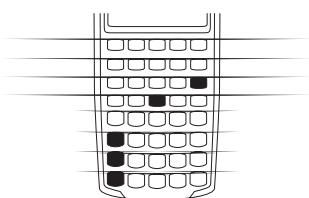
| Keys: | Display: | Description: |
| ON | 0.00 | Turns calculator on. |
| [orange label] | 0.00 | Displays shift annunciator (SHIFT). |
| 0.00 | Discontinues shift. | |
| 123 | 12_ | Erases last character. |
| C | 0.00 | Clears display. |
| CLE | 0.00 | Clears statistics memory. |
| C ALL | 0.00 | C clears all memory. |
| OFF | Turns calculator off. |
Percentages—At a Glance…
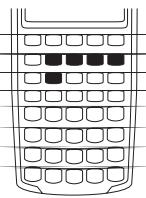
%
Percent.
CST
Cost.
PRC
Price.
MAR
Margin.
MU
Markup.
Add (15\%) to \(17.50.
Keys:
Display:
Description:
17·50+
17.50
Enters number.
①⑤%%
20.13
Adds 15% .
Find the margin if the cost is 15.00 and selling price is22.00.
①⑤⑥
15.00
Enters cost.
②②PRG
22.00
Enters price.
MAR
31.82
Calculates margin.
If the cost is $20.00 and the markup is 33%, what is the selling price?
②①⑤
20.00
Enters cost.
③③MU
33.00
Enters markup.
PRC
26.60
Calculates price.
Memory Keys—At a Glance…
Stores a constant operation.
- M Stores a value in the M register (memory location).
Recalls a value from the M register.
^+ Addsa value to the number stored in the M register.
STO Stores a value in a numbered register.
RCL Recalls a value from a numbered register.
Multiply 17, 22, and 25 by 7, storing “ × 7” as a constant operation.
| Keys: | Display: | Description: |
| ①⑦×⑦⑧ | 7.00 | Stores “× 7” as a constant operation. |
| 三 | 119.00 | Multiplies 17 × 7. |
| ②②三 | 154.00 | Multiplies 22 × 7. |
| ②⑤三 | 175.00 | Multiplies 25 × 7. |
Store 519 in register 2, then recall it.
| 519.00 | Stores in register 2. |
| 0.00 | Clears display. |
| 519.00 | Recalls register 2. |
Time Value of Money (TVM)—At a Glance…
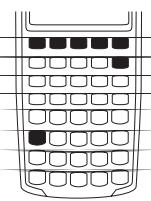
Enter any four of the five values and solve for the fifth.
A negative sign in the display represents money paid out; money received is positive.
N Number of payments.
I/YR Interest per year.
PV Present value.
Payment.
FV Future value.
REGENBegin or End mode.
Number of payments per year mode.
If you borrow $14,000 (PV) for 360 months (N) at 10% interest (I/YR), what is the monthly repayment?
Set to End mode. Press if BEGIN annunciator is displayed.
| Keys: | Display: | Description: |
| 12PYR | 12.00 | Sets payments per year. |
| 36ON | 360.00 | Enters number of payments. |
| 10IYR | 10.00 | Enters interest per year. |
| 14000PV | 14,000.00 | Enters present value. |
| 0FV | 0.00 | Enters future value. |
| PMT | -122.86 | Calculates payment if paid at end of period. |
TVM What if...—At a Glance…
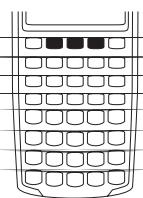
It is not necessary to reenter TVM values for each example. Using the values you just entered (page 14), how much can you borrow if you want a payment of $100.00?
| Keys: | Display: | Description: |
| 10+/-PMT | -100.00 | Enters new payment amount. (Money paid out is negative.) |
| PV | 11,395.08 | Calculates amount you can borrow. |
How much can you borrow at a 9.5% interest rate?
| 9.50 | Enters new interest rate. |
| 11,892.67 | Calculates new present value for $100.00 payment and 9.5% interest. |
| 10.00 | Reenters original interest rate. |
| 14,000.00 | Reenters original present value. |
| -122.86 | Calculates original payment. |
Amortization—At a Glance…
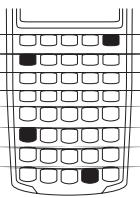
After calculating a payment using Time Value of Money (TVM), enter the periods to amortize and press AMORT. Then press to continually cycle through the principal, interest, and balance values (indicated by the PRIN, INT, and BAL announcciators respectively).
Using the previous TVM example (page 14), amortize a single payment and then a range of payments.
Amortize the 20^th payment of the loan.
| Keys: | Display: | Description: |
| 20INPUT | 20.00 | Enters period to amortize. |
| AMORT | 20 – 20 | Displays period to amortize. |
| € | -7.25 | Displays principal. |
| € | -115.61 | Displays interest. (Money paid out is negative.) |
| € | 13,865.83 | Displays balance. |
Amortize the 1^st through 12^th loan payments.
| 1 (INPUT) 1 2 | 12_ | Enters range of periods to amortize. |
| AMORT | 1 - 12 | Displays range of periods (payments). |
| = | -77.82 | Displays principal. |
| = | -1,396.50 | Displays interest. (Money paid out is negative.) |
| = | 13,922.18 | Displays balance. |
Interest Rate Conversion—At a Glance…
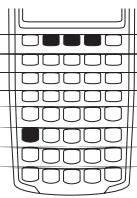
To convert between nominal and effective interest rates, enter the known rate and the number of periods per year, then solve for the unknown rate.

NOM%
Nominal interest percent.

EFF%
Effective interest percent.

P/YR
Periods per year.
Find the annual effective interest rate of 10% nominal interest compounded monthly.
Keys:
Display:
Description:

0
NOM%
10.00
Enters nominal rate.

2
P/YR
12.00
Enters payments per year.

EFF%
10.47
Calculates annual effective interest.
IRR/YR and NPV—At a Glance...
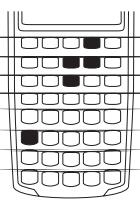

P/YR
Number of periods per year (default is 12).

Cash flows, up to 15 ("j" identifies the cash flow number).

Number of consecutive times cash flow "j" occurs.

Internal rate of return per year.

Net present value.
If you have an initial cash outflow of 40,000, followed by monthly cash inflows of4,700, 7,000,7,000, and $23,000, what is the IRR/YR? What is the IRR per month?
Keys:

Display:
0.00
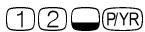
12.00

-40,000.00

4,700.00

7,000.00

2.00

23,000.00

15.96

1.33
Description:
Clears all memory.
Sets payments per year.
Enters initial outflow.
Enters first cash flow.
Enters second cash flow.
Enters number of consecutive times cash flow occurs.
Enters third cash flow.
Calculates IRR/YR.
Calculates IRR per month.
What is the NPV if the discount rate is 10%
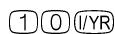
10.00
Enters I / YR

622.85
Calculates NPV.
Statistics—At a Glance…
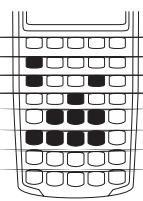
CL
number +
number 2 -
number1 (INPUT) number2 +
number1 (INPUT) number2
X,y SWAP
Xw
,Sy SWAP
_x,O_y
y-valueX,SWAP
x-value ym
0.3m SWAP
Clear statistical registers.
Enter one-variable statistical data.
Delete one-variable statistical data.
Enter two-variable statistical data.
Delete two-variable statistical data.
Means of x and y .
Mean of x weighted by y .
Sample standard deviations of x and y .
Population standard deviations of x and y .
Estimate of x and correlation coefficient.
Estimate of y
y -intercept and slope.
Using the following data, find the means of x and y , the sample standard deviations of x and y , and the y -intercept and the slope of the linear regression forecast line. Then, use summation statistics to find n and xy .
| x-data | 2 | 4 | 6 |
| y-data | 50 | 90 | 160 |
| Keys: | Display: | Description: |
| CLX | 0.00 | Cleared statistics registers. |
| 2INPUT 50 Σ+ | 1.00 | Enters first x,y pair. |
| 4INPUT 90 Σ+ | 2.00 | Enters second x,y pair. |
| 6INPUT 160 Σ+ | 3.00 | Enters third x,y pair. |
| xy | 4.00 | Displays mean of x. |
| SWAP | 100.00 | Displays mean of y. |
| Sx,Sy | 2.00 | Displays sample standard deviation of x. |
| SWAP | 55.68 | Displays sample standard deviation of y. |
| 0 ym | -10.00 | Displays y-intercept of regression line (predicted y value for x=0). |
| SWAP | 27.50 | Displays slope of regression line. |
| 4 | 3.00 | Displays n, number of data points entered. |
| 9 | 1,420.00 | Displays Σxy, sum of the products of x- and y-values. |
Keyboard Map
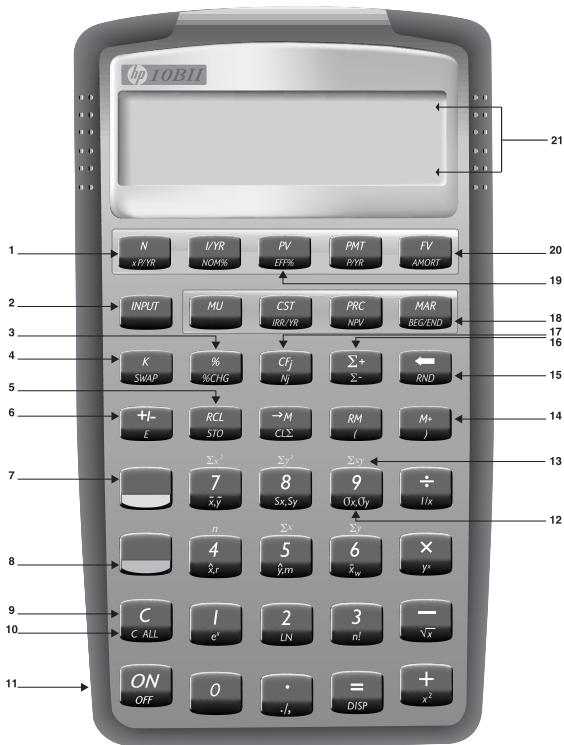
- Time value of money (page 53)
- Separate two numbers (page 28)
- Percent (page 33)
- Constant (page 37)
- Store and recall (page 40)
- Change sign (page 24)
- Statistics key (page 27)
- Shift key (page 27)
- Clear display, cancel operation (page 25)
- Clear all memory (page 25)
- On (page 87)
-
Statistical functions (page 87)
-
n through xy : statistical summation registers (page 88)
- 3-key memory (page 39)
- Backspace (page 25)
- Accumulate statistical data (page 86)
- Cash flows (page 75)
- Business functions: margin, markup, cost, price (page 35)
- Interest conversion (page 72)
- Amortization (page 67)
- Annunciator lines (page 26)
Getting Started
Power On and Off
To turn on your HP 10BII, press ON. To turn the calculator off, press the orange shift key (O), then ON (also written OFF).
Since the calculator has continuous memory, turning it off does not affect the information you have stored. To conserve energy, the calculator turns itself off approximately
10 minutes after you stop using it. The calculator uses two lithium batteries. If you see the low-battery symbol (□) in the display, replace the batteries. Refer to appendix A for more information.
Adjusting the Display Contrast
To change the brightness of the display, hold down ON and then press + or - .
Simple Arithmetic Calculations
Arithmetic Operators. The following examples demonstrate using the arithmetic operators , , , and ÷ .
If you press more than one operator consecutively, for example , all are ignored except the last one.
If you make a typing mistake while entering a number, press + to erase the incorrect digits.
Keys:
Display:
Description:
②④·⑦①+
62473
87.18
Adds 24.71 and 62.47.
When a calculation has been completed (by pressing ), pressing a number key starts a new calculation.
19× 12· 68 = 240.92
Calculates 19 × 12.68 .
If you press an operator key after completing a calculation, the calculation is continued.
115 53 356.42
Completes calculation of 240.92 + 115.5 .
You can do chain calculations without using after each step.
6.9X5.35÷ 36.92
Pressing ± displays intermediate result (6.9× 5.35)
40.57
Completes calculation.
Chain calculations are interpreted in the order in which they are entered. Calculate 4 + 9 × 3 .
4+9X 13.00
Adds 4 + 9
③ 39.00
Multiplies 13 × 3 .
Negative Numbers. Enter the number and press +/- to change the sign. Calculate -75 ÷ 3 .
Keys: Display:
Description:
7⑤+/- -75
Changes the sign of 75.
+3-25.00
Calculates result.
Understanding the Display and Keyboard
Cursor
The cursor (_) is visible when you are entering a number.
Clearing the Calculator
When the cursor is on, erases the last digit you entered. Otherwise, clears the display and cancels the calculation.
While you are entering a number, pressing clears it to zero. Otherwise, clears the display of its current contents and cancels the current calculation.
Clearing Messages. When the HP 10BII is displaying an error message, or clears the message and restores the original contents of the display. See "Messages" on page 137 for a complete list of messages and meanings.
Clearing Memory
| Keys | Description |
| C ALL | Cleared all memory. Does not reset modes.* |
| CL∑ | Cleared statistical memory. |
| * Modes on your HP 10BII are number of payments per year (page 54), Begin and End (page 55), and the display formats (page 29). | |
To clear all memory and reset calculator modes, press and hold down ON, then press and hold down both N and FV. When you release all three, all memory is cleared. The All Clear message is displayed.
Annunciators
Annunciators are symbols in the display that indicate the status of the calculator.
| Annunciator | Status |
| SHIFT | The shift key (〇) has been pressed. When another key is pressed, the function labeled in orange on the key is executed. |
| STATS | The statistics key (〇) is active. When another key is pressed, the function labeled in mauve above the key is executed. |
| PEND | An operation is waiting for another operand. |
| BEGIN | Begin mode is active (page 55); that is, pay-ments are at the beginning of a period. |
| INPUT | The INPUT key has been pressed and a number stored. |
| Battery power is low (page 119). | |
| AMORT | The amortization annunciator is lit, together with one of the following four annunciators.: |
| BAL | The balance of an amortization is displayed (page 68). |
| INT | The interest of an amortization is displayed (page 69). |
| PRIN | The principal of an amortization is displayed (page 68). |
| PER | A range of periods for an amortization is used (page 68). |
| C-FLOW | The cash flow annunciator is lit, together with one of the following 2 annunciators: |
| CF | The cash flow number appears briefly, then the cash flow is shown. |
| N | The cash flow number appears briefly, then the number of times the cash flow is repeated is shown. |
| ERROR | The error annunciator is lit, together with one of the following four annunciators: |
| TVM | There is a TVM error (such as solving for P/YR). |
| Annunciator | Status (Continued) |
| FULL | More than 15 cash flows have been entered, or more than 5 unsolved brackets used. |
| STAT | Incorrect data used in a statistics calculation or, when ERROR is not lit, a statistical calculation has been performed. |
| FUNC | A math error has occurred (for example, division by zero). |
| STAT | A statistical calculation has been performed. |
Shift Key
Most of the HP 10BII keys have a second or "shifted" function printed in orange on the key. The orange shift key () is used to access these functions.
When you press , the shift annunciator (SHIFT) is displayed to indicate that the shifted functions are active. To turn the SHIFT annunciator off, press again.
For example, press followed by ^2 (also shown as ^2 ) to multiply a number in the display by itself.
Statistics Key
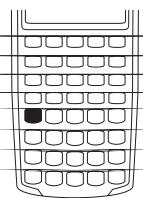
The statistics key (, colored mauve) is used to access summary statistics from the statistics memory registers.
When you press , the statistics annunciator (STATS) is displayed. This indicates that you can recall one of six summary statistics with the next keystroke (see page 88). To turn the STATS annunciator off, press again.
For example, press followed by to recall the sum of the x values entered.
INPUT Key
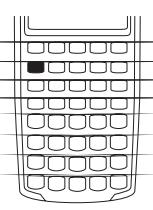
The key is used to separate two numbers when using two-number functions or two-variable statistics. The key can also be used to evaluate any pending arithmetic operations, in which case the result is the same as pressing .
SWAP Key
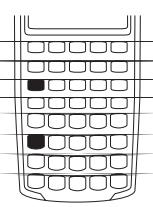
Pressing SWAP exchanges the following:
The last two numbers that you entered; for instance, to change the order of division or subtraction.
The results of functions that return two values.
The x - and y -values when using statistics.
Math Functions
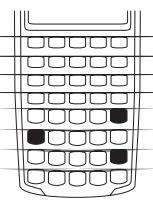
One-Number Functions. Math functions involving one number use the number in the display.
Keys:
8925√x
③·⑤⑦+②·③
1/x
Display:
9.45
0.42
3.99
Description:
Calculates square root.
1/2.36 is calculated first.
Adds 3.57 and 1/2.36
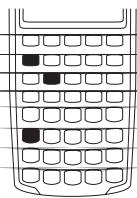
Two-Number Functions. When a function requires two numbers, the numbers are entered like this: number1 (INPUT) number2 followed by the operation. Pressing (INPUT) evaluates the current expression and displays the INPUT annunciator. For example, the following keystrokes calculate the percent change between 17 and 29.
Keys:
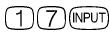
Display:
17.00
Description:
Enters number1, displays the INPUT annunciator.


29_
70.59
Enters number2.
Calculates the percent change.
Display Format of Numbers
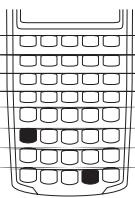
When you turn on the HP 10BII for the first time, numbers are displayed with two decimal places and a period as the decimal point. The display format controls how many digits appear in the display.
If the result of a calculation is a number containing more significant digits than can be displayed in the current display format, the number is rounded to fit the current display setting.
Regardless of the current display format, each number is stored internally as a signed, 12-digit number with a signed, three-digit exponent.
Specifying Displayed Decimal Places
To specify the number of displayed decimal places:
- Press DISP.
- Enter the number of digits (0 through 9) that you wish to appear after the decimal point.
| Keys: | Display: | Description: |
| ○ | 0.00 | Clears display. |
| ○DISP 3 | 0.000 | Displays three decimal places. |
| 456× | 5.727 | |
| 1256= | ||
| ○DISP 9 | 5.727360000 | Displays nine decimal places. |
| ○DISP 2 | 5.73 | Restores two decimal places and rounds number in display. |
When a number is too large or too small to be displayed in DISP format, it automatically displays in scientific notation.
Scientific Notation
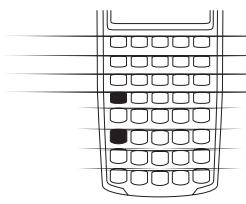
Scientific notation is used to represent numbers that are too large or too small to fit in the display. For example, if you enter the number 10,000,000 × 10,000,000 , the result is 1.00E14, which means "one times ten to the fourteenth power" or "1.00 with the decimal point moved fourteen places to the right." You can enter this number by pressing 1 14. The E stands for "exponent of ten."
Exponents can also be negative for very small numbers. The number 0.000000000004 is displayed as 4.00E - 12 , which means "four times ten to the negative twelfth power" or "4.0 with the decimal point moved 12 places to the left." You can enter this number by pressing 4 + / - 12 .
Displaying the Full Precision of Numbers
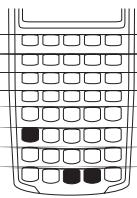
To set your calculator to display numbers as precisely as possible, press DISP (trailing zeros are not displayed.) To temporarily view all 12 digits of the number in the display (regardless of the current display format setting), press DISP and hold. The number is displayed as long as you continue holding. The decimal point is not shown.
Start with two decimal places (DISP 2).
Keys:
①0÷7=
DISP
Display:
1.43
142857142857
Description:
Divides.
Displays all 12 digits.
Interchanging the Period and Comma
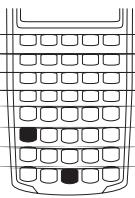
To switch between the period and comma (United States and International display) used as the decimal point and digit separator, press .
For example, one million can be displayed as 1,000,000.00 or 1.000.000.00.
Rounding Numbers
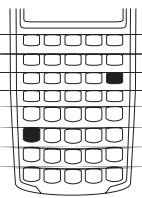
The calculator stores and calculates using 12-digit numbers. When 12 digit accuracy is not desirable, use RND to round the number to the displayed format before using it in a calculation. Rounding numbers is useful when you want the actual (dollars and cents) monthly payment.
| Keys: | Display: | Description: |
| 9·87654321 | 9.87654321_ | Enters a number with more than two non-zero decimal places. |
| DISP 2 | 9.88 | Displays two decimal places. |
| DISP = | 987654321000 | Displays all digits without the decimal while you press Ⓞ. |
| RND | 9.88 | Rounds to two decimal places (specified by pressing ☐DISP 2). |
| DISP = | 9880000000000 | Shows rounded, stored number. |
Messages
The HP 10BII displays messages about the status of the calculator or informs you that you have attempted an incorrect operation. To clear a message from the display, press or . See "Messages" on page 137 for a list of meanings.
Business Percentages
You can use the HP 10BII to calculate simple percent, percent change, cost, price, margin, and markup.
Percent Key
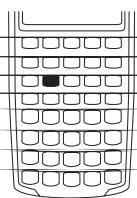
The % key has two functions: finding a percent and adding or subtracting a percent.
Finding a Percent
The % key divides a number by 100 unless it is preceded by an addition or subtraction sign.
Example. Find 25% of 200.
Keys:
200x
② ⑤ %
Display:
200.00
0.25
50.00
Description:
Enters 200.
Converts 25% to a decimal.
Multiplies 200 by 25% .
Adding or Subtracting a Percent
You can add or subtract a percent in one calculation.
Example. Decrease 200 by 25% .
| Keys: | Display: | Description: |
| 2000 | 200.00 | Enters 200. |
| 25% | 50.00 | Multiplies 200 by 0.25. |
| 3 | 150.00 | Subtracts 50 from 200. |
Example. You borrow (1,250 from a relative, and you agree to repay the loan in a year with (7 \%) simple interest. How much money will you owe?
| Keys: | Display: | Description: |
| 1250+7% | 87.50 | Calculates loan interest. |
| € | 1,337.50 | Adds $87.50 and $1,250.00 to show repayment amount. |
Percent Change
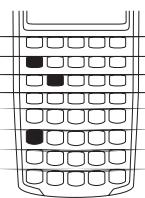
Calculate the percent change between two numbers ( n_1 and n_2 , expressed as a percent of n_1 ) by entering n_1 n_2 , then press % CHG .
Example. Calculate the percent change between 291.7 and 316.8.
| Keys: | Display: | Description: |
| 291 | 291.70 | Enters n1. |
| 3168 | 8.60 | Calculates percent change. |
Example. Calculate the percent change between (12 × 5) and (65 + 18) .
| Keys: | Display: | Description: |
| ①②×⑤INPUT | 60.00 | Calculates and enters n1. |
| ⑥⑤+①⑧-%CHG | 38.33 | Calculates percent change. |
Margin and Markup Calculations
The HP 10BII can calculate cost, selling price, margin, or markup.
| Application | Keys | Description |
| Margin | CST, PRC, MAR | Margin is markup expressed as a percent of price. |
| Markup | CST, PRC, MU | Markup calculations are expressed as a percent of cost. |
To see any value used by the Margin and Markup application, press RCL and then the key you wish to see. For example, to see the value stored as CST, press RCL CST. Margin and Markup share the same storage register. For example, if you store 20 in MAR, then press RCL MU, you will see 20.00 displayed.
Margin Calculations
Example. Kilowatt Electronics purchases televisions for 255. The televisions are sold for300. What is the margin?
| Keys: | Display: | Description: |
| ②⑤⑤④① | 255.00 | Stores cost in CST. |
| ③①①①① | 300.00 | Stores selling price in PRC. |
| MAR | 15.00 | Calculates margin. |
Markup on Cost Calculations
Example. The standard markup on costume jewelry at Kleiner's Kosmetique is 60% . They just received a shipment of chokers costing $19.00 each. What is the retail price per choker?
| Keys: | Display: | Description: |
| 19CST | 19.00 | Stores cost. |
| 60MU | 60.00 | Stores markup. |
| PRC | 30.40 | Calculates retail price. |
Using Margin and Markup Together
Example. A food cooperative buys cases of canned soup with an invoice cost of $9.60 per case. If the co-op routinely uses a 15% markup, for what price should it sell a case of soup? What is the margin?
| Keys: | Display: | Description: |
| 9 • 6 • CST | 9.60 | Stores invoice cost. |
| 1 • 5 • MU | 15.00 | Stores markup. |
| PRC | 11.04 | Calculates the price on a case of soup. |
| MAR | 13.04 | Calculates margin. |
Number Storage and Arithmetic
Using Stored Numbers in Calculations
You can store numbers, for reuse, in several different ways:
- Use (Constant) to store a number and its operator for repetitive operations.
Use 3 Key Memory () , () , and (+) to store, recall, and sum numbers with a single keystroke. - Use STO and RCL to store to, and recall from, the 10 numbered registers.
Using Constants
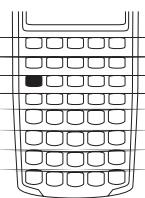
Use to store a number and arithmetic operator for repetitive calculations. Once the constant operation is stored, enter a number and press 三 . The stored operation is performed on the number in the display.
| Keys | Operation |
| ⊕ number⊕ = | Stores “+ number” as constant. |
| ⊕ number⊕ = | Stores “- number” as constant. |
| ⊕ number⊕ = | Stores “× number” as constant. |
| ⊕ number⊕ = | Stores “÷ number” as constant. |
| ⊕ value⊕ = | Stores “y value,” as constant. |
| ⊕ number⊕%⊕ = | Stores “+ number%” as constant. |
| ⊕ number⊕%⊕ = | Stores “- number%” as constant. |
| ⊕ number⊕%⊕ = | Stores “× number%” as constant. |
| ⊕ number⊕%⊕ = | Stores “÷ number%” as constant. |
Example. Calculate 5 + 2, 6 + 2 , and 7 + 2 .
| Keys: | Display: | Description: |
| ⑤⊕②K | 2.00 | Stores “+ 2” as constant. |
| Ξ | 7.00 | Adds 5 + 2. |
| ⑥Ξ | 8.00 | Adds 6 + 2. |
| ⑦Ξ | 9.00 | Adds 7 + 2. |
Example. Calculate 10 + 10% , 11 + 10% , and 25 + 10% .
| Keys: | Display: | Description: |
| 10+10%K | 1.00 | Stores “+ 10%” as constant. |
| = | 11.00 | Adds 10% to 10. |
| = | 12.10 | Adds 10% to 11. |
| 25= | 27.50 | Adds 10% to 25. |
Example. Calculate 2^3 and 4^3 .
| Keys: | Display: | Description: |
| 2 y 3 K | 3.00 | Stores “y3” as con-stant. |
| = | 8.00 | Calculates 23. |
Using the M Register
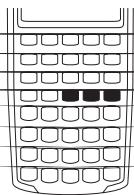
The -M , , and + keys perform memory operations on a single storage register, called the M register. In most cases, it is unnecessary to clear the M register, since -M replaces the previous contents. However, you can clear the M register by pressing -M . To add a series of numbers to the M register, use -M to store the first number and + to add subsequent numbers. To subtract
the displayed number from the number in the M register, press +/- followed by ^+ .
| Keys | Description |
| -M | Stores displayed number in the M register. |
| -RM | Recalls number from the M register. |
| -M+ | Adds displayed number to the M register. |
Example.Use the M register to add 17, 14.25, and 16.95. Then subtract 4.65 and recall the result.
| Keys: | Display: | Description: |
| 17M | 17.00 | Stores 17 in M register. |
| 1425M+ | 14.25 | Adds 14.25 to M register. |
| 1695M+ | 16.95 | Adds 16.95 to M register. |
| 465+/-M+ | -4.65 | Adds -4.65 to M register. |
| RM | 43.55 | Recalls contents of the M register. |
Using Numbered Registers
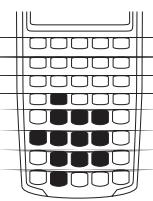
The and RCL keys access the 10 user registers. The key is used to copy the displayed number to a designated register. The RCL key is used to copy a number from a register to the display.
To store or recall a number in two steps:
- Press or RCL. (To cancel this step, press * or C.)
- Enter the register number (0 through 9).
In the following example, two storage registers are used. Calculate the following:
$$ \frac {4 7 5 . 6}{3 9 . 1 5} \text {a n d} \frac {5 6 0 . 1 + 4 7 5 . 6}{3 9 . 1 5} $$
| Keys: | Display: | Description: |
| 47560 | Stores 475.60 (dis- played number) in R1. | |
| 39.15 | Stores 39.15 in R2. | |
| 12.15 | Completes first calculation. | |
| 475.60 | Recalls R1. | |
| 39.15 | Recalls R2. | |
| 26.45 | Completes second calculation. |
With the exception of statistics, you can also use and RCL for application registers. For example, stores the number from the display in the I/YR register. RCL copies the contents from I/YR to the display.
In most cases, it is unnecessary to clear a storage register since storing a number replaces the previous contents. However, you can clear a single register by storing 0 in it. To clear all the registers at once, press C ALL.
Doing Arithmetic Inside Registers
You can do arithmetic inside storage registers R_0 through R_9 . The result is stored in the register.
| Keys | New Number in Register |
| □STO+register number | Old contents + displayed number. |
| □STO-register number | Old contents – displayed number. |
| □STO×register number | Old contents × displayed number. |
| □STO÷register number | Old contents ÷ displayed number. |
Example. Store 45.7 in R_3 , multiply by 2.5, and store the result in R_3 .
| Keys: | Display: | Description: |
| 45·7·STO 3 | 45.70 | Stores 45.7 in R3. |
| 2·5·STO × 3 | 2.50 | Multiplies 45.7 in R3 by 2.5 and stores result (114.25) in R3. |
| RCL 3 | 114.25 | Displays R3. |
Doing Arithmetic
Math functions operate on the number in the display.
Example. Calculate 14 , then calculate 20 + 47.2 + 1.1^2 .
| Keys: | Display: | Description: |
| 4 1/x | 0.25 | Calculates the reciprocal of 4. |
| 20 √x | 4.47 | Calculates √20. |
| +47 ∙2+ | 51.67 | Calculates √20 + 47.20. |
| 1 ∙1 x | 1.21 | Calculates 1.12. |
| - | 52.88 | Completes the calculation. |
Example. Calculate natural logarithm (e^2.5) . Then calculate 790 + 4!
| Keys: | Display: | Description: |
| 2·5·e | 12.18 | Calculates e2.5. |
| LN | 2.50 | Calculates natural logarithm of the result. |
| 790+4n! | 24.00 | Calculates 4 factorial. |
| = | 814.00 | Completes calculation. |
Power Operator
The power operator, raises the preceding number (y-value) to the power of the following number (x-value).
Example. Calculate 125^3 , then find the cube root of 125.
Keys:

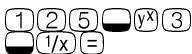
Display:
1,953,125.00
5.00
Description:
Calculates 125^3
Calculates the cube root of 125, or 125^1 / 3
Using Parentheses in Calculations
Use parentheses to postpone calculating an intermediate result until you've entered more numbers. You can enter up to four open parentheses in each calculation. For example, suppose you want to calculate:
$$ \frac {3 0}{(8 5 - 1 2)} \times 9 $$
If you enter ③ 0 ÷ 8 5 - , the calculator displays the intermediate result, 0.35. This is because calculations without parentheses are performed from left to right as you enter them.
To delay the division until you've subtracted 12 from 85, use parentheses. Closing parentheses at the end of the expression can be omitted. For example, entering “ 25 ÷ (3 × (9 + 12) = ” is equivalent to “ 25 ÷ (3 × (9 + 12)) = ”.
| Keys: | Display: | Description: |
| ③0÷①85- | 85.00 | No calculation yet. |
| ①2-1 | 73.00 | Calculates 85 - 12. |
| × | 0.41 | Calculates 30 ÷ 73. |
| ⑨= | 3.70 | Multiplies the result by 9. |
Picturing Financial Problems
How to approach a Financial Problem
The financial vocabulary of the HP 10BII is simplified to apply to all financial fields. For example, your profession may use the term balance, balloon payment, residual, maturity value, or remaining amount to designate a value that the HP 10BII knows as (future value).
The simplified terminology of the HP 10BII is based on cash flow diagrams. Cash flow diagrams are pictures of financial problems that show cash flows over time. Drawing a cash flow diagram is the first step to solving a financial problem.
The following cash flow diagram represents investments in a mutual fund. The original investment was 7,000.00, followed by investments of 5,000.00 and 6,000.00 at the end of the third and sixth months. At the end of the 11th month,5,000.00 was withdrawn. At the end of the 16th month, $16,567.20 was withdrawn.
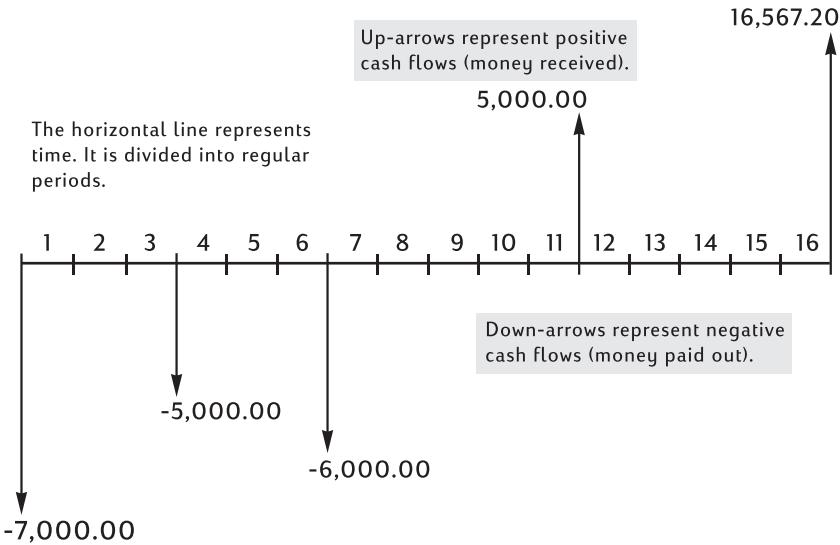
Any cash flow example can be represented by a cash flow diagram. As you draw a cash flow diagram, identify what is known and unknown about the transaction.
Time is represented by a horizontal line divided into regular time periods. Cash flows are placed on the horizontal line when they occur. Where no arrows are drawn, no cash flows occur.
Signs of Cash Flows
In cash flow diagrams, money invested is shown as negative and money withdrawn is shown as positive. Cash flowing out is negative, cash flowing in is positive.
For example, from the lender's perspective, cash flows to customers for loans are represented as negative. Likewise, when a lender receives money from customers, cash flows are represented as positive. In contrast, from the borrower's perspective, cash borrowed is positive while cash paid back is negative.
Periods and Cash Flows
In addition to the sign convention (cash flowing out is negative, cash flowing in is positive) on cash flow diagrams, there are several more considerations:
- The time line is divided into equal time intervals. The most common period is a month, but days, quarters, and annual periods are also common. The period is normally defined in a contract and must be known before you can begin calculating.
- To solve a financial problem with the HP 10BII, all cash flows must occur at either the beginning or end of a period.
If more than one cash flow occurs at the same place on the cash flow diagram, they are added together or netted. For example, a negative cash flow of -250.00 and a positive cash flow of750.00 occurring at the same time on the cash flow diagram are entered as a $500.00 cash flow (750 - 250 = 500).
A valid financial transaction must have at least one positive and one negative cash flow.
Simple and Compound Interest
Financial calculations are based on the fact that money earns interest over time. There are two types of interest: simple interest and compound interest. The basis for Time Value of Money and cash flow calculations is compound interest.
Simple Interest
In simple-interest contracts, interest is a percent of the original principal. The interest and principal are due at the end of the contract. For example, say you loan 500 to a friend for a year, and you want to be repaid with (10% simple interest. At the end of the year, your friend owes you )550.00 (50 is 10% of 500). Simple interest calculations are done using the 12 key on your HP 10BII. An example of a simple interest calculation is on page 98.
Compound Interest
A compound-interest contract is like a series of simple-interest contracts that are connected. The length of each simple-interest contract is equal to one compounding period. At the end of each period the interest earned on each simple-interest contract is added to the principal. For example, if you deposit 1,000.00 in a savings account that pays (6% annual interest, compounded monthly, your earnings for the first month look like a simple-interest contract written for 1 month at 1/2% ( 6% ÷ 12 ). At the end of the first month the balance of the account is )1,005.00 (5 is 1/2% of 1,000).
The second month, the same process takes place on the new balance of 1,005.00. The amount of interest paid at the end of the second month is (1/2% of )1,005.00, or $5.03. The compounding process continues for the third, fourth, and fifth months. The intermediate results in this illustration are rounded to dollars and cents.
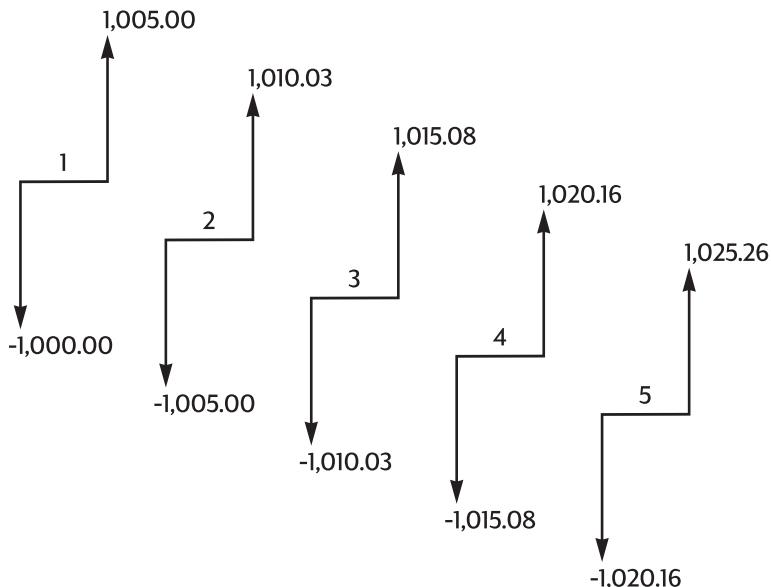
The word compound in compound interest comes from the idea that interest previously earned or owed is added to the principal. Thus, it can earn more interest. The financial calculation capabilities of the HP 10BII are based on compound interest.
Interest Rates
When you approach a financial problem, it is important to recognize that the interest rate or rate of return can be described in at least three different ways:
- As a periodic rate. This is the rate that is applied to your money from period to period.
- As an annual nominal rate. This is the periodic rate multiplied by the number of periods in a year.
- As an annual effective rate. This is an annual rate that considers compounding.
In the previous example of a 1,000.00 savings account, the periodic rate is 12% (per month), quoted as an annual nominal rate of 6% (12 × 12). This same periodic rate could be quoted as an annual effective rate, which considers compounding. The balance after 12 months of compounding is 1,061.68, which means the annual effective interest rate is 6.168%.
Examples of converting between nominal and annual effective rates are on pages 72 through 73.
Two Types of Financial Problems
The financial problems in this manual use compound interest unless specifically stated as simple interest calculations. Financial problems are divided into two groups: TVM problems and cash flow problems.
Recognizing a TVM Problem
If uniform cash flows occur between the first and last periods on the cash flow diagram, the financial problem is a TVM (time value of money) problem. There are five main keys used to solve a TVM problem.
N Number of periods or payments.
UYR Annual percentage interest rate (usually the annual nominal rate).
PV Present value (the cash flow at the beginning of the time line).
PMT Periodic payment.
FV Future value (the cash flow at the end of the cash flow diagram, in addition to any regular periodic payment).
You can calculate any value after entering the other four. Cash flow diagrams for loans, mortgages, leases, savings accounts, or any contract with regular cash flows of the same amount are normally treated as TVM problems. For example, following is a cash flow diagram, from the borrower's perspective, for a 30-year, 150,000.00 mortgage, with a payment of 1,041.40, at 7.5% annual interest, with a $10,000 balloon payment.
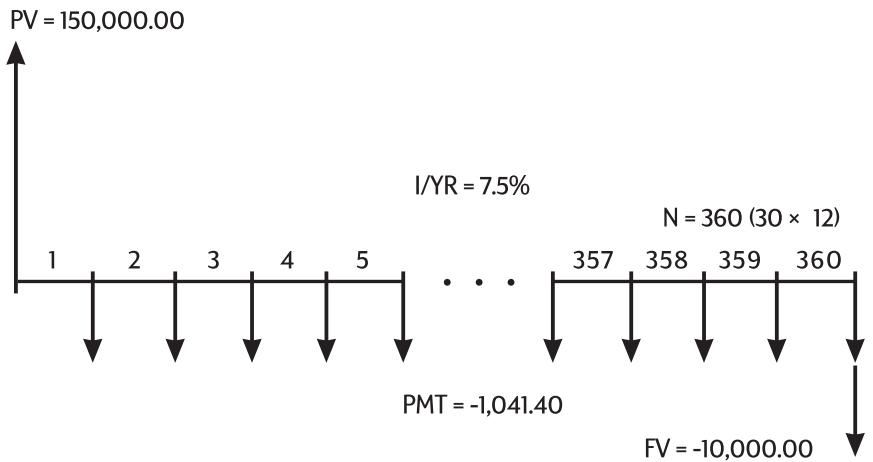
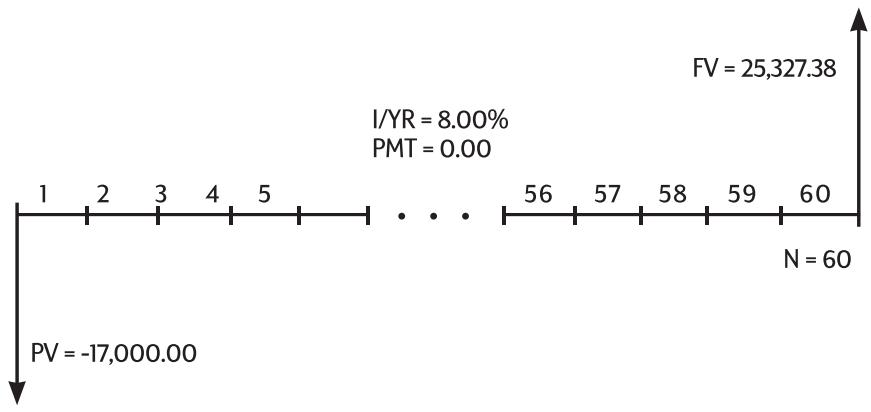
One of the values for PV , PMT , FV can be zero. For example, following is a cash flow diagram (from the saver's perspective) for a savings account with a single deposit and a single withdrawal five years later. Interest compounds monthly. In this example, PMT is zero.
Time value of money calculations are described in the next chapter.
Recognizing a Cash Flow Problem
A financial problem that does not have regular, uniform payments (sometimes called uneven cash flows) is a cash flow problem rather than a TVM problem.
A cash flow diagram for an investment in a mutual fund follows. This is an example of a problem that is solved using either NPV (Net Present Value) or (RRY) (Internal Rate of Return per Year).
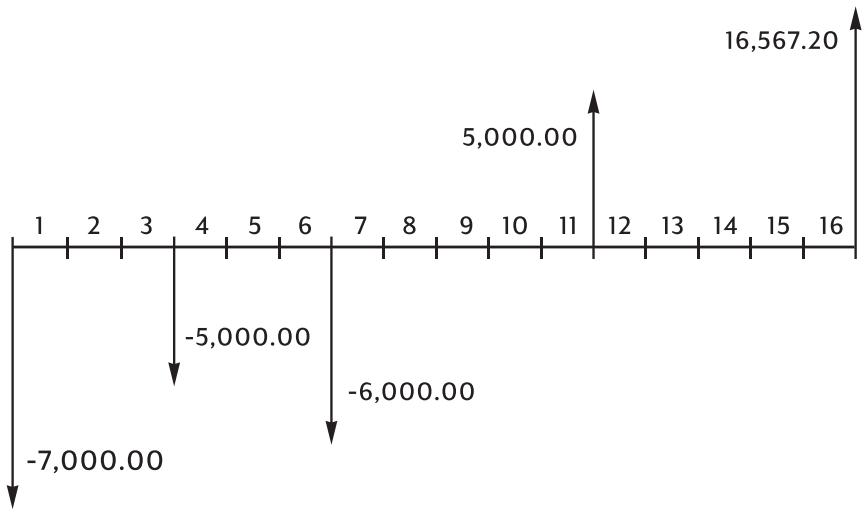
Cash flow problems are described in chapter 6.
Time Value of Money Calculations
Using the TVM Application
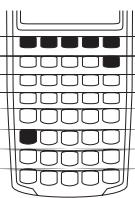
The time value of money (TVM) application is used for compound interest calculations that involve regular, uniform cash flows - called payments. Once the values are entered you can vary one value at a time, without entering all the values again.
To use TVM, several prerequisites must be met:
The amount of each payment must be the same. If the payment amounts vary, use the procedures described in chapter 6, "Cash Flow Calculations".
- Payments must occur at regular intervals.
The payment period must coincide with the interest compounding period. (If it does not, convert the interest rate using the NOM%, EFF%, and PYR keys described on page 72.)
There must be at least one positive and one negative cash flow.
| Key | Stores or Calculates |
| N | The number of payments or compounding periods. |
| I/YR | The annual nominal interest rate. |
| PV | The present value of future cash flows. PVis usually an initial investment or loan amount and always occurs at the beginning of the first period. |
| PMT | The amount of periodic payments. All payments are equal, and none are skipped; payments can occur at the beginning or end of each period. |
| FV | The future value. FVis either a final cash flow or compounded value of a series of previous cash flows. FVoccurs at the end of the last period. |
| PYR | Stores the number of periods per year. The default is 12. Reset only when you wish to change it. (This key is located below the PMTkey.) |
| K/P/YR | Optional shortcut for storing N: Number in display is multiplied by the value in P/YR and stores result in N. (This key is located below the Kkey.) |
| RES/END | Switches between Begin and End mode. In Begin mode, the BEGIN annunciator is displayed. |
| AMORT | Calculates an amortization table. |
To verify values, press RCL N, RCL I/YR, RCL PV, RCL PMT, and RCL FV. Pressing RCL P/YR recalls the total number of payments in years and RCL P/YR shows you the number of payments per year. Recalling these numbers does not change the content of the registers.
Clearing TVM
Press _ALL to clear the TVM registers. This sets N , I / YR , PV , PMT , and FV to zero and briefly displays the current value in P / YR .
Begin and End Modes
Before you start a TVM calculation, identify whether the first periodic payment occurs at the beginning or end of the first period. If the first payment occurs at the end of the first period, set your HP 10BII to End mode; if it occurs at the beginning of the first period, set your calculator to Begin mode.
To switch between modes, press BEGEND. The BEGIN annunciator is displayed when your calculator is in Begin mode. No annunciator is displayed when you are in End mode.
Mortgages and loans typically use End mode. Leases and savings plans typically use Begin mode.
Loan Calculations
Example: A Car Loan. You are financing a new car with a three year loan at 10.5% annual nominal interest, compounded monthly. The price of the car is 14,500. Your down payment is1,500.
Part 1. What are your monthly payments at 10.5% interest? (Assume your payments start one month after the purchase or at the end of the first period.)
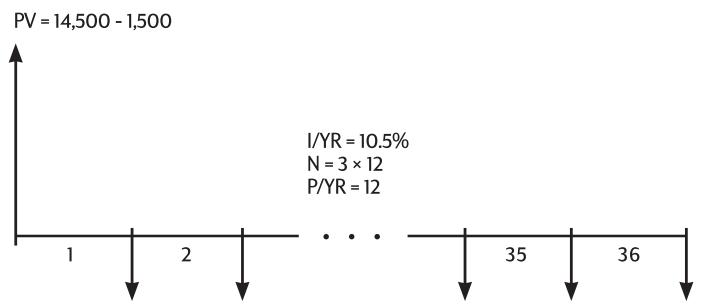
PMT = ? End Mode
Set to End mode. Press REGEN if BEGIN annunciator is displayed.
| Keys: | Display: | Description: |
| 12PYR | 12.00 | Sets periods per year. |
| 3×12N | 36.00 | Stores number of periods in loan. |
| 10·5/yr | 10.50 | Stores annual nominal interest rate. |
| 14500- | 13,000.00 | Stores amount borrowed. |
| 1500PV | ||
| 0FV | 0.00 | Stores the amount left to pay after 3 years. |
| PMT | -422.53 | Calculates the monthly payment. The negative sign indicates money paid out. |
Part 2. At a price of 14,500, what interest rate is necessary to lower your payment by 50.00, to $372.53?
| ⊕ 5 0 PMT | -372.53 | Decreases payment from $422.53. |
| I/YR | 2.03 | Calculates annual interest rate for the reduced payment. |
Part 3. If interest is 10.5 % , what is the maximum you can spend on the car to lower your car payment to $375.00?
| 10·5/yr | 10.50 | Stores original interest rate. |
| 37+/-PMT | -375.00 | Stores desired payment. |
| PV | 11,537.59 | Calculates amount of money to finance. |
| 100= | 13,037.59 | Adds the down pay-ment to the amount financed for total price of the car. |
Example: A Home Mortgage. You decide that the maximum monthly mortgage payment you can afford is 930.00. You can make a12,000 down payment, and annual interest rates are currently 7.5%. If you obtain a 30 year mortgage, what is the maximum purchase price you can afford?
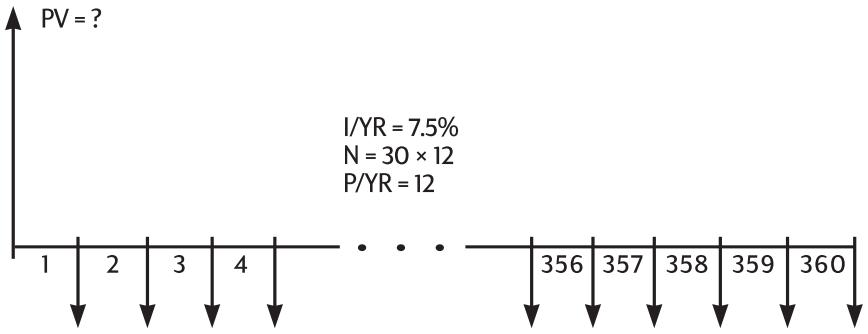
PMT = -930.00
End Mode
Set to End mode. Press BEGIND if BEGIN annunciator is displayed.
| Keys: | Display: | Description: |
| 12PYR | 12.00 | Sets periods per year. |
| 30xP/YR | 360.00 | Stores the length of the mortgage (30 × 12). |
| 0FV | 0.00 | Pays mortgage off in 30 years. |
| 75I/YR | 7.50 | Stores interest rate. |
| 930+/-PMT | -930.00 | Stores desired payment (money paid out is negative). |
| PV | 133,006.39 | Calculates the loan you can afford with a 930 payment. |
| +12000= | 145,006.39 | Adds12,000 down payment for the total purchase price. |
Example: A Mortgage With a Balloon Payment. You've obtained a 25 year, $172,500 mortgage at 8.8% annual interest. You anticipate that you will own the house for four years and then sell it, repaying the loan with a balloon payment. What will your balloon payment be?
Solve this problem using two steps:
- Calculate the loan payment using a 25 year term.
- Calculate the remaining balance after 4 years.
Step 1. First calculate the loan payment using a 25 year term.
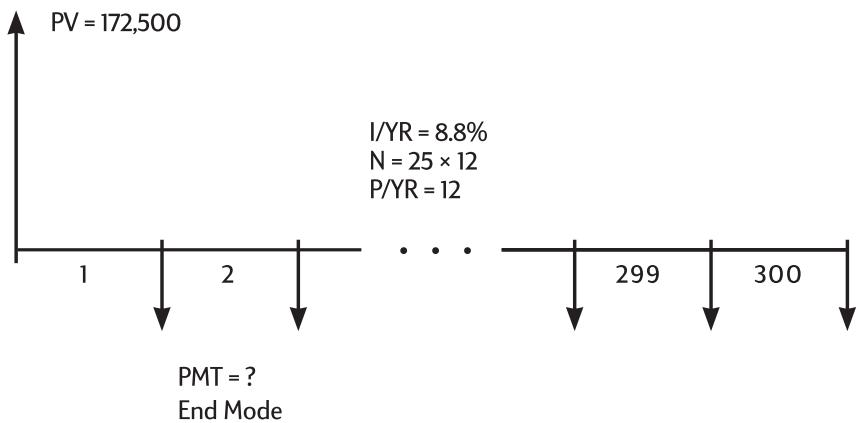
Set to End mode. Press & BEGIN & BEGIN if BEGIN annunciator is displayed.
| Keys: | Display: | Description: |
| 12 | 12.00 | Sets periods per year. |
| 25 | 300.00 | Stores length of mortgage (25 × 12 = 300 months). |
| 0 | 0.00 | Stores loan balance after 25 years. |
| 17 | 172,500.00 | Stores original loan balance. |
| 8 | 8.80 | Stores annual interest rate. |
| PMT | -1,424.06 | Calculates monthly payment. |
Step 2. Since the payment is at the end of the month, the past payment and the balloon payment occur at the same time. The final payment is the sum of PMT and FV .
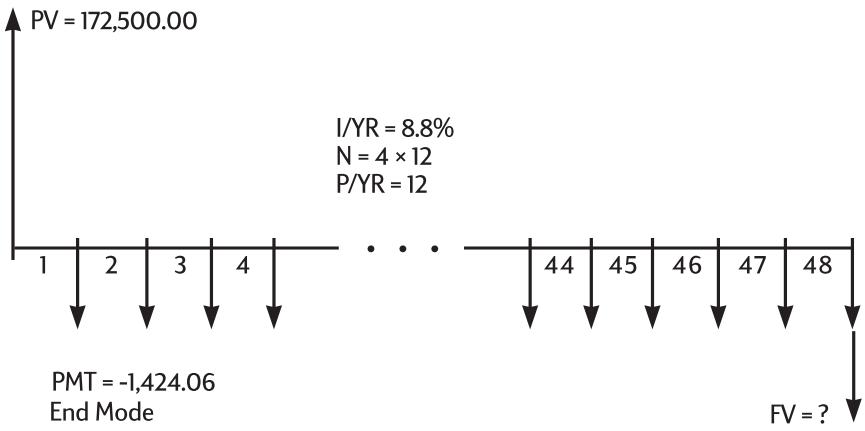
The value in PMT should always be rounded to two decimal places when calculating FV or PV to avoid small, accumulative discrepancies between non-rounded numbers and actual (dollars and cents) payments. If the display is not set to two decimal places, press DISP 2.
Keys:

RND PMT
Display:
-1,424.06
Description:
Rounds payment to two decimal places, then stores.
48N
48.00
Stores 4 year term (12 × 4 ) that you expect to own house.
FV
-163,388.39
Calculates loan balance after 4 years.
+(RCL PMT)三
-164,812.45
Calculates total 48^th payment (PMT and FV ) to pay off loan (money paid out is negative).
Savings Calculations
Example: A Savings Account. If you deposit 2,000 in a savings account that pays 7.2% annual interest compounded annually, and make no other deposits to the account, how long will it take for the account to grow to3,000?
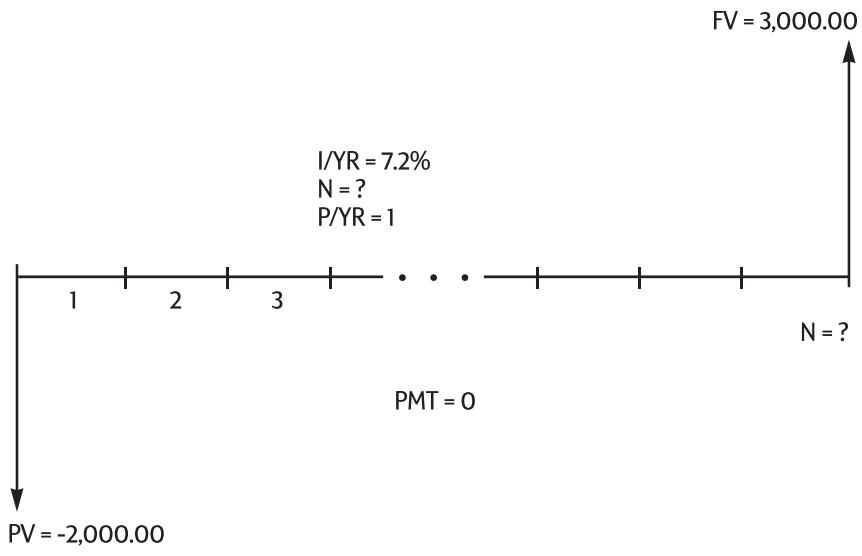
Since this account has no regular payments (PMT = 0) , the payment mode (End or Begin) is irrelevant.
| Keys: | Display: | Description: |
| C ALL | 0.00 | Clears all registers. |
| 1 PYR | 1.00 | Sets P/YR to 1 since interest is compounded annually. |
| 2000+PV | -2,000.00 | Stores amount paid out for first deposit. |
| 3000FV | 3,000.00 | Stores the amount you wish to accumulate. |
| 72/1YR | 7.20 | Stores annual interest rate. |
| N | 5.83 | Calculates number of years it takes to reach $3,000. |
Since the calculated value of (N) is between 5 and 6, it will take six years of annual compounding to achieve a balance of at least \(3,000. Calculate the actual balance at the end of six years.
6N
6.00
Sets to 6 years.
FV
3,035.28
Calculates amount you can withdraw after 6 years.
Example: An Individual Retirement Account. You opened an individual retirement account on April 14, 1995, with a deposit of 2,000.80.00 is deducted from your paycheck and you are paid twice a month. The account pays 6.3% annual interest compounded semimonthly. How much will be in the account on April 14, 2010?
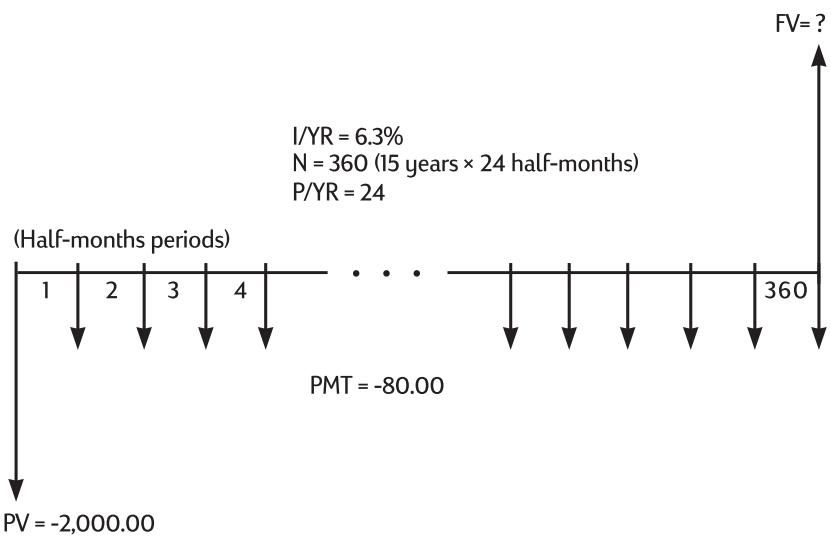
Set to End mode. Press BEGUND if BEGIN annunciator is displayed.
| Keys: | Display: | Description: |
| 24PYR | 24.00 | Sets number of periods per year. |
| 200+PV | -2,000.00 | Stores initial deposit. |
| 8+PMT | -80.00 | Stores regular semimonthly deposits. |
| 63I/YR | 6.30 | Stores interest rate. |
| 15VP/YR | 360.00 | Stores number of deposits. |
| FV | 52,975.60 | Calculates balance. |
Example: An Annuity Account. You opt for an early retirement after a successful business career. You have accumulated a savings of $400,000 that earns an average of 7% annual interest, compounded monthly. What annuity (repetitive, uniform, withdrawal of funds) will you receive at the beginning of each month if you wish that savings account to support you for the next 50 years?
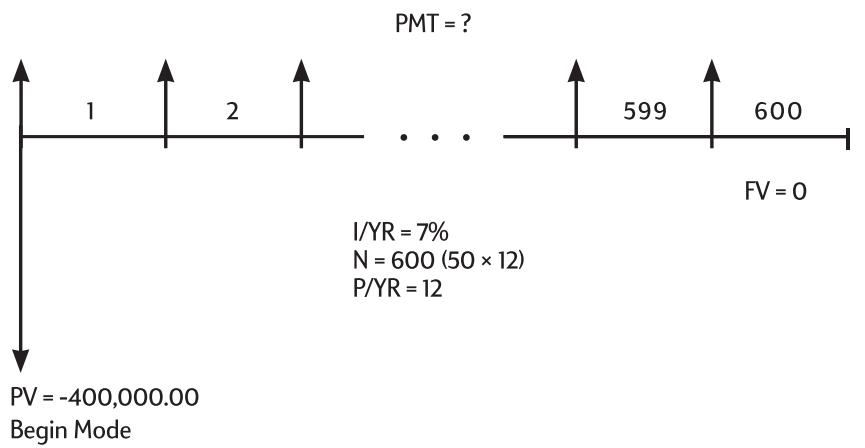
Set to Begin mode. Press REGEND if annunciator is not displayed.
| Keys: | Display: | Description: |
| 12PYR | 12.00 | Sets payments per year. |
| 400000+/- PV | -400,000.00 | Stores your nest egg as an outgoing deposit. |
| 7IYR | 7.00 | Stores annual interest rate you expect to earn. |
| 50+kPYR | 600.00 | Stores number of withdrawals. |
| 0FV | 0.00 | Stores balance of account after 50 years. |
| PMT | 2,392.80 | Calculates amount that you can withdraw at the beginning of each month. |
Lease Calculations
A lease is a loan of valuable property (like real estate, automobiles, or equipment) for a specific amount of time, in exchange for regular payments. Some leases are written as purchase agreements, with an option to buy at the end of the lease (sometimes for as little as $1.00). The defined future value (FV) of the property at the end of a lease is sometimes called the "residual value" or "buy out value."
All five TVM application keys can be used in lease calculations. There are two common lease calculations.
Finding the lease payment necessary to achieve a specified yield.
Finding the present value (capitalized value) of a lease.
The first payment on a lease usually occurs at the beginning of the first period. Thus, most lease calculations use Begin mode.
Example: Calculating a Lease Payment. A customer wishes to lease a 13,500 car for three years. The lease includes an option to buy the car for7,500 at the end of the lease. The first monthly payment is due the day the customer drives the car off the lot. If you want to yield 10% annually, compounded monthly, what will the payments be? Calculate the payments from your (the dealer's) point of view.
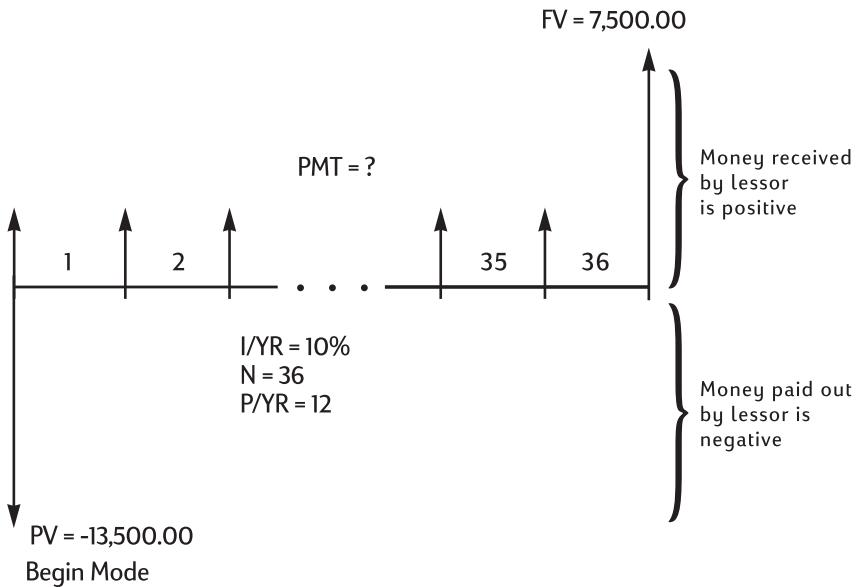
Set to Begin mode. Press if annunciator is not displayed.
| Keys: | Display: | Description: |
| 12PYR | 12.00 | Sets payments per year. |
| 10I/YR | 10.00 | Stores desired annual yield. |
| 13500+PV | -13,500.00 | Stores lease price. |
| 7500FV | 7,500.00 | Stores residual (buy out value). |
| 36N | 36.00 | Stores length of lease, in months. |
| PMT | 253.99 | Calculates monthly lease payment. |
Notice that even if the customer chooses not to buy the car, the lessor still includes a cash flow coming in at the end of the lease equal to the residual value of the car. Whether the customer buys the car or it is sold on the open market, the lessor expects to recover (7,500.
Example: Lease With Advance Payments. Your company, Quick-Kit Pole Barns, plans to lease a forklift for the warehouse. The lease is written for a term of 4 years with monthly payments of 2,400. Payments are due at the beginning of the month with the first and last payments due at the onset of the lease. You have an option to buy the forklift for15,000 at the end of the leasing period.
If the annual interest rate is 9% , what is the capitalized value of the lease?
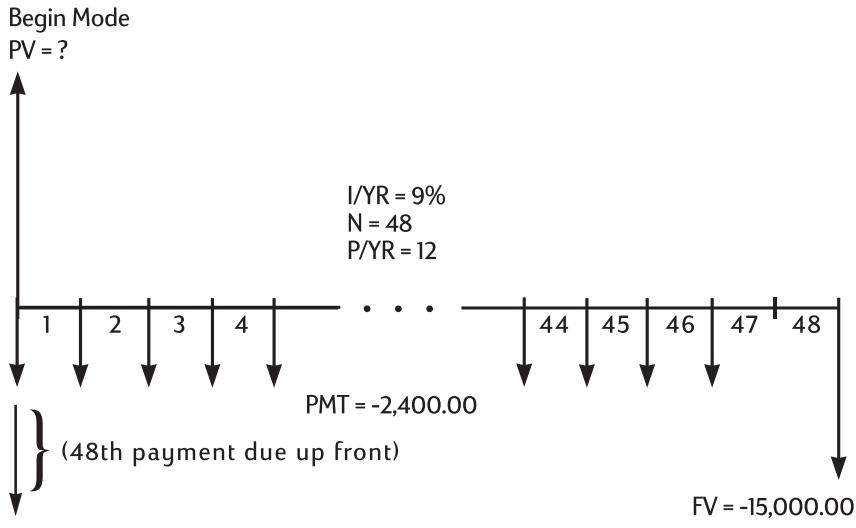
This solution requires four steps.
- Calculate the present value of the 47 monthly payments: (4× 12) - 1 = 47
- Add the value of the additional advance payment.
- Find the present value of the buy option.
- Sum the values calculated in steps 2 and 3.
Step 1. Find the present value of the monthly payments.
Set to Begin mode. Press if annunciator is not displayed.
| Keys: | Display: | Description: |
| 12PYR | 12.00 | Sets payments per year. |
| 47N | 47.00 | Stores number of payments. |
| 2400+/-PMT | -2,400.00 | Stores monthly payment. |
| 0FV | 0.00 | Stores FV for step 1. |
| 9I/YR | 9.00 | Stores interest rate. |
| PV | 95,477.55 | Calculates present value of 47 monthly payments. |
Step 2. Add the additional advance payment to PV. Store the answer.
| ⊕RCL PMT +/− = | 97,877.55 | Adds additional advance payment. |
| -M | 97,877.55 | Stores result in M register. |
Step 3. Find the present value of the buy option.
| 48N | 48.00 | Stores month when buy option occurs. |
| 0 PMT | 0.00 | Stores zero payment for this step of solution. |
| 15000+/-FV | -15,000.00 | Stores value to discount. |
| PV | 10,479.21 | Calculates present value of last cash flow. |
Step 4. Add the results of steps 2 and 3.
| Keys: | Display: | Description: |
| ⊕RM= | 108,356.77 | Calculates present (capitalized) value of lease. (Rounding discrepancies are explained on page 59.) |
Amortization
Amortization is the process of dividing a payment into the amount that applies to interest and the amount that applies to principal. Payments near the beginning of a loan contribute more interest, and less principal, than payments near the end of a loan.
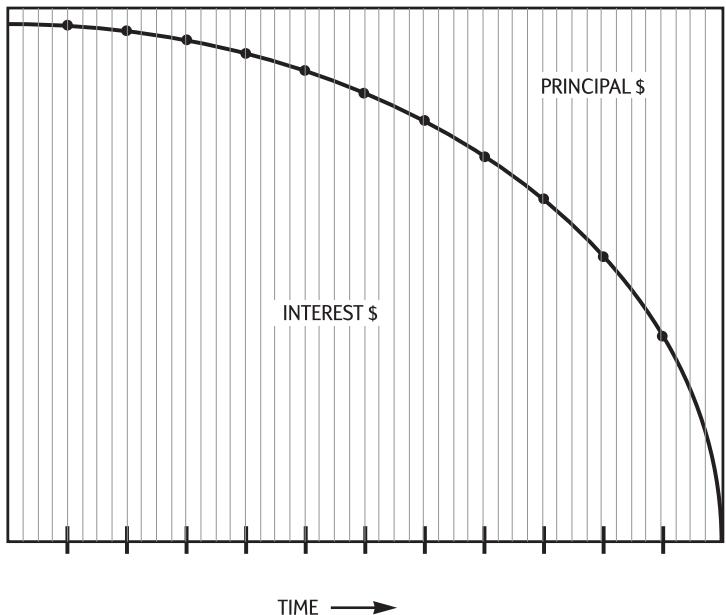
PAYMENT $
The AMORT key on the HP 10BII allows you to calculate.
The amount applied to interest in a range of payments.
The amount applied to principal in a range of payments.
The loan balance after a specified number of payments are made.
The AMORT function assumes you have just calculated a payment or you have stored the appropriate amortization values in I / YR , PV , FV , PMT , and P / YR .
Annual nominal interest rate.
Starting balance.
Ending balance.
Payment amount (rounded to the display format).
Number of payments per year.
The numbers displayed for interest, principal, and balance are rounded to the current display setting.
To Amortize. To amortize a single payment, enter the period number and press AMORT. The HP 10BII displays the annunciator PER followed by the starting and ending payments that will be amortized.
Press to see interest (INT). Press again to see the principal (PRIN) and again to see the balance (BAL). Continue pressing to cycle through the same values again.
To amortize a range of payments, enter starting period number (NPUT) ending period number; then press AMORT. The HP 10BII displays the annunciator PER followed by the starting and ending payments that will be amortized. Then press repeatedly to cycle through interest, principal, and balance.
Press AMORT again to move to the next set of periods. This autoincrement feature saves you the keystrokes of entering the new starting and ending periods.
If you store, recall, or perform any other calculations during amortization, pressing 三 will no longer cycle through interest, principal, and balance. To resume amortization with the same set of periods, press RCL AMORT.
Example: Amortizing a Range of Payments. Calculate the first two years of the annual amortization schedule for a 30 year, ( \( {180},{000} ) mortgage, at 7.75% annual interest with monthly payments.
Set to End mode. Press if BEGIN annunciator is displayed.
| Keys: | Display: | Description: |
| 12PYR | 12.00 | Sets payments per year. |
| 30xP/YR | 360.00 | Stores total number of payments. |
| 775 | 7.75 | Stores interest per year. |
| 180,000.00PV | 180,000.00 | Stores present value. |
| 0FV | 0.00 | Stores future value. |
| PMT | -1,289.54 | Calculates monthly payment. |
If you already know the mortgage payment, you can enter and store it just like you store the other four values. Next, amortize the first year.
| 1INPUT 12 | 12_ | Enters starting and ending periods. |
| AMORT | 1-12 | Displays the PER annunciator and range. |
| = | -1,579.82 | Displays the PRIN annunciator and the principal paid in the first year. |
| = | -13,894.66 | Displays the INT annunciator and the interest paid in the first year. |
| = | 178,420.18 | Displays the BAL annunciator and the loan balance after one year. |
The amount paid toward interest and principal (13,894.67 + 1,579.84 = 15,474.51) equals the total of 12 monthly payments (12 × 1,289.54 = 15,474.51) . The remaining balance equals the initial mortgage, less the amount applied toward principal (180,000 - 1,579.84 = 178,420.16) .
Amortize the second year:
| AMORT | 13-24 | Displays PER and the next range of periods. |
| € | -1,706.69 | Displays PRIN and the principal paid in the second year. |
| € | -13,767.79 | Displays INT and the interest paid in the second year. |
| € | 176,713.49 | Displays BAL and the loan balance after 24 payments. |
The amount paid toward interest and principal (13,767.79 + 1,706.69 = 15,474.51) equals the total of 12 monthly payments (12 × 1,289.54 = 15,474.51) . The remaining balance equals the initial mortgage less the amount applied toward principal (180,000 - 1,579.84 - 1,706.69 = 176,713.49) . More money is applied to principal during the second rather than the first year. The succeeding years continue in the same fashion.
Example: Amortizing a Single Payment. Amortize the 1^st , 25^th , and 54^th payments of a five year car lease. The lease amount is $14,250 and the interest rate is 11.5%. Payments are monthly and begin immediately.
Set to Begin mode. Press if annunciator is not displayed.
| Keys: | Display: | Description: |
| 12PYR | 12.00 | Sets payments per year. |
| 5xP/YR | 60.00 | Stores number of payments. |
| 1150 | 11.50 | Stores interest per year. |
| 14,250.00 | 14,250.00 | Stores present value. |
| 0.00 | 0.00 | Stores the future value. |
| -310.42 | -310.42 | Calculates monthly payment. |
Amortize the 1^st , 25^th , and 54^th payments.
| 1INPUT | 1.00 | Enters first payment. |
| AMORT | 1-1 | Displays PER and the amortized payment period. |
| € | -310.42 | Displays PRIN and the first principal payment. |
| € | 0.00 | Displays INT and the interest. |
| € | 13,939.58 | Displays BAL and the loan balance after one payment. |
| 25INPUT | 25.00 | Enters payment to amortize. |
| AMORT | 25-25 | Displays PER and the amortized payment period. |
| € | -220.21 | Displays PRIN and the principal paid on the 25th payment. |
| € | -90.21 | Displays INT and the interest paid on the 25th payment. |
| € | 9,193.28 | Displays BAL and the balance after the 25th payment. |
| 54INPUT | 54.00 | Enters payment to amortize. |
| AMORT | 54-54 | Displays PER and the amortized payment period. |
| € | -290.37 | Displays PRIN and the principal paid on the 54th payment. |
| € | -20.05 | Displays INT and the interest paid on the 54th payment. |
| € | 1,801.57 | Displays BAL and the balance after the 54th payment. |
Interest Rate Conversions
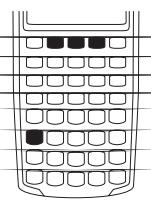
The Interest Conversion application uses three keys:
NOM%, EFF%, and PYR. They convert between nominal and annual effective interest rates. Nominal and effective interest rates are described on page 49.
If you know an annual nominal interest rate and you wish to solve for the corresponding annual effective rate:
- Enter the nominal rate and press (NOM%)
- Enter the number of compounding periods and press
- Calculate the effective rate by pressing % .
To calculate a nominal rate from a known effective rate:
- Enter the effective rate and press % .
- Enter the number of compounding periods and press
- Calculate the nominal rate by pressing NOM%
In the TVM application, ^NOMPS and ^LYR share the same register.
Interest conversions are used primarily for two types of problems:
Comparing investments with different compounding periods.
- Solving TVM problems where the payment period and the interest period differ.
Investments With Different Compounding Periods
Example: Comparing Investments. You are considering opening a savings account in one of three banks. Which bank has the most favorable interest rate?
First Bank 6.70% annual interest, compounded quarterly.
Second Bank 6.65% annual interest, compounded monthly.
Third Bank 6.63% annual interest, compounded 360 times per year.
First Bank
| Keys: | Display: | Description: |
| 6·7·NOM% | 6.70 | Stores nominal rate. |
| 4·PYR | 4.00 | Stores quarterly compounding periods. |
| EFF% | 6.87 | Calculates annual effective rate. |
| Second Bank | ||
| 6·65·NOM% | 6.65 | Stores nominal rate. |
| 12·PYR | 12.00 | Stores monthly compounding periods. |
| EFF% | 6.86 | Calculates annual effective rate. |
| Third Bank | ||
| 6·63·NOM% | 6.63 | Stores nominal rate. |
| 360·PYR | 360.00 | Stores compounding periods. |
| EFF% | 6.85 | Calculates annual effective rate. |
First Bank offers a slightly better deal since 6.87 is greater than 6.86 and 6.85.
Compounding and Payment Periods Differ
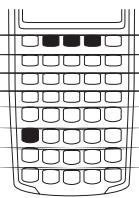
The TVM application assumes that the compounding periods and the payment periods are the same. Some loan installments or savings deposits and withdrawals do not coincide with the bank's compounding periods. If the payment period differs from the compounding period, adjust the interest rate to match the payment period before solving the problem.
To adjust an interest rate when the compounding period differs from the payment period complete the following steps:
- Enter the nominal rate and press NOM%. Enter the number of compounding periods in a year and press FyR. Solve for the effective rate by pressing EFF%
- Enter the number of payment periods in a year and press FYR. Solve for the adjusted nominal rate by pressing NOM%.
Example: Monthly Payments, Daily Compounding. Starting today, you make monthly deposits of (25 to an account paying (5 \%)interest, compounded daily (using a 365 day year). What will the balance be in seven years?
Step 1. Calculate the equivalent rate with monthly compounding.
| Keys: | Display: | Description: |
| 5 NOM% | 5.00 | Stores nominal percentage rate. |
| 365PYR | 365.00 | Stores bank's compounding periods per year. |
| EFF% | 5.13 | Calculates annual effective rate. |
| 120PYR | 12.00 | Stores monthly periods. |
| NOM% | 5.01 | Calculates equivalent nominal percentage rate for monthly compounding. |
Since NOM% and I / YR share the same register, this value is ready for use in the rest of the problem.
Step 2. Calculate the future value.
Set to Begin mode. Press SEGEND if annunciator is not displayed.
| 0 PV | 0.00 | Stores present value. |
| 2 5 +/- PMT | -25.00 | Stores payment. |
| 7 P/yr | 84.00 | Stores total number of payments. |
| FV | 2,519.61 | Calculates balance after 7 years. |
Cash Flow Calculations
How to Use the Cash Flow Application
The cash flow application is used to solve problems where cash flows occur over regular intervals but are of varying amounts. You can also use cash flow calculations to solve problems with regular, equal, periodic cash flows, but these situations are handled more easily using TVM.
In general, these are the steps for cash flow calculations on the HP 10BII.
- Organize your cash flows on paper. A cash flow diagram is useful.
- Clear the registers.
- Enter the number of periods per year.
- Enter the amount of the initial investment.
- Enter the amount of the next cash flow.
- If the amount entered in step 5 occurs more than once consecutively, enter the number of times it occurs.
- Repeat steps 5 and 6 for each cash flow and group.
- To calculate net present value, enter the annual interest rate and press 1 / YR ; then press . Or, to calculate annual internal rate of return, press / YR .
Example: A Short Term Investment. The following cash flow diagram represents an investment in stock over three months. Purchases were made at the beginning of each month, and the stock was sold at the end of the third month. Calculate the annual internal rate of return and the monthly rate of return.
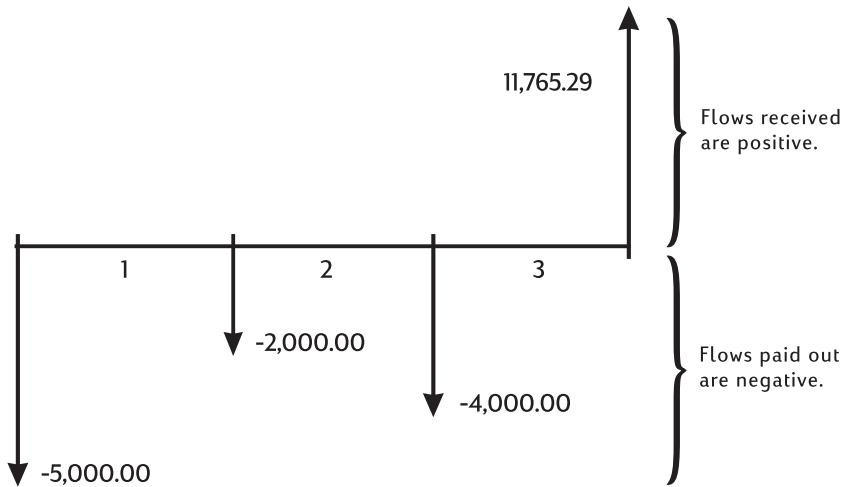
Keys:



Display:
0.00
12.00
-5,000.00
Description:
Clears all registers.
Stores periods per year.
Enters initial cash flow. Displays cash flow group number while you hold down _j
Enters next cash flow.
Enters next cash flow.
Enters final cash flow.
Calculates annual nominal yield.
Monthly yield.


-2,000.00
-4,000.00


11,765.29
38.98

3.25
NPV and IRR/YR: Discontinuing Cash Flows
Chapter 4 demonstrates the use of cash flow diagrams to clarify financial problems. This section describes discounted cash flows. The NPV and IRR / YR functions are frequently referred to as discounted cash flow functions.
When a cash flow is discounted, you calculate its present value. When multiple cash flows are discounted, you calculate the present values and add them together.
The net present value (NPV) function finds the present value of a series of cash flows. The annual nominal interest rate must be known to calculate NPV.
The internal rate of return (IRR/YR) function calculates the annual nominal interest rate that is required to give a net present value of zero.
The utility of these two financial tools becomes clear after working a few examples. The next two sections describe organizing and entering your cash flows. Examples of NPV and IRR / YR calculations follow.
Organizing Cash Flows
The cash flow series is organized into an initial cash flow (CF 0) and succeeding cash flow groups (up to 14 cash flows). CF 0 occurs at the beginning of the first period. A cash flow group consists of a cash flow amount and the number of times it repeats.
For example, in the following cash flow diagram, the initial cash flow is -\ 11,000. The next group of cash flows consists of six flows of zero each, followed by a group of three \ 1,000 cash flows. The final group consists of one \$10,000 cash flow.
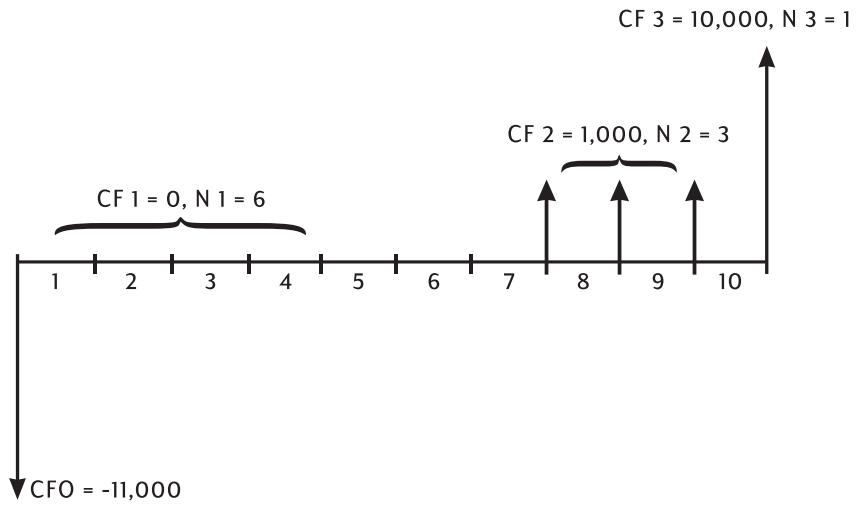
Whenever you enter a series of cash flows, it is important to account for every period on the cash flow diagram, even periods with cash flows of zero.
Entering Cash Flows
The HP 10BII can store an initial cash flow plus 14 additional cash flow groups. Each cash flow group can have up to 99 cash flows. Enter cash flows using the following steps:
- Press to clear the resisters.
- Enter the number of periods per year and press FYR
- Enter the amount of the initial investment, then press CF. (The "j" stands for the cash flow "number," 0 through 14.)
- Enter the amount of the next cash flow and press CF
- If the amount entered in step 4 occurs more than once consecutively, enter the number of times it occurs, and press .
- Repeat steps 4 and 5 for each CF_j and N_j until all cash flows have been entered.
Example. Enter the cash flows from the preceding diagram and calculate the IRR / YR . Then calculate the effective interest rate. Assume there are 12 periods per year.
| Keys: | Display: | Description: |
| C ALL | 0.00 | Clears all registers. |
| 12 PYR | 12.00 | Sets PYR to 12. |
| 11000+CFi | -11,000.00 | Enters initial cash flow. Displays cash flow group number for as long as you hold down CFi. |
| 0 CFi | 0.00 | Enters first cash flow group amount. |
| 6 Nj | 6.00 | Enters number of repetitions. |
| 10000CFi | 1,000.00 | Enters second cash flow group amount. |
| 3 Nj | 3.00 | Enters number of repetitions. |
| 100000CFi | 10,000.00 | Enters final cash flow. |
| RRYR | 21.22 | Calculates annual nominal yield. |
Viewing and Replacing Cash Flows
To view a cash flow, press:
RCL CF to 9 to display cash flows 0 to 9, or
RCL CF to 4 to display cash flows 10 to 14
RCL CF_j+ to display the next cash flow
RCL CF to display the previous cash flow
RCL CF to display the current cash flow.
To replace a cash flow amount, press:
STO CF to 9 to store the new amount in cash flows 0 to 9
STO CF to 4 to store the new amount in cash flows 10 to 14
- (_) + to store the amount in the next cash flow
- (CF) to store the amount in the previous cash flow
STO CF_j CFj to store the amount in the current cash flow.
To replace the number of times a particular cash flow occurs, the cash flow whose number of occurrences will change. Then enter the number of times it occurs and press .
Since cash flows cannot be deleted or inserted, use to start over.
Calculating Net Present Value
The net present value (NPV) function is used to discount all cash flows to the front of the time line using an annual nominal interest rate that you supply.
These steps describe how to calculate NPV:
- Press C ALL and store the number of periods per year in P / YR .
- Enter the cash flows using _1 and .
- Store the annual nominal interest rate in I / YR and press NPV.
Example: A Discounted Contract, Uneven Cash flows. You have an opportunity to purchase a contract with the following cash flows:
| End of Month | Amount |
| 4 | 5,000.00 |
| 9 | 5,000.00 |
| 10 | 5,000.00 |
| 15 | 7,500.00 |
| 25 | $10,000.00 |
How much should you pay for the contract if you wish to yield a yearly rate of 15% on your investment?
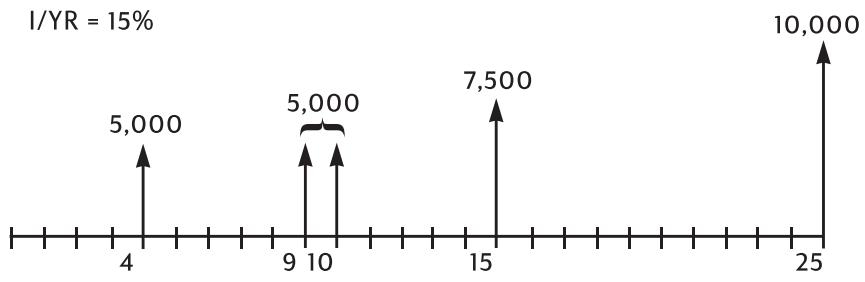
| Keys: | Display: | Description: |
| C ALL | 0.00 | Clears registers. |
| 12PYR | 12.00 | Sets payments per year. |
| 0 CF | 0.00 | Enters initial cash flow of zero. The cash flow number is displayed as long as you hold down the CF key. |
| 0 CF | 0.00 | Enters first cash flow. |
| 3 N | 3.00 | Enters number of occurrences. |
| 5000CF | 5,000.00 | Enters second cash flow. |
| 0 CF | 0.00 | Enters third cash flow. |
| 4 N | 4.00 | Enters number of occurrences. |
| 5000CF | 5,000.00 | Enters fourth cash flow. |
| 2 N | 2.00 | Enters number of occurrences. |
| 0 CF | 0.00 | Enters fifth cash flow. |
| 4 N | 4.00 | Enters number of occurrences. |
| 7500CF | 7,500.00 | Enters sixth cash flow. |
| 0 CF | 0.00 | Enters seventh cash flow. |
| 9-N | 9.00 | Enters number of occurrences. |
| 100000CFJ | 10,000.00 | Enters next cash flow. |
The cash flows that describe your prospective investment are now in the calculator. You can press , followed by + and , repeatedly to view the cash flows and number of times each occurs.
Now that you have entered the cash flows, store the interest rate and calculate the net present value.
| Keys: | Display: | Description: |
| ①⑤①④ | 15.00 | Stores annual interest rate. |
| ②NPV | 27,199.92 | Calculates net present value of stored cash flows. (See rounding example on page 59.) |
This result shows that if you want a yield of (15\%) per year, you should pay \(27,199.92 for the contract. Notice that this amount is positive. The net present value is simply the summed (or netted) value of a series of cash flows when they are discounted to the front of the time line.
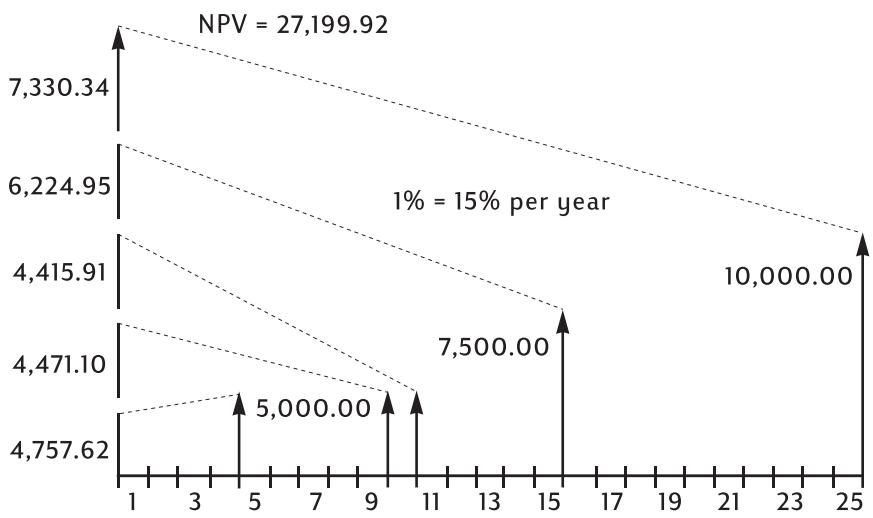
Calculating Internal Rate of Return
- Press C ALL, store number of periods per year in P / Y R .
- Enter the cash flows using _1 and _1 .
- Press (RR/RR).
When you calculate IRR / YR , you get the annual nominal rate that gives an NPV of zero.
The following example uses the cash flows that were entered in the previous example.
More than one IRR / YR can exist. If you get the No Solution message see Appendix B (page 129).
Example. If the seller of the contract in the previous example wants (28,000 and you accept that price, what is your yield? This is an IRR/YR calculation that requires a slight modification to the currently stored cash flows.
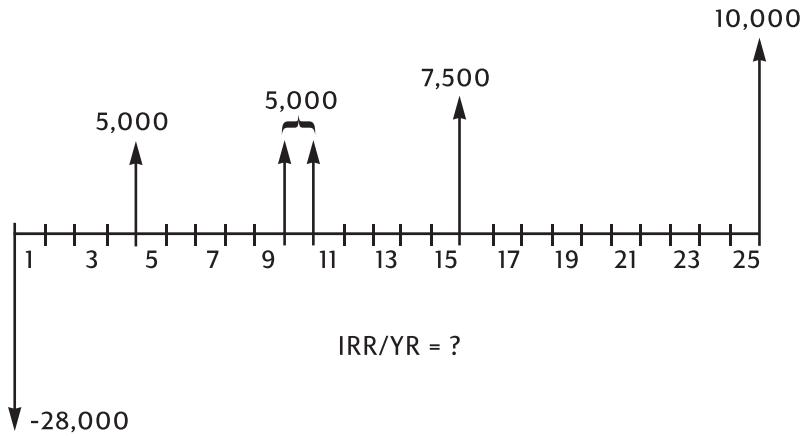
| Keys: | Display: | Description: |
| 28000+/-STO | -28,000.00 | Changes initial cash flow. |
| CF10 | ||
| RR/YR | 12.49 | Calculates annual nominal yield. |
More examples that use NPV and IRR / YR calculations are given in chapter 8, "Additional Examples."
Automatic Storage of IRR/YR and NPV
When you calculate NPV , the result is stored in PV for your convenience. To recall that result, press RCLPV. If you haven't changed the TVM values from the last example using NPV (page 82), when you press RCLPV the result is 27,199.92.
When you calculate IRR / YR , the result is also stored in I / YR . For the previous example, press RCL UYR to display the annualized yield 12.49.
Statistical Calculations
The ^+ and ^- keys are used to enter and delete data for one- and two-variable statistics. Summation data is stored in memory. The labels above the 4 to 9 keys indicate what summation data is stored. Once you enter the data, you can use the statistical functions to calculate the following:
Mean and standard deviation.
Linear regression statistics.
Linear estimation and forecasting.
Weighted mean.
Summation statistics: n, x, x^2, y, y^2 ,and xy
Clearing Statistical Data
Clear the statistical registers before entering new data. If you don't clear the registers, data currently stored is automatically included in the summation calculations. To clear the statistical registers, press CLs. The display is also cleared.
Entering Statistical Data
There is no limit to the number of values you can accumulate in the statistical registers.
One-Variable Statistics
To enter x data for one-variable statistics complete the following steps:
- Clear the statistical registers by pressing 2 .
- Enter the first value and press ^+ . The HP 10BII displays n , the number of items accumulated.
- Continue accumulating values by entering the numbers and pressing ^+ . The n -value is incremented with each entry.
Two-Variable Statistics and Weighted Mean
To enter x, y pairs of statistical data complete these steps:
- Clear the statistical registers by pressing 2 .
- Enter the first x -value and press (INPUT). The HP 10BII displays the x -value.
- Enter the corresponding y -value and press ^+ . The HP 10BII displays n , the number of pairs of items accumulated.
- Continue entering x, y pairs. The n -value is incremented with each entry.
To enter data for calculating the weighted mean, enter each data value as x , and its corresponding weight as y .
Correcting Statistical Data
Incorrect entries can be deleted using - . If either value of an x, y pair is incorrect, you must delete and reenter both values.
Correcting One-Variable Data
To delete and reenter statistical data:
- Key in the x -value to be deleted.
- Press - to delete the value. The n -value is decreased by one.
- Enter the correct value using ^+ .
Correcting Two-Variable Data
To delete and reenter x, y pairs of statistical data:
- Key in the x -value, press and then key in the y -value.
- Press to delete the values. The n -value is decreased by one.
- Enter the correct x, y pair using and ^+ .
Summary of Statistical Calculations
Some functions return two values. The STAT annunciator indicates that two values have been returned. Press SWAP to see the hidden value.
| Keys | Description | SWAP to Display |
| X,y | Arithmetic mean (average) of the x-values. | Mean (average) of the y-values if you entered y-data. |
| Xw | Mean of the x-values weighted by the y-values. | |
| Sx,Sy | Sample standard deviation of the x-values.* | Sample standard deviation of the y-values if you entered y-data.* |
| σ,σ | Population standard deviation of the x-values.* | Population standard deviation of the y-values if you entered y-data.* |
| y-value x,r | Estimate of x for a given value of y. | Correlation coefficient.† |
| x-value y,m | Estimate of y for a given value of x. | Slope (m) of calculated line. |
| 0 y,m | y-intercept (b) of the calculated line. | Slope (m) of the calculated line. |
| * The sample standard deviation assumes that the data is a sampling of a larger, complete set of data. The population standard deviation assumes that the data constitutes the entire population.† The correlation coefficient is a number in the range -1 through +1 that measures how closely the data fits the calculated line. A value of +1 indicates a perfect positive correlation, and -1 indicates a perfect negative correlation. A value close to zero indicates the line is a poor fit. | ||
| Keys | Description |
| □ n | Number of data points entered. |
| □ Σx | Sum of the x-values. |
| □ Σy | Sum of the y-values. |
| □ Σx2 | Sum of the squares of the x-values. |
| □ Σy2 | Sum of the squares of the y-values. |
| □ Σxy | Sum of the products of the x- and y-values. |
Mean, Standard Deviations, and Summation Statistics
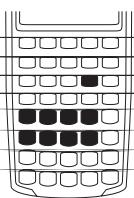
You can calculate the mean () , sample standard deviation (Sx) , and population standard deviation (x) , and summation statistics, n, x, and x^2 of x data. For x,y data, you can also calculate the mean, sample standard deviation, and population standard deviation of the y data and the summation statistics y, y^2 ,and xy
Example 1. A yacht captain wants to determine how long it takes to change a sail. She randomly chooses six members of her crew, observes them as they carry out the sail change, and records the numbers of minutes required: 4.5, 4, 2, 3.25, 3.5, 3.75. Calculate the mean and sample standard deviation of the times. Also, calculate the root mean square, using the formula x^2 / n :
| Keys: | Display: | Description: |
| CLΣ | 0.00 | C clears statistical registers. |
| 4·5Σ+ | 1.00 | Enters first time. |
| 4Σ+ | 2.00 | Enters second time. |
| 2Σ+ | 3.00 | Enters third time. |
| 3·25Σ+ | 4.00 | Enters fourth time. |
| 3·5Σ+ | 5.00 | Enters fifth time. |
| 3·75Σ+ | 6.00 | Enters sixth time. |
| x̅y | 3.50 | Calculates the mean. |
| Sx,Sy | 0.85 | Calculates the sample standard deviation. |
| ΣX² | 77.13 | Displays Σx². |
| ÷n | 6.00 | Displays n. |
| √x | 3.59 | Calculates the root mean square. |
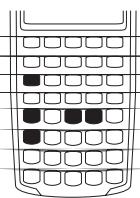
The standard deviations calculated by _x_y and _x_y are the sample standard deviations. They assume that the data is a sampling of a larger, complete set of data.
If the data constitutes the entire population, the true population standard deviations can be calculated by pressing ,_j and ,_j SWAP.
Example 2. The coach has four new players on the team with heights of 193, 182, 177, and 185 centimeters and weights of 90, 81, 83, and 77 kilograms. Find the mean and population standard deviation of both their heights and weights, then sum the y -data.
| Keys: | Display: | Description: |
| CLΣ | 0.00 | C clears statistical registers. |
| 193INPUT 90 Σ+ | 1.00 | Enters height and weight of player 1. |
| 182 INPUT 81 Σ+ | 2.00 | Enters height and weight of player 2. |
| 177 INPUT 83 Σ+ | 3.00 | Enters height and weight of player 3. |
| 185 INPUT 77 Σ+ | 4.00 | Enters height and weight of player 4. |
| x̂y | 184.25 | Calculates mean of heights (x). |
| SWAP | 82.75 | Displays mean of weights (y). |
| σx,σy | 5.80 | Calculates population standard deviation for heights (x). |
| SWAP | 4.71 | Displays population standard deviation for weights (y). |
| Σy | 331.00 | Displays the total of the y's. |
Linear Regression and Estimation
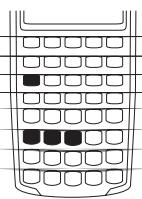
Linear regression is a statistical method for estimation and forecasting. It is used to find a straight line that best fits a set of x, y data. There must be at least two different x, y pairs. The straight line provides a relationship between the x - and y -variables: y = mx + b , where m is the slope and b is the y -intercept.
Linear Regression. Calculate m, b , and r (the correlation coefficient) as follows:
- Clear the statistical registers by pressing 2 .
- Enter the first x -value and press INPUT. The x -value is displayed.
- Enter the corresponding y -value and press ^+ . The HP 10BII displays n , the number of pairs of items accumulated.
- Continue entering x, y pairs. The n -value is incremented with each entry.
- To display b (the y -intercept), press 0 _m . Then press to display m (the slope of the line).
- Press , r SWAP to display r ; the correlation coefficient.
Linear Estimation. The straight line calculated by linear regression can be used to estimate a y -value for a given x -value, or vice versa:
- Enter the x, y data using the instructions on page 86.
- Enter the known x -value or y -value.
To estimate x for the given y , enter the y -value, then press 8,r .
To estimate y for the given x , enter the x -value, then press _m .
Example: Forecasting. Ali's Azaleas advertises on a local radio station. For the past six weeks, the manager has kept records of the number of minutes of advertising that were purchased, and the sales for that week.
| Week | Minutes of Advertising (x-values) | Sales (y-values) |
| 1 | 2 | 1,400 |
| 2 | 1 | 920 |
| 3 | 3 | 1,100 |
| 4 | 5 | 2,265 |
| 5 | 5 | 2,890 |
| 6 | 4 | 2,200 |
What is the y -intercept, the slope, and the correlation coefficient?
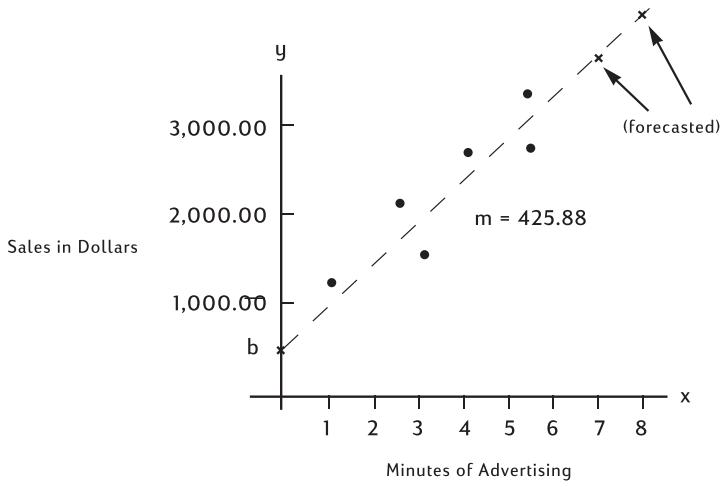
| Keys: | Display: | Description: |
| CLΣ | 0.00 | C clears statistical registers. |
| 2INPUT 1400Σ+ | 1.00 | Enters minutes and sales for consecutive weeks. |
| 1INPUT 920Σ+ | 2.00 | |
| 3INPUT 1100Σ+ | 3.00 | |
| 5INPUT 2265Σ+ | 4.00 | |
| 5INPUT 2890Σ+ | 5.00 | |
| 4INPUT 2200Σ+ | 6.00 | |
| 0 y,m | 376.25 | Calculates y-intercept (b). |
| SWAP | 425.88 | Displays slope. |
| X,r SWAP | 0.90 | Calculates correlation coefficient. |
Estimate what the level of sales would be if the business purchased 7 or 8 minutes of advertising.
| 7 | 3,357.38 | Estimates sales if 7 minutes of advertising were purchased. |
| 8 | 3,783.25 | Estimates sales if 8 minutes were purchased. |
How many minutes of advertising should Ali's buy to attain sales of $3,000?
| 30000 | 6.16 | Estimates minutes of advertising required for $3,000 in sales. |
Weighted Mean
The following procedure calculates the weighted mean of data points x_1, x_2, , x_n occurring with weights y_1, y_2, , y_n .
- Use and ^+ to enter x,y pairs. The y -values are the weights of the x -values.
- Press _w
Example. A survey of 266 one-bedroom rental apartments reveals that 54 of them rent for 500 per month, 32 for505, 88 for 510, and 92 for516. What is the average monthly rent?
| Keys: | Display: | Description: |
| CLK | 0.00 | C clears statistics memory. |
| 500INPUT54Σ+ | 1.00 | Enters first rent and its weight. |
| 505INPUT32Σ+ | 2.00 | Enters second rent and its weight. |
| 510INPUT88Σ+ | 3.00 | Enters third rent and its weight. |
| 516INPUT92Σ+ | 4.00 | Enters fourth rent and its weight. |
| XW | 509.44 | Calculates weighted mean. |
Additional Examples
Business Applications
Setting a Sales Price
One method for setting the per unit sales price is to determine the cost of production per unit, and then multiply by the desired rate of return. For this method to be accurate, you must identify all costs associated with the product.
The following equation calculates unit price based on total cost and rate of return:
$$ \text {P R I C E} = \text {T O T A L C O S T} \div \text {N U M B E R O F U N I T S} \times (1 + (\% \text {R T N} \div 100)) $$
Example. To produce 2,000 units, your cost is (40,000. You want a (20 \%) rate of return. What price should you charge per unit?
Keys:
40000÷
2000x
11+120÷
1003
Display:
40,000.00
20.00
24.00
Description:
Enters cost.
Calculates unit cost.
Calculates unit sales price.
Forecasting Based on History
One method of forecasting sales, manufacturing rates, or expenses is reviewing historical trends. Once you have historical data, the data are fit to a curve that has time on the x -axis and quantity on the y -axis.
Example. Given the following sales data, what are the sales estimates for years six and seven?
| Year | Sales $ |
| 1 | 10,000 |
| 2 | 11,210 |
| 3 | 13,060 |
| 4 | 16,075 |
| 5 | 20,590 |
| Keys: | Display: | Description: |
| CLΣ | 0.00 | C clears statistics registers. |
| 1INPUT 10000 Σ+ | 1.00 | Enters first year and sales for that year. |
| 2INPUT 11210 Σ+ | 2.00 | Enters second year's data. |
| 3INPUT 13060 Σ+ | 3.00 | Continues data entry. |
| 4INPUT 16075 Σ+ | 4.00 | |
| 5INPUT 20590 Σ+ | 5.00 | |
| 6 ym | 22,000.50 | Estimates sales for year six. |
| 7 ym | 24,605.00 | Estimates sales for year |
Cost of Not Taking a Cash Discount
A cash discount gives a buyer a reduction in price if the payment is made within a specified time period. For example, "2/10, NET/30" means that the buyer can deduct 2 percent if payment is made within 10 days. If payment is not made within 10 days, the full amount must be paid by the 30^th day.
You can use the equation shown below to calculate the cost of failing to take the cash discount. The cost is calculated as an annual interest rate charged for delaying payment.
$$ \mathrm {COST} \% = \frac {\mathrm {DISC} \% \times 360 \times 100}{((100 - \mathrm {DISC} \%) \times (\mathrm {TOTAL DAYS} - \mathrm {DISC DAYS}))} $$
DISC% is the discount percent if the payment is made early. TOTAL DAYS is the total number of days until the bill must be paid. DISC DAYS is the number of days for which the discount is available.
Example. You receive a bill with the credit terms 2/10, NET/30. What is the cost of not taking the cash discount?
| Keys: | Display: | Description: |
| 2×360×100÷ | 72,000.00 | Calculates numerator in equation. |
| ○○○100-2○○ | 98.00 | Parentheses force order of calculation. |
| ×○○30-10= | 36.73 | Calculates, as an annual percentage rate, cost of not taking discount. |
Loans and Mortgages
Simple Annual Interest
Example. Your good friend needs a loan to start his latest enterprise and has asked you to lend him (450 for 60 days. You lend him the money at (10\%) simple annual interest, to be calculated on a 365-day basis. How much interest will he owe you in 60 days, and what is the total amount owed?
This equation is used for calculating simple annual interest using a 365 day year:
INTEREST =
LOAN AMOUNT × INTEREST% × TERM OF LOAN (IN DAYS)
365
| Keys: | Display: | Description: |
| 450-M×10% | 0.10 | Stores interest. |
| ×60÷365= | 7.40 | Calculates interest owed. |
| +RM= | 457.40 | Calculates total owed. |
Continuous Compounding
The equation for calculating an effective rate for continuous compounding is:
$$ EFF\% = \left(e ^{\left(NOM\% \div 100\right)} - 1\right)\times 100 $$
To solve a continuous compounding problem complete these steps:
- Compute the annual effective rate using the above equation.
- Either use this effective rate in your calculations with an annual period (P / YR = 1) or convert this rate so that it applies to your payment period. In the following example, P / YR = 12 so you have to calculate a new NOM% using the interest rate conversion application with P / YR equal to 12.
Example. You currently have 4,572.80 in an account at Dream World Investments that earns (18% annual interest compounded continuously. At the end of each month, you deposit )250.00 in the account. What will the balance be after 15 years?
| Keys: | Display: | Description: |
| 18% | 0.18 | Divides nominal rate by 100. |
| e | 1.20 | Raises e to 0.18 power. |
| -1×100= | 19.72 | Calculates annual effective rate. |
| EFF% | 19.72 | Stores effective rate. |
| 12PYR | 12.00 | Sets payments per year. |
| NOM% | 18.14 | Calculates annual nominal rate for a monthly payment period. |
Set to End Mode. Press BEGIND if BEGIN annunciator is displayed.
| 15 | xP/yr | 180.00 | Stores number of months. |
| 25 | 0+/- PMT | -250.00 | Stores regular payment. |
| 45 | 72●8+/-PV | -4,572.80 | Stores current balance as a negative value (like an initial investment). |
| FV | 297,640.27 | Calculates account balance after 15 years of payments with 18% interest compounded continuously. |
Yield of a Discounted (or Premium) Mortgage
The annual yield of a mortgage bought at a discount or premium can be calculated given the original mortgage amount (PV) , interest rate (I / YR) , periodic payment (PMT) , balloon payment amount (FV) , and the price paid for the mortgage (new PV ).
Remember the cash flow sign convention: money paid out is negative; money received is positive.
Example. An investor wishes to purchase a 100,000 mortgage taken out at 9% for 20 years. Since the mortgage was issued, 42 monthly payments have been made. The loan is to be paid in full (a balloon payment) at the end of its fifth year. What is the yield to the purchaser if the price of the mortgage is79,000?
Step 1. Calculate PMT. Make sure FV = 0 .
Set to End Mode. Press BEGIND if BEGIN annunciator is displayed.
| Keys: | Display: | Description: |
| 12PYR | 12.00 | Sets payments per year. |
| 9IYR | 9.00 | Stores interest rate. |
| 20KP/YR | 240.00 | Stores number of months. |
| 100000+/-PV | -100,000.00 | Stores original amount of mortgage. |
| 0FV | 0.00 | Enters amount left to pay after 20 years. |
| PMT | 899.73 | Calculates regular payment. |
Step 2. Enter the new value for N indicating when the balloon occurs, then find FV , the amount of the balloon.
| Keys: | Display: | Description: |
| RND PMT | 899.73 | Rounds payment to two decimal places for accuracy. |
| 5 x P/yr | 60.00 | Stores number of payments until balloon. |
| FV | 88,706.74 | Calculates balloon payment (add to final payment). |
Step 3. Enter actual, current values for N and PV ; then find the new I / YR for the discounted mortgage with balloon.
| Keys: | Display: | Description: |
| RCLN-42N | 18.00 | Stores remaining number of payments. |
| 79000+/-PV | -79,000.00 | Stores price of mortgage. |
| I/YR | 20.72 | Calculates the return on this discounted mortgage. |
Annual Percentage Rate for a Loan With Fees
The annual percentage rate, APR , incorporates fees usually charged when a mortgage is issued, which effectively raises the interest rate. The actual amount received by the borrower (the PV ) is reduced, while the periodic payments remain the same. The APR can be calculated given the term of the mortgage ( N periods), the annual interest rate (I / PR) , the mortgage amount ( new PV ), and the amount of the fee.
Remember the cash flow sign convention: money paid out is negative; money received is positive.
Example: APR for a Loan With Fees. A borrower is charged two points for the issuance of a mortgage. (One point is equal to 1% of the mortgage amount.) If the mortgage amount is 160,000 for 30 years and the annual interest rate is8.5\%$ with monthly payments, what APR is the borrower paying?
Set to End Mode. Press (BEGIN) if BEGIN annunciator is displayed.
| Keys: | Display: | Description: |
| 12PYR | 12.00 | Sets payments per year. |
| 8·5I/YR | 8.50 | Stores interest rate. |
| 30xP/YR | 360.00 | Stores length of mortgage. |
| 1600000PV | 160,000.00 | Stores original amount of mortgage. |
0 FV
0.00
The loan will be completely paid off in 30 years.
PMT
-1,230.26
Calculates payment.
RCL PV
160,000.00
Recalls loan amount.
-②(%)(Pv
156,800
Subtracts points.
I/YR
8.72
Calculates APR considering fees.
Example: Interest-Only Loan With Fee. A $1,000,000, 10-year, 12% (annual interest) interest-only loan has an origination fee of three points. What is the yield to the lender? Assume that monthly payments of interest are made.
Set to End mode. Press REGEN if BEGIN annunciator is displayed.
Keys:
Display:
Description:
12 PYYR
12.00
Sets payments per year.
①②I/YR
12.00
Stores interest rate.
10xPYR
120.00
Stores length of mortgage.
1000000PV
1,000,000.00
Stores original amount of mortgage.
+/-FV
-1,000,000.00
Enters amount due at end of term. Payments are interest only so entire loan amount is due.
PMT
-10,000.00
Calculates interest-only payments.
RCL PV
1,000,000.00
Recalls loan amount.
-③(%)(Pv
970,000.00
Subtracts points.
I/YR
12.53
Calculates APR.
Loan With a Partial (Odd) First Period
TVM calculations apply to financial transactions where each payment period is the same length. However, situations exist where the first payment period is not the same length as the remaining periods. This first period is sometimes called an odd or partial first period.
If interest is applied to an odd first period, it is usually calculated as simple interest. So using the HP 10BII to do a payment calculation with an odd first period is a two step process:
- Calculate the amount of simple interest that accrues during the fractional first period and add it to the loan amount. This is the new PV . You must be able to calculate the length of the odd first period as a fraction of the whole period. (For example, a 15-day odd first period would be 0.5 periods assuming a whole period to be a 30-day month.)
- Calculate the payment using the new PV , with N equal to the number of full periods. Use Begin mode if the number of days until the first payment is less than 30; otherwise use End mode.
Example. A 36-month loan for (4,500 has an annual rate of (15\%). If the first monthly payment is made in 46 days, what is the monthly payment amount assuming 30-day months?
The odd first period in this example is 16 days.
Set to End mode. Press if BEGIN annunciator is displayed.
| Keys: | Display: | Description: |
| 12PYR | 12.00 | Sets payments per year. |
| 15IYR | 15.00 | Stores interest rate. |
| ÷12X | 1.25 | Calculates periodic interest rate. |
| 16÷30X | 0.67 | Multiplies by fraction of a period. |
| 4500SWAP%= | 30.00 | Calculates amount of simple interest owed for odd period. |
| +4500PV | 4,530.00 | Adds this simple interest to present value. |
③⑥⑨
36.00
Stores term of loan.
0 FV
0.00
Enters amount left to pay after 36 payments.
PMT
-157.03
Calculates payment amount.
Automobile Loan
Example. You are buying a new 14,000.00 sedan. Your down payment is1,500 and you are going to finance the remaining $12,500. The car dealer is offering two choices for financing:
A 3-year loan with an annual interest rate of 3.5% .
A 3-year loan with an annual interest rate of (9.5\%) and a \(1,000.00 rebate.
With which choice do you pay less for the car?
Set to End mode. Press REGEND if BEGIN annunciator is displayed.
Calculate the first option:
Keys:
Display:
Description:
12 PYYR
12.00
Sets payments per year.
36N
36.00
Stores known values.
12500PV
12,500.00
0 FV
0.00
③·⑤ I/YR
3.50
Stores first interest rate.
PMT
-366.28
Calculates payment.
RCLN
-13,185.94
Calculates total interest and principal.
Calculate the second option:
Keys:

Display:
11,500.00
Description:
Stores loan amount with rebate.
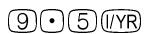
9.50
Stores second interest rate.

-368.38
Calculates payment.

-13,261.64
Calculates total interest and principal.
The first option costs slightly less.
Canadian Mortgages
In Canadian mortgages, the compounding and payment periods are not the same. Interest is compounded semi-annually while payments are made monthly. To use the TVM application in the HP 10BII, you need to calculate a Canadian mortgage factor (which is an adjusted interest rate) to store in I / YR .
For additional information on interest rate conversions, see "Interest Rate Conversions" on page 72.
Example. What is the monthly payment required to fully amortize a 30-year, (130,000 Canadian mortgage if the annual interest rate is (12\%)?
Keys:

(NOM%)

Display:
12.00
2.00
Description:
Stores known nominal percentage and number of compounding periods.

12.36
Calculates annual effective rate.

P/YR
12.00
Sets payments per year.


11.71
Calculates Canadian mortgage factor (adjusted interest rate).

000
130,000
Stores other known values for mortgage.

③①
P/YR
360.00


-1,308.30
Calculates monthly payment for Canadian mortgage.
What if ... TVM Calculations
One of the most valuable aspects of the HP 10BII's TVM application is the ease with which it handles the question "what if ..." in financial calculations. For example, one of the most popular "what if ..." questions is, "What if the interest rate changes to ...? How will that affect my payment?" To answer this question, once you have calculated a payment based on one interest rate, all you need to do is enter the new interest rate and recalculate PMT.
Some of the examples earlier in this manual have included some brief encounters with "what if ..." questions, but a more complete example follows.
Example. You are about to sign on the dotted line for a 30-year, (735,000 mortgage, on a vacation home. The annual interest rate is (11.2\%).
Part 1. What will your payments be at the end of the month?
Set to End mode. Press REGEN if BEGIN annunciator is displayed.
| Keys: | Display: | Description: |
| 12PYR | 12.00 | Sets payments per year. |
| 735,000.00 | Stores known values. | |
| 11.20 | ||
| 360.00 | ||
| 0.00 | ||
| PMT | -7,110.88 | Calculates payment. |
Part 2. Your company's regular payroll is generated every other Friday. The bank agrees to automatically draw payments of (3,555.00 out of each paycheck (approximately half of what a monthly payment would be) and adjust the payment period accordingly (26 compounding periods per year). What would be the new term of the loan?
| 3555+/- PMT | -3,555.00 | Enters new payment. |
| 26PYR | 26.00 | Sets payments per year for every two weeks. |
| N | 514.82 | Calculates number of biweekly payments. |
| RCL xPYR | 19.80 | Displays years required to pay off loan. |
Part 3. What if you had monthly payments as in part 1, but chose a 15-year term? What would your new payment be? What would be the total interest paid on the contract?
| Keys: | Display: | Description: |
| 12PYR | 12.00 | Sets payments per year. |
| 15XP/YR | 180.00 | Stores new term. |
| PMT | -8,446.53 | Calculates payment for shorter term. |
| XRCLN+ | -1,520,374.70 | Calculates total paid. |
| RCLPV= | -785,374.70 | Displays total interest paid on contract. |
Savings
Saving for College Costs
Suppose you start saving now to accommodate a future series of cash outflows. An example of this is saving money for college. To determine how much you need to save each period, you must know when you'll need the money, how much you'll need, and at what interest rate you can invest your deposits.
Example. Your oldest daughter will attend college in 12 years and you are starting a fund for her education. She will need (15,000 at the beginning of each year for four years. The fund earns (9\%) annual interest, compounded monthly, and you plan to make monthly deposits, starting at the end of the current month. The deposits cease when she begins college. How much do you need to deposit each month?
This problem is solved in two steps. First calculate the amount you'll need when she starts college. Start with an interest rate conversion because of the monthly compounding.

| Keys: | Display: | Description: |
| Set to Begin mode. Press √ BEG/END if BEGIN annunciator is not displayed. | ||
| 9 NOM% | 9.00 | Stores annual nominal rate. |
| 1 2 PYR | 12.00 | Stores number of compounding periods used with this nominal rate. |
| EFF% | 9.38 | Calculates annual effective rate. |
When compounding occurs only once per year, the effective rate and the nominal rate are the same.
I/YR
9.38
Stores effective rate as annual rate.
Set to Begin mode. Press if BEGIN annunciator is not displayed.
1PYR
1.00
Sets 1 payment per year.
15000PMT
15,000.00
Stores annual withdrawal.
4N
4.00
Stores number of withdrawals.
0 FV
0.00
Stores balance at end of four years.
PV
-52,713.28
Calculates amount required when your daughter starts college.
Then use that PV as the FV on the following cash flow diagram, and calculate the PMT.
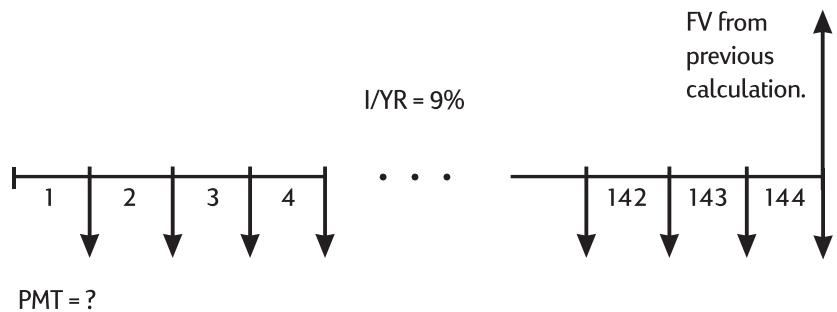
Set to End mode. Press BEGIND if BEGIN annunciator is displayed.
| +/- FV | 52,713.28 | Stores amount you need. |
| 0 PV | 0.00 | Stores amount you are starting with. |
| 1 2 PYR | 12.00 | Sets payments per year. |
| 1 4 4 N | 144.00 | Stores number of deposits. |
| 9 /YR | 9.00 | Stores interest rate. |
| PMT | -204.54 | Calculates monthly deposit required. |
Gains That Go Untaxed Until Withdrawal
You can use the TVM application to calculate the future value of a tax-free or tax-deferred account. (Current tax laws and your income determine whether both interest and principal are tax-free. You can solve for either case.)
The purchasing power of that future value depends upon the inflation rate and the duration of the account.
Example. You are considering opening a tax-deferred account with a dividend rate of 8.175% . If you invest \2,000at the beginning of each year for 35 years, how much will be in the account at retirement? How much will you have paid into the account? How much interest will you have earned? If your post-retirement tax rate is15\%, what will the after-tax future value of the account be? Assume that only the interest is taxed (assume the principal was taxed before deposit). What is the purchasing power of that amount, in today's dollars, assuming a4\%$ inflation rate?
Set to Begin mode. Press if BEGIN annunciator is not displayed.
| Keys: | Display: | Description: |
| 1PYR | 1.00 | Sets 1 payment per year. |
| 35N | 35.00 | Stores number of periods and interest rate. |
| 8·175IYR | 8.18 | |
| 0PV | 0.00 | Stores amount you start with. |
| 2000+/-PMT | -2,000.00 | Stores amount of annual payment. |
| FV | 387,640.45 | Calculates amount in account at retirement. |
| RCL PMT×RCL N= | -70,000.00 | Calculates amount you have paid into account by retirement. |
| +RCL FV= | 317,640.45 | Calculates interest account has earned by retirement. |
| X15%= | 47,646.07 | Calculates taxes at 15% of interest. |
| +/-+RCL FV= | 339,994.39 | Calculates after-tax FV. |
| FV | 339,994.39 | Stores after-tax future value in FV. |
| 4I/YR O PMT PV | -86,159.84 | Calculates present-value purchasing power of after-tax FV, assuming a 4% inflation rate. |
Value of a Taxable Retirement Account
This problem uses the TVM application to calculate the future value of a taxable retirement account that receives regular, annual payments beginning today (Begin mode). The annual tax on the interest is paid out of the account. (Assume the deposits have been taxed already.)
Example. If you invest (3,000 each year for 35 years, with dividends taxed as ordinary income, how much will you have in the account at retirement? Assume an annual dividend rate of (8.175\%), a tax rate of (28\%), and that payments begin today. What is the purchasing power of that amount in today's dollars, assuming (4\%) inflation?
Set to Begin mode. Press if BEGIN annunciator is not displayed.
| Keys: | Display: | Description: |
| 1 PYR | 1.00 | Sets 1 payment per year. |
| 35N | 35.00 | Stores number of payment periods until retirement. |
| 8175-28%= | 5.89 | Calculates interest rate diminished by tax rate. |
| IYR | 5.89 | Stores adjusted interest rate. |
| OPV | 0.00 | Stores amount you are starting with. |
| 3000+/-PMT | -3,000.00 | Stores amount of annual payment. |
| FV | 345,505.61 | Calculates amount in account at retirement. |
| 4 IYR O PMT PV | -87,556.47 | Calculates present-value purchasing power of FV, assuming a 4% inflation rate. |
Cash Flow Examples
Wrap-Around Mortgages
A wrap-around mortgage is a combination of refinancing a mortgage and borrowing against real estate equity. Usually the two unknown quantities in the wrapped mortgage are the new payment and the rate of return to the lender. To arrive at a solution, you need to use both the TVM and the cash flow applications.
Example. You have 82 monthly payments of 754 left on your 8% mortgage, leaving a remaining balance of47,510.22. You would like to wrap that mortgage and borrow an additional 35,000 for another investment. You find a lender who is willing to "wrap" an82,510.22 mortgage at 9.5% for 15 years. What are your new payments and what return is the lender getting on this wrap-around mortgage?
The payment calculation is a straightforward TVM payment calculation using the new amount as the PV .
Set to End mode. Press BEGIND if BEGIN annunciator is displayed.
| Keys: | Display: | Description: |
| C ALL | 0.00 | Clears all registers. |
| 12PYR | 12.00 | Sets payments per year. |
| 82510222PV | 82,510.22 | Stores loan amount on which your new payment is calculated. |
| 95IYR | 9.50 | Stores interest rate. |
| 0FV | 0.00 | Stores final balance. |
| 15KP/YR | 180.00 | Stores number of monthly payments you will make. |
| PMT | -861.59 | Calculates your new payment. |
Then, to calculate the lender's return, enter cash flows that represent the complete picture of the wrap-around mortgage from the lender's point of view:
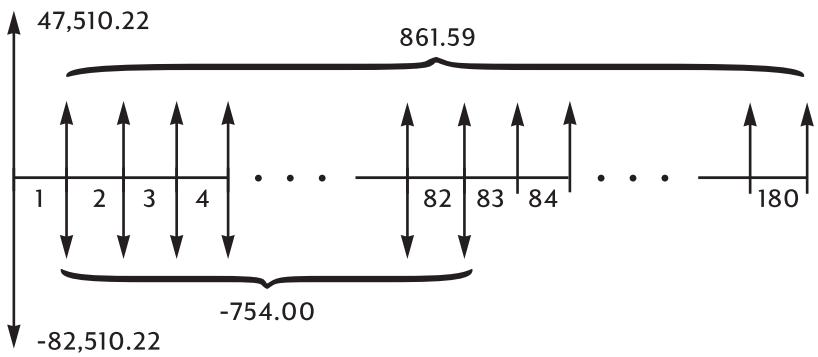
When you group the above cash flows, you'll find that:
$$ \mathrm {C F} _ {0} = 4 7, 5 1 0. 2 2 - 8 2, 5 1 0. 2 2 = - 3 5, 0 0 0 $$
$$ \mathrm {C F} _ {1} = 8 6 1. 5 9 - 7 5 4. 0 0 = 1 0 7. 5 9 $$
$$ \mathrm {N} _ {1} = 8 2 $$
$$ \mathrm {C F} _ {2} = 8 6 1. 5 9 $$
$$ \mathrm {N} _ {2} = 1 8 0 - 8 2 = 9 8 $$
Keys:
③⑤①①①+/-CF
RCL(PMT) +/− -7 5 4 CF
82N
RCL PMT +CF
180-82-N
RR/YR
Display:
CF0
-35,000.00
CF1
107.59
n1
82.00
CF2
861.59
n2
98.00
10.16
Description:
Enters $35,000 for loan amount.
Enters net payment for first 82 months.
Enters number of times payment occurs.
Enters net payment for next 98 months.
Enters number of times payment occurs.
Calculates annual return.
Net Future Value
The net future value can be calculated by using the TVM keys to slide the net present value (NPV) forward on the cash flow diagram.
Example: Value of a Fund. You have made the following deposits over the past two years into a money market fund earning 8.8% . What is the current balance of the account?
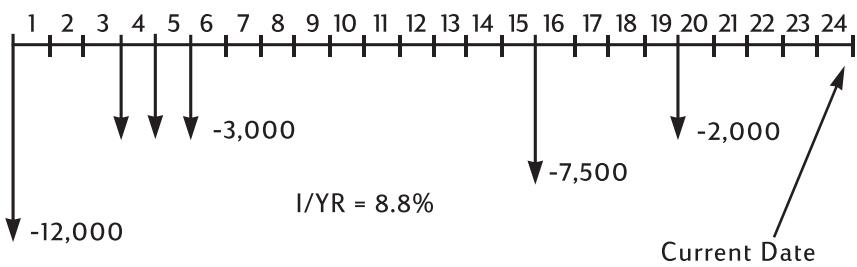
Set to End mode. Press if BEGIN annunciator is displayed.
| Keys: | Display: | Description: | |
| C ALL | C clears all registers. | ||
| 12 | PYR | 12.00 | Sets payments per year. |
| 12000+/-CF1 | CF0 | -12,000.00 | Enters initial cash flow. |
| 0 CF1 | CF1 | Enters amount in group 1. | |
| 2 N | n1 | Enters number of times payment occurs. | |
| 3000+/-CF1 | CF2 | Enters amount in group 2. | |
| 3 N | n2 | Enters number of times payment occurs. | |
| 0 CF19 N | 3.00 | Enters number of times payment occurs. | |
| 7500+/-CF1 | CF4 | Enters cash flow group 4. | |
| 0 CF13 N | n5 | Enters number of times payment occurs. | |
| 3.00 |
②①①①+/-(CF)
CF6
-2,000.00
8 8 I/YR
8.80
NPV
-29,203.14
24N
24.00
O PMT
0.00
FV
34,800.58
Enters cash flow group 6.
Stores annual interest rate.
Calculates net present value (NPV) , automatically stored as PV .
Stores known values.
Calculates net future value.
Assistance, Batteries, and Service
Hewlett-Packard is committed to providing you with ongoing support. You can obtain answers to questions about using your calculator from our Calculator Support department.
Please read "Answers to Common Questions" before contacting us. Our experience has shown that many of our customers have similar questions about our products. If you don't find an answer to your question, you can contact us using the address or phone number listed on the inside back cover.
Answers to Common Questions
Q: I'm not sure if the calculator is malfunctioning or if I'm doing something incorrectly. How can I determine if the calculator is operating properly?
A: See "Determining if the Calculator Requires Service" on page 121.
Q: My numbers contain commas instead of periods as decimal points. How do I restore the periods?
A: Press l (page 31).
Q: How do I change the number of decimal places that the HP 10BII displays?
A: Press ☐DSP and the number of decimal places that you want (page 31).
Q: What does an "E" in a number (for example, 2.51E-13) mean?
A: Exponent of ten (for example, 2.51 × 10^-13 ). Refer to "Scientific Notation" on page 30.
Q: Why do I get a wrong answer or the No Solution message when using TVM?
A: Be sure to enter a value for four of the five TVM values before you solve for the fifth, even if one of the values is zero. (Don't forget to store a zero for FV if you completely pay off a loan.) Clearing all the registers (CAL) before entering your known values accomplishes the same thing. Check to see that the calculator is in the appropriate payment mode (Begin or End mode) and that P / YR is set correctly.
Q: How can I change the sign of a number in a list of cash flows?
A: You must replace the cash flow entry. See "Viewing and Replacing Cash Flows" on page 79.
Q: What does PEND in the display mean?
A: An arithmetic operation is pending (in progress).
Q: What does INPUT in the display mean?
A:The ^INPUT key has been pressed (page 28).
Q: Why is IRR/YR larger than I expected?
A: This is IRR per year. To see a periodic IRR, divide IRR/YR by P / YR .
Environmental Limits
To maintain product reliability, you should avoid getting the calculator wet and observe the following temperature and humidity limits:
- Operating temperature: 0^ to 40^ ( 32^ to 104^ ).
Storage temperature: -20^ to 65^ (-4^ to 149^) - Operating and storage humidity: 90% relative humidity at 40^ (104^) maximum.
Noise Declaration. In the operator position under normal operation (per ISO 7779): LpA < 70dB.
Power and Batteries
The calculator is powered by two 3-volt lithium button-cell batteries.
When changing batteries, use only fresh button-cell batteries. Both batteries must be changed at the same time.
Do not use rechargeable batteries.
Low Power Annunciator
When the low battery-power annunciator (4) comes on, you should replace the batteries as soon as possible. If the battery annunciator is on and the display dims, you may lose data. The All Clear message is displayed if data is lost due to low power.
Battery Specifications
Your HP calculator requires two fresh CR2032 lithium batteries.
Installing Batteries
- Have two fresh CR2032 batteries at hand. Only touch the batteries by their edges. Wipe each battery with a lint-free cloth to remove dirt and oil.
- Make sure the calculator is off. Note that you will lose the contents of memory when changing the batteries, so write down any data that you have stored and need for later use.
- Turn the calculator over and pris off the battery cover.
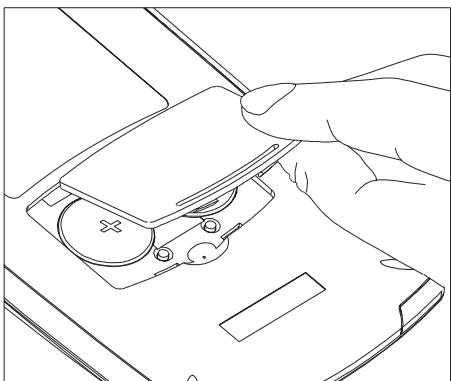
Accessing the battery compartment

Warning
There is a danger of explosion if batteries are incorrectly replaced.
Replace only with the same type of battery or with equivalent batteries (as recommended by the manufacturer). Dispose of used batteries according to the manufacturer's instructions.
Do not mutilate, puncture, or dispose of batteries in fire. The batteries can burst or explode, releasing hazardous chemicals.
Do not use new and old batteries together, and do not mix batteries of different types.
- Insert the new batteries, making sure that the positive sign (+) on each battery is facing outward.
- Replace the battery-compartment lid.
- Press ON.
If the calculator does not turn on, follow the procedures in the next section.
Determining if the Calculator Requires Service
Use these guidelines to determine if the calculator requires service. If these procedures confirm that the calculator is not functioning properly, read the section "If the Calculator Requires Service" on page 123.
The calculator won't turn on (nothing is in the display):
This condition most likely indicates that the batteries have run out. Install new batteries.
If the calculator still does not turn on when you press ON:
- reset the calculator (see below) and, if necessary,
- erase the memory (see below).
The All Clear message should now be displayed. If this is not the case, the calculator requires a service.
Resetting the calculator
- Turn the calculator over and remove the battery cover.
- Insert the end of a paper clip into the small, round hole located between the batteries. Insert the clip as far as it will go. Hold for one second and then then remove the clip.
- Press ON.
- If the calculator is still not responding, erase the memory (see below) and repeat steps 1 to 3 above one more time.
Erasing the calculator's memory
- Hold down the ON key.
- Hold down the and then the FV key.
- Release all three keys.
Memory is cleared and All Clear should be displayed.
- The calculator doesn't respond to keystrokes (nothing happens when you press the keys):
- Reset the calculator (see above) and, if necessary,
- erase the memory (see above).
The All Clear message should now be displayed. If this is not the case, the calculator requires a service.
- The calculator responds to keystrokes but you suspect that it is malfunctioning:
-
It is likely that you've made a mistake in operating the calculator. Try rereading portions of the manual, and check "Answers to Common Questions" on page 117.
-
Contact the Calculator Support department. The address and phone number are listed on the inside back cover.
Limited One-Year Warranty
What Is Covered
The calculator (except for the batteries, or damage caused by the batteries) is warranted by Hewlett-Packard against defects in materials and workmanship for one year from the date of original purchase. If you sell your unit or give it as a gift, the warranty is automatically transferred to the new owner and remains in effect for the original one-year period. During the warranty period, we will repair or, at our option, replace at no charge a product that proves to be defective, provided you return the product, shipping prepaid, to a Hewlett-Packard service center. (Replacement may be with a newer model of equivalent or better functionality.)
This warranty gives you specific legal rights, and you may also have other rights that vary from state to state, province to province, or country to country.
What Is Not Covered
Batteries, and damage caused by the batteries, are not covered by the Hewlett-Packard warranty. Check with the battery manufacturer about battery and battery leakage warranties.
This warranty does not apply if the product has been damaged by accident or misuse or as the result of service or modification by other than an authorized Hewlett-Packard service center.
No other express warranty is given. The repair or replacement of a product is your exclusive remedy. Any other implied warranty of merchantability or fitness is limited to the one-year duration of this written warranty.
Some states, provinces, or countries do not allow limitations on how long an implied warranty lasts, so the above limitation may not apply to you. In no event shall Hewlett-Packard Company be liable for consequential damages. Some states, provinces, or countries do not allow the exclusion or limitation of incidental or consequential damages, so the above limitation or exclusion may not apply to you.
Products are sold on the basis of specifications applicable at the time of manufacture. Hewlett-Packard shall have no obligation to modify or update products, once sold.
Consumer Transactions in the United Kingdom
This warranty shall not apply to consumer transactions and shall not affect the statutory rights of a consumer. In relation to such transactions, the rights and obligations of Seller and Buyer shall be determined by statute.
If the Calculator Requires Service
Hewlett-Packard maintains service centers in many countries. These centers will repair a calculator, or replace it with the same model or one of equal or greater value, whether it is under warranty or not. There is a service charge for service after the warranty period. Calculators normally are serviced and reshipped within five working days.
Obtaining Service
In the United States: Send the calculator to an authorized HP service center listed on the inside of the back cover.
In Europe: Contact your Hewlett-Packard sales office or dealer, or Hewlett-Packard's European headquarters for the location of the nearest service center. Do not ship the calculator for service without first contacting a Hewlett-Packard office.
Visit http://www.hp.com/calculators for a list of support centers in Europe.
In other countries: Contact your Hewlett-Packard sales office or dealer or write to an authorized HP service center (listed on the inside of the back cover) for the location of other service centers.
If local service is unavailable, you can ship the calculator to an authorized HP service center for repair.
All shipping, reimportation arrangements, and customs costs are your responsibility.
Service Charge
There is a standard repair charge for out-of-warranty service. An authorized HP service center (listed on the inside of the back cover) can tell you how much this charge is. The full charge is subject to the customer's local sales or value-added tax wherever applicable.
Calculator products damaged by accident or misuse are not covered by the fixed service charges. In these cases, charges are individually determined based on time and material.
Shipping Instructions
If your calculator requires service, ship it to the nearest authorized service center or collection point.
- Include your return address and description of the problem.
- Include proof of purchase date if the warranty has not expired.
- Include a purchase order, check, or credit card number plus expiration date (VISA or MasterCard) to cover the standard repair charge.
Note that credit cards may not be accepted in Europe. Visit http:// www.hp.com/calculators for more information.
- Ship the calculator in adequate protective packaging to prevent damage. Such damage is not covered by the warranty, so we recommend that you insure the shipment.
Pay the shipping charges for delivery to the Corvallis Service Center, whether or not the calculator is under warranty.
Warranty on Service
Service is warranted against defects in materials and workmanship for 90 days from the date of service, or your original warranty, whichever is longer.
Service Agreements
In the U.S., a support agreement is available for repair and service. Refer to the form in the front of the manual. For additional information, contact a HP Service Center (see the inside of the back cover).
Regulatory Information
U.S.A. This device complies with Part 15 of the FCC Rules. Operation is subject to the following two conditions: (1) This device may not cause harmful interference, and (2) this device must accept any interference received, including interference that may cause undesired operation.
This calculator generates, uses, and can radiate, radio frequency energy and may interfere with radio and television reception. The calculator complies with the limits for a Class B digital device, pursuant to Part 15 of the FCC Rules. These limits are designed to provide reasonable protection against harmful interference in a residential installation. However, there is no guarantee that interference will not occur in a particular installation. In the unlikely event that there is interference to radio or television reception (which can be determined by turning the calculator off and on), the user is encouraged to try to correct the interference by one or more of the following measures:
Reorient or relocate the receiving antenna.
Relocate the calculator, with respect to the receiver.
Pursuant to Part 15.21 of the FCC Rules, any changes or modifications to this equipment, not expressly approved by Hewlett Packard company, may void the user's authority to operate this equipment.
Canada This Class B digital apparatus complies with Canadian EMC Class B requirements.
Disposal of Waste Equipment by Users in Private Household in the European Union

This symbol on the product or on its packaging indicates that this product must not be disposed of with your other household waste. Instead, it is your responsibility to dispose of your waste equipment by handing it over to a designated collection point for the recycling of waste electrical and electronic equipment. The separate collection and recycling of your waste equipment at the
time of disposal will help to conserve natural resources and ensure that it is recycled in a manner that protects human health and the environment. For more information about where you can drop off your waste equipment for recycling, please contact your local city office, your household waste disposal service or the shop where you purchased the product.
End-user terms and conditions
HP 10B II Calculator
Warranty period: 12 months
-
HP warrants to you, the end-user customer, that HP hardware, accessories and supplies will be free from defects in materials and workmanship after the date of purchase, for the period specified above. If HP receives notice of such defects during the warranty period, HP will, at its option, either repair or replace products which prove to be defective. Replacement products may be either new or like-new.
-
HP warrants to you that HP software will not fail to execute its programming instructions after the date of purchase, for the period specified above, due to defects in material and workmanship when properly installed and used. If HP receives notice of such defects
during the warranty period, HP will replace software media which does not execute its programming instructions due to such defects.
- HP does not warrant that the operation of HP products will be uninterrupted or error free. If HP is unable, within a reasonable time, to repair or replace any product to a condition as warranted, you will be entitled to a refund of the purchase price upon prompt return of the product.
- HP products may contain remanufactured parts equivalent to new in performance or may have been subject to incidental use.
- Warranty does not apply to defects resulting from (a) improper or inadequate maintenance or calibration, (b) software, interfacing, parts or supplies not supplied by HP, (c) unauthorized modification or misuse, (d) operation outside of the published environmental specifications for the product, or (e) improper site preparation or maintenance.
- Hewlett-Packard makes no other express warranty or condition whether written or oral. To the extent allowed by local law, any implied warranty or condition of merchantability, satisfactory quality, or fitness for a particular purpose is limited to the duration of the express warranty set forth above. Some countries, states or provinces do not allow limitations on the duration of an implied warranty, so the above limitation or exclusion might not apply to you. This warranty gives you specific legal rights and you might also have other rights that vary from country to country, state to state, or province to province.
- To the extent allowed by local law, the remedies in this warranty statement are your sole and exclusive remedies. Except as indicated above, in no event will Hewlett-Packard or its suppliers be liable for loss of data or for direct, special, incidental, consequential (including lost profit or data), or other damage, whether based in contract, tort, or otherwise. Some countries, States or provinces do not allow the exclusion or limitation of incidental or consequential damages, so the above limitation or exclusion may not apply to you.
- For consumer transactions in Australia and New Zealand: the warranty terms contained in this statement, except to the extent lawfully permitted, do not exclude, restrict or modify and are in addition to the mandatory statutory rights applicable to the sale of this product to you.
More About Calculations
IRR/YR Calculations
The calculator determines IRR / YR for a set of cash flows using mathematical formulas that search for the answer. The process finds a solution by estimating an answer and then using that estimate to do another calculation. This is called an iterative process.
In most cases, the calculator finds the desired answer, since there is usually only one solution to the calculation. However, calculating IRR / YR for certain sets of cash flows is more complex. There may be more than one (or no) mathematical solution to the problem. In these cases, the calculator displays a message to help you interpret what has happened.
Possible Outcomes of Calculating IRR/YR
These are the possible outcomes of an IRR / YR calculation:
- Case 1. The calculator displays a positive answer. This is the only positive answer. However, one or more negative answers may exist.
■ Case 2. The calculator finds a negative answer but a single positive answer also exists. It displays: Pos Irr Also. To see the negative answer, press to clear the message. To search for the positive answer, you must input a guess. (Refer to "Entering a Guess for IRR/YR," below). There might also be additional negative answers. - Case 3. The calculator displays a negative answer and no message. This is the only answer.
-
Case 4. The calculator displays the message: Not Found. This indicates that the calculation is very complex. It might involve more than one positive or negative answer, or there may be no solution. To continue the calculation, you must store a guess (see below).
-
Case 5. The calculator displays: No Solution. There is no answer. This situation might be the result of an error, such as a mistake in keying in the cash flows. A common mistake that results in this message is putting the wrong sign on a cash flow. A valid cash-flow series for an IRR / YR calculation must have at least one positive and one negative cash flow.
Halting and Restarting IRR/YR
The search for IRR / YR may take a relatively long time. You can halt the calculation at any time by pressing the key. The message Interrupted is displayed. Pressing now displays the current estimate for IRR / YR . You can resume the calculation by:
- Pressing STO RR/YR while the current estimate is displayed in the calculator line. This continues the calculation from where it left off.
- Storing a guess for IRR / YR , discussed below.
Entering a Guess for IRR/YR
To enter a guess, key in an estimate of IRR / YR and then press STO IRR/YR. You can enter a guess for IRR / YR at these times:
Before beginning the calculation. A fairly accurate guess can reduce the time required to calculate an answer and reduce the chance of the calculator solving for an undesirable negative solution.
After you've interrupted the calculation.
- After the calculator has halted the calculation due to any of the aforementioned cases. However, for cases 3 and 5, no other solutions will be found.
When calculating IRR / YR using a guess, the calculation halts when it finds an answer. However, there may be additional positive or negative answers, or no true solution at all. You can continue searching for another solution by halting the calculation and entering a different guess.
One way to obtain a good guess for IRR / YR is to calculate the NPV for various interest rates. Since IRR / YR is the interest rate at which NPV equals zero, the best estimate of IRR / YR is the interest rate that yields the value for NPV closest to zero.
Effect of Using - to Correct Data
The HP 10BII stores the statistical numbers in an "accumulated" fashion. It doesn't store every number that you enter, but rather it performs intermediate calculations when you press the + key. The - key performs the opposite intermediate calculations to effectively remove a number or pair of numbers from the stored results.
When correcting statistical data, - does not delete rounding errors that may occur during the intermediate calculations done by + . Thus, subsequent results for corrected data may be different than for data that was entered originally without having to use - . However, the difference will not be serious unless the incorrect data has a very large magnitude compared with the correct values; in this case, you may want to clear the statistical registers and re-enter the data.
Range of Numbers
The largest positive and negative numbers available on the calculator are ± 9.999999999999 × 10^499 ; the smallest positive and negative numbers available are ± 1 × 10^-499 . Underflow briefly displays UFLO and then displays zero. Refer to the messages OFLO and UFLO in "Messages" following this appendix.
Equations
Margin and Markup Calculations
$$ M A R = \left(\frac {P R C - C O S T}{P R C}\right) \times 1 0 0 \quad M U = \left(\frac {P R C - C O S T}{C O S T}\right) \times 1 0 0 $$
Time Value of Money (TVM)
Payment Mode Factor: S = 0 for End mode; 1 for Begin mode.
$$ i \% = \frac {I / Y R}{P / Y R} $$
$$ \begin{array}{l} 0 = PV + \left(1 + \frac{i\%}{100}\right)\times PMT\times \left(\frac{1 - \left(1 + \frac{i\%}{100}\right)^{-N}}{\frac{i\%}{100}}\right) \ + F V \times \left(1 + \frac {i \%}{100}\right) ^ {- N} \ \end{array} $$
Amortization
INT = accumulated interest
PRN = accumulated principal
i = periodic interest rate
BAL is initially PV rounded to the current display setting.
PMT is initially PMT rounded to the current display setting.
$$ i = \frac {I / Y R}{P / Y R \times 1 0 0} $$
For each payment amortized:
$$ \begin{array}{l} I N T ^ {\prime} = B A L \times i (I N T ^ {\prime} \text {i s r o u n d e d t o t h e c u r r e n t d i s p l a y s e t t i n g}; \ I N T ^ {\prime} = 0 \text {f o r p e r i o d 0 i n B e g i n m o d e .}) \end{array} $$
$$ I N T = I N T ^ {\prime} (\text {w i t h s i g n o f P M T}) $$
$$ P R N = P M T + I N T ^ {\prime} $$
$$ B A L _ {n e w} = B A L _ {o l d} + P R N $$
$$ \Sigma I N T _ {n e w} = \Sigma I N T _ {o l d} + I N T $$
$$ \Sigma P R N _ {n e w} = \Sigma P R N _ {o l d} + P R N $$
Interest Rate Conversions
$$ E F F ^ {0} \% = \left(\left(1 + \frac {N O M ^ {0} \%}{100 \times P / Y R}\right) ^ {P / Y R} - 1\right) \times 100 $$
Cash-Flow Calculations
i% = periodic interest rate.
j = the group number of the cash flow.
CF_j = amount of the cash flow for group j
n_j = number of times the cash flow occurs for group j .
k = the group number of the last group of cash flows.
N_j^* = _1≤ l < jn_l = total number of cash flows prior to group j
$$ NPV = CF_{0} + \sum_{j = 1}^{k}CF_{j}\times \left(\frac{1 - \left(1 + \frac{i^{\circ} / 100}{100}\right)^{-n_{j}}}{\frac{i^{\circ} / 100}{100}}\right)\times \left(1 + \frac{i^{\circ} / 100}{100}\right)^{-n_{j}} $$
When NPV = 0 , the solution for i% is the periodic internal rate of return.
Statistics
$$ \bar {x} = \frac {\sum x}{n}, \bar {y} = \frac {\sum y}{n}, \bar {x} _ {w} = \frac {\sum x y}{\sum y} $$
$$ S x = \sqrt {\frac {\sum x ^ {2} - \frac {\left(\sum x\right) ^ {2}}{n}}{n - 1}} $$
$$ S y = \sqrt {\frac {\sum y ^ {2} - \frac {\left(\sum y\right) ^ {2}}{n}}{n - 1}} $$
$$ \sigma x = \sqrt {\frac {\sum x ^ {2} - \left(\frac {\sum x}\right) ^ {2}}{n}} \sigma y = \sqrt {\frac {\sum y ^ {2} - \left(\frac {\sum y}\right) ^ {2}}{n}} $$
$$ r = \frac {\sum x y - \frac {\sum x \sum y}{n}}{\sqrt {\left(\sum x ^ {2} - \frac {(\sum x) ^ {2}}{n}\right) \left(\sum y ^ {2} - \frac {(\sum y) ^ {2}}{n}\right)}} $$
$$ m = \frac {\sum x y - \frac {\sum x \sum y}{n}}{\sum x ^ {2} - \frac {\left(\sum x\right) ^ {2}}{n}} $$
$$ b = \bar {y} - m \bar {x} \quad \hat {x} = \frac {y - b}{m} \quad \hat {y} = m x + b $$
Messages
Press or 心 to clear a message from the display.
All Clear
Memory has been erased (page 25).
COPR HP 2000
Copyright message.
Interrupted
An IRR / YR , I / YR , or amortization calculation was interrupted by pressing ⑥ .
No Solution
No solution exists for values entered (page 129).
Not Found
A solution for IRR / YR or I / YR may or may not exist. If you are attempting to solve I / YR , you may be able to perform the calculation using IRR / YR . If you are attempting an IRR / YR calculation, refer to page 129.
OFLO
(Overflow). The magnitude of a result is too large for the calculator to handle. Message is displayed for a moment, then the overflow result is returned (±9.99999999999E499). The overflow message is also displayed if an intermediate TVM or cashflow calculation results in an overflow condition.
Pos Irr Also
(Positive Internal Rate of Return Also). An IRR/YR calculation produced a negative solution. A positive solution also exists (page 129).
running
(Running). A calculation is in process.
UFL0
(Underflow). An intermediate result in TVM is too small for the HP 10BII to process. This message is also briefly displayed if any calculation underflows. In this case, it is followed by zero.
Index
Keys not listed here can be found in the alphabetic sections of this index.
Special Keys
23
23
23
23
X 42
1/x 42
31
+/- 24
26
26
23,25
M 37,39
xP/YR 54
33
CHG 34
88
88
88
X² 88
y^2 88
85
85,131
x88
, 87
xw 87
88
88
A
Advance payments 65
AMORT 67
AMORT 26
Amortization 67-71
balance 67
equations 132
interest 67
principal 67
range of payments 68
single payment 68, 70
Amortization at a glance 16
Annual effective rate 49
Annual nominal rate 49
Annual percentage rate 101
Annualized yield 84
Annuity 62
Annunciators 26
APR 101
Arithmetic 42
Arithmetic operators 23
Average 87
B
Backspace 23
BAL 26
Balance of loan 67
Balloon payment 45, 58
Basics at a glance 11
Batteries 23, 119
installing 119
low power 26
BEG/END 54
BEGIN 26,55
Begin mode 55
Borrowing equity 113
Buy out value 63
C
25
CALL 25
Canadian mortgages 105
Capitalized value 63
Cash flow 18, 47
diagrams 45
discount 77
entering 78
equations 134
examples 113
initial 77
problems 51, 75-84
replacing 79
uneven 80
viewing 79
CF 26
_1 78
C-FLOW 26
Chain calculations 24
Clearing
display 25
memory 25
messages 25
statistics 85
TVM 54
CL25
Commaseparator31,117
Compound interest 48
Compounding periods
and payment periods 73
different periods 72
Constants 37
Continuous compounding 98
Contrast of display 23
Correlation coefficient 19, 88
Cost 12
Cost of no discount 97
CST 35
Cursor 25
D
Decimal places 30
Digit separator 31
Discount 97
Discounted mortgage 99
Discounting cash flows 77
DISP 30
Display contrast 23
Display format 29
Down payment 57
E
E 30
e 42
EFF% 72
Effective interest 17
End mode 55
Environmental limits 118
Equations
amortization 132
cash-flow calculations 134
interest rate conversions 133
margins and markups 132
statistical 135
TVM 132
Equity 113
ERROR 26
Error messages 137
Estimate 88
Estimation 90
Exponents 30
F
Factorial 42
FAQ 117
Forecasting 91, 96
Frequently Asked Questions 117
FULL 27
FUNC 27
Functions 28
Future value 45, 49
FV 49
G
Guarantee 122
Guessing IRR/YR 130
1
Initial cash flow 77
INPUT 28
INT 26
Interest
compound 48
simple 47
Interest conversion at a glance 17
Interest rate conversion 72
Interest-only loan 102
Inverse 42
IRR
calculating 83
IRR/YR 51, 129
at a glance 18
automatic storage of 84
IRR/YR calculations
entering guesses 130
halting 130
possible outcomes 129
restarting 130
I/YR 49
RR/YR 51
K-L
K 37
Lease 63
with advance payments 65
Linear regression 19, 90
LN 42
Loans 55, 98
interest-only 102
number of payments 54
odd first period 103
Logarithm 42
M
Mregister 13
M+ 37,39
MAR 35
Margin 12, 35
Markup 12, 35
Maturity value 45
Mean 19,87,88
weighted 86, 93
Memory
clearing 25, 121
Memory keys at a glance 13
Messages 32,137
clearing 25
Mortgages 98
Canadian 105
discounted 99
example of 57
with a balloon payment 58
wrap-around 113
MU 35
N
88
N 49
N 26
42
Natural logarithm 42
Negative numbers 24
Net future value 115
N78
NOM% 72
Nominal interest 17
NPV 51
at a glance 18
automatic storage of 84
calculating 80
Numbers
display format 29
full precision 31
negative 24
range of 131
rounding 32
storing 37
0
Odd first payment 103
OFF 23
ON 23
One-variable statistics 86
Operating conditions 118
Operators, arithmetic 23
P
Parentheses 43
PMT 49
Payment
advance 65
balloon 58
periods 73
PEND 26
PER 26
Percent 12
adding or subtracting 34
change 34
Percentages 33
at a glance 12
Periodic rate 49
Periods 17, 47, 49, 73
PMT 49
Population standard deviation 88
Powers 43
PRC 35
Precision 31
P49
Present value 49
Price 12, 95
PRIN 26
Principal 67
PV See Present value
P/YR 72
Q
Questions 117
Quick reference 11
R
Rate
effective 49, 72
nominal 49, 72
periodic 49
RCL 35,37
Reciprocal 42
Registers 13
arithmetic in 41
numbered 40
statistics 85
Regression 90
Regulatory Information 125
Remaining amount 45
Reset 121
Residual 45, 63
RM 37,39
Roots 42
RND 32
Rounding 32
s
Sales price, setting 95
Sample standard deviation 87
Savings 60, 108
Scientific notation 30
Selling price 35
Separators 31
Service 121
Europe 123
USA 123
other countries 123
SHIFT 26
Shift key 27
Sign, changing 24
Simple interest 47
Slope 88
Square root 42
Squares 42
Standard deviation 19, 88
population 88
sample 87
,Sy 87
STAT 26, 27
Statistics
at a glance 19
clearing 19, 25, 85
entering data 86
estimate 19
estimation 90
forecasting 90
key 27
linear regression 90
mean 19, 87
one variable 86
registers 85
standard deviation 19, 87
summation 88
two variable 86
STO 37
Storing 37
Summation statistics 88
SWAP 28
T
Terms and conditions 126
Thousands separator 31
Time Value of Money See TVM
Troubleshooting 121
Turn off 23
Turn on 23
TVM 53
at a glance 14-15
equations 132
problems 49
TVM 26
Two-variable statistics 86
U
Uneven cash flow 80
W
Warranty 122
Weighted mean 86, 93
Wrap-around mortgages 113
X
x² 42
Y
yX 43
Yield 83
y-intercept 88


- hp 10BII financial calculator
- Notice
- Welcome to the HP 10BII
- Hewlett-Packard Quality
- Features
- Contents
- 5
- Time Value of Money Calculations
- 6
- Cash Flow Calculations
- 7
- Statistical Calculations
- B 129 More About Calculations
- C 137 Messages
- At a Glance…
- Basics—At a Glance…
- Percentages—At a Glance…
- Keys:
- Display:
- Description:
- Memory Keys—At a Glance…
- Time Value of Money (TVM)—At a Glance…
- TVM What if...—At a Glance…
- Amortization—At a Glance…
- Interest Rate Conversion—At a Glance…
- IRR/YR and NPV—At a Glance...
- Statistics—At a Glance…
- Keyboard Map
- Getting Started
- Power On and Off
- Adjusting the Display Contrast
- Simple Arithmetic Calculations
- Keys: Display:
- Understanding the Display and Keyboard
- Cursor
- Clearing the Calculator
- Clearing Memory
- Annunciators
- Shift Key
- Statistics Key
- INPUT Key
- SWAP Key
- Math Functions
- Display Format of Numbers
- Specifying Displayed Decimal Places
- Scientific Notation
- Displaying the Full Precision of Numbers
- Interchanging the Period and Comma
- Rounding Numbers
- Messages
- Business Percentages
- Percent Key
- Finding a Percent
- Adding or Subtracting a Percent
- Percent Change
- Margin and Markup Calculations
- Margin Calculations
- Markup on Cost Calculations
- Using Margin and Markup Together
- Number Storage and Arithmetic
- Using Stored Numbers in Calculations
- Using Constants
- Using the M Register
- Using Numbered Registers
- Doing Arithmetic Inside Registers
- Doing Arithmetic
- Power Operator
- Using Parentheses in Calculations
- Picturing Financial Problems
- How to approach a Financial Problem
- Signs of Cash Flows
- Periods and Cash Flows
- Simple and Compound Interest
- Simple Interest
- Compound Interest
- Interest Rates
- Two Types of Financial Problems
- Recognizing a TVM Problem
- Recognizing a Cash Flow Problem
- Time Value of Money Calculations
- Using the TVM Application
- Clearing TVM
- Begin and End Modes
- Loan Calculations
- 48N
- FV
- +(RCL PMT)三
- Savings Calculations
- Lease Calculations
- Amortization
- Interest Rate Conversions
- Investments With Different Compounding Periods
- First Bank
- Compounding and Payment Periods Differ
- Cash Flow Calculations
- How to Use the Cash Flow Application
- NPV and IRR/YR: Discontinuing Cash Flows
- Organizing Cash Flows
- Entering Cash Flows
- Viewing and Replacing Cash Flows
- Calculating Net Present Value
- Calculating Internal Rate of Return
- Automatic Storage of IRR/YR and NPV
- Statistical Calculations
- Clearing Statistical Data
- Entering Statistical Data
- One-Variable Statistics
- Two-Variable Statistics and Weighted Mean
- Correcting Statistical Data
- Correcting One-Variable Data
- Correcting Two-Variable Data
- Summary of Statistical Calculations
- Mean, Standard Deviations, and Summation Statistics
- Linear Regression and Estimation
- Weighted Mean
- Additional Examples
- Business Applications
- Setting a Sales Price
- Forecasting Based on History
- Cost of Not Taking a Cash Discount
- Loans and Mortgages
- Simple Annual Interest
- Continuous Compounding
- Yield of a Discounted (or Premium) Mortgage
- Annual Percentage Rate for a Loan With Fees
- Loan With a Partial (Odd) First Period
- Automobile Loan
- Canadian Mortgages
- What if ... TVM Calculations
- Savings
- Saving for College Costs
- Gains That Go Untaxed Until Withdrawal
- Value of a Taxable Retirement Account
- Cash Flow Examples
- Wrap-Around Mortgages
- Net Future Value
- Assistance, Batteries, and Service
- Answers to Common Questions
- Environmental Limits
- Power and Batteries
- Low Power Annunciator
- Battery Specifications
- Installing Batteries
- Warning
- Determining if the Calculator Requires Service
- The calculator won't turn on (nothing is in the display):
- Resetting the calculator
- Erasing the calculator's memory
- - The calculator doesn't respond to keystrokes (nothing happens when you press the keys):
- - The calculator responds to keystrokes but you suspect that it is malfunctioning:
- Limited One-Year Warranty
- What Is Covered
- What Is Not Covered
- Consumer Transactions in the United Kingdom
- If the Calculator Requires Service
- Obtaining Service
- Service Charge
- Shipping Instructions
- Warranty on Service
- Service Agreements
- Regulatory Information
- Disposal of Waste Equipment by Users in Private Household in the European Union
- End-user terms and conditions
- More About Calculations
- IRR/YR Calculations
- Possible Outcomes of Calculating IRR/YR
- Halting and Restarting IRR/YR
- Entering a Guess for IRR/YR
- Effect of Using - to Correct Data
- Range of Numbers
- Equations
- Time Value of Money (TVM)
- Cash-Flow Calculations
- Statistics
- running
- UFL0
- Index
- Special Keys
- A
- B
- D
- E
- F
- G
- 1
- K-L
- M
- N
- 0
- P
- Q
- R
- s
- T
- U
- W
- X
- Y
Brand : HP
Model : 10B2
Category : Calculator