ManualGo.com
TOWER 2.0 - Backpack DICOTA - Free user manual and instructions
Find the device manual for free TOWER 2.0 DICOTA in PDF.



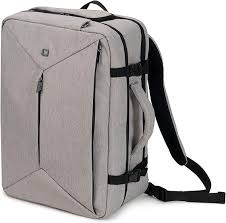
Download the instructions for your Backpack in PDF format for free! Find your manual TOWER 2.0 - DICOTA and take your electronic device back in hand. On this page are published all the documents necessary for the use of your device. TOWER 2.0 by DICOTA.
USER MANUAL TOWER 2.0 DICOTA
Introduction 2
Package content 2
Safety instructions 2
Features 3
Specification 3
System requirements 4
Hardware installation 4
Installation verification 4
Over-current status figure 7
Certificate 8
Disclaimer 9
Customer service 9
Introduction
Thank you for purchasing our 7-Port USB 2.0 HUB that allows you to add up to 7 multiple high performance USB 2.0 peripheral devices to your PC or Notebook. The 7-Port USB 2.0 HUB is fully compliant with the USB 1.1 specification, i.e. your previous USB 1.1 devices can continue to function as usual. This convenient device allows you to connect up to a maximum of 127 USB devices to your PC or Notebook through daisy chain.
Package content
- 7-Port USB 2.0 HUB
- Foot for 7-Port USB 2.0 HUB
Power adapter - User's Manual
USB 2.0 cable
Safety instructions
- Always read the safety instructions carefully.
- Keep the User's Manual for reference.
- Keep the equipment away from humidity.
-
Lay this equipment on a reliable flat surface before setting it up.
-
If any of the following situations arises, please contact a service technician for diagnostics:
The equipment has been exposed to moisture.
- The equipment has been dropped or damaged.
- If the equipment has obvious sign of breakage.
- The equipment has not been working well or it is still not functioning after you follow the User's Manual.
Features
Compliant with Universal Serial Bus Specification Revision 2.0 (Data Rate 1.5/12/480 Mbps)
- Downwards compatible to USB 1.1
- Connects up to 127 USB Devices through daisy chain
- Self-power mode used
- Plug & Play function
- 1 upstream and 7 downstream USB ports included
Over-current detection and protection
1 LED as power-on indicator
Specification
| Function | Specification | |
| USB Ports | 1 upstream port and 7 downstream ports | |
| Compliance | FCC regulations for home or office use, CE emissions | |
| Power | Self-Power: 5 V 3.0 A + Bus-Power: 5 V 500 mA = 3500 mA in total; 5 V, 500 mA max. output per USB port | |
| Adapter: | Input: 100~240V, 1.0 A, 50 Hz-60 Hz Output: 5 V 3.0 A, 20 Watt | |
| Storage temperature | -10~85℃ | |
| Working temperature | 0~40℃ | |
System requirements
- Desktop PC or Notebook computer with USB 2.0 port
- One of the following operating systems (no driver needed):
-Windows 98/SE
-Windows®ME
-Windows 2000
-WindowsXP
- MacTM X up
Hardware installation
Upstream: Connects to Desktop PC, Notebook or MAC.

Type B receptor
Or

Type A plug
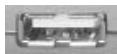
Downstream: Connects to devices.
X7
Type A receptacle (the arrangement can be different)
Power Jack: Connects to Power Adapter.

5V/3.0A
Installation verification
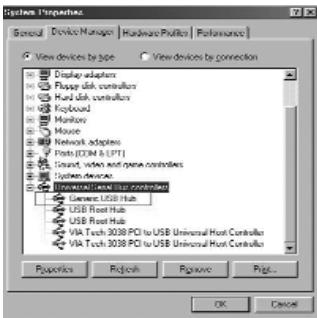
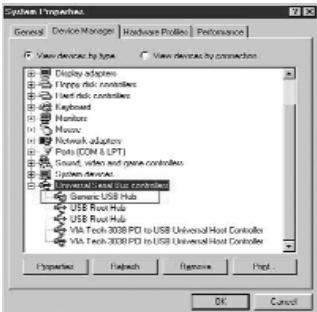
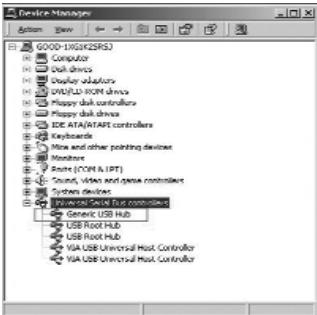
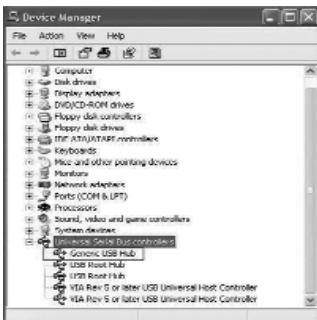
After connecting this 7-Port USB 2.0 HUB to Desktop PC or Notebook by the USB 2.0 cable, the system will detect the device and install the required system drivers automatically. After installation is finished, you can go to Device Manager to verify the completed installation*.
*According to previous description, the driver is based on host system. The following image is based on USB 1.1 HUB installed. The device name maybe varied on your host driver.
Windows 98 SE:
Windows ME:
Windows 2000:
Windows XP:
Remark:
If your operating system is Windows ME, which will have a green question mark shown in Device Manager - it is all right because Windows ME cannot identify the USB 2.0 HUB's brand, but it won't have any impact on its function.
Over-current status figure
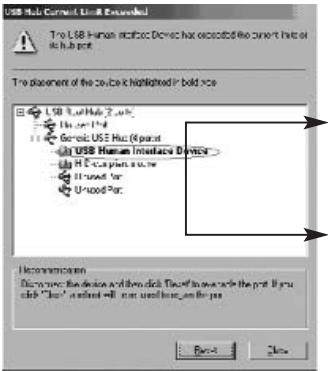
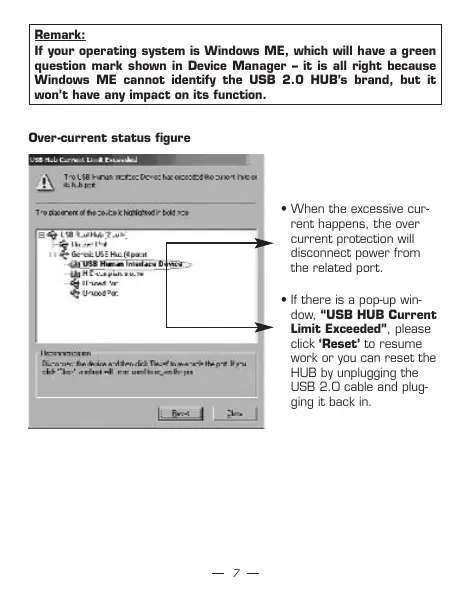
- When the excessive current happens, the overcurrent protection will disconnect power from the related port.
- If there is a pop-up window, "USB HUB Current Limit Exceeded", please click 'Reset' to resume work or you can reset the HUB by unplugging the USB 2.0 cable and plugging it back in.
Mac OS:
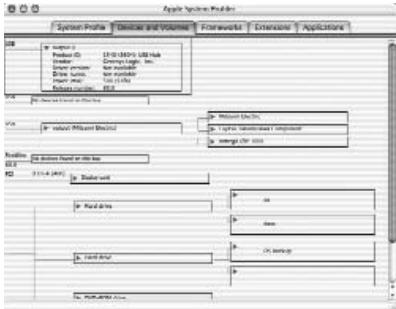
After the installation has finished, please go to "Apple System Profiler/ Devices and Volumes/USB" to verify the installation completed.
Certificate
FCC
This equipment has been tested and found to comply with Part 15 of the FCC Rules. Operation is subject to the following two conditions:
[1] This device may not cause harmful interference, and
[2] This device must accept any interference received. Including interference that may cause undesired operation.
CE
This equipment is in compliance with the requirements of the following regulations: EN 55 022:CLASS B
Disclaimer
Information in this document is subject to change without notice. The manufacturer does not make any representations or warranties (implied or otherwise) regarding the accuracy and completeness of this document and shall in no event be liable for any loss of profit or any commercial damage, including but not limited to special, incidental, consequential, or other damage. No part of this document may be reproduced or transmitted in any form by any means, electronic or mechanical, including photocopying, recording or information recording and retrieval systems without the express written permission of the manufacturer.
Customer service:
If you encounter any problem with your Tower 2.0, please contact our local subsidiary, partner or dealer, or send us your inquiry to info@dicota.com.
2 years warranty. Please find the complete text in our guarantee on the Internet: www.dicota.com.
All the products and software mentioned above are registered trademarks of their respective owners. Errors and omissions excepted.
deutsch
Inhaltsverzeichnis
Hardware Installables
Upstream: Connects to Desktop PC, Notebook or MAC

Type B Receptacle
vagy

Type A Plug
Downstream: Connects to devices
X7
Power Jack: Connects to Power Adapter

5V/3.0A
Telepitési utmutató
(1)Данhoe yctpoCTBO He BbI3bIaET BpeHbIe NOMEXN,И
DA Haohney yctpoCTBO He BNIAHOT HNKAKNE NOMEXN.JaKeIOMEXN, KOTOpe MOYr TBy3BaTbe He JEAJIeMBeJeiDCTBnR.