 ManualGo.com
REPLICATOR 2.0 - USB Docking Station DICOTA - Free user manual and instructions
Find the device manual for free REPLICATOR 2.0 DICOTA in PDF.



Download the instructions for your USB Docking Station in PDF format for free! Find your manual REPLICATOR 2.0 - DICOTA and take your electronic device back in hand. On this page are published all the documents necessary for the use of your device. REPLICATOR 2.0 by DICOTA.
USER MANUAL REPLICATOR 2.0 DICOTA
USB 2.0 LAN Docking Station
deutsch
Bedienungsanleitung
USB 2.0 LAN Docking Station
français
Guide d'utilisation
USB 2.0 LAN Docking Station
italiano
Manuale d'uso
Driver installation 2
Making sure installation was successful 5
Removing drivers 5
Introduction
Thanks for choosing the Replicator 2.0. It offers a simple, flexible and highly scalable connectivity solution between the Notebook and any USB 1.0/1.1/2.0 compliant devices. The Replicator 2.0 adds one 4-Ports USB 2.0 HUB; 2 PS/2 ports; 1 RS232 port; 1 USB 2.0 LAN port, which supports 10/100 Mbps transfer rate.
Of course the Replicator 2.0 can connect the latest higher performance peripherals, such as high-resolution video conferencing cameras, scanners and printers. You can enjoy the Replicator 2.0 to extend your USB 2.0 devices.
System requirements
- USB 2.0 host controller
- Windows 2000/XP
Package contents:
- 1x USB 2.0 Replicator 2.0
- 1 x USB 2.0 A to B type cable (1800 mm)
- 1 x AC Power Adapter (DC 5 V/3 A)
- 1 x Driver CD
- 1 x User's manual
LED indicator description:
Good link status
- When the USB Replicator 2.0 is connected to the PC or Notebook, all of the LED indicators will turn on. (Note: The Ethernet Linked to the Network or Internet)
- Power LED indicator
- When just the power adapter is plugged into the Replicator 2.0, the POWER LED indicator and PS/2 LED will turn on.
- Ethernet LED indicator
- When the Ethernet works correctly, the LED indicator will turn on the red LED.
- When the Ethernet work under 100 Mbps Network, the LED indicator will turn on the red and green LED at the same time.
Notes
- For the Replicator 2.0 working under stable environment, please be sure to use the power adaptor.
- When the USB 2.0 HUB ports become overloaded, please refresh or replug the Replicator 2.0 into the Notebook to active the ports.
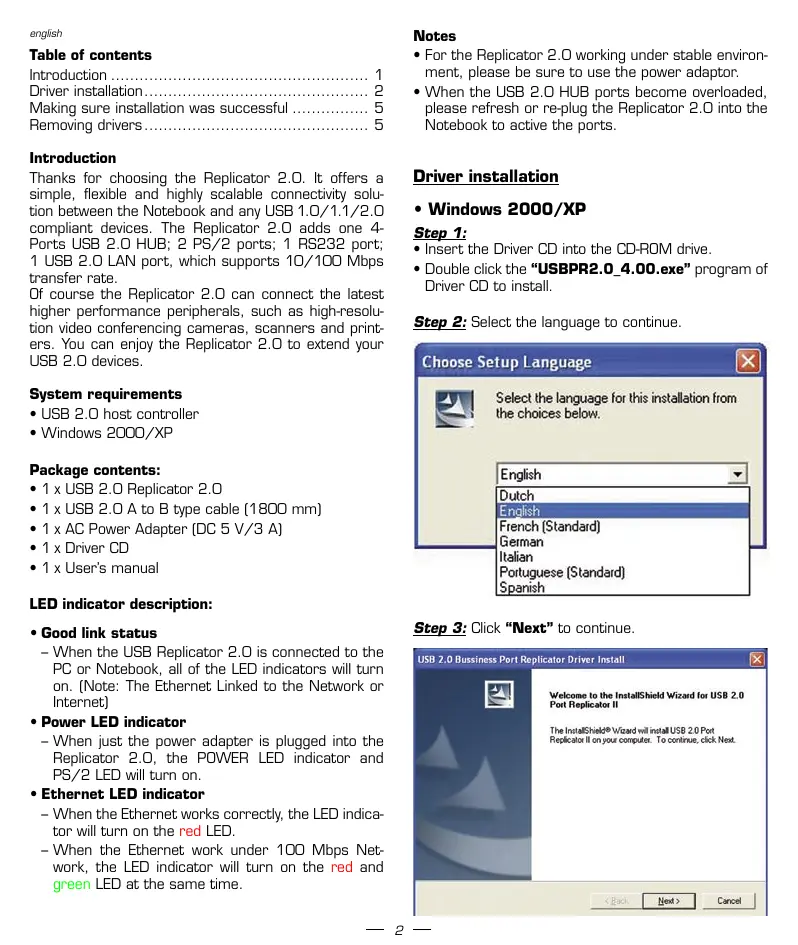
Driver installation
- Windows 2000/XP
Step 1:
- Insert the Driver CD into the CD-ROM drive.
- Double click the "USBPR2.0_4.00.exe" program of Driver CD to install.
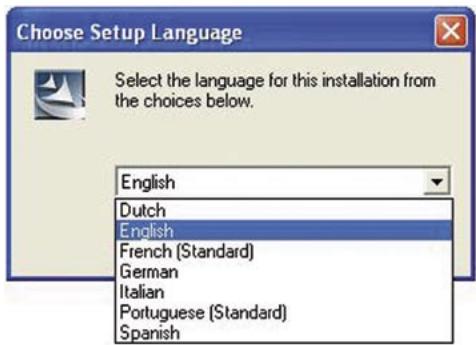
Step 2: Select the language to continue.
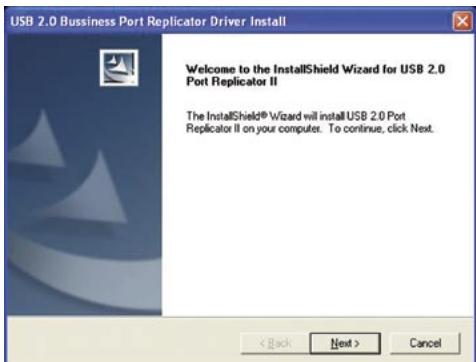
Step 3: Click "Next" to continue.
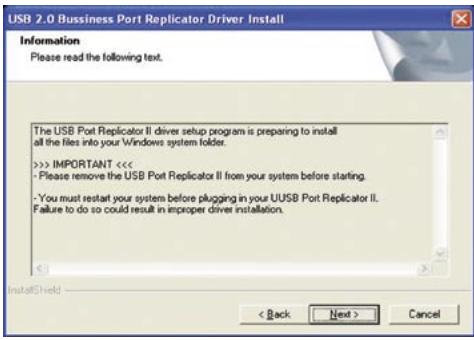
Step 4: Click "Next" to continue.
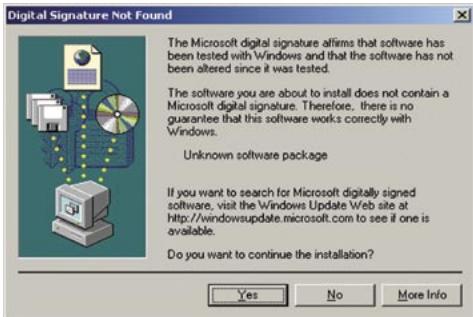
Step 5a: Click "Yes" to continue. (Under Windows 2000)
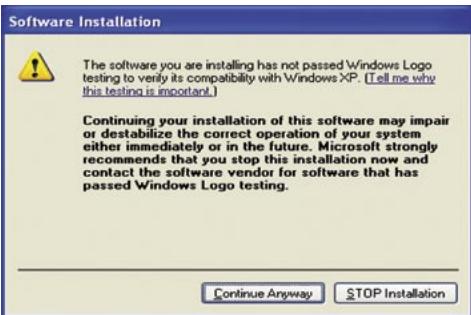
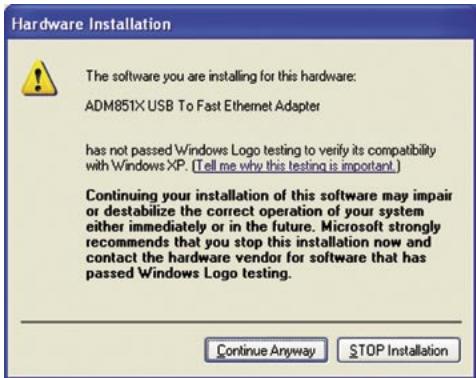
Step 5b: Click "Continue Anyway" to continue. (Under Windows XP)
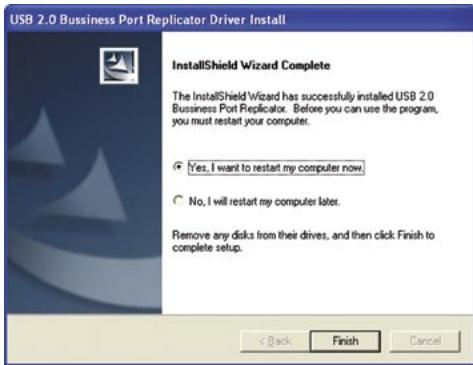
Step 6a: Select "Yes" and click "Finish".
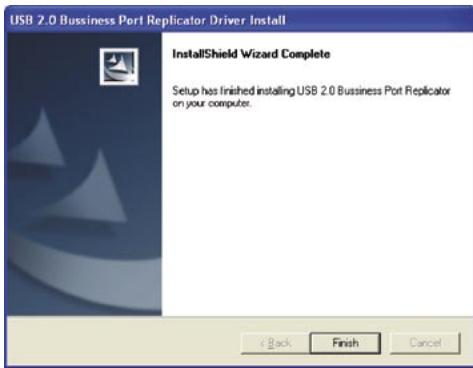
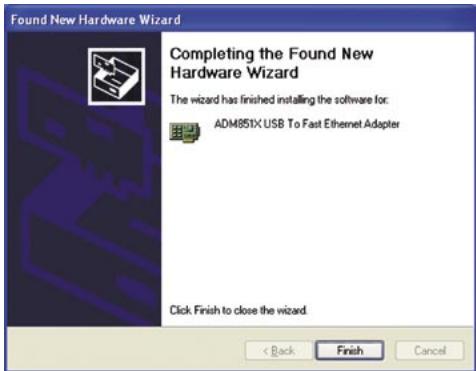
Step 6b: Click "Finish" to complete the driver installation.
Step 7a:
- Plug the USB A type of USB 2.0 cable Replicator 2.0.
- Plug the USB B type of USB 2.0 cable into the USB 2.0 HUB ports of your PC or Notebook.
- Click "Yes" to continue. (Under Windows 2000)
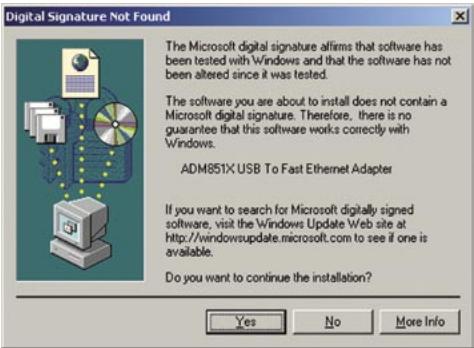
Step 7b:
- It will show a new hardware device "ADM851X USB To Fast Ethernet Adapter". (Under Windows XP)
- Select "Install the software automatically" item.
- Click "Next" to continue.
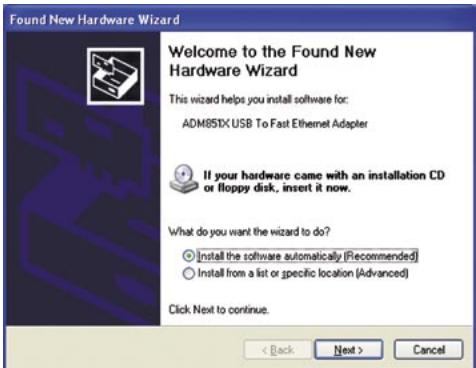
Step 8: Click "Continue Anyway" to continue.
Step 9: Click "Finish" to complete the "ADM851X USB To Fast Ethernet Adapter" driver installation.
Make sure the installation was successfully
- Windows 2000/XP
Step 1:
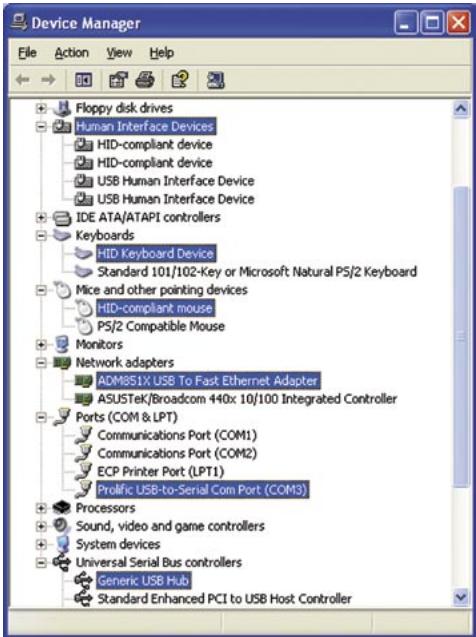
To make sure you have installed the Replicator 2.0 successfully, please move the cursor to "My computer" "Control Panel" "System Properties" "Hardware" "Device Manager".
- Double click the "Human Interface Devices"; it will show the "HID-compliant device" x 2 and "USB Human Interface" x 2.
- Double click the "Keyboards"; it will show the "HID-keyboard Device".
- Double click the "Mice and other pointing devices"; it will show the "HID-complaint mouse".
- Double click the "Network adapters"; it will show the "ADM851X USB To Fast Ethernet Adapter".
- Double click the "Ports (COM & LPT)", it will show the "Prolific USB-to-Serial Com Port (COMx)".
- Double click the "Universal Serial Bus controllers"; it will show the "Generic USB HUB".
Driver un-installation
- Windows 2000/XP
Step 1:
- Start menu:
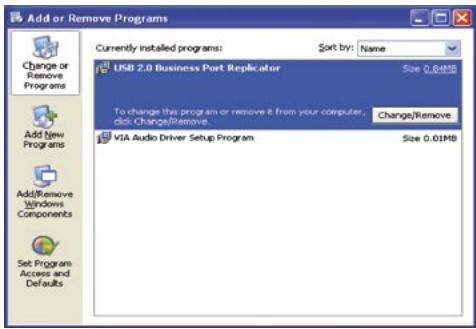
Please click "Start" "Control Panel" "Add or Remove Programs". (Windows XP only)
Classic start menu:
Please click "Start" → "Settings" → "Control Panel" → "Add or Remove Programs". [Windows 2000/XP only]
- Select "USB 2.0 Business Port Replicator" item.
- Click "Change/Remove" button.
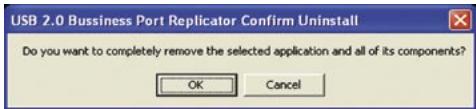
Step 2: Click "OK" to continue.
In the Windows 2000 operating system it is possible that the modem will not appear in the "Safe Remove Hardware"-icon in the task bar and therefore cannot be stopped. If an "unsafe removal of device" alert message appears please ignore it with reference to your modem. There will be no effect on your modem and it will continue to function as normal.
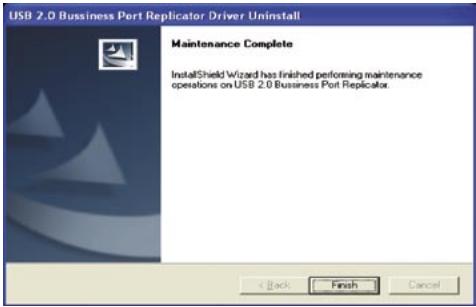
Step 3: Click "Finish" to complete the driver un-installation.
Cerificate
FCC
This equipment has been tested and found to comply with Part 15 of the FCC rules. Operation is subject to the following two conditions:
- this device may not cause harmful interference
- this device must accept any interference received. Including interference that may cause undesired operation.
CE-Certificate
This equipment is in compliance with the requirements of the following regulations: EN 55 022: CLASS B.
Disclaimer
Information in this document is subject to change without notice. The manufacturer does not make any representations or warranties (implied or otherwise) regarding the accuracy and completeness of this document and shall in no event be liable for any loss of profit or any commercial damage, including but not limited to special, incidental, consequential, or other damage. No part of this document may be reproduced or transmitted in any form by any means, electronic or mechanical, including photocopying, recording or information recording and retrieval systems without the express written permission of the manufacturer.
Customer service:
If you encounter any problem with your Replicator 2.0, please contact our local subsidiary, partner or dealer, or send us your inquiry to info@dicota.com.
2 years warranty. Please find the complete text in our guarantee on the internet: www DICota.com.
All the products and software mentioned above are registered trademarks of their respective owners. Errors excepted.

deutsch
Inhalt
Einführung 7