GS8+ - Network switch COMET LABS - Free user manual and instructions
Find the device manual for free GS8+ COMET LABS in PDF.


| Product Type | 8-Port Gigabit Network Switch |
| Brand | COMET LABS |
| Model | GS8+ |
| Number of Ports | 8 RJ-45 10/100/1000 Mbps Ports |
| Supported Standards | IEEE 802.3, 802.3u, 802.3ab |
| Switching Method | Store-and-forward |
| Buffer Memory | 3.5 MB SRAM |
| MAC Address Table Capacity | 4,000 Entries |
| Jumbo Frames | Support up to 9 KB |
| Flow Control | IEEE 802.3x (full-duplex), Backpressure (half-duplex) |
| Auto-Negotiation and Auto-MDI/MDI-X | Yes on all ports |
| Broadcast Storm Filtering | Yes |
| Power Supply | AC 90-240 V, 50-60 Hz |
| Power Consumption | 20 W max |
| Dimensions (W x D x H) | 228 x 123 x 44 mm |
| Weight | 1.8 kg |
| Operating Temperature | 0°C to 60°C |
| Storage Temperature | -20°C to 90°C |
| Relative Humidity | 10% to 90% (non-condensing) |
| Ventilation | Passive, fanless (Quiet & Cool technology) |
| Mounting | Desktop or rack (10" or 19" with optional brackets) |
| LED Indicators | Power, 1000M, Link/ACT (per port) |
| Certifications | CE, FCC Class B |
| Package Contents | Switch, power cable, user manual |
| Maintenance and Cleaning | Clean with a dry cloth; unplug before cleaning |
| Safety | Use the supplied power adapter; avoid moisture; do not open the device |
| Spare Parts and Repairability | No user-serviceable parts; contact customer support |
Frequently Asked Questions - GS8+ COMET LABS
User questions about GS8+ COMET LABS
0 question about this device. Answer the ones you know or ask your own.
Ask a new question about this device
Download the instructions for your Network switch in PDF format for free! Find your manual GS8+ - COMET LABS and take your electronic device back in hand. On this page are published all the documents necessary for the use of your device. GS8+ by COMET LABS.
USER MANUAL GS8+ COMET LABS
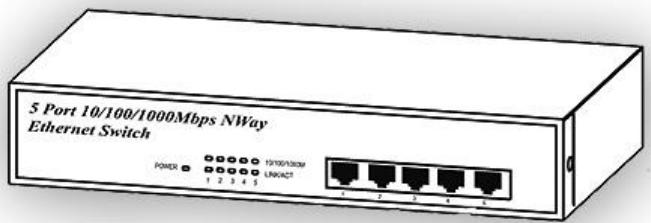
8 Ports Gigabit Nway Ethernet Switch
Model-nr:GS8+
User's Manual (English version)
FCC Warning
This device has been tested and found to comply with limits for a Class B digital device, pursuant to Part 2 and 15 of the FCC Rules. These limits are designed to provide reasonable protection against harmful interference when the equipment is operated in a commercial environment. This equipment generates, uses and can radiates radio frequency energy and, if not installed and used in accordance with the user's manual, may cause interference in which case user will be required to correct the interference at his own expense.
CE Mark Warning
This is a Class B product. In a domestic environment, this product may cause radio interference in which case the user many be required to take adequate measures.
Table of Contents
Chapter 1
Introduction. 1
Chapter 2 3
Package Contents 3
Chapter 3 4
Front Panel Layout 4
I. 8 RJ-45 Gigabit Switch Ports 4
? . LED Indicators of 8 Port Gigabit Switch............ 4
III. LED Definitions 5
Power LED. 5
1000MLED 5
LINK/ACT LED 5
Rear Panel Layout. 5
? AC input. 5
Chapter 4 . 6
I. To connect the Switch to PCs, servers, and other network devices 6
II. To connect the Switch to a Switch or a Hub.....6
Chapter 5
I. Technical Specifications 7
Chapter 1
Introduction
The Switch provides 8 10/100/1000Mbps NWAY RJ-45 ports. It was designed for easy installation and high performance in an environment where traffic on the network and the number of user increase continuously. With newest Gigabit chip set, eTen 9" Gigabit Ethernet switch can fully support highest speed without hanging on problem even when Full-duplex full loaded.
The switch also provides automatic crossover detection functionality on each port. It is simple and friendly to up-link to another switch without crossover cable.
Comet Labs Quiet & Cool technology : No fan needed, no noise. A specific design for better cooling flow.
The compact rigid desktop size was specifically designed for ROBO (Remote Office & Branch Office) and medium to large workgroups. The Switch can be installed where space is limited; moreover it provides smooth network migration and easy upgrade to network capacity. The 9" size can be rack-mount on 10" or 19" cabinet.
Key Features
- Complies with the IEEE802.3 Ethernet, IEEE802.3u Fast Ethernet and IEEE 802.3ab Gigabit Ethernet Standards
- Provides eight 10/100/1000Mbps Gigabit switching ports
- Performs full wire-speed switching with Head of Line (HOL) blocking prevention.
Non-blocking & Non-head-of-line blocking full wire speed forwarding. - Store-and-forward operation support.
- Embedded 3.5Mb SRAM for packet buffer.
Supports 9K Byte JUMBO packet. - Provides 4K MAC address entry
Supports broadcast storm filtering. - All ports provide Auto-Negotiation and Auto -MDI/ MDI-X functions
Supports flow control: Back pressure for Half-duplex and IEEE 802.3x for Full-duplex mode - Status LED : Power per set and 1000M, Link/Activity
- Configurable to 10 full/half duplex, 100 full/half duplex and 1000 full/half duplex for each port
- 9” inch compact size, and can be rack-mount to 10” and 19” with bracket.
Chapter 2
Package Contents
Before you start to install the Switch, please verify your package contain the following items:
One 9” Gigabit Ethernet Switch
One AC Power Cord
One User's Manual
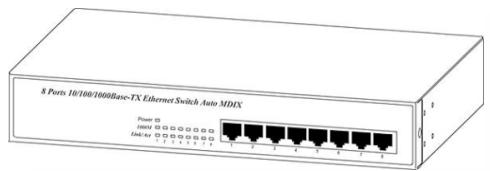
8 Port Switch
User's Manual

Power Cord
8 Port Gigabit Ethernet Switch
User's Manual
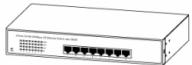
Note: If any of these items is found missing or damaged, please contact your local supplier for replacement.
Chapter 3
Front Panel Layout
I. 8 RJ-45 Gigabit Switch Ports
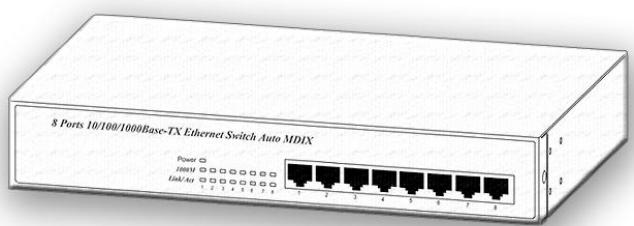
There are 8 RJ-45 connectors on the front panel for connecting to servers, workstation or other devices. The Switch provides 8 10/100/1000Mbps switching ports that could sense the 10/100/1000M speed and negotiate Full/Half duplex mode automatically. These switching ports allow users to connect the Switch to 10Base-T, 100Base-TX and 1000Base-T devices.
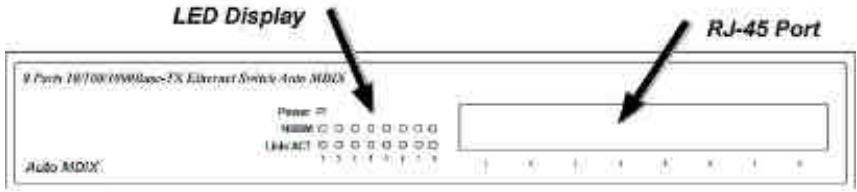
? . LED Indicators of 8 Port Gigabit Switch
| LED | Color | Status | Description | No. Of LED |
| Power | Yellow | On | Power on | Power |
| 1000M | Yellow | On | Link 1000Mbps | 8 (1~8) |
| off | Link 10/100Mbps | |||
| Link/ ACT | Yellow | On | Link | 8 (1~8) |
| Flashing | Data activating | 8 (1~8) |

III. LED Definitions
Power LED
On
? The unit is powered on and ready for use.
Off
? The unit is powered off.
1000M LED
On
? The port is operating at 1000Mbps speed.
Off
? The port is operating at 10Mbps Half/ Full Duplex or 100Mbps Half/ Full Duplex speed
LINK/ACT LED
On
? The port is ready for 10/100/1000Mbps connection.
Flashing
? The data is transmitted or received on the port.
Rear Panel Layout
? AC input
AC input (90-240V/AC, 50-60Hz) UL Safety
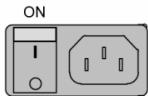
OFF
AC LINE 90~240VAC 50~60Hz
Chapter 4
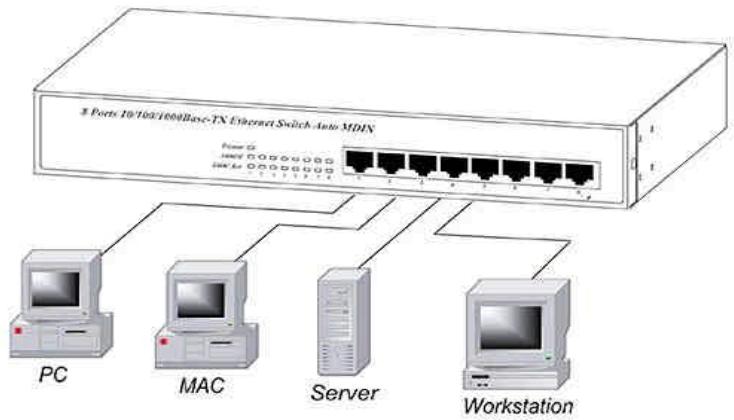
I. To connect the Switch to PCs, servers, and other network devices
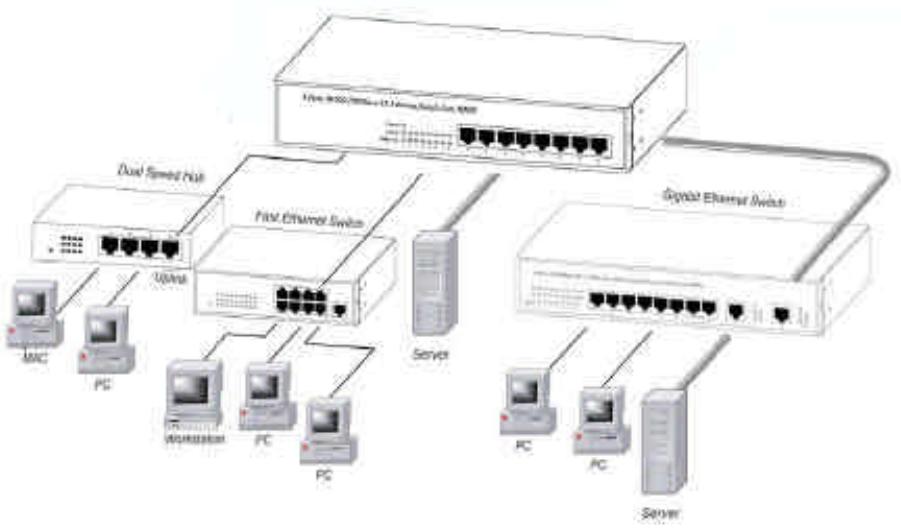
Use straight-through twisted-pair cable (Cat. 5) to connect the Switch to PCs, servers and other network devices. Networks can be built as figure shown.
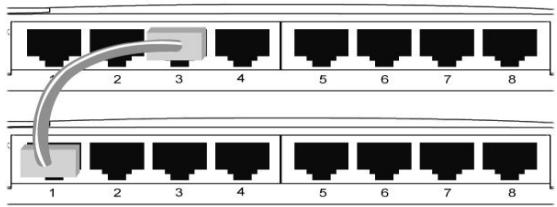
II. To connect the Switch to a Switch or a Hub
Use straight-through twisted pair cable to connect the Switch to another Switch or Hub on uplink port. If you connect the Switches on port 1 to port 8, the cable should be changed to crossover cable.
Chapter 5
I. Technical specifications
-
Standards Compliance
-
IEEE 802.3 10BaseT; IEEE 802.3u 100BaseTX and IEEE 802.3ab 1000BaseT copper over Ethernet
-
Number of ports
-
8 integrated ports (10/100/1000Mbps N-Way port)
-
Fully Flow Control Supported
-
Full-duplex mode: IEEE 802.3x
-
Half-duplex mode: Backpressure
-
Network Transmission Media
-
10BaseT Cat. 3, 4, 5 UTP/STP
- 100BaseTX Cat. 5 UTP/STP
-
1000BaseT Cat. 5 UTP/STP
-
Network Status Monitoring LEDs
-
System: Power
-
Per port: 1000M, Link/ACT.
-
Filter/Forward Rate
-
10Mbps ports
- 14,880pps
- 100Mbps ports - 148,800pps
-
1000Mbps ports - 1,488,000pps
-
Buffer Memory
-
RAM: 3.5Mb per device
-
MAC Address
-Up to 4K MAC address entry per device
- JUMBO packet:
Supports 9K Byte
- Power
-AC input (90-240V/AC, 50-60Hz) UL Safety
- Power Consumption
-
20 Watts (Max)
-
Operating Temperature
-0?~60?
-
Store Temperature
-
-20? ~ 90?
-
Humidity
-
10% 90% RH (Non-condensing)
-
Dimension (L x W x H)
-
228mm x 123mm x 44mm
-
Weight
-
1.8Kg
-
Safety & EMI Certificates
-CE&FCC-B
II. Diagram of extend application by Up-Link