ManualGo.com
CU 700 - Microphone AKG - Free user manual and instructions
Find the device manual for free CU 700 AKG in PDF.



Download the instructions for your Microphone in PDF format for free! Find your manual CU 700 - AKG and take your electronic device back in hand. On this page are published all the documents necessary for the use of your device. CU 700 by AKG.
USER MANUAL CU 700 AKG
08/18/2009 14:46 Seite 2 (Schwarz/Black Auszug) Welcome! Thank you Symbols Used for purchasing an AKG product. This manual contains important instructions for setting up and operating your equipment. Please take a few minutes to read the instructions below carefully before operating the equipment. Please keep the manual for future reference. We hope you enjoy using your system!
Important Note The exclamation point in an equilateral triangle on the equipment indicates that it is necessary for the user to refer to the User Manual. In the User Manual, this symbol marks instructions that the user must follow to ensure safe operation of the equipment. The "" symbol marks important notes, hints, or explanations that you should follow to ensure optimum performance of the equipment.
- AKG continually improves the internal firmware of the CU 700 system in order to meet changing customer needs in the best possible way. Should your system use a different firmware version than the one described in this user manual, some functions may differ from the related instructions. FCC Statement The CU 700 complies with Part 15 of the FCC Rules. Operation is subject to the following two conditions: (1) this device may not cause harmful interference, and (2) this device must accept any interference received, including interference that may cause undesired operation.
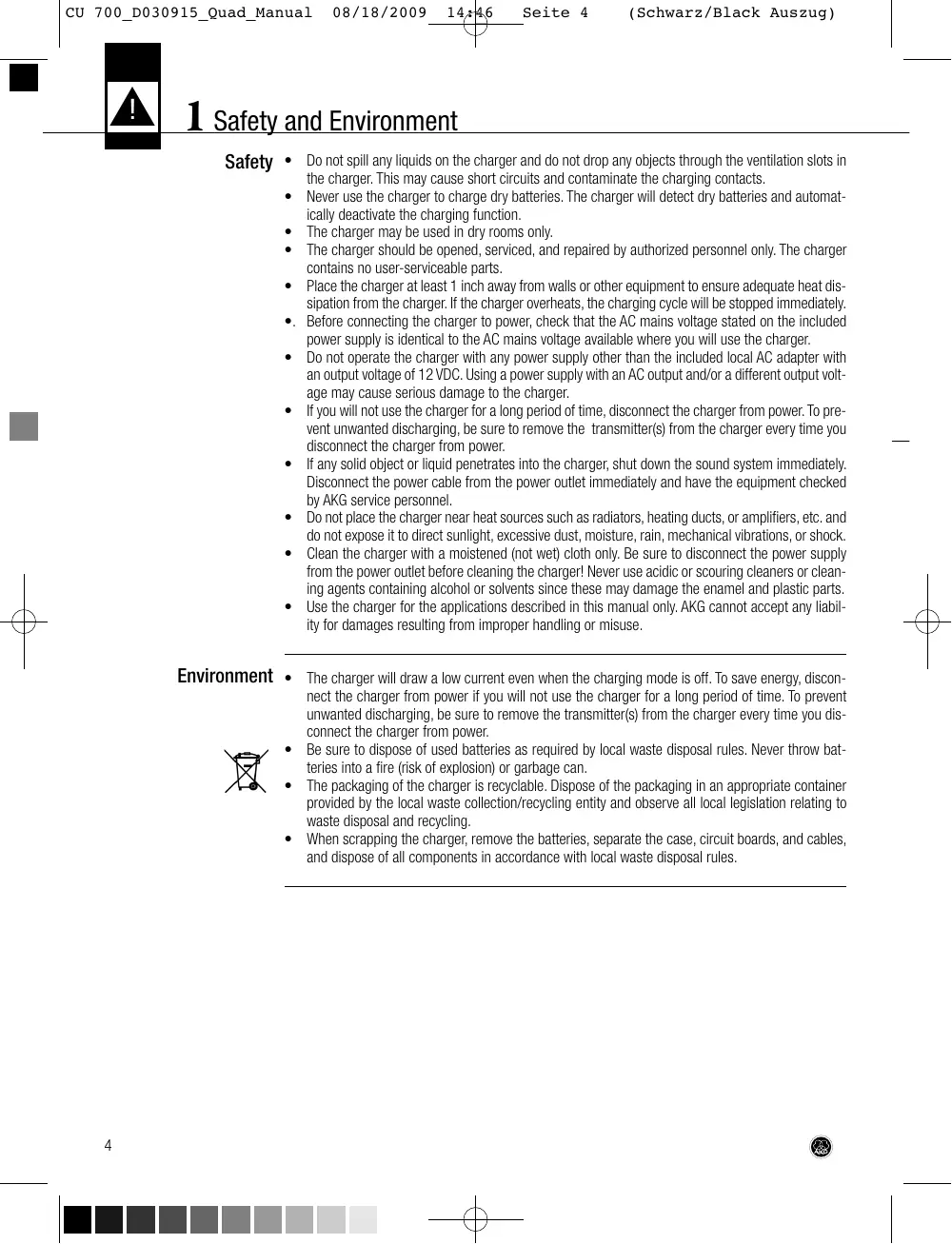
1 Safety and Environment
- Do not spill any liquids on the charger and do not drop any objects through the ventilation slots in the charger. This may cause short circuits and contaminate the charging contacts.
- Never use the charger to charge dry batteries. The charger will detect dry batteries and automatically deactivate the charging function.
- The charger may be used in dry rooms only.
- The charger should be opened, serviced, and repaired by authorized personnel only. The charger contains no user-serviceable parts.
- Place the charger at least 1 inch away from walls or other equipment to ensure adequate heat dissipation from the charger. If the charger overheats, the charging cycle will be stopped immediately.
- . Before connecting the charger to power, check that the AC mains voltage stated on the included power supply is identical to the AC mains voltage available where you will use the charger.
- Do not operate the charger with any power supply other than the included local AC adapter with an output voltage of 12 VDC. Using a power supply with an AC output and/or a different output voltage may cause serious damage to the charger.
- If you will not use the charger for a long period of time, disconnect the charger from power. To prevent unwanted discharging, be sure to remove the transmitter(s) from the charger every time you disconnect the charger from power.
- If any solid object or liquid penetrates into the charger, shut down the sound system immediately. Disconnect the power cable from the power outlet immediately and have the equipment checked by AKG service personnel.
- Do not place the charger near heat sources such as radiators, heating ducts, or amplifiers, etc. and do not expose it to direct sunlight, excessive dust, moisture, rain, mechanical vibrations, or shock.
- Clean the charger with a moistened (not wet) cloth only. Be sure to disconnect the power supply from the power outlet before cleaning the charger! Never use acidic or scouring cleaners or cleaning agents containing alcohol or solvents since these may damage the enamel and plastic parts.
- Use the charger for the applications described in this manual only. AKG cannot accept any liability for damages resulting from improper handling or misuse. Environment
- The charger will draw a low current even when the charging mode is off. To save energy, disconnect the charger from power if you will not use the charger for a long period of time. To prevent unwanted discharging, be sure to remove the transmitter(s) from the charger every time you disconnect the charger from power.
- Be sure to dispose of used batteries as required by local waste disposal rules. Never throw batteries into a fire (risk of explosion) or garbage can.
- The packaging of the charger is recyclable. Dispose of the packaging in an appropriate container provided by the local waste collection/recycling entity and observe all local legislation relating to waste disposal and recycling.
- When scrapping the charger, remove the batteries, separate the case, circuit boards, and cables, and dispose of all components in accordance with local waste disposal rules. CU 700_D030915_Quad_Manual 08/18/2009 14:46 Seite 5 (Schwarz/Black Auszug) 2 Packing List
- Check that the package contains all the parts listed below. If anything is missing, please contact your AKG dealer.
- 1 x AC Adapter (if checked on the packaging)
- 4 x AA size NiMH rechargeable batteries
- For options and accessories, please refer to the current AKG catalog or folder, or visit www.akg.com. Your dealer will be glad to help. Optional Accessories 3 General The CU 700 has been designed specifically for use with the DMS 700 wireless system. The charger provides two charging slots specially shaped to accept the DHT 700 and DPT 700 transmitters. The charging slots operate completely independently so you can charge two transmitters with rechargeable batteries simultaneously.You do not need to remove the batteries from the transmitter for charging.
Introduction The CU 700 charger
- monitors battery voltages and temperatures during charging;
- generates a flag signaling the end of the charging cycle upon reaching maximum capacity;
- monitors all required safety parameters and will stop the charging cycle if one or more safety parameters are out of range. The charger checks the batteries inside the transmitter and will automatically deactivate the charging function if it detects a dry battery. Top and Front Panels Charging slot 2 Charging slot 1 Status LED for charging slot 2 Status LED for charging slot 1
4 Connecting to Power L NOTICE
- The optional RMU 700 rack mounting kit (3158 Z 00150) allows you to install one or two CU 700 chargers in a 19" rack.
- Check that the AC mains voltage stated on the included power supply is identical to the AC mains voltage available where you will use your system. Using the power supply with a different AC voltage may damage the unit.
- Do not use any power supply other than the AC adapter supplied with the charger.
1. Connect the DC cable of the supplied AC adapter to the 12 V DC jack on the charger rear panel.
2. Connect the AC adapter to a convenient power outlet.
3. The charger is ready to operate. Note that both STATUS LEDs remain dark.
- Rechargeable batteries (those included or those you may buy later) are delivered uncharged or partially charged. Therefore, you will need to charge each new battery before using it.
- The battery capacity indication will work best if you charge the batteries fully using the CU 700 charger.
- If you replace the rechargeable batteries inside a transmitter be sure to fully charge the batteries in order to calibrate the charging control system.
- Battery life depends on battery quality. Do not use any rechargeable batteries other than the same type as those included with the charger. Note Each charging slot features a tricolor STATUS LED that indicates the current operating status of the respective charging slot (">…<" marks an LED flashing in the respective color): STATUS LED
STATUS The charger is ready to operate, no transmitter is inserted in a charging slot. orange The batteries inside the inserted transmitter are being checked. Battery temperature is above 40°C or below 5°C. LED flashes until temperature is within specified range. red green >red< blue The batteries are being charged. The batteries are fully charged; the charging cycle is completed. Error. Data communication for computer monitoring is active.
1. Check that rechargeable batteries are inside the
transmitter battery compartment. If there is no battery inside the battery compartment, do not place the transmitter in a charging slot before you inserted rechargeable batteries into the transmitter.
2. Insert the transmitter into the charging slot so
that the display on the transmitter faces the LEDs on the charger. The charger will automatically power the transmitter via the charging contacts.
3. Never switch the transmitter ON during the
charging cycle. This may cause the charger to falsely indicate a completed charging cycle before charging is actually completed.
- To avoid damaging the charger, do not try to charge dry batteries. Table 1: STATUS LED indications Inserting a Transmitter into the Charger Fig. 1: Inserting transmitters into the CU 700 charger. ! NOTICE
1. You may safely remove the transmitter at any time before the charging cycle is completed.
2. You may safely charge the batteries inside the transmitter at any time, even before the batteries
are completely discharged.
3. At ambient temperatures above +40°C, the charger may overheat. As a result, the charging cycle
may take considerably longer or stop altogether (STATUS LED flashing red). As soon as the ambient temperature drops below +40°C, the charging cycle will be resumed automatically (STATUS LED will be lit red). 4. If the batteries heat up to more than +60°C during a charging cycle (e.g., due to high ambient temperature), the charging cycle will be stopped automatically (STATUS LED flashing red). Most batteries will be unusable after being heated up to more than +60°C.
5. Excessive vibrations may cause the charging cycle to be stopped (STATUS LED flashing red),
restarted (STATUS LED is lit orange), or appear completed (STATUS LED lit green) ahead of time. Make sure the charger will not be subjected to vibrations during the charging cycle and will rest firmly on a hard surface.
6. Items 1 and 2 above notwithstanding, if you wish to extend the useful life of rechargeable batteries be sure to
- completely discharge the batteries every time, i.e., not to charge the batteries before the battery warning appears on the transmitter display;
- charge the batteries to capacity every time, i.e., not to remove them from the charger before the charging cycle is completed;
- avoid charging batteries at temperatures below +5°C or above +40°C. At such temperatures, the charging cycle will not start and the STATUS LED will be lit orange. The charging cycle will be resumed automatically as soon as the battery temperature returns to the acceptable range.
- use no batteries other than the rechargeable types recommended in section 9 Specifications.
7. Rechargeable batteries will only reach their full capacity after several charging cycles.
8. If a transmitter with fully charged batteries and another one with dead batteries are in the charging slots, the charging cycle may take up to ten hours.
9. If you insert a transmitter with a dry battery into the charger, the charging cycle will be stopped
immediately after the battery test and a few minutes of charging. The STATUS LED will start flashing red.
The charging cycle will start automatically as soon as you insert a transmitter with rechargeable batteries into the charger. Table 2: Charging cycle STATUS LED orange red STATUS The voltage and temperature of the batteries are being checked. The batteries are being charged. Charging time is approx. 1.5 hours for completely discharged batteries and proportionately less for partially discharged batteries. green The batteries are fully charged; the charging cycle is completed. The charger has switched to trickle charging mode. You may remove the transmitter from the charger. Due to the charging process, the batteries may heat up to +60°C. This is normal. 7 Cleaning
1. Disconnect the DC cable from the rear panel DC 12 V jack.
2. Use a cloth moistened (not wet!) with water to clean the surfaces of the charger.
- Never use caustic or scouring cleaners or cleaning agents containing alcohol or solvents since these may damage the enamel or plastic parts. ! NOTICE
08/18/2009 14:46 Seite 10 8 Troubleshooting Problem All LEDs dark. Possible Cause
- No defect. STATUS LEDs are not activated before you insert a transmitter with batteries into a charging slot. All LEDs dark although at least one charg- 1. AC adapter is not connected to power. ing slot is loaded.
2. DC cable is no not connected to
3. One or more charging contacts fail to
make contact with the transmitter.
STATUS LED flashing red.
- Charging cycle has been stopped:
1. Transmitter uses dry batteries.
1. Connect power supply to convenient
2. Connect DC cable to charger.
3. Check contacts for resilience, or clean
4. Disconnect power supply or DC cable,
wait for 10 seconds, and connect again. Should the problem persist, contact your nearest AKG Service Center.
1. Remove transmitter from charging
slot; replace dry with rechargeable batteries. Charging contacts contaminated.
2. Clean charging contacts on charger
and transmitter with soft cloth. Inside temperature of batteries is too 3. Allow batteries/charger to cool down, high. charging cycle will resume when temperature returns to acceptable range. Should the problem persist, contact your nearest AKG Service Center. Inside temperature of charger is too 4. Make sure there is enough free space high. around charger to provide adequate heat dissipation. Batteries defective (voltage <0.5 V). 5. Replace batteries. Charger connected to incompatible
6. Use original AC adapter supplied with
power supply whose output voltage is charger. too high: both STATUS LEDs flashing red. Charger defective.
7. Contact your nearest AKG Service
Center. CU 700_D030915_Quad_Manual 08/18/2009 14:46 Seite 11 (Schwarz/Black Auszug) 9 Specifications Operating voltage: Recommended batteries: AC voltage: Charging current: Charging time: Size (LxHxD): Weight:
12 VDC, 1.5 A max. NiMH or NiCd rechargeable, minimum capacity: 1900 mAh refer to label on AC adapter typ. 1.4 A in single-slot mode typ. 1.5 hours in single-slot mode (depending on battery type and capacity) 188 x 115 x 78 mm (7.4 x 4.5 x 3.1 in.) approx. 420 g (14.8 oz.) This product conforms to the standards listed in the Declaration of Conformity. To order a free copy of the Declaration of Conformity, visit http://www.akg.com or contact sales@akg.com