
HPA 4000 - Headphone amplifier AKG - Free user manual and instructions
Find the device manual for free HPA 4000 AKG in PDF.


| Product Type | Headphone Amplifier |
| Brand | AKG |
| Model | HPA 4000 |
| Number of Audio Inputs | 8 stereo line inputs (6.35 mm jack) |
| Number of Outputs | 1 stereo headphone output (6.35 mm jack) |
| Power Supply | 12 V DC, 500 mA via included power adapter |
| Power Consumption | Approximately 6 W |
| Indicators | 8 blue LEDs for source and volume |
| Controls | On/off switch, rotary push button for source selection and volume adjustment |
| Main Functions | Selection of one of 8 sources, volume adjustment, headphone output standby |
| Housing Material | Metal (steel) for rack mounting |
| Dimensions (approx) | 483 x 44 x 150 mm (standard 19\" rack, 1U) |
| Weight (approx) | 1.2 kg |
| Included Accessories | 8 audio jack cables 6.35 mm, rack mounting kit, power adapter |
| Optional Accessories | AKG headphones K141, K171, K240, K271, K141 Studio |
| Maintenance and Cleaning | Unplug the adapter, clean with a slightly damp cloth (no solvents) |
| Safety | Use only the supplied adapter; do not open the housing; avoid moisture and heat sources |
| Repairability | Contains no user-serviceable parts; contact AKG customer service |
| Warranty | In accordance with applicable legislation |
Frequently Asked Questions - HPA 4000 AKG
User questions about HPA 4000 AKG
0 question about this device. Answer the ones you know or ask your own.
Ask a new question about this device
Download the instructions for your Headphone amplifier in PDF format for free! Find your manual HPA 4000 - AKG and take your electronic device back in hand. On this page are published all the documents necessary for the use of your device. HPA 4000 by AKG.
USER MANUAL HPA 4000 AKG
wireless microphone system
HPA
headphone amplifier
4000
User Instructions. p. 5
Please read the manual before using the equipment!
Mode d'emploi. p. 8

K 240 DF Studio Monitor
K 240 Studio
2.4 Bedienelemente 2.4.1 Frontplatte
Fig. 1: Frontplatte des HPA 4000
- Do not spill any liquids on the equipment and do not drop any objects through the ventilation slots in the equipment.
- The equipment may be used in dry rooms only.
- The equipment may be opened, serviced, and repaired by authorized personnel only. the equipment contains no user-serviceable parts.
- Before connecting the equipment to power, check that the AC mains voltage stated on the supplied power supply is identical to the AC mains voltage available where you will use the equipment.
- Operate the equipment with the supplied power supply with an output voltage of 12 VDC. Using adapters with an AC output and/or a different output voltage may cause serious damage to the unit.
- If any solid object or liquid penetrates into the equipment, shut down the sound system immediately. Disconnect the power supply from the power outlet immediately and have the equipment checked by AKG service personnel.
- If you will not use the equipment for a long period of time, disconnect the power supply from the power outlet. Please note that the equipment will not be fully isolated from power when you set the power switch to OFF.
- Do not place the equipment near heat sources such as radiators, heating ducts, or amplifiers, etc. and do not expose it to direct sunlight, excessive dust, moisture, rain, mechanical vibrations, or shock.
- To avoid hum or interference, route all audio lines, particularly those connected to the microphone inputs, away from power lines of any type. If you use cable ducts, be sure to use separate ducts for the audio lines.
- Clean the equipment with a moistened (not wet) cloth only. Be sure to disconnect the power supply from the power outlet before cleaning the equipment! Never use caustic or scouring cleaners or cleaning agents containing alcohol or solvents since these may damage the enamel and plastic parts.
11.Use the equipment for the applications described in this manual only. AKG cannot accept any liability for damages resulting from improper handling or misuse.
1.1 Safety
- The power supply will draw a small amount of current even when the equipment is switched off. To save energy, disconnect the power supply from the power outlet if you will leave the equipment unused for a long period of time.
- When scrapping the equipment, separate the case, circuit boards, and cables, and dispose of all components in accordance with local waste disposal rules.
- The packaging of the equipment is recyclable. To dispose of the packaging, make sure to use a collection/recycling system provided for that purpose and observe local legislation relating to waste disposal and recycling.
1.2 Environment

2 Description

Thank you for purchasing an AKG product. This Manual contains important instructions for setting up and operating your equipment. Please take a few minutes to read the instructions below carefully before operating the equipment. Please keep the Manual for future reference. Have fun and impress your audience!
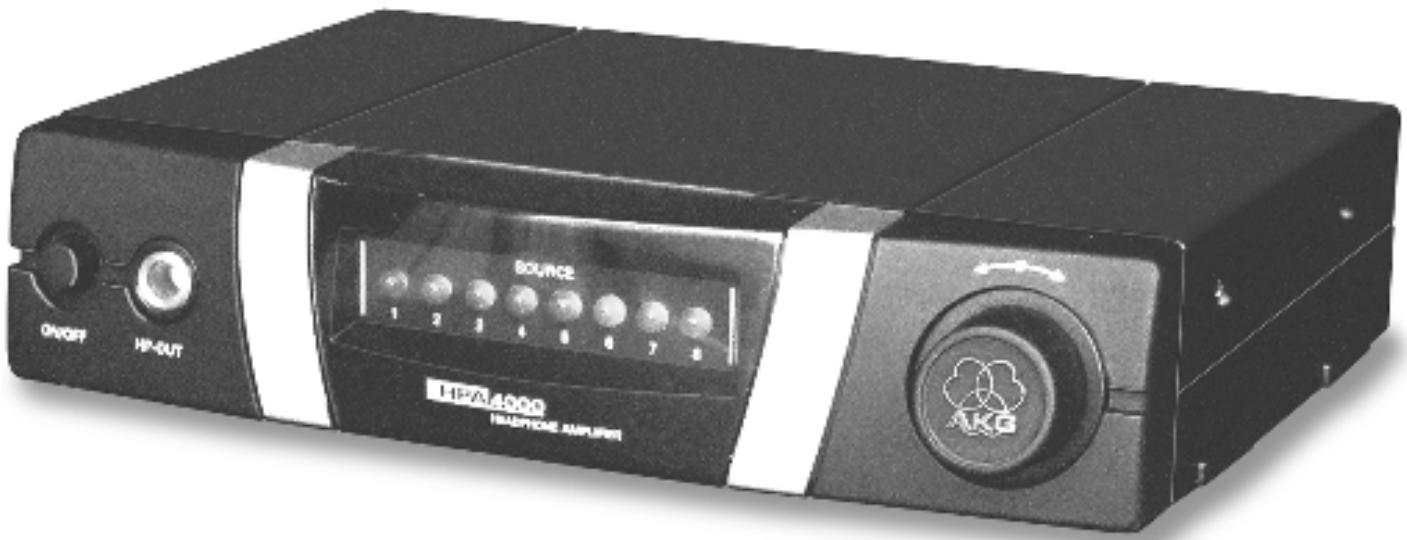
The HPA 4000 is a headphone amplifier with eight stereo line inputs and one stereo output. It allows you to monitor the output signal of any one of eight SR 4000 receivers on headphones. AKG offers suitable headphones for every application.
You can use the HPA 4000 as a standalone unit or install it in a 19" rack using the supplied Rack Mounting Kit.
2.1 Introduction
Refer to figs. 3 and 4. See SR 4000 manual for details.
2.2 Unpacking
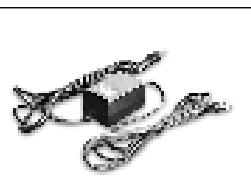
1 HPA 4000 headphone amplifier
1 in-line power supply (if checked on the packaging)
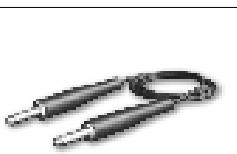
8 audio cables with 1/4" TRS jack plugs
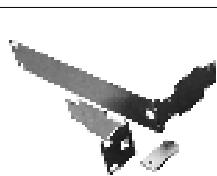
1 Rack Mount Kit
Check that the packaging contains all of the components listed above. Should anything be missing, please contact your AKG dealer.
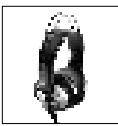
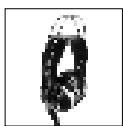
K 141 Monitor
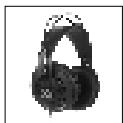
K 240 DF Studio Monitor
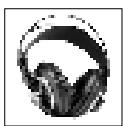
K 171 Studio
K 240 Studio
K 240 Monitor
K 271 Studio
2.3 Optional Accessories
2.4 Controls 2.4.1 Front Panel
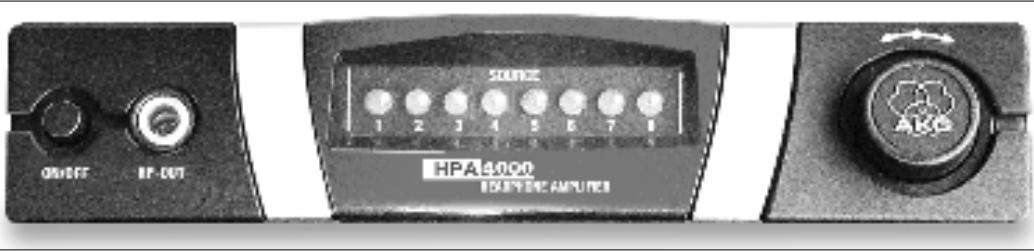
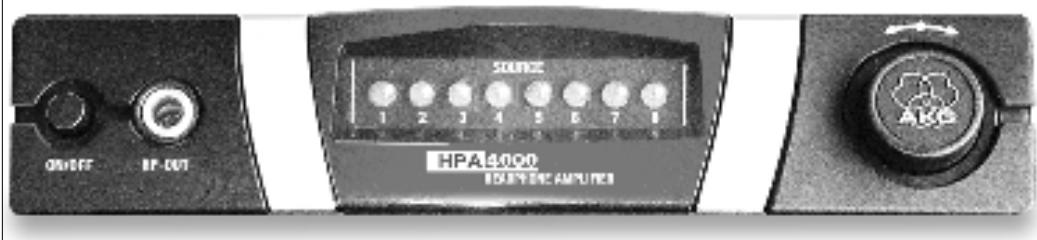
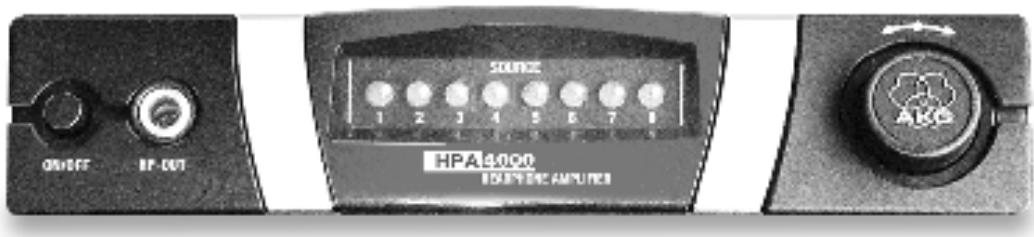
Fig. 1: HPA 4000 front panel.
ON/OFF: Switches the unit on and off.
HP-OUT: 1/4^n TRS output jack for headphones.
SOURCE 1-8: These blue LEDs indicate either the selected input channel of the current volume level.
<<·s>> Setup control: This combined pushbutton/rotary control provides three functions:
Short push: Selects the input channel. The SOURCE LED for the selected channel will be lit constantly. Each short push selects the next higher input channel number. Channel 8 is followed by channel 1.
Long push: Mutes the headphone output. The appropriate number of SOURCE LEDs will flash to indicate the current volume.
Turn all the way CW or CCW and release to increase or decrease the volume by one increment. The SOURCE LEDs will indicate the change in volume level. After three seconds, only the SOURCE LED for the selected channel will remain lit.
To change the volume continuously, hold the setup control at the left (down) or right (up) stop.
Note:
You can set the volume in more than 8 increments. The next (previous) LED may therefore not be lit (extinguish) before you have notched up (down) the volume by several increments.
2.4.2 Rear Panel
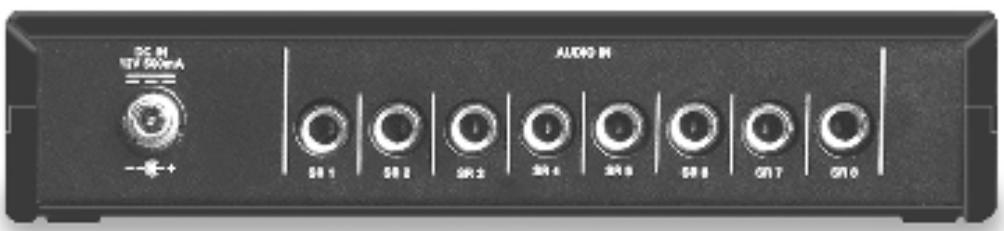
Fig. 2: HPA 4000 rear panel.
DC IN: Locking DC input for connecting the included 12 VDC, 500 mA power supply.
Warning!

Operate the equipment with the included power supply with an output voltage of 12 VDC only. Using adapters with an AC output and/or a different output voltage may cause serious damage to the unit.
AUDIO IN SR 1-8: 1/4^n TRS jacks for connecting up to eight SR 4000 receivers.
3 Setting Up
Important!

Prior to setting up the unit, check that the AC mains voltage stated on the included power supply is identical to the AC mains voltage available where you will use your system. Using the power supply with a different AC voltage may cause damage to the unit. Make all audio connections before connecting the unit to power.
3.1 Audio Connections
Refer to fig. 5.
- Use the supplied audio cables to connect the desired receivers to the AUDIO IN jacks labeled SR 1 through SR 8 on the rear panel of the HPA 4000.
- Connect your headphones to the front panel HP-OUT jack.
3.2 Connecting the Headphone
Amplifier to Power
Refer to fig. 5.

-
Check that the AC mains voltage stated on the included power supply is identical to the AC mains voltage available where you will use your system. Using the power supply with a different AC voltage may cause damage to the unit.
-
Plug the feeder cable on the included power supply into the DC IN socket 2 on the HPA 4000 rear panel and screw down the DC connector.
-
Plug the power cable on the power supply into a convenient power outlet.
-
To power up, press the front panel ON/OFF key.
All SOURCE LEDs will be lit constantly for approx. 3 seconds, then only the LED assigned to the currently selected channel will remain lit.
- Press and hold the setup control until the SOURCE LEDs start flashing. (The number of flashing LEDs indicates the current volume setting.)
- You can switch the headphones output back on in one of two ways:
a) Press and hold the setup control until all SOURCE LEDs will be lit constantly for a few seconds and the LED for the selected channel alone will remain lit. The volume level will revert to the previous setting.
b) Turn the setup control all the way CW or CCW and release. The volume level will automatically change to a factory preset minimum. SOURCE LEDs 1 and 2 will be lit.
To revert to the previous volume setting, turn the setup control all the way CW.
- Press the ON/OFF key.
The SOURCE LEDs will go out. The current settings will be stored in the EPROM and automatically loaded the next time you power up.
4.1 Powering Up
4.2 Muting the
Headphone Output
4.3 Powering Down
5 Cleaning

- Switch power to the unit off and disconnect the power supply from the power outlet.
- Use a cloth moistened (not wet!) with water to clean the surfaces of the equipment.
Never use caustic or scouring cleaners or cleaning agents containing alcohol or solvents since these may damage the enamel or plastic parts.

Important!
Important!
6 Troubleshooting

| Problem | Possible Cause | Remedy |
| No sound. | 1. Power supply is not connected to head- phone amplifier and/or power outlet. 2. Headphone amplifier and/or receiver is OFF. 3. Receiver(s) is (are) not connected to head- phone amplifier. | 1. Connect power supply to headphone amplifier and/or power outlet. 2. Switch headphone amplifier and/or receiv- er ON. 3. Connect receiver output(s) to headphone amplifier input(s). |
| On powering up, the unit loads the default settings (channel 1, medium volume) instead of the stored user settings. | 1. Headphone output is shorted. 2. EPROM defective. | 1. Disconnect and check headphones. 2. contact your nearest AKG Service Center. |
1.1 Sécurité
K 240 DF Studio Monitor
K 240 Studio
K 240 DF Studio Monitor
K 240 Studio
2.1 Introduzione
ON/OFF: taste on/off
K 240 DF Studio Monitor
K 240 Studio
2.4 Controles
2.4.1 Panel frontal
Fig. 1: Panel frontal del HPA 4000
ON/OFF: control con/des
K 240 DF Studio Monitor
K 240 Studio

2.4 Elementos de controle 2.4.1 Paine frontal
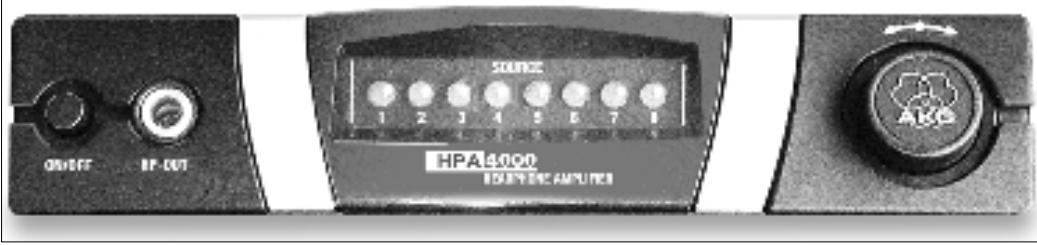
Fig. 1: Paine frontal do HPA 4000
ON/OFF: tecla liga/desliga.
6 Resolver problemas

H A Harman International Company
AKG Acoustics GmbH
BodenseestraBe 228, D-81243 Munchen/GERMANY, Tel: (+49 89) 87 16-0, Fax: (+49 89) 87 16-200, www.akg.com/de, e-mail: infode@akg.com Hotline: (+49 89) 87 16-2250, hotline@akq.com
AKG ACOUSTICS, U.S.
914 Airpark Center Drive, Nashville, TN 37217, U.S.A., Tel: (+1 615) 620-3800, Fax: (+1 615) 620-3875, www.akgusa.com, e-mail: akgusa@harman.com
For other products and distributors worldwide see our website: www.akq.com
- HPA
- 4000
- Safety
- Environment
- Description
- Introduction
- Unpacking
- Optional Accessories
- Note:
- Rear Panel
- Warning!
- Setting Up
- Important!
- Audio Connections
- Connecting the Headphone
- Amplifier to Power
- Powering Up
- Powering Down
- Cleaning
- Troubleshooting
- Sécurité
- Introduzione
- Elementos de controle 2.4.1 Paine frontal
- Resolver problemas
Brand : AKG
Model : HPA 4000
Category : Headphone amplifier