USER MANUAL H201 SANGEAN
- Built-in AM/FM antenna for best reception
- 10 presets ( 5 each wave band )
- Water resistant up to JIS7 standard
- Auto seek stations
- Large and easy to read LCD display
- Easy to fix bracket and hanger
- Battery power indicator
- Clock
- Adjustable sleep timer
- Adjustable short timer
- Emergency LED illumination ( Torch )
- Emergency Buzzer
- Water-resistant 3 inches speaker
Controls
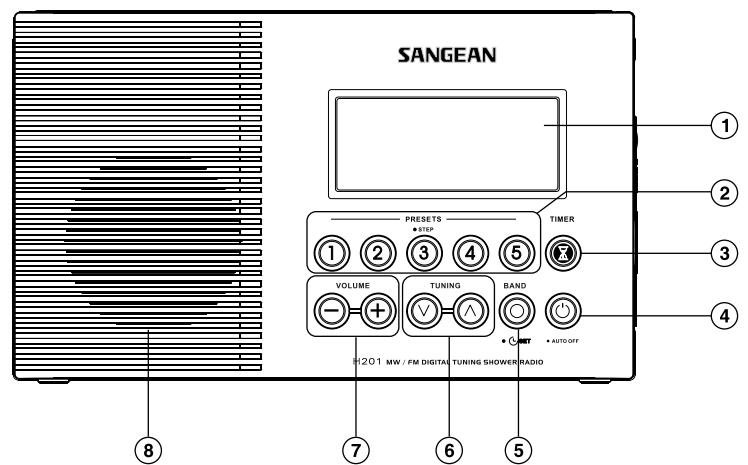
① LCD Display
(2) Preset stations (preset 3 also for tuning step change)
(3) Nap timer (Short timer)
(4) Power button
(6) Tuning Control
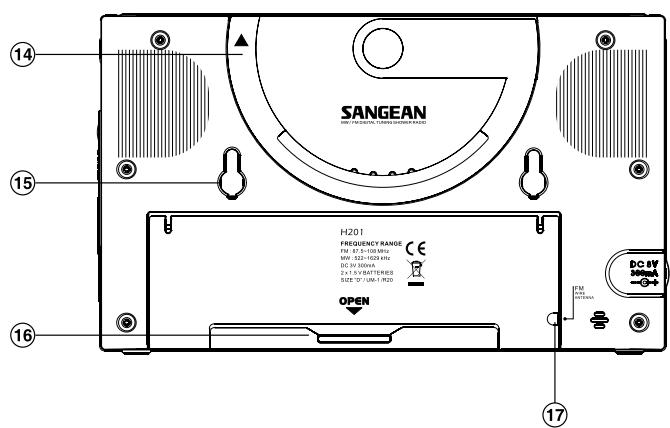
Speaker
Hanger Ring
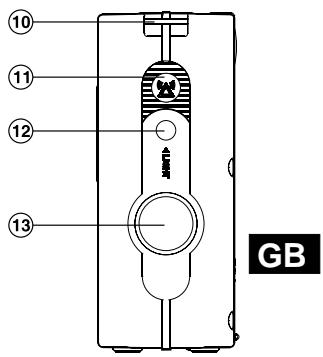
② Torch button
(14) Multi Purpose Handle
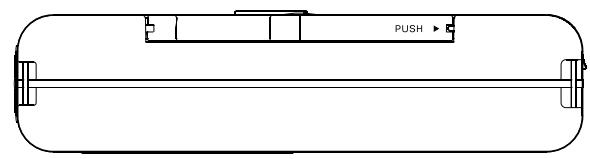
6 Battery Cover
⑤ Band and Time Set button
Volume Control
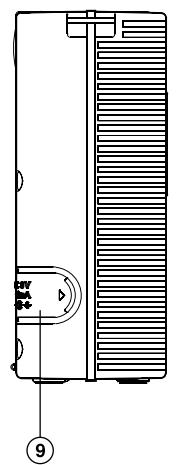
⑨ DC IN socket
① Emergency Buzzer
③ Torch
⑤ Bracket Holder
⑦ FM wire antenna compartment
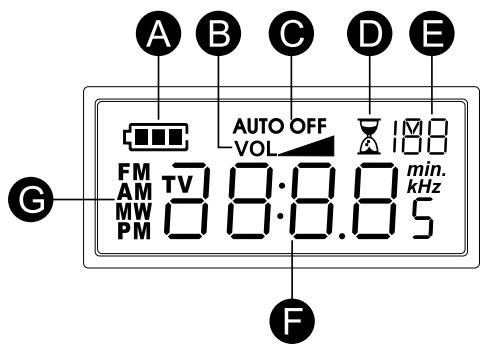
LCD Display
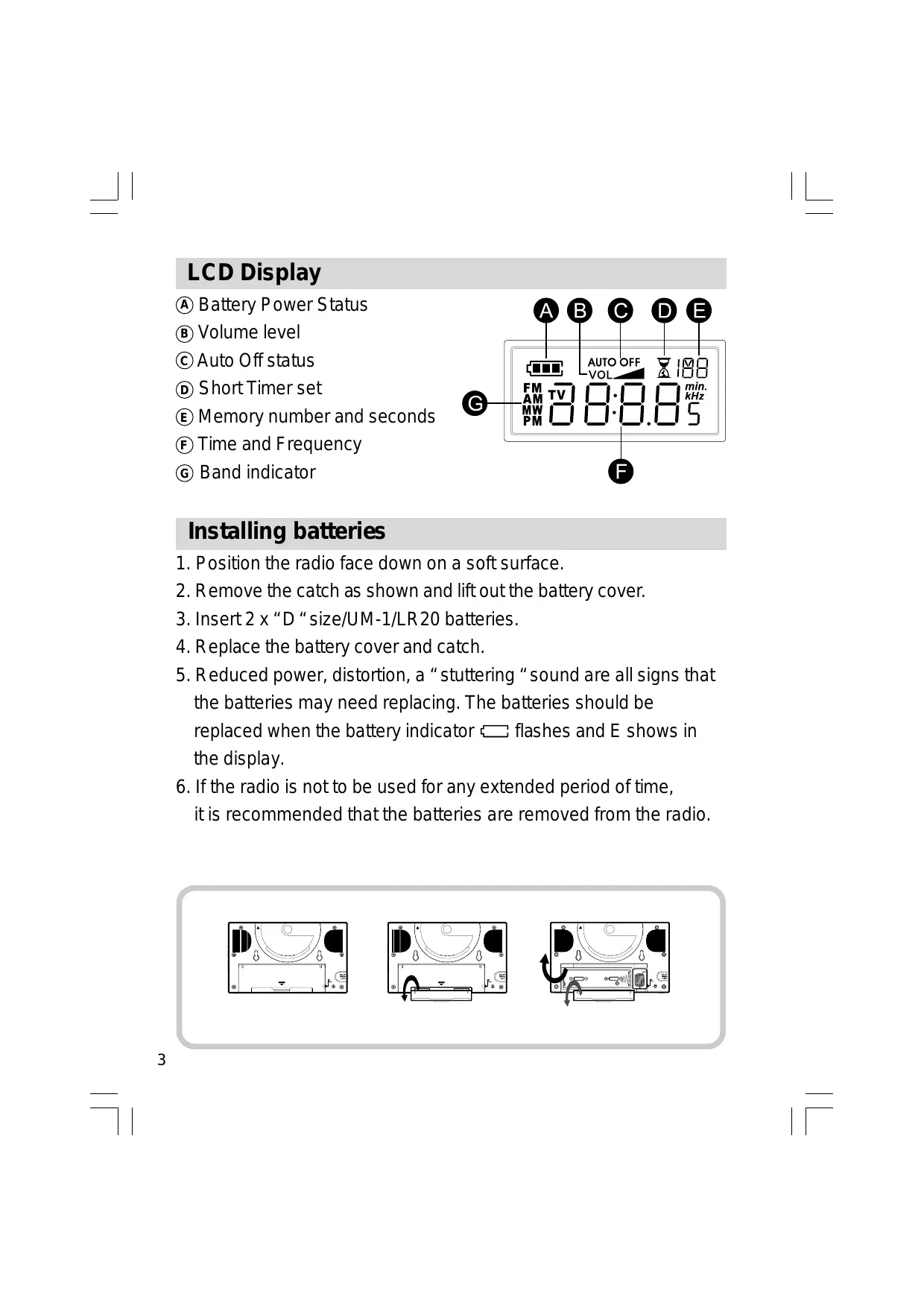
A Battery Power Status
Volume level
Auto Off status
Short Timer set
(2) Memory number and seconds
F Time and Frequency
⑥ Band indicator
Installing batteries
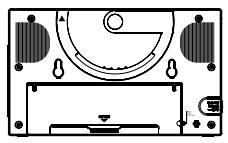
- Position the radio face down on a soft surface.
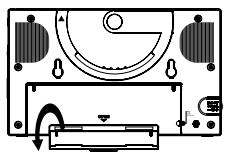
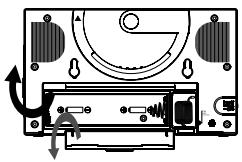
- Remove the catch as shown and lift out the battery cover.
- Insert 2 x "D" size/UM-1/LR20 batteries.
- Replace the battery cover and catch.
- Reduced power, distortion, a “stuttering “ sound are all signs that the batteries may need replacing. The batteries should be replaced when the battery indicator flashes and E shows in the display.
- If the radio is not to be used for any extended period of time, it is recommended that the batteries are removed from the radio.
Using the AC adaptor ( not supplied )
- Remove the rubber cover of DC in socket on the left hand side of your radio.
- Insert the adaptor plug into the DC socket.
- Plug the adaptor into mains socket outlet. Whenever the adaptor is used, the batteries are automatically disconnected.
The AC adaptor should be disconnected from the mains supply and the radio when not in use.
Note:
For safety purpose, DO NOT use AC adaptor in the shower room. Use the batteries only.
Setting the clock
- The clock will start running when the batteries are installed or when the radio is connected to the mains supply. The display will show “- : - - ”
- The time can be set with your radio switched off.
- Press and hold down the Time Set button for approx. 2 seconds until the hours digits flash in the display with a beep.
- Press the Tuning Up/Down buttons to set the required hour.
- Press the Time Set button, the minute digits will flash in the display.
- Press the Tuning Up/Down buttons to set the required minute.
- Press the Time Set button to complete time setting. The second will start to count.
Operating your radio
Your radio is equipped with three tuning methods – Manual Tuning, Search tuning and Memory preset tuning.
Manual Tuning
- Press the Power button to turn on the radio.
- Select the required waveband by repeatedly pressing the Band button. For FM waveband, pull out and extend the FM wire antenna located in the battery compartment to get best reception. For MW (AM) waveband, rotate the radio for best reception.
- A single press on either Tuning up or Tuning down buttons will change the frequency in the following increments: FM: 100 or 200kHz (USA version) 50 or 100kHz (standard version) AM (MW): 9 or 10kHz
- When the waveband end is reached, the radio will continue tuning from the opposite waveband end.
- Press the Volume Up/Down buttons to the required level.
- To switch off your radio, press the Power button. The display will show OFF.
Search tuning
- Press the Power button to turn on the radio.
- Press the Band button to get required waveband, then extend and position telescopic aerial ( FM ) or rotate the radio (AM).
- Press and hold down either Tuning up or Tuning down buttons for more than 0.5 seconds to commerce Search tuning.
- The radio will search and stop automatically when it finds a station of sufficient strength.
- When the waveband end is reached, the radio will continue tuning from the opposite waveband end.
- Press the Volume Up/Down buttons to the required level.
- To switch off your radio, press the Power button. The display will show OFF.
Memory preset tuning
Storing stations in preset memories
There are 5 presets for each waveband.
- Press the Power button to turn on the radio.
- Tune to the required station using one of the methods previously described.
- Press and hold down required preset until the radio beeps (more than 2 seconds). The preset number will appear with a M (memory) and the station will be stored under the chosen preset button.
- Repeat the procedures for the remaining presets.
- Stations stored in preset memories may be overwritten by following the above procedures.
Recalling preset stations
- Press the Power button to turn on the radio.
- Select the required waveband by pressing the Band button.
- Momentarily press the required Preset button, the preset number and station frequency will appear in the display.
Tuning step change
In Europe and other parts of the world MW( AM ) tuning steps are 9 kHz, in America the MW( AM ) tuning step is 10 kHz. On FM step can be set to either 50 or 100 kHz ( standard version ) and 100 or 200 kHz ( USA version ).
To change tuning step
- Ensure that your radio is switched off.
- Press and hold down the Step/Preset button 3 for 2 sec., the display will show current FM tuning step. Continue holding down the Step/Preset button 3 for 7 seconds. Your radio will beep and the display will flash FM and current tuning step.
- Press the Tuning Up/Down button to change required FM tuning step.
- Press the Step/Preset button 3 to display MW (AM) tuning step, display will show AM and flash current tuning step.
- Press the Tuning Up/Down button to change required MW (AM) tuning step.
- Complete the setting by pressing the Step/Preset button 3.
Sleep function -Auto Off
The sleep timer will automatically switch off your radio after a preset time has elapsed.
- Press and continue to hold down the Power button, the display will cycle through the available sleep times in the order 50-40-30-20-10-60-50....... Release the button when the required sleep time appears in the display. Display will appear AUTO OFF and radio will play the last station selected.
- To cancel the sleep function, press the Power button, the AUTO OFF will disappear and the radio will switch off.
Nap timer ( short timer )
You can set the Nap timer ( short timer ) either radio is on or off. Press Nap timer button , display will appear and flash last nap timer time. Press Tuning up/down button to select required nap timer time, press Nap timer button again to complete setting. Nap timer will start to count by second, display will show and remaining nap timer time ( when radio is off ). The buzzer will sound for 3 minutes when it reaches the period of time which you have set. Press Power button to turn the buzzer off.
To turn off the Nap timer before the time is up, simply press and release the Nap timer button. will disappear from display.
You can also memory the nap timer time by long pressing Preset 1-5 button for the timer time you require ( same procedures you store the station ) and recall it whenever you need to set timer. e.g. you can store 10 minutes timer in preset 1 and 20 minutes timer in preset 2, so each time after you need to select short timer time, press short timer button then preset 1 to get 10 minutes timer and preset 2 to get 20 minutes timer and so on.
Display backlight
The display backlight will be switched on for approximately 15 seconds when any button is pressed.
Emergency buzzer
To activate Emergency buzzer, press and release Emergency buzzer button . Press and release the button again to switch off the buzzer.
Torch
Press to release the torch button to turn on the torch.
Note:
The torch won't turn off automatically. To turn off the torch, press torch button again.
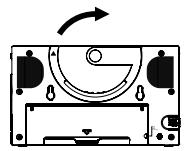
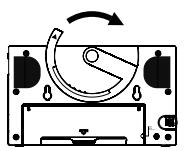
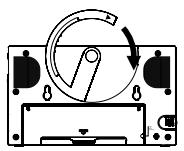
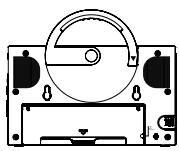
Multi-purpose handle
Using the multi-purpose handle, you may hang or carry the radio when not used in bathroom.
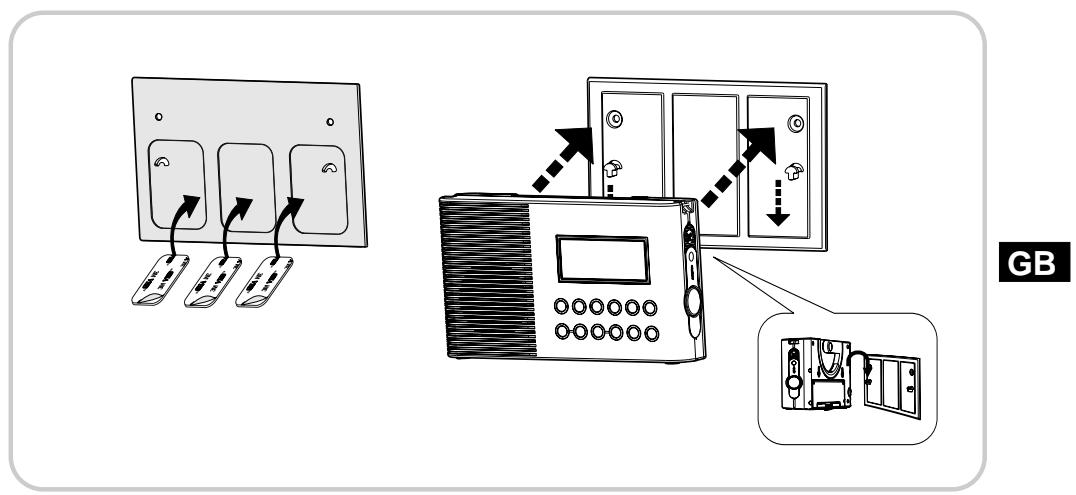
Bracket
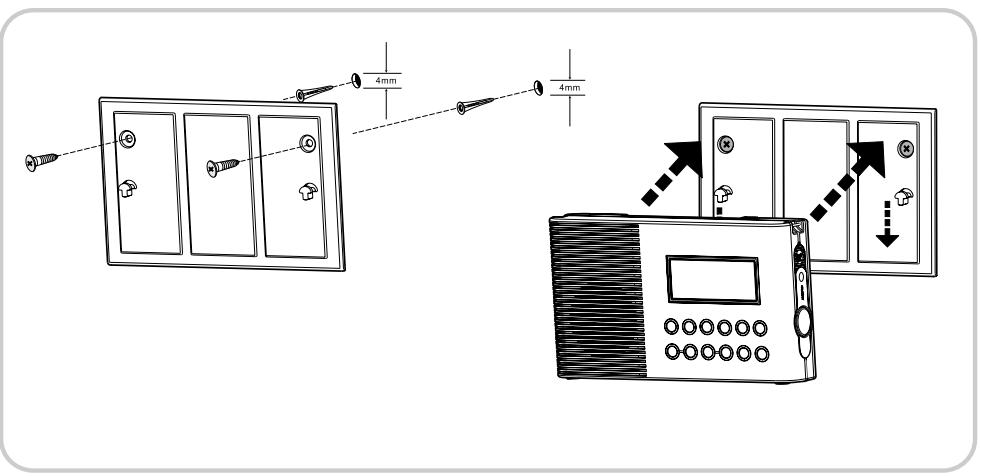
You may install the supplied bracket on the wall with the help of the double sides tape back side to hang the radio.
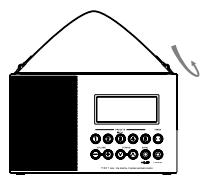
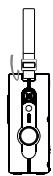
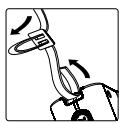
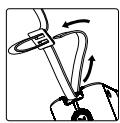
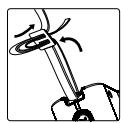
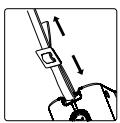
Carrying strap
Using the supplied carrying strap, you may hang or carry the radio when not used in bathroom.
Specifications
Power requirements
Mains via AC adaptor ( not supplied )
AC 230 volts, 50 ~Hz or AC 120 volts, 60 ~Hz only/DC 3V 300 mA
Batteries: 2 x UM1 ( D size, LR20 )
Battery Life:
Approx. 120 hours of listening for 4 hours a day at normal volume using alkaline batteries.
Frequency Coverage:
FM 87.50 - 108 MHz
AM (MW) 522 – 1629 kHz or 520 – 1710 kHz
Circuit features
Loudspeaker: 3 inches, 8 ohm full range, water resistant
Output Power: 500mW
Aerial System:
FM Antenna wire
AM (MW) Ferrite Rod
AM (MW): 9 of 10kHz
AM (MW) 522 – 1629 kHz of 520 – 1710 kHz
Circuit kenmerken
Luidspreker: 4,5 cm, 8 ohm volledig bereik, waterbestendig