ROTO-MACHINE - Guitar effect pedal LINE 6 - Free user manual and instructions
Find the device manual for free ROTO-MACHINE LINE 6 in PDF.



User questions about ROTO-MACHINE LINE 6
0 question about this device. Answer the ones you know or ask your own.
Ask a new question about this device
Download the instructions for your Guitar effect pedal in PDF format for free! Find your manual ROTO-MACHINE - LINE 6 and take your electronic device back in hand. On this page are published all the documents necessary for the use of your device. ROTO-MACHINE by LINE 6.
USER MANUAL ROTO-MACHINE LINE 6
Pilot's Handbook for Roto-Machine
Line 6, ToneCore, Dr. Distorto, Constrictor, Crunchtone, Echo Park, Liqua-Flange, Otto Filter, Roto-Machine, Space Chorus, Tap Tremolo, Uber Metal and Verbzilla are trademarks of Line 6, Inc.
CAUTION
This equipment has been tested and found to comply with the limits for a Class B digital device pursuant to Part 15 of FCC Rules. Operation is subject to the following two conditions: (1) This device may not cause harmful interference, and (2) this device must accept any interference received, including interference that may cause undesired operation.
WARNING
To reduce the risk of fire or electric shock, do not expose this appliance to rain or moisture.

The exclamation point within a triangle means, "Caution!" Please read the information next to all caution signs.

The lightning symbol within a triangle means, "Electrical caution!" It indicates the presence of information about operating voltage and potential risks of electrical shock.

You should read these Important Safety Instructions. Keep these instructions in a safe place.

Before using your ToneCore, carefully read the applicable items of these operating instructions and the safety suggestions.
- Obey all warnings on the pedal and in the ToneCore Pilot's Handbook.
- Connect optional power supply only to AC power outlets rated 100-120V or 200-240V 47-63Hz (see indications on optional power supply).
-
Do not perform service operations beyond those described in the ToneCore Pilot's Handbook. Service is required when the apparatus has been damaged in any way, such as:
-
power-supply cord or plug is damaged
liquid has been spilled or objects have fallen into the apparatus
the unit has been exposed to rain or moisture
the unit does not operate normally or changes in performance in a significant way
the unit is dropped or the enclosure is damaged. -
Do not place near heat sources, such as radiators, heat registers, or appliances which produce heat..
- Guard against objects or liquids entering the enclosure. Do not use or place unit near water.
- Unplug the power supply when not in use for extended periods of time. Unplug the power supply during lightning storms.
- Clean only with a damp cloth.
- Only use attachments/accessories specified by the manufacturer.
- Prolonged listening at high volume levels may cause irreparable hearing loss and/or damage. Always be sure to practice "safe listening."
Roto-Machine Pilot's Handbook
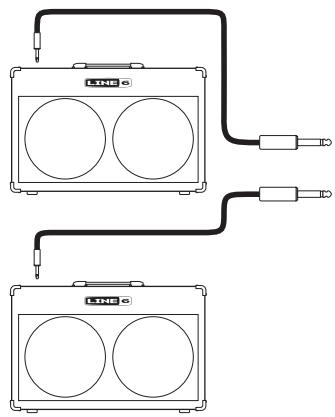
Output your effects mono to a standard amplifier, or to a stereo setup.
Be sure to connect your guitar to the mono input jack on your ToneCore.
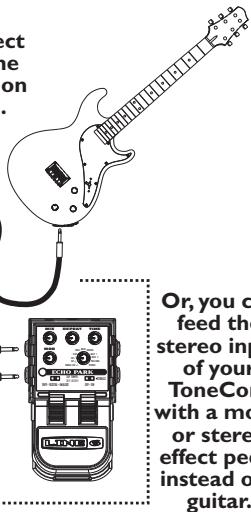
Or, you can feed the stereo input of your ToneCore with a mono or stereo effect pedal instead of a guitar.
Greetings and salutations! Thank you for inviting the Line 6 Roto-Machine pedal into your life.
Effect On-Off / Power Indicator Light
The Power Indicator Light on your ToneCore uses three colors to indicate the pedal's state:
GREEN (flashing)- Effect is engaged (on). Light is flashing to show the speed
- AMBER (flashing)– Effect is in bypass (off). Light is flashing to show the speed
- RED (flashing) - Batteries need replacing This low power indication will override all other states.
Power Jack
Connect an optional ToneCore-compatible Line 6 power supply like the DC-1, and you'll never need a 9-volt battery again!
Connections and Power Indicator Light
In Jacks
Use a standard guitar cable to connect your guitar, or the output of another effect to use in combination with your ToneCore. If you're feeding a mono signal to your Roto-Machine, use the MONO/L jack. Like most pedals, inserting a plug into this jack will turn on the power to your ToneCore. Disconnect both input plugs from jacks when the ToneCore is not being used.
Out Jacks
Use a standard guitar cable to connect to the inputs of a guitar amp, or the inputs of another effect that will feed your amp. For mono, use the MONO/L jack.
Foot Switch
Stomp on this to turn the effect sound processing on and off. See Dual Action Footswitch section to learn how to change between fast and slow speeds with your feet.
Roto-Machine Pilot's Handbook
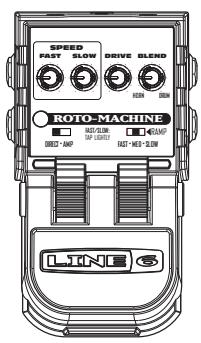
SPEED
FAST
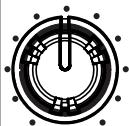
SLOW
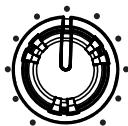
DRIVE
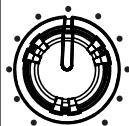
BLEND
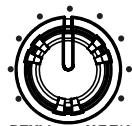
DRUM HORN
ROTO-MACHINE
RAMP

FAST/SLOW: SOFT TAP

FILTER
FAST-MED-SLOW
145·L16·I22
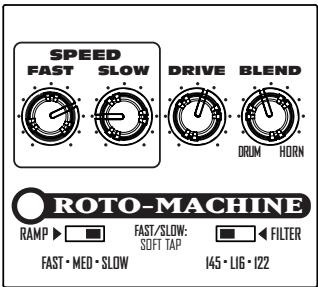
SPEED CONTROLS
Fast
When fast is selected (via the tap pedal), the fast control allows you to specify how quickly you'd like the horn and drum to rotate. Speed increases as you turn the dial clockwise. This control has limited range so it will not overlap with the slow speed control.
Slow
When slow is selected (via the tap pedal), the slow control allows you to specify how slowly you'd like the horn and drum to rotate. Speed increases as you turn the dial clockwise. This control has limited range so it will not overlap with the fast speed control.
Drive
Drive controls the amount of overdrive in the tube amplifier stage of Roto-Machine. Rotate clockwise for that classic Leslie growl.
Blend
This controls the balance between the horn and drum of the Leslie. Clockwise rotation will increase the volume of the horn, while decreasing the volume of the drum.
Ramp Switch
Ramp controls how long it takes the speed of rotation to change between fast and slow settings.
Filter Switch
This selects which speaker cabinet model RotoMachine will sound like.
Dual Action Footswitch
To change between the two speeds of the Rotomachine, tap lightly on the top footswitch. Press hard on the footswitch to turn on/off the effect.
Battery Access Instructions
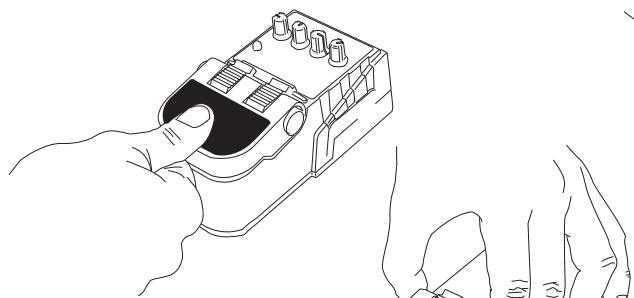
1) Depress pedal fully.
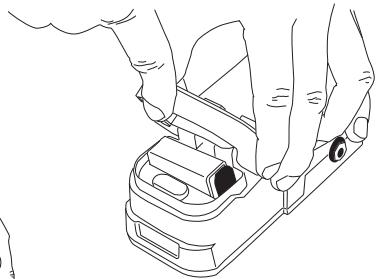
3) Squeezing hinge, raise pedal to reveal battery.
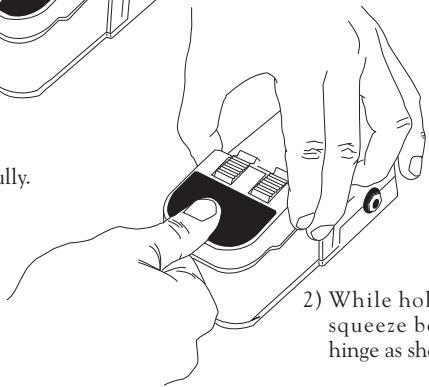
2) While holding pedal, squeeze both sides of hinge as shown.
Battery Access Instructions
Power Supply
Connect an optional Line 6 DC-1 power supply and you'll never need a 9-volt battery again! It is also compatible with most popular 9 Volt DC stomp boxes. Using the power supply will disconnect the battery.
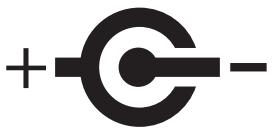
POWER REQUIREMENTS
| Min | Nominal | Max | |
| Supply Voltage | 6 VDC | 9.6 VDC | 16 VDC |
| Supply Current @ 9.6VDC | 40mADC | 60mADC | 100mADC |
| Power @ 9.6VDC | 0.4 Watt | 0.6 Watt | 1 Watt |
Example Tones
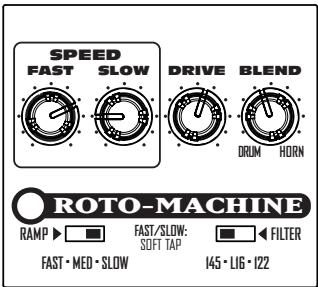
We don't need no stinking B.A.D.G.E.
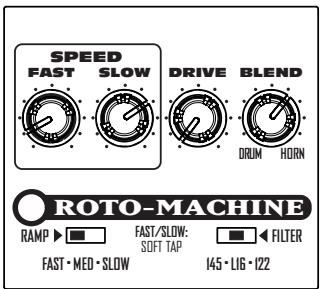
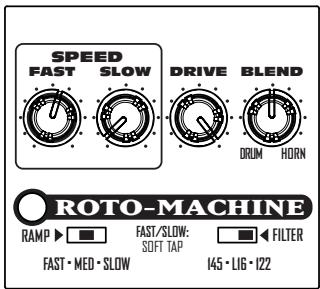
Here's a great rotating speaker setting... Check it out, then switch between fast and slow speeds. Then I told you 'bout our kid, now he's married to Mabel...
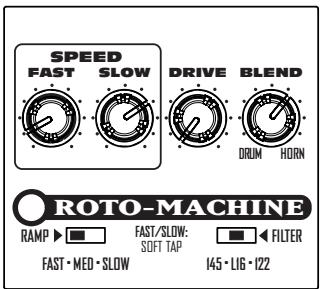
Hello... Roto
This setting uses the L16 filter to give a dark mellow rotory sound. Use it to comp expensive jazz chords! Tap the footswitch for a fast ramp up to a medium speed.
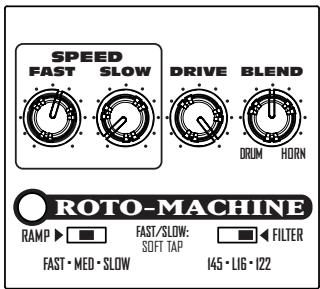
Grind and Spin!
Dail this setting up for some grinding rotation! Switch between the speeds for super slow spin and tasty fast woble.
Your Tone Settings
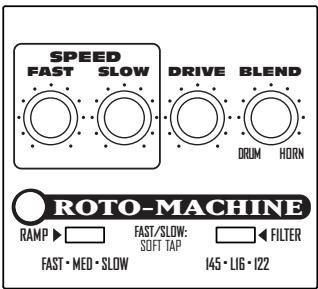
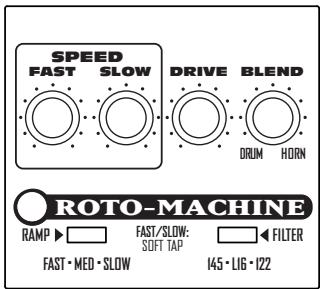
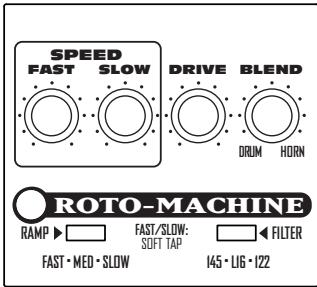
Mark the knob and switch settings for your favorite tones above.
LINE 6
TONE
Line 6, ToneCore, Dr. Distorto, Constrictor, Crunchtone, Echo Park, Liqua-Flange, Otto Filter, Roto-Machine, Space Chorus, Tap Tremolo, Über Metal und Verbzilla sind Warenzeichen der Line 6, Inc.
VORSICHT
Spanning 6VDC 9,6VDC 16VDC
Stroom
@9,6VDC 40mADC 60mADC 100mADC
Vermogen
@ 9,6VDC 0,4W 0,6W 1W
Enkele voorbeelden