
BIZHUB PRO 1200 - Digital Printer KONICA - Free user manual and instructions
Find the device manual for free BIZHUB PRO 1200 KONICA in PDF.


| Product type | Digital monochrome printer (black and white) |
| Brand | KONICA |
| Model | BIZHUB PRO 1200 (PRO 1200 series) |
| A4 Print speed | Up to 120 ppm (PRO 1200/P) / 105 ppm (PRO 1051) |
| A3 Print speed | Up to 70 ppm (PRO 1200/P) / 60 ppm (PRO 1051) |
| Print resolution | 1200 x 1200 dpi |
| Gradations | Up to 256 gray levels |
| Supported paper weight | 40 to 350 g/m² |
| Maximum paper size | A3+ (SRA3): 324 x 463 mm |
| Maximum paper capacity | 14,000 sheets (8 drawers) |
| Maximum output capacity | 10,000 sheets (cart stacker) |
| Warm-up time | Less than 480 seconds |
| Dimensions (W x D x H) | 990 x 780 x 1,233 mm (main unit) |
| Weight | Approximately 375 kg (main unit) |
| RAM memory | 2 GB |
| Hard disk | 160 GB or more |
| Network interface | Ethernet 10/100/1000 Base-T, IPv6 |
| Print languages | PCL 5e/XL (PCL 6), Adobe PostScript 3, TIFF, PDF |
| Supported drivers | Windows Vista/2000/XP/Server 2003, Mac OS 10.2/10.4/10.5 |
| Main functions | Printing, copying, scanning (except P version), finishing (stapling, folding, binding, punching, etc.) |
| Maintenance and cleaning | Operator replaceable units (ORU), toner and paper reloading while running |
| Security | Standard network and user security functions |
| Spare parts and repairability | Numerous optional accessories, operator replaceable units |
| General information | bizhub PRO 1200 series, offset print quality, Simitri toner, LED technology, more than 40 system configurations |
Frequently Asked Questions - BIZHUB PRO 1200 KONICA
User questions about BIZHUB PRO 1200 KONICA
0 question about this device. Answer the ones you know or ask your own.
Ask a new question about this device
Download the instructions for your Digital Printer in PDF format for free! Find your manual BIZHUB PRO 1200 - KONICA and take your electronic device back in hand. On this page are published all the documents necessary for the use of your device. BIZHUB PRO 1200 by KONICA.
USER MANUAL BIZHUB PRO 1200 KONICA
natural_image
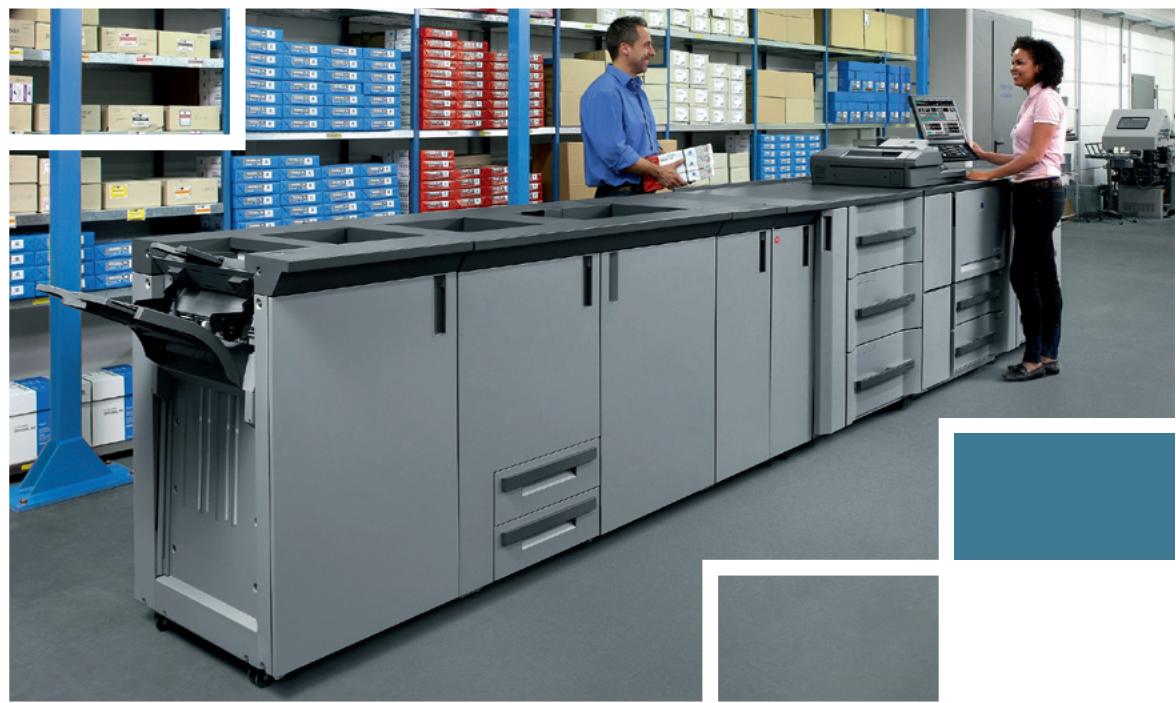
Interior of a modern warehouse with a worker inspecting equipment, surrounded by storage shelves and blue boxes (no visible text or symbols)bizhub PRO 1200 series
The genius in quality and modularity
natural_image
Interior of a modern office with a large open-plan typewriter and two people interacting, surrounded by storage shelves (no visible text or symbols)
natural_image
Interior view of a laboratory or workshop space with metal shelving units and equipment (no visible text or symbols)Singular quality, performance beyond comparison
The secret behind all business success is profitability. And the essential ingredients for profitability in the production printing environment are speed, efficiency, flexibility, productivity and reliability – in addition to flawless quality this is what digital print providers, commercial printers and in-house print rooms depend upon to diversify their services, ensure top performance and get ahead of their competitors.
In the bizhub PRO 1200 series, Konica Minolta has combined these important assets with a truly amazing black & white print quality that sets a new industry standard, surpassing anything previously achieved. With A4 production speeds of 120 and 105 pages per minute, the bizhub PRO 1200, the bizhub PRO 1200P and the bizhub PRO 1051 promise highest throughput and meet shortest deadlines, leaving little to be desired among the discerning professionals in this business.
Various innovations in the bizhub PRO 1200 series produce the inimitable print quality that characterises these products. Among these are the extremely precise LED exposure with impressive 1200 dpi resolution; the advanced and highly stable transfer belt technology; and Konica Minolta's unique enhanced screening technology.
In combination with Konica Minolta's proprietary Simitri® toner, these technological advancements achieve the outstanding and absolutely consistent print quality that satisfies even offset printers, as it enables profitable short-run production of the most diverse print formats.

natural_image
Black-and-white photo of stacked notebooks and spiral pens, no visible text or symbolsWith more than 40 different system configurations, the bizhub PRO 1200 series promises unparalleled modularity and provides virtually limitless flexibility and customisation to individual user demands.
In the bizhub PRO 1200 series Konica Minolta takes its renowned media flexibility to new heights: These systems process a range of media from 40 to unbelievable 350 gsm and can be configured to a capacity of up to 14,000 sheets supplied in 8 paper magazines – multiplying the scope of sophisticated print products that can be produced at the touch of a button.
Several components in the bizhub PRO 1200 series incorporate advanced technology that streamlines production and post production: A true highlight is the new paper feed unit featuring vacuum feed technology. Its alternative use as a post insertion unit boosts flexibility. Or take the brand-new smart GBC punch option for high-speed inline production of prints ready for spiral binding.
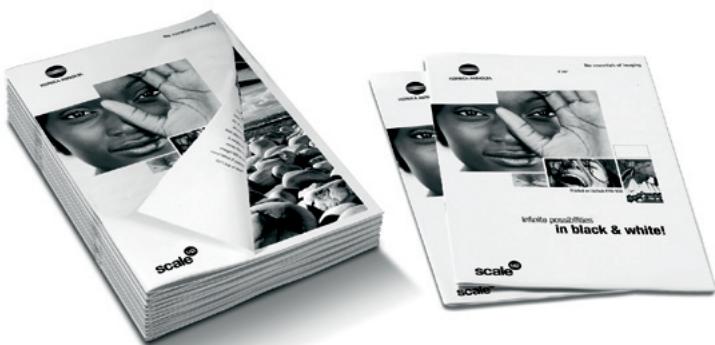
text_image
scale® in black & white! Scale® scale®
text_image
reliable a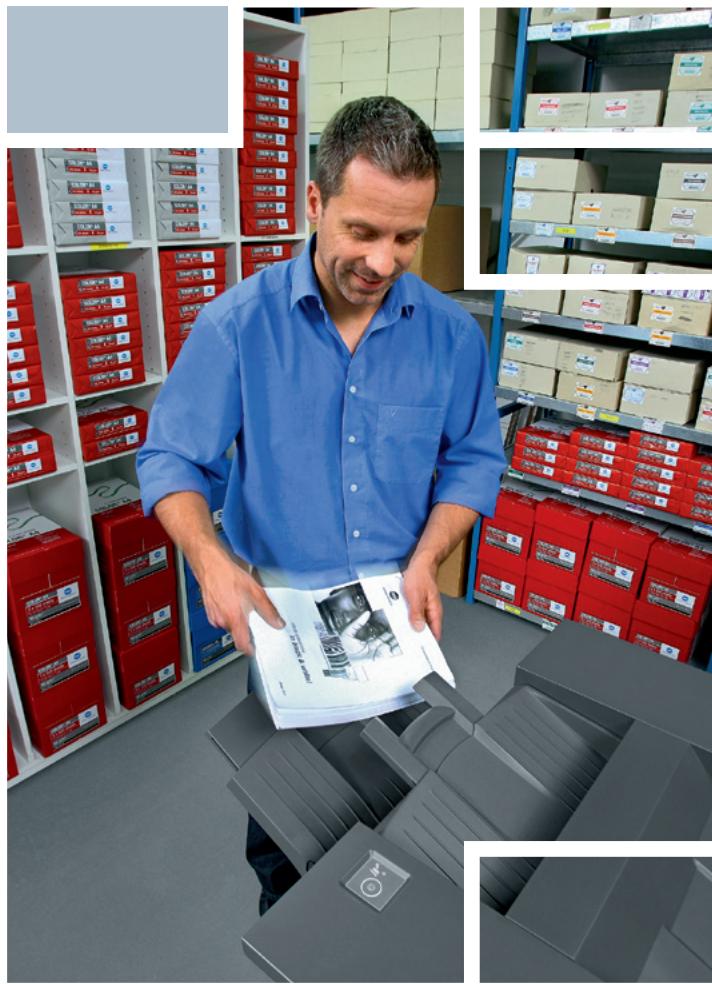
natural_image
Man in blue shirt inspecting a document in a warehouse with red storage bins and stacked boxes (no visible text or symbols)The bizhub PRO 1200 series' extensive range of finishing options enables the inline combination of booklet maker, perfect binder and staple finisher in a single digital production system. Such amazing finishing versatility speeds up production and enhances the overall performance, increasing throughput, turnover and ultimately profit.
Konica Minolta has equipped the new bizhub PRO 1200 series with an array of advanced technologies that make production environments economically efficient and fit for the future by satisfying highest demands on quality, performance and reliability for years to come.
natural_image
Close-up of a technician examining a magnifying glass over a printed document (no visible text or symbols)Technology and quality: state-of-the-art
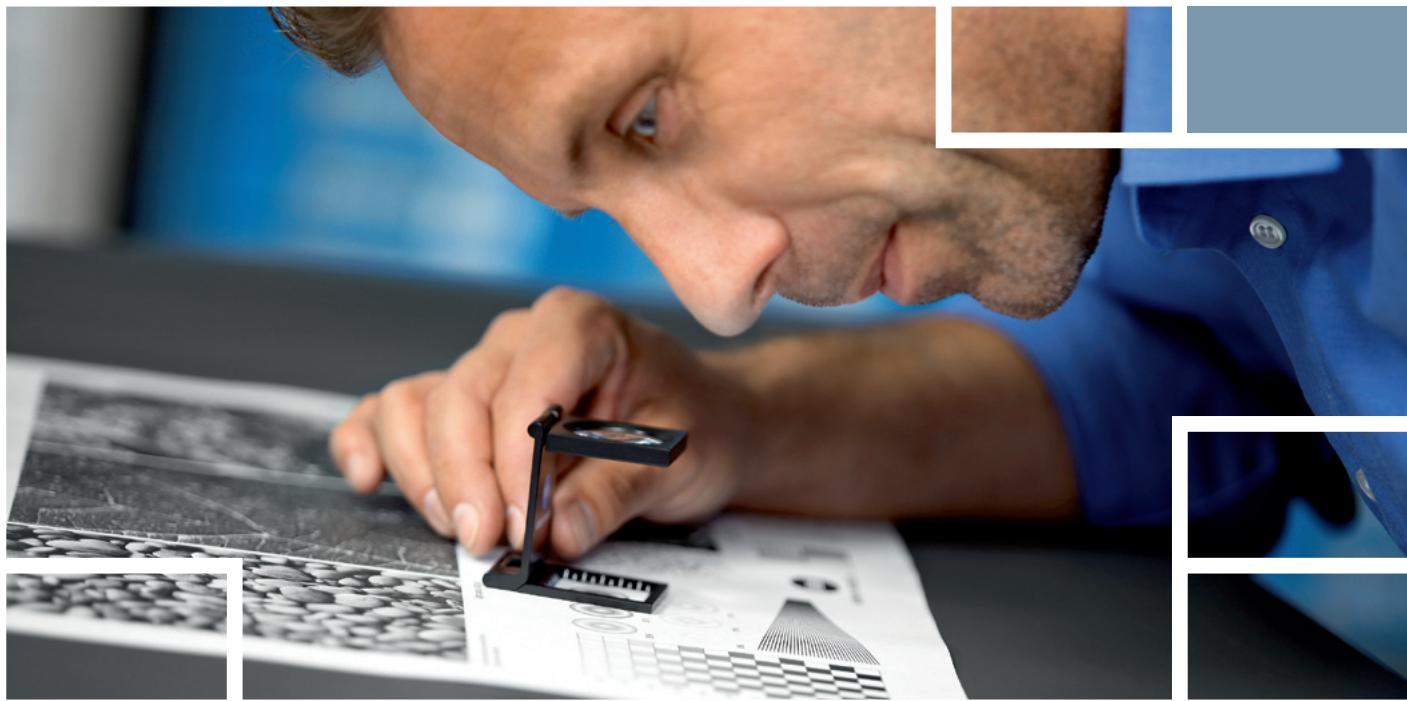
The bizhub PRO 1200 series produces an image quality that is quite simply brilliant and goes beyond anything ever before achieved with a black and white production system. Outstanding black coverage as well as amazingly smooth gradations and halftones characterise the prints. All three systems, the bizhub 1200, the bizhub PRO 1200P and the bizhub PRO 1051, impress with the finest line reproduction in the industry and excel with an absolutely constant and stable print quality even in extensive print cycles. The advanced properties of Konica Minolta's Simitri® polymerised toner further contribute to this matchless quality. Beyond that, comprehensive quality adjustment possibilities including the unique Tone Curve Utility make catering for customers' specific quality requests fast and simple.
Konica Minolta's pioneering LED exposure technology achieves an outstanding print resolution of 1,200 dpi in combination with full 256 grey scales with each screening type and frequency, tremendously improving the faithful reproduction of text, photos, images, illustrations and other graphic elements in prints.
Of fundamental benefit for the user are the extensive adjustment choices available in the bizhub PRO 1200 series. For the screening type alone the operator can choose among optimised photo & text (default), photo and text modes. In addition, the dot screen mode enables the user to always apply the best suited screening type and frequency (lpi) to the individual print job.

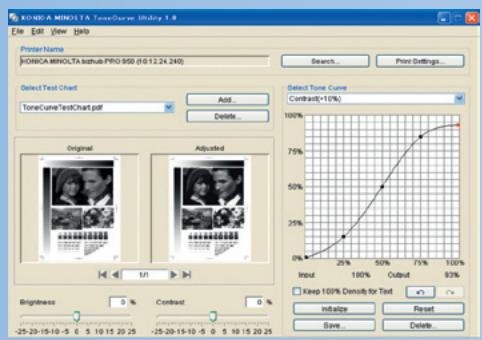
Tone Curve Utility
text_image
KONICA MINOLTA TextCurve Utility 1.0 File Edit View Help Printer Name KONICA MINOLTA TextCurve PRO 950 (18:12:24:240) Select Test Chart ToneCurveTestChart.pdf Add... Delete... Original Adjusted Brightness 0 % Contrast 0 % Detect Tone Curve Contrast+10% 100% 75% 50% 25% 0% Input 25% 50% 75% 100% 100% Output 93% Keep 100% Density for Text Initiate Reset Save Delete.Printed using default tone curve
text_image
Scanned document page featuring a couple photo collage with accompanying descriptive text blocks below.Printed using new tone curve
text_image
Scanned document page with black-and-white photo collage and adjacent navigation arrows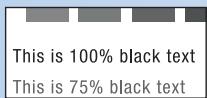
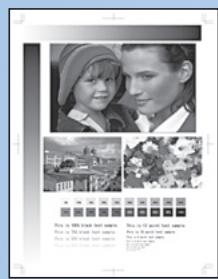
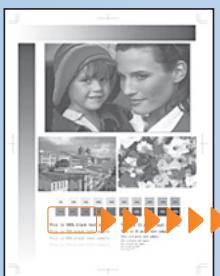
Reducing the maximum density does not affect the text which remains at 100% density.
Konica Minolta's unique Tone Curve Utility incorporates a tool to change RIP adjustments such as screening and tone curves, including the customisation of the screening angle and dot shape. The operator can choose among predefined tone curves and create individual curves with simple drag and drop action, setting customised profiles as controller default or storing them on the RIP for instant recall in the printer driver. With this comprehensive functionality the operator gains complete control for flexible optimisation of the print quality.
A newly adopted CIE functionality improves the reproduction of colour-based documents whenever required. RGB colour data are transposed to the CIE colour space, providing grey gradations with much more differentiation than when printing colour data without transformation.
No less important, Konica Minolta's proprietary Simitri® toner is another element to guarantee an excellent image quality. Simitri® ensures superior halftone definition and solid fills. Its minuscule toner particles provide clarity and definition to every tiny detail in the printed image.
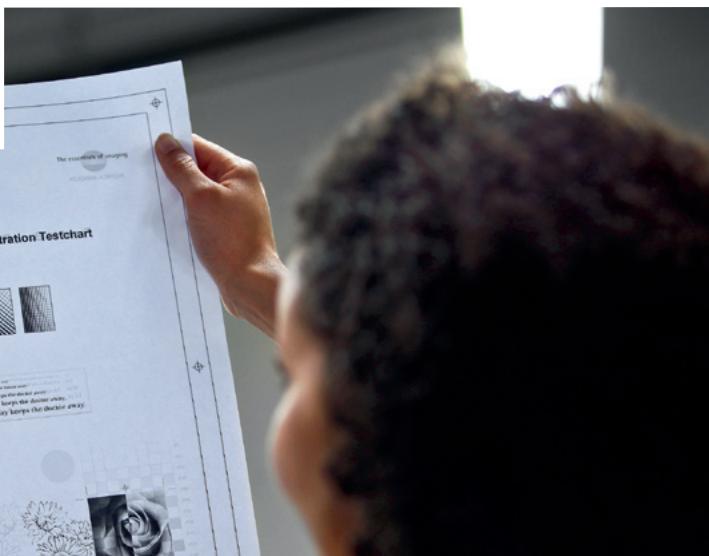
Thanks to the innovative transfer belt technology, the toner image is brought onto the paper with less diffusion than ever, achieving the highest precision yet. This is beneficial in particular to the important front-to-back registration, which boasts a further improved accuracy.
text_image
The creativity of unboxing and the choice of the correction testchart and the choice of the correction testchart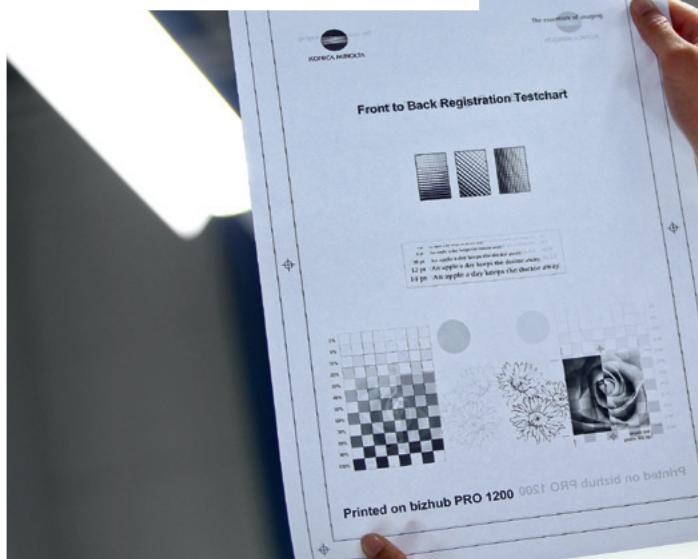
text_image
FRONT TO BACK REGISTRATION TESTCHART 1st - A print is a copy of the image. 2nd - A print is a logo for the image. 3rd - A print is a logo for the image. 4th - A print is a logo for the image. 5th - A print is a logo for the image. 6th - A print is a logo for the image. 7th - A print is a logo for the image. 8th - A print is a logo for the image. 9th - A print is a logo for the image. 10th - A print is a logo for the image. Printed on bizhub PRO 1200 00ST ORB durtsid no balning
Flexibility & operation with total efficiency
The bizhub PRO 1200 series excels with a truly outstanding RIP and print performance that helps commercial printers and print providers keep up continuous production. The extensive range of system configurations ensures utmost versatility for the production of individual, highly attractive print formats that satisfy even the most demanding customers. Despite such overwhelming flexibility the systems are surprisingly simple to operate and feature a highly convenient job queue management. The intelligent paper catalogue functionality is a further important capability for maximised operation.

Highest modularity
The unmatched modularity of the bizhub PRO 1200 series enables virtually unlimited configurations. With more than 40 different system versions, almost any imaginable combination is possible, providing complete customisation and answering the most specific customer demands.

Ease & efficiency of operation
The bizhub PRO 1200, bizhub PRO 1200P and bizhub PRO 1051 impress with an easy and efficient operation that includes straightforward printer drivers, fast and simple function selections and the easily programmable paper catalogue. A large and clearly structured display makes job and queue management quick and convenient – all in the interest of smooth job processing and round the clock use of the production systems to capacity. Print volumes and turnover can thus be increased and the profitability enhanced.

Impressive performance & absolute reliability
At the heart of the bizhub PRO 1200 series, a new ultra high-end RIP provides a print performance that is simply mind-boggling in its speed and power. Continuous production and constant high throughput are equally supported with the extensive paper capacity of up to 14,000 sheets from max. 8 paper magazines and the high-capacity consumables yields. Naturally, toner and paper refill are possible on the fly and do not require production to stop.
Many operator-replaceable units (ORU) help minimise system downtime and further support the overwhelming productivity that enables monthly duty cycles of up to 2 million (bizhub PRO 1051) respectively 3 million (bizhub PRO 1200/P) prints. Also – and unique in a production unit in this class – there is no reduction in production speed for a wide range of paper weights.

natural_image
Industrial machine assembly line with multiple units and control panels (no visible text or labels)
natural_image
Industrial control room with large display screens showing blue grid panels and a laptop (no readable text or symbols)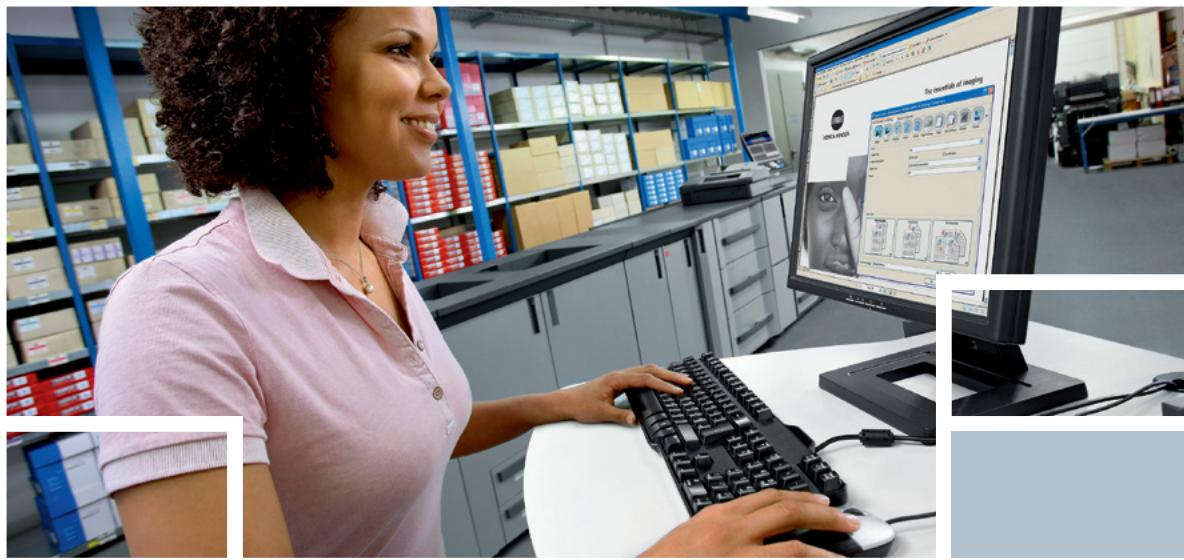
natural_image
Woman working at a computer in a warehouse, surrounded by storage shelves and equipment (no visible text or symbols)Applications for complete workflow integration
The combination with Konica Minolta's outstanding software applications for workflow management and process automation enables production facilities to take optimum advantage of the singular qualities of the bizhub PRO 1200 series. Versatile functionalities are available, including the linking of b/w and colour production devices into an integrated output solution; streamlined and automated print workflows, and completely automated production processes that include all stages from job submission to packing, shipping and invoicing.

MicroPress
MicroPress fulfils the perfect central print management role. It links up to several print systems, thus enabling the most effective sharing of print jobs among these output devices. MicroPress covers Document Make-Ready, Print Output Management, Print Monitoring, cluster printing and colour splitting. It embraces any form of incoming data and operates with a GUI which is applicable to all machines and operations, ensuring full compatibility, remarkable versatility, excellent quality, maximum productivity, a short learning curve and excellent cost control.

Printgroove JT
The Printgroove JT software suite provides an efficient, streamlined print workflow that processes print jobs quickly, produces them reliably, and keeps manual intervention to a minimum. Printgroove JT combines the efficiency of central printing with the
advantages of the job-ticket-driven print workflow. Icon-based GUIs make Printgroove JT intuitive and easy to use. Enabling extensive print process automation, the comprehensive Printgroove JT functionality is certain to optimise the print workflow fundamentally.

Printgroove POD
Printgroove POD optimises workflows, streamlines production processes, and increases the overall productivity of the production facility. Printgroove POD guarantees a wide range of features that enhance performance and increase efficiency. Printgroove POD enables print shops to configure their own individual workflow, integrate as many production steps as required and even include non-print items into the finished customer product. Integrating seamlessly with Konica Minolta's bizhub PRO devices, the Printgroove POD software suite is the perfect production solution to optimise the production efficiencies the bizhub colour and b/w products were created for.
Inimitable versatility from start to finish
Professional finishing of the printed product is an integral part of any production run – however, flexibility is the key! The bizhub PRO 1200 series can be equipped with a comprehensive range of highly versatile accessories.
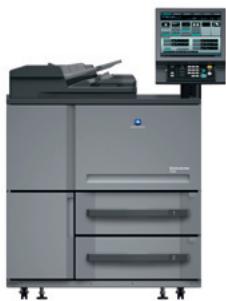
bizhub PRO 1051/1200/P (main unit)
Professional finishing starts right inside the systems of the bizhub PRO 1200 series – a variety of advanced features ensures the production of sophisticated document formats. Mixplex for example allows combining single- and double-sided pages within one document while mixmedia lets the user specify individual paper types from various trays on page-level. In addition the paper catalogue with media tracking functionality ensures highest ease of use.

two-sided printing/ duplex

one sided
printing

paper/toner refill during operation

mixplex one/two sided - during operation

combined mixplex/mixmedia

mixmedia white/ colour sheets from different trays
natural_image
Exterior view of a modern office building (no signage)Paper feed units PF-702 and PF-703
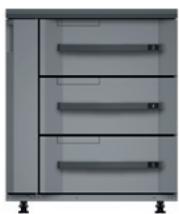
The large-capacity paper feed units PF-702 and PF-703 extend the paper capacity by three paper trays with up to 6,000 (PF-702) resp. up to 5,000 (PF-703) sheets and enable the processing of media between 40 and 350 gsm. All paper sizes can be fed from all trays. The PF-703 incorporates vacuum feed technology and can also be mounted as a post insertion unit (PI-PFU) for large-capacity feeding of preprinted (e.g. colour) materials.

combined mixplex/mixmedia

mixmedia white/ colour sheets from different trays

colour sheet insertion, report*

colour cover insertion, report *
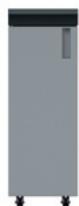
Relay unit RU-506
The RU-506 ensures compatibility of the 120 ppm print speed of the bizhub PRO 1200/P with the processing speed in all finishing options by collecting every 2 printed sheets and forwarding them to the finishing process. The RU-506 also reverses post-inserted sheets from the PI-PFU in order to output them face-down and GP-501 smart punched sheets to ensure their exit with the punch holes on the trailing edge.
Booklet making unit SD-506
The SD-506 is ideal for saddle-stitched and trimmed booklets and speeds up the inline production of marketing, sales and training materials. It can produce brochures of up to 200 pages (50 sheets), including automatic image shift and trimming, and has an output capacity of up to 50 booklets. The multi letter fold-in and multi-half-fold functionality for up to 5 sheets accelerates the creation of mailings.

colour sheet insertion, booklet **

colour cover
insertion, booklet**

trimming

multi letter fold in

booklet (folding and saddle stitching)

multi half fold
natural_image
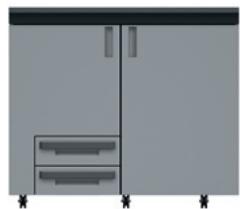
Simple line drawing of a cabinet with drawers and doors, no text or symbols present■ Folding & punching unit FD-503
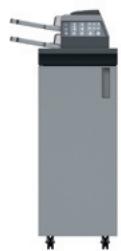
The ideal choice for the production of mailings, flyers etc., the FD-503 is used to its best advantage in combination with the booklet maker, staple finisher or perfect binder. The folding and punching unit provides six different folding schemes, two- or four-hole punching with 100% productivity, and the post-insertion of pre-printed sheets and covers.

colour sheet insertion, report

colour cover
insertion, report

two-hole punching

four-hole punching

half-fold

letter fold in

letter fold out

gate-fold

double-parallel-fold

z-fold
Smart (GBC) punching unit GP-501
The smart punching unit offers high performance multi-hole (GBC) punching of sheets at full system speed in preparation for offline spiral binding. Various available die sets correspond to the most popular punching schemes, such as metal-based coil (velo) and plastic (comb) binding.

Smart punching
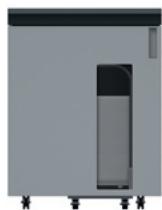
Large-capacity stacking unit LS-505
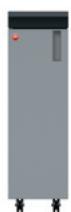
With the large-capacity stacking unit, the bizhub PRO 1200 series is perfectly equipped for easy integration into environments with existing finishing facilities. The trolley-mounted stacker with up to 5,000 sheets capacity can also be filled with shifted output and transport is safe due to an integrated paper clamp mechanism.

trolley stacker

shifted output
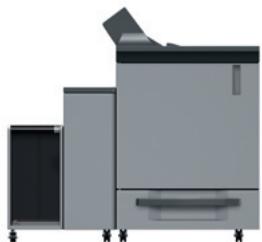
■ Perfect binding units PB-502 and PB-503
These finisher highlights enable online production of all kinds of perfect-bound books. The functionality includes Z-fold insertion and insertion of pre-printed colour covers and sheets. Bookbinding is possible for books with up to 30 mm spine width and includes in-line cover trimming. The integrated cover tray has a capacity for up to 1,000 sheets.
Beyond the PB-502 functionality, the PB-503 incorporates a trolley stacker to output perfect bound books. PB-503 can also be mounted in conjunction with the stapling unit FS-521, offering the combination of perfect binding and stapling in one system.

perfect binder

perfect binder
z-fold

perfect binder colour cover insertion

perfect binder colour cover sheet insertion

trolley stacker for perfect bound books***
natural_image
Exterior view of a modern office building (no signage)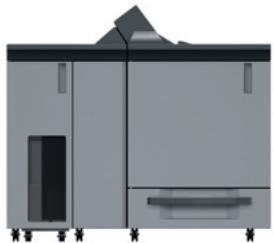
natural_image
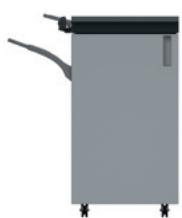
Exterior view of a modern office building (no signage)Stapling unit FS-521
Equipped with the FS-521, the bizhub PRO 1200 series provides multi-position stapling, making this the perfect choice for the production of manuals, reports and other extensive documentation. Stapling of up to 100 sheets is performed with 100% productivity, with staples cut to size. Auto-shift sorting and grouping is also available; and the output capacity is for up to 3,000 sheets.

corner stapling

2-point stapling

auto-shift
sorting

variable staple length
System configurations
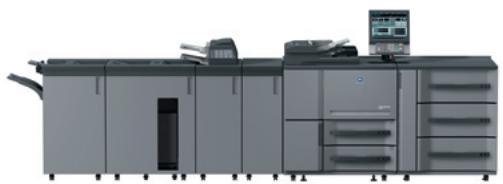
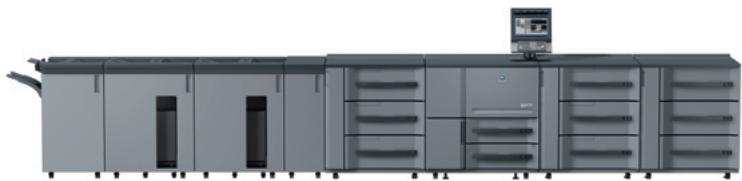
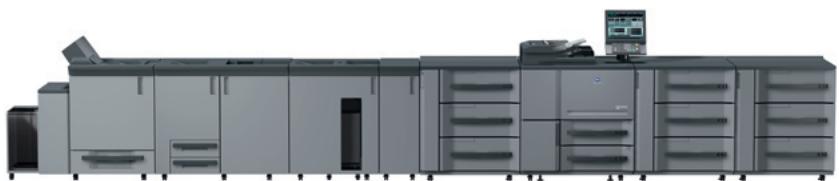
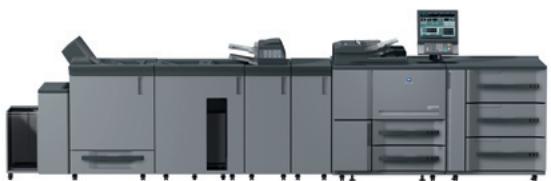
The bizhub PRO 1200 series can be configured in more than 40 different product versions. 8 recommended system configurations are outlined below, each named according to its finishing capabilities. The combination of letters indicates the finishing functionality, e.g. DLF for multi-position stapling, large-capacity stacking, folding & punching. Beyond the examples shown here a lot of other combinations are possible!
System DLF*/**
The system for corporate documents and environments with existing finishing equipment
■ 105/120 ppm A4 pages per minute print performance
■ High speed RIP with enhanced screening technology
Numerous punching, folding and stapling possibilities
■ Post insertion of up to 1,000 sheets from 2 trays
■ Trolley based stacking of up to 5,000 sheets
■ Stapling of up to 100 sheets with variable staple length
■ Large capacity output tray for up to 3,000 sheets
natural_image
Exterior view of a modern office typewriter with front panel and control panel (no visible text or symbols)F L D
System LLF (printer version) **/***
The system for corporate documents, direct mailings and environments with existing finishing equipment
■ 120 ppm A4 pages per minute print performance
■ 8 paper trays with a total capacity of up to 14,000 sheets
■ Paper weights between 40 and 350 gsm
■ Paper feed and PI unit with vacuum technology
■ Post insertion of up to 5,000 sheets from 3 trays
■ Trolley based stacking of up to 10,000 sheets
■ Stapling of up to 100 sheets with variable staple length
natural_image
Exterior view of a modern industrial machine with control panel and monitor (no visible text or symbols)F L L
System LSP**
The system for booklets, perfect bound books and environments with existing finishing equipment
■ 105/120 ppm A4 pages per minute print performance
- Duplex as standard
■ 8 paper trays with a total capacity of up to 13,000 sheets
■ Paper feed and PI units with vacuum technology
■ Trolley based stacking of up to 5,000 sheets
Saddle stitching and booklet making for up to 50 sheets/200 pages
■ Perfect binding of books with up to 30 mm thickness
natural_image
Exterior view of a modern office or laboratory equipment unit with multiple cabinets and control panels (no visible text or labels)P S L
System DLP */ **
The system for perfect bound books, punched documentation and environments with existing finishing equipment
■ 105/120 ppm A4 pages per minute print performance
■ Toner and paper refill “on the fly”
■ Paper feed unit with vacuum feed technology
■ Numerous punching and folding possibilities
■ Post insertion of up to 1,000 sheets from 2 trays
■ Trolley based stacking of up to 5,000 sheets
■ Perfect binding of books with up to 30 mm thickness
natural_image
Exterior view of a modern office typewriter with front panel and control panel (no visible text or symbols)P L D
System GLF\*\*
The system for corporate documents, marketing collateral and environments with existing binding equipment
■ 105/120 ppm A4 pages per minute print performance
■ High speed RIP with enhanced screening technology
■ Post insertion of up to 5,000 sheets from 3 trays
■ GBC smart punching with various customer replaceable die sets
■ Trolley based stacking of up to 5,000 sheets
■ Stapling of up to 100 sheets with variable staple length
■ Large capacity output tray for up to 3,000 sheets
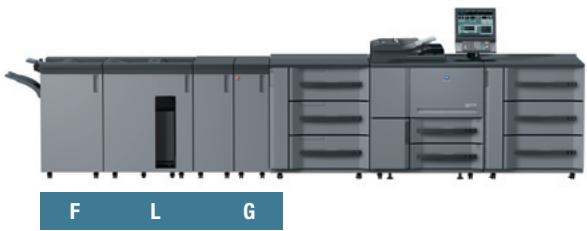
natural_image
Industrial machine with control panel and labeled sections F, L, G (no visible text or symbols on main body)System GSF\*\*
The system for corporate documents, booklets and environments with existing binding equipment
■ 105/120 ppm A4 pages per minute print performance
■ 8 paper trays with a total capacity of up to 13,000 sheets
■ Paper feed and PI units with vacuum technology
■ Post insertion of up to 5,000 sheets from 3 trays
■ GBC smart punching with various customer replaceable die sets
- Saddle stitching and booklet making for up to 50 sheets/200 pages
■ Stapling of up to 100 sheets with variable staple length
■ Large capacity output tray for up to 3,000 sheets
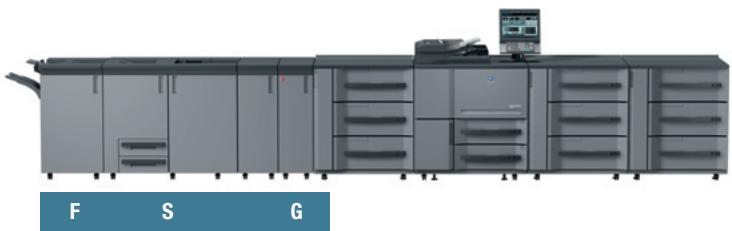
natural_image
Exterior view of a modern office or laboratory machine with multiple units and control panel (no visible text or symbols)System DLL (printer version) \*\*/\*\*\*
The system for loose-leaf punched documents, post-insertion and environments with existing finishing equipment
■ 120 ppm A4 pages per minute print performance
■ High speed RIP with enhanced screening technology
■ 8 paper trays with a total capacity of up to 14,000 sheets
■ Numerous punching and folding possibilities
■ Post insertion of up to 6,000 sheets from 5 trays
■ Paper feed and PI unit with vacuum technology
■ Trolley based stacking of up to 10,000 sheets
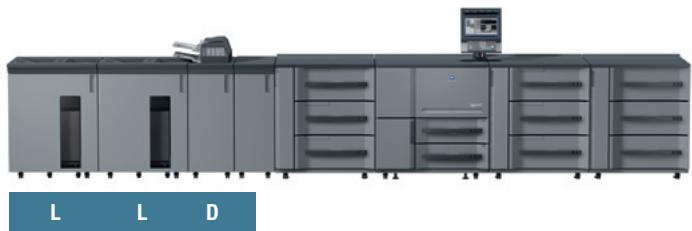
natural_image
Industrial machine setup with multiple units and control panel (no visible text or symbols)System DSBF\*\*
The universal system for all kinds of corporate documents, booklets and perfect bound books
■ 105/120 ppm A4 pages per minute print performance
■ 8 paper trays with a total capacity of up to 14,000 sheets
■ Paper weights between 40 and 350 gsm
■ Post insertion of up to 6,000 sheets from 5 trays
- Saddle stitching and booklet making for up to 50 sheets/200 pages
■ Perfect binding of books with up to 30 mm thickness
■ Stapling of up to 100 sheets with variable staple length
■ Large capacity output tray for up to 3,000 sheets
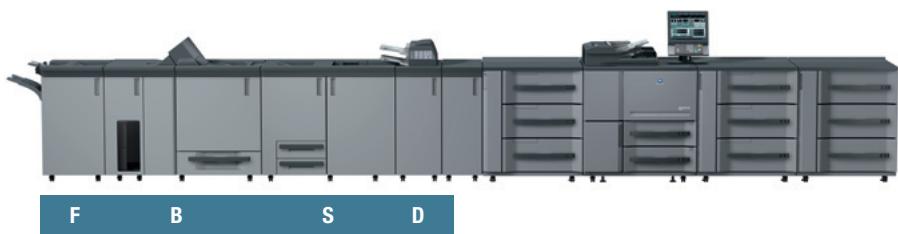
natural_image
Exterior view of a modern office or printing machine with multiple units and control panels (no visible text or symbols)| F | Multi-position stapling (FS-521) |
| S | Booklet making (SD-506) |
| D | Folding & punching (FD-503) |
| G | Smart (GBC) punching (GP-501) |
| L | Large-capacity stacking (LS-505) |
| P | Perfect binding (PB-502) |
| B | Perfect binding with trolley stacking (PB-503) |
* The bizhub PRO 1051 does not require RU-506 in this configuration.
** All systems can be downgraded in leaving out singular accessories. For further details please contact your local sales representative.
*** Also available as copier/printer version with 120 ppm A4 (bizhub PRO 1200) or 105 ppm (bizhub PRO 1051).
Simitri

Adobe® PostScript® 3™





Technical specifications
Printer specifications
bizhub PRO 1051
Print speed A4
Up to 105 ppm
Up to 6,300 pph
Print speed A3
Up to 60 ppm
Up to 3,600 pph
bizhub PRO 1200/P
Print speed A4
Up to 120 pp
Up to 7,200 pph
Print speed A3
Up to 70 ppm
Up to 4,200 pph
Print resolution
1,200 x 1,200 d
Gradations
Up to 256 levels
System specifications
Paper weight
40–350 gsm
Duplex unit
Non-stacking type
Paper size
A5 to A3+ (SRA3)
Min. 182 x 139 mm
Max. 324 x 463 mm
Maximum image area
314×460mm
Paper input capacities
Maximum: 14,000 sheets
Main unit: up to 3,000 sheets
PF-702: up to 6,000 sheets
PF-703: ip to 5,000 sheets
Maximum paper output capacity
Large stacker with trolley: 10,000 sheets
Large capacity tray: 3,000
Per subtray: 200 sheets
Warm-up time
Less than 480 sec.
Main unit dimensions (W x D x H)
990 x 780 x 1,233 mm
Main unit weight
Approx. 375 kg
Controller specifications
Type
Embedded controller
CPU
Pentium M 2.0 GHz
RAM
2 GB
HDD
160 GB or above
Interface
Ethernet (10/100/1,000-Base-T)
IPv6
Page description languages
PCL 5e/XL (PCL 6), Adobe PS 3, TIFF, PDF
Printer drivers
Windows Vista (32/64), 2000/XP/Server 2003
Mac OS 10.2, 10.4, 10.5
Scanner specifications
(not for bizhub PRO 1200P)
Scan speed A4
Up to 105 opm
Up to 6,300 opm
Scan speed A3
Up to 60 opm
Up to 3,600 oph
Scan resolution
1200 dpi/600 dpi/400 dpi/300 dpi/200 dpi
Scan modes
TWAIN scan
Scan-to-HDD
Scan-to-FTP
Scan-to-SME
Scan-to-E-mail
Scan formats
PDF, TIFF, secured PDF, XPS
Copier specifications
(not for bizhub PRO 1200P)
bizhub PRO 1051
Copy speed A4
Up to 105 cpm
Up to 6,300 cpm
Copy speed A3
Up to 60 cpm
Up to 3,600 cph
bizhub PRO 1200
Copy speed A4
Up to 120 cpm
Up to 7,200 cph
Copy speed A3
Up to 70 cpm
Up to 4,200 cph
Copy resolution
Max.: 600 x 600 dpi
Gradations
256 gradations
FCOT
bizhub PRO 1051
Less than 3,0 sec. (A4 LEF)
bizhub PRO 1200
Less than 2,8 sec. (A4 LEF)
Magnification
25 – 400% in 0.1% steps
Multiple copies
1-9,999
Accessories
Automatic document feeder
Max.: 100 sheets
Paper feed units
PF-702
3 magazines
Paper capacity: up to 6,000 sheets
Paper weight: 40 – 350 gsm
Standard paper sizes: A5 to A3+ (SRA3)
Min. paper size: 95 x 139 mm
Max. paper size: 324 x 463 mm
PF-703 (can also be attached
as post insertion unit)
3 magazines with air-suction technology
Paper capacity: up to 5,000 sheets
Paper weight: 40 – 350 gsm
Standard paper sizes: A5 to A3+
Min. paper size: 95 x 139 mm
Max. paper size: 324 x 463 mm
Relay unit
RU-506
Sheet reverser
Adapts processing speed to 120 ppm
Folding and punching unit
FD-503
Pre-printed sheet insertion (PI): 2 PI trays for
500 sheets each
Punching (2 and 4 hole)
Folding (half-fold, z-fold, gate-fold, letter fold in,
letter fold out, double-parallel-fold)
Subtray for up to 200 sheets
Smart (GBC) punching unit
GP-501
Smart punching of A4 sheets
User replaceable die sets for: velo bind,
plastic comb, wire bind, colour coil, pro click
Paper weight: 75 – 216 gsm
Booklet making unit
SD-506
Booklet making of up to 50 sheets (200 images)
Saddle stitching, trimming
Output tray for up to 50 booklets
Subtray for up to 200 sheets
Multi letter fold in (up to 5 sheets)
Multi half fold (up to 5 sheets)
Stacking unit
LS-505
Up to 5,000 sheets stacking capacity
Two units can be installed as a tandem
Up to 10,000 sheets stacking capacity
Trolley mounted stacker
Auto-shift stacking
Subtray for up to 200 sheets
Paper clamp mechanism
Perfect binding units
PB-502
Hot melt glue binding system
Integrated 1-side trimming of cover sheets
Books from A5 up to A4+ (307 x 221 mm)
Books from 10 sheets up to 30 mm spine width
Cover paper tray for up to 1,000 sheets
Subtray for up to 200 sheets
Book stacking capacity of up to 3,300 sheets
2 stacks
PB-503
Same as PB-502, except:
Trolley based output of perfect bound books
Book stacking capacity
Output tray: 3,300 sheets
Trolley: 3,300 sheets
Can be combined with stapling unit FS-521
Stapling unit
FS-521
Stapling of up to 100 sheets
2-point and corner stapling
Variable staple length (cutting mechanism)
Output for up to 3,000 sheets
Subtray for up to 200 sheets
Auto-shift sorting and grouping
■ All specifications relating to paper capacity refer to A4 size paper of 80 gsm quality.
■ All specifications relating to scanning, copying or printing speeds refer to A4 size paper that is scanned, copied or printed crosswise in multi-page, simplex mode.
The support and availability of the listed specifications and functionalities varies depending on operating systems, applications, network protocols as well as network and system configurations.
■ Some of the product illustrations contain optional accessories.
■ Specifications and accessories are based on the information available at the time of printing and are subject to change without notice.
■ Konica Minolta does not warrant that all specifications mentioned will be error-free.
■ Microsoft, Windows and the Windows logo are trademarks, or registered trademarks, of Microsoft Corporation in the United States and/or other countries.
■ All other brand and product names may be registered trademarks or trademarks of their respective holders and are hereby acknowledged.
Your Konica Minolta Business Solutions Partner: