
BIZHUB C280 - Multifunction Printer KONICA - Free user manual and instructions
Find the device manual for free BIZHUB C280 KONICA in PDF.


| Product Type | Color Multifunction Printer |
| Brand and Model | Konica Minolta bizhub C280 |
| Dimensions (L × D × H) | 643 × 842 × 770 mm |
| Weight | Approx. 98 kg |
| Power Supply | 220-240 V, 50/60 Hz, < 1.5 kW |
| Print/Copy Speed (A4) | 28 ppm black and color |
| Print Resolution | 1800 × 600 dpi equivalent |
| Standard Paper Capacity | 1150 sheets (2 × 500 + 150 bypass) |
| Maximum Paper Capacity | 3650 sheets |
| Supported Paper Sizes | A6 to A3+, banner up to 1.2 m |
| Supported Paper Weight | 60-271 g/m² (up to 256 g/m² in tray) |
| Memory (RAM) | 2 GB |
| Hard Disk | 250 GB |
| Network Connectivity | Ethernet 10/100/1000 Base-T, USB 2.0 |
| Main Functions | Print, copy, scan, fax (optional) |
| Duplex Printing | Automatic |
| Scanning | Color/black, up to 70 ipm, to email, FTP, SMB, USB |
| Finishing | Stapling, folding, punching, booklet (optional) |
| Security | User authentication, secure printing, hard disk encryption |
| Consumables | Simitri HD polymerized toner (black 29,000 pages, CMY 26,000 pages) |
| Maintenance | Regular cleaning of the exterior and document feeder |
| Remote Support | CS Remote Care included (proactive monitoring) |
| Environment | Low consumption, Energy Star and Blue Angel certified |
Frequently Asked Questions - BIZHUB C280 KONICA
User questions about BIZHUB C280 KONICA
0 question about this device. Answer the ones you know or ask your own.
Ask a new question about this device
Download the instructions for your Multifunction Printer in PDF format for free! Find your manual BIZHUB C280 - KONICA and take your electronic device back in hand. On this page are published all the documents necessary for the use of your device. BIZHUB C280 by KONICA.
USER MANUAL BIZHUB C280 KONICA
text_image
OFFERING THE SKILLS TO WINbizhub C220, C280 and C360
Innovative whether black & white or colour
natural_image
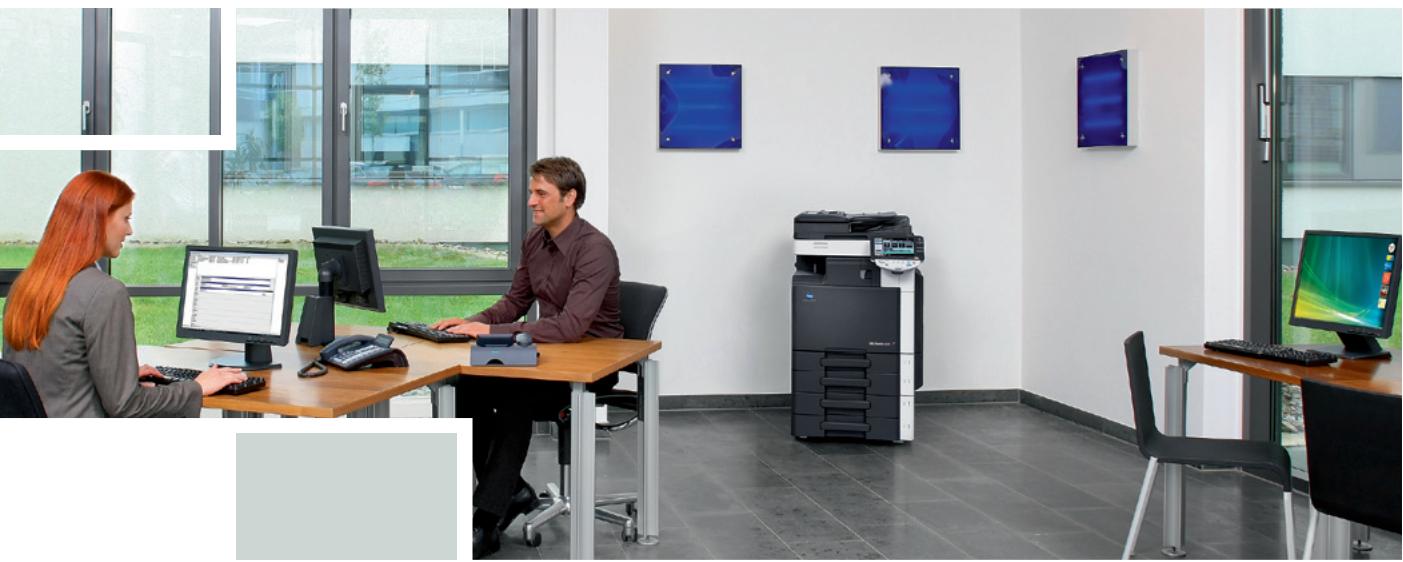
Interior view of a modern office with two people working at computers and a printer, no visible text or symbols.Innovative whether black & white or colour
The bizhub C220, bizhub C280 and bizhub C360 are Konica Minolta's innovative triumvirate for every-day document production in the corporate environment – and perfect for offices and workgroups in finance and accounting departments, in personnel, logistics and many other areas where the bulk of the work is produced in black & white. This product series offers truly affordable, high-quality b/w imaging at similarly low cost as all-b/w devices. But the bizhub C220, C280 and C360 have an extra feature: colour that can be taken advantage of whenever required.
As true multifunctionals, all three can be equipped to print, copy, scan and fax, handling the complete communication of the busy office with ease and competence. Their compact and stylish design doesn't take up a lot of room but makes them an attractive feature in any office.
Complying with the latest regulations of the Energy Star and the German Blue Angel, the bizhub C220, C280 and C360 feature extremely quiet operation
and greatly reduced energy consumption levels. They are comfortable to work side by side with and impressively eco-friendly to operate.
bizhub C220, C280 and C360 come inclusive of Konica Minolta's “skills to win” – they provide complete office communication in a single device, feature latest technology, deliver top class quality in black and white as well as colour, and impress with their flawless eco-performance.
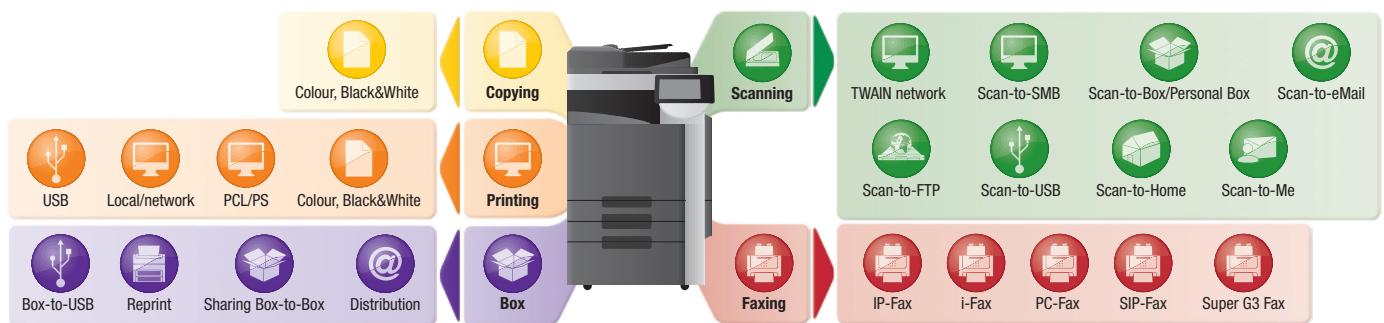
→ Workflow options
flowchart
graph TD
    A["Printing"] --> B["Box"]
    A --> C["Faxing"]
    A --> D["Scanning"]
    A --> E["Swimming"]
    A --> F["Email"]
    A --> G["IP-Fax"]
    A --> H["I-Fax"]
    A --> I["PC-Fax"]
    A --> J["SIP-Fax"]
    A --> K["Super G3 Fax"]
    A --> L["Box-to-USB"]
    A --> M["Reprint"]
    A --> N["Sharing Box-to-Box"]
    A --> O["Distribution"]
    A --> P["PCL/PS"]
    A --> Q["Local/network"]
    A --> R["USB"]
    A --> S["Colour, Black&White"]
    A --> T["Color, Black&White"]
    A --> U["Scanning Network"]
    A --> V["Scan-to-SMB"]
    A --> W["Scan-to-Box/Personal Box"]
    A --> X["Scan-to-eMail"]
Innovative, affordable, easy: whether black & white or colour

Advanced technology
Equipped with Konica Minolta's proprietary Auto-Refining Developing System (ARDS), the bizhub C220, C280 and C360 guarantee a stable and constant b/w image quality. This innovative technology continuously refreshes the developer, adding a certain amount with each new toner cartridge. The thus improved efficiency ensures increased consumables yields and enables these products to produce b/w documents at similarly low prices as an all-b/w system. And with the irresistible extra of attractive low-cost colour, the bizhub C220, C280 and C360 are the perfect choice in any line of business.

Efficient access and cost control
Thanks to the bizhub C220, C280 and C360's comprehensive access control features, the colour functionality can easily be disabled as required, only allowing some users to produce colour documents while restricting the majority of users to b/w printing and copying.
The allocation of such access rights and function restrictions begins with standard password authentication which reliably limits system access to authorised users. Up to 1,000 user accounts are conveniently created with Active Directory support and can include specific access rights for individual users.
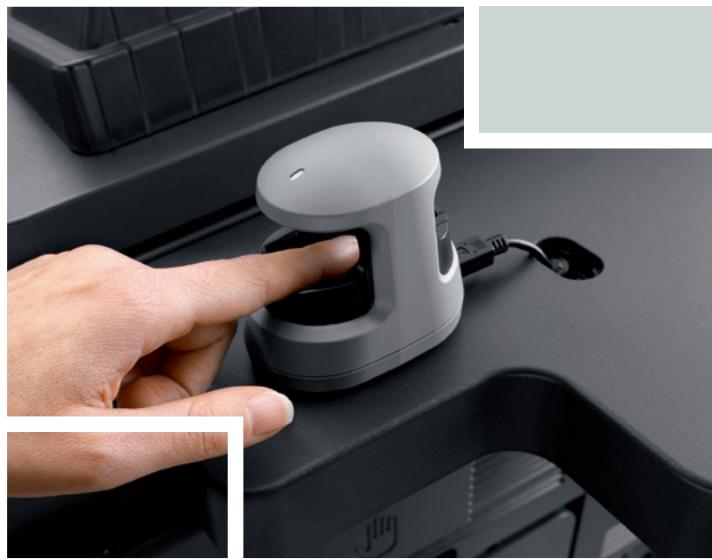
For more user convenience, authentication can also be via optional biometric finger vein scanner or non-contact IC-card. Another feature aiding cost control is the account tracking functionality which allows monitoring the monthly document production costs for single users or whole departments. These efficient control mechanisms provide increased transparency of usage and help keep document production costs in check, whether the use of colour is permitted or not.
natural_image
Close-up of a hand pressing a button on a car interior (no visible text or symbols)
Impressive ease of use
As innovative multifunctionals for all-round office communication, the bizhub C220, C280 and C360 offer enhanced ease of use and many everyday conveniences. Their user-friendly colour touch screen can be tilted and turned to guarantee excellent visibility from any angle. Colour preview and thumbnail features allow checking exactly what the final document will look like, avoiding mistakes before printing. The logical screen layout, animated help and guidance features as well as an optional hardware keyboard further support the simple and straightforward operation.
Ease of operation has also been improved with the introduction of a customised printer driver tab: under MyTab users can individually combine their frequently used features enabling them to make all settings in a single screen.

Configurations
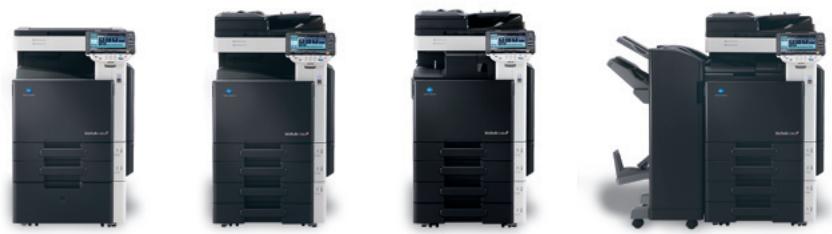
bizhub c220
bizhub c280
bizhub c360
Enhanced functionality – whether in black & white or colour
natural_image
Interior of a modern office with two people, one holding documents and another reviewing documents, near a large open window and a low table (no visible text or symbols)
Productive printing and copying
Printing and copying are straightforward and productive with the bizhub C220, C280 and C360. Equipped with one of Konica Minolta's powerful Emperor™ controllers, they feature a fast 1 GHz CPU (667 MHz on bizhub C220), 2 GB standard memory, 250 GB HDD, support PDF 1.7 and with advanced PostScript compatibility offer attractive quality enhancements. The proprietary Emperor™ controller technology ensures seamless system integration into any standard network environment, enabling multiple users to process their print jobs quickly and simultaneously without experiencing long delays.
The product series offers an extensive range of attractive print and copy features to facilitate the creation of both standard and more complex documents, including e.g. forms overlay, watermark and n-up. Duplex printing or copying helps reduce costs by saving paper, filing space and postage. Auto Colour Selection avoids inadvertent printing
or copying in colour where black & white is sufficient. With such comprehensive functionality, the bizhub C220, C280 and C360 are ideally suited to predominantly b/w business environments where document production is still mostly black and white and the use of colour is less frequent. Nevertheless, all three can easily handle larger colour jobs and increasing colour volumes.

Efficient scanning and faxing
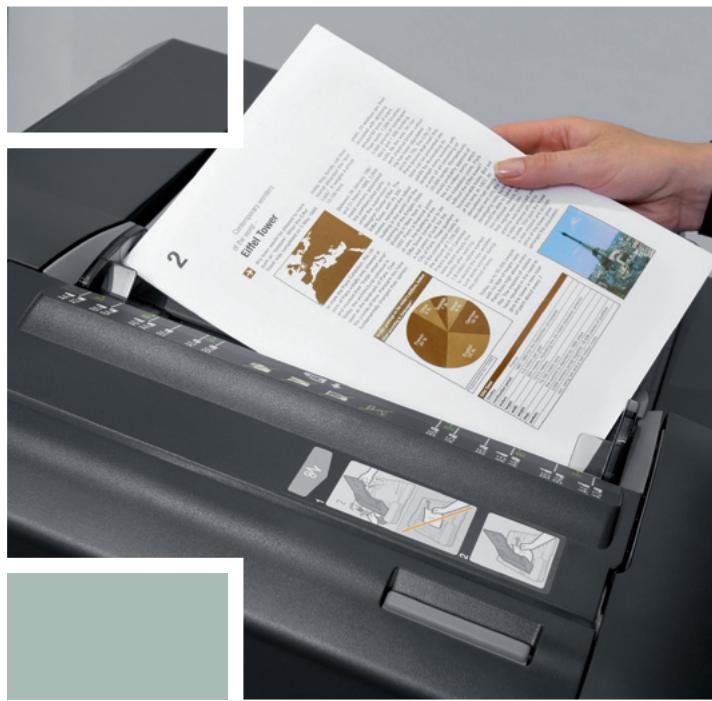
Highly efficient scanners, the bizhub C220, C280 and C360 facilitate the distribution and sharing of information. With fast 70 opm they offer high-speed scanning to eMail, FTP, SMB and user box. Scan formats include PDF and compact PDF, XPS and compact XPS as well as TIFF and JPEG.
The clever scan-to-USB feature gives user flexibility an attractive boost, enabling time-saving direct scanning from the bizhub C220, C280 or C360 to the USB stick without the detour via the PC.

text_image
12/06/2009 18:32 BEV/FT 100% Save In User Box Card Shot User Box Fax/Scan CopyAvailable in combination with user authentication, the functions scan-to-Me and scan-to-Home reliably ensure that scans are sent only to the user's own E-Mail address (scan-to-Me) or own registered PC folder (scan-to-Home).
An optional scanning highlight is the processing of scanned data with OCR to create searchable PDF documents. These include a full-text search capability, enabling users to find the document they want quickly and conveniently on their PC.
To any location requiring fax communication, the bizhub C220, C280 and C360 offer digital as well as optional analogue fax capabilities. User convenience is ensured with the clever PC fax functionality that provides direct faxing from the PC without having to print documents first. Various security features make confidential fax communication reliably safe.

Advanced user box functionality
Konica Minolta's unique User Box approach makes the storing and managing of information on the internal hard disc of the bizhub C220, C280 or C360 highly efficient, facilitating the sharing of scanned, printed, copied and faxed documents and providing fast access to regularly required documents, such as terms and conditions or forms. Up to 1,000 user boxes can be set up with flexible access rights and boxes defined as public, for group use or private.

Comprehensive security
Offering various features beyond Konica Minolta's generous security standards, the bizhub C220, C280 and C360 are certified to ISO 15408 EAL3. With client authentication via IEEE 802.1x, they can be connected to secure networks. Enhanced security against unauthorised copying is also available: With the Copy Guard function, an original will not be copied at all if the MFP detects a special protection pattern while Password Copy enables copying of the protected original if the correct password is entered.
The secure printing function is available to safeguard confidential documents. Printing is only possible after the password allocated to the print job is entered directly via the MFP's touch screen. In combination with access control via authentication, the print jobs thus secured will automatically be produced as soon as the user has authenticated himself at the system.
text_image
Scanned image of a printer with printed document and charts, showing text about Eric Tower and a 3D pie chart.
PageScope Enterprise Suite
This efficient software suite gives administrators a full monitoring and management application that provides complete access to all user- and device-related information from a central server platform. The PageScope Enterprise Suite comprises:
■ The PageScope Net Care Device Manager for the central implementation of system network configurations and central status monitoring
■ The PageScope Authentication Manager for central management of the user database and user rights
■ The PageScope Account Manager for the central collection of detailed counter readings and the ensuing cost calculation
■ The PageScope MyPanel Manager for the individual creation of central user profiles, personalised address books and scan destinations.

CS Remote Care
Konica Minolta's proven remote monitoring system ensures pro-active and highly flexible service support. CS Remote Care helps to keep output devices running smoothly, minimising interruptions and maximising system availability. All relevant system data are transmitted directly to the Konica Minolta service in an automated process that never needs user intervention.
bizhub C220/C280/C360, office system
natural_image
Close-up of a printer printing colorful graphics on paper, showing paper sheet and printer casing (no text or symbols visible)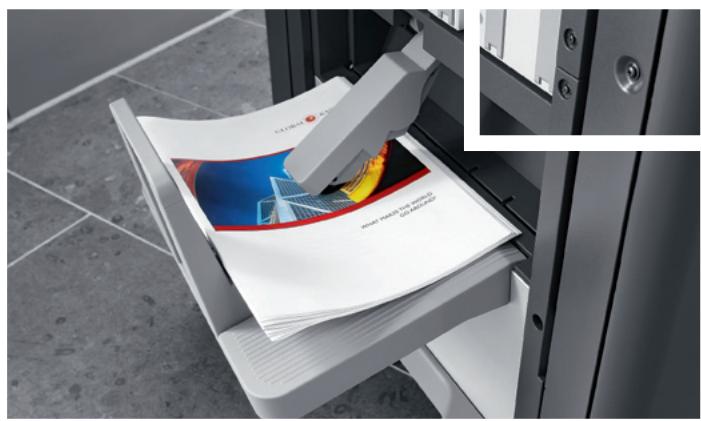
text_image
www.mindlab.com www.mindlab.comMedia & finishing versatility – whether in black & white or colour

Impressive media competence
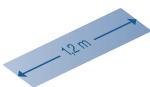
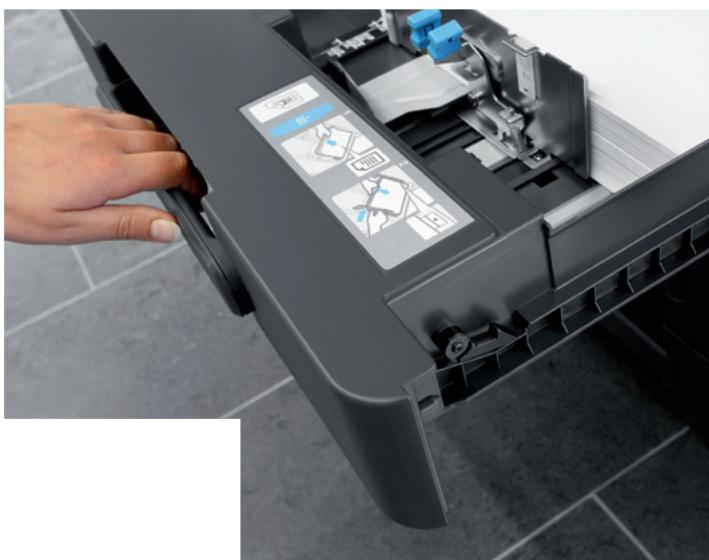
The bizhub C220, C280 and C360 come with excellent media capabilities: They process standard paper formats up to A3+ as well as any customised size. Paper qualities of up to 256 gsm can be fed from the trays; the bypass also accepts 271 gsm as well as special media like labels, transparencies and envelopes. The standard paper capacity of 1,150 sheets can be extended to an impressive 3,650 sheets. Via the bypass it is possible to produce banners of up to 1.2 metres length, facilitating the creation of e.g. project schedules, floor plans, holiday schedules and any other oversized document.
Thanks to their comprehensive media flexibility, the bizhub C220, C280 and C360 show competence in the production of every imaginable office document, from correspondence, invoices, meeting minutes and briefs to presentations, forms, analyses, statistics and reports – whether in black and white or colour.

Attractive finishing flexibility
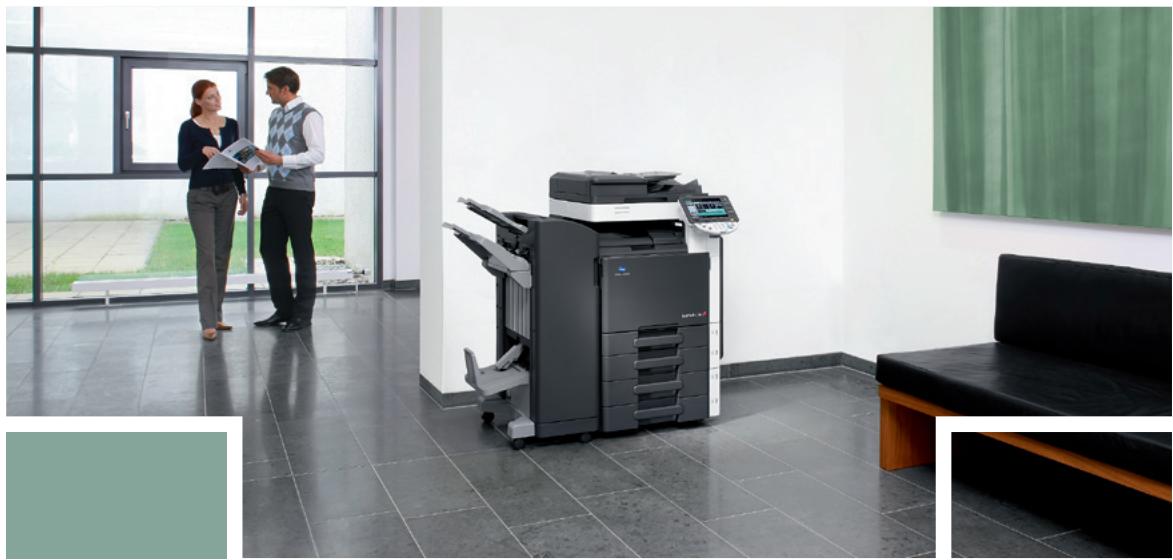
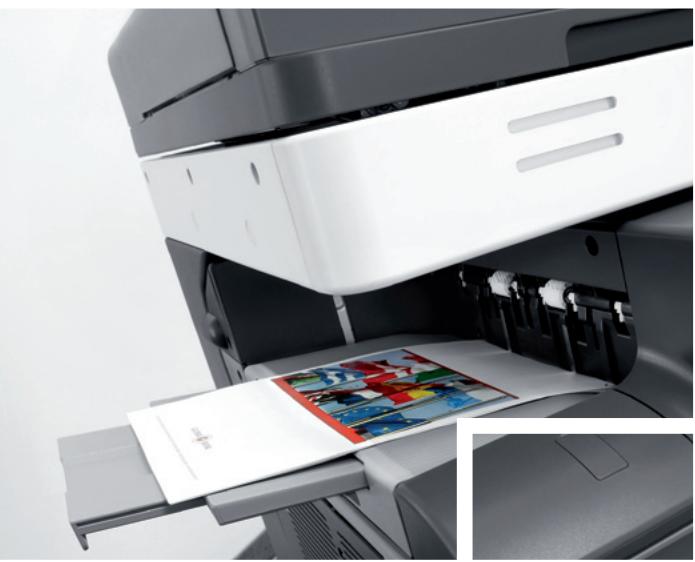
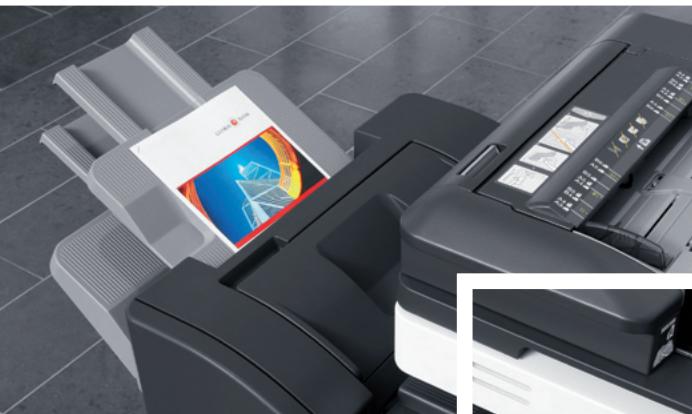
With their choice of three output devices – including a modular floor-type finisher, a highly compact integrated staple finisher and a job separator – the bizhub C220, C280 and C360 can be suitably equipped for the individual needs of any office.
The floor-type finisher has a generous output capacity of 3,200 sheets and thanks to its modular concept can be enhanced with various features. In addition to multi-position stapling of manuals, reports and other comprehensive documentation, punching can be equipped, ideal for example for meeting minutes. The inline booklet feature provides the fully automatic production of centre-folded and saddle-stitched brochures and booklets of up to 60 pages.
A low-cost finishing alternative is the smaller staple finisher that integrates almost completely into the device's mainbody, keeping the system's footprint extremely compact. Also available is a simple and straightforward job separator which keeps different jobs clearly apart.
natural_image
Microscopic view of rod-shaped bacterial cells (no text or symbols visible)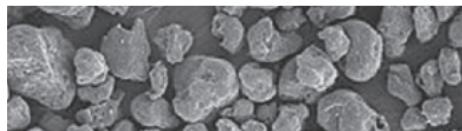
natural_image
Microscopic view of granular material with irregular particles (no text or symbols visible)Ecologically sound –
whether in black & white or colour

Low TEC values
bizhub C220, C280 and C360 feature among the lowest TEC values in their class. The TEC value represents an electrical product's typical electricity consumption (TEC) within one week with the calculation based on average office use. The systems switch to energy-saving mode faster and consume considerably less power in sleep mode than previous products. Not only does this support the eco-friendly operation of the complete product series; it also helps to save running costs and keeps all three models well within the latest regulations of the Energy Star and the German Blue Angel.

Eco-friendly Simitri® HD toner
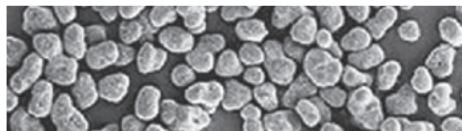
The low energy consumption of the bizhub C360 series is also largely due to Konica Minolta's state-of-the-art fusing technology: The use of Simitri® HD polymerised toner enables fixing at lower temperatures, which minimises the warm-up period while maximising energy efficiency. At the same time the polymerisation process of Simitri® HD toner has considerably less environmental impact than the production of conventional toner. And yet, with its tiny and uniformly shaped toner particles Konica Minolta's proprietary Simitri® HD polymerised toner achieves an image quality second to none. Razor-sharp text and lines, colours that don't fade, and a smooth and highly durable print finish ensure longer-lasting prints of better quality than ever – while nevertheless supporting a faultless eco performance.

Extra-quiet operation
With their extremely quiet operation, the bizhub C220, C280 and C360 are highly comfortable to work side by side with and perfectly suited for installation in any location, even in open-plan offices. Numerous technical improvements throughout the products, including steps to eliminate or reduce unpleasant noises, e.g. fan noise, have greatly reduced the operating noise and optimised the systems' overall noise emission. As a result, all three products are top of the class in their extra-quiet operation.

natural_image
Close-up of a halved beaded chestnut with visible internal anatomy (no text or symbols)




Resource-friendly design
In compliance with its ISO 14001-based environmental management system, Konica Minolta promotes resource-friendly product development, including the use of recycled materials wherever possible, and a consumables design that enables the fast and simple separation into their component materials for easy recycling. For the bizhub C220, C280 and C360 this included the redesign of the toner bottle to make its recycling more straightforward and convenient.
As part of its zero waste manufacturing concept, Konica Minolta strives to minimise the ecological impact of its products with efficient environmental activities throughout all stages of the product lifecycle. One aspect of this are reusable or recyclable packaging materials for hardware and consumables to minimise the waste generated by each device. Smaller packaging also helps reduce transport and storage costs. Activities include the promotion of energy-saving issues as well as comprehensive efforts for recycling and reuse – all in the interest of maximised environmental protection.

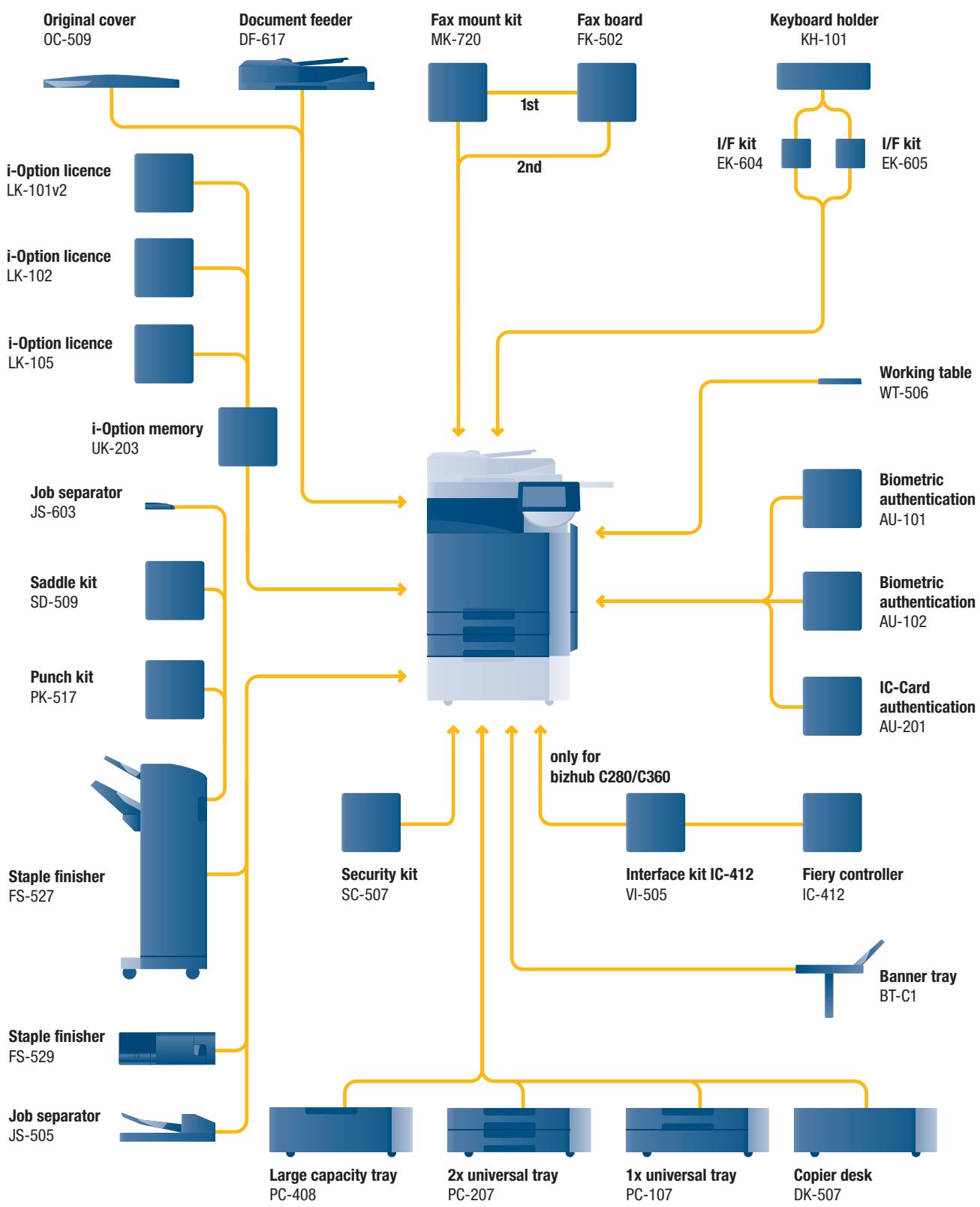
Option diagram
flowchart
graph TD
    A["Original cover OC-509"] --> B["Document feeder DF-617"]
    B --> C["Fax mount kit MK-720"]
    C --> D["Fax board FK-502"]
    D --> E["Keyboard holder KH-101"]
    B --> F["i-Option licence LK-101v2"]
    B --> G["i-Option licence LK-102"]
    B --> H["i-Option licence LK-105"]
    B --> I["i-Option memory UK-203"]
    I --> J["Job separator JS-603"]
    I --> K["Saddle kit SD-509"]
    I --> L["Punch kit PK-517"]
    I --> M["Staple finisher FS-527"]
    I --> N["Staple finisher FS-529"]
    I --> O["Job separator JS-505"]

    C --> P["1st"]
    C --> Q["2nd"]

    P --> R["Working table WT-506"]

    S["Security kit SC-507"] --> T["only for bizhub C280/C360"]
    T --> U["Interface kit IC-412 VI-505"]
    T --> V["Fiery controller IC-412"]

    U --> W["Banner tray BT-C1"]

    X["Large capacity tray PC-408"] --> Y["2x universal tray PC-207"]
    Y --> Z["1x universal tray PC-107"]
    Z --> AA["Copier desk DK-507"]

Descriptions
bizhub C220/C280/C360
Communication centers with 22/28/36 ppm in b/w and colour. Standard Emperor™ print controller with PCL 6c, PostScript 3, PDF 1.7 and XPS support. Paper capacity of 500 + 500 sheets and 150 sheets manual bypass. Media from A6 to A3+, 1.2 m banner and 60–271 gsm. 2 GB memory, 250 GB hard disc and 1 GB Ethernet standard
| DF-617 Document feeder | Automatic document feeding of up to 100 originals |
| OC-509 Original cover | Cover instead of ADF |
| FS-527 Staple finisher | 50 sheet stapling, output capacity 3,200 sheets |
| PK-517 Punch kit | 4 hole punching |
| JS-603 Job separator | Separation of e.g. fax and copy/print output for FS-527 |
| SD-509 Saddle kit | Booklet finishing |
| FS-529 Staple finisher | 50 sheet stapling, output capacity 300 sheets |
| JS-505 Job separator | Separation of e.g. fax and copy/print output |
| PC-107 1x Paper cassette | A5-A3; 1 x 500 sheets; 60-256 gsm |
| PC-207 2x Paper cassette | A5-A3; 2 x 500 sheets; 60-256 gsm |
| PC-407 Large paper cassette | A4; 2,500 sheets; 60-256 gsm |
| DK-507 Copier desk | Storage of paper; etc. |
| BT-C1 Banner tray | Multipage banner printing |
| VI-505 Interface kit | Fiery controller interface card |
| IC-412 Fiery controller | Professional colour print controller, available for bizhub C280/C360 |
| AU-101 Biometric authentication | Finger vein scanner |
| AU-102 Biometric authentication | Finger vein scanner |
| AU-201 IC-Card authentication | IC-Card scanner |
| KH-101 Keyboard holder | To place the USB keyboard |
| EK-604 I/F kit | USB keyboard connection |
| EK-605 I/F kit | USB keyboard connection and Bluetooth |
| MK-720 Fax mount kit | I/F board for fax FK-502 |
| FK-502 Fax board | Super G3 fax |
| WT-506 Working table | Authentication device placement |
| LK-101v2 i-Option licence | Webbrowser, Image panel |
| LK-102 i-Option licence | PDF enhancement |
| LK-105 i-Option licence | Searchable PDF |
| UK-203 i-Option memory | Memory extension for i-Option |
| SC-507 Security Kit | Copy Guard and Password Copy |

Finishing options

corner
stapling

2-point stapling

four-hole
punching

two-sided
printing/
duplex

combined
mixplex/
mixmedia

booklet/
booklet (folding and
saddle stiching)

offset sorting/
auto-shift sorting
banner
printing

natural_image
Close-up of a printer presser with a printed cover, placed on tiled floor (no visible text or symbols)
natural_image
Close-up of a hand inserting a paper into an open printer with control panel and icons (no readable text)

Technical specifications
Copier specifications
| Copying process | Electrostatic laser copyTandem, indirect |
| Toner system | Simitri HD^TM polymerised toner |
| Copy/print speed A4 (mono/colour) | Up to 22/22 cpm (C220)Up to 28/28 cpm (C280)Up to 36/36 cpm (C360) |
| Copy/print speed A3 (mono/colour) | Up to 12/12 cpm (C220)Up to 17/17 cpm (C280/C360) |
| Autoduplex speed A4 (mono/colour) | Up to 22/22 cpm (C220)Up to 28/28 cpm (C280)Up to 36/36 cpm (C360) |
| 1st copy/print time (mono/colour) | 7.5/11.0 sec. (C220)5.8/7.7 sec. (C280/C360) |
| Warm-up time | Approx. 45sec.* |
| Copy resolution | 600 x 600 dpi |
| Gradation | 256 gradations |
| Multi-copy | 1 – 9,999 |
| Original format | A5 – A3 |
| Magnification | 25 – 400 % in 0.1 % stepsAutozooming |
| Copy functions | Chapter, cover and page insertionProof copy (print and screen)Adjustment test printDigital art functionsJob setting memoryPoster Mode, Image RepeatOverlay, Watermark, Stamping, Copy ProtectionCard Shot |
Printer specifications
| Print resolution | Equivalent to 1800 x 600 dpi |
| Controller CPU | MPC8533 @ 1 GHz (C280/C360)MPC8533 @ 667 MHz (C220)32 BIT |
| Page description language | PCL6c (PCL 5c + XL3.0)PostScript 3 (CSPI 3017) |
| Operating systems | Windows 2000/XP/XP64Windows VISTA 32/64Windows DPWS supportMacintosh 9.x/10.xServer 2000/2003/2003x64/2008/2008x64Unix/Linux/Citrix |
| Printer fonts | 80x PCL Latin137x PostScript 3 Emulation Latin |
| Print functions | Direct print of PCL, PS, TIFF, XPS, PDF and Encrypted PDF filesMixmedia and MixplexJob programming “Easy Set”Overlay, Watermark, Copy Protection |
Scanner specifications
| Scan speed | Colour/Mono up to 70 opm (300 dpi via DF)Colour/Mono up to 40 opm (600 dpi via DF) |
| Scan resolution | Max.: 600 x 600 dpi |
| Scan modes | Network TWAIN scanScan-to-eMail (Scan-to-Me)Scan-to-FTPScan-to-SMB (Scan-to-Home)Scan-to-BoxScan-to-WebDAVScan-to-DPWSScan-to-USB |
| File formats | JPEG, TIFF, PDF, Compact PDF, Encrypted PDF,Outline PDF, XPS, Compact XPS |
| Scan destinations | 2,100 (single + group), LDAP support |
| Scan functions | Annotation (text/time/date) for PDFUp to 400 job programs |
Fax specifications (optional)
| Fax standard | Super G3 (optional) |
| Fax transmission | Analogue, i-Fax, Colour i-Fax (RFC3949 -C) IP-Fax, SIP-Fax |
| Fax resolution | Max.: 600 x 600 dpi (ultra-fine) |
| Fax compression | MH, MR, MMR, JBIG |
| Fax modem | Up to 33.6 Kbps |
| Fax destinations | 2,100 (single + group) |
| Fax functions | PollingTime shiftPC-FaxReceipt to confidential boxReceipt to email, FTP, SMBUp to 400 job programs |
User box specification
| Max. user boxes | 1,000 |
| Max. storable documents | Up to 3,000 documents or 10,000 pages |
| Type of user boxes | Public, Personal (with password or authentication), Group (with authentication) |
| Type of system boxes | Secure print, Encrypted PDF print, Fax receipt, Fax polling |
| User box functionality | Reprint, combination, download, sending (email, ftp, smb and fax), copy box to box |
System specifications
| System memory | 2048 MB |
| System hard disc | 250 GB |
| Interface | 10 Base-T/100 Base-T/1000 Base-T Ethernet |
| USB 2.0 | |
| Network protocols | TCP/IP (IPv4 / IPv6)IPX/SPXNetBEUIAppleTalk (EtherTalk)SMBLPDIPPSNMPHTTP |
| Frame types | Ethernet 802.2Ethernet 802.3Ethernet IIEthernet SNAP |
| Automatic document feeder | Up to 100 originalsA6-A335-210 gsm |
| Printable paper size | A6-A3 full bleedCustomised paper sizesBanner paper max. 1,200 x 297 mm |
| Printable paper weight | 60-271 gsm |
| Paper input capacity | Standard:1,150 sheetsMax.: 3,650 sheets |
| Tray 1 | 500 sheetsA5-A360-256 gsm |
| Tray 2 | 500 sheetsA5-A3+60-256 gsm |
| Tray 3 (optional) | 500 sheetsA5-A360-256 gsm |
| Tray 3 + 4 (optional) | 2 x 500 sheetsA5-A360-256 gsm |
| Large Capacity Cassette | 2,500 sheetsA460–256 gsm |
| Manual Bypass | 150 sheetsA6–A3+, custom sizes, banner60–271 gsm |
| Automatic duplexing | A5–A3 full bleed64–256 gsm |
| Finishing modes (optional) | Offset, Group, Sort, Staple, Punch, Centre-fold, Booklet |
| Output capacity (w. finisher) | max. 3,200 sheets |
| Output capacity (w/o finisher) | max. 250 sheets |
| Stapling | 50 sheets or 48 sheets + 2 cover sheets(up to 209 gsm) |
| Stapling output capacity | Max. 1,000 sheets |
| Booklet | 15 sheets or 14 sheets + 1 cover sheet(up to 209 gsm) |
| Booklet output capacity | 75 sheets (tray) |
| Copy/print volume (monthly) | Recommended: 25,000 (C220)Recommended: 30,000 (C280)Recommended: 40,000 (C360)Max.: 35,000 (C220)Max.: 45,000 (C280)Max.: 60,000 (C360) |
| Toner lifetime | Black 29,000CMY 26,000 |
| Developer lifetime | Black 570,000CMY 115,000 |
| Drum lifetime | Black 70,000 (C220), 100,000 (C280), 120,000 (C360)CMY: 55,000 (C220), 75,000 (C280), 90,000 (C360) |
| Power consumption | 220–240 V/50/60 HzLess than 1.5 KW |
| System dimensions (W x D x H mm) | 643 x 842 x 770 |
| System weight | Approx. 98 kg |
| ■ System Features | |
| Security | ISO15408 EAL3 (in evaluation)IP filtering and port blockingSSL2, SSL3 and TSL1.0 network communicationIPsec supportIEEE 802.1x supportUser authentication, authentication logSecure PrintHard disk overwrite (8 standard types)Hard disk data encryption (AES 256)Memory data auto deletionConfidential fax receiptPrint user data encryptionCopy Guard and Password Copy |
| Accounting | Up to 1,000 User AccountsActive Directory support(user name + password + email + smb folder)User function access definitionBiometric Authentication (finger vein) optionalIC-Card Authentication (IC-Card reader) optional |
| Software | PageScope Net Care Device MangerPageScope Data AdministratorPageScope Box OperatorPageScope Direct PrintPrint Status NotifierDriver Packaging UtilityLog Management Utility |

natural_image
Two people interacting, one in a patterned vest and the other in a dark top, with abstract blue background (no visible text or symbols)
natural_image
Close-up of a hand resting on a computer mouse (no visible text or symbols)


Simitri HD
High Definition Polymerised Toner


CITRIX



SAP® Printer Vendor Solution

natural_image
Grid of twelve identical rectangular blocks in varying shades of green and light gray, arranged in an abstract pattern (no text or symbols)■ All specifications relating to paper capacity refer to A4-size paper of 80 gsm quality.
■ All specifications relating to scanning, copying or printing speeds refer to A4-size paper that is scanned, copied or printed crosswise in multipage, simplex mode.
The support and availability of the listed specifications and functionalities varies depending on operating systems, applications, network protocols as well as network and system configurations.
The stated life expectancy of each consumable is based on specific operating conditions such as page coverage for a particular page size (5 % coverage of A4). The actual consumables life will vary depending on the use and other printing variables including page coverage, page size, media type, continuous or intermittent printing, ambient temperature and humidity.
■ Some of the product illustrations contain optional accessories.
■ Specifications and accessories are based on the information available at the time of printing and are subject to change without notice.
■ Konica Minolta does not warrant that any prices or specifications mentioned will be error-free.
■ Microsoft, Windows and the Windows logo are trademarks, or registered trademarks, of Microsoft Corporation in the United States and/or other countries.
All other brand and product names may be registered trademarks or trademarks of their respective holders and are hereby acknowledged.
■ Printed in Germany on chlorine-free bleached paper.
Your Konica Minolta Business Solutions Partner: