
BIZHUB C652 - Multifunction Printer KONICA - Free user manual and instructions
Find the device manual for free BIZHUB C652 KONICA in PDF.


User questions about BIZHUB C652 KONICA
0 question about this device. Answer the ones you know or ask your own.
Ask a new question about this device
Download the instructions for your Multifunction Printer in PDF format for free! Find your manual BIZHUB C652 - KONICA and take your electronic device back in hand. On this page are published all the documents necessary for the use of your device. BIZHUB C652 by KONICA.
USER MANUAL BIZHUB C652 KONICA
text_image
OFFERING THE SKILLS TO WINbizhub C452/C552/C652
Simply convincing
natural_image
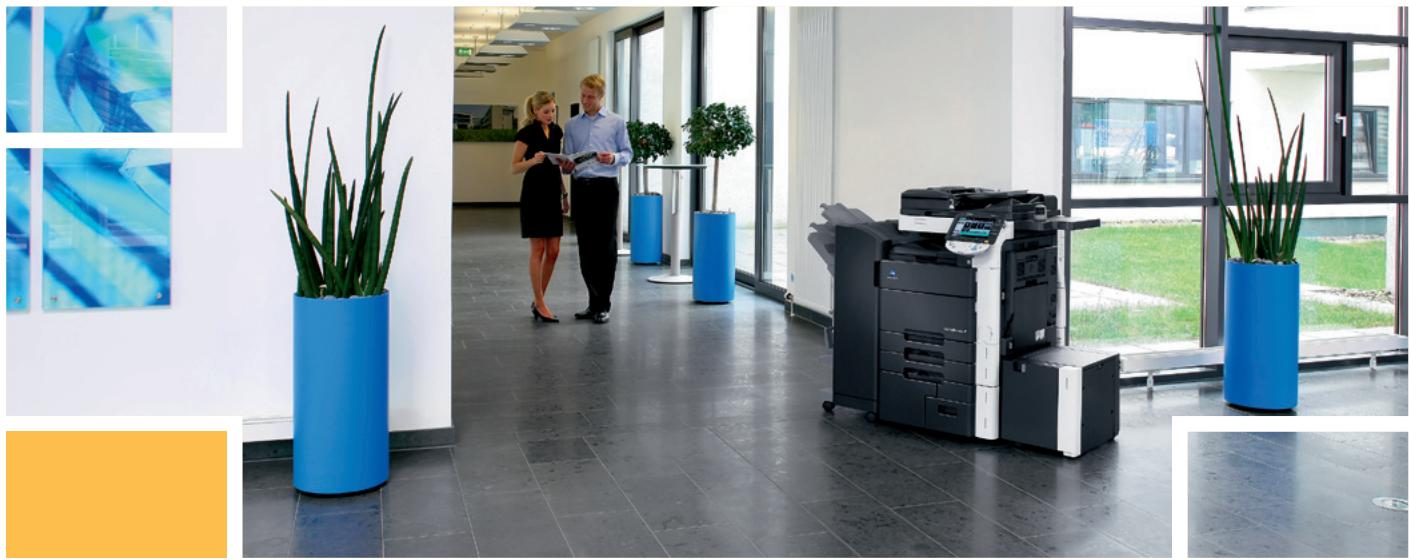
Interior of a modern office hallway with blue potted plants and two business people, no visible text or signage.Convincing values inside and out
To stay ahead, large workgroups and busy departments as well as CRDs continuously need to upgrade and enhance their document production and communication facilities. For that purpose Konica Minolta's colour multifunctionals bizhub C452, C552 and C652 combine advanced technology, amazing versatility and absolute reliability with an attractive, futuristic InfoLine design – featuring all the attributes essential to their targeted user group:
A convincing performance is the key to true multifunctionality, such as scanning while printing, and high productivity. Providing both, the bizhub C452/C552/C652 boast an array of high-performance features: Their 1 GHz CPU ensures an amazing processing speed and guarantees impressive computing power. With 2 GB of DDR2 memory and a 250 GB S-ATA2 HDD they are generously equipped with innovative, high-speed memory and a sizable, ultra-fast hard disk. In addition, their PCI Express represents latest PCI bus technology for extra speed enhancement and further improved performance.
A convincing design turns any equipment into the highlight of the corporate office or print room. The bizhub C452/C552/C652's futuristic InfoLine design does more than that – its intuitive operation considerably improves user convenience and operability.
The bizhub C452, C552 and C652 convince with Konica Minolta's "skills to win": they combine comprehensive communication capabilities in a single device, feature latest technology and advanced software applications, provide above-their-class colour and b/w quality and are entirely eco-friendly.
flowchart
graph LR
    A["Box"] --> B["Box-to-USB"]
    B --> C["Reprint"]
    C --> D["Sharing Box-to-Box"]
    D --> E["Distribution"]
    F["Printing"] --> G["Local/network"]
    G --> H["PCL/PS"]
    H --> I["Colour, Black&White"]
    J["Copying"] --> K["Colour, Black&White"]
    L["Scanning"] --> M["Swain network"]
    M --> N["Scan-to-SMB"]
    N --> O["Scan-to-Box"]
    O --> P["Scan-to-eMail"]
    P --> Q["Scan-to-FTP"]
    R["Faxing"] --> S["IP-Fax"]
    S --> T["i-Fax"]
    T --> U["PC-Fax"]
    U --> V["SIP-Fax"]
    V --> W["Super G3 Fax"]
natural_image
Microscopic view of rod-shaped bacterial cells (no text or symbols visible)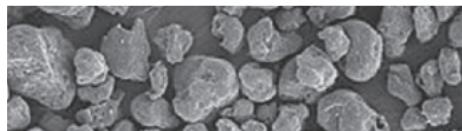
natural_image
Microscopic view of granular material with irregular particles (no text or symbols visible)Technology & quality, absolutely convincing

Advanced Emperor™ controller
Konica Minolta's proprietary Emperor™ print controller is an integral part of the bizhub C452/C552/C652's overall system architecture and ensures seamless integration into any standard network environment, offering maximum compatibility with standard PCL, PostScript 3, PDF and XPS support. In addition to its PDF 1.7 capability it features numerous quality enhancements, including auto-trapping and black overprint. And with PPML (Personalized Print Markup Language), the Emperor™ ensures higher printing performance and throughput for Variable Data Printing, such as personalised mailings and advertising materials. Ease of operation has been improved with the introduction of a customised printer driver tab: under MyTab users can individually combine their frequently used features enabling them to make all settings in a single screen.
natural_image
Interior view of a printer's internal structure showing color-coded plastic enclosures (no text or symbols visible)
Unique Simitri® HD toner
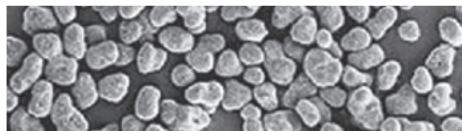
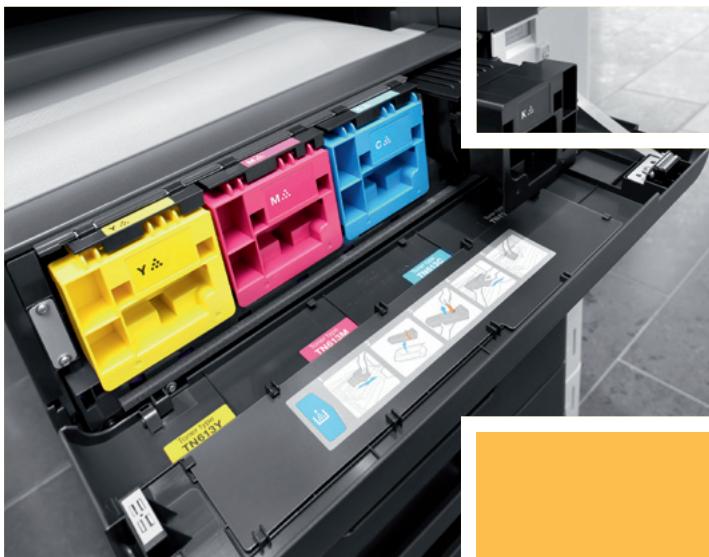
With tiny and uniformly shaped toner particles Konica Minolta's proprietary Simitri® HD polymerised toner achieves an image quality second to none. Razor-sharp text and lines, colours that don't fade, and a smooth and highly durable print finish ensure longer-lasting prints of better quality than ever – perfect for professional materials like mailings and leaflets, the print surface doesn't break or peel on folded pages. At the same time, each Simitri® HD cartridge lasts longer due to its larger capacity and is more economical because toner consumption is lower.

Impressive eco-performance
Complying with the regulations of the Energy Star, German Blue Angel, WEEE and RoHs, the bizhub C452/C552/C652 impress with the lowest energy consumption values yet achieved in products of their class.
Their combination of low power and sleep mode with an individually programmable timer ensures optimal power control. At the same time, Simitri® HD polymerised toner enables fixing at lower temperatures, for which induction heating provides an accurate and instantaneous source of heat. This minimises the warm-up time to a revolutionary 45 seconds while maximising energy efficiency.
Pursuing an ISO 14001-based environmental management system, Konica Minolta promotes resource-friendly product development and, with its zero waste manufacturing concept, strives to minimise the ecological impact of its products with efficient environmental activities throughout all stages of the product lifecycle. For this purpose, the environmental impact is assessed at each stage in a product's life: from raw materials and parts procurement to manufacture, transportation, sale, reuse and disposal.

Configurations
natural_image
Exterior view of a modern typewriter or printer with black and white panels (no visible text or symbols)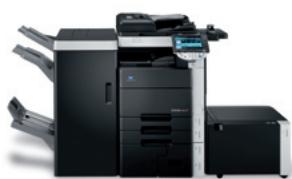
natural_image
Exterior view of a modern typewriter with black and white modules (no visible text or symbols)bizhub c452

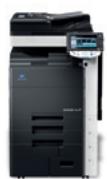
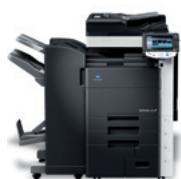
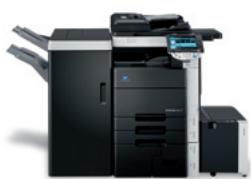
bizhub c552

bizhub C652

natural_image
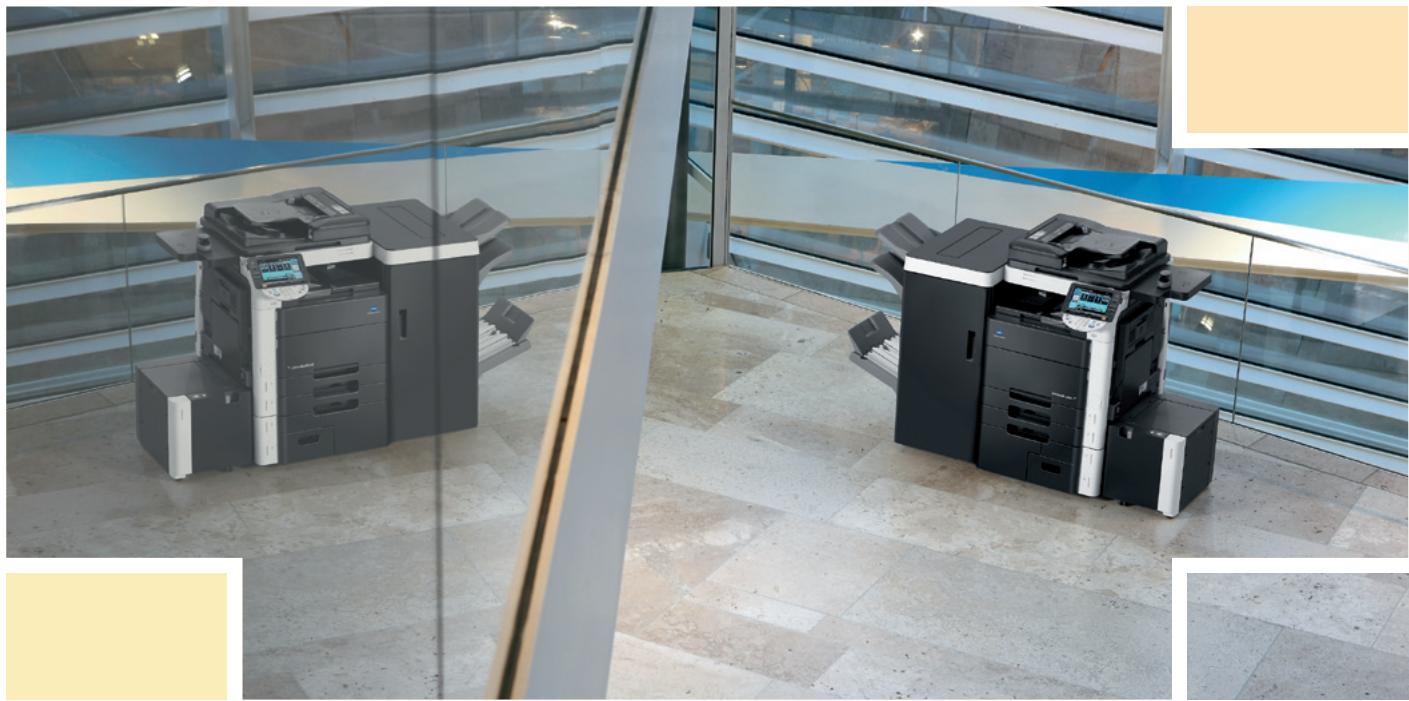
Exterior view of modern office buildings with two large electronic printers on a glass facade, no visible text or signage.Complete multifunctionality, convincing versatility

User convenience and operability
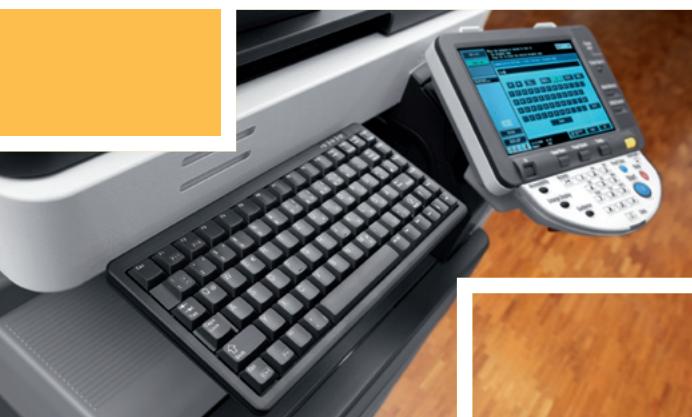
The bizhub C452/C552/C652's large full-colour touch screen display can be tilted and turned to guarantee excellent visibility from any angle. Enhanced colour preview and thumbnail features allow checking exactly what the printed document will look like, avoiding mistakes before production. The logical screen layout, the animated help and guidance features as well as an optional hardware keyboard further support the simple and straightforward operation.

Competent printing & copying
As productive printers and copiers, the bizhub C452/C552/ C652 offer enhanced multifunctionality for a powerful performance and focus on the fully automatic production of professional documents. These systems impress with 100% duplex productivity and a versatile feature set for the creation of sophisticated print products. In colour as much as in black and white, they are highly flexible, economical and always ready to go.

Enhanced user box functionality
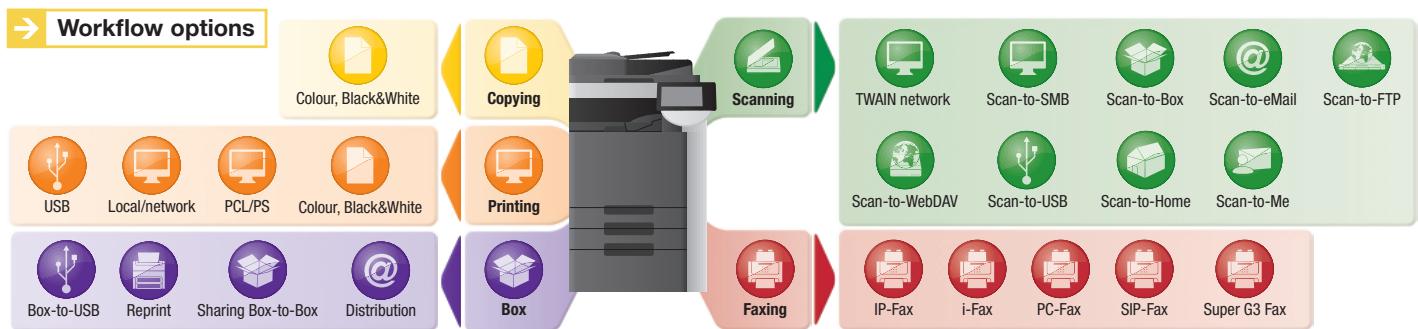
Opening up a new dimension in office communication, Konica Minolta's unique User Box approach makes the storing and managing of information on the systems' internal hard disc truly efficient, and enables fast and convenient sharing or forwarding of scanned, printed, copied and faxed documents. Up to 1,000 user boxes can be set up with flexible access rights and boxes defined as public, for group use or private. Especially convenient is the direct Box to USB capability that lets users transfer documents from their box to a USB stick and vice versa. This open system enables users to take advantage of the bizhub's multifunctional communication capabilities without requiring a PC.

High-speed scanning & faxing
Similarly productive as scanners, bizhub C452, C552 and C652 streamline the simple distribution and sharing of information. With impressive 78 opm they offer scan to eMail, FTP, SMB and user box, making them the ideal input tools for professional document archiving and integration into Document Management Systems. The clever scan-to-USB feature gives user flexibility an attractive boost, enabling time-saving direct scanning from the bizhub to the USB stick without the detour via the PC.
The choice of scan formats includes JPEG and multi-page PDF, XPS and TIFF as well as compact PDF and compact XPS, which with their considerably reduced file sizes help to ease network traffic and speed up communication.
Available in combination with user authentication, the functions scan-to-Me and scan-to-Home serve to speed up the process of sending scans to the user's own e-mail address (scan-to-Me) or own registered PC folder (scan-to-Home). The administrator can take advantage of these features to restrict the choice of scan destinations to a user's own destinations.
To any location requiring fax communication, the bizhub C452/C552/C652 offer generous digital and analogue fax capabilities, including Internet Fax and IP (Intranet) Fax in colour. Various security features make confidential fax communication reliably safe.

Comprehensive media capabilities
Media processing on the bizhub C452/C552/C652 is impressively flexible: Their generous paper supply of up to 6,650 sheets is sufficient to complete even high-volume jobs without interruption. Paper sizes range from A6 to A3+, and paper qualities include thick paper of up to 300 gsm. Special media are processed without hitch, same as customised sizes, including banner printing on individual sheets of up to 1.2 metres length.

Professional finishing versatility
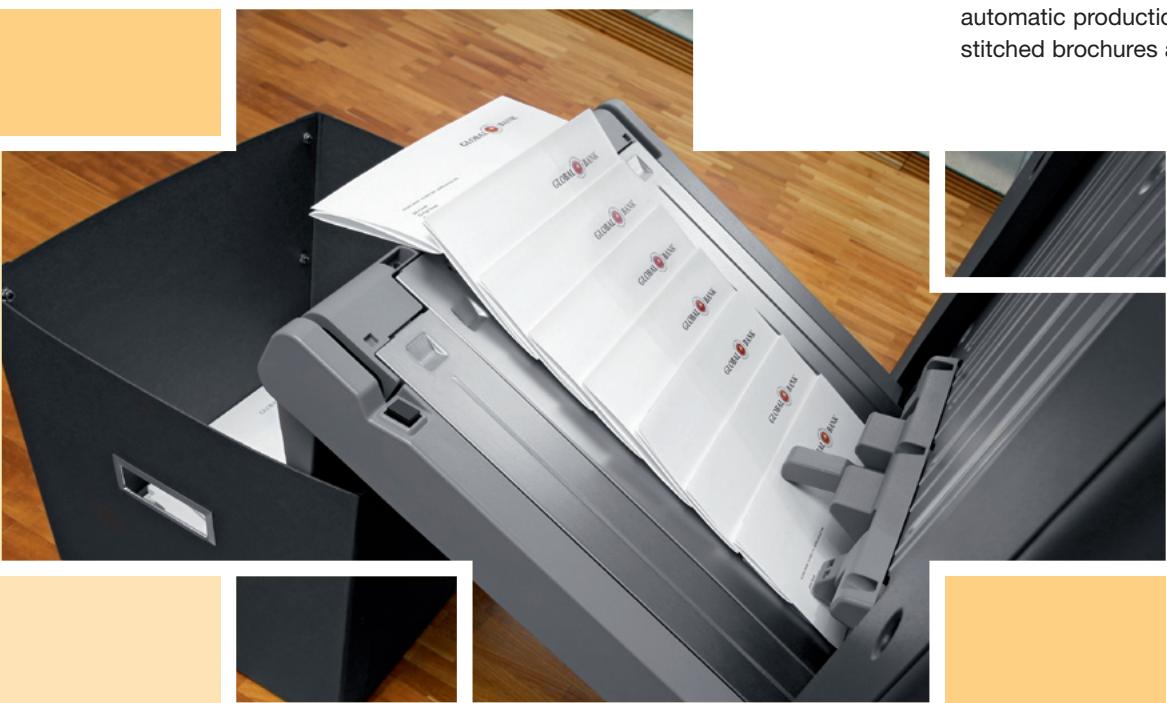
The bizhub C452, C552 and C652 can be equipped with versatile finishing options. A highlight in the bizhub C552/C652's booklet finisher is the endless booklet production. This finisher also provides a letter-fold functionality, equally with endless capacity and perfect for the time-saving automatic folding of invoices, mailings and other letters. The finishing versatility further includes automatic stapling of up to 100 sheets, 2- and 4-hole punching for professional manuals, reports and extensive documentation; the insertion of preprinted covers of up to 209 gsm via the optional post inserter and a z-fold unit for automatic folding to size of A3 charts and tables.
The bizhub C452 can be enhanced with its own floor-type finisher that impresses with its modular concept and offers attractive user flexibility. In addition to multi-position stapling of manuals, reports and other comprehensive documentation, punching can be equipped, ideal for example for meeting minutes. The inline booklet feature provides the fully automatic production of centre-folded and saddle-stitched brochures and booklets of up to 60 pages.
text_image
GLOBAL BANK GLOBAL BANK GLOBAL BANK GLOBAL BANK GLOBAL BANK GLOBAL BANK GLOBAL BANK GLOBAL BANK GLOBAL BANK GLOBAL BANK GLOBAL BANK GLOBAL BANK GLOBAL BANK GLOBAL BANK GLOBAL BANK GLOBAL BANK GLOBAL BANK GLOBAL BANK GLOBAL BANK GLOBAL BANK GLOBAL BANK GLOBAL BANK GLOBAL BANK GLOBAL BANK GLOBAL BANK GLOBAL BANK GLOBAL BANK GLOBAL BANK GLOBAL BANK GLOBAL BANK GLOBAL BANK GLOBAL BANK GLOBAL BANK GLOBAL BANK GOVERN BANK GOVERN BANK GOVERN BANK GOVERN BANK GOVERN BANK GOVERN BANK GOVERN BANK GOVERN BANK GOVERN BANK GOVERN BANK GOVERN BANK GOVERN BANK GOVERN BANK GOVERN BANK GOVERN BANK GOVERN BANK GOVERN BANK GOVERN BANK GOVERN BANK GOVERN BANK GOVERN B Bank GOVERN B Bank GOVERN B Bank GOVERN B Bank GOVERN B Bank GOVERN B Bank GOVERN B Bank GOVERN B Bank GOVERN B Bank GOVERN B Bank GOVERN B Bank GOVERN B Bank GOVERN B Bank GOVERN B Bank GOVERN B Bank GOVERN B Bank GOVERN B Bank GOVERN B Bank GOVERN B Bank GOVERN B Bank GOVERN B Banking GOVERN B Banking GOVERN B Banking GOVERN B Banking GOVERN B Banking GOVERN B Banking GOVERN B Banking GOVERN B Banking GOVERN B Banking GOVERN B Banking GOVERN B Banking GOVERN B Banking GOVERN B Banking GOVERN B Banking GOVERN B Banking GOVERN B Banking GOVERN B Banking GOVERN B Banking GOVERN B Banking GOVERN B Banking GOVERN BBank GOVERN B Banking GOVERN B Banking GOVERN B Banking GOVERN B Banking GOVERN B Banking GOVERN B Banking GOVERN B Banking GOVERN B Banking GOVERN B Banking GOVERN B Banking GOVERN B Banking GOVERN B Banking GOVERN B Banking GOVERN B Banking GOVERN B Banking GOVERN B Banking GOVERN B Banking GOVERN B Banking GOVERN B Banking GOVERN B banking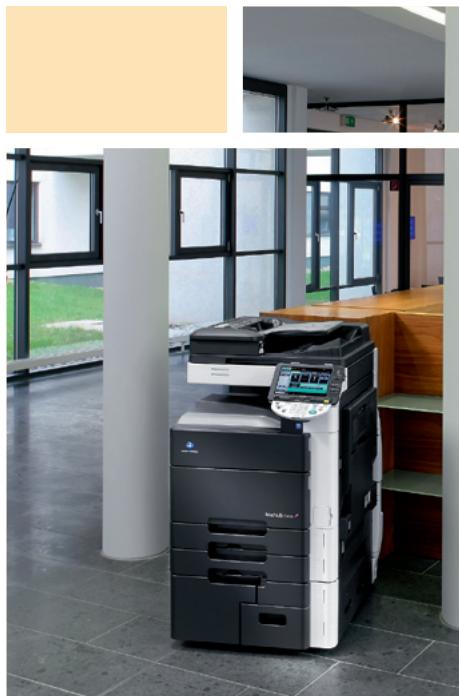
natural_image
Modern office interior with large windows and a modern typewriter, no visible text or symbols on the machine or background.
natural_image
Interior view of a modern office or service center with wooden desks, chairs, and a large tree (no visible text or symbols)
Convincing administration, streamlined workflows

Convenient PageScope utilities
The standard PageScope Suite provides comprehensive account and data management, efficient device monitoring and satisfies important administrator demands: The PageScope Data Administrator facilitates the integration of new equipment into existing workflows as well as the programming of user authentication data, helping to cut costs and control output volumes. The practical Print Status Notifier keeps users informed of the device status and progress of their jobs with automatic pop-up messages on the PC screen. Users can concentrate on other tasks and save time, as there's no need to keep checking the printer. The PageScope Box Operator on the other hand provides convenient direct access from the PC to documents stored in user boxes and with multi-file preview enables fast searches via thumbnails.

PageScope Enterprise Suite
This enhanced software suite gives administrators a full monitoring and management application that provides complete access to all user- and device-related information from a central server platform. The modules can be integrated individually or in combination for maximised benefits:
■ The standard PageScope NetCare Device Manager facilitates the central implementation of system network configurations and central status monitoring. The application provides fast access to and simple monitoring of individual or all devices on the network, helping to maximise the uptime of all monitored equipment.
■ The PageScope Authentication Manager enables central management of the user database and user rights.
■ The PageScope Account Manager provides the convenient central collection of detailed counter readings and the ensuing cost calculation.
■ The PageScope MyPanel Manager makes the individual creation of central user profiles, personalised address books and scan destinations fast, straightforward and convenient.
bEST technologies
With the bizhub Extended Solution Technology (bEST) the bizhub C452/C552/C652 can be adapted to close the gap to customer environments. Document archiving workflows can for example be started directly at the bizhub panel, inputting all required information like document type and additional index fields during the scan process so that post-treatment of the scans in the PC becomes obsolete.
bEST can make life easier also for copying and printing. After authentication at the output device bEST OpenAPI is used to give permission to each function based on each user's specific access rights. Via the user ID it is possible to manage all personal print jobs directly at the bizhub panel. Bringing user experience to the next level, the design of the panel can be completely customised, using i-Option and bEST OpenAPI in conjunction.
→ i-Option
The clever software enhancements of i-Option increase convenience and streamline user operation of the bizhub C452/C552/C652, also enabling safe communication with PDFs. The i-Option Web Browser provides direct panel access to information and documents on the Internet. It makes browsing the web from the MFP's control panel just as convenient as direct printing of web pages or linked PDF and XPS files.
Digital ID encryption and digital signature protect PDF files against tampering and improper use. i-Option enables the processing of scanned data with OCR to create searchable PDF documents. These include a full-text search capability as well as the convenience of being able to copy text from the PDF into other documents or applications.
natural_image
Close-up of a printer's keyboard and digital display showing a software interface (no readable text or symbols)→ Impressive security standards
Beyond Konica Minolta's comprehensive standard security features, the bizhub C452/C552/C652 include advanced security functionality and are of course certified to ISO 15408 EAL3.
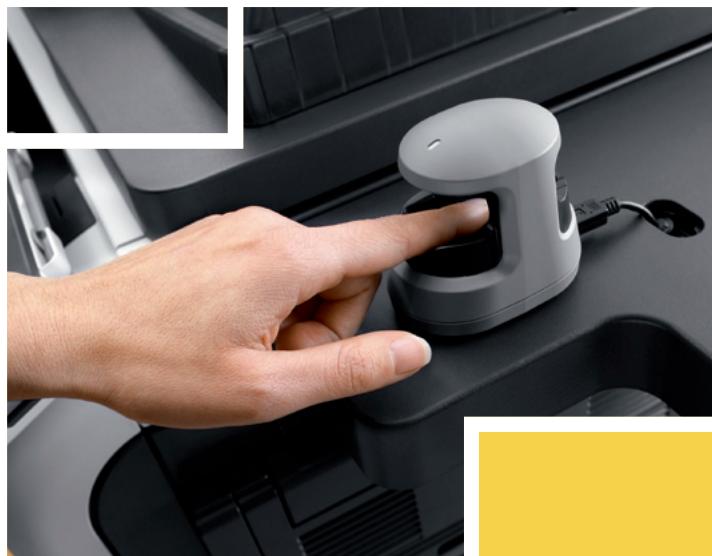
With client authentication via IEEE 802.1x, the systems can be connected to secure networks. Safe network communication from and to these devices is ensured by encryption with the IPsec protocol. The standard HDD encryption kit protects all data on the hard disk against unauthorised use. Authentication via optional finger vein scanner or non-contact ID card limits system access to authorised users and has been improved in convenience and usability.
Enhanced security against unauthorised copying is also available: With the Copy Guard function, an original will not be copied at all if the MFP detects a special protection pattern in an original, while Password Copy enables copying of the protected original if the correct password is entered
→ CS Remote Care remote monitoring
Pro-active and highly flexible service support is available with CS Remote Care. Konica Minolta's remote monitoring application helps to keep the bizhub C452/C552/C652 running smoothly, mini-mising interruptions and maximising system availability. All relevant system data are transmitted directly to the Konica Minolta service in an automated process that never needs user intervention.
natural_image
Close-up of a hand pressing a small white device on a car intake manifold (no visible text or symbols)
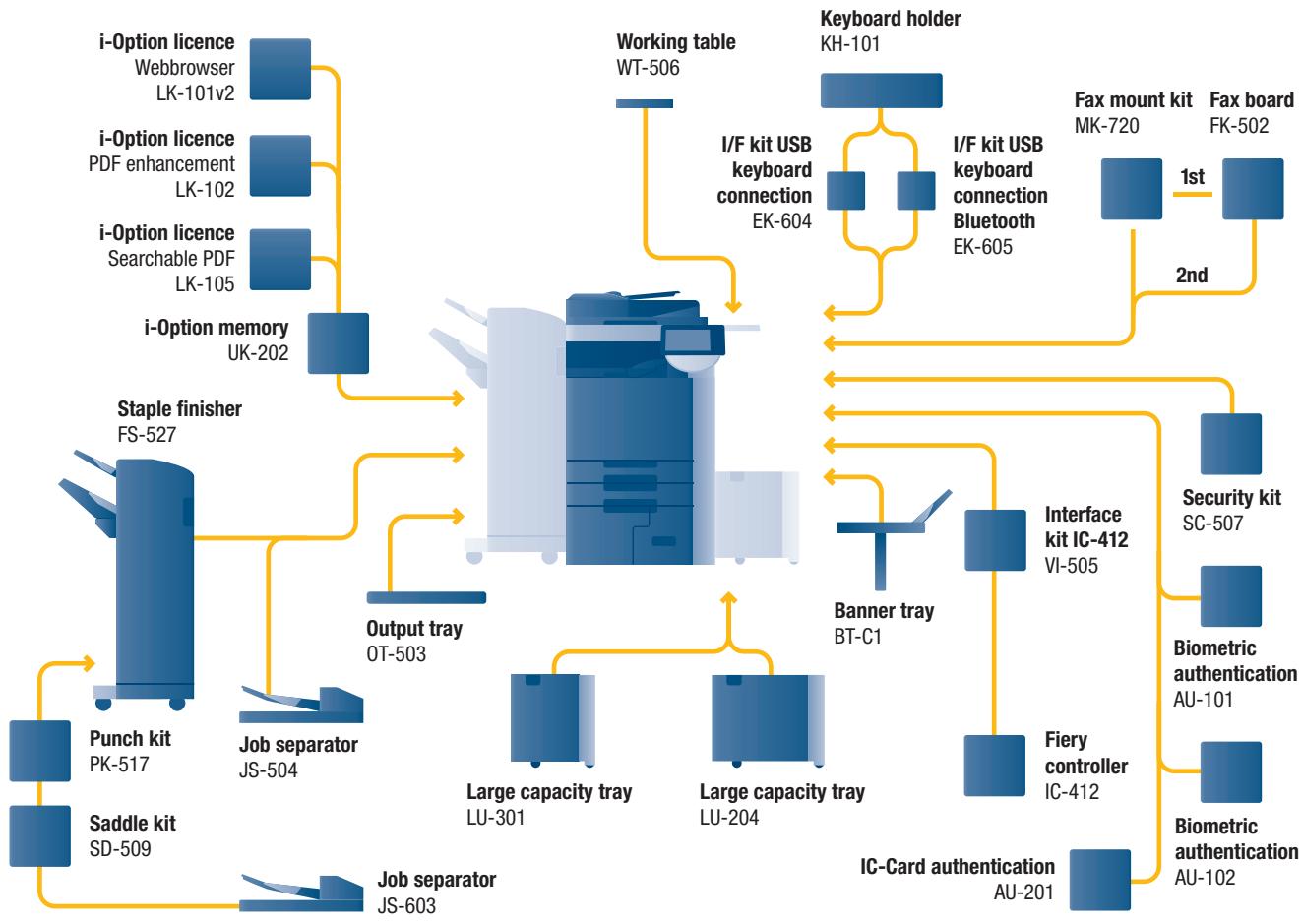
Option diagram & descriptions bizhub C452
flowchart
graph TD
    A["i-Option licence"] --> B["Webbrowser LK-101v2"]
    A --> C["PDF enhancement LK-102"]
    A --> D["Searchable PDF LK-105"]
    E["i-Option memory"] --> F["UK-202"]
    G["Staple finisher FS-527"] --> H["Punch kit PK-517"]
    G --> I["Saddle kit SD-509"]
    J["Job separator JS-504"] --> K["Output tray OT-503"]
    L["Large capacity tray LU-301"] --> M["Output tray OT-503"]
    N["Large capacity tray LU-204"] --> O["Output tray OT-503"]
    P["Job separator JS-603"] --> Q["Output tray OT-503"]
    R["I/F kit USB keyboard connection EK-604"] --> S["Working table WT-506"]
    T["I/F kit USB keyboard connection Bluetooth EK-605"] --> U["I/F kit USB keyboard connection EK-604"]
    V["Keyboard holder KH-101"] --> W["I/F kit USB keyboard connection EK-604"]
    X["Fax mount kit MK-720"] --> Y["1st"]
    Z["Fax board FK-502"] --> AA["2nd"]
    AB["Interface kit IC-412 VI-505"] --> AC["Banner tray BT-C1"]
    AD["Security kit SC-507"] --> AE["Biometric authentication AU-101"]
    AF["Fiery controller IC-412"] --> AG["IC-Card authentication AU-201"]
    AH["Biometric authentication AU-102"] --> AI["IC-Card authentication AU-201"]
| bizhub C452Basic system | Communication centre with 45/45 ppm b/w and colour.Standard Emperor ^TM print controller with PCL 6c, PostScript 3, PDF 1.7 and XPS support. Paper capacity of 500 + 500 + 1,000 + 1,500 sheets and 150 sheets manual bypass.Media from A6 to A3+, 1.2 m banner and 64–300 gsm.2 GB memory, 250 GB hard disc and 1 GB Ethernet standard. |
| FS-527 Staple finisher | 50 sheet stapling, output capacity 3,200 sheets |
| PK-517 Punch kit | 4 hole punching |
| SD-509 Saddle kit | Booklet finishing |
| JS-603 Job separator | Job separator e.g. for fax output |
| JS-504 Job separator | Job separator e.g. for fax output |
| OT-503 Output tray | Output tray used instead of finisher |
| LU-301 Large capacity tray | A4, 3,000 sheets, 64–256 gsm |
| LU-204 Large capacity tray | A4–A3+, 2,500 sheets, 64–256 gsm |
| BT-C1 Banner tray | Multipage banner printing |
| VI-505 Interface kit | Fiery controller interface card |
| IC-412 Fiery controller | Professional colour print controller |
| AU-101 Biometric authentication | Finger vein scanner |
| AU-102 Biometric authentication | Finger vein scanner |
| AU-201 IC-Card authentication | IC-Card scanner |
| SC-507 Security kit | Copy Guard function |
| KH-101 Keyboard holder | To place the USB keyboard |
| EK-604 I/F kit | USB keyboard connection |
| EK-605 I/F kit | USB keyboard connection Bluetooth |
| MK-720 Fax mount kit | I/F board for fax FK-502 |
| FK-502 Fax board | Super G3 fax |
| WT-506 Working table | Authentication device placement |
| LK-101v2 i-Option licence | Webbrowser, Image panel |
| LK-102 i-Option licence | PDF enhancement |
| LK-105 i-Option licence | Searchable PDF |
| UK-202 i-Option memory | Memory extension for i-Option |

Finishing options bizhub C452

corner
stapling

2-point stapling

four-hole
punching

duplex

combined
mixplex/mixmedia

booklet

offset sorting
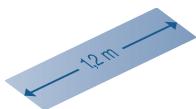
banner printing

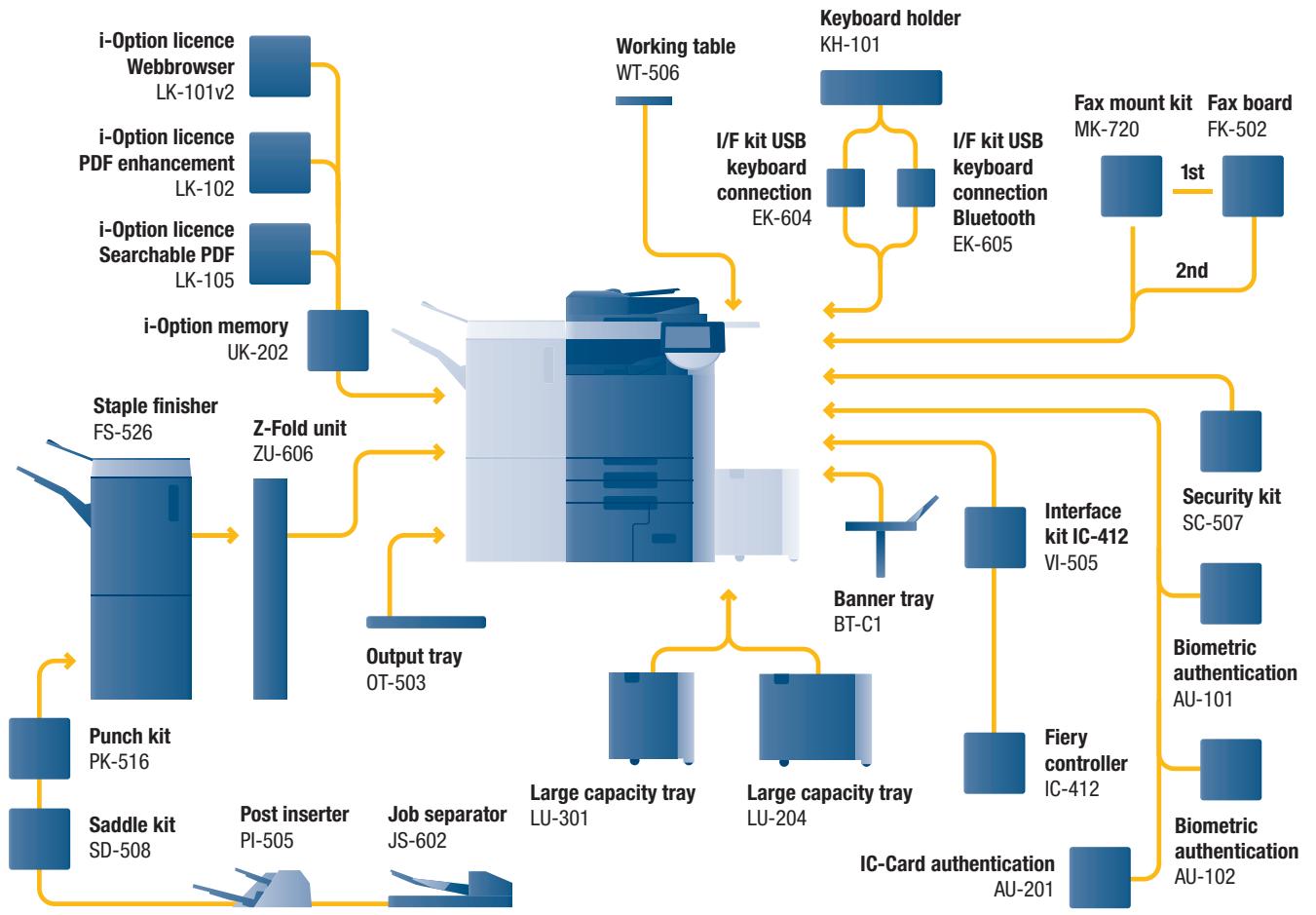
Option diagram & descriptions bizhub C552 and bizhub C652
flowchart
graph TD
    A["i-Option licence Webbrowser"] --> B["Working table WT-506"]
    C["i-Option licence PDF enhancement"] --> B
    D["i-Option licence Searchable PDF"] --> B
    E["i-Option memory UK-202"] --> B
    F["Punch kit PK-516"] --> G["Output tray OT-503"]
    H["Saddle kit SD-508"] --> I["Post inserter PI-505"]
    J["Staple finisher FS-526"] --> K["Z-Fold unit ZU-606"]
    L["Job separator JS-602"] --> M["Output tray OT-503"]
    N["Large capacity tray LU-301"] --> O["Output tray OT-503"]
    P["Large capacity tray LU-204"] --> Q["Output tray OT-503"]
    R["IF kit USB keyboard connection EK-604"] --> S["Keyboard holder KH-101"]
    T["I/F kit USB keyboard connection Bluetooth EK-605"] --> U["I/F kit USB keyboard connection EK-604"]
    V["Banner tray BT-C1"] --> W["Interface kit IC-412 VI-505"]
    X["Fiery controller IC-412"] --> Y["Interface kit IC-412 VI-505"]
    Z["IC-Card authentication AU-201"] --> AA["Biometric authentication AU-102"]
    AB["Fax mount kit MK-720"] --> AC["Fax board FK-502"]
    AD["Security kit SC-507"] --> AE["Biometric authentication AU-101"]
    AF["Biometric authentication AU-102"] --> AG["Biometric authentication AU-102"]
    AH["I/F kit USB keyboard connection EK-604"] --> AI["I/F kit USB keyboard connection EK-604"]
    AJ["I/F kit USB keyboard connection Bluetooth EK-605"] --> AK["I/F kit USB keyboard connection EK-605"]
    AL["Working table WT-506"] --> AM["I/F kit USB keyboard connection EK-604"]
    AN["I/F kit USB keyboard connection Bluetooth EK-605"] --> AO["I/F kit USB keyboard connection EK-604"]
bizhub C552/C652
Basic system
Communication centres with 65/55 ppm b/w and 50/45 ppm colour. Standard Emperor™ print controller with PCL 6c, PostScript 3, PDF 1.7 and XPS support. Paper capacity of 500 + 500 + 1,000 + 1,500 sheets and 150 sheets manual bypass. Media from A6 to A3+, 1.2 m banner and 64–300 gsm. 2 GB memory, 250 GB hard disc and 1 GB Ethernet standard.
FS-526 Staple finisher 100 sheet stapling, output capacity 3,100 sheets
PK-516 Punch kit 2/4 hole punching
SD-508 Saddle kit Booklet finishing, letter-folding
JS-602 Job separator Job separator e.g. for fax output
PI-505 Post inserter Cover insertion, post finishing
ZU-606 Z-Fold unit Z-fold for A4 and A3
OT-503 Output tray Output tray used instead of finisher
LU-301 Large capacity tray A4, 3,000 sheets, 64–256 gsm
LU-204 Large capacity tray A4-A3+, 2,500 sheets, 64-256 gsm
BT-C1 Banner tray Multipage banner printing
VI-505 Interface kit Fiery controller interface card
IC-412 Fiery controller Professional colour print controller
AU-101 Biometric Finger vein scanner
authentication
AU-102 Biometric
authentication
AU-201 IC-Card IC-Card scanner
authentication
SC-507 Security kit Copy Guard function
KH-101 Keyboard holder To place the USB keyboard
EK-604 I/F kit USB keyboard connection
EK-605 I/F kit USB keyboard connection Bluetooth
MK-720 Fax mount kit I/F board for fax FK-502
FK-502 Fax board Super G3 fax
WT-506 Working table Authentication device placement
LK-101v2 i-Option licence Webbrowser, Image panel
LK-102 i-Option licence PDF enhancement
LK-105 i-Option licence Searchable PDF
UK-202 i-Option memory Memory extension for i-Option

Finishing options bizhub C552 and bizhub C652

corner
stapling

2-point stapling

two-hole
punching

four-hole
punching

duplex
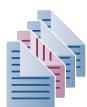
combined
mixplex/mixmedia

sheet insertion,
report

letter fold

booklet

offset sorting
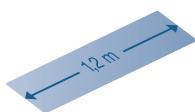
banner printing

Technical specifications bizhub C452/C552/C652
Copier specifications
| Copying process | Electrostatic laser copyTandemindirect |
| Toner system | Simitri HD®- polymerised toner |
| Copy/print speed A4 (mono/colour) | Up to 45/45 cpm (bizhub C452)Up to 55/45 cpm (bizhub C552)Up to 65/50 cpm (bizhub C652) |
| Copy/print speed A3 (mono/colour) | Up to 23/23 cpm (bizhub C452)Up to 28/23 cpm (bizhub C552)Up to 33/25 cpm (bizhub C652) |
| Autoduplex speed A4 (mono/colour) | Up to 45/45 cpm (bizhub C452)Up to 55/45 cpm (bizhub C552)Up to 65/50 cpm (bizhub C652) |
| 1st copy/print time (mono/colour) | 4.8/6.0 sec. (bizhub C452)4.3/6.0 sec. (bizhub C552)3.8/5.5 sec. (bizhub C652) |
| Warm-up time | Approx. 45 sec.1 |
| Copy resolution | 600 x 600 dpi |
| Gradation | 256 gradations |
| Multi-copy | 1–9,999 |
| Original format | A5–A3 |
| Magnification | 25–400% in 0.1% steps; Autozooming |
| Copy functions | ChapterCover and page insertionProof copy (print and screen)Adjustment test printDigital art functionsJob setting memoryPoster mode; Image repeatOverlayStampingCopy protection |
Printer specifications
| Print resolution | Equivalent to 1,800 x 600 dpi |
| Controller CPU | PowerPC MC7448 @ 1 GHz; 64 BIT |
| Page description | PCL 6c (PCL 5c + XL3.0) |
| language | PostScript 3 (CPSI 3017)XPS |
| Operating systems | Windows 2000Windows XPWindows XP64Windows VISTA 32Windows VISTA 64 (DPWS support)Windows Server 2000Windows Server 2003Windows Server 2003x64Windows Server 2008Windows Server 2008x64Macintosh 9.xMacintosh 10.xUnixLinuxCitrix |
| Printer fonts | 80x PCL Latin137x PostScript 3 Emulation Latin |
| Print functions | Direct print of PCLDirect print of PSDirect print of TIFFDirect print of XPSDirect print of PDF and Encrypted PDF filesMixmedia and mixplexJob programming “Easy Set”OverlayWatermarkCopy Protection |
Scanner specifications
| Scan speed | Colour up to 78 opm (300 dpi via DF)Mono up to 78 opm (300 dpi via DF) |
| Scan resolution | Max.: 600 x 600 dpi |
| Scan modes | Network TWAIN scanScan-to-eMail (scan-to-Me)Scan-to-FTPScan-to-SMB (scan-to-Home)Scan-to-BoxScan-to-WebDAVScan-to-DPWSScan-to-USB |
| File formats | JPEGTIFFPDFCompact PDFEncrypted PDFXPSCompact XPS |
| Scan destinations | 2,100 (single + group); LDAP support |
| Scan functions | Annotation (text/time/date) for PDF; up to 400 job programs |
Fax specifications
| Fax standard | Super G3 (optional) |
| Fax transmission | Analoguei-FaxColour i-Fax (RFC3949-C)IP-FaxSIP-Fax |
| Fax resolution | Max.: 600 x 600 dpi (ultra-fine) |
| Fax compression | MH; MR; MMR; JBIG |
| Fax modem | Up to 33.6 Kbps |
| Fax destinations | 2,100 (single + group) |
| Fax functions | Polling; Time shift; PC-Fax; Receipt to confidential box;Receipt to eMail/FTP/SMB; up to 400 job programs |
User box specification
| Max. user boxes | 1,000 |
| Max. storable documents | Up to 3,000 documents or 10,000 pages |
| Type of user boxes | PublicPersonal (with password or authentication)Group (with authentication) |
| Type of system boxes | Secure printEncrypted PDF printFax receivingFax polling |
| User box functionality | Reprint; combinationDownloadSending (email/FTP/SMB and Fax)Copy box to box |
System Specifications
| System memory | 2,048 MB |
| System hard disc | 250 GB |
| Interface | 10-Base-T/100-Base-T/1,000-Base-T Ethernet; USB 2.0 |
| Network protocols | TCP/IP (IPv4 / IPv6); IPX/SPX; NetBEUI; AppleTalk (EtherTalk); SMB; LPD; IPP; SNMP; HTTP |
| Frame types | Ethernet 802.2; Ethernet 802.3; Ethernet II; Ethernet SNAP |
| Automatic document feeder | Up to 100 originals; A6–A3; 35–210 gsm |
| Printable paper size | A6–A3 full bleed; customised paper sizes;banner paper max. 1,200 x 297 mm |
| Printable paper weight | 64–300 gsm |
| Paper input capacity | Standard: 3,650 sheetsMax.: 6,650 sheets |
| Tray 1 + 2 | 500 sheets; A5–A3+; 64–256 gsm |
| Tray 3 | 1,500 sheets; A4; 64–256 gsm |
| Tray 4 | 1,000 sheets; A4; 64–256 gsm |
| Manual Bypass | 150 sheets; A6–A3+; custom sizes; banner 64–300 gsm |
| Large Capacity Cabinet (optional) | 3,000 sheets; A4; 64–256 gsm |
| Large Capacity Cabinet (optional) | 2,500 sheets; A4–A3+; 64–256 gsm |
| Automatic duplexing | A5–A3+; 64–256 gsm |
| Finishing modes (optional) | Offset; group; sort; staple; punch; centre-fold; booklet (bizhub C452)Offset; group; sort; staple; punch; post insertion; z-fold;centre-fold; letter-fold; booklet (bizhub C552/C652) |
| Output capacity (w. finisher) | Max.: 3,200 sheets (bizhub C452)Max.: 3,100 sheets (bizhub C552/C652) |
| Output capacity (w/o finisher) | Max.: 250 sheets |
| Stapling | 50 sheets or 48 sheets + 2 cover sheets (up to 209 gsm)(bizhub C452)100 sheets or 98 sheets + 2 cover sheets (up to 209 gsm)(bizhub C552/C652) |
| Stapling output capacity | Max. 1,000 sheets |
| Letterfold | Up to 3 sheets (bizhub C552/C652 only) |
| Letterfold capacity | 20 sheets (tray); unlimited (bizhub C552/C652 only) |
| Booklet | 15 sheets or 14 sheets + 1 cover sheet (up to 209 gsm)(bizhub C452)20 sheets or 19 sheets + 1 cover sheet (up to 209 gsm)(bizhub C552/C652) |
| Booklet output capacity | 75 sheets (bizhub C452)100 sheets (tray); unlimited (bizhub C552/C652) |
| Copy/print volume (monthly) | Rec.: 65,000; Max.: 150,000 (bizhub C452)Rec.: 80,000; Max.: 200,000 (bizhub C552)Rec.: 100,000; Max.: 250,000 (bizhub C652) |
| Toner lifetime | Black 45,000; CMY 30,000 |
| Imaging unit lifetime | Black 285,000/1,140,000 (Drum/Developer)CMY 120,000 (bizhub C452/C552)CMY 135,000 (bizhub C652) |
| Power consumption | 220-240 V / 50/60HzLess than 2.0 KW (bizhub C452/C552)Less than 2.1 KW (bizhub C652) |
| System dimensions (W x D x H, mm) | 650 x 879 x 1155 |
| System weight | Approx. 221 kg |
| ■ System features | |
| Security | ISO 15408 EAL3 (in evaluation)IP filtering and port blockingSSL2; SSL3 and TSL1.0 network communicationIPsec supportIEEE 802.1x supportUser authenticationAuthentication log;Secure PrintHard disc overwrite (8 standard types)Hard disc data encryption (AES 256)Memory data auto deletionConfidential fax receivingPrint user data encryptionCopy Protection (copy guard, password) |
| Accounting | Up to 1,000 user accounts Active Directory support(user name + password + email + smb folder)User function access definitionBiometric authentication (finger vein) optionalIC-Card authentication (IC-Card reader) optional |
| Software | PageScope Net Care Device ManagerPageScope Data AdministratorPageScope Box OperatorPageScope Direct PrintPrint Status NotifierDriver Packaging UtilityLog Management Utility |
natural_image
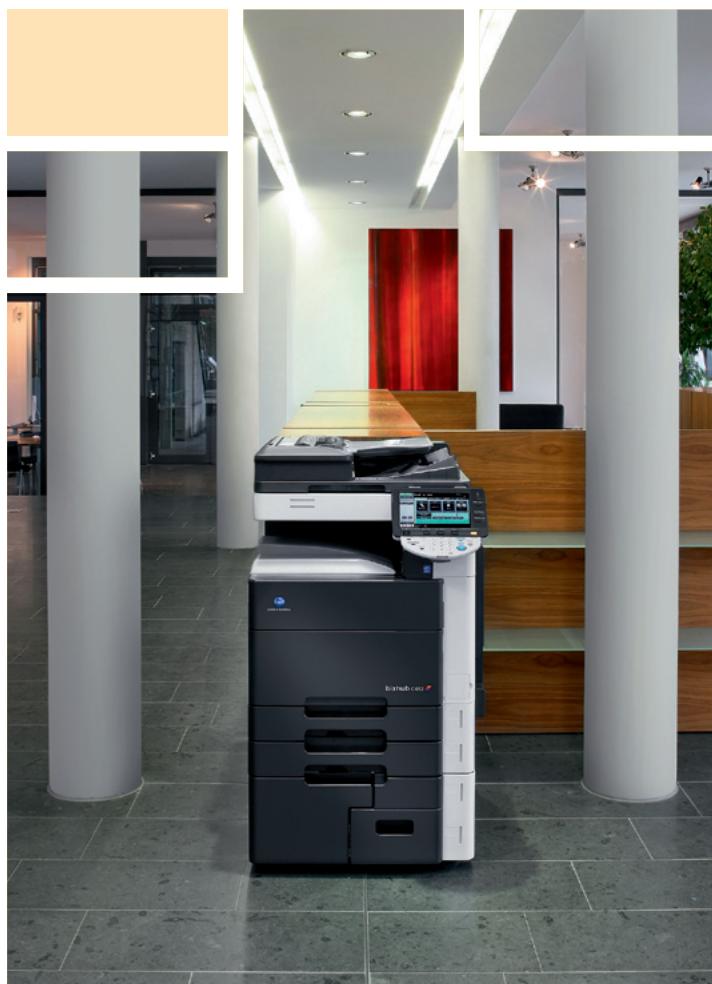
Interior of a modern office lobby featuring a large typewriter and digital counter, surrounded by white columns and tiled flooring (no visible text or symbols)


KONICA MINOLTA
Simitri HD
High Definition Polymerised Toner



CITRIX



SAP® Printer Vendor Solution
Konica Minolta
Business Solutions Europe GmbH
Europaallee 17
30855 Langenhagen • Germany
Tel.: +49 (0) 511 74 04-0
Fax: +49 (0) 511 74 10 50
www.konicaminolta.eu

natural_image
Abstract geometric pattern of alternating light and orange rectangles arranged in a grid (no text or symbols)■ All specifications relating to paper capacity refer to A4-size paper of 80 gsm quality
■ All specifications relating to scanning, copying or printing speeds refer to A4-size paper that is scanned, copied or printed crosswise in multipage, simplex mode.
The support and availability of the listed specifications and functionalities varies depending on operating systems, applications, network protocols as well as network and system configurations
■ The stated life expectancy of each consumable is based on specific operating conditions such as page coverage for a particular page size (5 % coverage of A4). The actual consumables life will vary depending on the use and other printing variables including page coverage, page size, media type, continuous or intermittent printing, ambient temperature and humidity
■ Some of the product illustrations contain optional accessories
■ Specifications and accessories are based on the information available at the time of printing and are subject to change without notice
■ Konica Minolta does not warrant that any prices or specifications mentioned will be error-free
■ Microsoft, Windows and the Windows logo are trademarks, or registered trademarks, of Microsoft Corporation in the United States and/or other countries
■ SAP and all SAP logos are trademarks or registered trademarks of SAP AG in Germany and in several other countries
■ All other brand and product names may be registered trademarks or trademarks of their respective holders and are hereby acknowledged
Your Konica Minolta Business Solutions Partner: