
BIZHUB 501 - Multifunction Printer KONICA - Free user manual and instructions
Find the device manual for free BIZHUB 501 KONICA in PDF.


| Product type | Black and white multifunction printer |
| Brand | KONICA MINOLTA |
| Model | BIZHUB 501 |
| A4 print/copy speed | Up to 50 pages per minute |
| A3 print/copy speed | Up to 27 pages per minute |
| First copy time (A4) | 3.2 seconds |
| Print resolution | Equivalent 2400 x 600 dpi |
| Copy resolution | 600 x 600 dpi |
| Scan resolution | Up to 600 x 600 dpi |
| Processor | Celeron @ 600 MHz, 32-bit |
| System memory | 1 GB |
| Hard disk (optional) | 60 GB |
| Paper sizes | A5 to A3 |
| Paper weight | 50 to 210 g/m² |
| Standard paper capacity | 1,150 sheets |
| Maximum paper capacity | 5,650 sheets |
| Automatic duplex | Yes (A5-A3, 60-105 g/m²) |
| Automatic document feeder | Up to 80 originals |
| Optional finishing functions | Sort, staple, punch, center fold, booklet |
| Dimensions (W x D x H) | 677 x 708 x 1,150 mm |
| Weight | Approximately 97 kg |
| Power consumption | Less than 1.56 kW (system) |
| Power supply | 220-240 V, 50/60 Hz |
| Operating temperature | Not specified (estimated 10-32°C) |
| Maintenance and cleaning | Use a soft, dry cloth. Do not use solvents. |
| Security | Finger vein or smart card authentication (optional). Compliant with ISO 15408 EAL3. |
| Spare parts and repairability | Consult an authorized technician. Use original parts. |
Frequently Asked Questions - BIZHUB 501 KONICA
User questions about BIZHUB 501 KONICA
0 question about this device. Answer the ones you know or ask your own.
Ask a new question about this device
Download the instructions for your Multifunction Printer in PDF format for free! Find your manual BIZHUB 501 - KONICA and take your electronic device back in hand. On this page are published all the documents necessary for the use of your device. BIZHUB 501 by KONICA.
USER MANUAL BIZHUB 501 KONICA
text_image
OFFERING THE SKILLS TO WINbizhub 361/421/501
The workflow fleet for black & white
bizhub 361/421/501, office system
text_image
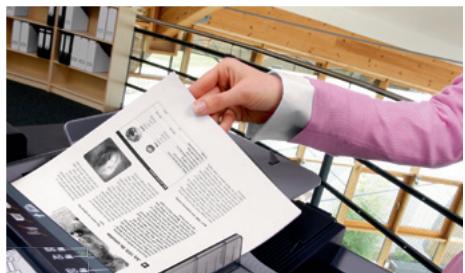
Hand holding a printed document with multiple text and images, likely a newspaper or magazine, displayed on a desk with bookshelves in the background.
natural_image
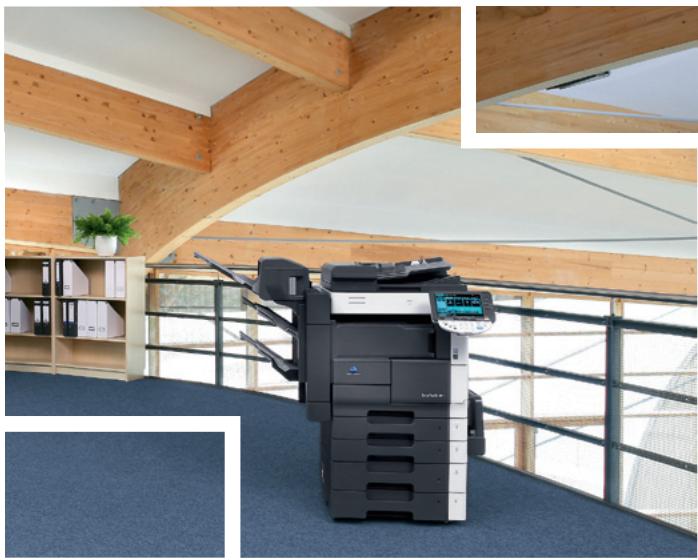
Interior view of a modern office with wooden ceiling beams and a large electronic printer on a blue carpet (no visible text or symbols)Universally efficient
black & white all-rounders
Busy office environments, especially in mid-sized to larger companies, frequently experience bottlenecks when it comes to effective document production. With the bizhub 361, bizhub 421 and bizhub 501, Konica Minolta now offers the skills to win by presenting three b/w multifunctionals that take this pressure off and are particularly suited for the seamless integration into existing bizhub workflows.
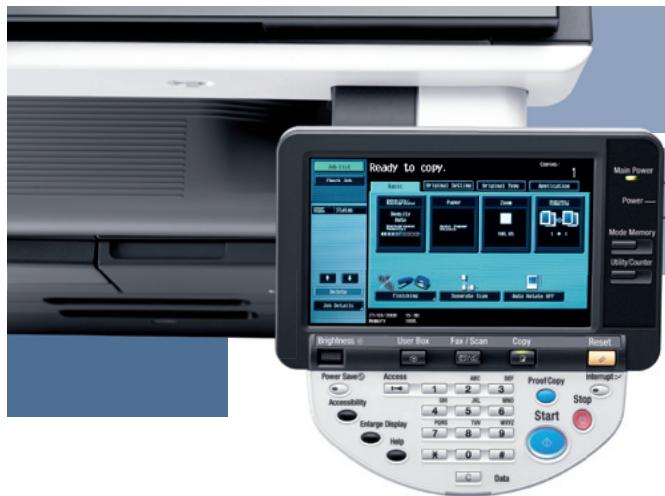
At 36, 42 and 50 pages per minute all three are perfectly capable to tackle larger volumes in departments of any size, such as general administration, accounting, personnel, procurement or else. Their innovative InfoLine design makes the bizhub 361/421/501 an attractive addition to any office. Operation is simple and intuitive via their large LCD display with colour touch-screen.
Thanks to a compact yet highly modular finisher the bizhub 361/421/501 impress with true finishing versatility. Their finisher integrates almost completely into the system and provides generous
functionality ranging from sorting and stapling via punching to the creation of complete centre-stapled and folded booklets. Upgraded with a mailbin unit, output can be separated e.g. into prints, copies and incoming faxes. As a more straightforward output alternative a simple job separator is also available.
Just like any bizhub system, the bizhub 361/421/501 offer the Konica Minolta “skills to win” – they integrate perfectly into the bizhub line-up, feature latest imaging, controller and security technology, come equipped with a range of applications, and show consideration for the environment.
→ Workflow options
flowchart
graph LR
    A["Black&White"] --> B["Printing"]
    C["Local/network"] --> B
    D["PC/LPS"] --> B
    E["Black&White"] --> B
    F["Reprint"] --> G["Sharing Box-to-Box"]
    H["Distribution"] --> I["Box"]
    J["Box"] --> K["Faxing"]
    L["Scanning"] --> M["TWAIN network"]
    M --> N["Scan-to-SMB"]
    M --> O["Scan-to-Box/Personal Box"]
    P["IP-Fax"] --> Q["I-Fax"]
    Q --> R["PC-Fax"]
    R --> S["SIP-Fax"]
    T["Super G3 Fax"] --> U["Faxing"]
    V["Scan-to-eMail"] --> W["Scan-to-FTP"]
    W --> X["Scan-to-USB"]
Advanced multifunctionals for black & white and more

Powerful technology
Konica Minolta's latest powerful Emperor™ controller ensures the seamless integration of the bizhub 361/421/501 into any company network. Providing Windows, Mac, UNIX, Linux and Citrix support and supporting XPS, Microsoft Vista™'s new XML paper specification, the Emperor™ is compatible with virtually any infrastructure. Its universal driver interface for both PCL and PostScript means extra convenience and ease of use.

Perfect quality
Working with Konica Minolta's proprietary Simitri® toner, the bizhub 361/421/501 deliver a great print quality. This unique polymerised toner features tiny, uniformly shaped particles to achieve its excellent results. Documents benefit from razor-sharp text and finest lines as well as a highly durable print finish.

Advanced scan & fax communication
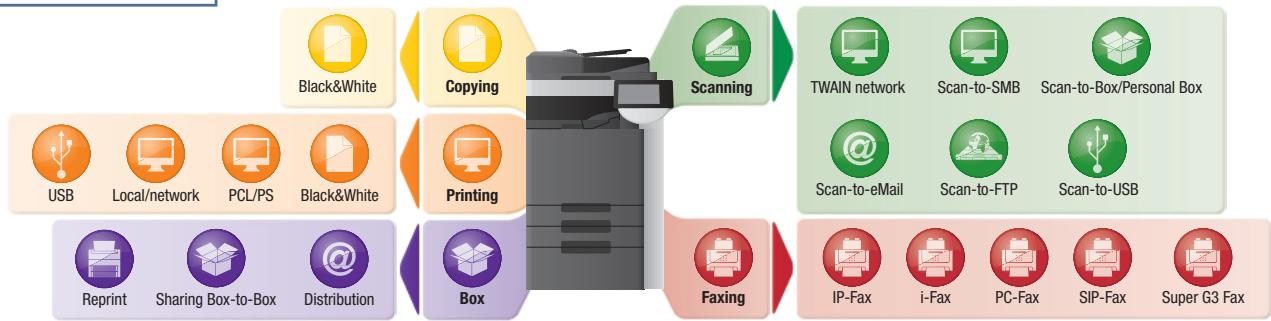
Scanning streamlines the distribution and sharing of information. The bizhub 361/421/501 provide scan to email, FTP, SMB and user box, with scan formats including multi-page PDF, XPS and TIFF. At the same time all three impress with versatile fax capabilities that include Digital Fax and Digital Store; Internet Fax to send and receive fax data as e-mail attachments; and IP Fax enabling direct faxing with other bizhub devices on the Intranet. Various security features make all fax communication safe and confidential.

Configurations
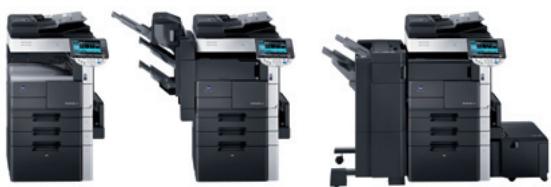
natural_image
Three identical black-and-white office typewriter units with front and side views, no visible text or labels.bizhub 361
bizhub 421
bizhub 501
text_image
Ready to copy. Brightness: User Box Fax / Scan Copy Reset Power Save(S) Access ABC BP Proof Copy Interrupt Accessibility 1 2 3 4 5 6 7 8 9 0 1 Encharge Display 7 8 9 Help X Data Start Main Power Power/ Mode Memory Utility/Counter
Convenient box functionality
With Konica Minolta's unique User Box approach the storing and managing of information on the bizhub 361/421/501 becomes truly efficient. User boxes can be set up with flexible access rights and defined as public, for group use or private; and passwords are easily assigned where required. In addition the PageScope Box Operator provides direct access from the PC to the stored documents, while multi-file preview enables fast searches via thumbnails.

Essential security & access control
Addressing the vital question of security, the bizhub 361/421/501 comply with the latest international security standard ISO 15408 EAL3 and are equipped with a complete security package to keep critical information safe, prevent unauthorised access to the company network and make tampering with confidential data impossible. Of particular note is the biometric authentication option: Finger vein authentication works with images of finger vein patterns captured by scanning the finger. Alternatively, authentication by non-contact IC card is also available.
The bizhub 361, bizhub 421 and bizhub 501 take the professional approach to every-day office tasks and equip modern businesses with the skills to win!

KONICA MINOLTA
Simitri






Technical specifications
Copier specifications
Copying process
Electrophotographic laser
Toner system
Simitri® polymerised toner
Copy/print speed A4
361= up to 36 cpm
421= up to 42 cpm
501= up to 50 cpm
Copy/print speed A3
361= up to 23 cpm
421= up to 23 cpm
501= up to 27 cpm
1st Copy/print time A4
361= 3.6 sec.
421= 3.6 sec.
501= 3.2 sec.
Warm-up time
361= Approx. 30 sec.
421= Approx. 30 sec.
501= Approx. 60 sec.
Copy resolution
600 x 600 dpi
Gradation
256 gradations
Multi-copy
1–999, interruption mode
Original format
A5-A3
Magnification
25–400% in 0.1% steps
Autozooming
Copy functions
Chapter, Cover and Page insertion
Book copy, Image repeat, Proof copy
Job recall, Job setting memory
Overlay, Stamping
Printer specifications (optional)
Print resolution
Equivalent to 2,400 x 600 dpi
Controller CPU
Celeron @ 600 MHz
32 BIT
Page description language
PCL 5e/6
PostScript 3
Operating systems
Windows 2000/XP/XP64
Windows VISTA 32/64
Windows VISTA DPWS support
Macintosh 9.x /10.x
Server 2000/2003/2003 x64
Unix/Linux/Citrix
Print functions
Direct print of TXT, PCL, PS, TIFF, XPS *
PDF and Encrypted PDF files (optional)
Print from USB memory, Mixmedia and
Mixplex, Job programming "Easy Set"
Overlay, Watermark
Scanner specifications
Scan speed
Up to 70 opm (300 dpi via ADF)
Up to 50 opm (600 dpi via ADF)
Scan resolution
Max.: 600 x 600 dpi
Scan modes
Network TWAIN scan*, Scan-to-eMail
Scan-to-FTP, Scan-to-SMB
Scan-to-Box*, Scan-to-DPWS
Scan-to-USB, Scan-to-WebDAV
File formats
PDF, TIFF, XPS*, Encrypted PDF
Scan destinations
1,000 (2,000 with optional hard disk),
LDAP support
Scan functions
Annotation (text/time/date) for PDF
Up to 400 job programs
Fax specifications (optional)
Fax standard
Super G3
Fax transmission
Analogue, i-Fax *, IP-Fax *, SIP-Fax *
Fax resolution
Max.: 600 x 600 dpi (ultra-fine)
Fax compression
MH, MR, MMR, JBIG
Fax modem
Up to 33.6 Kbps
Fax destinations
1,000 (2,000 with optional hard disk)
Fax functions
Polling, Time shift, PC-Fax
Receipt to confidential box *
Receipt to eMail, FTP, SMB
System specifications
System memory
1 GB
System hard disc (optional)
60 GB
Interface
10-Base-T/100-Base-T/
1,000-Base-T Ethernet
USB 2.0 (optional)
Automatic document feeder
Up to 80 originals
Paper size
A5-A3
Customised paper sizes
Paper weight
50–210 gsm
Paper input capacity
Standard: 1,150 sheets
Max.: 5,650 sheets
Paper output capacity
Max.: 3,250 sheets
Automatic duplexing
A5-A3
60–105 gsm
Finishing modes (optional)
Offset, Group, Sort, Staple, Punch,
Centre-fold, Booklet
Copy/print volume (monthly)
361= Rec. 12,500 / Max. 125,000
421= Rec. 14,500 / Max. 150,000
501= Rec. 17,500 / Max. 175,000
Power consumption
220-240 V / 50/60Hz
Less than 1.56 KW (system)
System dimensions
(W x D x H, mm)
677 × 708 × 1,150
System weight
Approx. 97 kg
System features
Security
ISO15408 EAL3 (in evaluation)
Accounting
Up to 100 User Accounts (1,000 with
optional hard disk)
Active Directory support
(user name + password)
User function access definition
Biometric Authentication
finger vein (optional)
IC-Card reader (optional)
Software
PageScope NetCare
PageScope Data Administrator
PageScope Box Operator
PageScope Workware (Trial)
Direct Print Utility
Print Status Notifier
Log Management Utility
Driver Packaging Utility
* requires hard disk HD-509
All specifications relating to paper capacity refer to A4-size paper of 80 gsm quality.
All specifications relating to scanning, copying or printing speeds refer to A4-size paper that is scanned, copied or printed crosswise in multipage, simplex mode.
Some of the product illustrations contain optional accessories.
Konica Minolta does not warrant that any prices or specifications mentioned will be error-free.
Specifications are subject to change without notice.
Microsoft, Windows and the Windows logo are trademarks, or registered trademarks, of Microsoft Corporation in the United States and/or other countries.
All other brand and product names may be registered trademarks or trademarks of their respective holders and are hereby acknowledged.
Your Konica Minolta Business Solutions Partner: