
XS MULTIMEDIA SOUND SYSTEM - Multimedia audio system FOCAL - Free user manual and instructions
Find the device manual for free XS MULTIMEDIA SOUND SYSTEM FOCAL in PDF.


| Product Type | 2.1 multimedia audio system (satellite speakers + active subwoofer) |
| Brand | FOCAL |
| Model | XS MULTIMEDIA SOUND SYSTEM |
| Satellite speaker configuration | 2-way shielded |
| Satellite speakers | 8 cm paper cone woofer, 19 mm mylar dome tweeter |
| Subwoofer driver | 16.5 cm paper cone woofer |
| Frequency response (satellites) | 150 Hz - 20 kHz (±3 dB) |
| Frequency response (subwoofer) | 39 Hz - 150 kHz (±3 dB) |
| Power (satellites) | 2 x 30 W |
| Power (subwoofer) | 70 W |
| Max SPL (satellites) | 102 dB SPL / 1 m |
| Max SPL (subwoofer) | 106 dB SPL / 1 m |
| Dimensions (satellites) | 320 x 90 x 150 mm |
| Dimensions (subwoofer) | 260 x 230 x 370 mm |
| Weight (satellites) | 1 kg per speaker |
| Weight (subwoofer) | 8.4 kg |
| Connectivity | USB input, 3.5 mm jack input, iPod dock with adapters |
| Operating modes | Audio (listening) and Sync (iPod synchronization) |
| Power supply | Mains (power cord with polarized plug) |
| Included accessories | USB cable, iPod adapters, remote control, user manual |
| Warranty | 2 years (France) |
| Maintenance | Clean with a soft, dry cloth. Do not use liquid products. |
| Safety | Do not expose to water or moisture. Do not block ventilation openings. Unplug during storms. |
| Compatibility | iPod (with adapters), PC and Mac computers (via USB) |
Frequently Asked Questions - XS MULTIMEDIA SOUND SYSTEM FOCAL
User questions about XS MULTIMEDIA SOUND SYSTEM FOCAL
0 question about this device. Answer the ones you know or ask your own.
Ask a new question about this device
Download the instructions for your Multimedia audio system in PDF format for free! Find your manual XS MULTIMEDIA SOUND SYSTEM - FOCAL and take your electronic device back in hand. On this page are published all the documents necessary for the use of your device. XS MULTIMEDIA SOUND SYSTEM by FOCAL.
USER MANUAL XS MULTIMEDIA SOUND SYSTEM FOCAL
Your Focal-JMlab product was developed and manufactured with high-quality materials and components which can be recycled and/or re-used. This symbol indicates that electrical and electronic equipment must be disposed of separately from normal garbage at the end of its operational lifetime. Please dispose of this product by bringing it to your local collection point or recycling centre for such equipment. This will help to protect the environment in which we all live.
Thank you for choosing Focal loudspeakers. We are pleased to share with you our philosophy : "the Spirit of Sound". These high-performance speakers feature the latest technical developments from Focal in terms of speaker design, whether it is for high fidelity or home theater systems. In order to enjoy the maximum of their performance, we advise you to read this user's manual and to keep it carefully so that you can consult it later.
The Focal-JMlab guarantee only applies if the enclosed guarantee card is returned to us within 10 days of purchase.
D

Remote control/Telecommande

Power supply cord/Cordon d'alimentation
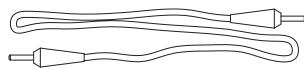
Jack, jack cable/Cable Jack, jack
XS MULTIMEDIA SOUND SYSTEM
Before installing your system, be sure to have the last firmware in your iPod./
XS Multimedia Sound System can also work without computer.
The Audio mode permits to listen to music via computer or via iPod.*
In Audio and Sync mode, the iPod is continually recharging. (If your iPod is not charging when you go from the Sync mode to the Audio mode, take off your iPod and simply replace it).
The Sync mode only permits to transfer music from computer to iPod :
- Focal XS is not emitting sound anymore
- the light around the ON/OFF button is slowly flashing
- the remote control is not working any more as well as the other buttons of the dock
To get out of the Sync mode, slowly press the back button. You are in the Audio mode.
The USB input permits the wiring of the loudspeaker to the computer.
If you use a computer under Mac OS®, go to page 19 of the manual "Audio configuration on Mac OS®".
If you use a computer under Windows® XP, go to page 22 of the manual "Audio configuration on Windows® XP".
Technical Specifications /Specifications techniques
| Type | Satellite 2-way shielded multimedia speaker | Subwoofer active bass-reflex subwoofer |
| Drivers | 3"(8cm) paper cone midbass 3/4"(19mm) mylar dome tweeter | 61/2" (16.5cm) paper cone woofer |
| Frequency response (+/-3dB) | 150Hz - 20kHz | 39Hz - 150Hz |
| Power | 2x30W | 70W |
| Max. sound pressure level | 102dB SPL/1m (x2 sat) | 106dB SPL/1m |
| Dimensions (HxWxD) | 125/8x39/16x57/8" (320x90x150mm) | 101/4x91/16x149/16" (260x230x370mm) |
| Net Weight | 2.2lbs (1kg) | 18.5lbs (8.4kg) |
Conditions of guarantee
All Focal loudspeakers are covered by guarantee drawn up by the official Focal distributor in your country. Your distributor can provide all details concerning the conditions of guarantee. Guarantee cover extends at least to that granted by the legal guarantee in force in the country where the original purchase invoice was issued.
Conditions de garantie
| The Focal guarantee only applies if this page is returned to us within 10 days of purchase, to the following address: | |
| Focal-JMlab - BP 374 - 108, rue de l'Avenir - 42353 La Talaudière Cedex - FRANCE | |
| Model: | Serial number: |
| Name of dealer: | Town: |
| Date of purchase: | Purchase price: |
| Your name: | Age: Occupation: |
| Your complete address: | |
| Your email address: | |
| Details of your installation (brand, model): | |
| • CD / DVD recorder: | • CD: |
| • Tuner: | • Satellite / cable: |
| • DVD: | • Amp. Preamp. Receiver: |
| • Other elements: | |
| Your decision for purchasing this Focal model was made according to: | |
| □ Dealer's advice | □ Friend's advice |
| □ Visit to an exhibition, show | □ Press article |
| □ Listening in auditorium | □ Already own Focal products |
| □ Reliability / Quality | □ Documentation |
| □ Reputation | □ French produce |
| □ Guarantee | □ Quality / Price ratio |
| □ Design / Finishes | □ Other |
| □ Sound | |
| In case of purchase of new equipment, what were your former speakers? | |
| Explain in a few words why you choose Focal... | |
| Further comments: | |