
IPD-4000 - Bluetooth Speakers LENCO - Free user manual and instructions
Find the device manual for free IPD-4000 LENCO in PDF.


| Product type | Bluetooth speaker with iPod docking station |
| Brand | LENCO |
| Model | IPD-4000 |
| Dimensions (L x W x H) | approx. 450 x 199 x 183 mm |
| Weight | approx. 8.8 kg |
| Power supply | AC 230 V ~ 50 Hz, 90 W |
| Output power | 2 x 10 W RMS (speakers) + 1 x 50 W RMS (subwoofer) |
| Connectivity | Bluetooth, iPod docking station (30-pin connector) |
| Main functions | Play/pause, iPod menu navigation, iPod charging, remote control |
| Remote control | Yes, CR2025 battery included |
| Temperature range | +5°C to +35°C |
| Maintenance and cleaning | Wipe with a dry cloth; do not use abrasive products |
| Safety | Do not expose to water or humidity; disconnect during thunderstorms |
| Spare parts and repairability | Remote control battery CR2025; repair by qualified personnel only |
| Included accessories | Remote control, battery, dust cover, power cable |
Frequently Asked Questions - IPD-4000 LENCO
User questions about IPD-4000 LENCO
0 question about this device. Answer the ones you know or ask your own.
Ask a new question about this device
Download the instructions for your Bluetooth Speakers in PDF format for free! Find your manual IPD-4000 - LENCO and take your electronic device back in hand. On this page are published all the documents necessary for the use of your device. IPD-4000 by LENCO.
USER MANUAL IPD-4000 LENCO
iPod Hifi Docking station
OWNER'S MANUAL
OWNER'S MANUAL
iPod Hifi Docking station
iPod Hifi Docking station
OWNER'S MANUAL
CAUTION
TO PREVENT FIRE OR SHOCK HAZARD, DO NOT USE THIS PLUG WITH AN EXTENSION CORD, RECEPTACLE OR OTHER OUTLET UNLESS THE BLADES CAN BE FULLY INSERTED TO PREVENT BLADE EXPOSURE. TO PREVENT FIRE OR SHOCK HAZARD, DO NOT EXPOSE THIS APPLIANCE TO RAIN OR MOISTURE.
| The lightning flash with arrowhead symbol, within an equilateral triangle is intended to alert the user to the presence of insulated ‘dangerous voltage’ within the product’s enclosure that may be of sufficient magnitude to constitute a risk of electric shock to persons. | CAUTION RISK OF ELECTRIC SHOCK DO NOT OPEN WARNING: TO REDUCE THE RISK OF ELECTRIC SHOCK DO NOT REMOVE COVER (OR BACK), NO USER SERVICEABLE PARTS INSIDE REFER SERVICING TO QUALIFIED SERVICE PERSONNEL. | The exclamation point within an equilateral triangle is intended to alert the user to the presence of important operating and maintenance (servicing) instructions in the literature accompanying the appliance. |
PREPARATION FOR USE
UNPACKING AND SET UP
Carefully remove all the components from the display carton and verify that you have all the necessary components before you dispose of the display carton.
Remove all packing materials from the individual components. Remove any descriptive labels that may be attached to the front panel of the main unit. Do not remove any labels or stickers on the back panels of the main unit or the speakers.
Place all the components in the desired location. This system is designed to be used on level, stable, flat surface such as a table, desk, shelf, or stand, convenient to an AC outlet, out of direct sunlight, and away from sources of excess heat, dust, moisture, or vibration.
Unwind the AC power cord on the back of the unit and extend the cord to its full length
IMPORTANT SAFETY INSTRUCTIONS
- Read these instructions.
- Keep these instructions.
3.) Heed all warnings.
4.) Follow well instructions.
4.1 Follow all instructions.
5. Do not use this appre
6.) Do not use this apparatus.
6.1 Clean only with dry cloth 7.Does not block any vents
7.) Do not block any vehicle instructions.
8)Do not install near any
10.) Protect the power cord from being walked on or pinched particularly at plugs, convenience receptacles, and the point where they exit from the apparatus.
11.) Only use attachments / accessories specified by the manufacturer.
12.) Unplug this apparatus during lightning storms or when unused for long periods of time.
13.) Refer all servicing to qualified service personnel. Servicing is required when the apparatus has been damaged in any way, such as power-supply cord or plug is damaged, liquid has been spilled or objects have fallen into the apparatus, the apparatus has been
exposed to rain or moisture, does not operate normally, or has been dropped.
14.) This appliance shall not be exposed to dripping or splashing water and no object filled with liquids such as vases shall be placed on the apparatus.
15.) Do not overload wall outlet. Use only power source as indicated.
16.) Use replacement parts as specified by the manufacturer.
17.) The product may be mounted to a wall only if recommended by the manufacturer.
18.) Upon completion of any service or repairs to this product, ask the service technician to perform safety checks.
19.) Attention should be drawn to the environmental aspects of battery disposal
IMPORTANT NOTES
Do not attempt to clean this unit with chemical solvents as this might damage the finish. Use a clean dry cloth.
- Operate controls and switches as described in the manual.
- Before turning 'On' the power, make certain that power cord is properly installed.
- When moving the set, be sure to first disconnect the power cord.
No naked flame sources, such as lighted candles, should be placed on the apparatus.
The apparatus shall not expose to dripping or splashing. No objects filled with liquids, such as vases, shall be placed on the apparatus.
Ennne
OWNER'S MANUAL
iPod Hifi Docking station
OWNER'S MANUAL
iPod Hifi Docking station
LOCATION OF CONTROLS AND INDICATORS
POWER SOURCE
This system is designed 50Hz house current only.
Connecting this system to any other power source
may cause damage to the syste is not covered by your warranty.
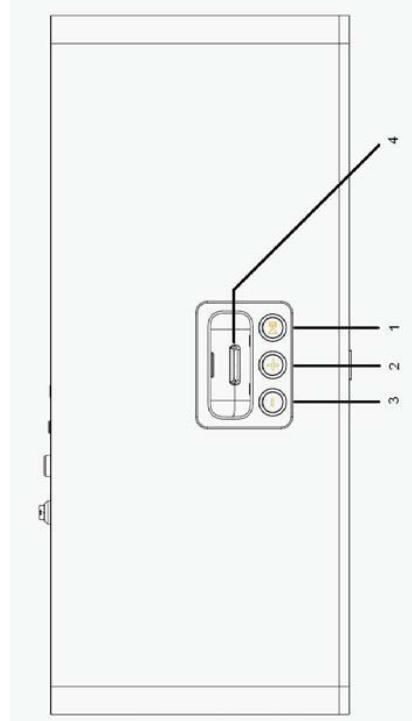
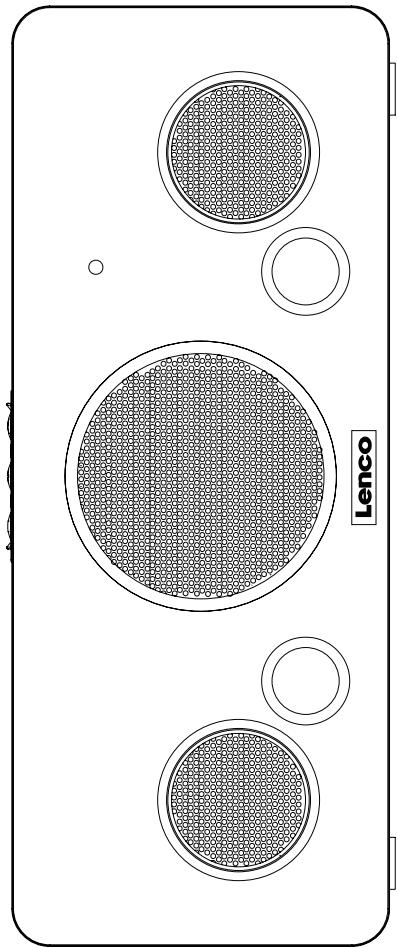
TOP PANEL
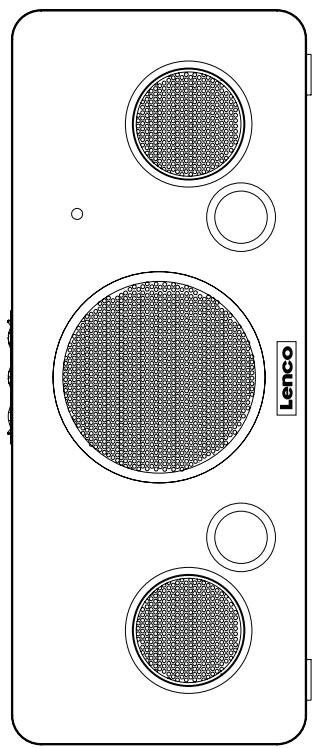
FRONT PANEL
English
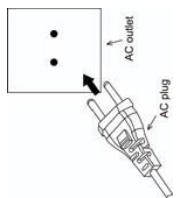
This system is designed to operate on 230V AC
50Hz house current only.
Connecting this system to any other power source
may cause damage to the system and such damage is not covered by your warranty.
NOTE: The system has an AC plug and will only fit into matching AC outlets. This is a safety feature to reduce the possibility of electric shock. If the plug will not fit in your AC outlets, you should have the outlet changed by a qualified, licensed electrician. Do not use an adapter to make the plug fit into your outlet. This defeats the safety feature and could expose you to electric shock.
PROTECT YOUR FURNITURE
This model is equipped with non-skid rubber 'feet' to prevent the product from moving when you operate the controls. These 'feet' are made from non-migrating rubber material specially formulated to avoid leaving any marks or stains on your furniture. However certain types of oil based furniture polishes, wood preservatives, or cleaning sprays may cause the rubber 'feet' to soften, and leave marks or a rubber residue on the furniture. To prevent any damage to your furniture we strongly recommend that you purchase small self-adhesive felt pads, available at hardware stores and home improvement centers everywhere, and apply these pads to the bottom of the rubber 'feet' before you place the product on fine wooden furniture.
REMOTE CONTROL BATTERY
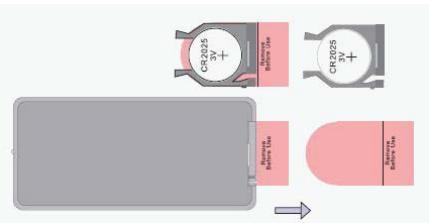
The remote control requires one "button-type" 3-volt lithium battery, included. To extend the life of the original battery we have inserted a small clear plastic spacer tab between the lithium battery and the battery terminal. You must
remove this battery spacer tab before you can use the remote control. To remove the tab, pull it in the direction of the arrow in the illustration as shown.
BACK PANEL
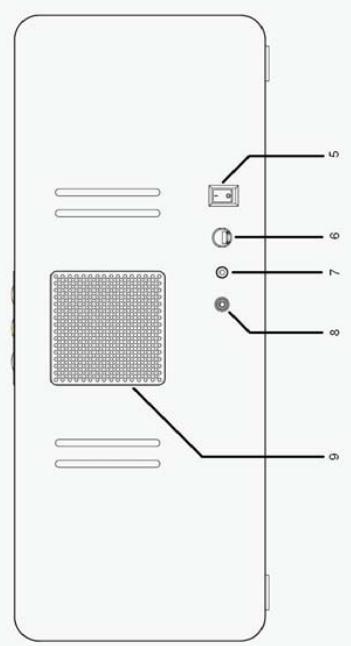
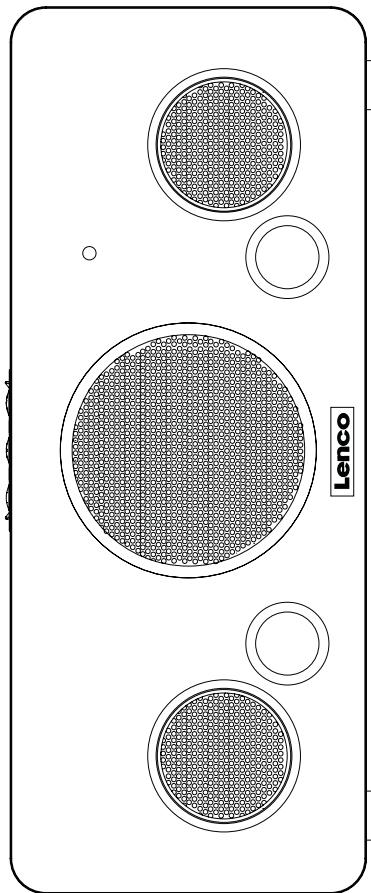
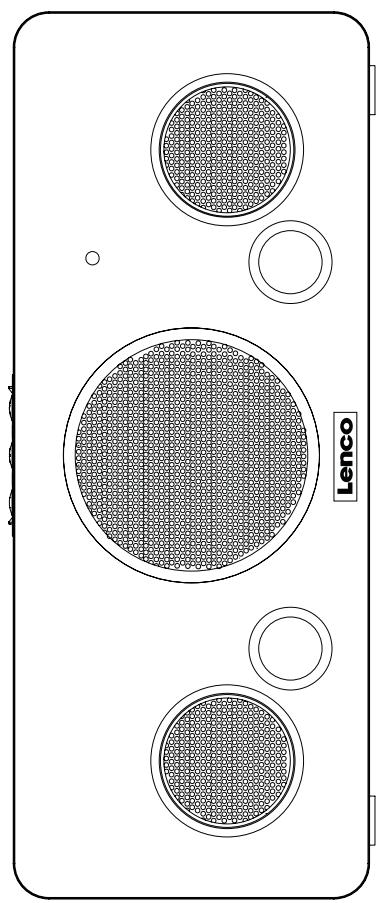
1.) PLAY/PAUSEButton
2.) VOLUME + Button
3.) VOLUME - Button
4.) IPOD Connector
5.) Main Power Swit
6.) AC Power Input
7.) AUX Input
8)VIDEO Output
9.)Cooling Fan
Remote Control
1)STANDBT Button 2)FLAX/ DANCE PTT
(2.) PLAY / PAUSE IN
3.) IPOD UP Button
4.) ENTER Button
5.) TUNE/SKIP Button
6.) TUNE/SKIP Button
7.) IPOD DOWN Button
8.) IPOD/AUX Button
9.) MENU Button
10).MUTE Button
11.)VOLUME - Button
12).VOLUME + Button
OWNER'S MANUAL
iPod Hifi Docking station
iPod Hifi Docking station
OWNER'S MANUAL
1) To Fast Forward, Press and Hold the NEXT button of iPod® unit while playing a song.
2) Press PREV button on the remote control or iPod® unit to go back to the previous song. To Rewind, Press and Hold the PREV button of iPod® unit while playing a song.
3) Press MENU button on the remote control, the iPod® will go to the previous menu. Press UP/ DOWN button on the remote control to select up or down of the iPod® menu then press the ENTER button to enter selected
menu.
4) When iPod Video is plugged into this unit, the video can be viewed from
other display by connecting the VIDEO OUT Jack to the desired video display ( video connection cable is not included).
Please make sure the TV Out is set to ON in the iPod® Video Setting menu. Otherwise the video signal will not be able to show on the display. (For detail, please check the iPod® Video
Instruction Manual.) Pod® is docked in the unit, the iPod® internal battery can be
charged during iPod® playback, Pause mode or AUX mode, if the main power is switched "Off", the charging will be cut off
Note: You must keep the main power switch "On" during iPod® internal battery charging.
AUXILIARY IN
Connect the Audio Output jacks of your auxiliary sound source (TV, VCR, DVD Player, Cassette Deck, Mini Disc player, etc., etc.) to the AUX IN jack on the back panel of the unit. The auxiliary function will only activate when the aux in jack is fitted with connection cable Note: The connection cables are not included.
1. Press and hold the PLAY/PAUSE button on the main unit or iPod/AUX button on the remote control to inter-change the play mode from iPod® to Aux. Press PLAY/PAUSE button once on the main unit or remote control to inter-change the play mode from Aux to iPod®. During AUX playback, the iPod® display will not light up.
OWNER'S MANUAL
iPod Hifi Docking station
- Turn your auxiliary source 'On' and operate it as usual. The sound from the auxiliary source will be heard through the speakers of this system.
- Adjust the VOLUME level controls of this system as desired.
RESETTING
If the system does not have any respond, you may have experienced a severe electric shock (ESD) or a power surge that triggered the internal computer to shut down automatically. If this occurs, simply disconnect the main power and connect the main power again after one minute.
Note: Although disconnect the power will unlock the internal computer after a power surge, it will also erase all of the settings. After turning 'On' the unit, you will need to reset the settings again.
CARE OF THE CABINET
If the cabinet becomes dusty wipe it with a soft dry dust cloth. Do not use any wax, polish sprays, or abrasive cleaners on the cabinet.
CAUTION
Never allow any water or other liquids to get inside the unit while cleaning.
TECHNICAL INFORMATION
| AC Power: | AC 230V ~50Hz |
| Remote Handset | DV 3V size: CR2025 X 1 |
| Unit Output Power: | 2 X 10 Watts RMS (Main Speaker) 1 X 50 Watts (Subwoofer) |
| Power Consumption: | 90 W |
| Weight: | Approx. 8.8kg |
| Unit Dimensions: | Approx. 450(L) X 199(W) X 183(H) mm |
| Operation temperature: | +5°C +35°C |
If at any time in the future you should need to dispose of this product please
note that . Waste electrical products should not be disposed of with household waste .Please reals where facilities exist . Check with your local authority or retailer for
Please recycle where facilities exist. Check with your Local Authority or recycling advice.(Waste Electrical and Electronic Equipment Directive)
N^ MODELO: IPD-4000

5. Interruptor Principal
IPOD HIFI docking station
GEBRUIKSAANWIJZING
GEBRUIKSAANWIJZING
IPOD HIFI docking station
BESCHERM UW MEUBELAIR
IPOD HIFI docking station
BATTERIJ VAN AFSTANDSBEDIENING
IPOD HIFI Dockingstation
Bedienungsanleitung
IPOD HIFI Dockingstation
IPOD HIFI Dockingstation
IPOD HIFI docking station
PFLEGE UND WARTUNG
- OWNER'S MANUAL
- iPod Hifi Docking station
- CAUTION
- PREPARATION FOR USE
- UNPACKING AND SET UP
- IMPORTANT SAFETY INSTRUCTIONS
- IMPORTANT NOTES
- LOCATION OF CONTROLS AND INDICATORS
- POWER SOURCE
- English
- PROTECT YOUR FURNITURE
- REMOTE CONTROL BATTERY
- BACK PANEL
- Remote Control
- AUXILIARY IN
- RESETTING
- CARE OF THE CABINET
- TECHNICAL INFORMATION
- Interruptor Principal
- GEBRUIKSAANWIJZING
- BESCHERM UW MEUBELAIR
- BATTERIJ VAN AFSTANDSBEDIENING
- IPOD HIFI Dockingstation
- PFLEGE UND WARTUNG
Brand : LENCO
Model : IPD-4000
Category : Bluetooth Speakers