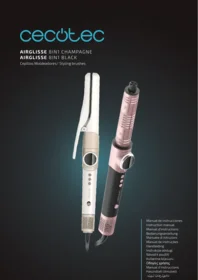
Airglisse 8in1 - Washer dryer CECOTEC - Free user manual and instructions
Find the device manual for free Airglisse 8in1 CECOTEC in PDF.


| Product type | 8-in-1 hair dryer and styler |
| Brand | Cecotec |
| Model | Airglisse 8in1 |
| Power supply | 100-240 V AC, 50/60 Hz (typical for domestic appliances) |
| Rated power | 2000 W (estimated) |
| Dimensions | Approx. 26 x 7 x 12 cm (handheld unit) |
| Weight | Approx. 0.55 kg (without accessories) |
| Number of accessories | 8 included + leather case |
| Included accessories | FrizzFree head, AirLisse head, Precise BlowOut head, FastDry head, CoandaTech 37 L/R head, RotaryStyler 45 head, RotaryStyler 38 head |
| Leather case | Yes |
| Temperature settings | 4 levels: room temperature, yellow, orange, red |
| Airflow speed settings | 3 levels: low, medium, high |
| Cool air function | Yes, dedicated cool air button |
| PTC heater | Yes, in compatible accessories with indicator light |
| Accessory memory | Remembers last settings per accessory |
| Control interface | Rotating display ring with touch button |
| Display ring illumination | White light ring |
| Safety features | RCD recommended, thermal protection, do not use near water |
| Cleaning and maintenance | Clean body with damp cloth, clean rear grille monthly, do not immerse accessories |
| Repairability | Official Technical Support Service by Cecotec |
| Intended use | Domestic use only |
| Certifications | Complies with EU Directives |
Frequently Asked Questions - Airglisse 8in1 CECOTEC
User questions about Airglisse 8in1 CECOTEC
0 question about this device. Answer the ones you know or ask your own.
Ask a new question about this device
Download the instructions for your Washer dryer in PDF format for free! Find your manual Airglisse 8in1 - CECOTEC and take your electronic device back in hand. On this page are published all the documents necessary for the use of your device. Airglisse 8in1 by CECOTEC.
USER MANUAL Airglisse 8in1 CECOTEC
Safety instructions 8
-
Parts and components 47
-
Before use 47
-
Operation 48
-
Cleaning and maintenance 49
-
Recycling of electrical and electronic equipment 50
-
Copyright 50
-
Simplified EU Declaration of Conformity 50
SOMMAIRE
EN • The coding in this manual is generic and applies to all code variants of the appliance.
Read the following instructions carefully before using the appliance. Keep this instruction manual for future reference or new users.
- All safety instructions must be closely followed when using the appliance.
- Ensure that the mains voltage matches the voltage specified on the appliance rating label and that the plug is earthed.
- This appliance is designed for domestic use only and is not intended for bars, restaurants, farmhouses, hotels, motels, and offices.
- If the appliance is to be used in a bathroom, it must be unplugged from the wall socket after use, as the proximity to water could be a risk even with the appliance switched off.
- As additional protection, it is recommended that a Residual Current Device (RCD) having a rated operating fault current not exceeding 30 mA be installed in the electrical circuit supplying the bathroom. We recommend you ask a qualified installer for advice.
- This appliance can be used by children aged from 8 years and above and people with reduced physical, sensory or mental capabilities or lack of experience and knowledge if they have been given supervision or instruction concerning use of the appliance in a safe way and understand the hazards involved. Children must not play with the appliance. Cleaning and user maintenance must not be carried out by unsupervised children.
- This icon means that the appliance must not be used in a bathtub, shower, or any other water-filled tank.
- WARNING: do not use this appliance near bathtubs, showers,
sinks or other containers filled with water.
- Do not immerse the cord, plug, or any other non-removable part of the appliance in water or any other liquid or expose electrical connections to water. Make sure your hands are dry before handling the plug or switching on the appliance.
- This symbol means: "Caution, hot surface".
- Check the power cord regularly for visible damage. If the cord is damaged, it must be replaced by Cecotec's Official Technical Support Service to avoid any danger.
- Ensure that the air inlets and outlets are not blocked.
- Turn off and unplug the appliance from the power supply immediately after use.
-
Immediately unplug the appliance from the socket in these cases:
-
Abnormal operation.
- Cleaning.
-
After use.
-
Do not insert metal objects through the air inlets to avoid electric shocks.
- Do not wind the power cord around the appliance.
- Keep your face, neck, and scalp away from the appliance.
- Do not leave the appliance on any surface while in operation.
- Do not use the appliance to comb wigs, natural hair extensions, fake hair, or animal hair.
- The air inlet ensures good ventilation of the appliance. Do not cover or obstruct it, as this may cause overheating.
- Do not insert objects in the air inlet.
- Burn hazard. Keep the appliance out of the reach of children, particularly during use and while it is cooling down.
- Never leave the appliance unattended while connected to the mains power supply.
INSTRUCTIONS DE SÉCURITÉ
The graphics in this manual are schematic representations and may not exactly match the product.
2. BEFORE USE
- This appliance comes in a packaging designed to protect it during transport. Remove the appliance from its box. You can keep the original box and other packaging materials in a safe place to prevent damage to the appliance if you need to transport it in the future. If you wish to dispose of the original packaging, make sure all items are recycled properly.
- Check that all parts and components are included and in good condition. If any of them are missing or damaged, please contact Cecotec's Official Technical Support Service immediately.
Box content:
- Product
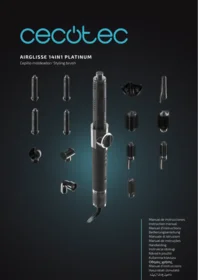
- 8 accessories
ENGLISH
- Leather case
- Instruction manual
- Do not remove the product's serial number in order to keep proper traceability if technical assistance is required.
3. OPERATION
On/Off
- Switch on: slide the on/off switch to the on position. The white light ring around the display is illuminated and the start-up animation is played. After the animation, the last selected accessory is displayed.
- Switch off: slide the on/off switch to the off position.
Display
- When switched on, the light ring (white) is illuminated and the start-up animation is displayed. No operations can be performed during the start-up animation.
- On first use, a preset accessory is displayed.
- Gently turn the display ring to scroll through the accessory icons. Select the desired accessory and briefly press the display to start. If the selected accessory is equipped with a PTC heater, the PTC is activated and the PTC indicator lights up; otherwise, it remains off.
- To adjust temperature/speed/cool airflow with the current accessory, use the three buttons on the handle. To return to the main menu, briefly press the display (the device pauses).
Cool air button
- In any mode, press this button to activate the cool air mode. The device operates at maximum airflow speed with airflow at room temperature.
- Press the cool air button again to exit and return to the previous mode. Pressing any other button also cancels the cool air mode.
Changing the temperature
Lightly press the temperature button to switch between the available options: Room temperature (blue) → (yellow) → (orange) → (red) → cycle.
Airflow speed change
Lightly press the speed button to switch between the available options: Low → Medium → High → cycle (indicator with white fan icon on).
Changing the accessory
Press the display to return to the accessory selector menu, install the desired accessory, turn the display ring to select it and press briefly to confirm. If you wish to make any speed/temperature adjustments, these are made with the buttons.
To change accessory, press the display briefly to pause, change the accessory, turn the ring to select the accessory on the display and press briefly again to resume.
IMPORTANT: The PTC heads feature an alignment mark with the handle, for proper operation. Ensure the marks are correctly aligned.
Accessory memory
After start-up, the last accessory used is displayed.
Default settings
Set the airflow speed/temperature for the selected accessory and press and hold the display for 3 seconds (the outer ring flashes 3 times) to save. The next time you select that accessory, the saved settings will be automatically applied.
Default settings
| Accessory | RPM | Temperature |
| FrizzFree head | High temperature | Medium temperature |
| AirLisse head | High | High |
| Precise BlowOut head | High | High |
| FastDry head | High | High |
| CoandaTech 37 L / R head | High | High |
| RotaryStyler 45 head | High | High |
| RotaryStyler 38 head | High | High |
4. CLEANING AND MAINTENANCE
Disconnect the device from the power supply and allow it to cool down completely. Clean the body with a soft, slightly damp cloth.
Clean dust from the rear air inlet grille periodically (monthly recommended).
Do not wash or immerse the accessories. Carry out dry cleaning or with a slightly dampened cloth. Clean heated accessories exclusively when dry.
5. RECYCLING OF ELECTRICAL AND ELECTRONIC EQUIPMENT
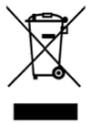
This symbol indicates that, according to the applicable regulations, the product and/or battery must be disposed of separately from household waste. When this product reaches the end of its shelf life, you should dispose of the batteries/accumulators and take them to a collection point designated
by the local authorities.
For detailed information on how to properly dispose of electrical and electronic equipment and/or the corresponding batteries, consumers should contact their local authorities.
Information regarding national packaging recycling systems and their marking can be found on our website.
Compliance with the above guidelines will help protecting the environment.
6. COPYRIGHT
The intellectual property rights over the texts in this manual belong to CECOTEC INNOVACIONES, S.L. All rights reserved. The content of this publication may not, either in part or in its entirety, be reproduced, stored in a retrieval system, transmitted or distributed by any means (electronic, mechanical, photocopying, recording or similar) without prior authorisation from CECOTEC INNOVACIONES, S.L.
7. SIMPLIFIED EU DECLARATION OF CONFORMITY

Cecotec Innovaciones hereby declares that this appliance complies with the essential requirements and other relevant provisions of the regulations applicable in the European Union. This appliance has been designed, manufactured and tested in compliance with required safety and quality
standards. The full text of the EU Declaration of Conformity can be found on the following website: https://cecotec.es/es/information/declaration-of-conformity
1. PIÈCES ET COMPOSANTS
Image 1:

∴ m = 3/11
- SOMMAIRE
- INSTRUCTIONS DE SÉCURITÉ
- BEFORE USE
- BOX CONTENT
- ENGLISH
- OPERATION
- ON/OFF
- DISPLAY
- COOL AIR BUTTON
- CHANGING THE TEMPERATURE
- AIRFLOW SPEED CHANGE
- CHANGING THE ACCESSORY
- ACCESSORY MEMORY
- DEFAULT SETTINGS
- CLEANING AND MAINTENANCE
- RECYCLING OF ELECTRICAL AND ELECTRONIC EQUIPMENT
- COPYRIGHT
- SIMPLIFIED EU DECLARATION OF CONFORMITY
- PIÈCES ET COMPOSANTS
Brand : CECOTEC
Model : Airglisse 8in1
Category : Washer dryer