
POCKETBOOK EXPRESS - Printer MITSUBISHI - Free user manual and instructions
Find the device manual for free POCKETBOOK EXPRESS MITSUBISHI in PDF.



| Product type | Printer |
| Brand | MITSUBISHI |
| Model | POCKETBOOK EXPRESS |
| Power supply | 220-240 V AC, 60/50 Hz, 3-2.8 A (or 120 V AC, 60/50 Hz, 4.7 A) |
| Standby consumption | 85 W |
| Thermal circuit breaker | 10 A |
| CPU | Intel Atom N450 1.6 GHz or Atom D5xx, 1 GB DDR2 RAM, 160 GB hard drive |
| Print technology | 6-inch thermal sublimation |
| Consumable | Paper 4" × 6" (10 × 15 cm), glossy |
| Print resolution | 300 dpi |
| Album format | 152 × 102 mm, 10 to 30 pages (cover included) |
| Print speed | 1 page every 35 seconds (4 to 10 minutes per album) |
| Production capacity | 30 photobooks of 20 pages per consumables set (about 3 albums/day) |
| Operating temperature | 15 °C to 32 °C |
| Operating humidity | 20% to 60% (non-condensing) |
| Storage temperature | 5 °C to 50 °C |
| Certifications | CE, CB, CTUV, US, FCC (Class A) |
| Directives | 2006/95/EC (Low Voltage), 2004/108/EC (EMC), WEEE |
| Installation | By certified technician, on flat, stable, dry floor, near grounded outlet |
| Electrical safety | Never open while powered on; disconnect before servicing |
| Recommended spare parts | Paper rolls, glue rolls, ink ribbons, fluorescent tubes (supplier) |
| Maintenance | Wear gloves for servicing, close doors and covers |
| Intended use | Indoors, commercial use |
Frequently Asked Questions - POCKETBOOK EXPRESS MITSUBISHI
User questions about POCKETBOOK EXPRESS MITSUBISHI
0 question about this device. Answer the ones you know or ask your own.
Ask a new question about this device
Download the instructions for your Printer in PDF format for free! Find your manual POCKETBOOK EXPRESS - MITSUBISHI and take your electronic device back in hand. On this page are published all the documents necessary for the use of your device. POCKETBOOK EXPRESS by MITSUBISHI.
USER MANUAL POCKETBOOK EXPRESS MITSUBISHI
SAFETY AND STANDARDS
POWER SUPPLY

The machine is designed to operate by default under 220-240 V AC ; 60/50 Hz ; 3 - 2.8 A .
120 V AC ; 60/50 Hz ; 4.7 A
ELECTRICAL HAZARD
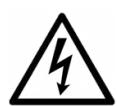
Never open machine when it is switched on. Disconnect the supply lead before opening. Installation, starting and maintenance must be carried out only by engineers from the maintenance company approved by the manufacturer or his representative.
This pictogram is displayed on the machine at the points where there is risk of electrocution. Engineers from the maintenance company only are authorised to work on these parts of the machine.
USE

The machine is designed for indoor use only.
The machine must be close to a mains socket that must be accessible at all times.
Otherwise provide a two-pin isolating switch that is easily and quickly accessible in the installation:
- 2-pole 230 V;10 A isolating switch if supplied with 220 - 240 VAC ; or
- 2-pole 115V ; 10 A isolating switch if supplied with 120VAC .
The power socket must have an earth resistance lower than 3 to ensure satisfactory operation and personal safety according to the regulation in force.
This machine is designed for connection to a neutral to earth network (class 1).
BUSINESS EQUIPMENT

Refer to the documents supplied with the machine for operations (maintenance, adjustments...) relating to business equipment (printer...).
BATTERY (PC)
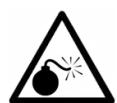
There is a risk of explosion if the battery located inside the computer is not replaced properly, or if it is replaced by an incorrect battery type.
Dispose of used batteries according to your country's regulation, or contact your vendor.
Do not expose the battery to excessive heat (direct sunlight, fire...).
SPARE PARTS

It is strongly recommended to use only the spare parts and consumable kits provided by the manufacturer (paper rolls, glue rolls, ink films, fluorescent tubes etc...). These parts conform to tough regulations and have been rigorously tested in order to ensure maximum quality.
WEARING GLOVES

For all technical work inside the machine, please wear a pair of gloves.
OTHER RECOMMENDATIONS

All doors and covers must be closed during operation.
Use only the power cord provided by the manufacturer, or a power cord complying with your country's regulation.
CE COMPLIANCE

This product complies with the European Directive 2006/95/CE relating to electrical equipment and with the Electromagnetic Compatibility Directive 2004/108/CE.
FCC WARNING
This equipment has been tested and found to comply with the limits for a Class A digital device, pursuant to part 15 of the FCC Rules. These limits are designed to provide reasonable protection against harmful interference when the equipment is operated in a commercial environment. This equipment generates, uses and can radiate radio frequency energy and, if not installed and used in accordance with the instruction manual, may cause harmful interference to radio communications. Operation of this equipment in a residential area is likely to cause harmful interference in which case the user will be required to correct the interference at his own expense.
WEEE COMPLIANCE

This symbol on the machine or on the packaging notifies the obligation to dipose of your waste electrical and electronic equipment in compliance with the European directive related to recycling, to help preserve environment and protect human health. Please contact your Regional and Local Authorities for the detailed procedure.
I. DÉBALLAGE ET INSTALLATION / UNPACKING AND INSTALLATION

The unpacking and installation of the machine must be carried out by a technician approved by the manufacturer according to the instructions detailed in the unpacking and installation guides.
Operating temperature range: +15^ to +32^ - see the Technical Characteristics Charts (relative humidity from 20 to 60% without condensation).
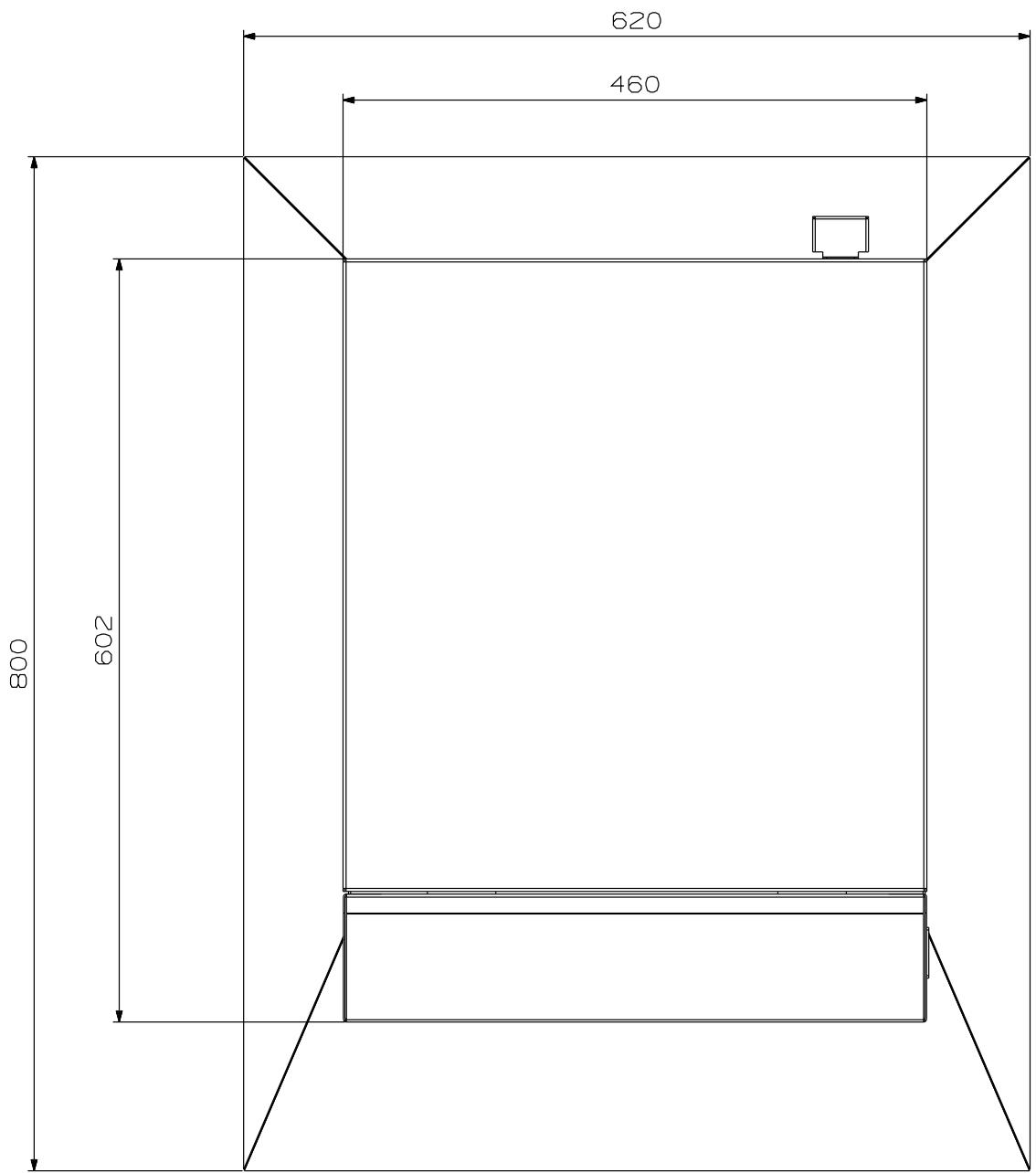
In order to ensure optimum operation, make sure that the distances indicated are left free around the machine.

The machine must not obstruct passages or safety exits.

Use the original package (cardboard box, wedges, pallets, etc.) when transporting the machine.
3. ALIMENTATION ÉLECTRIQUE / POWER SUPPLY
DANGER ÉLECTRIQUE / ELECTRICAL HAZARD
Never open the machine when it is switched on. Disconnect the supply lead before opening. Installation, starting and maintenance must be carried out only by engineers from the maintenance company approved by the manufacturer or his representative.
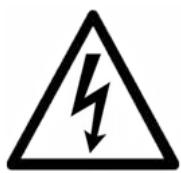
This pictogram is displayed on the machine at the points where there is risk of electrocution. Engineers from the maintenance company only are authorised to work on these parts of the machine.
The machine must be supplied using the earthed power cable delivered with it.
The cable must be connected to a mains socket:
An additional protection should be provided in the form of a 30mA differential circuit breaker upstream from the mains socket the machine is connected to (for European Union only):
- Do not supply other devices than the machines behind the differential;
- Do not supply more than 3 machines behind the differential.
The machine is fitted with a main illuminated switch and circuit breaker (10 A).
It is on the upper rear part of the machine.

Always wait for 10 seconds before cycling the power.
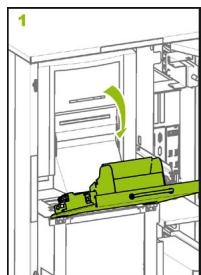
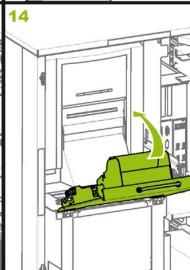
4. CHARGEMENT DU CONSOMMABLE / LOADING CONSUMABLES
COLLE / GLUE
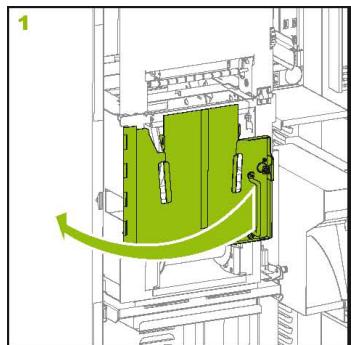
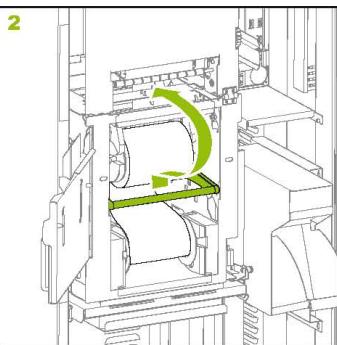
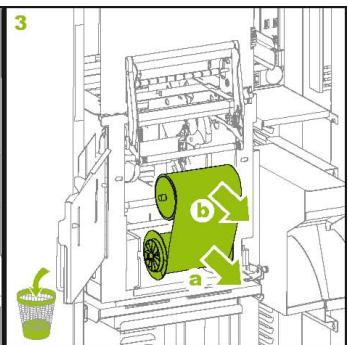
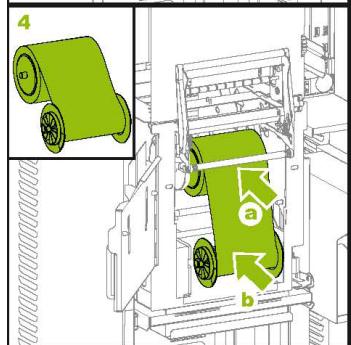
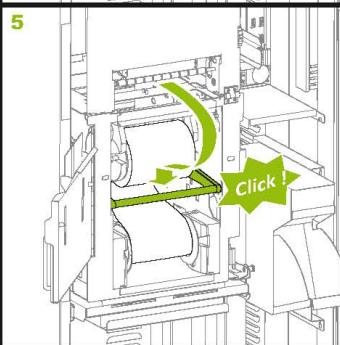
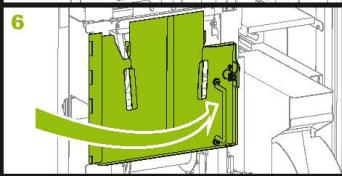
IMPRIMANTE (SUIVANT CONFIGURATION) / PRINTER (FOLLOWING CONFIGURATION)
MITSUBISHI CP9820
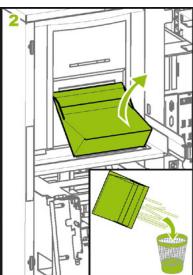
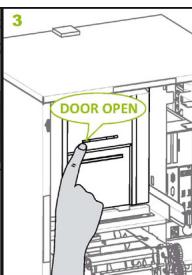
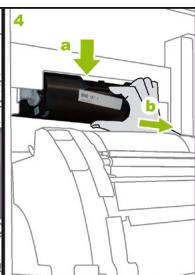
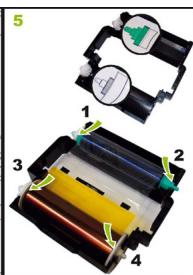
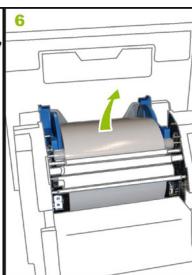
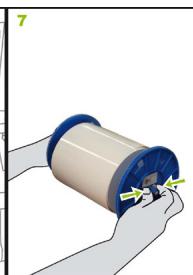
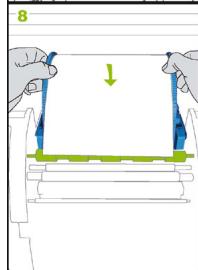
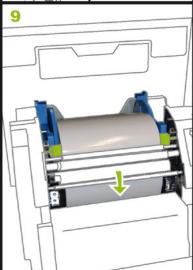
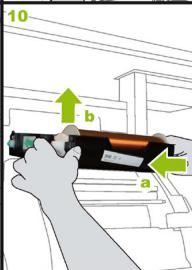
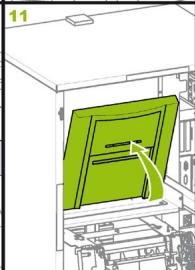
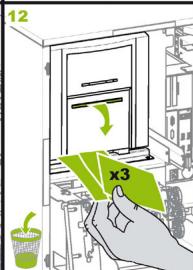
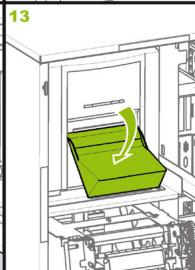
Technical specifications
CENTRAL UNIT
- Mother board with Intel® Atom N450 1.6 GHz or ATOM D5xx
- I Gbyte RAM DDRII memory.
160 Gbytes hard disk
ELECTRICAL
- Power supply 220-240 V AC ; 60/50 Hz ; 3 - 2.8 A.
120VAC;60/50Hz;4.7A
- Thermal breaker: 10 A with mains unit
- Standby consumption: 85 W
OUTPUT
- Printer: 6" dye-sublimation printer, loaded with 4'' × 6'' (10x15 cm) consumable
- Printing resolution: 300 dpi
- Paper type: glossy
- Album format: 6'' × 4'' (152 × 102 mm), 10 to 30 pages (including cover)
PRODUCTIVITY
- Printing and binding speed: I sheet every 35 seconds (from 4 to 10 minutes for I album depending on the number of pages)
- Capacity: 30 photobooks of 20 pages, which means one week capacity (3 albums/day) without changing any consumable
CERTIFICATION
CE - Credit Card - cTUVus - FCC
AMBIENT CONDITIONS
- Operating temperature: 15^ 32^ C
Storage temperature: 5 - 50^ - Humidity: 20-60%

ZUSAMMENFASSUNG
TRAGEN VON HANDSCHUHEN

This document is not binding. The manufacturer reserves the right to modify his machines and this manual without prior notice.

- SAFETY AND STANDARDS
- POWER SUPPLY
- ELECTRICAL HAZARD
- USE
- BUSINESS EQUIPMENT
- BATTERY (PC)
- SPARE PARTS
- WEARING GLOVES
- OTHER RECOMMENDATIONS
- CE COMPLIANCE
- FCC WARNING
- WEEE COMPLIANCE
- DÉBALLAGE ET INSTALLATION / UNPACKING AND INSTALLATION
- ALIMENTATION ÉLECTRIQUE / POWER SUPPLY
- DANGER ÉLECTRIQUE / ELECTRICAL HAZARD
- CHARGEMENT DU CONSOMMABLE / LOADING CONSUMABLES
- COLLE / GLUE
- IMPRIMANTE (SUIVANT CONFIGURATION) / PRINTER (FOLLOWING CONFIGURATION)
- MITSUBISHI CP9820
- Technical specifications
- CENTRAL UNIT
- ELECTRICAL
- OUTPUT
- PRODUCTIVITY
- CERTIFICATION
- AMBIENT CONDITIONS
- ZUSAMMENFASSUNG
- TRAGEN VON HANDSCHUHEN
Brand : MITSUBISHI
Model : POCKETBOOK EXPRESS
Category : Printer