
KA 2567 DS - OTHER MANUAL - Kitchen appliance CLATRONIC - Free user manual and instructions
Find the device manual for free KA 2567 DS - OTHER MANUAL CLATRONIC in PDF.



| Product type | Drip coffee maker |
| Brand | CLATRONIC |
| Model | KA 2567 DS |
| Power supply | Mains (voltage per country, check label) |
| Carafe capacity | Varies with water level (graduated indicator) |
| Filter type | Paper filter size 1x4 |
| Main functions | Coffee brewing, keep warm |
| Anti-drip system | Yes, integrated in filter holder |
| Warming plate | Yes, for keep warm |
| Cleaning | Unplug, clean with a damp cloth; carafe and filter holder washable with soapy water |
| Descaling | Recommended with a citric acid-based descaler if brewing time increases |
| Safety | Manual shut-off, do not leave unattended, unplug before cleaning |
| Warranty | 24 months from purchase date (with proof of purchase) |
| Wear parts | Paper filter (not covered by warranty) |
Frequently Asked Questions - KA 2567 DS - OTHER MANUAL CLATRONIC
User questions about KA 2567 DS - OTHER MANUAL CLATRONIC
0 question about this device. Answer the ones you know or ask your own.
Ask a new question about this device
Download the instructions for your Kitchen appliance in PDF format for free! Find your manual KA 2567 DS - OTHER MANUAL - CLATRONIC and take your electronic device back in hand. On this page are published all the documents necessary for the use of your device. KA 2567 DS - OTHER MANUAL by CLATRONIC.
USER MANUAL KA 2567 DS - OTHER MANUAL CLATRONIC
General safety instructions
GB
- Before commissioning this device please read the instruction manual carefully.
- Please keep these instructions, the guaranty certificate, the sales receipt and, if possible, the carton with the inner packaging!
- The device is intended exclusively for private and not for commercial use!
- Always remove the plug from the socket whenever the device is not in use, when attaching accessory parts, cleaning the device or whenever a disturbance occurs. Switch off the device beforehand. Pull on the plug, not on the cable.
- In order to protect children from the dangers of electrical appliances, never leave them unsupervised with the device. Consequently, when selecting the location for your device, do so in such a way that children do not have access to the device. Take care to ensure that the cable does not hang down.
- Test the device and the cable regularly for damage. If there is damage of any kind, the device should not be used.
- Do not repair the device yourself, but rather consult an authorised expert.
- For safety reasons a broken or damaged mains lead may only be replaced by an equivalent lead from the manufacturer, our customer service department or a similar qualified person.
- Keep the device and the cable away from heat, direct sunlight, moisture, sharp edges and suchlike.
- Never use the device unsupervised! Switch off the device whenever you are not using it, even if this is only for a moment.
- Use only original accessories.
- Do not use the device outdoors.
- Under no circumstances must the device be placed in water or other liquid, or come into contact with such. Do not use the device with wet or moist hands.
- Should the device become moist or wet, remove the mains plug from the socket immediately. Do not reach into the water.
Use the device only for the intended purpose.
Special Safety Measures for this Machine
- Before opening the water tank, switch the device off and leave it cool for at least seconds!
- Only fill the water tank with cold water!
- Keep the water tank lid closed during operation.
- The hot plate and the coffee pot become very hot. DANGER OF SCALDING!
First Use of the Machine
- Before making coffee in the machine for the first time rinse two to three times with cold water in order to clean the machine.
- Clean the filter pad and the glass pot by rinsing.
GB
Electrical Connection
- Make sure that the appliance is switched off (operating switch on „OFF/0”). The LED is off.
- Before inserting the plug in the socket make sure that the mains voltage to be used matches that of the device. For details see the machine label.
- Only connect the machine to a properly installed safety socket, 230V / 50Hz .
Operation
- Pull the lid of the water tank forwards. Fill the machine to the level corresponding to the number of cups required with cold water.
The white rod in the water tank rises with the water level. The water level can be read off at the bottom end using the printed figures. - Place a paper filter (size 1 × 4 ) into the filter funnel and fill it with coffee powder (approx. 1 teaspoon for 2 cups).
- Place the can on the hotplate. Make sure that the can is directly under the filter so that the filter's drip-stop lever can be duly opened!
- Close the water tank lid.
- Move the switch to the "EIN/1" position. The control lamp of the switch is on. The coffee takes approximately 10 - 15 minutes to boil. When no more coffee is running into the pot it can be removed.
If you would like to keep the remaining coffee warm, the switch must remain in the "EIN/1" position. The hot plate will keep the coffee warm until you switch the machine "AUS/0".
Switching Off
The machine is switched off when the switch is in the "AUS/0" position.
Dscaling
Dscaling is necessary when the time needed to prepare coffee becomes considerably longer.
Only commercially available descaling products based on citric acid should be used.
Cleaning
Before cleaning the machine you should always remove the mains lead and wait until the machine has cooled down. The machine should only be cleaned with a slightly damp cloth. Do not use any strong detergents or solvents for cleaning. The coffee pot and the filter pad should be cleaned by rinsing in cold water.
This appliance conforms with the CE directives for radio interference suppression and low-voltage safety and has been built to meet current safety requirements. Subject to technical changes without prior notice!
GB
Warranty
We undertake to guarantee the appliance sold by our company for 24 months as of the date of purchase (cash receipt).
Within the guarantee period we rectify faults to the machine free of charge which result from material or manufacturing faults, either by repairing the machine or, or our discretion, by replacement. Any such repair or replacement associated with the guarantee shall not cause the guarantee period to be extended, nor be deemed to be the start of a new guarantee period!
Proof for the warranty is provided by the purchase document. The replacement and repair will not be performed free of charge without this proof of purchase.
Should the warranty be valid, please consign the complete appliance in its original packing together with the cash receipt to your local dealer.
Defects to the accessories do not entitle to the change of the appliance. These will be replaced free of charge. In this case do not send back the appliance. Just order the faulty accessory! Broken glass parts are replaced at the expense of the owner!
Neither defects to consumables and wearing parts (e.g. motor pistons, kneading hooks, drive belts, spare remote controls, spare toothbrushes, saw blades, etc.) nor the cleaning, maintenance or change of wearing parts fall under this warranty and hence are subject to payment of costs!
The warranty is terminated in case of handling on the part of Third parties.
After the warranty
Once the warranty has expired, repairs can be carried out by specialized technicians or repair services against the payment of the service.
PL
Ecnn Bbl XeJAEte COxpaHHTb OCTaBmIcKoFe rOpAIMTO OCTaBtE nepeKlIOuHaTeB N POLOXeHN "EIN/1". PInTka 6yETnOIOrpeBaT KoFe do Tex npOKa He nepeKlIOUHTe Ha "AUS/O".
RUS
BbIKIOueHne

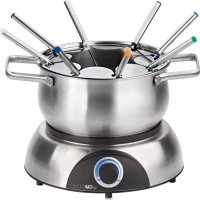
Brand : CLATRONIC
Model : KA 2567 DS - OTHER MANUAL
Category : Kitchen appliance