MARIO STRIKERS CHARGED - Video game NINTENDO - Free user manual and instructions
Find the device manual for free MARIO STRIKERS CHARGED NINTENDO in PDF.


User questions about MARIO STRIKERS CHARGED NINTENDO
0 question about this device. Answer the ones you know or ask your own.
Ask a new question about this device
Download the instructions for your Video game in PDF format for free! Find your manual MARIO STRIKERS CHARGED - NINTENDO and take your electronic device back in hand. On this page are published all the documents necessary for the use of your device. MARIO STRIKERS CHARGED by NINTENDO.
USER MANUAL MARIO STRIKERS CHARGED NINTENDO
Open Dynamics Engine
© 2001-2004, Russell L. Smith
All rights reserved.
Redistribution and use in source and binary forms, with or without modification, are permitted provided that the following conditions are met:
Redistribution of source code must retain the above copyright notice, this list of conditions and the following disclaimer.
Redistributions in binary form must reproduce the above copyright notice, this list of conditions and the following disclaimer in the documentation and/or other materials provided with the distribution.
Neither the names of ODE's copyright owner nor the names of its contributors may be used to endorse or promote products derived from this software without specific prior written permission.
THIS SOFTWARE IS PROVIDED BY THE Copyright HOLDERS AND CONTROLSORS "AS 1S" AND ANY EXPRESS OR IMPLIED WARRANTY, INCLUDING, BUT NOT LIMITED TO, THE IMPLIED WARRANTY OF MERCHANTABILITY AND FITNESS FOR A PARTICULAR PURPOSE ARE DISCLAIMED. IN NO EVENT SHALL THE COPYRIGHT OWNER OR CONTROLSORS BE LIABLE FOR ANY DIRECT, INDIRECT, INDIRECT, SPECIAL, EXEMPLARY, OR CONSEQUENTIAL DAMAGES (INCLUDING, BUT NOT LIMITED TO, PROCEDUREN OF SUBSTITUTE GOODS OR SERVICES; LOSS OF USE, DATA, OR PROFITS; OR BUSINESS INTERMUSION) HOWEVER CAUSED AND ON ANY THEORY OF LIABILITY, WHETHER IN CONTRACT, STRICT LIABILITY, OR TORT (INCLUDING NEGLIGENCE OR OTHERWISE) ASING IN ANY WAY OUT OF THE USE OF THIS SOFTWARE, EVEN IF ADJISSED OF THE POSSIBILITY OF SUCH DAMAGE.
NEED HELP WITH INSTALLATION, MAINTENANCE OR SERVICE?
Nintendo Customer Service
WWW.NINTENDO.COM
or call 1-800-255-3700
Nintendo's game pages, at
www.nintendocom/games,feature
walkthroughs, frequently-asked questions, and codes for many of our games. If your answer isn't there, check out our forums where you can exchange tips with other gamers online.
For more information about our forums, visit www.nintendo.com/community.
If you don't have access to the web-site, recorded tips for many titles are available on Nintendo's Power Line at (425) 885-7529. This may be a long-distance call, so please ask permission from whoever pays the phone bill.
BESOIN D'AIDE POUR L'INSTALLATION N, L'ENTRETIEN OU LA RÉPARATION?
The Official Seal is your assurance that this product is licensed or manufactured by Nintendo. Always look for this seal when buying video game systems, accessories, games and related products.
- Some people (about 1 in 4000) may have seizures or blackouts triggered by light flashes or patterns, and this may occur while they are watching TV or playing video games, even if they have never had a seizure before.
- Anyone who has had a seizure, loss of awareness, or other symptom linked to an epileptic condition, should consult a doctor before playing a video game.
- Parents should watch their children play video games. Stop playing and consult a doctor if you or your child has any of the following symptoms:
Convulsions Eye or muscle twitching Altered vision Loss of awareness Involuntary movements Disorientation
-
To reduce the likelihood of a seizure when playing video games:
-
Sit or stand as far from the screen as possible.
- Play video games on the smallest available television screen.
- Do not play if you are tired or need sleep.
- Play in a well-lit room.
- Take a 10 to 15 minute break every hour.
WARNING - Repetitive Motion Injuries and Eyestrain
Playing video games can make your muscles, joints, skin or eyes hurt. Follow these instructions to avoid problems such as tendonitis, carpal tunnel syndrome, skin irritation or eyestrain:
- Avoid excessive play. Parents should monitor their children for appropriate play.
Take a 10 to 15 minute break every hour, even if you don't think you need it. - If your hands, wrists, arms or eyes become tired or sore while playing or if you feel symptoms such as tingling, numbness, burning or stiffness, stop and rest for several hours before playing again.
- If you continue to have any of the above symptoms or other discomfort during or after play, stop playing and see a doctor.
CAUTION - Motion Sickness
Playing video games can cause motion sickness in some players. If you or your child feels dizzy or nauseous when playing video games, stop playing and rest. Do not drive or engage in other demanding activity until you feel better.
IMPORTANT LEGAL INFORMATION
This Nintendo game is not designed for use with
any unauthorized device. Use of any such device will invalidate your Nintendo product warranty. Copying of any Nintendo game is illegal and is strictly prohibited by domestic and international intellectual property laws. "Back-up" or "archival" copies are not authorized and are not necessary to protect your software. Violators will be prosecuted.
WARRANTY & SERVICE INFORMATION
You may need only simple instructions to correct a problem with your product. Try our website at www.nintendo.com or call our Consumer Assistance Hotline at 1-800-255-3700, rather than going to your retailer. Hours of operation are 6 a.m. to 7 p.m., Pacific Time, Monday - Sunday (times subject to change). If the problem cannot be solved with the troubleshooting information available online or over the telephone, you will be offered express factory service through Nintendo. Please do not send any products to Nintendo without contacting us first.
HARDWARE WARRANTY
Nintendo of America Inc. ("Nintendo") warrants to the original purchaser that the hardware product shall be free from defects in material and workmanship for twelve (12) months from the date of purchase. If a defect covered by this warranty occurs during this warranty period, Nintendo will repair or replace the defective hardware product or component, free of charge. The original purchaser is entitled to this warranty only if the date of purchase is registered at point of sale or the consumer can demonstrate, to Nintendo's satisfaction, that the product was purchased within the last 12 months.
GAME & ACCESSORY WARRANTY
Nintendo warrants to the original purchaser that the product (games and accessories) shall be free from defects in material and workmanship for a period of three (3) months from the date of purchase. If a defect covered by this warranty occurs during this three (3) month warranty period, Nintendo will repair or replace the defective product, free of charge.
SERVICE AFTER EXPIRATION OF WARRANTY
Please try our website at www.nintendo.com or call the Consumer Assistance Hotline at 1-800-255-3700 for troubleshooting information and repair or replacement options and pricing. In some instances, it may be necessary for you to ship the complete product, FREIGHT PREPAID AND INSURED FOR LOSS OR DAMAGE, to Nintendo. Please do not send any products to Nintendo without contacting us first.
WARRANTY LIMITATIONS
THIS WARRANTY SHALL NOT APPLY IF THIS PRODUCT: (a) IS USED WITH PRODUCTS NOT SOLD OR LICENSED BY NINTENDO (INCLUDING, BUT NOT LIMITED TO, NON-Licensed GAME ENHANCEMENT AND COPIER DEVICES, ADAPTERS, AND POWER SUPPLIES); (b) IS USED FOR COMMERCIAL PURPOSES (INCLUDING RENTAL); (c) IS MODIFIED OR TAMPERED WITH; (d) IS DAMAGED BY NEGLIGENCE, ACCIDENT, UNREASONABLE USE, OR BY OTHER CAUSES UNRELATED TO DEFECTIVE MATERIALS OR WORKMANSHIP; OR (e) HAS HAD THE SERIAL NUMBER ALTERED, DEFACED OR REMOVED.
ANY APPLICABLE IMPLIED WARRANTYES, INCLUDING WARRANTY OF MERCHANTABILITY AND FITNESS FOR A PARTICULAR PURPOSE, ARE HEREBY LIMITED IN DURATION TO THE WARRANTY PERIODS DESCRIBED ABOVE (12 MONTHS OR 3 MONTHS, AS APPLICABLE). IN NO EVENT SHALL NINTENDO BE LIABLE FOR CONSEQUENTIAL OR INCIDENTAL DAMAGES RESULTING FROM THE BREACH OF ANY IMPLIED OR EXPRESS WARRANTY. SOME STATES DO NOT ALLOW LIMITATIONS ON HOW LONG AN IMPLIED WARRANTY LASTS OR EXCLUSION OF CONSEQUENTIAL OR INCIDENTAL DAMAGES, SO THE ABOVE LIMITATIONS MAY NOT APPLY TO YOU.
This warranty gives you specific legal rights. You may also have other rights which vary from state to state or province to province.
Nintendo's address is: Nintendo of America Inc., P.O. Box 957, Redmond, WA 98073-0957 U.S.A.
This warranty is only valid in the United States and Canada.

Manufactured under license from Dolby Laboratories. Dolby, Pro Logic, and the double-D symbol are trademarks of Dolby Laboratories.
This game is presented in Dolby Pro Logic II. To play games that carry the Dolby Pro Logic II logo in surround sound, you will need a Dolby Pro Logic II, Dolby Pro Logic or Dolby Pro Logic IIx receiver. These receivers are sold separately.
© 2007 Nintendo. All rights, including the copyrights of game, scenario, music and program, reserved by Nintendo.TM, © and the Wii logo are trademarks of Nintendo. © 2007 Nintendo. All rights reserved.
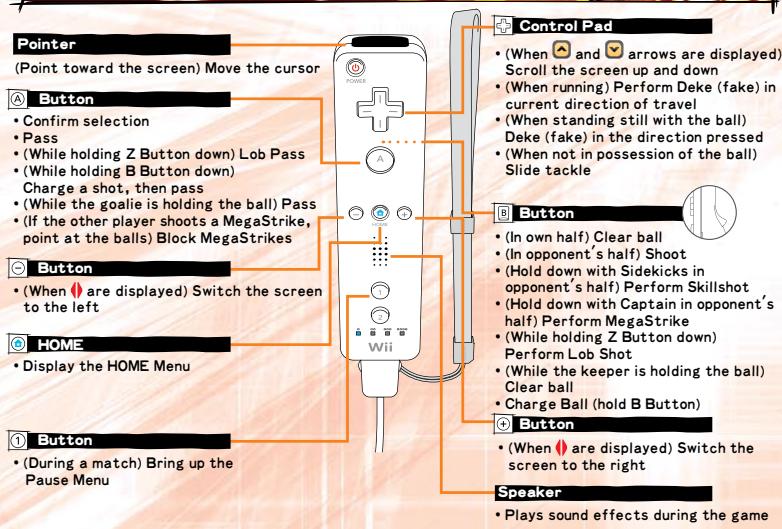
Controls
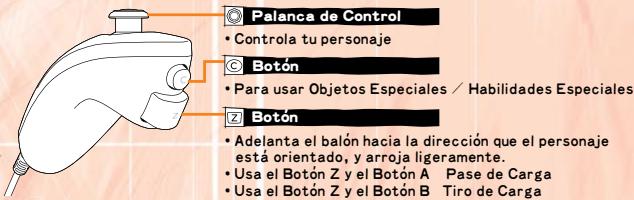
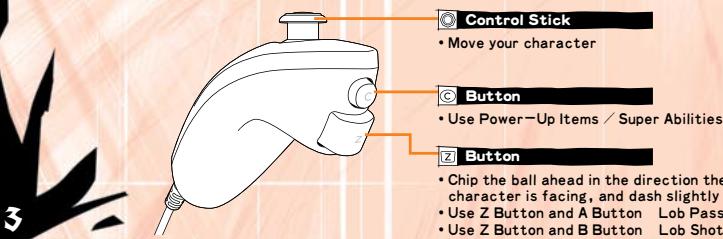
This game is played in "Nunchuk Style", with the Nunchuk controller connected to the Wii Remote's external extension connector. See Actions on page 4 for an in-depth look at controls.
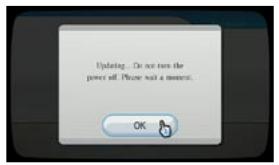
SYSTEM MENU UPDATE
Please note that when first loading the Game Disc into the Wii console, the Wii will check if you have the latest system menu, and if necessary a Wii system update screen will appear. Press OK to proceed.
Wii Remote™
NunchukTM
CAUTION: Wrist STRAP USE
Please use the wrist strap to help prevent injury to other people or damage to surrounding objects or the Wii Remote in case you accidentally let go of the Wii Remote during game play.
Also remember the following:
- Make sure all players put on the wrist strap properly when it is their turn.
- Do not let go of the Wii Remote during game play.
- Dry your hands if they become moist.
- Allow adequate room around you during game play and make sure that all areas you might move into are clear of other people and objects.
- Stay at least three feet from the television.
Actions
This list shows the actions that can be performed during a match.
Mastering each action, then using the right action at the right time, is the key to victory.
Actions List
Moving
Movement, dribbling
Deke (fake) in current direction of travel
Control Stick
+Control Pad when dribbling
Attacking
Pass
Lob Pass
Shoot
Lob Shot
One-Timer Shot
Skills (Sidekicks only)
MegaStrike (Captain only)
A Button
Z Button + A Button
B Button
Z Button + B Button
B Button before receiving a pass
Hold down B Button when shooting
Hold down B Button when shooting
Defending
Switch to another of your team players
Slide Tackle
Big Hit
Clear Ball
A Button
+Control Pad
Shake Wii Remote
Press B Button when you have the ball in your half, or before touching the ball in your half
During opponent's MegaStrike, shake the Nunchuk while the meter is displayed on the screen
Mega Shakedown
Goalkeeping
Pass
Clear Ball
Mega Saves
A Button
B Button
Point at incoming balls with the
Wii Remote and press A Button
- If the goalie has the ball and no button is pressed, after a short time he will automatically perform a pass.
Using Items
Use Power-Up Items / Super Abilities
C Button
Switch between items
Shake Nunchuk
Power-Up Items
Various Power-Up Items will appear during the match. Items can be obtained by performing a charged shot or when you're attacked, and up to two can be stored at once. Shake the Nunchuk to switch between the two items and then press the C Button.

▶Items
| Green Shell | throws green shells to knock characters down. |
| Red Shell | throws red shells that home in and knock down the opponent players. |
| Blue Shell | throws blue shells that freeze characters. |
| Spiked Shell | throws spiked shells that repeatedly rebound and knock characters down. |
| Banana Peel | Places banana peels that make characters slip and fall. |
| Bob-omb | throws explosive bombs that send characters flying. |
| Chain Chomp | The Chain Chomp's rampage immobilizes all the players it hits. |
| Mushroom | Raises movement speed for a set time. |
| Star | Makes you invincible for a brief period, Knocking aside any players that you touch. |
If you have more than one of the same item, you can use them all at once by pressing the C Button. If you have big items, you can also use them by pressing the C Button.
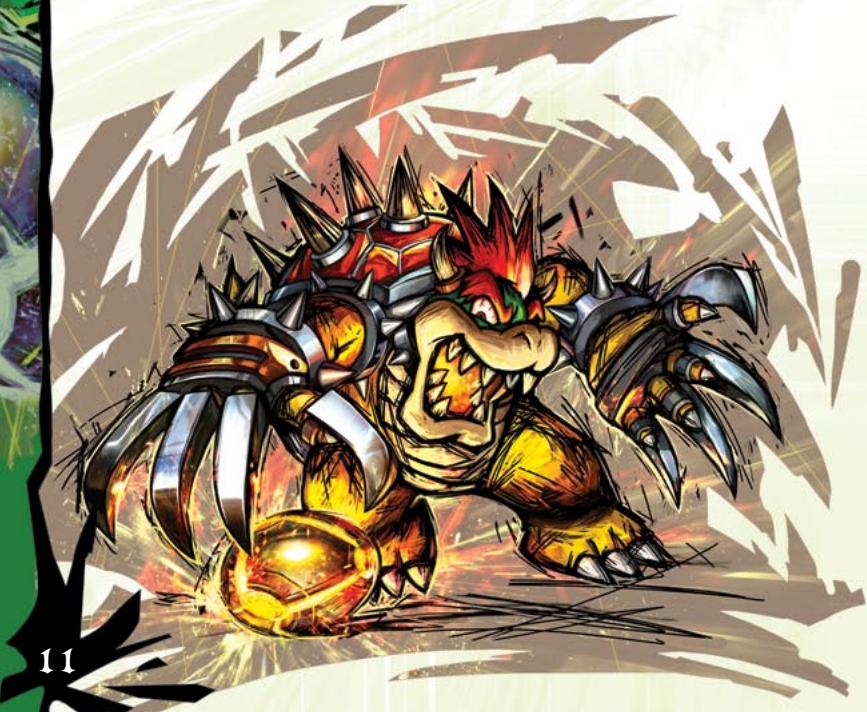
MegaStrike
This shot can only be used by the team Captain. The ball will divide into multiple balls as it heads for the goal, and each ball that enters will count as a goal. However, it briefly leaves your Captain wide open to attack, so make sure they're in the clear first!
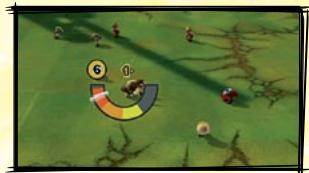
Press and hold the B Button while in the opponent's half, and a gauge will appear. Stop the white needle with the B Button.
The closer to the orange section the needle stops, the more balls will fly!
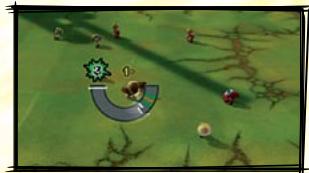
After the white needle has been stopped once, it will then start moving again. A green and orange section will now appear on the right side of the gauge. Use the B Button to stop the needle again, as close to the orange section as possible.
The closer to the orange section the needle stops, the faster the balls will fly!
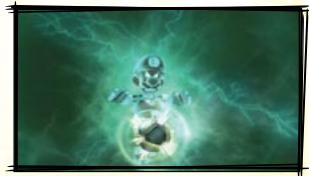
The MegaStrike will activate and your Captain will take the shot. You will score as many goals as balls make it into the net.
Activate the MegaStrike!
Mega Shakedown
When your opponent launches a MegaStrike and the gauge is displayed on the screen, you can shake the Nunchuk to make the gauge wobble, ruining the opponent's plans for a good shot.
MegaSaves
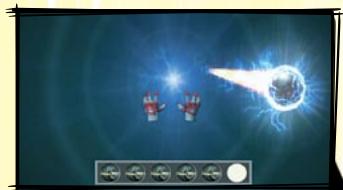
If your opponent launches a MegaStrike, you take control of the goalie and attempt to stop the incoming balls. Hand icon will appear. Move them with the Wii Remote and press the A Button. Place the hand icon over the incoming balls and press the A Button to stop them.
Super Abilities
Sometimes when performing a charged shot, you can obtain a Super Ability. Press the C Button to use it when controlling your Captain. The effect of the Super Ability differs depending on the Captain you are using, so experiment!
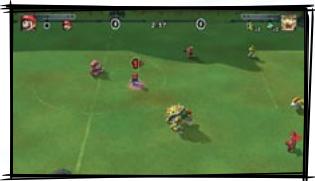
When you have a Super Ability, press the C Button to use it!

Use the Super Ability!
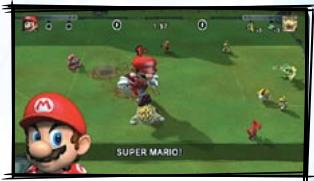
Mario's Super Ability lets him grow and stomp his opponents. Use it to gain good scoring chances!
Power Charge
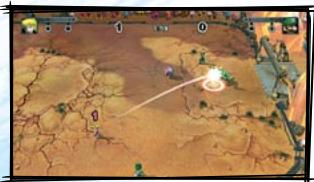
As the ball is passed between players on the same team, the energy surrounding it will change color with each successful pass from purple red orange yellow white. The closer to white this energy is, the more powerful the ball becomes, increasing the chance of a successful goal shot.
Modes
There are numerous modes for you to enjoy. When you first start playing, use STRIKERS 101 to learn the game controls.
Domination
In this mode, game rules and the number of participants can be freely selected, making it ideal for versus or cooperative play. Select a Captain, Sidekicks, and Stadium and then head out onto the field!
Nintendo Wi-Fi Connection
Compete against friends or other ranked players. Climb the LEADERBOARD as you compete online specific to the region you are playing in. Earn ranking points by scoring goals, posting game wins, and even just competing.
Road to the Striker Cup
Choose a team and battle for the cup in a round-robin style tournament. Win each cup to progress to the next. Your final goal is to win the Striker Cup! Multiple players can only play cooperatively in this mode.
Cup Central
SCHEDULE displays your upcoming matches. CUP STATS displays your rankings and your win and loss record up until now. CUP RULES displays the rules for the cup. Select READY when you are ready to start the match. If you want to finish playing,
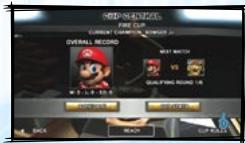
select BACK to return to the Main Menu. If you want to finish playing, select BACK from the Cup Central screen. You will have the option to SAVE AND QUIT, RESTART CUP, to restart from the first match with the same team, or CANCEL to go directly back to Cup Central.
Cup Stats Abbreviations
W Number of wins
GF Goals For
Number of losses
GA Goals Against
SD Losses in Sudden Death
PTS Total points acquired
Strikers Challenges
Take on a series of different challenges for each character. Each challenge successfully completed unlocks a Player Card. Point at the character whose challenge you want to try and press the A Button.
Strikers 101
Check the game controls and practice using them. Point at the lesson you want to practice and press the A Button. Time spent here learning about Super Abilities and MegaStrikes will pay off once you take to the field.
Hall of Fame
View the trophies you have obtained from the Road to the Striker Cup and the Player Cards you have obtained from completing the Striker Challenges.
Point at what you want to look at and press the A Button.
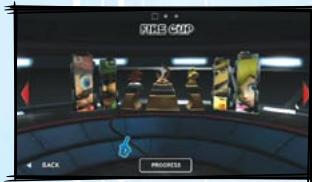
Nintendo Wi-Fi Connection
Wireless Connection
With MARIO STRIKERS™ CHARGED it is possible to play via the Internet against your friends or anyone else, using Nintendo Wi-Fi Connection.
NOTE: If you'll be using Nintendo Wi-Fi Connection in MARIO STRIKERS CHARGED, you will be able to play only with people within North and South America, including immediately surrounding countries. If you choose Battle Friends and invite somebody living on another continent after having inserted their friend code, you might be able to play with him or her, but Nintendo does not advise it, as the lag could potentially make the match unplayable.
Nintendo Wi-Fi Connection system has been developed to create the safest experience possible. If you exchange your friend codes over Internet boards or with strangers, you risk having unwanted data or offensive language sent to you. For that reason, we suggest that you avoid sending your friend code to people you don't know.
The End User License Agreement, which governs Wii online game play and sets forth the Wii Privacy Policy, is available in the Wii console's System Settings and online at http://www.nintendo.com/consumer/systems/Wii/en_na/privacy.jsp
Wi-Fi through the Nintendo Wi-Fi Connection
Getting Started
In order to enjoy matches under the best possible conditions, you must have Broadband enabled internet connection and must correctly set up the country settings on your Wii console. If your country settings are not correctly set up, you may experience some problems when playing via Nintendo Wi-Fi Connection.
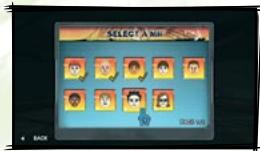
The Miis and their nicknames saved in your Wii console will be used when playing via Nintendo Wi-Fi Connection, so you will first need to make at least one Mii in the Mii Channel. When you connect to Nintendo Wi-Fi Connection, your Mii nickname is likely to be seen by others. To protect your privacy, do not give out personal information such as last name, phone number, birth date, age, school e-mail address, or home address when communicating with others.
Select a Mii
Select the Mii that you will use during Nintendo Wi-Fi Connection matches.
Nintendo WFC Central
The LEADERBOARD resets every week, meaning that you will always have a chance to aim for the top of the Nintendo WFC Rankings.
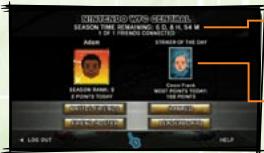
Season Time
Season time displays how much time remains in the ranking period.
Striker of the Day
The player who scored the most points on that day. Battle Friends matches do not affect rankings.
Ranked (Random)
Series
A current player using the Nintendo Wi-Fi Connection will be randomly selected as an opponent.
Points
For each Series there are three games. The player will be awarded points for winning each game. The losing team will get one point. Other points will be calculated based upon the number of goals scored. Disconnections will count as a loss, as well as a loss of points.
▶ Series with Guest
- You can connect two Wii Remotes to one Wii console.
Bottle Friends
When playing a Battle Friends match you first need to register someone as a friend.
PLAY
Choose PLAY to select the match level and match rules.
Select match level, rules, and a Stadium.
Select INVITE FRIEND in the lobby.
Select a friend from the friend roster.
Wait until the invited friend selects ACCEPT.
The connection status will be displayed using .
Select ACCEPT and the match will begin.
If you are invited by a friend, you will receive an Online Invitation.
- If you are playing alone then select ACCEPT.
- If you are playing with two people then select ACCEPT + GUEST.
- If you want to turn down the invitation then select DECLINE.
- If you want to check the settings your friend has selected for the match then select PREVIEW OPTIONS.
Connection Quality
- The status of your connection to the selected opponent will be displayed by .
A low connection; you'll definitely feel the effects during play.
A fairly low connection, but the game can still be enjoyed.
其其其 No problems with play.
其其其其 Perfect conditions for play. - The number of is merely a guide. Game play and fluctuations in Internet connection and wireless LAN signal may also affect play.
- When the Nintendo WFC Match starts, your opponent must also select ACCEPT.
Friend Roster
When playing a BATTLE FRIENDS match you will need to register a friend using this option.
Select ADD FRIEND and enter their 12-digit friend code to register that friend.
- Tell your friends your own friend code, which is displayed at the top of the screen. If registered friends are connected to the
Nintendo Wi-Fi Connection and available to play a match, AVAILABLE will be displayed next to their name.
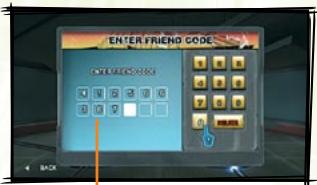
Player Friend Code
Leaderboard
MY SEASON RANKING View those ranked closest to you during this season.
FRIENDS
View a ranking of registered friends based upon ranking points.
SEASON LEADERS
View the top 10 ranked players of one season (1 week).
MY DAILY RANKING
View those ranked closest to you for the day.
DAILY LEADERS
View the top 10 ranked players of the day.
Game Screen
This section explains the in-game screen and the Pause Menu. The player numbers displayed above the heads of the characters correspond to the number of each Wii Remote.
Match Screen
When time runs out, the team who has scored the most goals wins. If the scores are even, then Sudden Death will be played, with the first team to score being declared the winner.
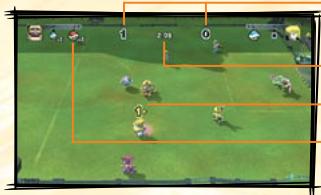
Score
Remaining Time
Wii Remote Player Indicator
Items/ Super Abilities
Pause Menu
Press the 1 Button during a match to open the Pause Menu. Select an option and press the A Button to confirm it.
RESUME
Continue the match.
CHOOSE SIDES
Select which players will play on which teams during the match.
AUDIO OPTIONS
Adjust the levels for MUSIC VOLUME, SFX VOLUME, and VOICE VOLUME. Point at the arrows and press the A Button to change the volume.
VISUAL OPTIONS
Select from either DYNAMIC or STATIC Camera Type. The zoom level can be adjusted up to 5 levels.
STATISTICS
Check match statistics such as goals and number of shots.
CONTROLLER MAP
Check the game controls.
QUIT
Quit the match. If you are playing the ROAD TO THE STRIKER CUP, it will be counted as a loss.
VEUILLEZ LIRE ATTENTIVEMENT L'INTÉGRALITÉ DU MODE D'EMPLOI DE LA Wii AVANT D'UTILISER VOTRE SYSTème, VOTRE DISQUE DE JEU, OU VOS ACCESSOIRS Wii. CE MODE D'EMPLOI COMPRED D'IMPORTANTES INFORMATIONS SUR VOTRE SANTÉ ET VOTRE SECURITÉ.
INFORMATIONS IMPORTANTES CONCERNANT VOTRE SECURITE: VEUILLEZ LIRE LES PRECAUTIONS SUIVANTES AVANT QUE VOUS OU VOTRE ENFANT NE JOUIEZ À VOS JEUX VIDÉO.
Movement, dribbler Stick Directionnel
Feinte dans le sens
de déplacement
(Capitaine unquipment)
Control Remoto WiiTM
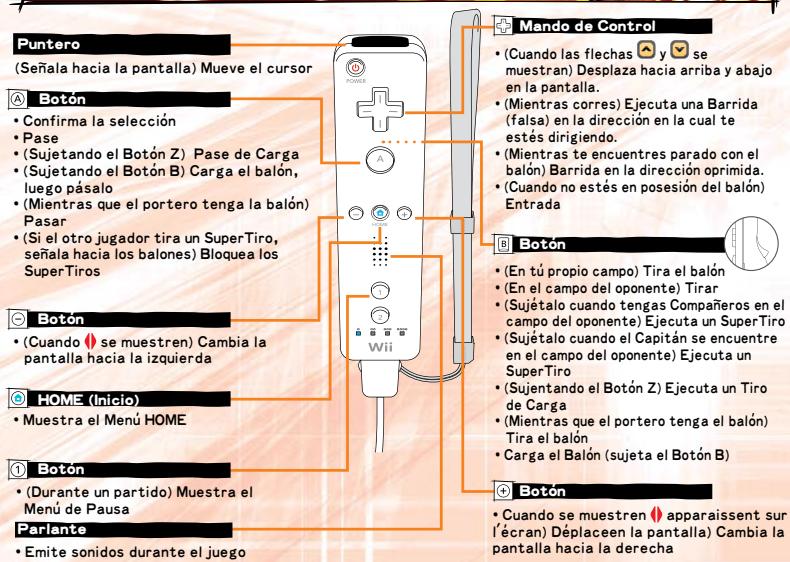
NunchukTM