GOLDEN SUN DARK DAWN - Video game NINTENDO - Free user manual and instructions
Find the device manual for free GOLDEN SUN DARK DAWN NINTENDO in PDF.


| Product type | Video game for Nintendo DS console |
| Publisher | Nintendo |
| Developer | Camelot Software Planning |
| Platform | Nintendo DS |
| Genre | Role-playing game (RPG) |
| Available languages | French, English |
| Number of players | 1 player |
| Game media | Nintendo DS cartridge |
| Dimensions (cartridge) | Approximately 3.5 x 3.5 x 0.5 cm |
| Weight | Approximately 10 g |
| Power | Powered by the Nintendo DS console battery |
| Key features | Exploration, turn-based combat, use of psynergy, Djinn system, puzzle solving, stylus interaction |
| Maintenance and cleaning | Clean cartridge contacts with a soft, dry cloth. Do not use solvents. |
| Safety | Read warnings about epilepsy, repetitive motion, and wireless use in the manual. |
| Spare parts | Not available separately. Contact Nintendo for repairs. |
| Repairability | After-sales service provided by Nintendo (limited warranty) |
| General information | Includes a 40-page manual. Support: support.nintendo.com or 1-800-255-3700 |
Frequently Asked Questions - GOLDEN SUN DARK DAWN NINTENDO
User questions about GOLDEN SUN DARK DAWN NINTENDO
0 question about this device. Answer the ones you know or ask your own.
Ask a new question about this device
Download the instructions for your Video game in PDF format for free! Find your manual GOLDEN SUN DARK DAWN - NINTENDO and take your electronic device back in hand. On this page are published all the documents necessary for the use of your device. GOLDEN SUN DARK DAWN by NINTENDO.
USER MANUAL GOLDEN SUN DARK DAWN NINTENDO
NEED HELP WITH INSTALLATION, MAINTENANCE OR SERVICE?
NINTENDO CUSTOMER SERVICE SUPPORT.NINTENDO.COM
or call 1-800-255-3700
MON.-SUN., 6:00 a.m. to 7:00 p.m., Pacific Time
(Times subject to change)
BESOIN D'AIDE POUR L'INSTALLATION, L'ENTRETIEN OU LA RÉPARATION?
SERVICE à LA CLIENTÉLE DE NINTENDO SUPPORT.NINTENDO.COM
Nintendo of America Inc. P.O.Box 957, Redmond, WA 98073-0957 U.S.A.
www.nintendo.com
72171A

PRINTED IN USA
IMPRIMPÉ AUX É.-U.
NINTENDOS
PLEASE CAREFULLY READ THE SEPARATE HEALTH AND SAFETY PRECAUTIONS BOOKLET INCLUDED WITH THIS PRODUCT BEFORE USING YOUR NINTENDO® HARDWARE SYSTEM, GAME CARD OR ACCESSORY. THIS BOOKLET CONTAINS IMPORTANT HEALTH AND SAFETY INFORMATION.
IMPORTANT SAFETY INFORMATION: READ THE FOLLOWING WARNINGS BEFORE YOU OR YOUR CHILD PLAY VIDEO GAMES.
WARNING - Seizures
- Some people (about 1 in 4000) may have seizures or blackouts triggered by light flashes or patterns, and this may occur while they are watching TV or playing video games, even if they have never had a seizure before.
- Anyone who has had a seizure, loss of awareness, or other symptom linked to an epileptic condition should consult a doctor before playing a video game.
Parents should watch their children play video games. Stop playing and consult a doctor if you or your child has any of the following symptoms:
Convulsions Altered vision
Eye or muscle twitching Involuntary movements
Loss of awareness Disorientation
To reduce the likelihood of a seizure when playing video games:
- Sit or stand as far from the screen as possible.
- Play video games on the smallest available television screen.
- Do not play if you are tired or need sleep.
- Play in a well-lit room.
- Take a 10 to 15 minute break every hour.
WARNING - Radio Frequency Interference
The Nintendo DS can emit radio waves that can affect the operation of nearby electronics, including cardiac pacemakers.
- Do not operate the Nintendo DS within 9 inches of a pacemaker while using the wireless feature.
- If you have a pacemaker or other implanted medical device, do not use the wireless feature of the Nintendo DS without first consulting your doctor or the manufacturer of your medical device.
- Observe and follow all regulations and rules regarding use of wireless devices in locations such as hospitals, airports, and on board aircraft. Operation in those locations may interfere with or cause malfunctions of equipment, with resulting injuries to persons or damage to property.
WARNING - Repetitive Motion Injuries and Eyestrain
Playing video games can make your muscles, joints, skin or eyes hurt. Follow these instructions to avoid problems such as tendinitis, carpal tunnel syndrome, skin irritation or eyestrain:
- Avoid excessive play. Parents should monitor their children for appropriate play.
Take a 10 to 15 minute break every hour, even if you don't think you need it. - When using the stylus, you do not need to grip it tightly or press it hard against the screen. Doing so may cause fatigue or discomfort.
- If your hands, wrists, arms or eyes become tired or sore while playing; or if you feel symptoms such as tingling, numbness, burning or stiffness, stop and rest for several hours before playing again.
- If you continue to have any of the above symptoms or other discomfort during or after play, stop playing and see a doctor.
WARNING - Battery Leakage
The Nintendo DS contains a rechargeable lithium ion battery pack. Leakage of ingredients contained within the battery pack, or the combustion products of the ingredients, can cause personal injury as well as damage to your Nintendo DS.
If battery leakage occurs, avoid contact with skin. If contact occurs, immediately wash thoroughly with soap and water. If liquid leaking from a battery pack comes into contact with your eyes, immediately flush thoroughly with water and see a doctor.
To avoid battery leakage:
- Do not expose battery to excessive physical shock, vibration, or liquids.
- Do not disassemble, attempt to repair or deform the battery.
- Do not dispose of battery pack in a fire.
- Do not touch the terminals of the battery, or cause a short between the terminals with a metal object.
- Do not peel or damage the battery label.
Important Legal Information
This Nintendo game is not designed for use with any unauthorized device. Use of any such device will invalidate your Nintendo product warranty. Copying of any Nintendo game is illegal and is strictly prohibited by domestic and international intellectual property laws. "Back-up" or "archival" copies are not authorized and are not necessary to protect your software. Violators will be prosecuted.
REV-E
The official seal is your assurance that this product is licensed or manufactured by Nintendo. Always look for this seal when buying
video game systems, accessories, games and related products.
Nintendo does not license the sale or use of products without the Official Nintendo Seal.

THIS GAME CARD WILL WORK
Recorded tips for many titles are available on Nintendo's Power Line at (425) 885-7529. This may be a long-distance call, so please ask permission from whoever pays the phone bill.
If the information you need is not on the Power Line, you may want to try using your favorite Internet search engine to find tips for the game you are playing. Some helpful words to include in the search, along with the game's title, are: "walk through," "FAQ," "codes," and "tips."
Nintendo
TABLE OF CONTENTS
Story and Characters 6
Game Controls 8
Starting a Game 10
Playing the Game 12
Using Djinn 14
Things to Do in the World 16
Field Commands 20
Battles 30
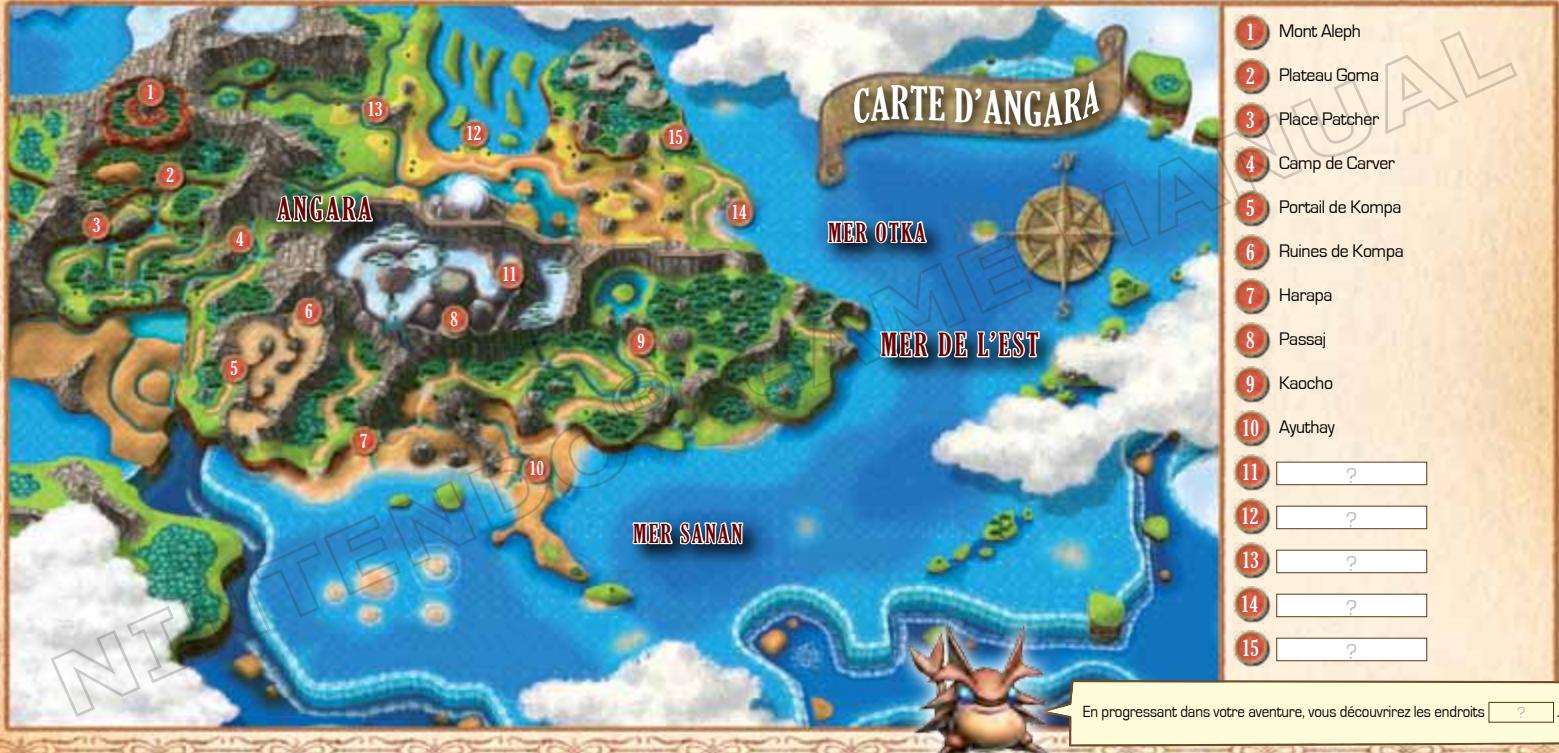
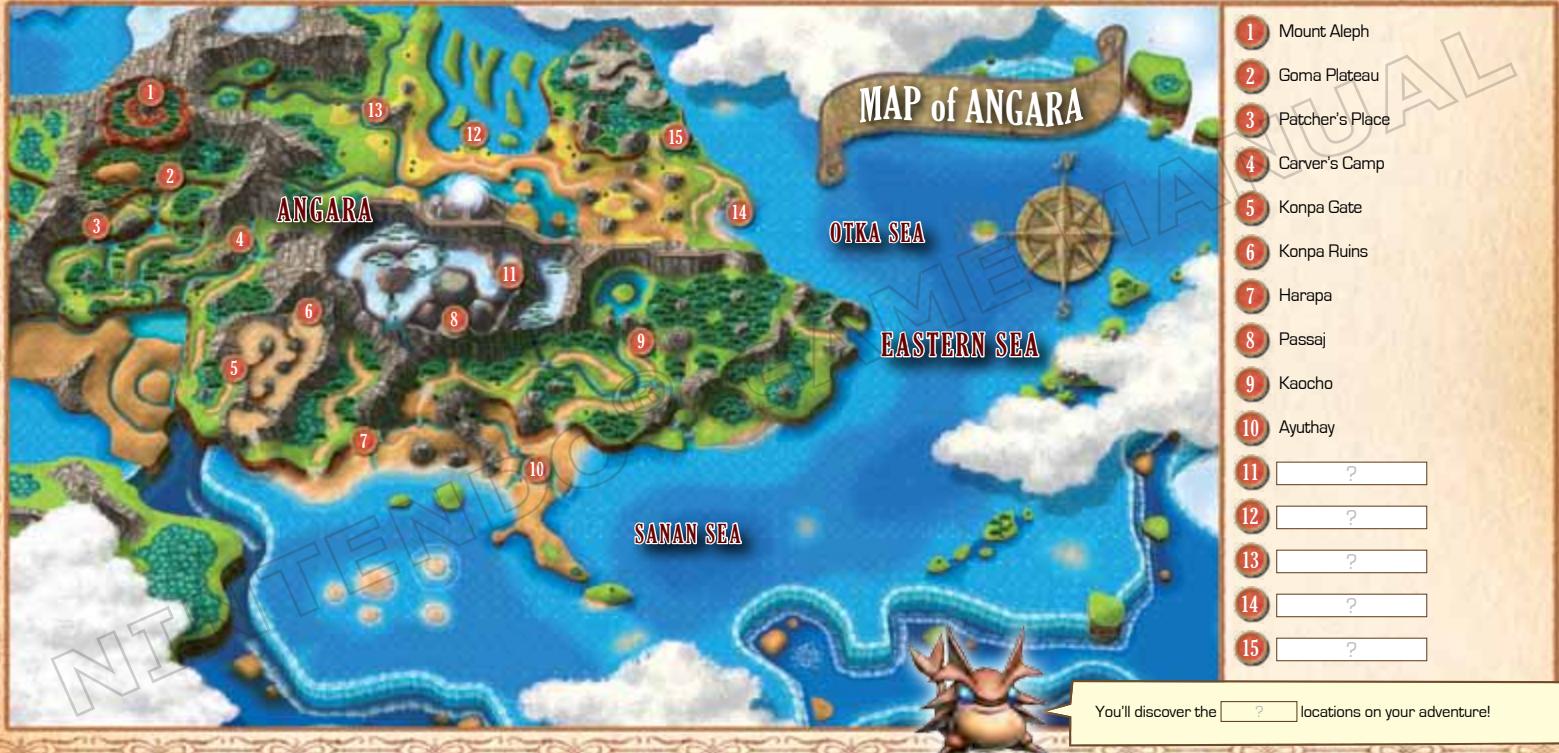
Map of Angara 38
Alchemy—the force composed of the four elements, Earth, Water, Fire, and Wind—are the building blocks of reality. Long ago, this ancient force was sealed away, as the power it offered was so great it posed a threat to the entire world of Weyard.
That power, however, was the source of the world's vitality. When Alchemy was contained, the world began to slowly decay.
Due to the valiant efforts of a small group of heroes, a "Golden Sun" dawned on the world and Alchemy was restored, preventing ultimate destruction. However, Weyard was ill-prepared for the return of these mighty powers, and cataclysmic changes rocked the very continents.
Thirty years have passed since the world was both reborn and scarred forever. Amidst the chaos, three young heroes are about to set off on their own grand quest...
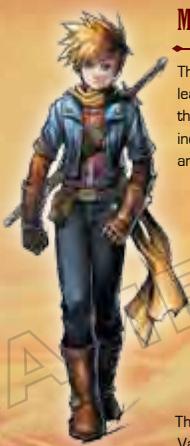
MATTHEw
The hero of the story, Matthew is the son of Isaac, leader of the legendary Warriors of Vale who saved the world a generation ago. After an unfortunate incident, he sets off on an adventure with Tyrell and Karis.

TYRELL
The son of Garet, Isaac's oldest friend, takes after his heroic father in many ways. Tyrell has great courage and curiosity...and perhaps too much of both.
KARIS
The daughter of Ivan, another of the Warriors of Vale, is the most levelheaded of the trio. Mature for her age and quick-witted, Karis is relied upon by Matthew and Tyrell for a great deal.
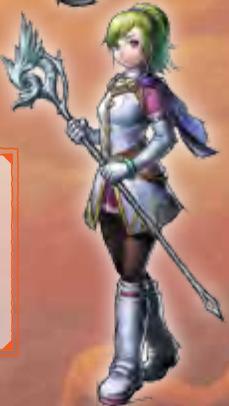
WHO ARE THE WARRIORS OF VALE?
Thirty years ago, in order to save their crumbling world, the Warriors of Vale raised the Golden Sun and restored the force of Alchemy to the world. For these actions, they are alternately hailed as heroes and condemned for bringing widespread destruction.
GAME CONTROLS
You can use either the buttons on your Nintendo DS™ system or the stylus to control your actions. This manual will focus mainly on how to play using the stylus.
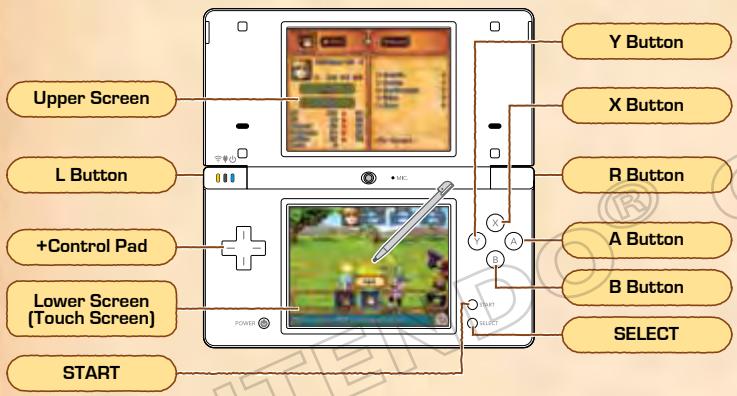
In this manual,

indicates the upper screen and

indicates the lower screen.
| Stylus Controls (Button Controls) | |
| Menu Selection | Tap Icon [+] |
| Movement | Tap and hold in the direction you want to travel. |
| Confirm | Tap to select an icon [○] |
| Talk/Investigate | Tap a person or object while standing nearby [○] Note: if you tap and hold (hold ⊙) you will cancel successive options. |
| Cancel | Tap [B] [◎] |
| Display Field Commands ▶ P20 | Tap [×] |
| Open/Close Map | Tap [○] |
| Use Psynergy Shortcut ▶ P20 | Tap L / P [L / R] |
Notes: Simultaneously press the L Button, R Button, START, and SELECT to reset the game and return to the title screen. You can also put your Nintendo DS system into Sleep Mode by closing it, which will reduce power usage from the battery. Opening the Nintendo DS system again will end Sleep Mode.
STARTING A GAME
Check that the power on the Nintendo DS system is off, then insert the Golden Sun: Dark Dawn Game Card securely into the Game Card slot until you hear it click.
1 Turn the power on to display the screen on the right. Once you read the contents, tap the Touch Screen.
2 Tap Golden Sun: Dark Dawn on the DS Menu Screen to display the title screen.
- The screenshot to the right shows the menu screen for the Nintendo DS/DS Lite.
- If your system is set to Auto Mode, you will not have to perform this step. Check your Nintendo DS system instruction booklet for details.
3 When the title screen displays, tap the Touch Screen.
Tap the Field Command Travel Log button P.29 to save your progress in a data file. You can create up to three save files.
SAVING YOUR GAME
STARTING A NEW GAME
If this is your first game of Golden Sun: Dark Dawn, after the title screen you will advance to a name-entry screen. Type a name by tapping the letters. After entering the name you want, tap OK and then Yes to confirm...and the adventure will begin.
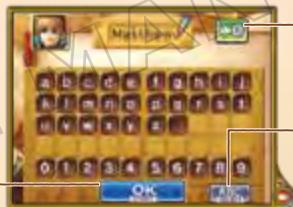
Backspace/Delete
Tap to delete characters.
(Uppercase/Lowercase)
Tap to switch between uppercase and lowercase letters.
Confirm Name
LE MENU SCREEN
If you have save data, a menu with the options below will be displayed. If you are playing from the beginning, choose No Save Data.
| Start | Resume the game using the currently selected save data. |
| Copy | Copy a save file into an empty slot. Choose which file you want to copy, then its new location. |
| Delete | Delete a save file.Once a file has been deleted, it cannot be restored. |
PLAYING THE GAME
You will play as Matthew and travel from the land of Vale to various places around the world. Along the way you will join up with new friends, solve puzzles, and battle foes in pursuit of your quest.

LEAVE ON AN ADVENTURE
From early in the game, Matthew, Tyrell, and Karis must set out on a perilous journey. Move around the maps you see on your screen and explore the many cities, caves, and dungeons of the world.
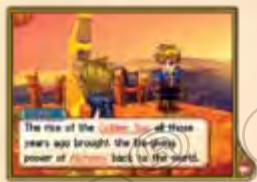

You can move Matthew and his party around the local and world maps. If you move Matthew into a city or dungeon, you will immediately switch to a local map of that area. You can get information and explore on the local map.
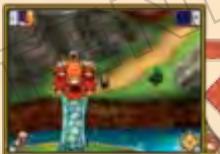
World Map
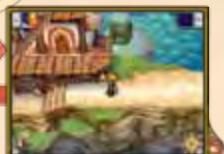
Local Map

As you travel, you will pass through tricky areas that act as puzzles you must solve to continue on. You may have to push rocks, use your mystical "Psynergy" powers P20 , or otherwise interact with your environment to succeed.
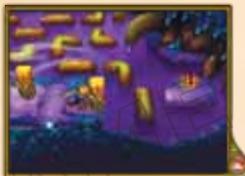
Push a rock to create a stepping stone.
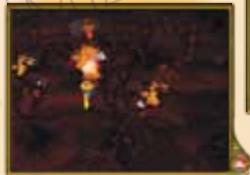
Throw a fireball to incinerate an obstacle.
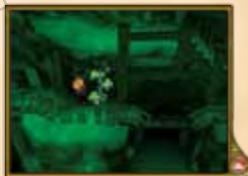
Grow a vine to use as a ladder.
There are many more kinds of puzzles you will encounter!

BATTLING ENEMIES
When you are traveling in the world map or in a dungeon, you will occasionally be attacked by enemies. Fight them off using weapons, Psynergy, and Djinn P14.
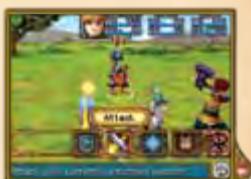
USING DJINN
Djinn (singular "Djinni") are the living manifestation of the elements that make up all things. You will find them throughout the world and convince them to join your party.
Status: Set
The Djinni is assigned to or "set" to a character's body. Setting a Djinni to a character has the following effects P.23:
- Attributes may increase/decrease
- Character class may change
- Character may gain or lose Psynergy
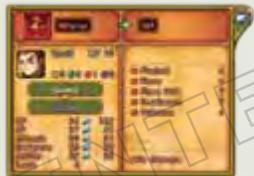
In Battle
In Field
Unleashing Dinn
When you unleash Djinn that were set to a character, they can do things like attack enemies or improve your defenses. Once unleashed, Djinn enter "standby" mode.
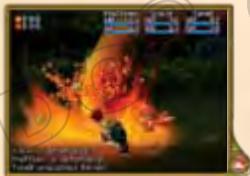
In Battle
In Field
Set Djinni
Character's Attributes Change
After a few turns, the Djinni will
automatically revert back to set status
TYPES OF DJINN
Djinn are divided into four types Venus (earth), Mercury (water)
Mars, [fire], and Jupiter [wind]. Many different Djinn exist in the world beyond the four introduced here.

The Venus DJinni "Flint."

The Mars Djinni "Fever."

The Mercury
Djinni "Chill."
The Jupiter Djinni "Gust."
Status: Standby
The Djinni is waiting to summon a powerful
spirit. -Attributes may increase/decrease
- Character class may change
- Character may gain or lose Psynergy

Djinni in battle
You can make changes to your Djinnsetup and status by tapping the Djinnbutton when playing on the map
P.21 on
in battle
P.32
Status: Recovery
After a "Summon" is performed, the Djinn will be in recovery and won't be able to do anything for a few turns P.33.

In the field
In battle
Battle
Summon
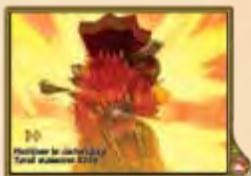
You can use Djinn on standby to call on spirits of enormous power P33 to make devastating attacks on your behalf. The Djinn you use will then go into recovery status.
THINGS TO DO IN THE WORLD
In towns, villages, and dungeons you'll be able to talk with people, investigate strange places, and more. Also, different locations will provide services that will help you on your adventure.

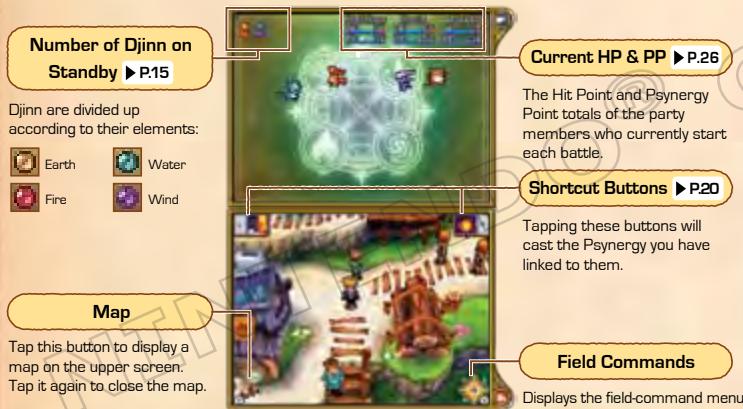
ON-SCREEN INFORMATION
Below you can see the various types of information available to you on the local map. The world map P12 is the same.
MOVING AND JUMPING
Touch the place or direction you want to face and then move there. If you approach obstacles such as narrow streams or gaps in rocks, tap and hold in the direction you want to go, to jump over them.
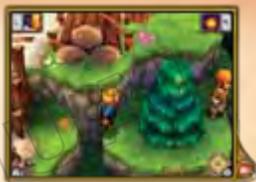

TALK / INVESTIGATE
You can talk to people and look for helpful items inside objects like dressers, pots, and treasure chests. By tapping and holding trees, you can climb them.
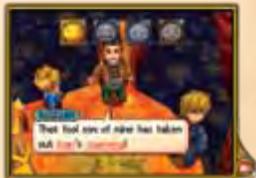
During some special conversations like the one pictured to the right, you'll have an option on how to respond. Each choice responds with a different emotion. Depending on your mood, the people you are talking with will respond differently.

Emotion Icons

Pleased

Excited

Sad

Angry
ENCYCLOPEDIA OF WEYARD
During your conversations, you will come across many underlined terms you may not know. By tapping these terms, the Encyclopedia of Weyard will open and you will be able to read more about them.

SHOPS AND SERVICES
In some cities and villages, there will be places such as weapons shops and inns where you can talk to the owners and make use of the services they offer.

BUYING/SELLING ITEMS
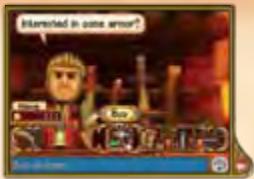
Weapons, armor, and equipment can be bought and sold. Also, depending on the situation, the following actions may be available:
| Artifacts | Here you can purchase valuable items. If you have obtained rare items you subsequently sold or threw away, you may also be able to buy them again here. |
| Repair | Equipment that is damaged can be made good as new here. |

SLEEPING AT AN INN
By staying at an inn, the entire party's HP and PP will be fully restored.

CURING STATUS CONDITIONS
By visiting a healer at a temple, you can restore to health a party member who has been "downed" in battle P.34 , been poisoned or haunted P.35 , or is suffering from a cursed item P.25 .

USING THE BLACKSMITH
Late in the game, you will meet a skilled blacksmith. By handing over special items [marked "forgeable" in their descriptions] to this smith, you might receive some one-of-a-kind special items.

SOLVING PUZZLES
In dungeons and other places, you may at first think you've come to a dead end. However, closer inspection will often reveal that by manipulating your environment, by either using Psynergy or good old elbow grease, you will be able to open a path forward. Here we will show you how to solve parts of two puzzles that appear in the game.
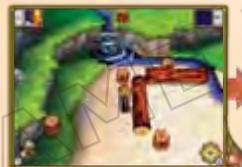
By tapping and holding on the log that is blocking the party's path...
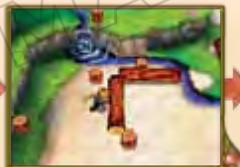
Matthew will turn to the log and begin to push, causing the log to roll.
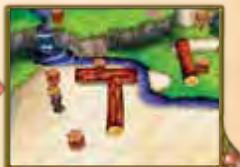
Depending on the location, the direction you roll the log may be important.
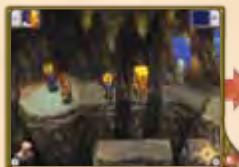
The pillar here is in the way, so the party cannot jump across. At times like this...
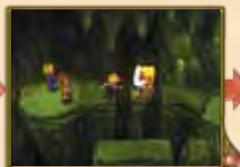
Use the Psynergy "Move" to slide the pillar off the ledge.
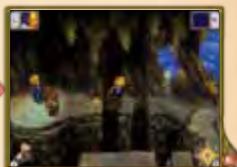
Once the pillar has fallen, the party is free to continue on
FIELD COMMANDS
On the field screen, tapping will display the Field Command menu. There are options for using Psynergy, changing your Djinn's status, equipping your characters, and more.
PSYNERGY
Use PP (Psynergy Points] to cast a Psynergy.

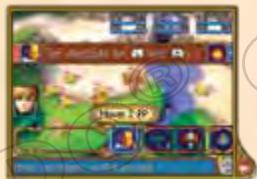
CREATING SHORTCUTS
Once you've navigated to the Psynergy you want to use, you can create a shortcut to that Psynergy by tapping on the shortcut button of your choice. You'll then be able to use that Psynergy simply by tapping on that shortcut button.
RESTORING PP
You can restore your Psynergy Points by any of the following four methods:
- Staying overnight at an inn
- Touching a Psynergy Stone in a dungeon
Using some items - Simply walking around in dungeons or the World Map (though recovery will be slow)
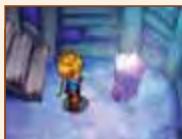
Psynergy Stone

DJINN
Here you can switch the status of your Djinn and trade them between your characters P.22
Note: When a Djinni joins your party, it will automatically be assigned to a character in your party based on how many Djinn each character has. This screen allows you to trade and move Djinn to customize your characters.
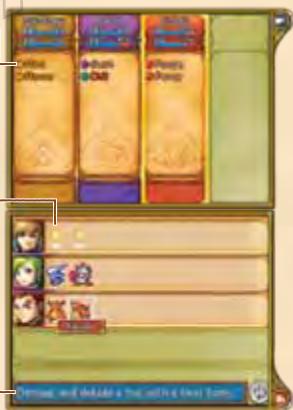
Djinn Assigned to Character
Each type of status has its own color:
White: Set
Red: Standby
Yellow:Recovery
Djinn
Djinn on standby will have a red sheen

and Djinn in recovery will


Effects of Unleashing Djinni
This gives a brief explanation of the Djinni's effects when unleashed in battle.
SWITCHING BETWEEN STATES
Tapping on a Djinni will display a screen like the one below. Tapping on the Djinni again will allow you to switch its status between set and standby.

TRADING DJINN
Each character can trade Djinn with other characters or simply give them away. To give a Djinn to another character, tap on the Djinn, then slide it to the . The changes to character class, status, etc., will be displayed. Tap YES to confirm the trade.
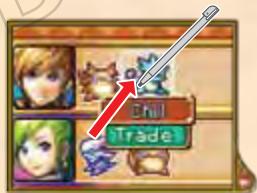
Note: Djinn must be divided up as evenly as possible among characters. You won't be able to give all your Djinn to a single, powerful character.
CHARACTER CLASSES
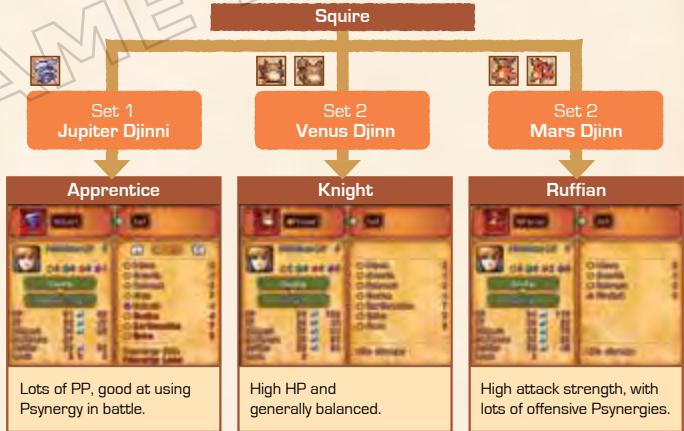
Each character has a class (e.g. "Squire") and this class will grant different abilities that will affect how that character battles. Classes will change depending on the number of Djinn set to the character and their elements.
An Example of Changing Class (for Matthew)
Matthew's initial class is Squire. By setting Djinn to him, his class will change from Squire into something else. Try using different combinations of Djinn to see what happens.
Note: Character classes will still change if you set more than one Djinn of the same element to a character.
Items can be used and/or equipped. First choose the character holding the item in question, then the item itself. You can also give the chosen item to another character or throw the item away.
Note: If you throw any special items away, they will be available for repurchase at shops in cities and villages under Artifacts P.18
Item Inventory
Each character can hold a maximum of 16 types of items. For items such as herbs and potions, which are consumed after use, the item slot can hold up to 30 individual doses.
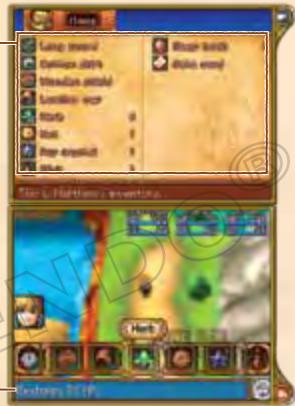
Item Description
Displays the effects of the currently selected item.
Weapons and armor you select can be equipped, and when you have selected an item that is already equipped, you can unequip the item. Some weapons and armor are cursed, however, and if you equip them they may hinder you in battle. Talk to a healer in a village or city to remove the curse and unequip the item.
Note: Equipping some items will allow you to use special Psynergies.
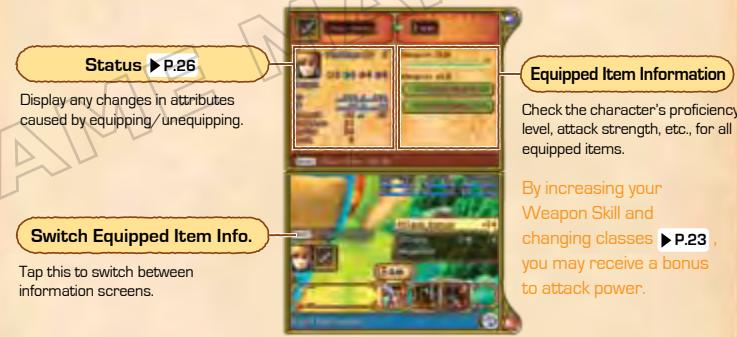
WEAPON SKILL
This is a gauge of how skilled a character has become with the equipped item. By hitting enemies and delivering killing strokes with a weapon, the gauge will fill up. As it does, the character will learn special attack techniques for that weapon. If the gauge becomes full, the chance of the character launching special attacks is increased.
Choosing the Status command will display the current conditions of the party members. You can choose to display information on each character, change the order of your characters, and decide which party members will begin battles.

Character Name and Level
Current Class
| HP | Hit Points. These represent how much damage the character can take. As he or she is hit, the character loses Hit Points. When the number reaches 0, the character is knocked unconscious. The two numbers represent current and maximum Hit Points. |
| PP | Psynergy Points. These decrease as the character uses Psynergy. The two numbers represent current and maximum Psynergy Points. |
| Attack | Attack strength. The higher this statistic, the more damage the character does when he or she makes a successful hit. |
| Defense | Defense strength. The higher this statistic, the less damage the character will take when hit by an enemy. |
| Speed | Speed affects the order that characters' turns happen in battle. |
| Luck | The higher this value, the easier it is for the character to evade attacks and the harder it is for the character to become cursed, poisoned, etc. ▷ P.35 |
| Exp. | Experience Points. A total of the Experience Points the character has gained in battle. Note: By tapping Exp. on the details screen ▷ P.28 , you can check to see how many more points are necessary for the character to advance to the next level. |
If you choose the field command Status, a screen like the one below will appear. By sliding one character to another's position, you can switch their places. You can also select a character by tapping, then tap again to see a detailed status report P.28.
Characters Joining Battles
When more characters join your party, the four on the left side of this screen will be the ones who go into battle. If you have four characters or fewer, all party members will join the fight.
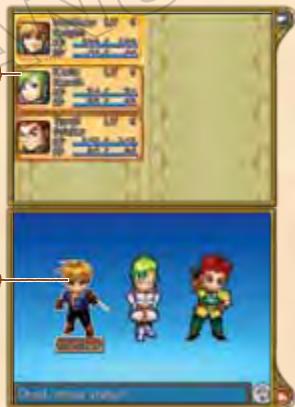
Characters
Changing character places can change the party's battle lineup. The characters in the front line will begin in battle.
CHARACTER LEVELS
Each character gains Experience Points for defeating enemies. When these points accumulate to certain thresholds, the character gains a level, meaning that HP, PP, and other attributes increase.
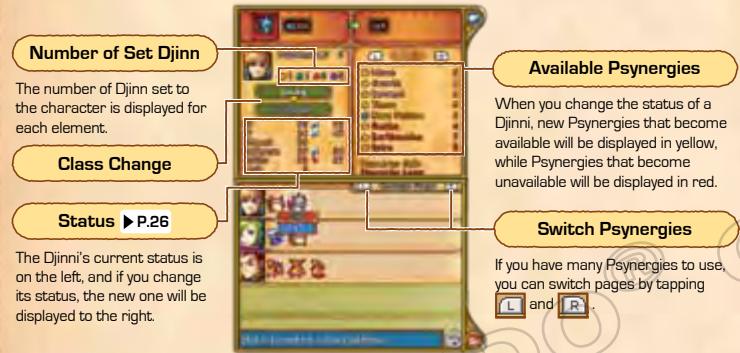
Here you can check your characters' abilities and the abilities of their Djinn.
Note: You can tap on the different items, such as Attack and Defense, to learn more about them.
Djinn Set to the Character
Displays the number of Dijn set to the character and their types.
Switching the Display
Tapping on the buttons allows you to check the following:

Status

Available Psynergy

Items Carried

Djinn Set to Character
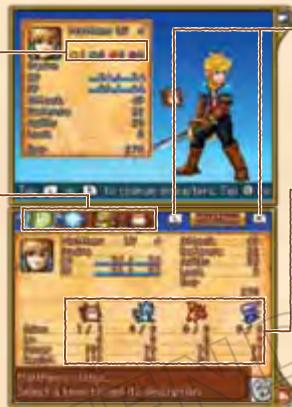
Switching Characters
Tapping these buttons cycles through your characters.
Information on Elements
From left to right is information on the elements of Earth, Water, Fire, and Wind. You can see the number of Djinn the character has, and the level, power (attack strength), and resistance [ability to withstand damage] for each element.

ENCYCLOPEDIA OF WEYARD
You can use the Encyclopedia to look up terms you've seen in conversations on your adventure.

DJINN GUIDE
Here you can read up on the characteristics of the Djinn that have joined your party.

ATLAS
Open the book to see where you're located now and where the cities, dungeons, and other places you have visited or heard about are located. Tap on the name of the place you want to locate. If you tap it again, you can see a detailed map of the location in question.

Current Location
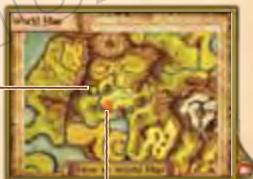

Locations of towns, dungeons, etc.

SETTING
Use this menu to change the game settings, such as message speed. If you turn on the setting Quick Select, you can execute battle and field commands with only one tap.

TRAVEL LOG
Save your current progress. Please select the file location you want. If a file already exists there, it will be overwritten.
BATTLES
Battles in the game are turn based. Each turn, you will get a chance to decide on each character's actions. Once both the characters and the enemies have completed their actions, the next turn will begin.

BEGINNING A BATTLE
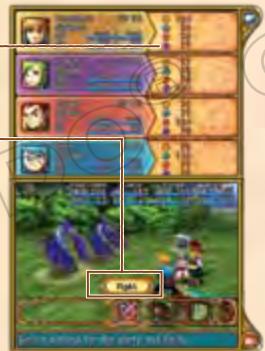
At the beginning of a battle and each subsequent turn, a screen like the one below will be shown. First choose whether you will fight or flee. You can also check your party's status and change the characters you will use in the battle.
Elemental Power
This is the character's strength for each element. The higher the value, the greater the character's attack strength with that element.
Commands at the Start of Battle
| Fight | Fight the enemies. |
| Switch | If you have five or more characters in your party, you can use this command to determine which of them will fight in the battle. |
| Status | Check the status of your characters. |
| Flee | Try to escape from battle. If you fail, your enemies will get a free attack and the next turn will start. |
FIGHTING ENEMIES
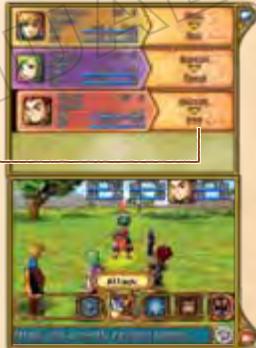
If you choose the command Fight, you'll then be able to assign each character a battle command. After assigning each a command, the characters and enemies will each perform their action. When each character and enemy has performed an action, the next turn will begin.
Each Character's Action

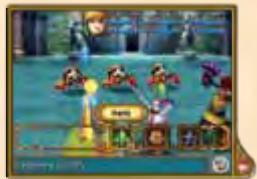
ATTACK

Use your weapon to attack. You will be able to choose the target of the attack.
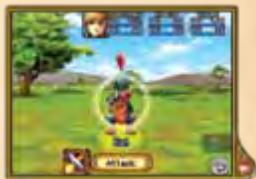
Use Psynergy to attack enemies, restore characters' HP, or perform other tasks. First choose the Psynergy you want to use, then a valid target.
Psynergy Details
Starting from the left, you can see details such as the element, name, PP cost, and number of targets [ ] indicates a single target, while [ ] and [ ] indicate multiple targets] of the Pssynergy.
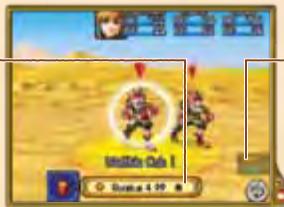
Elemental Power
This is the character's strength for each element. The higher the value, the greater the character's attack strength with that element.

DJINN

You can release Djinn that are set to characters [such as ] and use their powers. You can also set Djinn on standby [such as ] to change available Psynergies and character classes. For more on Djinn status, see P.21-23 .
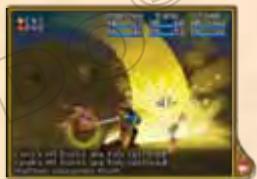
| Unleash Djinni | If you select a Djinni currently set to a character, the Djinni will be unleashed. Depending on the Djinni's powers, different effects will occur. Once released, the Djinni goes on standby. |
| Set Djinni | If you select a Djinni currently on standby, the Djinni will be set to a character. |
Djinn on standby [displayed as ] can be used to summon powerful spirits to perform devastating attacks. You can choose which of these spirits you want to summon. If there are multiple Djinn of the same element that can be used, the Djinn used will be determined randomly.
Note: The Summons available depend on the number and elements of the Djinn on standby.
List of Available summons
You will need the number of Djinn of each element shown on standby to complete the Summon. Those summons that cannot currently be used are shown in red.
Djinn Currently on Standby
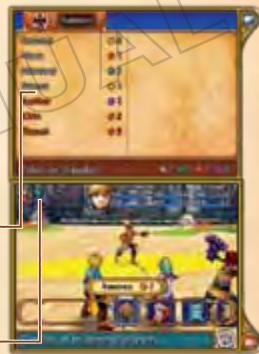
Any character in your party can perform a Summon, even if that character didn't contribute all [or any] of the Djinn currently on standby.
DJINN IN RECOVERY
Djinn used to perform a Summon must recover for a short time before they can be used again. Djinn in this state cannot be set to characters, nor can they be used for further summons. Recovery lasts for one or more turns. Once the Djinn has recovered, it will automatically be set to its character again. In cases where there are multiple Djinn recovering, they will be automatically set to their characters one at a time. Note: If at the end of a battle there are still recovering Djinn, they will be set to their characters again after you've walked around the map a little.
Use an item in your possession. Choose the item you want to use, then the target.
Note: There may be items that you have to equip to use, but some items can only be equipped by certain characters.

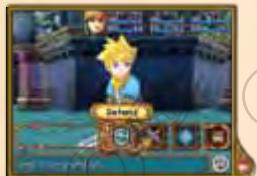
DEFEND

The character will defend him or herself, reducing damage taken from enemies.
GETTING KNOCKED OUT AND BEING DEFEATED
If a character's Hit Points are reduced to 0, that character will be knocked out and unable to act further in the combat. If all characters' HP are reduced to 0, the party will be wiped out and you will begin again from the last town you visited. You can restore a character who has been knocked out through the following methods:
- Talk to a healer in a town or village
Use the powers of some Djinn - Use Psynergy such as Revive or an item such as the Water of Life

ENDING BATTLES
If all enemies are defeated or run away, the battle ends. Once this happens, the party will gain any Experience Points they earned and pick up all coins and items the enemy dropped.
STATUS EFFECTS
Getting hit by an enemy attack may inflict a status effect on a character. These status effects may put the character at a disadvantage in battle. There are several ways to remove status effects. Some will disappear by themselves with time, while others may require Psynergy, items, or a visit to a healer to cure.
| Poison / Venom | When characters are poisoned, they lose HP in each round of combat when in battle or as they move around the map when in the field. Using an Antidote item or the Psynergy "Cure Poison" will remove these conditions. You can also go to a healer ▶ P18 in a village or city temple. |
| Sleep | This condition causes characters to sleep, which makes them unable to act. After a number of turns or if the battle ends, sleeping characters will wake up on their own. You can also use the item Elixir or the Psynergy "Restore" to wake a character. |
| Haunted | This status indicates that the character is being haunted by evil spirits. This means that occasionally after a turn in battle the character will suffer damage. The spirits can be exorcised in a town or village temple. |
STAFF CREDITS
GAME DESIGN
Hiroyuki Takahashi Shugo Takahashi
SCENARIO
Hiroyuki Takahashi
DIRECTION
Shugo Takahashi
GAME PLANNING
SYSTEM PLANNING
Yusuke Sugimoto
MAP PLANNING
Shuji Shimizu
Kentaro Sakou
Norisumi Osawa
Mitsuru Someya
Taichi Kuno
UI PLANNING
Norisumi Osawa
Ayumu Shindo
PROGRAMMING
PROGRAMMING DIRECTORS
Yasuhiro Taguchi
Haruki Kodera
FIELD PROGRAMMING
Yasuhiro Taguchi
Haruki Ooe
Keisuke Sudo
Takumi Yamada
Masayuki Matsumiya
Masatoshi Muto
Masato Kawamura
Akira Koike
BATTLE PROGRAMMING
Haruki Kodera
Tessei Araki
Yoshinori Nishitani
EVENT PROGRAMMING
Masato Kawamura
MENU &MESSAGE
PROGRAMMING
Yutaka Yamamoto
Kazuyoshi Onodera
LOCALIZATION
PROGRAMMING
Kenji Numaya
DESIGN
DESIGN DIRECTOR
Fumihide Aoki
CHARACTER DESIGN
Shin Yamanouchi
MONSTER DESIGN
Hiroshi Kajiyama
ART DESIGN
Mariko Sato
DJINNI DESIGN
Hiroshi Kajiyama
Kanako Horiguchi
BATTLECHARACTERS
Teppei Kamata
Hiroto Nakashima
Mai Sogo
Yumi Iwata
Shinichiro Sugimoto
BATTLE EFFECTS
Tetsuya Fukuo
Junko Nakada
BATTLE BACKGROUNDS
Asuka Aoki
MAP DESIGN
Satoshi Tamai
Kouji Kobayashi
Shogo Chine
Mari Nakayama
Naomi Osada
MAPCHARACTERS
Minami Iwaki
Mifuyu Kamihashira
UI DESIGN
Momoko Katano
TECHNICAL SUPPORT
Akiko Sato
SOUND
SOUND DIRECTOR
Masaaki Uno
MUSIC
Motoi Sakuraba
SOUND EFFECTS
Hiroyuki Hamada
SOUND PROGRAMMING
Yoshinori Nishitani
ILLUSTRATION
Masanori Sato
ARTWORK
Norio Asakura
Kae Konishi
Yasuo Inoue
NOA LOCALIZATION MANAGEMENT
Rich Amtower
Nate Bihldorff
Reiko Ninomiya
Tim O'Leary
Leslie Swan
NOA LOCALIZATION
Gema Almoguera
Dave Casipit
Julian Chunovic
Steven Grimm
Robert Heiret
Kristin Kirby
Lars Knudson
Cesar Pérez
Galia Rodriguez Hornedo
Jonathan Yeckley
Alex Zarza
NOA PRODUCT TESTING
Masayasu Nakata
Kyle Hudson
Eric M. Bush
Sean Egan
Teresa Lillygren
Nicko Gonzalez De Santiago
Arnold A. Myers II
Mie Cronas
Jennifer Calvin
Joshua Newman
Allen Perez
Andy Podell
Sara Hoad
Stéphane Arlot
Kindra Timmerwilke
DEBUG
Chikara Harada
Yukino Arii
Kei Yamaguchi
Kimiharu Hyodo
Naoki Watanabe
Akira Mizukami
Mario Club Co., Ltd.
SPECIAL THANKS
Yusuke Nakano
Tomohiro Yamamura
COORDINATORS
Masaaki Uno
Tomomi Sano
ASSISTANT DIRECTORS
Yusuke Sugimoto
Kentaro Sakou
ASSISTANT PRODUCER
Yuya Sato
PRODUCERS
Hiroyuki Takahashi
Shugo Takahashi
Toshiharu Izuno
EXECUTIVE PRODUCER
Satoru Iwata
All Rights, including the copyrights of Game, Scenario, Music and Program, reserved by NINTENDO and CAMELOT.
WARRANTY & SERVICE INFORMATION
You may need only simple instructions to correct a problem with your product. Try our website at support.nintendo.com or call our Consumer Assistance Hotline at 1-800-255-3700, rather than going to your retailer. Hours of operation are 6 a.m. to 7 p.m., Pacific Time, Monday - Sunday (times subject to change). If the problem cannot be solved with the troubleshooting information available online or over the telephone, you will be offered express factory service through Nintendo. Please do not send any products to Nintendo without contacting us first.
HARDWARE WARRANTY
Nintendo of America Inc. ("Nintendo") warrants to the original purchaser that the hardware product shall be free from defects in material and workmanship for twelve (12) months from the date of purchase. If a defect covered by this warranty occurs during this warranty period, Nintendo will repair or replace the defective hardware product or component, free of charge. The original purchaser is entitled to this warranty only if the date of purchase is registered at point of sale or the consumer can demonstrate, to Nintendo's satisfaction, that the product was purchased within the last 12 months.
GAME & ACCESSORY WARRANTY
Nintendo warrants to the original purchaser that the product (games and accessories) shall be free from defects in material and workmanship for a period of three (3) months from the date of purchase. If a defect covered by this warranty occurs during this three (3) month warranty period, Nintendo will repair or replace the defective product, free of charge.
SERVICE AFTER EXPIRATION OF WARRANTY
Please try our website at support.nintendo.com or call the Consumer Assistance Holfine at 1-800-255-3700 for troubleshooting information and repair or replacement options and pricing."
*In some instances, it may be necessary for you to ship the complete product, FREIGHT PREPAID AND INSURED FOR LOSS OR DAMAGE, to Nintendo. Please do not send any products to Nintendo without contacting us first.
WARRANTY LIMITATIONS
THIS WARRANTY SHALL NOT APPLY IF THIS PRODUCT: (a) IS USED WITH PRODUCTS NOT SOLD OR LICENSED BY NINTENDO (INCLUDING, BUT NOT LIMITED TO, NON-Licensed GAME ENHANCEMENT AND COPIER DEVICES, ADAPTERS, SOFTWARE, AND POWER SUPPLIES); (b) IS USED FOR COMMERCIAL PURPOSES (INCLUDING RENTAL); (c) IS MODIFIED OR TAMPERED WITH; (d) IS DAMAGED BY NEGLIGENCE, ACCIDENT, UNREASONABLE USE, OR BY OTHER CAUSES UNRELATED TO DEFECTIVE MATERIALS OR WORKMANSHIP; or (e) HAS HAD THE SERIAL NUMBER ALTERED, DEFACED OR REMOVED.
ANY APPLICABLE IMplied WARRANTY, INCLUDING WARRANTY OF MERCHANTABILITY AND FITNESS FOR A PARTICULAR PURPOSE, ARE HEREBY LIMITED IN DURATION TO THE WARRANTY PERIODS DESCRIBED ABOVE (12 MONTHS OR 3 MONTHS, AS APPLICABLE). IN NO EVENT SHALL NINTENDO BE LIABLE FOR CONSEQUENTIAL OR INCIDENTIAL DAMAGES RESULTING FROM THE BREACH OF ANY IMPLIED OR EXPRESS WARRANTY. SOME STATES DO NOT ALLOW LIMITATIONS ON HOW LONG AN IMPLIED WARRANTY LASTS OR EXCLUSION OF CONSEQUENTIAL OR INCIDENTIAL DAMAGES, SO THE ABOVE LIMITATIONS MAY NOT APPLY TO YOU.
This warranty gives you specific legal rights. You may also have other rights which vary from state to state or province to province.
Nintendo's address is: Nintendo of America Inc., P.O. Box 957, Redmond, WA 98073-0957 U.S.A.
This warranty is only valid in the United States and Canada.
INFORMATIONS A L'ECRAN
DORMIR DANS UNE AUBERGE
TESTER LE PRODUIT NOA
Masayasu Nakata
Kyle Hudson
Eric M. Bush
Sean Egan
Teresa Lillygren
Nicko Gonzalez De Santiago
Arnold A. Myers II
Mie Cronas
Jennifer Calvin
Joshua Newman
Allen Perez
Andy Podell
Sara Hoad
Stéphane Arlot
Kindra Timmerwilke
DEBOGUER
Chikara Harada
Yukino Arii
Kei Yamaguchi
Kimiharu Hyodo
Naoki Watanabe
Akira Mizukami
Mario Club Co., Ltd.
REMERCIEMENTS
Yusuke Nakano
Tomohiro Yamamura
CHARGÉS DE PROJETS
Masaaki Uno
Tomomi Sano
DIRECTEURS ADJONTS
Yusuke Sugimoto
Kentaro Sakou
PRODUCTEURS ADJOINTS
Yuya Sato
PRODUCTEURS
Hiroyuki Takahashi
Shugo Takahashi
Toshiharu Izuno
PRODUCTeurs EXECUTIFS
Satoru Iwata
All Rights, including the copyrights of Game, Scenario, Music and Program, reserved by NINTENDO and CAMELO