
MARIO PARTY 8 - Video game NINTENDO - Free user manual and instructions
Find the device manual for free MARIO PARTY 8 NINTENDO in PDF.


User questions about MARIO PARTY 8 NINTENDO
0 question about this device. Answer the ones you know or ask your own.
Ask a new question about this device
Download the instructions for your Video game in PDF format for free! Find your manual MARIO PARTY 8 - NINTENDO and take your electronic device back in hand. On this page are published all the documents necessary for the use of your device. MARIO PARTY 8 by NINTENDO.
USER MANUAL MARIO PARTY 8 NINTENDO
NEED HELP WITH INSTALLATION, MAINTENANCE OR SERVICE?
Nintendo Customer Service
WWW.NINTENDU.COM or call 1-800-255-3700
Nintendo's game pages, at
www.hintendo.com/games, feature walkthroughs, frequently-asked questions, and codes for many of our games. If your answer isn't there, check out our forums where you can exchange tips with other gamers online.
For more information about our forums, visit www.nintendo.com/community.
If you don't have access to the web-site, recorded tips for many titles are available on Nintendo's Power Line at (425) 885-7529. This may be a long-distance call, so please ask permission from whoever pays the phone bill.
BESOIN D'AIDE POUR L'INSTALLATION, L'ENTRETIEN OU LA RÉPARATION?
The Official Seal is your assurance that the best thing you
that this product is licensed or manufactured by Nintendo. Alway look for this seal when buying video game systems, accessories, games and related products.
- Some people (about 1 in 4000) may have seizures or blackouts triggered by light flashes or patterns, and this may occur while they are watching TV or playing video games, even if they have never had a seizure before.
- Anyone who has had a seizure, loss of awareness, or other symptom linked to an epileptic condition, should consult a doctor before playing a video game.
- Parents should watch their children play video games. Stop playing and consult a doctor if you or your child has any of the following symptoms:
Convulsions
Eye or muscle twitching
Altered vision
Loss of awareness
Involuntary movement
Disorientation
-
To reduce the likelihood of a seizure when playing video games:
-
Sit or stand as far from the screen as possible.
- Play video games on the smallest available television screen.
- Do not play if you are tired or need sleep.
- Play in a well-lit room.
- Take a 10 to 15 minute break every hour.
WARNING - Repetitive Motion Injuries and Eyestrain
Playing video games can make your muscles, joints, skin or eyes hurt. Follow these instructions to avoid problems such as tendonitis, carpal tunnel syndrome, skin irritation or eyestrain:
- Avoid excessive play. Parents should monitor their children for appropriate play.
- Take a 10 to 15 minute break every hour, even if you don't think you need it.
- If your hands, wrists, arms or eyes become tired or sore while playing or if you feel symptoms such as tingling, numbness, burning or stiffness, stop and rest for several hours before playing again.
- If you continue to have any of the above symptoms or other discomfort during or after play, stop playing and see a doctor.
CAUTION - Motion Sickness
Playing video games can cause motion sickness in some players. If you or your child feels dizzy or nauseous when playing video games, stop playing and rest. Do not drive or engage in other demanding activity until you feel better.
IMPORTANT LEGAL INFORMATION
This Nintendo game is not designed for use with
any unauthorized device. Use of any such device will invalidate your Nintendo product warranty. Copying of any Nintendo game is illegal and is strictly prohibited by domestic and international intellectual property laws. "Back-up" or "archival" copies are not authorized and are not necessary to protect your software. Violators will be prosecuted.
REV-E
REV-P
WARRANTY & SERVICE INFORMATION
You may need only simple instructions to correct a problem with your product. Try our website at www.nintendo.com or call our Consumer Assistance Hotline at 1-800-255-3700, rather than going to your retailer. Hours of operation are 6 a.m. to 7 p.m., Pacific Time, Monday - Sunday (times subject to change). If the problem cannot be solved with the troubleshooting information available online or over the telephone, you will be offered express factory service through Nintendo. Please do not send any products to Nintendo without contacting us first.
HARDWARE WARRANTY
Nintendo of America Inc. ("Nintendo") warrants to the original purchaser that the hardware product shall be free from defects in material and workmanship for twelve (12) months from the date of purchase. If a defect covered by this warranty occurs during this warranty period, Nintendo will repair or replace the defective hardware product or component, free of charge. The original purchaser is entitled to this warranty only if the date of purchase is registered at point of sale or the consumer can demonstrate, to Nintendo's satisfaction, that the product was purchased within the last 12 months.
GAME & ACCESSORY WARRANTY
Nintendo warrants to the original purchaser that the product (games and accessories) shall be free from defects in material and workmanship for a period of three (3) months from the date of purchase. If a defect covered by this warranty occurs during this three (3) month warranty period, Nintendo will repair or replace the defective product, free of charge.
SERVICE AFTER EXPIRATION OF WARRANTY
Please try our website at www.nintendo.com or call the Consumer Assistance Hotline at 1-800-255-3700 for troubleshooting information and repair or replacement options and pricing. In some instances, it may be necessary for you to ship the complete product, FREIGHT PREPAID AND INSURED FOR LOSS OR DAMAGE, to Nintendo. Please do not send any products to Nintendo without contacting us first.
WARRANTY LIMITATIONS
THIS WARRANTY SHALL NOT APPLY IF THIS PRODUCT: (a) IS USED WITH PRODUCTS NOT SOLD OR LICENSED BY NINTENDO (INCLUDING, BUT NOT LIMITED TO, NON-Licensed GAME ENHANCEMENT AND COPIER DEVICES, ADAPTERS, AND POWER SUPPLIES); (b) IS USED FOR COMMERCIAL PURPOSES (INCLUDING RENTAL); (c) IS MODIFIED OR TAMPERED WITH; (d) IS DAMAGED BY NEGLIGENCE, ACCIDENT, UNREASONABLE USE, OR BY OTHER CAUSES UNRELATED TO DEFECTIVE MATERIALS OR WORKMANSHIP; OR (e) HAS HAD THE SERIAL NUMBER ALTERED, DEFACED OR REMOVED.
ANY APPLICABLE IMPLIED WARRANTYES, INCLUDING WARRANTYES OF MERCHANTABILITY AND FITNESS FOR A PARTICULAR PURPOSE, ARE HEREBY LIMITED IN DURATION TO THE WARRANTY PERIODS DESCRIBED ABOVE (12 MONTHS OR 3 MONTHS, AS APPLICABLE). IN NO EVENT SHALL NINTENDO BE LIABLE FOR CONSEQUENTIAL OR INCIDENTAL DAMAGES RESULTING FROM THE BREACH OF ANY IMPLIED OR EXPRESS WARRANTY. SOME STATES DO NOT ALLOW LIMITATIONS ON HOW LONG AN IMPLIED WARRANTY LASTS OR EXCLUSION OF CONSEQUENTIAL OR INCIDENTAL DAMAGES, SO THE ABOVE LIMITATIONS MAY NOT APPLY TO YOU.
This warranty gives you specific legal rights. You may also have other rights which vary from state to state or province to province.
Nintendo's address is: Nintendo of America Inc., P.O. Box 957, Redmond, WA 98073-0957 U.S.A.
This warranty is only valid in the United States and Canada.
DOLBY PRO LOGIC II
Manufactured under license from Dolby Laboratories. Dolby, Pro Logic, and the double-D symbol are trademarks of Dolby Laboratories.

This game is presented in Dolby Pro Logic II. To play games that carry the Dolby Pro Logic II logo in surround sound, you will need a Dolby Pro Logic II, Dolby Pro Logic or Dolby Pro Logic IIx receiver. These receivers are sold separately.
© 2007 Nintendo. © 2007 HUSON SOFT. Copyrights of all Characters and Music reserved by Nintendo. Copyrights of Game, Scenario and Program, except Copyrights owned by Nintendo, reserved by Nintendo and HUSON. TM, ® and the Wii logo are trademarks of Nintendo. © 2007 Nintendo. All rights reserved.
TABLE OF CONTENTS
STORY AND CHARACTERS 4
CONTROLS 5
AROUND THE STAR CARNIVAL! 6
PARTY TENT 7
STAR BATTLE ARENA 18
MINIGAME TENT 19
EXTRAS ZONE 21
FUN BAZAAR 22
SYSTEM MENU UPDATE
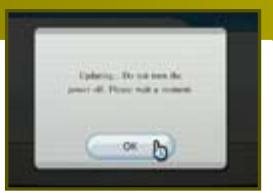
Please note that when first loading the Game Disc into the Wii console, the Wii will check if you have the latest system menu, and if necessary a Wii system update screen will appear. Press OK to proceed.
Mux JOIN THE PARTY!
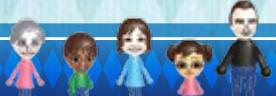
Mario Party 8 uses Miis in three ways. If you don't have any of your own Miis, Mario Party 8 offers pre-made guest Miis for your use.
- You can mark your save file with a Mii's face.
- You can play as Miis in the Extras Zone minigames, using Miis stored in your Wii console or your Wii Remote, or the pre-made guest Miis.
- Your Wii console's Miis and the pre-made guest Miis will show up as spectators in certain locations and minigames.
See your Wii Operations Manual: Channels and Settings for more information about creating Miis in the Mii Channel.

STORY AND CHARACTERS
Crazy minigames! Board game lunacy! And more surprises than you can shake a Wii Remote at! Yes, the Star Carnival has rolled into town, and all of your favorite Mario characters are ready to party! And they can't wait to test their minigame mettle in the main event: the Star Battle! The winner is crowned the Superstar and wins a year's worth of candy! Who's going to take top honors at the Star Carnival?!
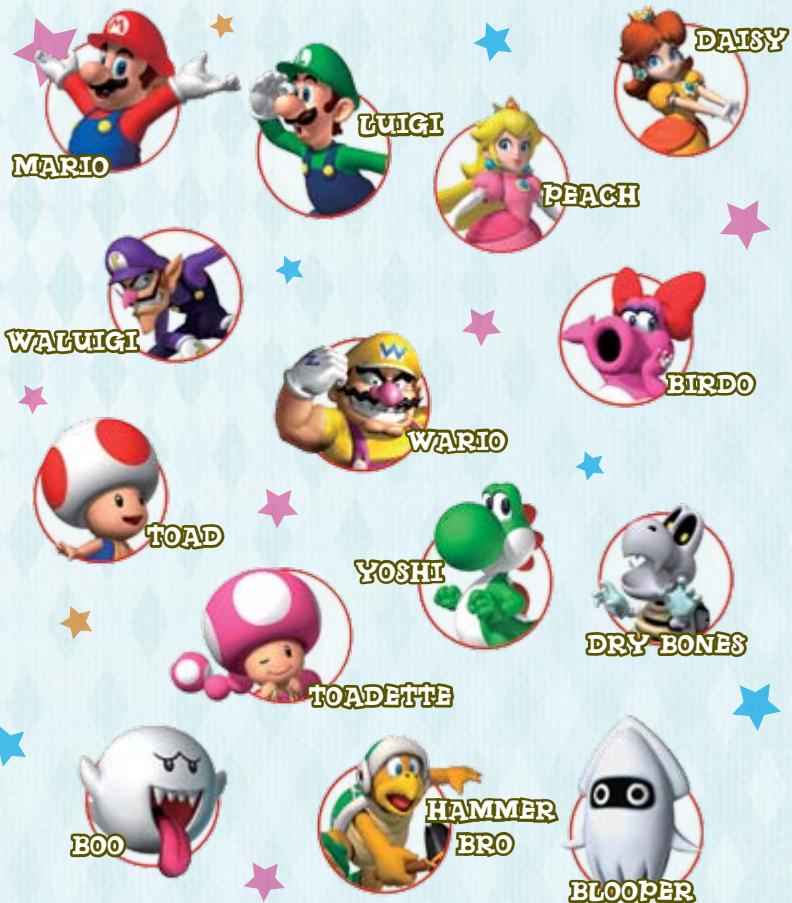
Blooper and Hammer Bro join the party only after you fulfill certain conditions in the game.


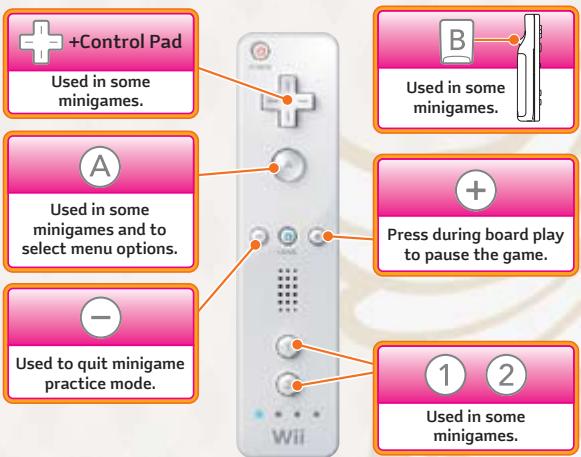
CONTROLS


PLAYING WITH THE WIT REMOTE

HOW TO POINT AND SELECT
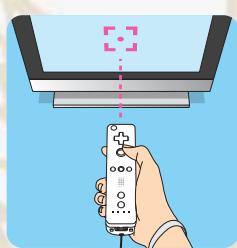
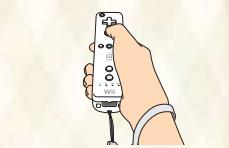
In this manual, "pointing" means using the Wii Remote to indicate a certain part of the screen. You can point whenever you see the finger pointer appear.
- To "select" something, first point at it then press
Finger Pointer
- You'll often use the Back Button on menus to return to a previous menu. To use it, point at the Back Button and press ④ to select it.

CAUTION: Wrist STRAP USE
Please use the wrist strap to help prevent injury to other people or damage to surrounding objects or the Wii Remote in case you accidentally let go of the Wii Remote during game play. Also remember the following:
- Make sure all players put on the wrist strap properly when it is their turn.
- Do not let go of the Wii Remote during game play.
- Dry your hands if they become moist.
To explore the carnival, select the Play option from the Select File screen to go to the Play Choices screen. There are five areas on the carnival grounds:

PARTY TENT
Characters compete on party boards in three kinds of battles: Four characters compete in a Battle Royale (one to four players). They separate into two teams (one to four players) in a Tag Battle. Two characters face off (one or two players) in a Duel Battle.

STAR BATTLE ARENA
One player faces off against one opponent on each party board.

MINIGAME TENT
Players can enjoy several non-board challenges that draw upon minigames, or simply go straight to the minigames in Free Play Arcade.

EXTRAS ZONE
This area features eight minigames that you won't see during party-board play. (You can play these games with your Mis.)

FUN BAZAAR
Use the Carnival Cards you earn to unlock minigames and other surprises. You can also view minigame records here.

ABOUTSAVEDDATA
PARTY TENT
Battle Royale
Tag Battle
Your game saves automatically at the end of each turn.
PARTY TENT
Duel Battle
STAR BATTLE ARENA
Your game saves to the last completed match.

IMPORTANT
If you have saved data, you will start where you left off. But if you start over again, you will lose your previously saved data.

When you start a new game in the Party Tent, you'll use the following procedure to choose the rules and settings for your party-board match. Player 1 controls all choices except the character selections.
SELECT BATTLE
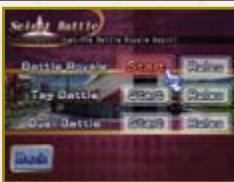
BATTLE ROYALE
Four characters face off
(one to four players)
TAG BATTLE
Two teams of two fight it out.
(one to four players)
DUEL BATTLE
Two characters battle
(one or two players) (p. 16)
CONFIRM
BATTLE RULES
You'll see the rules for a battle when you select it. Take a good look, especially if you're trying a new kind of battle for the first time, then confirm your selection.
SELECT PLAYERS
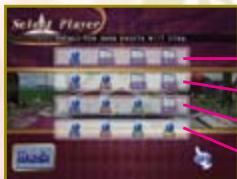
Select Back to return to the previous screen.
One player
Two players
Three players
Four players
SELECT CHARACTER
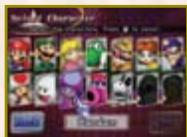
Each player will control a different finger pointer when choosing a character. Player 1 must choose any system-controlled (COM) characters. Player 1 must also select OK when everyone has finished with their selections.
RANDOM
Doom Player 1 can select this option to randomly assign characters to players who haven't chosen one yet.
SELECT TEAM
You must also choose teams when playing a Tag Battle. Each team has a unique team name, depending on which two characters are paired.
7
GAME FLOW
Let's take a look at how the game is played. Some modes have different conditions for winning, but the general goal is to collect Stars and coins.
The first player or team hits the Dice Block and moves that many spaces forward. You can also use Candy before you move (p. 13).
The player will experience an event depending on the spaces he lands on (p. 11) or the Candy he uses.
The other players will repeat the above steps.
A minigame begins when
all players and teams
have finished moving (p. 15).
Not in a Duel Battle.)
The game ends when the players
have fulfilled certain set conditions.
ONE
TURN
Once everyone has moved
d the minigame has ended,
the next turn will begin.
If you have turned Bonus Stars ON, then those Stars will be awarded at the end of the game. (Not in a Duel Battle.)


MINIGAME 8STAR: For the player or team who earned the most coins in minigames.
CANDY STAR: For the player or team who used the most Candy.
RUNNING STAR: For the player or team who advanced the most spaces.
SHOPPING 8STAR: For the player or team who spent the most coins in shops.
RED 8STAR: For the player or team who landed on the most Red Spaces.
1
- THE WINNER IS ANNOUNCED!
N&ED.
SELECT RULES (1)
The default rules are those shown to the left.
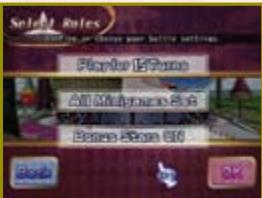
Bonus Stars
If you set this option to ON, then Bonus Stars will be awarded at the end of the game.
Number
of Turns
You can select
between 10 and 50 turns
(in intervals of 5) (p. 9).
Minigame Sets
Choose one of the following two options:
ALL MINIGAMES SET
All party-board minigames
can show up.
SIMPLE MINIGAME SET
Only the easy-to-play minigames
will appear.
SELECT RULES (2)
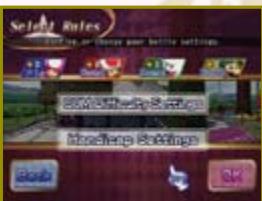
Handicap
Settings
In Battle Royale and Tag Battle, you can choose the
Handicap setting for each character, giving each an
advantage of Stars to start out with (0 to 3 Stars).
SELECT STAGE
Choose a party-board stage to play.
Review your selections, then select Start Game to continue.
Start the game!

THE GAME SCREEN

When your turn arrives, you must first use the Dice Block to determine how far you'll move. To hit the block, motion upward with the Wii Remote. You can move the number of spaces (1 to 10) that you roll. If you have Candy, you must first select the Dice Block icon to roll a number.
Status Panel for the
player currently
taking a turn.
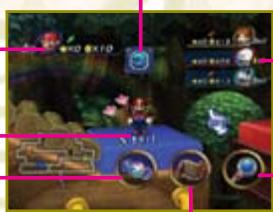
Candy
Path Map
us Panels for the
tracters away
Character currently
taking a turn.
For more information, see Stage Controls (p. 12).

TAG BATTLE
In a Tag Battle, teams of two players each will compete on the board. Each player moves on their own, but their Stars, coins, and Candy are owned by both teammates.
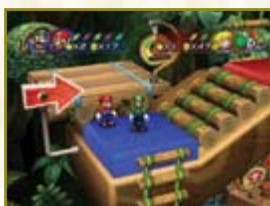
Status Panel:
Battle Royale/Duel Battle
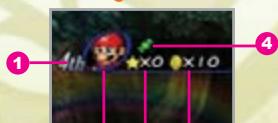
6 2 3
Status Panel: Tag Battle
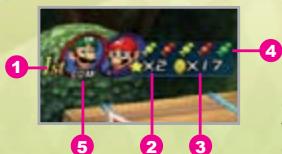
Current ranking
A character's or team's rank is
determined by the number of Stars
owned, with coins used as a
tie-breaker.
Number of Stars
Number of coins
4 Current Candies
COM-controlled characters
6 Blue (P1) Red (P2) Green (P3)
and Yellow (P4)
In a Battle Royale, the panel's color changes to the color of the space you land on, which determines what kind of minigame everyone plays at the end of the turn (p. 15).
9
10
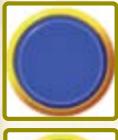
BLUE SPACE
You'll receive three coins when you land on this space.

RED SPACE
You'll lose three coins when you land on this space.

GREEN SPACE
Landing on this space triggers a surprise event, which varies by board and location.

LUCKY SPACE
This triggers a very lucky event, which varies by board and location.
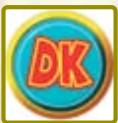
DK SPACE
Landing on this space triggers an event that helps you out. When it's finished, all of these spaces turn to Bowser spaces.
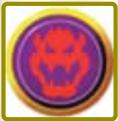
BOWSER SPACE
Landing on this space starts an event that hinders you. When it's finished, all of these spaces turn to DK spaces.

STAGE FEATURES
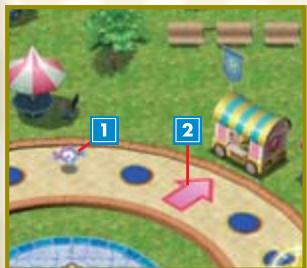
1?CANDY
You can get a free, random piece of Candy here.
2 CANDY SHOP
You can buy Candy here (p. 13).

INTERSECTIONS
This is where the game path branches and you must choose in which direction to proceed (p. 12).
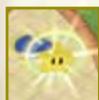

STAR AREA
You can receive a Star here. The conditions to receive a Star vary by stage.
- The four stage features listed are not considered spaces, so they don't count against your Dice Block move total.
11
STAGE CONTROLS
In addition to hitting the Dice Block, you have several other options when your turn arrives. Select an icon to choose a turn option.

SELECT CANDY
You can choose to eat Candy before you use the Dice Block. The icon will appear only if you currently have Candy (p. 13).
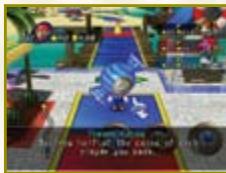

VIEW PATHS
You can also view the path flow to see at a glance where you, other characters, and the Star are all on the board. If the path map doesn't fit on the screen, you can shift the map around by moving the Wii Remote while holding A.
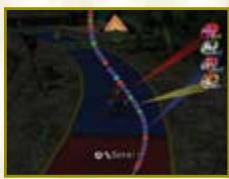

VIEW MAP
You can scroll around the board to see many more details by moving the Wii Remote while holding A.

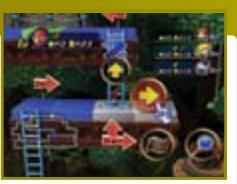
NAVIGATING INTERSECTIONS
To choose a direction to move at a branching path, you must select the direction on the screen. Before choosing, you can also survey the board by selecting the View Paths or View Map options.
12

CANDY
Press A or B
You can eat Candy before hitting the Dice Block to cause various effects. Players can hold three pieces of Candy each during Battle Royale, Duel Battles, and Star Battles, and one team can hold five pieces during Tag Battles. If you try to pick up more than that, you'll have to discard a piece of Candy.
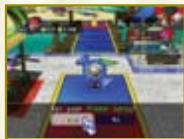
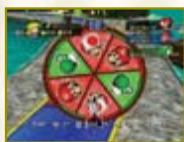
If you eat any Candy wrapped in green, you'll need to throw a dart at a carnival wheel to determine which player you'll target or how many coins to take away from someone. When you see the wheel shown at left, hold the Wii Remote while pressing A or B and motion forward as if throwing a dart.
Red Candy - Affects the Dice Block
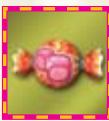
TWICE CANDY
This lets you hit two Dice Blocks.
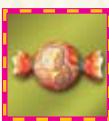
THRICE CANDY
This lets you hit three Dice Blocks.
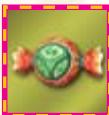
SLOWGO CANDY
This makes the dice show only 1 through 5 and slows the scrolling of numbers so you can get the one you want.
Green Candy - Makes Impact Before You Move
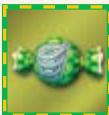
SPRINGO CANDY
Turns your legs into springs, so you can hop to a faraway rival as determined by a dart throw.
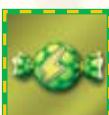
CASHZAP CANDY
Releases lightning that reduces your opponent's or other team's coins by half.
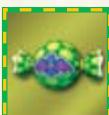
VAMPIRE CANDY
Turns you into a vampire bat that steals a number of coins from your opponents as determined by your dart throw.
Yellow Candy – Makes Impact While You Move
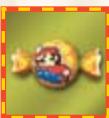
BITSIZE CANDY
Turns you into a pixelated character who collects three coins for every space traveled.

BLOWAY CANDY
Turns you into a tornado that sends every opponent you pass back to the start.
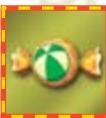
BOWLO CANDY
Turns you into a ball that bowls over every opponent you pass, stealing each one's coins. In Battle Royale and Tag Battle, you'll steal ten coins. In Duel Battle and Star Battle, you'll steal twenty coins.
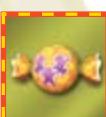
WEGUE CANDY
Turns you into three tiny versions of your character that collectively steal one Candy from each opponent you pass.
Blue Candy – Makes Massive Impact While You Move
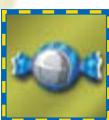
THWOMP CANDY
Transform into a Thwomp and squash every opponent you pass, reducing their coins by half.
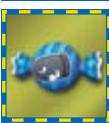
BULLET CANDY
Transform into a Bullet Bill and hit three Dice Blocks, stealing one Star from each opponent you pass.
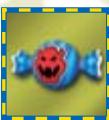
BOWSER CANDY
Transform into Bowser and hit two Dice Blocks, stealing two Stars from each opponent you pass.
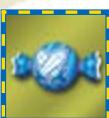
DUELO CANDY
Burn with the passion for the duel! You will stop and duel the first opponent you encounter. If you win, you can steal coins or Stars with a spin of the wheel.
14
In Battle Royale or a Tag Battle, players will compete in a minigame after everyone moves. Depending on the color of spaces that each player has landed on, a certain kind of minigame will start. The player or team who wins the minigame will get coins.
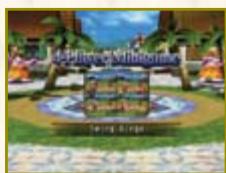

4-PLAYER MINIGAME (All land on same color.)
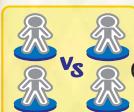
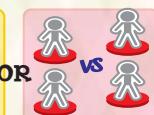
Four players compete against each other.

1-VS.-3 MINIGAME
(One character lands on a different color than the others.)
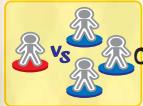
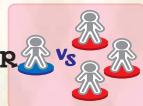
The character who landed on the different color competes against the other three.

2-V8.-2 MINIGAME
(Two characters land on one color; the other two land on another.)
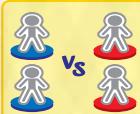
In a Tag Battle, characters will compete only on their Tag teams.
If you land on a space that is neither red nor blue, you'll be assigned a red or blue color randomly.
There are no 1-Vs.-3 Minigames in a Tag Battle.
- You will occasionally bump into a Battle Minigame where you can wager coins as determined by a spin of the wheel.

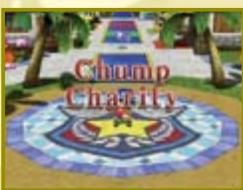
CHUMP CHARITY
When you reach the last five turns in a Battle Royale or a Tag Battle, there will be a last-chance event with the following rules. Remember, it's not over 'til it's over!
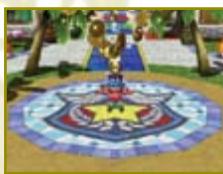

ALL SPACES EXCEPT FOR THOSE THAT CHARACTERS ARE STANDING ON WILL HAVE COINS PLACED ON THEM.
Red Spaces get five coins and other spaces get one coin. These disappear when picked up, so it's first come, first served!

THE PLAYER IN LAST PLACE WILL RECEIVE THIRTY COINS OR A GREAT PIECE OF CANDY.


DUEL BATTLES
A Duel Battle is a short, fast-paced mode for one or two players. You can duel against a friend or against a COM player.

DUBL BATTLE SETTINGS
After choosing Duel Battle, you may adjust the following settings.

Select Players
You can choose either P1 and COM or select P1 and P2.
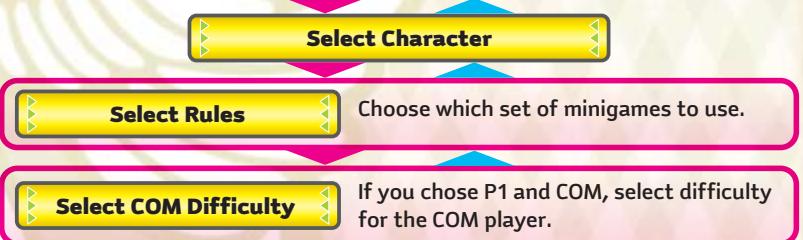

Select Stage
Choose a party board to play on.
If the settings are okay, select Start Game.
Start the game!

DIFFERENCES FROM BATTLE ROYALE
Duel Battles are similar to Battle Royale, with the following exceptions:

To win, a player must fulfill certain conditions that differ on each stage.

The board size and path flow may be different, and certain locations on each stage may work differently.

Players don't compete in minigames after they move on the board. Instead, certain board spaces trigger minigames (p. 17).

When the game is nearly finished, there is a special bonus event that grants Candy or coins to the player in second place.

If the game goes 30 turns without a winner, the match is declared a draw.


DUBL BATTLES: ADDITIONAL SPACES
In addition to Lucky Spaces, Duel Battle boards also feature the following exclusive spaces and areas:

VS. SPACE
Landing on this space will start a Duel Minigame. The winner will take coins from the loser.

CHALLENGE SPACE
Landing on this space starts a Challenge Minigame.
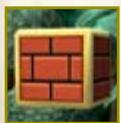
COIN AREA
When you pass through this area and hit the coin block, you will receive coins. (Passing through does not count against your Dice Block roll.)
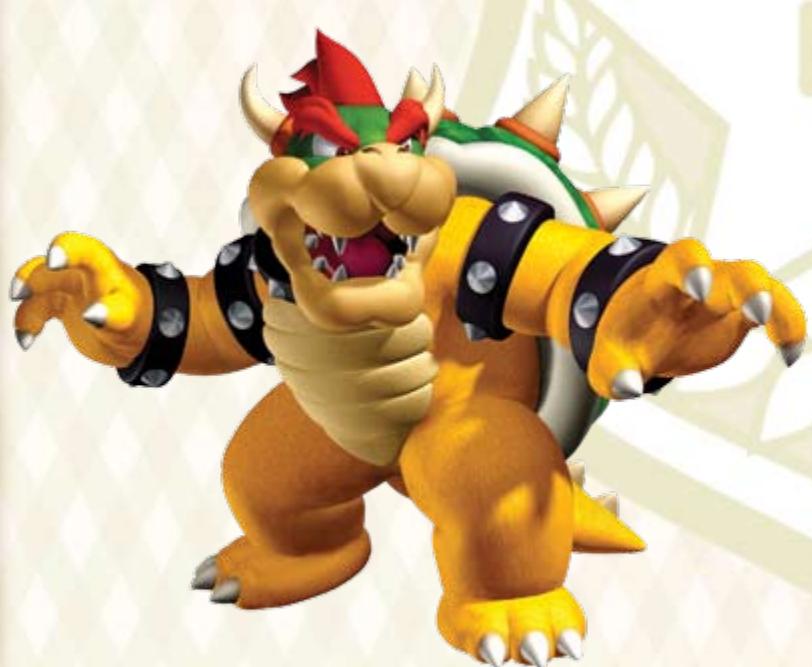
STAR BATTLE ARENA
The Star Battle Arena is for one player only. You'll play against a COM-controlled character on each of a series of stages. If you make it to the very end, you will be dubbed the Superstar. The rules are similar to Duel Battles in the Party Tent (p. 16). Unlike Battle Royale and Tag Battles, your game is saved at the end of each stage, not at the end of each turn.

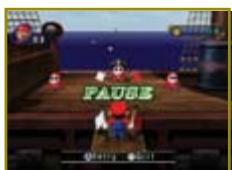
PAUSEMBENU

Press ^+ during a game to reach the Pause Screen. You can choose to quit a board or even change settings during game play.

PLAYER
You can change players from player-controlled to COM and back, or change COM difficulty. COM difficulty ranges from EASY to NORMAL to HARD (and to VERY HARD, after it has been unlocked).

COM MINIGAMES
You can choose to view or skip minigames that involve COM players.

MINIGAME SETS
You can change which group of minigames appear on the board here. Choose from All Minigames Set or Simple Minigames Set.

MESSAGE SPEED
You can change the message display speed from SLOW to NORMAL to FAST.
In the Pause Menu for the Star Battle, you can only change COM Minigames and Message Speed.



SETTING
One to four players can play minigames here that you have unlocked in other parts of the carnival. You'll need to configure the following settings:
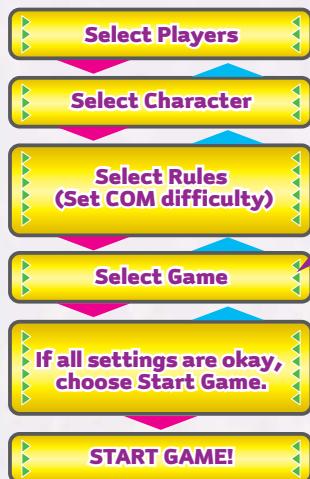

Games that are shadowed must be unlocked by meeting certain conditions.

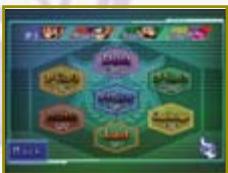
FIVE WAYS TO PLAY!
Press ① while playing one of the five game modes (but not during a minigame) to exit and go back to the Game Select screen.

FREE PLAY ARCADE
Play any minigame you have encountered in the Party Tent or in a Star Battle here. Press ① while playing a minigame to access the Pause Menu. Press ④ to restart the minigame. Press ⑦ to quit the game.

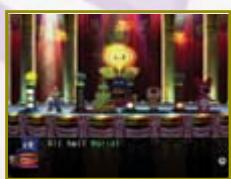
GROWN SHOWDOWN
Compete to be the first to tally 3, 5, or 7 wins in this competitive mode. Up to four people can play, or you can start a heated duel with only two. When you have four players, you will also need to choose the type of minigame you'll play.
Unlock It!
You will need to have unlocked at least one of each minigame in the following four categories: 4-Player Minigames, 1-Vs.-3 Minigames, 2-Vs.-2 Minigames, and Duel Minigames.
19

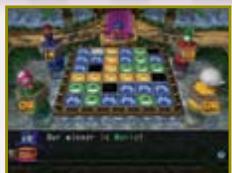
FLIP-OUT FRENZY
When you win a minigame, you can choose one of the panels that have not yet been claimed. When you choose a panel, all of the other panels in the same row and column will also be seized. To win you must finish with the most panels. Up to four players can play.
Unlock It!
You must have unlocked at least one 4-Player Minigame.
Unclaimable space
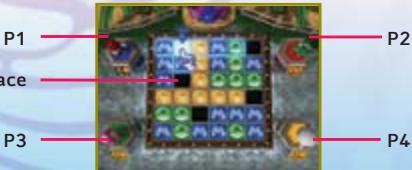
P3
P4

TIG-TAC DROP
Play Duel Minigames to determine who gets to drop balls of their own color into a grid. The first player to line up three balls of their own color wins. One or two players can play.
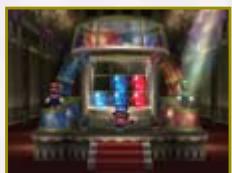
Unlock It!
You must have unlocked at least one Duel Minigame.

TEST FOR THE BEST
In this one-player mode, you'll play the following ten minigames, trying to get the best score you can. Your performance will be rated to determine your minigame level, which sends you ever higher in a hot-air balloon!
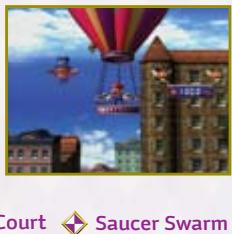
Swing Kings
Rotation Station
Settle It in Court
Saucer Swarm
Kartastrophe
Alpine Assault
Surf's Way Up
Snipe for the Picking
Ion the Prize
Pumper Cars
Unlock It!
You must unlock this mode in the Fun Bazaar.
20

ExTRAS ZONE

PLAY INTERESTING GAMES IN THE EXTRAS ZONE
Eight "extra-large" minigames appear only in the Extras Zone. Four of them are available from the beginning, and you can unlock the rest. Press ① on the menu screen to exit a game mode and go back to the Play Choices screen. You can configure the following settings when you're in the Extras Zone:

Choose the number of players.

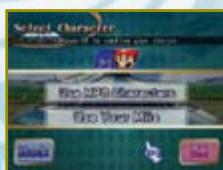
Each player can choose to play as either a Mario Party 8 character or a Mii character. Select OK after you've selected the characters. If more than one player is playing, each person must select a character. Each player should select OK after choosing, then the next player can select a character.

The number of players and number of Wii Remotes required is different from game to game. For details, follow the setting screen which appears after you've selected each minigame.
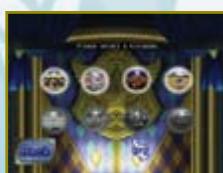

Extras Zone - Navigation Notes
- Press ① while playing a minigame to access the Pause Menu. Press ④ to restart the minigame. Press to quit the game.
- Press ① on the menu screen to exit a game mode and go back to the Play Choices screen.

FUN BAZAAR
Use your Carnival Cards earned from playing in other carnival areas to unlock playable characters, minigames, and other surprises. Or simply drop in to check the Records Board.

RECORDS BOARD
Look here for the best records on each minigame or for general information about the minigame sets.
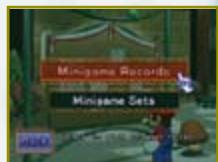

MINIGAME WAGON
Trade your Carnival Cards for new minigames here. You will only be able to access the Minigame Wagon after completing the Star Battle.

GARNIVAL WAGON
Come here to see any Carnival Figures that you've purchased put on display or entered into a lively parade.
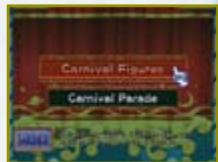

SURPRISE WAGON
Trade your Carnival Cards for various game items here. You will only be able to access the Surprise Wagon after completing the Star Battle.

CARNIVAL CALLIOPE
Come here to listen to game sounds and music, as well as character voices.
VEUILLEZ LIRE ATTENTIVEMENT L'INTÉGRAlité DU MODE D'EMPLOI DE LA Wii AVANT D'UTILISER VOTRE SYSTème, VOTRE DISQUE DE JEU, OU VOS ACCESSOIRS Wii. CE MODE D'EMPLOI COMPEND D'IMPORTANTES INFORMATIONS SUR VOTRE SANTÉ ET VOTRE SECURITÉ.
INFORMATIONS IMPORTANTES CONCERNANT VOTRE SECURITE: VEUILLEZ LIRE LES PRECAUTIONS SUIVANTES AVANT QUE VOUS OU VOTRE ENFANT NE JOUIEZ À VOS JEUX VIDEO.
Kartastrophe
Snipe for the Picking
Rotation Station
Alpine Assault
Ion the Prize
Settle It in Court
Surf's Way Up
Pumper Cars
m = 311
Saucer Swarm
Déverrouillez-le!
Snipe for the Picking
Ion the Prize
Pumper Cars
63
64