
PX738 - Portable heating ZIBRO - Free user manual and instructions
Find the device manual for free PX738 ZIBRO in PDF.



| Product type | Mobile air conditioner (cooling, dehumidification, air circulation) |
| Brand | ZIBRO |
| Model | PX738 |
| Cooling capacity | 3800 W |
| Energy class | D (EER 2.62) |
| Max. power consumption | 1450 W |
| Supply voltage | 220 – 240 V / 50 Hz / 1 ph |
| Max. air flow (indoor unit) | 450 m³/h |
| Max. dehumidification | 53 litres/24h |
| Refrigerant | R410a / 1350 g |
| Thermostat range | 18 – 32 °C |
| Operating ambient temperature | 18 – 35 °C |
| Noise level (indoor / outdoor) | 55 dB(A) / 58 dB(A) |
| Indoor unit dimensions (W x D x H) | 508 x 330 x 908 mm |
| Outdoor unit dimensions (W x D x H) | 550 x 305 x 625 mm |
| Weight (indoor / outdoor) | 37 kg / 20 kg |
| Compressor type | Rotary |
| Fan speeds | 3 (high, normal, low) + auto |
| Flexible hose length | 2.5 m |
| Main functions | Cooling, dehumidification, air circulation, ionization |
| Filters | Screen filter, 3M™ Filtrete™ filter, activated carbon filter |
| Maintenance | Clean screen filter with vacuum; replace 3M and carbon filter every 3 months |
| Safety | Automatic shutdown if tank full; overheat protection; never use without screen filter |
| Warranty | 24 months from date of purchase |
Frequently Asked Questions - PX738 ZIBRO
User questions about PX738 ZIBRO
0 question about this device. Answer the ones you know or ask your own.
Ask a new question about this device
Download the instructions for your Portable heating in PDF format for free! Find your manual PX738 - ZIBRO and take your electronic device back in hand. On this page are published all the documents necessary for the use of your device. PX738 by ZIBRO.
USER MANUAL PX738 ZIBRO
For safety reasons, please read this manual carefully before operating. Persons who are not familiar with this manual must not use this air conditioner. We strongly recommend keeping this manual in a safe place for future reference.
| A. Do not use a damaged cable. | G. Do not immerse in water. |
| B. Do not clamp or bend the cable. | H. Do not spill. |
| C. Do not place unevenly. | I. Do not insert anything. |
| D. Do not place in front of an open window. | J. Do not use an extension cord. |
| E. Do not bring in contact with chemicals. | K. Keep out of the reach of children. |
| F. Do not place near a heat source. | L. Do not repair. |
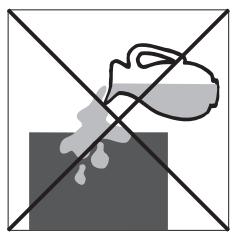
H
#
SICUREZZA
TOMNING AF VANDBEHOLDER
K CONDITIONS DE GARANTIE
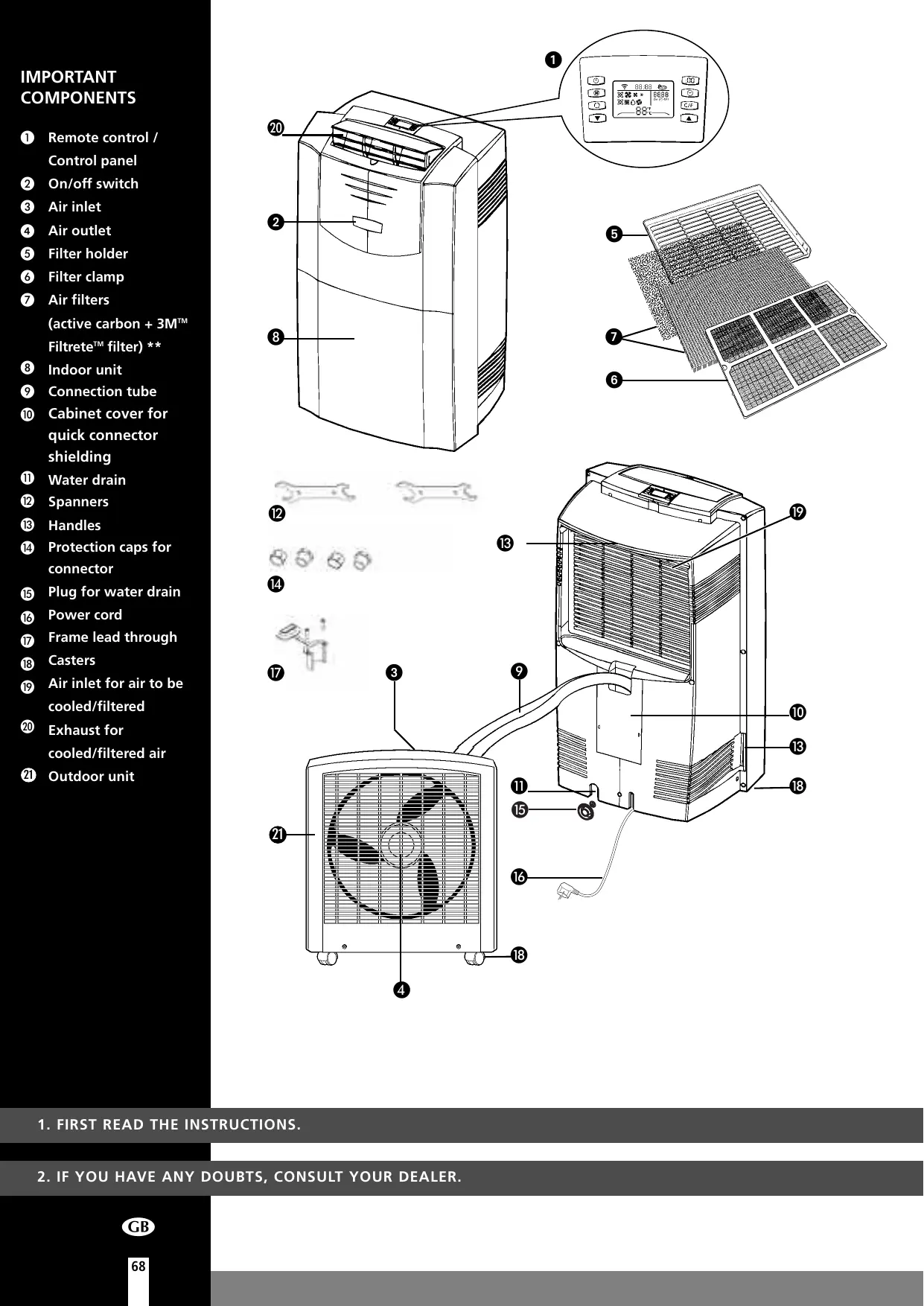
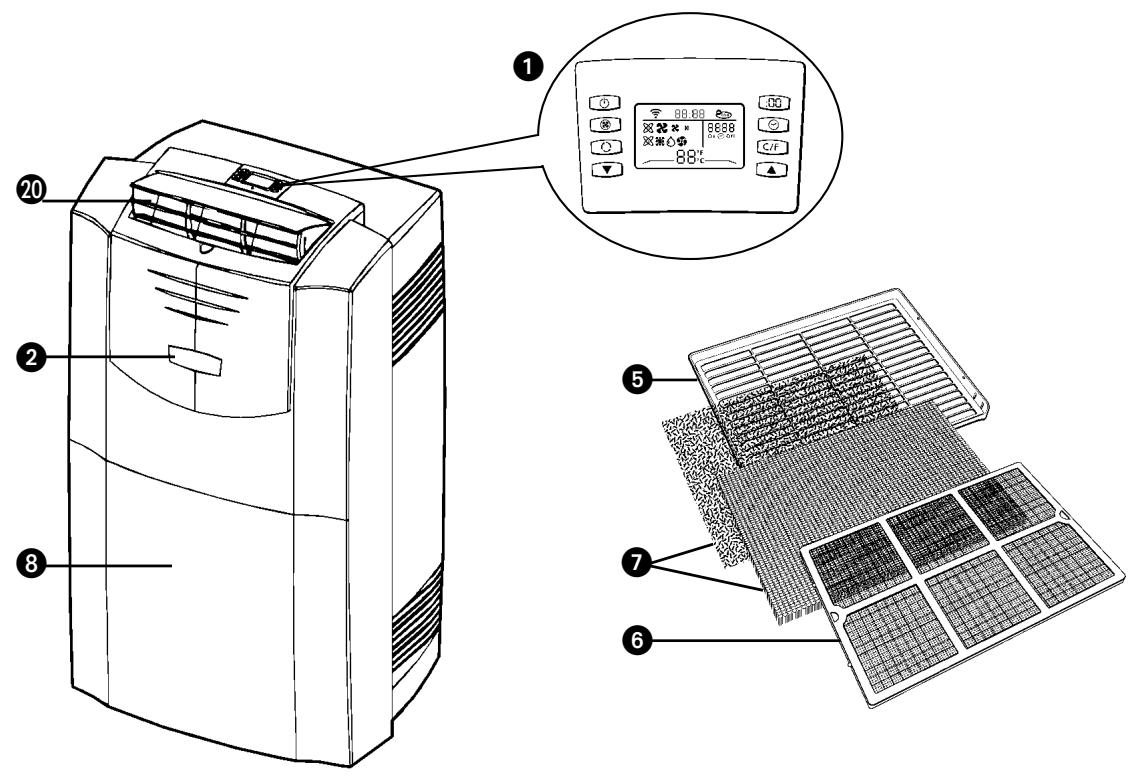
Remote control / Control panel
On/off switch
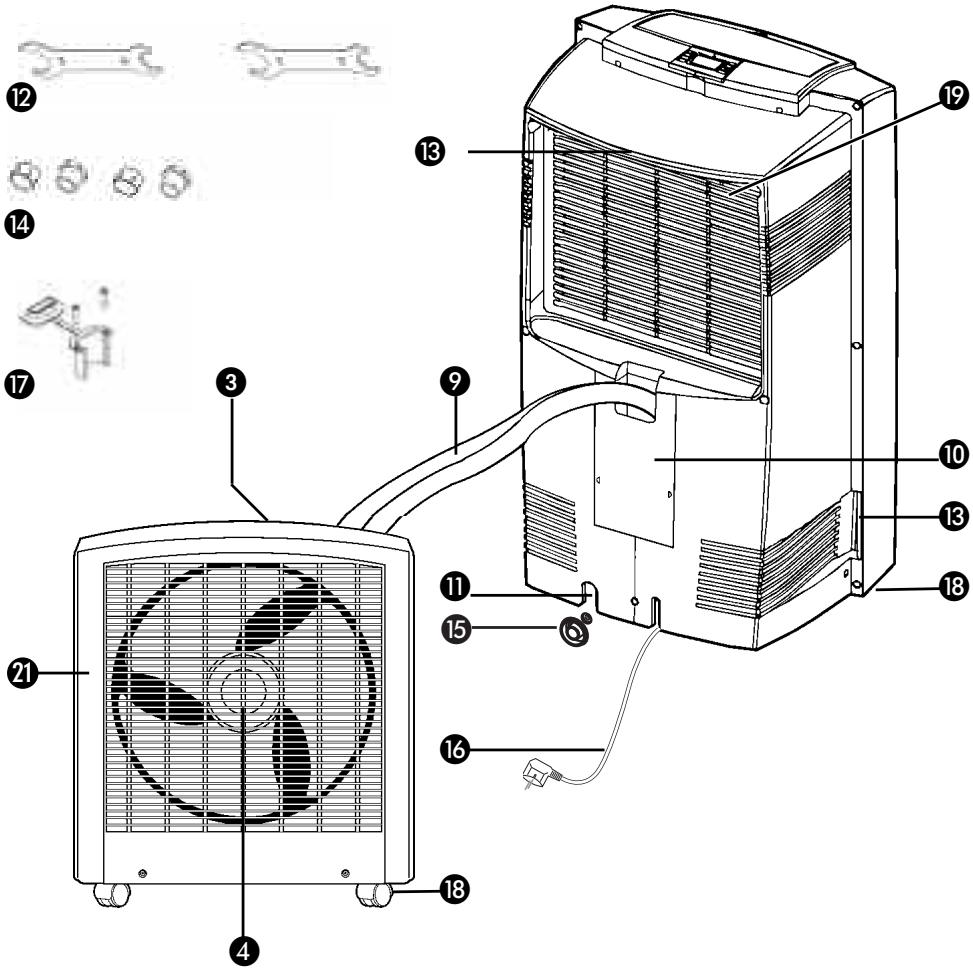
Air inlet
Air outlet
Filter holder
Filter clamp
Air filters (active carbon + 3MT FiltreTeTM filter) **
8 Indoor unit
9 Connection tube
10 Cabinet cover for quick connector shielding
Water drain
Spanners
18 Handles
Protection caps for connector
15 Plug for water drain
16 Power cord
17 Frame lead through
18 Casters
Air inlet for air to be cooled/filtered
20 Exhaust for cooled/filtered air
Outdoor unit
- FIRST READ THE INSTRUCTIONS.
- IF YOU HAVE ANY DOUBTS, CONSULT YOUR DEALER.
Dear Sir, Madam,
Congratulations on the purchase of your airconditioner. This airconditioner has three functions besides cooling the air, namely dehumidification, air circulation and air filtration.
This mobile airconditioner is extremely easy to operate and move. You have acquired a high quality product that will give you many years of pleasure on condition that you use it properly. Read this manual first in order to optimise the life span of your airconditioner.
We wish you coolness and comfort with your airconditioner.
Yours sincerely,
PVG International B.V.
Customer Service Department

IMPORTANT
- The installation must be completely in accordance with local regulations, ordinances and standards.
- The indoor unit is suitable exclusively for use in dry places, indoors.
- Check the mains voltage. This device is suitable exclusively for earthed sockets - connection voltage 220-240 Volt/ 50 Hz.
- The device MUST always have an earthed connection. You may absolutely not connect the device if the power supply is not earthed.
- The plug must always be easily accessible when the device is connected.
- Read these instructions carefully and follow the directions.
Before connecting the device, check that:
- The connection voltage corresponds to that on the type plate.
- The socket and power supply are suitable for the device.
The plug on the cable fits the socket.
The device is on a stable and flat surface.
Have the electrical installation checked by a recognised expert if you are not sure that everything is allright.
- The airconditioner is a safe device, manufactured in accordance with CE safety standards. Nevertheless, as with every electrical device, exercise caution when using it.
- Never cover the air inlets and outlets.
- Empty the water reservoir through the water drain before moving it.
- Never allow the device to come into contact with chemicals.
- Do not insert objects into the openings of the device.
- Do not spray the device with water or submerge it as this may cause a short circuit.
- Always take the plug out of the socket before cleaning or replacing the device or a part of the device.
- NEVER connect the device with the aid of an extension cable. If a suitable, earthed socket is not available, have one fitted by a recognised electrician.
- Always consider the safety of children in the vicinity of this device, as with every electrical device.
- Always have any repairs – beyond regular maintenance – carried out by a recognised service engineer. Failure to do so may lead to invalidation of the guarantee.
Always take the plug out of the socket when the device is not in use. - A damaged electricity cable may only be replaced by the supplier or an authorised person/service point.

ATTENTION!
- Never use the device with a damaged cable or plug. Never allow the cable to be pinched off or come into contact with sharp edges.
- Failure to follow the instructions may lead to invalidation of the guarantee on the device.
Always lift the device with three people.
B THE INSTALLATION

ATTENTION!
- Your airconditioner must be standing upright for at least two hours before use.
- Ensure that the air outlet on the front of the unit 20 is always open when the device is in use. The device may be damaged if this is closed while the device is in use. The user is responsible for the correct use of the air conditioner.
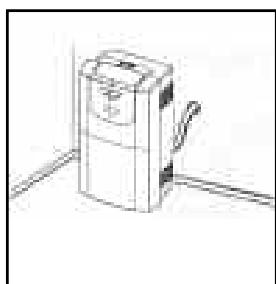
The indoor and outdoor unit are portable and can easily be moved from one room to another. They are connected to each other by a 2.5 metre flexible tube. The outdoor unit can be placed on the floor (for example the floor of a balcony). When handling the units, take the following into account:
1 Ensure that the device is upright and on a flat surface.
2 Place the filters supplied in the filter holder (see chapter D).
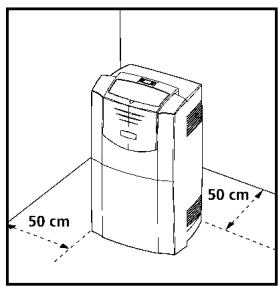
3 For optimum air-circulation, keep at least 50~cm (20 inches) of space free around the indoor unit.
4 Open the exhaust for cooled/filtered air 20 on the top of the airconditioner.
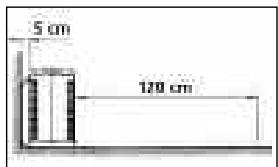
5 Please keep a distance of at least 5cm between the outdoor unit air inlet and wall or other objects and a distance of at least 120~cm between the outdoor unit exhaust air outlet and wall or other objects to ensure proper air circulation.
The maximum distance from the top of the outdoor unit to the floor is 1.5m
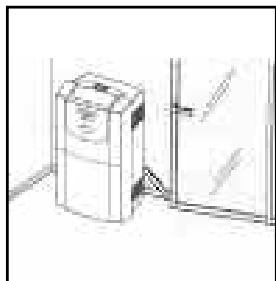
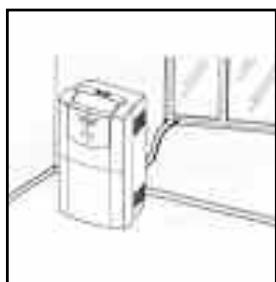
7 To avoid damaging the connection tube, leave the window ajar. The frame lead through 17 can be used to prevent this.
8 Close the window or door as much as possible to prevent outside air from entering the room.

TIP!
If you use the unit for cooling purposes, we recommend you keep the outdoor unit in a place which is as cool as possible (e.g. in the shade).

WARNING
Ensure a good air flow through the units. The exhaust air must flow freely. Any blockage can lead to damage or improper operation of the air conditioner.
Take care to prevent any bow or bend in the connection tube.

IMPORTANT
The condensation water must flow freely to the outdoor unit. Blockage of the drainage tube in the connection tube can result in water leakage or improper operation of the unit.
Automatic
Cooling
Dehumidifying
Circulating
Highventilator speed
Medium ventilator speed
Lowventilatorspeed

ATTENTION!
Without the remote control, the air-conditioner can be operated by using the button on the front of the device. In this event however, only the automatic function can be used.
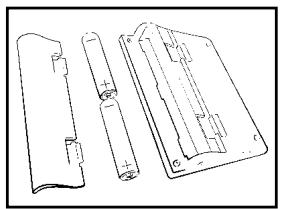
PLACING BATTERIES IN THE REMOTE CONTROL
Remove the battery cover by pressing the clips and then pulling the cover towards you. Place the new batteries as indicated (pay attention to the plus (+) and minus (-) poles). Now replace the battery cover.

NOTE!
Use 2 AAA (1.5 Volt) batteries. Do not use rechargeable batteries. Replace batteries with new batteries of the same type when the display becomes fuzzy or the signal deteriorates.
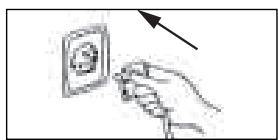
Push the plug into the socket.

ATTENTION!
If the airconditioner does not respond to the remote control, follow the following procedures:
- Ensure that there are batteries in the remote control.
- Ensure that the plug of the airconditioner is inserted in the socket and switched off.
- Press the on/off switch on the front of device ② and hold it down until after the beep signal after approximately 8 seconds.
- Briefly press the on/off button of the remote control.
- The remote control is ready for use after the beep signal.
Press the C/F-button to set ^ C (Celsius) or ^ F (Fahrenheit).
The default setting is ^ C (Celsius).
3 The following functions can be selected with the mode button on the remote control.
Automatic regulation of ventilator speed
Cooling;
Dehumidifying
Circulating
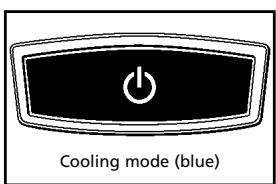
COOLING
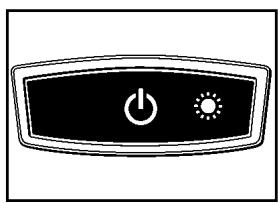
When the cooling mode is activated, the transparent ring around the button on the front of the device ② emits a BLUE light.
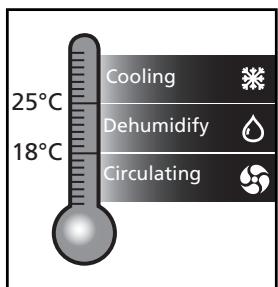
The following settings are possible in the cooling mode:
- The ventilator speed can be adjusted by pressing the -button
Automatic regulation of ventilator speed
High
Medium
Low
- The temperature can be set between 18^ and 32^ by pressing the and buttons. The display on the remote control shows the set temperature.

NOTE!
Whether the desired temperature can actually be reached depends on the ambient conditions. The room temperature remaining above the set temperature is normal.
DEHUMIDIFICATION
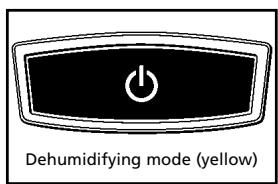
When the dehumidification mode is activated, the transparent ring around the button on the front of the device ② turns YELLOW.
During the dehumidification, the ventilator speed cannot be adjusted. The speed is set automatically to medium. The and buttons are inactive.
CIRCULATION
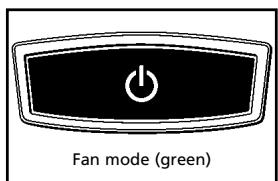
When the air circulation mode is selected, the transparent ring around the button on the front of the device ② emits GREEN light. In this mode, the air is circulated and filtered but not cooled or dehumidified. In this mode, only the ventilator speed can be adjusted by pressing the ③ - button:
Automatic regulation of ventilator speed
High
Medium
Low
AUTOMATIC
In the automatic mode × , the device will cool, dehumidify or circulate depending on the ambient temperature. When the temperature in the room changes, the mode changes automatically in order to maintain the desired temperature as accurately as possible. The ventilator speed is also adjusted automatically. The colour of the transparent ring around the button on the front of the device will change depending on the operating mode.

NOTE!
- Negative ions are generated in every operating mode (automatic, cooling, dehumidification and circulation).
- In cooling and dehumidifying mode condensation water is discharged via the connection tube ⑨ to the outdoor unit. Here the water is evaporated. By removing the rubber plug 15 from the water drain 11 , the water will run out here. Water must always be able to flow freely.
You can use the timer function to set in advance when the airconditioner is to switch on or off.
Switching off
The timer OFF function can be set when the airconditioner is switched on:
Press
- Set the number of hours desired (1-12) with the aid of and .
- Press
Switching on
The timer ON function can be set when the airconditioner is switched off (stand-by):
- Press
- Set the number of hours desired (1-12) with the aid of and .
- Press
You can delete the set timer function by pressing the on the remote control.
When the set time is at "00", the timer is switched off. When the Timer function has been set the light in the button on the front of the device will switch on.
ADJUSTING THE CLOCK
Press the : button. Change the time by pressing the and -button.
When the desired time has been set, press the : button again in order to save the setting.

TIP!
The light of the display fades when the remote control has not been used for some time. This is reactivated when you touch any button.

NOTE!
The compressor has been set so that it starts functioning three minutes after the (re)start of the air conditioner.
The compressor will be switched off when the room temperature is lower than the set temperature. Operation is continued in the circulation mode. When the room temperature is higher than the set temperature, the compressor switches on again.

ATTENTION
Avoid the remote control from getting wet. Remove it from the unit when condensation can occur.

AIR FILTER
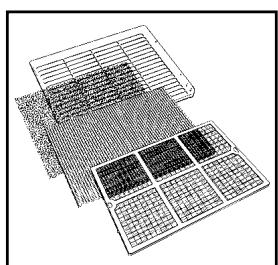
This airconditioner is equipped with a 3-layer filter to purify the air circulated by the indoor unit. The airconditioners are supplied with a separately packaged 3M^T FiltreteTM filter and active carbon filter. These filters must be placed in accordance with the instructions before the airconditioner is used.
1 Wire mesh filter to remove coarse dust particles.
2 3M^TM Filtrete™ filter to remove particles from the air that are detrimental to your health, such as pollen, bacteria, flakes of animal skin and dust.
3 Active carbon filter to remove odours.
The mesh filter is part of the filter holder. The filter holder can be opened. The activated carbon filter and the 3M^TM Filtrete™ filter can be removed.
1 The mesh filter must be cleaned regularly with a vacuum cleaner in order to prevent blockage of the air flow.
We recommend replacing the positively/negatively electrostatically charged 3M^TM Filtrete™ filter every three months.
new filter
recommended change of filter
3 If it has become dusty, the activated carbon filter can be cleaned with a vacuum cleaner, but it must be replaced simultaneously with the 3M^TM FiltreteTM filter.
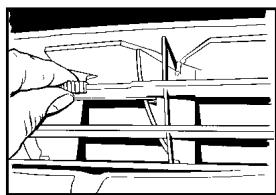
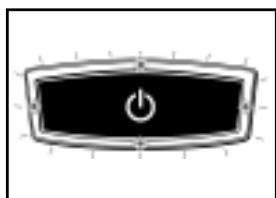
Excessive dust, construction work, pets, the presence of smoke and frequent use of the device affect the lifespan of the 3M^TM Filtrete™ filter. A signal is given after approximately 650 hours of operation in order to prevent you from forgetting to replace the filter: The light in the button on the front of the device is blinking. Take the following action:
1 Switch the unit off, but leave the mains cable in the socket.
2 Replace the old filters with new, original filters that are available from your dealer;
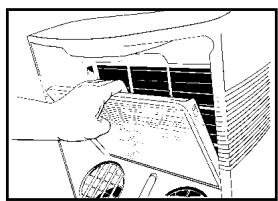
- Remove the filter holder ⑤ from the airconditioner
- Open the filter holder ⑤, take the filter clamp ⑥ off the filter holder and remove the old filters. Place the new activated carbon filter (black) and 3M^TM Filtrete™ filter (white) in the filter holder ⑤.
- Fit the filter clamp ⑥ back onto the holder.
- Put the filter holder ⑤ back into the airconditioner.
Press the on/off button on the front of the device until you hear a beep (after approximately 4 seconds).
4 The indicator light is switched off.
5 The old filters can be disposed in the non-biological garbage container.

NOTES!
- Never use the airconditioner without the mesh filter!
- To run the unit without active carbon filter and/or 3M^TM Filtrete™ filter does not bring any harm to the air conditioner. In that case odours and unhealthy dust are not removed from the circulated air.
- Filter packages are available at your dealer.
- Only use suitable Zibro filters. This will prevent any damage to your airconditioner. Using other than the original filters is entirely at the risk of the consumer. This may have a negative effect on the operation of the device and may result in damage. The device may also leak water subsequent to the formation of ice.
E AIR FLOW
You can change the direction of the air flow by adjusting the positions of the horizontal and vertical louvers.
F DRAINAGE
Under normal conditions the condensation water is pumped to the outdoor unit through the connection tube. When the water flow is blocked or the position of the outdoor unit is too high, water may accumulate in the indoor water container of the unit.
When the internal water container is full, the transparent ring around the button on the front of the device ② flashes RED. The unit will switch off automatically. To empty the water container, take the following action:
1 Do not move the unit. Drastic movements can cause water leakage.
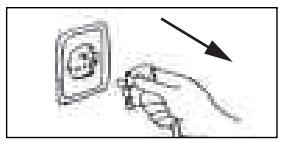
2 Switch off the unit and remove the plug from the wall outlet.
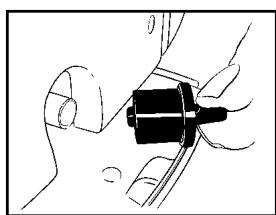
Place a pan or appropriate tray on the floor underneath the water drain tube.
4 Remove the rubber plug 5 from the drain tube 1 and let the water run out (± 0.5 litre).
5 Replace the rubber plug ⑤, put the plug into the wall outlet, and switch on the unit. The warning light should be off.

NOTE!
When the air conditioner is in use, under normal circumstances the condensed water will be discharged through the outdoor unit 21.
G (DIS)CONNECTING THE INDOOR AND OUTDOOR UNIT (FOR QUALIFIED PERSONNEL ONLY)
DISCONNECTING
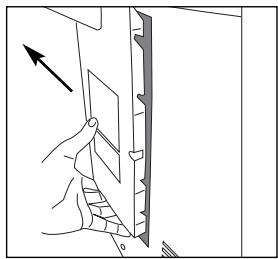
1 Switch off the unit, remove the plug from the mains and leave it idle for at least 30 minutes.
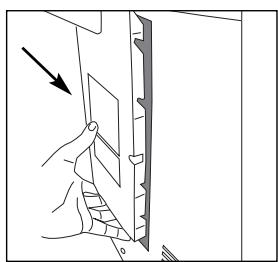
2 Open the cabinet cover for quick connector shielding 10.
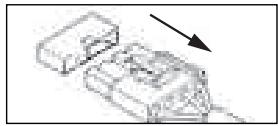
3 Disconnect the electric cable.
4 Disconnect the drain tube.
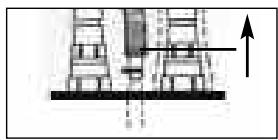
5 Remove the isolation material from the connectors.
6 Remove the metal brackets which are holding the tubes and wire.
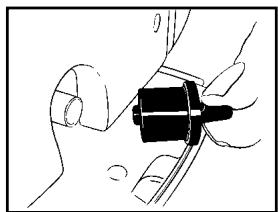
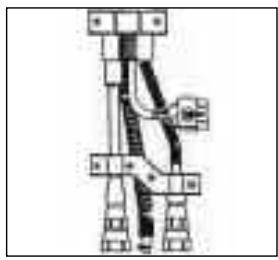
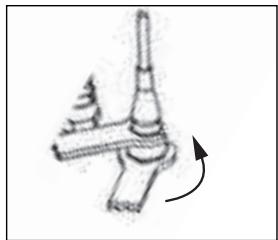
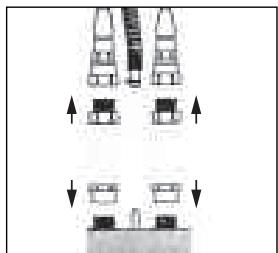
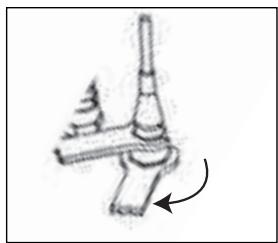
7 Disconnect the refrigerant tubes using the spanners ⑫ provided. The terminals are fitted with automatic self-sealing valves to prevent the refrigerant from leaking. Loosen the nuts quickly, so the seal is made promptly. During the operation take extreme care not to break or bend the refrigerant tubes.
Screw the protection caps for the connectors ④ onto the ends of the refrigerant tubes connectors.

IMPORTANT
- Never store the indoor/outdoor unit disconnected.
- Do not operate the indoor unit if the quick-connectors are disconnected. This might cause harm to people and property.
CONNECTING
1 Pass the connection tube through the hole (at least 0.50mm ) in the wall.
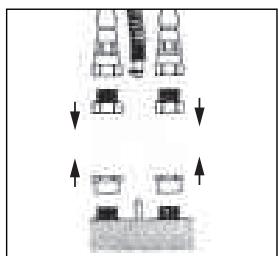
2 Remove the protection caps from the ends of the refrigerant tubes.
3 Reconnect the refrigerant tubes according to the marking (tighten the nuts quickly to make a good seal), the drain tube and the electrical cable.
4 Put back the metal brackets which are holding the tubes and wire.
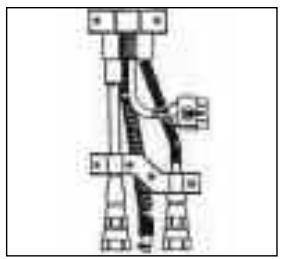
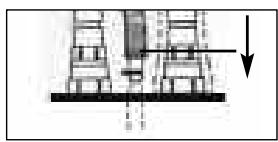
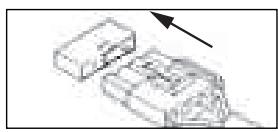
Put the isolation material around the connectors / tubing again.
6 Close the cabinet cover for quick connector shielding 10.
Store the protection caps in a safe place.

WARNING
After connecting the refrigerant tubes, take care that these are well isolated again. If this is not done properly, damage because of condensation water can occur!
H MAINTENANCE

ATTENTION!
Switch off the device and pull the plug out of the socket before you clean the device or filter or when you replace the filters.
Use a soft, damp cloth for the regular cleaning of the exterior of the device. Never use aggressive cleaning agents, solvents, benzene or abrasives. Refer to chapter D "Air Filter" for filter maintenance.

NOTE!
Never use the device without the mesh filter.
STORAGE
1 Empty the water reservoir (see chapter F).
2 Clean the mesh filter (see chapter D).
- Remove the 3M^TM Filtrete™ filter and active carbon filter before seasonal storage and install new filters at the beginning of the new season. The old filters can be disposed in the 'Non-biological garbage container'.
- New filters are available at your dealer.
3 Switch the device to air circulation mode for several hours. This will completely dry out the interior.
4 Protect against dust and store in a dry place that is not accessible to children.

NOTE!
Do not store the units disconnected, to prevent leakage of refrigerant.
| Problem | Cause | Solution |
| The device does not work and the transparent ring around the button on the front of the device flashes RED. | The internal water reservoir is full. | Empty the internal water reservoir (see chapter F). |
| The device does not work and the top horizontal edge of the transparent ring around the button on the front of the device flashes BLUE. | The room temperature sensor is defective. | Consult your dealer. |
| The device does not work and the lower horizontal edge of the transparent ring around the button on the front flashes BLUE. | The temperature sensor of the heat exchanger is disrupted or has short circuited. | Consult your dealer. |
| The device does not work. | No power supply. | Insert the plug into a socket that is live. |
| The device works insufficiently. | Standing in direct sunlight. | Move the device into the shade. |
| Windows or doors are open or there are a large number of people or heat sources in the room. | Close windows and/or doors or place an extra airconditioner. | |
| The filter is dirty. | Clean the filter or replace it (see chapter D). | |
| Air inlet or exhaust is blocked. | Remove the blockage. | |
| The device is noisy. | The device is standing on an uneven surface. | Place the device on an even surface (less vibration). |
| The compressor does not work. | The overheating safety feature has been activated. | Wait 30 minutes until the temperature has dropped and then switch it on again. |
| The remote control does not respond. | The distance is too big. The batteries are empty. | Replace the batteries. |
| The signal of the remote control cannot be received by the unit. | Restore the connection between the remote control and the air conditioner (see chapter C). |
Never attempt to disassemble or repair the device. Inexpert repairs invalidate the guarantee and can endanger the users of the device.
K GUARANTEE CONDITIONS
The air conditioner is supplied with a 24-month guarantee, commencing on the date of purchase. All material and manufacturing defects will be repaired or replaced free of charge within this period. The following rules apply:
- We expressly refuse all further damage claims, including claims for collateral damage.
- Repairs to or replacement of components within the guarantee period will not result in an extension of the guarantee.
- The guarantee is invalidated if any modifications have been made, non genuine parts are fitted or repairs are carried out by third parties.
- Components subject to normal wear, such as the filter, are not covered by the guarantee.
- The guarantee is valid only when you present the original, dated purchase invoice and if no modifications have been made.
- The guarantee is invalid for damage caused by neglect or by actions that deviate from those in this instruction booklet.
- Transportation costs and the risks involved during the transportation of the air conditioner or air conditioner components shall always be for the account of the purchaser.
- Refrigerant loss and/or leakage because of incompetent (dis)connecting the units is not covered by the guarantee conditions applicable to this product.
- Damage, caused by not using suitable Zibro filters falls outside the guarantee.
To prevent unnecessary expense, we recommend that you always first carefully consult the instructions for use. Take the air conditioner to your dealer for repairs if these instructions do not provide a solution.
L TECHNICAL SPECIFICATIONS
Use indicatively, subject to change.
| Model | PX 738 | |
| Cooling capacity* | W | 3800 |
| EE Class | D | |
| EER* | 2.62 | |
| Power consumption (max.) | W | 1450 |
| Current (nom.) | A | 6.3 |
| Mains | V/Hz/PH | 220 – 240 / 50 / 1 |
| Air delivery max. (indoor unit) | m³/h | 450 |
| Dehumidification max. ** | L/24h | 53 |
| Room size | m³ | 115 |
| Refrigerant | type/gr | R410a / 1350 |
| Thermostatic range | °C | 18 - 32 |
| Operating range | °C | 18 - 35 |
| Noise level indoor unit | dB(A) | 55 |
| Noise level outdoor unit | dB(A) | 58 |
| Dimensions indoor unit (W x D x H) | mm | 508 x 330 x 908 |
| Dimensions outdoor unit (W x D x H) | mm | 550 x 305 x 625 |
| Weight indoor unit | kg | 37 |
| Weight outdoor unit | kg | 20 |
| Compressor type | Rotary | |
| Fan speeds | 3 | |
| Length connection tube | m | 2.5 |
| Unit protection indoor unit | IP X1 | |
| Unit protection outdoor unit | IP X4 | |
| Fuse rating | 250V, T3.15A | |
* Conform EN 14511
** Moisture removal at 32^ , 80% RH
Waste electrical products should not be disposed with household waste. Please recycle where facilities exist. Check with your local authority or retailer for recycling advice.
Holloway Bank, Wednesbury
West Midlands WS10 OAW
tel.: +44 121 506 1818
fax: +44 121 505 1744
email: gases@lister.co.uk
ITALIA
PVG Italy SRL
Via Niccolò Copernico 5
50051 CASTELFIORENTINO (FI)
tel: +39 571 628 500
fax: +39 571 628 504
email: pvgitaly@zibro.com
N NORGE
Sunwind -Gylling A/S
Rudsetta 71-75 / P.O. Box 64
N-1309 RUD
tel: +4767171370
fax: +47 67 17 13 80
email: pvgint@zibro.com
NEDERLAND
PVG International B.V.
P.O.Box 96
5340 AB OSS
tel: +31 412 694 694
fax: +31 412 622 893
email: pvgnl@zibro.com
PORTUGAL
Gardena, Lda

- #
- SICUREZZA
- TOMNING AF VANDBEHOLDER
- K CONDITIONS DE GARANTIE
- IMPORTANT
- ATTENTION!
- B THE INSTALLATION
- TIP!
- WARNING
- PLACING BATTERIES IN THE REMOTE CONTROL
- NOTE!
- COOLING
- DEHUMIDIFICATION
- CIRCULATION
- AUTOMATIC
- Switching off
- Switching on
- ADJUSTING THE CLOCK
- ATTENTION
- AIR FILTER
- NOTES!
- E AIR FLOW
- F DRAINAGE
- G (DIS)CONNECTING THE INDOOR AND OUTDOOR UNIT (FOR QUALIFIED PERSONNEL ONLY)
- DISCONNECTING
- CONNECTING
- H MAINTENANCE
- STORAGE
- K GUARANTEE CONDITIONS
- L TECHNICAL SPECIFICATIONS
- ITALIA
- N NORGE
- NEDERLAND
- PORTUGAL
Brand : ZIBRO
Model : PX738
Category : Portable heating