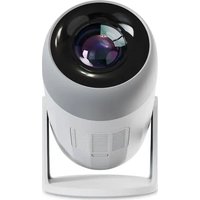
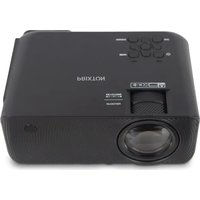
Matisse - Projector Prixton - Free user manual and instructions
Find the device manual for free Matisse Prixton in PDF.


Pick your language and provide your email: we'll send you a specifically translated version.
| Product type | Projector |
| Brand | Prixton |
| Model | Matisse |
| Display technology | LCD |
| Native resolution | 1920 x 1080 pixels (Full HD) |
| Brightness | 3000 lumens |
| Contrast ratio | 2000:1 |
| Lamp life | 30000 hours |
| Power supply | 100-240V AC, 50/60Hz |
| Power consumption | 120W |
| Weight | 2.5 kg |
| Dimensions (L x W x H) | 28 x 22 x 10 cm |
| Connectivity | HDMI, USB, VGA, AV |
| Main functions | Image and video projection, built-in speaker, keystone correction |
| Maintenance and cleaning | Clean the air filter every 3 months with a soft, dry cloth |
| Safety | Do not look directly at the light beam, install on a stable surface |
| Spare parts and repairability | Replacement lamp available, contact customer service |
| General information | Indoor use, operating temperature 5-35°C |
Frequently Asked Questions - Matisse Prixton
How to turn the projector on and off?
Press the Power button on top of the projector or on the remote control to turn it on. To turn off, press and hold again until the fan stops.
What is the recommended projection distance?
The optimal distance is 1.5 to 5 meters for an image of 50 to 150 inches. Refer to the distance table in the manual for precise calculations.
How to clean the air filter?
Remove the air filter located at the back of the projector. Use a vacuum cleaner or soft cloth to remove dust. Put it back after drying.
Can I use the projector with a laptop?
Yes, connect your computer via an HDMI or VGA cable. Select the corresponding source in the Input menu.
What to do if the image is blurry?
Rotate the focus ring on the lens until the image is sharp. Ensure the projector is at the correct distance from the screen.
How to install the projector on the ceiling?
Use a suitable ceiling mount (not included). Secure it firmly to the joists and screw the projector. Adjust the angle with the correction knobs.
What is the lamp life?
The LED lamp has an estimated life of 30,000 hours in eco mode. Replace it if the image becomes dim or an alert message appears.
How to connect a USB device?
Plug a USB flash drive or hard disk into the USB port. Use the Multimedia menu to play photo, video, or audio files.
What to do if the projector overheats?
Turn off the projector and let it cool down. Check that the air intakes are not blocked and the filter is clean. Avoid using it in a confined space.
Where to find spare parts?
Contact Prixton customer service via the official website or an authorized dealer. Parts such as the lamp and remote control are available by order.
User questions about Matisse Prixton
0 question about this device. Answer the ones you know or ask your own.
Ask a new question about this device
No questions yet. Be the first to ask one.
Download the instructions for your Projector in PDF format for free! Find your manual Matisse - Prixton and take your electronic device back in hand. On this page are published all the documents necessary for the use of your device. Matisse by Prixton.
USER MANUAL Matisse Prixton
Manual assistant
Powered by Anthropic
Waiting for your message
Product information
Brand : Prixton
Model : Matisse
Category : Projector